
ShisatoYano/AutonomousVehicleControlBeginnersGuide
ShisatoYano/AutonomousVehicleControlBeginnersGuide has 1,963 GitHub stars and 327 forks. GitHot measured 0 stars in 24 hours, +9 in 7 days, and +28 in 15 days. Last checked 2026-11-21 18:44 UTC. Last push 2026-11-17.
实测星标增长
- 24小时
- 0
- 7天
- +9
- 15天
- +28
- 1个月
- 正在收集历史
各周期内的星标净变化,周期相互重叠,并非每日新增。缺失的测量保持空白。星标代表关注度,不代表软件质量。
关于
Learn autonomous driving by building it: Python simulations and an open textbook where the system grows one stage at a time. Swap and compare localization, planning and control algorithms in the same system.
学习资源README.md
原文AutonomousVehicleControlBeginnersGuide



Python sample codes and documents about Autonomous vehicle control algorithm. This project can be used as a technical guide book to study the algorithms and the software architectures for beginners.
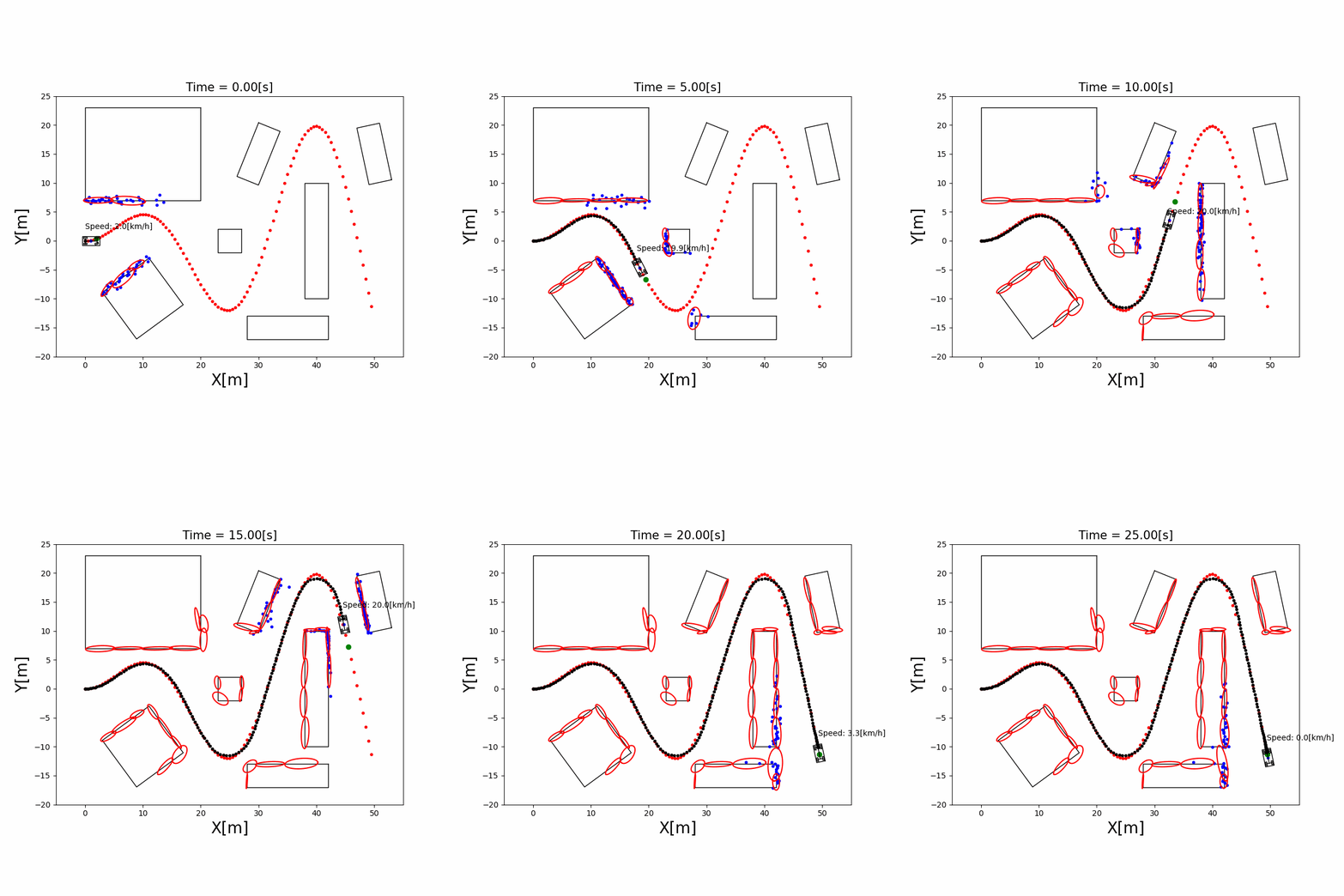
Table of Contents
- What is this?
- Goal of this project
- Requirements
- Quick Start
- Examples of Simulation
- Documents
- License
- Use Case
- Contribution
- Author
What is this?
This is a sample codes collections about Autonomous vehicle control algorithm. Each source codes are implemented with Python to help your understanding. You can fork this repository and use for studying, education or work freely.
Goal of this project
I want to release my own technical book about Autonomous Vehicle algorithms in the future. The book will include all of codes and documents in this repository as contents.
The next goal is a simulator where you can learn the whole navigation of an autonomous vehicle, swapping algorithms at each stage and comparing the results. See the architecture and roadmap and the roadmap issue.
Requirements
Please satisfy with the following requirements on native or VM Linux in advance.
For running each sample codes:
- Python 3.13.x
- Matplotlib
- NumPy
- SciPy
- CasADi (for MPC path tracking)
- do-mpc (for MPC path tracking)
For development:
- pytest (for unit tests)
For setting up the environment with Docker (see Quick Start):
- Docker
- VS Code with the Dev Containers extension (only for option A)
Quick Start
1. Clone this repository
$ git clone https://github.com/ShisatoYano/AutonomousVehicleControlBeginnersGuide
$ cd AutonomousVehicleControlBeginnersGuide
2. Set up the environment
Choose one of the following options.
Note for options A and B: The container shows the animations through your host's X11 display.
- Linux: Allow local connections to your X server before starting the container. This setting is reset when you log out, so run it again after logging in (or run it automatically at login).
This allows any local process on your machine to connect to your X server, so be careful on a shared machine.$ xhost +local: - Windows / macOS: You need an X server that the container can connect to, such as WSLg on WSL2 or XQuartz on macOS.
A. VS Code + Docker (Dev Container)
- Install Docker and VS Code with the Dev Containers extension
- Open this repository's folder in VS Code
- Run
Dev Containers: Reopen in Containerfrom the Command Palette - All required libraries are installed automatically. Run the commands in the following steps in VS Code's terminal
B. Docker only
- Install Docker
- Build and start the container, and then open a shell in it
$ docker compose up -d --build $ docker compose exec simulation bash - Run the commands in the following steps in this shell. To stop the container, run
docker compose downon your host
C. Local (without Docker)
- Install Python 3.13.x
- Create a virtual environment and install the required libraries
- Linux / macOS:
$ python3 -m venv .venv $ source .venv/bin/activate $ pip install -r requirements.txt - Windows (PowerShell):
> python -m venv .venv
> .venv\Scripts\Activate.ps1
> pip install -r requirements.txt
- Linux / macOS:
3. Run a simulation
Each simulation runs with one command. For example, localization with an Extended Kalman Filter, where the vehicle estimates its position from sensor observations while following a course:
$ python src/simulations/localization/extended_kalman_filter_localization/extended_kalman_filter_localization.py
You can find all simulations in doc/EXAMPLES.md.
4. (Optional) Run unit tests
You can confirm that the environment is set up correctly by running the unit tests.
$ . run_test_suites.sh
On Windows without Docker, run run_test_suites.bat instead.
Add star to this repository if you like it!!
Code completion / import resolution in your editor
Each simulation script adds its own module search paths at runtime with
sys.path.append(...), since this project doesn't use a standard Python
package layout. Static analysis tools (Pylance/pyright) can't see those
runtime sys.path.append(...) calls, so without extra configuration your
editor will show false "import could not be resolved" errors and code
completion won't work for these modules.
To fix this, pyrightconfig.json (for pyright/Pylance, e.g. Neovim or VS
Code without Dev Containers) and .devcontainer/devcontainer.json's
python.analysis.extraPaths (for VS Code + Dev Containers) list every
directory under src/components and src/simulations that directly
contains a .py file.
Whenever you add a new module (a new directory under src/components or
src/simulations), regenerate both files by running:
$ python generate_pyrightconfig.py
This scans the project and rewrites both files automatically, so you don't need to edit them by hand.
Run this script on your host machine, not inside the container. It only
uses the Python standard library (json, pathlib), and since the project
directory is bind-mounted into the container as-is, the files it writes are
the same on both sides either way. Running it on the host is simplest since
it doesn't depend on the container's Python environment at all.
Examples of Simulation
Every algorithm has a runnable simulation with an animated demo, organized into these categories:
- Localization
- Mapping
- Path Planning
- Path Tracking
- Perception
- Course
The full list with demo GIFs is generated from src/simulations — see doc/EXAMPLES.md.
Documents
Design documents of each Python programs are prepared here. The documents are still not completed. They have been being updated. If you found any problems in them, please tell me by creating an issue.
Documents link
License
MIT
Use Case
I started this project to study an algorithm and software development for Autonomous Vehicle system by myself. You can also use this repo for your own studying, education, researching and development.
If this project helps your task, please let me know by creating a issue.
Any paper, animation, video as your output, always welcome!! It will encourage me to continue this project.
Your comment and output is added to this list of user comments.
Contribution
Any contribution by creating an issue or sending a pull request is welcome!! Please check this document about how to contribute.
If you are looking for a place to start, see the good first issues and the roadmap issue.
Author
探索相关项目
加载中…