
SelfControlApp/selfcontrol
关于
:skull: 一款 Mac 应用,可在预设时间内阻止你访问容易分散注意力的网站等内容。应用本身或重启都无法解除限制,必须等计时器结束。
网站与应用实测星标增长
- 24小时
- +3
- 7天
- +10
- 15天
- +13
- 1个月
- 正在收集历史
各周期内的星标净变化,周期相互重叠,并非每日新增。缺失的测量保持空白。星标代表关注度,不代表软件质量。
README.md
原文SelfControl
About
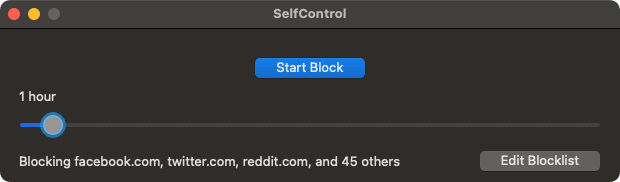
SelfControl is a free and open-source application for macOS that lets you block your own access to distracting websites, your mail servers, or anything else on the Internet. Just set a period of time to block for, add sites to your blocklist, and click "Start Block". Until that timer expires, you will be unable to access those sites—even if you restart your computer or delete the application.
Credits
Developed by Charlie Stigler, Steve Lambert, and others. Your contributions very welcome!
SelfControl is now available in 12 languages thanks to the fine translators credited here.
License
SelfControl is free software under the GPL. See this file for more details.
Building For Development
Users should always download the latest version of SelfControl from our website. If you want to contribute to SelfControl, you'll need to learn to build it for development. This can only be done on a Mac running a modern version of macOS.
- Clone the SelfControl repo from GitHub.
- Make sure you have a recent version of Xcode and the Xcode command-line tools installed.
- Install CocoaPods:
sudo gem install cocoapods - Install the SelfControl dependencies using CocoaPods:
pod install - Open the
selfcontrol.xcworkspacefile (NOTselfcontrol.xcodeproj) - Build and run (you may need to update/remove code signing settings to make it build properly)
探索相关项目
加载中…