
MagnivOrg/magniv-core
MagnivOrg/magniv-core has 83 GitHub stars and 8 forks. GitHot measured 0 stars in 24 hours, 0 in 7 days, and 0 in 15 days. Last checked 2026-11-22 19:55 UTC. Last push 2024-07-17.
实测星标增长
- 24小时
- 0
- 7天
- 0
- 15天
- 0
- 1个月
- 正在收集历史
各周期内的星标净变化,周期相互重叠,并非每日新增。缺失的测量保持空白。星标代表关注度,不代表软件质量。
关于
Magniv Core - A Python-decorator based job orchestration platform. Avoid responsibility handoffs by abstracting infra and DevOps.
数据README.md
原文
One line data science infra.




Magniv is the easiest way to build and deploy data applications, pipelines, or cron-like jobs. A Python decorator based orchestration library at the core, Magniv allows data scientists and developers to schedule arbitrary functions in one line. Monitoring, CI/CD, and compute management all come out of the box using the Magniv in a fully-managed context.
Quickstart ⚡
To get Magniv running with a simple "Hello, World" example, follow these three steps:
1. Install Magniv from pip.
pip install magniv
2. Create /tasks/requirements.txt every Magniv project requires at least one requirements.txt
3. Run the code below as a Python script or in a Python notebook (or in a colab notebook).
from magniv.core import task


@task(schedule="@hourly")
def hello_world():
    print("Hello world")
Why Magniv?
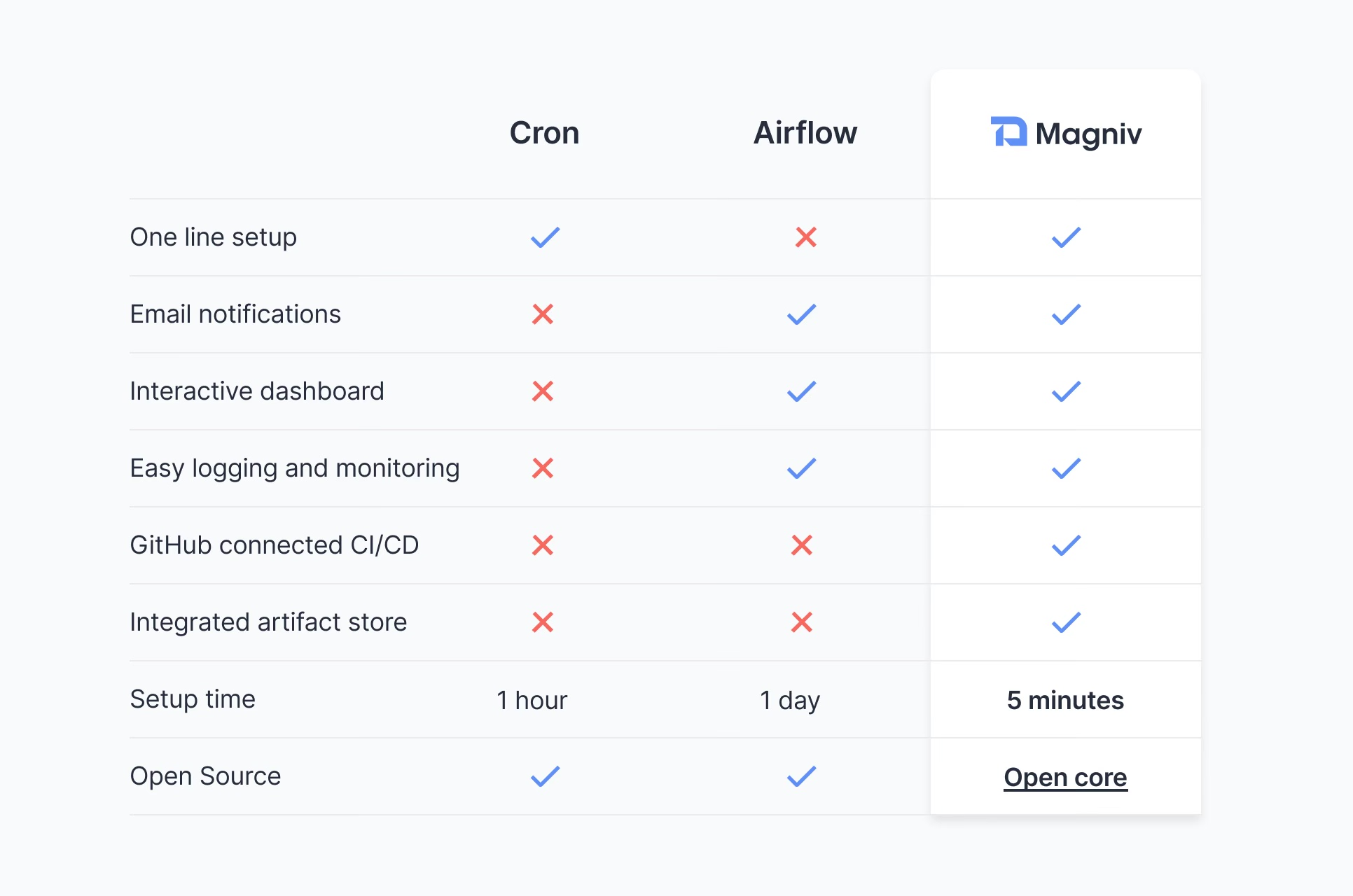
Scheduling is not a new problem. Magniv is designed with data scientists and hackers in mind. No more DAG files and bash scripts. Observability and logging comes out of the box.
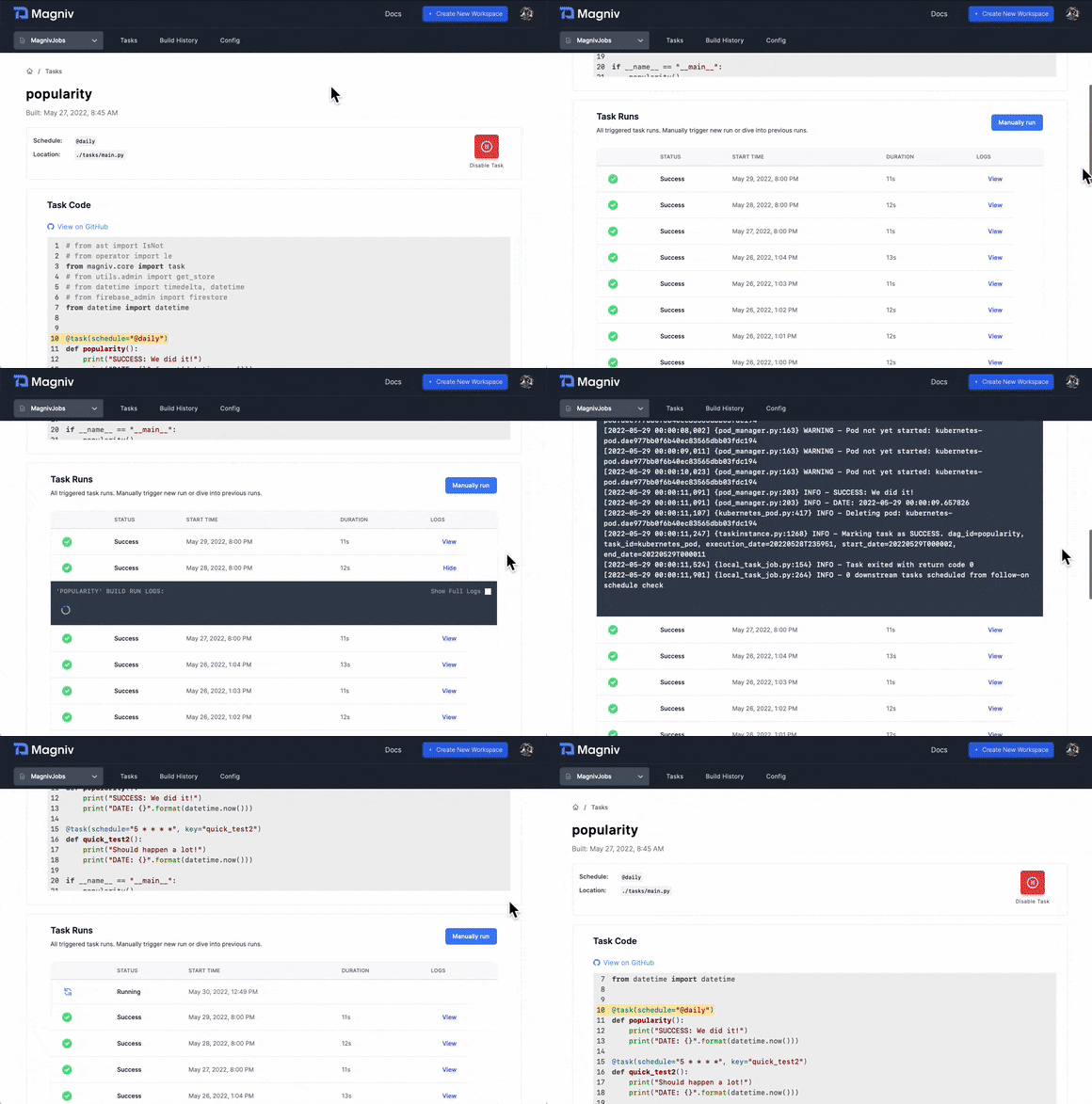
Monitoring
Using the Magniv dashboard makes it easy to monitor running jobs. Each Magniv task is displayed with its previous run information, logs, code snippets, and other details. Users also have the ability to disable tasks and manually trigger new runs.
Git CI/CD
Similar to tools like Heroku or Netlify, Magniv sets up a CI/CD pipeline from your GitHub repository. After connecting a Magniv workspace to a GitHub repo, every new commit will trigger a new build and update your tasks.

Code Quality
Before commits, please run:
black . --line-length=98
isort . --profile black --line-length=98
探索相关项目
加载中…