
LunarWerxs/FastColabCopy
LunarWerxs/FastColabCopy has 34 GitHub stars and 35 forks. GitHot measured 0 stars in 24 hours and +1 in 7 days. Last checked 2026-11-21 07:59 UTC. Last push 2026-11-17.
实测星标增长
- 24小时
- 0
- 7天
- +1
- 15天
- 正在收集历史
- 1个月
- 正在收集历史
各周期内的星标净变化,周期相互重叠,并非每日新增。缺失的测量保持空白。星标代表关注度,不代表软件质量。
关于
Python3 script that transfers files in Google Colab 10-50x faster, using multi-threaded parallel copying between Google Drive locations.
机器学习README.md
原文



FastColabCopy
Python3 script to transfer files in Google Colab 10-50x faster.
About The Project • How To Use • Examples • Best Practice • Credits • More Examples
About The Project
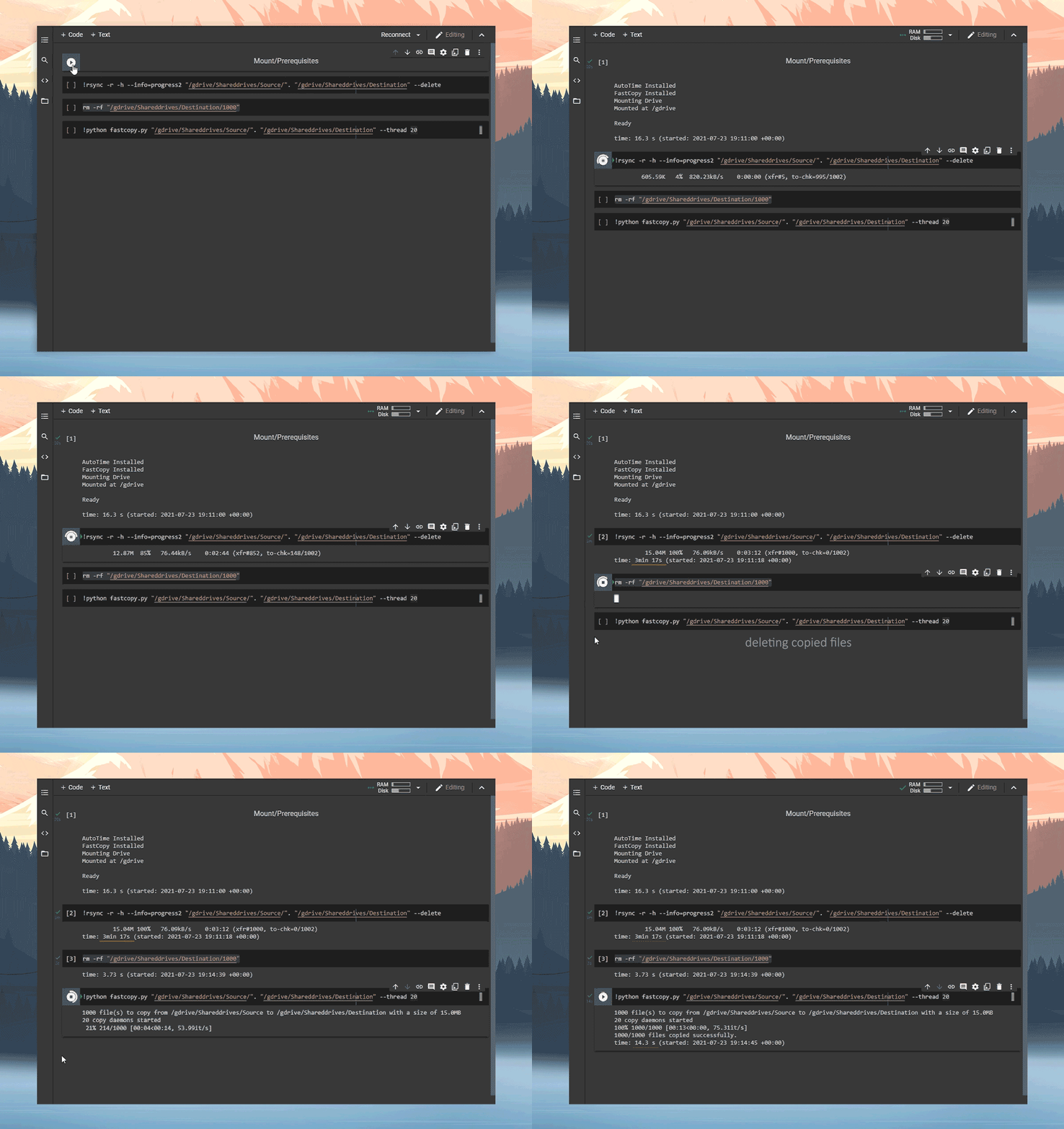
FastColabCopy is a Python script for parallel (multi-threading) copying of files between two locations. Currently developed for Google-Drive to Google-Drive transfers using Google-Colab. This script frequently achieves 10-50x speed improvements when copying numerous small files.
Importing
Import from GitHub:
!wget https://raw.githubusercontent.com/L0garithmic/fastcolabcopy/main/fastcopy.py
import fastcopy
Import from Google Drive:
!cp /gdrive/MyDrive/fastcopy.py .
import fastcopy
Usage
usage: fast-copy.py [-h HELP] source destination [-d DELETE] [-s SYNC] [-r REPLACE]

optional arguments:
  -h --help            show this help message and exit
  source                the drive you are copying from
  destination           the drive you are copying to
  -d --delete           delete the source files after copy
  -s --sync             delete files in destination if not found in source (do not use, if using with rsync)
  -r --replace          replace files if they exist
  -t --thread           set the amount of parallel threads used
  -l --size-limit       set max size of files copied (supports gb, mb, kb) eg 1.5gb
The source and destination fields are required. Everything else is optional.
Examples
from google.colab import drive
drive.mount('/gdrive', force_remount=False)
import os
!wget -q https://raw.githubusercontent.com/L0garithmic/fastcolabcopy/main/fastcopy.py
import fastcopy
!python fastcopy.py /gdrive/Shareddrives/Source/. /gdrive/Shareddrives/Destination --thread 20 --size-limit 400mb
If you want to see copy execution time:
!pip install -q ipython-autotime
%load_ext autotime
Check out examples.md for some more examples.
Best Practice
Colab has wildly varying transfer speeds, because of this, the best we can offer are suggestions:
- For large groups of medium/small files, 15-40 threads seems to work best.
- For 50+ files with significantly varying sizes, try 2 sequentially copies.
-t 15 -l 400then-t 2 - For files that are 100MB+, it is best to use 2 threads. It is still faster then rsync.
- Currently
--syncbreaks if rsync is ran after. If you are mirroring drives. Disable--syncand use the rsync's--deletefunction.
Credits
- Credit to ikonikon for the base multi-threading code.
- Thanks to @Ostokhoon for ALL argument and folder hierarchy functionality.