项目 在 GitHub 查看
JeasonWong/Particle
关于
一个很酷的动画,可用于启动画面或其他地方。
创作与媒体实测星标增长
- 24小时
- 0
- 7天
- 0
- 15天
- -1
- 1个月
- 正在收集历史
各周期内的星标净变化,周期相互重叠,并非每日新增。缺失的测量保持空白。星标代表关注度,不代表软件质量。
README.md
原文What's Particle ?
It's a cool animation which can use in splash or anywhere else.
Demo
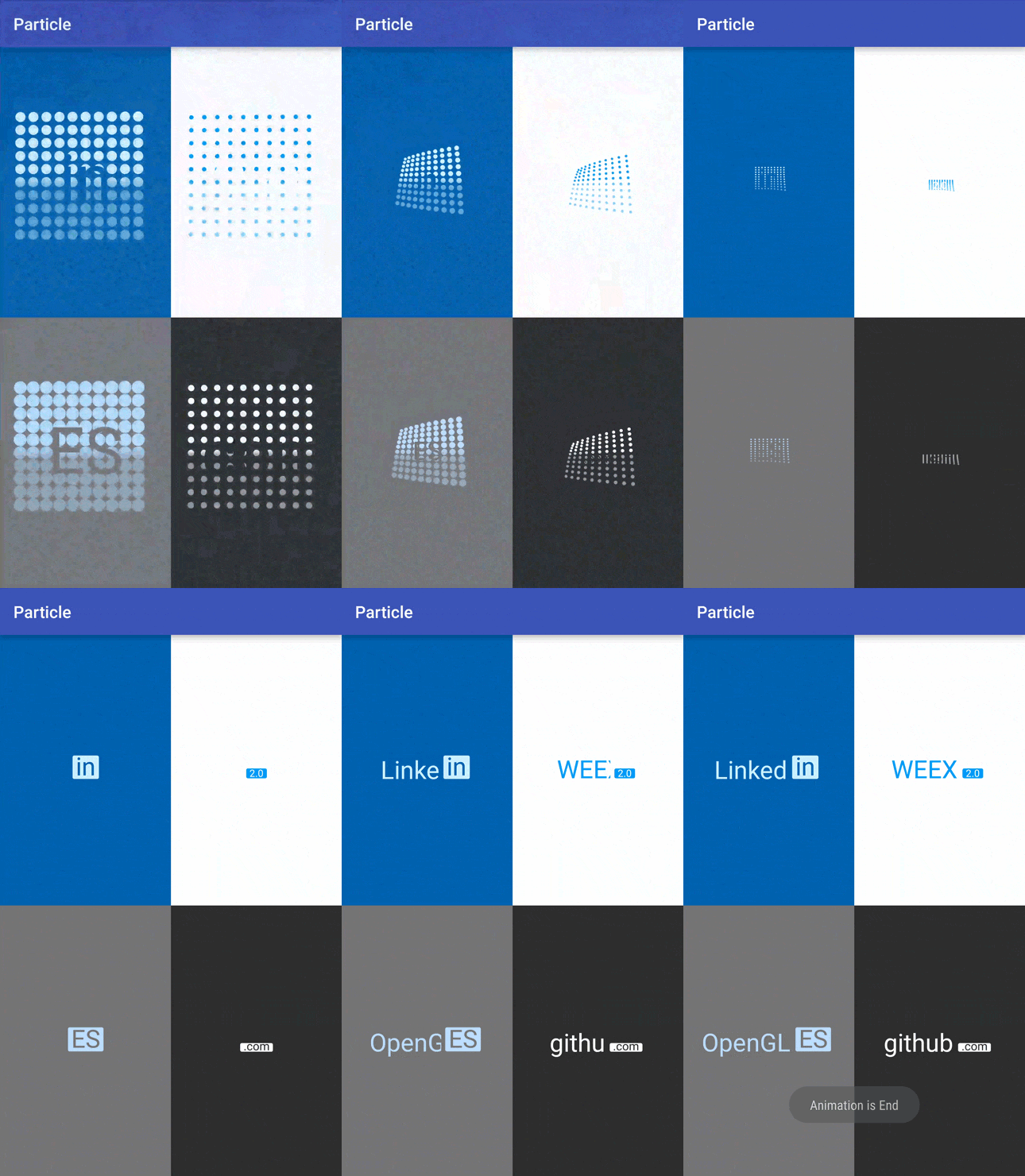
Article
Attributes
| name | format | description | 中文解释 |
|---|---|---|---|
| pv_host_text | string | set left host text | 设置左边主文案 |
| pv_host_text_size | dimension | set host text size | 设置主文案的大小 |
| pv_particle_text | string | set right particle text | 设置右边粒子上的文案 |
| pv_particle_text_size | dimension | set particle text size | 设置粒子上文案的大小 |
| pv_text_color | color | set host text color | 设置左边主文案颜色 |
| pv_background_color | color | set background color | 设置背景颜色 |
| pv_text_anim_time | integer | set particle text duration | 设置粒子上文案的运动时间 |
| pv_spread_anim_time | integer | set particle text spread duration | 设置粒子上文案的伸展时间 |
| pv_host_text_anim_time | integer | set host text displacement duration | 设置左边主文案的位移时间 |
Usage
Define your banner under your xml :
<me.wangyuwei.particleview.ParticleView
    android:layout_width="match_parent"
    android:layout_height="match_parent"
    pv:pv_background_color="#2E2E2E"
    pv:pv_host_text="github"
    pv:pv_host_text_size="14sp"
    pv:pv_particle_text=".com"
    pv:pv_particle_text_size="14sp"
    pv:pv_text_color="#FFF"
    pv:pv_text_anim_time="3000"
    pv:pv_spread_anim_time="2000"
    pv:pv_host_text_anim_time="3000" />
Start animation :
mParticleView.startAnim();
Add animation listener to listen the end callback :
mParticleView.setOnParticleAnimListener(new ParticleView.ParticleAnimListener() {
    @Override
    public void onAnimationEnd() {
        Toast.makeText(MainActivity.this, "Animation is End", Toast.LENGTH_SHORT).show();
    }
});
Import
Step 1. Add it in your project's build.gradle at the end of repositories:
repositories {
    maven {
        url 'https://dl.bintray.com/wangyuwei/maven'
    }
}
Step 2. Add the dependency:
dependencies {
  compile 'me.wangyuwei:ParticleView:1.0.4'
}
About Me
QQ Group 欢迎讨论
479729938
##License
Copyright [2016] [JeasonWong of copyright owner]

Licensed under the Apache License, Version 2.0 (the "License");
you may not use this file except in compliance with the License.
You may obtain a copy of the License at

    http://www.apache.org/licenses/LICENSE-2.0

Unless required by applicable law or agreed to in writing, software
distributed under the License is distributed on an "AS IS" BASIS,
WITHOUT WARRANTIES OR CONDITIONS OF ANY KIND, either express or implied.
See the License for the specific language governing permissions and
limitations under the License.
探索相关项目
加载中…