
HVF/franchise
HVF/franchise has 3,992 GitHub stars and 262 forks. GitHot measured -1 stars in 24 hours and -3 in 7 days. Last checked 2026-11-10 19:58 UTC. Last push 2022-12-10.
🍟 a notebook sql client. what you get when have a lot of sequels.
实测星标增长
- 24小时
- -1
- 7天
- -3
- 15天
- 更新延迟
- 1个月
- 更新延迟
各周期内的星标净变化,周期相互重叠,并非每日新增。缺失的测量保持空白。星标代表关注度,不代表软件质量。
README.md
原文

Franchise
a sql notebook
Franchise is a lightweight but powerful SQL tool with a notebook interface. You can use it online at franchise.cloud.
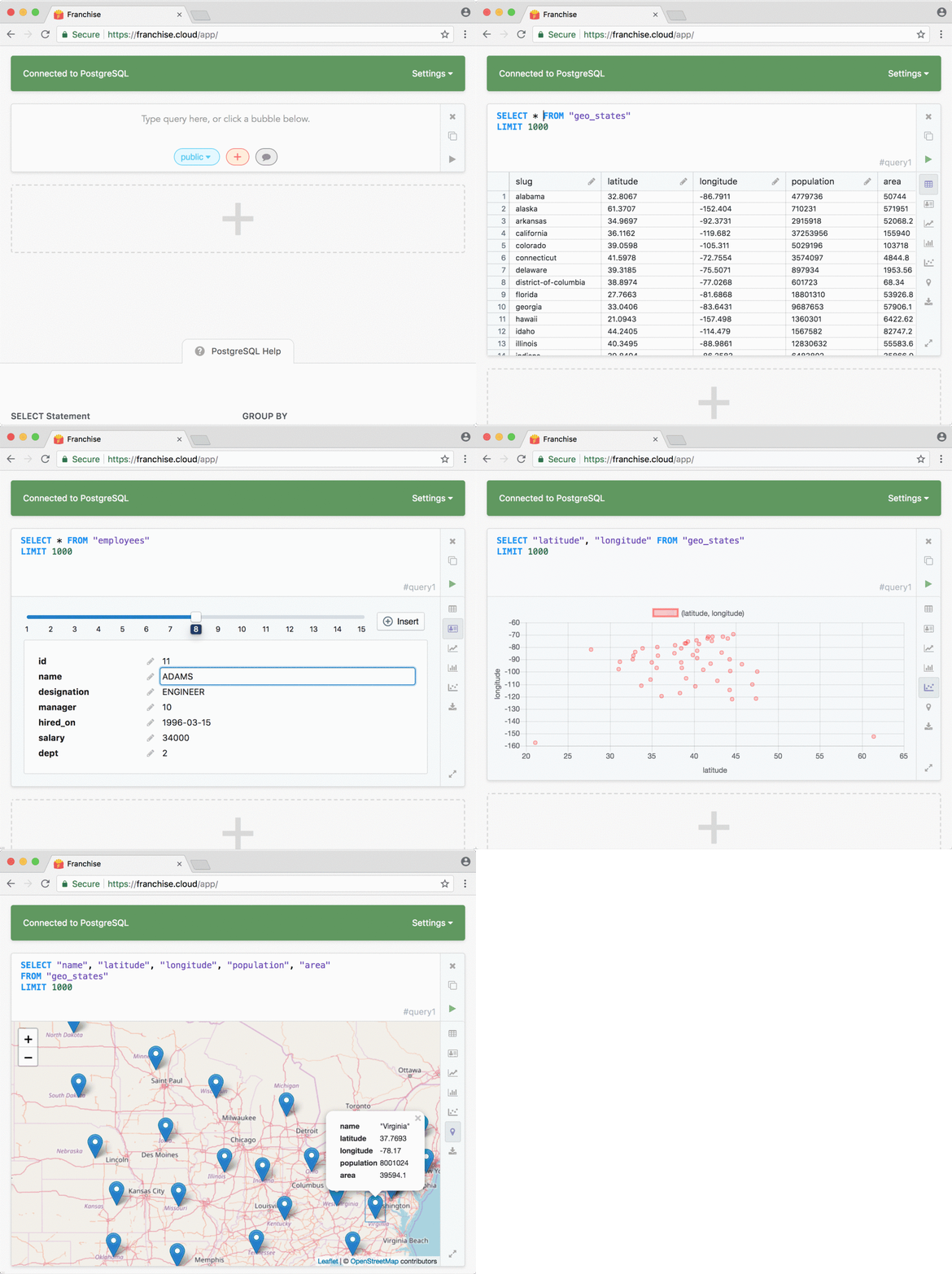
- There's no sign up and no install
- For editing CSVs, JSON, XLSX files, we've integrated js-xlsx, and sql.js so you can query data entirely locally in your browser
- For connecting to PostgreSQL, MySQL, or BigQuery, just run a single command in your terminal to open a bridge that allows Franchise to directly connect to your database. Your data never touches a third party server.
- Chart with a single click
- Compare queries side by side
- With our unique notebook layout engine, you can drag and drop cells on the same line to compare views.
Running Locally (Development Mode)
There's an online version of franchise right here. There are also instructions for building franchise to static files here.
Otherwise, here's how to run franchise in development mode:
If you don't have
npmoryarn, install yarn.Open up a terminal and run
git clone --depth 1 https://github.com/HVF/franchise.gitcd into the project directory
cd franchiseInstall the project dependencies
yarn install(you can also run
npm install)Start the dev server
yarn start(you can also run
npm start)Open up a browser and go to
http://localhost:3000Edit some files in
franchise/src.When you save your edits, and the browser will automatically reload.
(optional) Add a bunch of great functionality and send a PR!
Running in Docker 🐳
Application will be available here: http://localhost:3000
Using Docker Hub image
docker run \
    --name franchise \
    -p 3000:80 \
    -p 14645:14645 \
    -d binakot/franchise
Build your own image
- Build a docker image:
docker build -t franchise .
- Run a container with image:
docker run \
    --name franchise \
    -p 3000:80 \
    -p 14645:14645 \
    -d franchise
Build electron app
Linux:
yarn build:electron:linux
macOS:
yarn build:electron:mac
Windows:
yarn build:electron:windows
After build check out dist folder.
探索相关项目
Asabeneh/30-Days-Of-Python
30 Days of Python 编程挑战是一份循序渐进的指南,用于在 30 天内学习 Python 编程语言。这项挑战可能需要超过 100 天。请按自己的节奏进行。这些视频或许也有帮助:https://www.youtube.com/channel/UC7PNRuno1rzYPb1xLa4yktw
78,560 星标grafana/grafana
开放且可组合的可观测性与数据可视化平台。可对来自 Prometheus、Loki、Elasticsearch、InfluxDB、Postgres 等众多数据源的指标、日志和追踪进行可视化。
77,830 星标redis/redis
对于正在构建实时数据驱动应用的开发者而言,Redis 是首选、速度最快且功能最丰富的缓存、数据结构服务器和文档与向量查询引擎。
77,395 星标apache/superset
Apache Superset 是一个数据可视化与数据探索平台
75,473 星标