
DeskConnect/SBShortcutMenuSimulator
DeskConnect/SBShortcutMenuSimulator has 1,724 GitHub stars and 161 forks. GitHot measured 0 stars in 24 hours, -1 in 7 days, and -2 in 15 days. Last checked 2026-11-22 23:59 UTC. Last push 2016-12-11.
实测星标增长
- 24小时
- 0
- 7天
- -1
- 15天
- -2
- 1个月
- 正在收集历史
各周期内的星标净变化,周期相互重叠,并非每日新增。缺失的测量保持空白。星标代表关注度,不代表软件质量。
关于
模拟器中的 3D Touch 快捷操作
创作与媒体README.md
原文SBShortcutMenuSimulator
SBShortcutMenuSimulator is a tweak for the iPhone Simulator that allows you to simulate the new UIApplicationShortcutItem API for iPhone with 3D Touch enabled.
Requirements
- Xcode 7 GM or later, set as your default version of Xcode
Build
git clone https://github.com/DeskConnect/SBShortcutMenuSimulator.git
cd SBShortcutMenuSimulator
make
Note: If you installed SBShortcutMenuSimulator using the old method, go here and follow the uninstallation directions.
Usage
First, start SpringBoard with SBShortcutMenuSimulator enabled (run this from the cloned directory):
xcrun simctl spawn booted launchctl debug system/com.apple.SpringBoard --environment DYLD_INSERT_LIBRARIES=$PWD/SBShortcutMenuSimulator.dylib
xcrun simctl spawn booted launchctl stop com.apple.SpringBoard
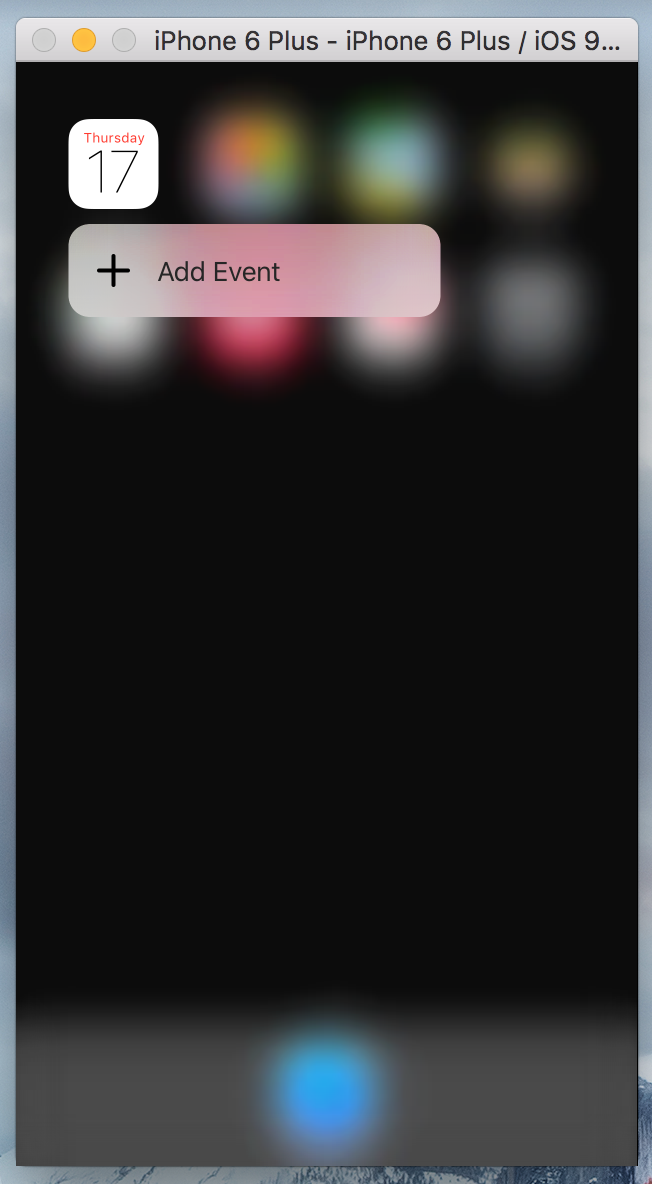
Now, to show an app's quick action menu, send the app's bundle identifier over TCP to port 8000. For example, running this command will show the shortcut menu for Calendar:
echo 'com.apple.mobilecal' | nc 127.0.0.1 8000
License
SBShortcutMenuSimulator is available under the MIT license. See the LICENSE file for more info.
探索相关项目
加载中…