项目 在 GitHub 查看
Collective-Software/ClickPaste
关于
一款适用于 Windows 10/11 的 C# 通知区域应用,可将剪贴板内容模拟为按键输入,粘贴到你点击的位置。
开发工具实测星标增长
- 24小时
- 0
- 7天
- +1
- 15天
- 正在收集历史
- 1个月
- 正在收集历史
各周期内的星标净变化,周期相互重叠,并非每日新增。缺失的测量保持空白。星标代表关注度,不代表软件质量。
README.md
原文ClickPaste
Windows 10/11 notification area app in C# that can paste clipboard contents as keystrokes to whatever location you click.
Starting
- You can install ClickPaste using the MSI installer or get the portable ZIP from the Releases page
- Note that in order to paste to UAC-elevated processes, Microsoft requires the ClickPaste binary to be run from the system drive's "Program Files" folder. (The easiest way to achieve that is to use the MSI installer.)
- Launch ClickPaste from a shortcut or by double-clicking ClickPaste.exe.
Usage
First of course, you need to have some text in your clipboard. Then:
- Click the target notification icon to begin:

- Click to choose a location you want to paste the text:
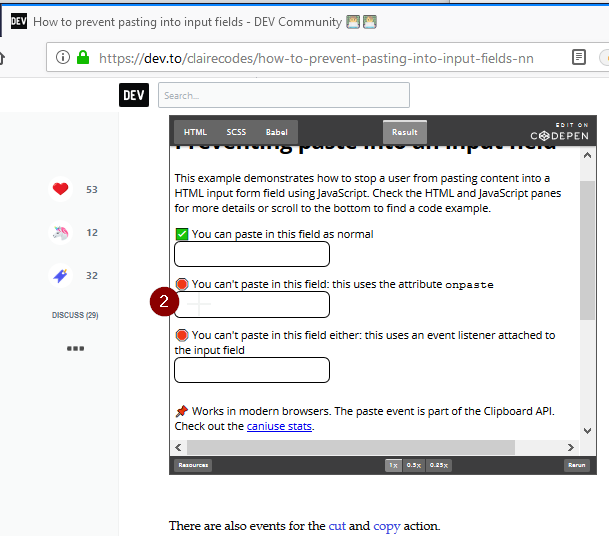
- Your clipboard contents should be typed as keystrokes onto the window you selected:

Settings
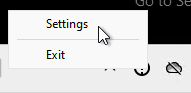
Right-click the notification icon and select Settings.
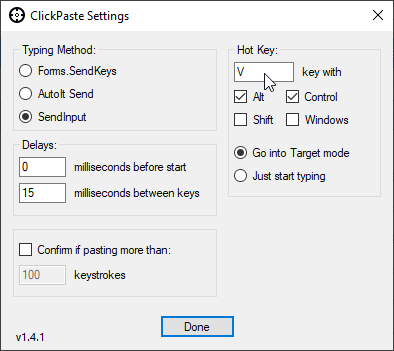
- You can change between key typing modes,
- Set how much delay there is before and between keystrokes,
- Trigger a confirmation when the clipboard contains more than a chosen number of characters,
- Configure what "hot key" combination will be used (Clear the key textbox with delete or backspace if you wish to have no hotkey),
- Configure whether the "hot key" will activate the target selector to pick a paste location or just start typing immediately.
Stopping
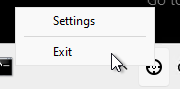
- Right-click the notification icon and select Exit.
Download
探索相关项目
加载中…