
BjoernKW/Schematic
BjoernKW/Schematic has 33 GitHub stars and 5 forks. GitHot measured 0 stars in 24 hours and 0 in 7 days. Last checked 2026-11-20 04:15 UTC. Last push 2026-11-16.
实测星标增长
- 24小时
- 0
- 7天
- 0
- 15天
- 正在收集历史
- 1个月
- 正在收集历史
各周期内的星标净变化,周期相互重叠,并非每日新增。缺失的测量保持空白。星标代表关注度,不代表软件质量。
关于
A database management UI for Spring Boot
数据README.md
原文Schematic



Schematic is a simple database management UI for Spring Boot.
Getting Started
To use Schematic, you need to add the following Maven dependency to your project's pom.xml:
<dependency>
    <groupId>com.bjoernkw</groupId>
    <artifactId>schematic</artifactId>
    <version>1.1.0</version>
</dependency>
After that, simply restart your Spring Boot application. Schematic will be available under http://localhost:8080/schematic/tables and show the database tables for the database connection configured for your application.
Configuration
Add any of the following properties to your application.yml (or application.properties) to customise Schematic:
schematic:
  path: custom-path-for-schematic   # URL path for the UI (default: schematic)
  root-path: /MyApplication         # Root path of the host application (default: /)
  preview-row-limit: 25             # Maximum rows shown in the table preview (default: 10)
preview-row-limit must be a positive integer. The application will fail to start with a descriptive error if a value less than 1 is configured.
Access Control
By default, Schematic shows all tables and permits all operations. To restrict access, implement the SchematicTableFilter interface and register it as a Spring bean:
@Component
public class MyTableFilter implements SchematicTableFilter {

    @Override
    public boolean isTableVisible(String tableName) {
        // hide internal tables from the UI
        return !tableName.startsWith("internal_");
    }

    @Override
    public boolean isOperationPermitted(String tableName, TableOperation operation) {
        // allow only TRUNCATE, never DROP
        return operation == TableOperation.TRUNCATE;
    }
}
When a SchematicTableFilter bean is present:
- Tables for which
isTableVisiblereturnsfalseare hidden from the table listing, the row preview, and the ER diagram. - Operation buttons (Truncate / Drop) are hidden for tables where
isOperationPermittedreturnsfalse. Direct requests for restricted operations are rejected with HTTP 403. - If the filter throws an exception for a specific table, that table is treated as not visible and all its operations are blocked (fail-closed).
- Both interface methods have permissive default implementations (
return true), so you only need to override the methods relevant to your use case.
Query History
Every SQL query submitted through the Schematic UI is automatically saved to browser local storage (up to 50 entries, most recent first). On the next visit, click the History dropdown above the SQL query input to select and re-run a previous query. Use Clear history to remove all stored entries.
History is stored entirely in the browser — no query data is sent to or persisted by the server. If the browser's Web Storage API is unavailable, queries execute normally and the history dropdown is silently suppressed.
Screenshots
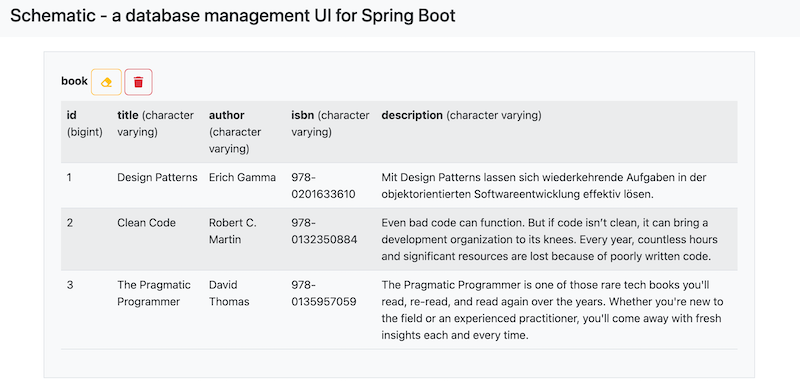
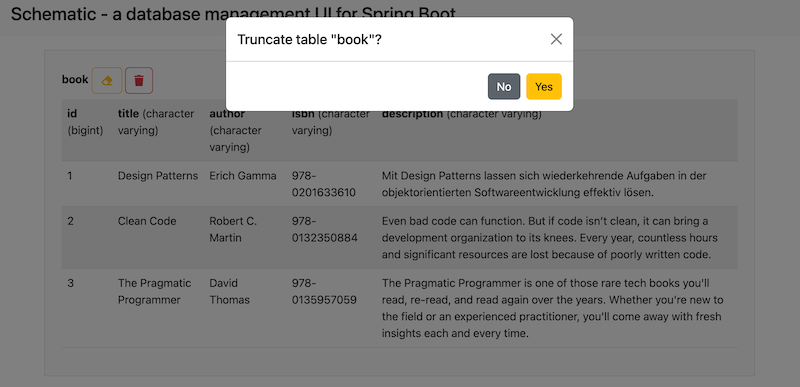
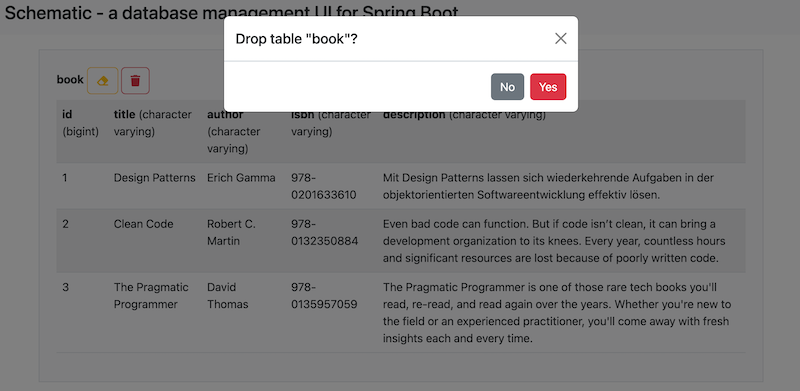
Gitpod environment

Prerequisites
- Java 21
- Maven
- a Spring Boot application to install Schematic into