
BCsl/CursorWheelLayout
BCsl/CursorWheelLayout has 729 GitHub stars and 145 forks. GitHot measured -1 stars in 24 hours and -3 in 7 days. Last checked 2026-11-25 05:23 UTC. Last push 2020-11-20.
实测星标增长
- 24小时
- -1
- 7天
- -3
- 15天
- 正在收集历史
- 1个月
- 正在收集历史
各周期内的星标净变化,周期相互重叠,并非每日新增。缺失的测量保持空白。星标代表关注度,不代表软件质量。
关于
用于从旋转轮盘上选择项目的 Android 控件。
开发工具README.md
原文CursorWheelLayout
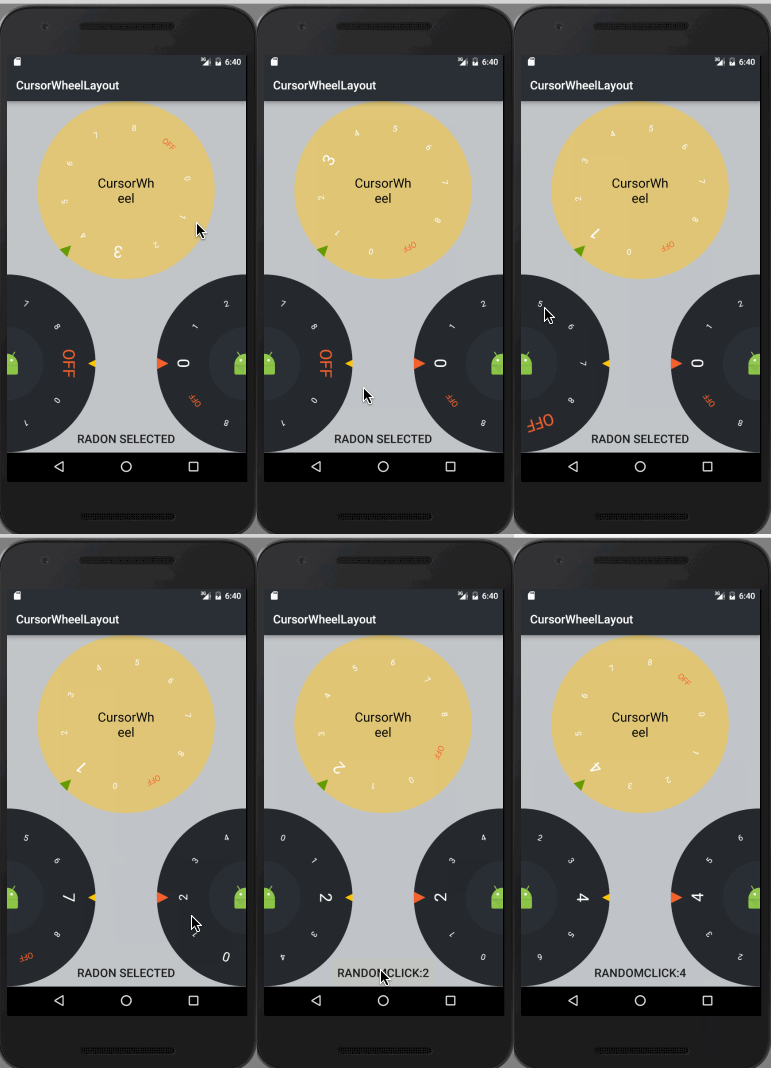
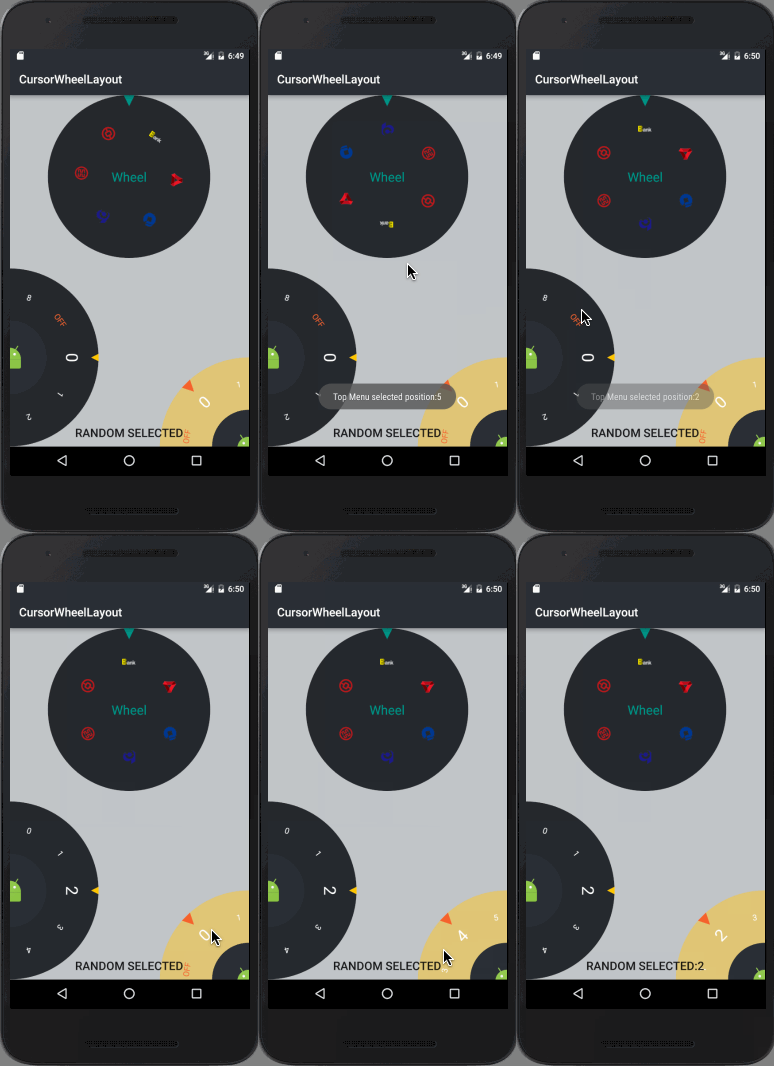
CursorWheelLayout is an Android library that allows view to be placed on a rotatable wheel. It behaves like a Circular ListView where items rotate rather than scroll vertically(but without view recycle strategy).
CursorWheelLayout consists of two components , the center item with id id_wheel_menu_center_item and the menu items that provided by CycleWheelAdapter.
The CursorWheelLayout can be used as a way to select one item from a list. The wheelSelectedAngle attribute determines what position on the wheel is selected.
You can also receive a callback for when an item is clicked, and whether it is selected. Have a look at the sample for a working example!
Screenshot
Apk
Setup
Gradle
compile 'github.hellocsl:CursorWheelLayout:1.1.0'
Maven
<dependency>
  <groupId>github.hellocsl</groupId>
  <artifactId>CursorWheelLayout</artifactId>
  <version>1.1.0</version>
  <type>pom</type>
</dependency>
Usage
- Add a custom view in Xml
  <github.hellocsl.cursorwheel.CursorWheelLayout
        android:id="@+id/test_circle_menu_right"
        android:layout_width="306dip"
        android:layout_height="306dip"
        android:layout_gravity="center_vertical|right|bottom"
        android:layout_marginBottom="-153dp"
        android:layout_marginRight="-153dip"
        app:wheelBackgroundColor="@color/colorAccent_Translucent"
        app:wheelCursorColor="@color/red"
        app:wheelCursorHeight="20dip"
        app:wheelFlingValue="460"
        app:wheelSelectedAngle="225">

        <github.hellocsl.cursorwheellayout.widget.SwitchButton
            android:id="@id/id_wheel_menu_center_item"
            android:layout_width="wrap_content"
            android:layout_height="wrap_content"
            app:boardWidth="0dip"
            app:uncheckRevealColor="#ff2a2f36"
        />
    </github.hellocsl.cursorwheel.CursorWheelLayout>
- Define your
WheelCycleAdapter
public class SimpleTextAdapter implements CursorWheelLayout.CycleWheelAdapter{

        public int getCount(){
        //...
        }

        public View getView(View parent, int position){
        //...
        }

        public Object getItem(int position){
        //...
        }

}
- Set your
WheelCycleAdaptersimilar to how you would set an adapter with a ListView
        SimpleTextAdapter simpleTextAdapter = new SimpleTextAdapter(this, menuItemDatas);
        mTestCircleMenuLeft.setAdapter(simpleTextAdapter);
Listener
- A listener for when the closest item to the
SelectionAnglechanges.
      mTestCircleMenuTop.setOnMenuSelectedListener(new CursorWheelLayout.OnMenuSelectedListener() {
            @Override
            public void onItemSelected(CursorWheelLayout parent, View view, int pos) {
                Toast.makeText(MainActivity.this, "Top Menu selected position:" + pos, Toast.LENGTH_SHORT).show();
            }
        });
- A listener for when an item is clicked.
        mTestCircleMenuTop.setOnMenuItemClickListener(new CursorWheelLayout.OnMenuItemClickListener() {
            @Override
            public void onItemClick(View view, int pos) {
                Toast.makeText(MainActivity.this, "Top Menu click position:" + pos, Toast.LENGTH_SHORT).show();

            }
        });
Useful attributes
Here are the custom attributes that can be declared in xml:
- wheelSelectedAngle
- wheelPaddingRadio
- wheelCenterRadio
- wheelItemRadio
- wheelFlingValue
- wheelCursorHeight
- wheelCursorColor
- wheelBackgroundColor
- wheelItemRotateMode
Refer to
http://blog.csdn.net/lmj623565791/article/details/43131133
License
Apache License Version 2.0 http://apache.org/licenses/LICENSE-2.0.txt
探索相关项目
加载中…