
0xranx/OpenContext
0xranx/OpenContext has 1,280 GitHub stars and 85 forks. GitHot measured +1 stars in 24 hours and +1 in 7 days. Last checked 2026-11-10 23:04 UTC. Last push 2026-06-16.
A personal context store for AI agents and assistants—reuse your existing coding agent CLI (Codex/Claude/OpenCode) with built‑in Skills/tools and a desktop GUI to capture, search, and reuse project knowledge across agents and repos.
实测星标增长
- 24小时
- +1
- 7天
- +1
- 15天
- 更新延迟
- 1个月
- 更新延迟
各周期内的星标净变化,周期相互重叠,并非每日新增。缺失的测量保持空白。星标代表关注度,不代表软件质量。
README.zh-CN.md
原文
给你的 AI 助手一个持久记忆。
不再重复解释,专注高效构建。
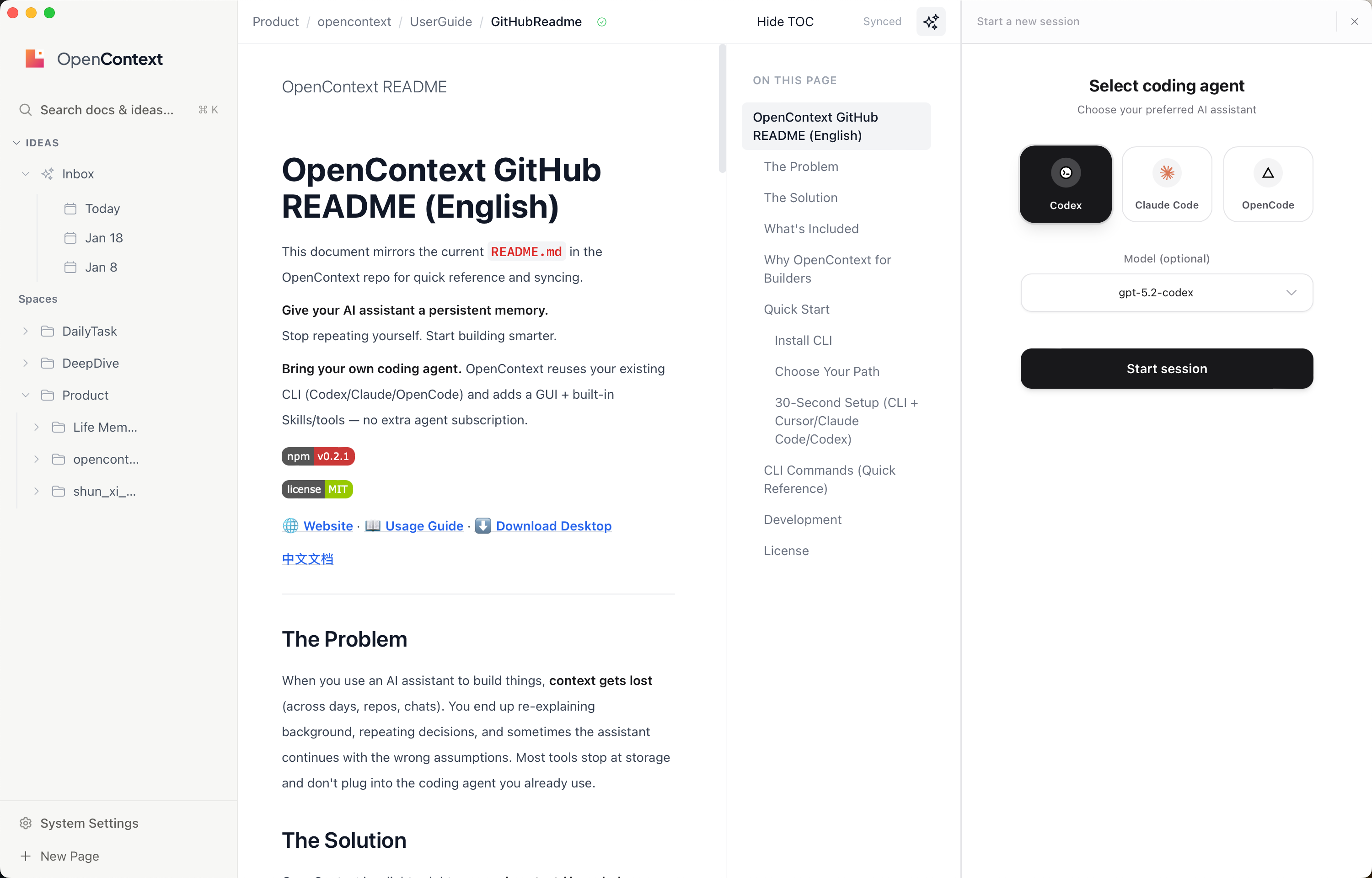
复用你已有的 coding agent。 OpenContext 直接接入你现有的 CLI(Codex/Claude/OpenCode),并提供 GUI + 内置 Skills/工具,无需额外为另一套 Agent 付费。
|
|


痛点
当你用 AI 助手做事时,上下文会丢、历史决策会忘、跨天/跨仓库会断片。你很容易重复解释背景、重复踩坑,甚至让 AI 在错误前提下继续执行。很多工具只停留在“管理”,并没有接入你已经在用的 coding agent。
解决方案
OpenContext 是一个面向 AI 助手(Agent)与 Cursor / Claude Code / Codex 等编码工具用户的「个人上下文/知识库」。它直接复用你已有的 coding agent CLI(Codex/Claude/OpenCode),并提供 GUI 与内置 Skills/工具,让 AI 助手能「先读历史再动手、做完再沉淀」。
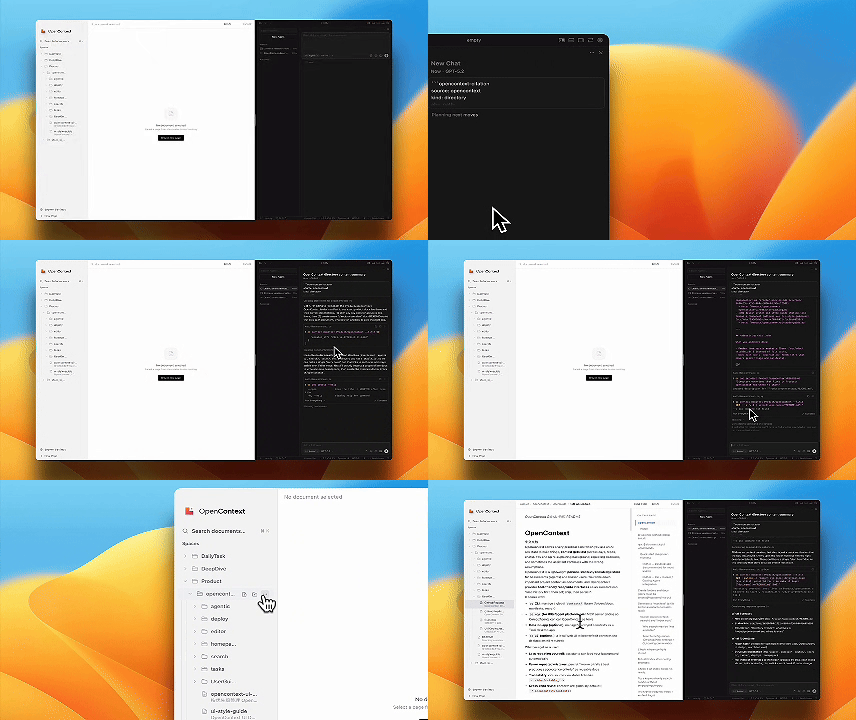
Skills 优先支持: oc init 会生成用户级 skills(Cursor/Claude Code/Codex)和斜杠命令(Cursor/Claude Code),让 Agent 用一条命令完成加载、搜索、创建与迭代。
| 使用前 | 使用后 |
|---|---|
| 📂 跨 repo/会话 共享上下文很难 | ✅ 全局知识库,跨项目复用 |
| 🤷 自己的想法无法快速被 Agent 感知到 | ✅ Agent 自动加载你的背景和决策 |
| 🔒 现有知识内容无法直接通过 Coding Agent 操作 | ✅ Agent 可以直接读写你的知识库 |
包含什么
ocCLI — 管理全局contexts/文档库(目录/文档、清单、检索)- MCP Server — 让 Cursor/Claude Code/Codex/Agent 通过工具调用 OpenContext
- Skills + 斜杠命令 — 为 Cursor/Claude Code/Codex 生成用户级 skills,为 Cursor/Claude Code 生成斜杠命令(由
oc init生成) - 面向 Agent 的知识层 — 复用你已有的 coding agent CLI(Codex/Claude/OpenCode),并内置 Skills/工具 + GUI
- 桌面版应用 — 用原生 UI 管理/搜索/编辑 contexts
- Web UI — 本地浏览/编辑文档(无需安装桌面版)
为什么 OpenContext 更适合开发者
OpenContext 的知识管理 Agent 可以直接用你已经在用的 coding agent CLI(Codex/Claude/OpenCode),不需要为另一套 Agent 再付费。你带来自己熟悉的代理工具,OpenContext 直接提供现成 GUI 和内置 Skills/工具,让 Agent 能读、搜、写、迭代你的知识库。
快速开始
安装 CLI
npm install -g @aicontextlab/cli
选择你的路径
| 路径 | 适合人群 | 开始使用 |
|---|---|---|
| 🖥️ 桌面版应用 | 喜欢图形界面的用户 | 从 Releases 下载 |
| ⌨️ CLI + 工具接入 | 使用 Cursor/Claude Code/Codex/AI Agent 的开发者 | npm install -g @aicontextlab/cli && oc init |
| 🔧 仅 CLI | 高级用户、自动化场景 | npm install -g @aicontextlab/cli |
OpenContext 不替换你的 Agent,而是复用你已有的 coding agent CLI,并补上 GUI 与内置 Skills/工具。
30 秒上手(CLI + Cursor/Claude Code/Codex)
# 1. 安装
npm install -g @aicontextlab/cli

# 2. 初始化(会提示选择工具,默认全选)
cd your-project
oc init

# 3. 在 Cursor / Claude Code 中使用斜杠命令
#    /opencontext-context  — 开始工作前加载背景
#    /opencontext-search   — 查找相关文档
#    /opencontext-create   — 创建新文档
#    /opencontext-iterate  — 沉淀学到的内容
#    提示:非交互可用 --tools cursor,claude,codex 或 --no-claude/--no-cursor/--no-codex
#
#    oc init 会安装:
#    - Cursor: ~/.cursor/commands
#    - Claude Code: ~/.claude/commands(或 $CLAUDE_CONFIG_DIR/commands)
#    Skills(斜杠命令的同名封装):
#    - Cursor: ~/.cursor/skills/opencontext-*/SKILL.md
#    - Claude Code: ~/.claude/skills/opencontext-*/SKILL.md(或 $CLAUDE_CONFIG_DIR/skills)
#    - Codex: ~/.codex/skills/opencontext-*/SKILL.md(或 $CODEX_HOME/skills)
#
#    用户级 MCP 配置:
#    - Cursor: ~/.cursor/mcp.json
#    - Claude Code: ~/.claude/mcp.json(或 $CLAUDE_CONFIG_DIR/mcp.json)
#    - Codex: ~/.codex/mcp.json(或 $CODEX_HOME/mcp.json)
📖 详细使用指南、搜索配置和常见问题,请访问官网。
CLI 命令(快速参考)
运行 oc <cmd> --help 查看详情。
| 命令 | 说明 |
|---|---|
oc init |
初始化 OpenContext + 用户级工具集成 |
oc folder ls |
列出目录 |
oc folder create <path> -d "desc" |
创建目录 |
oc doc create <folder> <name>.md -d "desc" |
创建文档 |
oc doc ls <folder> |
列出文档 |
oc context manifest <folder> |
生成文档清单供 AI 读取 |
oc search "query" |
搜索文档 |
oc mcp |
启动 MCP Server(给 MCP 客户端用) |
oc ui |
启动本地 Web UI |
📖 完整命令参考请访问官网。
开发
# 克隆并安装
git clone https://github.com/0xranx/OpenContext.git
cd OpenContext && npm install

# 桌面版应用
npm run tauri:dev    # 开发模式
npm run tauri:build  # 生产构建

# Web UI
npm run ui:dev       # 开发模式
npm run ui:build     # 生产构建
许可证
MIT © OpenContext