
arisvardakas/Fixyfier
Sobre
A fast, technician‑grade Windows repair tool with zero bloat, no placebo tweaks, and only tasks that solve real problems.
SegurançaCrescimento medido de estrelas
- em 24 h
- +2
- em 7 dias
- +3
- em 15 dias
- +5
- em 1 mês
- +15
Variações líquidas em períodos sobrepostos, não totais diários. Medições ausentes ficam em branco. Estrelas indicam interesse, não qualidade.
README.md
Original

Fixyfier
Technician-grade Windows repair & maintenance — no bloat, no placebo tweaks, no noise.
Every task is a documented Windows command, and you see it before it runs.






Microsoft Store · Website · Documentation · Guides · Support
Why Fixyfier
Most "optimization" tools are bloated, noisy, or full of tweaks that do nothing. Fixyfier collects the repair tools Windows already ships with — DISM, SFC, CHKDSK, the built-in troubleshooters, the network stack commands, the service and package managers and dozens of buried settings — puts them one click away, and adds the answers Windows keeps in its own records: why the PC is slow, what crashed, what changed, where the space went.
It is a convenience layer, not a magic fix. Nothing happens that you could not do yourself from an elevated terminal, and you are shown the command line first.
| No ads | No account | No telemetry | No analytics |
Settings, routines and your change history live in HKCU\SOFTWARE\Fixyfier, on your PC only.
No log files are kept on disk. Nothing runs in the background once the app is closed, and Fixyfier goes online only when a
task needs it: app updates, the extra cleaning rules, network tests, guide links and the
Microsoft Store purchase check.
What it does
Over 200 tasks, switches and answers across fifteen screens, grouped by what you are trying to achieve.
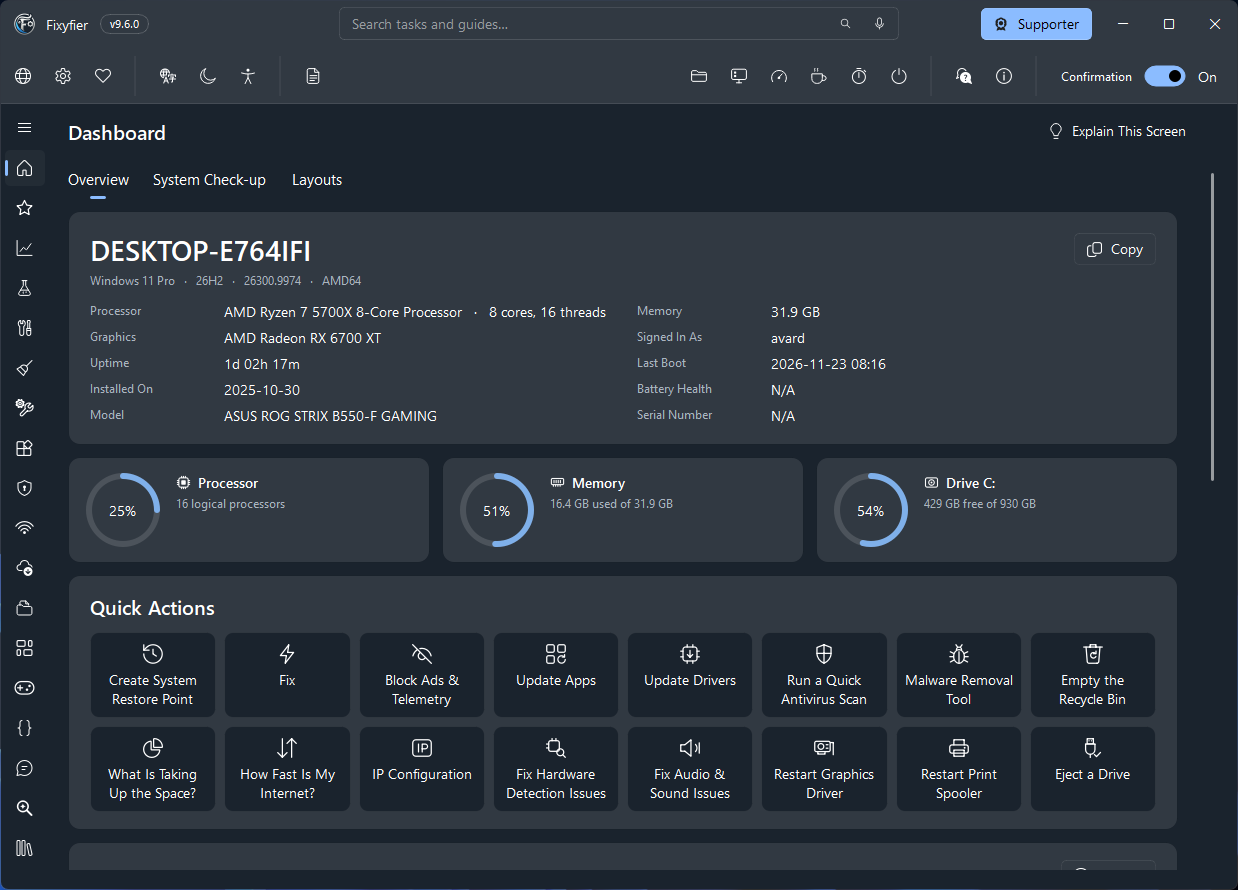
🖥️ DashboardWhat the machine is, live gauges and a health card — plus a 34-check System Check-up, What Changed in the last 30 days with Undo, and saved desktop icon and window Layouts. Restore Point, Run…, Open and Power are always one click away. |
⭐ Favorites & RoutinesStar any task to pin it, run the first nine with |
🔧 Fix & RepairOne Fix pass with seven steps, DISM, SFC, CHKDSK, the icon and search caches, Quick Machine Recovery, undoing other tools' damage, and every built-in troubleshooter. |
🧹 Cleanup & OptimizeTemp files, the Recycle Bin, thumbnail, Teams and Outlook caches, |
🛠️ System ToolsSpecifications and drive health, a PC report for a technician, power plans and battery, moving to a new PC, finding broken leftovers, Hyper-V and DirectPlay. |
🪟 Windows Tools21 Windows utilities one click away — Event Viewer, Device Manager, Registry Editor, the Run box, Notification Settings (Do Not Disturb) and the rest. |
🔒 Security & PrivacyDefender scans, the firewall and Smart App Control, plus 50+ advertising, suggestion and diagnostic-data settings — each its own switch, or all off in one pass. When another antivirus or firewall is in charge, Fixyfier names it. |
🌐 Network & ConnectivityYour IP addresses, Wi-Fi details, sharing Wi-Fi with a QR code, ping, traceroute, open connections, DNS flush, and TCP/IP, Winsock and full stack resets. |
🔄 UpdatesWindows Update, app updates through winget, Defender definitions, the Microsoft Store, and the resets and troubleshooters for updates that will not install. |
📁 Files & FoldersForce-delete, unlock, lock, hide, repair permissions, get back an older version, check a file's fingerprint, and fix folders that point nowhere. |
📦 Installed AppsEvery app in one list with sizes, multi-select uninstall, Reset and Repair, Startup Apps and programs' scheduled tasks A to Z, and a switch for each of 31 preinstalled apps. |
⚙️ Processes & ServicesWhat is running, what it is and whether it is safe to end — and every Windows service with Windows' own description, with no way to disable what Windows needs to start. |
❓ Answers51 questions answered from Windows' own records: why it is slow, what crashed, why it restarted, where the space went, what happened while you were away — and I Think I Was Scammed. |
📜 Scripts & MyToolsGenerate a cleanup batch file, build your own, or run your |
📚 Troubleshooting GuidesAll 72 fixyfier.com guides browsable in the app, and a search that understands symptoms — type no sound and it finds the audio repair, as you type. |
How it behaves
These are the rules the app is built on, not marketing lines.
- Every command is shown before it runs. Advanced tasks print the exact command line.
- There is always a way back. An advanced task asks Windows for a restore point first, and Your Changes can undo what Fixyfier changed.
- Unknown is a real answer. Anything Fixyfier could not read says so, rather than showing green or zero.
- Deletions preview first. Cleanup tasks offer a dry run that lists what would go, without removing anything.
- A long run can be stopped. Output is live, and Stop ends the run rather than the current step.
- What Windows needs stays put. Core processes are never ended, and services Windows needs to start are never stopped or disabled.
- Your files are yours. Fixyfier never reads, changes or vouches for the scripts in your MyTools folder.
Themes
Light and dark, switchable from the top bar, and the whole app follows.
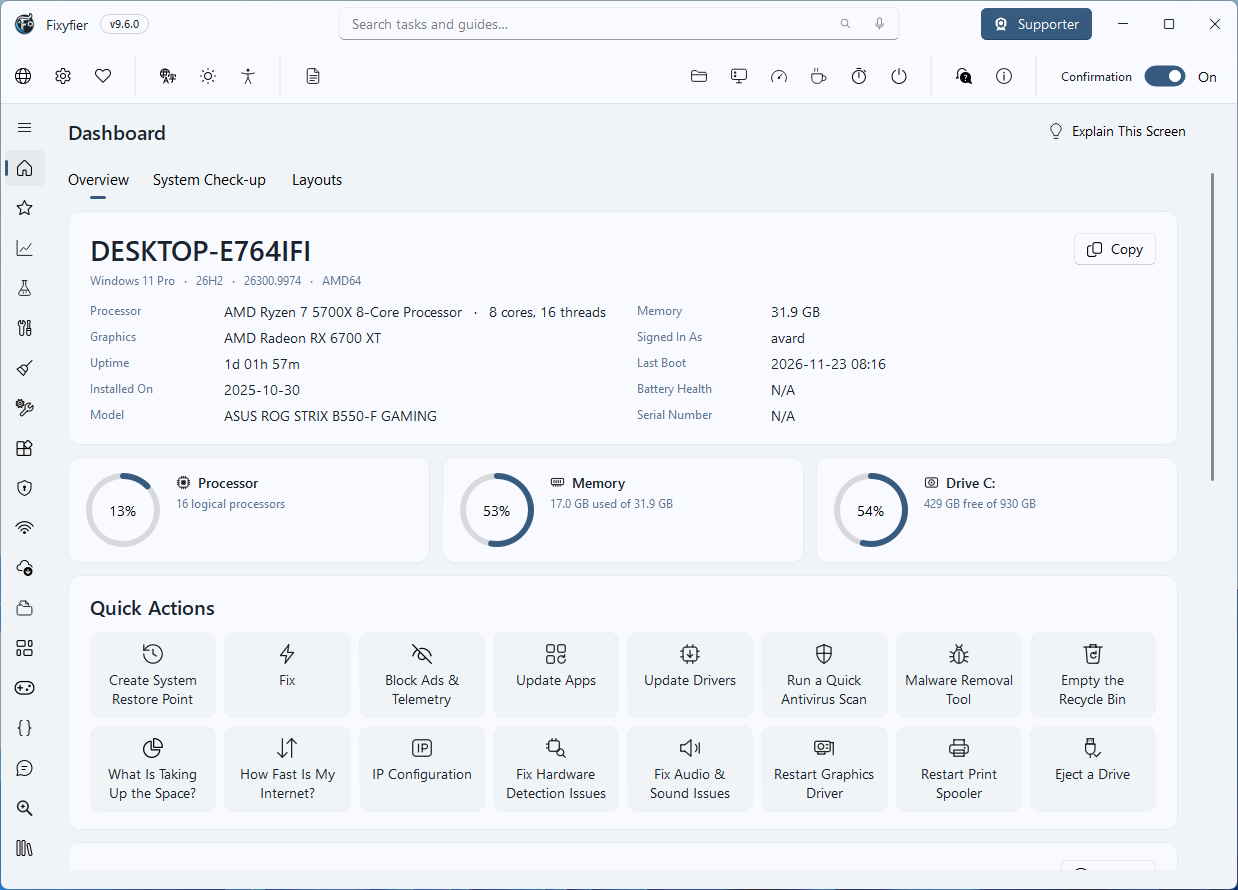 Light Theme |
Dark Theme |
Languages
Fixyfier ships in 44 languages, switchable from the top bar and applied immediately.
See the full list
Albanian · Arabic · Bengali · Bulgarian · Chinese (Simplified) · Chinese (Traditional) · Croatian · Czech · Danish · Dutch · English · Estonian · Filipino · Finnish · French · German · Greek · Hebrew · Hindi · Hungarian · Indonesian · Italian · Japanese · Korean · Latvian · Lithuanian · Norwegian · Persian · Polish · Portuguese (Brazil) · Portuguese (Portugal) · Romanian · Russian · Serbian · Slovak · Slovenian · Spanish · Spanish (Latin America) · Swahili · Swedish · Thai · Turkish · Ukrainian · Vietnamese
Install
Get the signed, always-current build from the Microsoft Store.

WinGet
winget install --id 9pp0m68r9b04 --source msstore
Fixyfier runs as administrator, because most of what it does requires it.
MyTools
Drop a .bat, .cmd, .ps1 or .vbs file into Documents\Fixyfier\MyTools and it appears
as a card straight away — no restart, no right-click, no execution-policy detour. Fixyfier is
already elevated, so your script runs elevated.
The first three runs are free. After that it is a one-time unlock in the Microsoft Store: no subscription, no tiers, and every other feature of Fixyfier works exactly the same either way.
Fixyfier is free and maintained independently.
If it saves you time, you can support it here:
❤️ Support Fixyfier
Explore projetos relacionados
Carregando…