
Tencent/vConsole
Sobre
Uma ferramenta leve e extensível para desenvolvedores front-end de páginas web móveis.
Web e aplicativosO que você pode fazer
- Logs: console.log|info|error|...
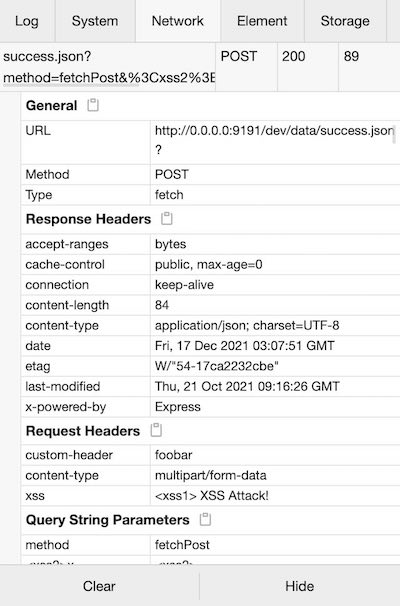
- Network: XMLHttpRequest, Fetch, sendBeacon
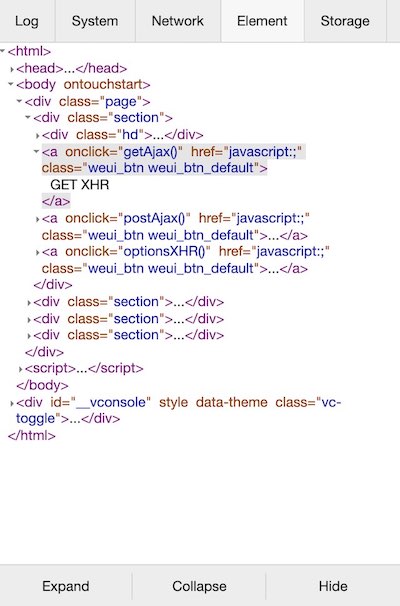
- Element: HTML elements tree
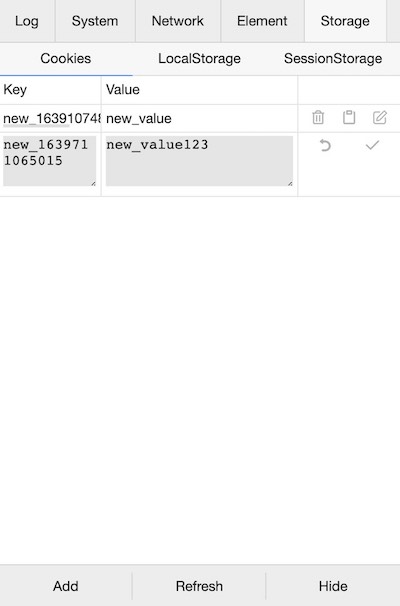
- Storage: Cookies, LocalStorage, SessionStorage
Crescimento medido de estrelas
- em 24 h
- +3
- em 7 dias
- +7
- em 15 dias
- +9
- em 1 mês
- Coletando histórico
Variações líquidas em períodos sobrepostos, não totais diários. Medições ausentes ficam em branco. Estrelas indicam interesse, não qualidade.
README.md
OriginalEnglish | 简体中文
vConsole
A lightweight, extendable front-end developer tool for mobile web page.
vConsole is framework-free, you can use it in Vue or React or any other framework application.
Now vConsole is the official debugging tool for WeChat Miniprograms.
Features
- Logs:
console.log|info|error|... - Network:
XMLHttpRequest,Fetch,sendBeacon - Element: HTML elements tree
- Storage:
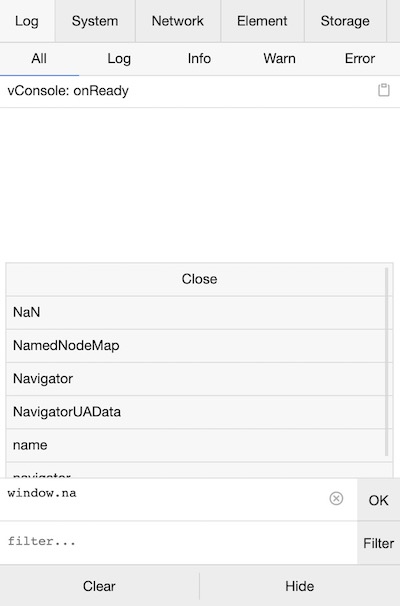
Cookies,LocalStorage,SessionStorage - Execute JS command manually
- Custom plugins
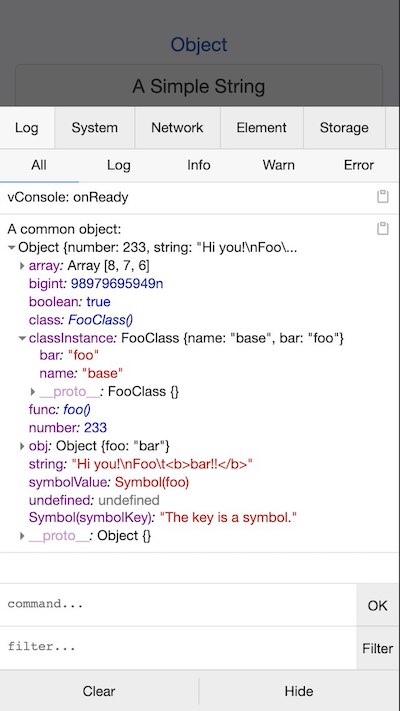
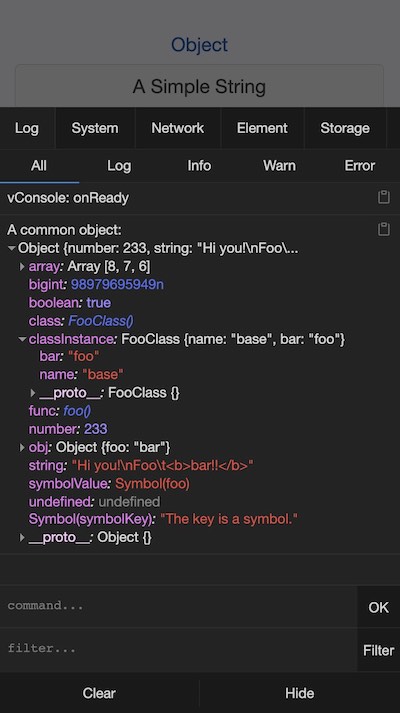
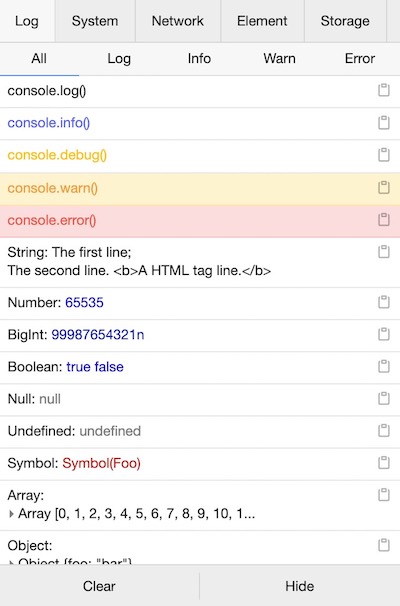
For details, please see the screenshots below.
Release Notes
Latest version: 
Detailed release notes for each version are available on Changelog.
Guide
See Tutorial for more usage details.
For installation, there are 2 primary ways of adding vConsole to a project:
Method 1: Using npm (Recommended)
$ npm install vconsole
import VConsole from 'vconsole';

const vConsole = new VConsole();
// or init with options
const vConsole = new VConsole({ theme: 'dark' });

// call `console` methods as usual
console.log('Hello world');

// remove it when you finish debugging
vConsole.destroy();
Method 2: Using CDN in HTML:
<script src="https://unpkg.com/vconsole@latest/dist/vconsole.min.js"></script>
<script>
  // VConsole will be exported to `window.VConsole` by default.
  var vConsole = new window.VConsole();
</script>
Available CDN:
- https://unpkg.com/vconsole@latest/dist/vconsole.min.js
- https://cdn.jsdelivr.net/npm/vconsole@latest/dist/vconsole.min.js
Preview
http://wechatfe.github.io/vconsole/demo.html

Screenshots
Overview
Light theme
Dark theme
Log Panel
Log styling
Command line
System Panel
Performance info
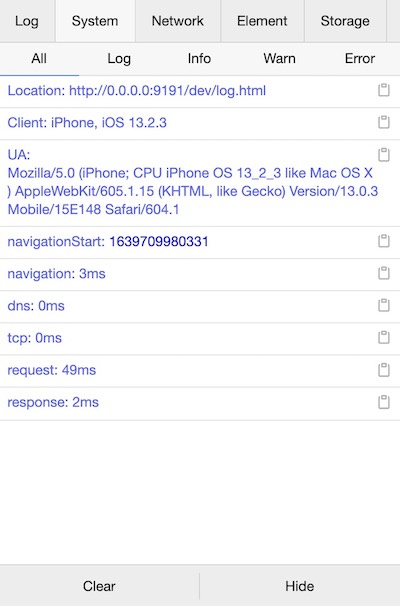
Output logs to different panel
console.log('output to Log panel.')
console.log('[system]', 'output to System panel.')
Network Panel
Request details
Element Panel
Realtime HTML elements structure
Storage Panel
Add, edit, delete or copy Cookies / LocalStorage / SessionStorage
Documentation
vConsole:
Custom Plugin:
Third-party Plugins
- vConsole-sources
- vconsole-webpack-plugin
- vconsole-stats-plugin
- vconsole-vue-devtools-plugin
- vconsole-outputlog-plugin
- vite-plugin-vconsole
Feedback
QQ Group: 497430533

License
Explore projetos relacionados
Carregando…