
zvict/papr
zvict/papr has 40 GitHub stars and 4 forks. GitHot measured 0 stars in 24 hours. Last checked 2026-11-09 12:48 UTC. Last push 2026-07-08.
[NeurIPS 2023] Implementation of "PAPR: Proximity Attention Point Rendering"
Measured star growth
- in 24h
- 0
- in 7 days
- Update delayed
- in 15 days
- Update delayed
- in 1 month
- Update delayed
Net star changes over overlapping periods, not daily totals. Missing measurements are left blank. Stars measure attention, not software quality.
README.md
OriginalPAPR: Proximity Attention Point Rendering (NeurIPS 2023 Spotlight 🤩)
Yanshu Zhang*, Shichong Peng*, Alireza Moazeni, Ke Li (* denotes equal contribution)


Project Sites | Paper | Primary contact: Yanshu Zhang
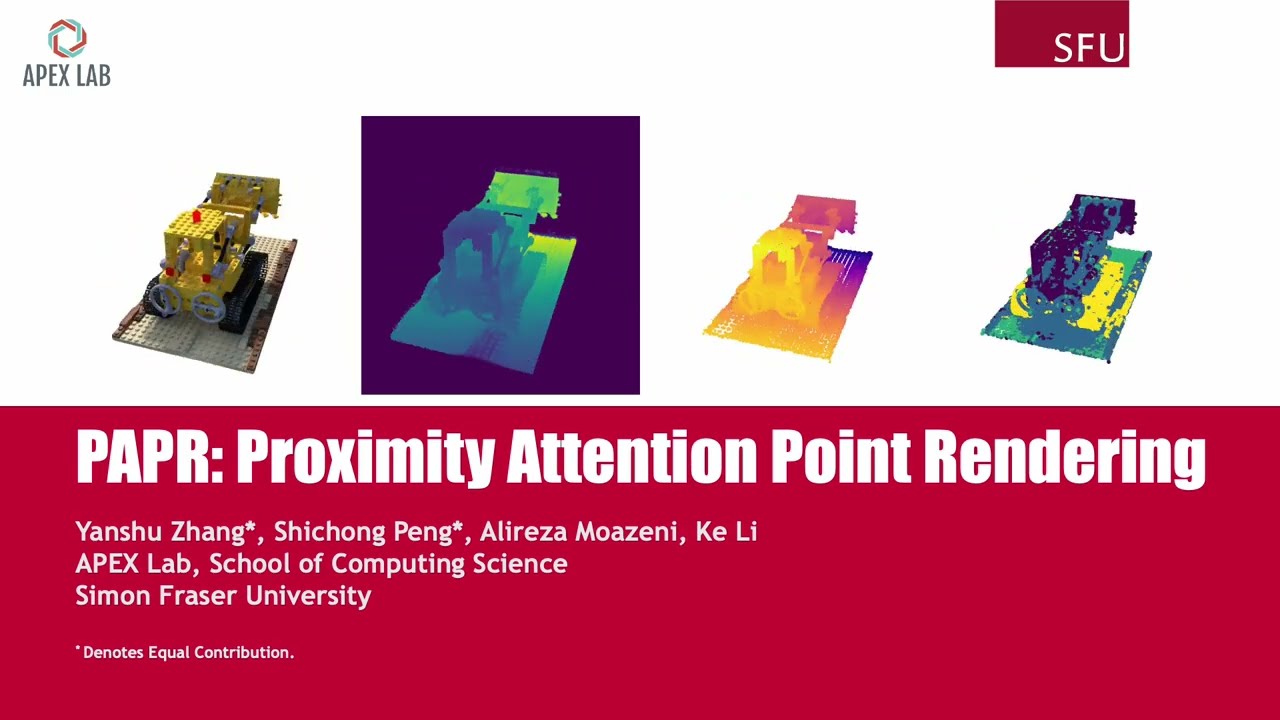
Proximity Attention Point Rendering (PAPR) is a new method for joint novel view synthesis and 3D reconstruction. It simultaneously learns from scratch an accurate point cloud representation of the scene surface, and an attention-based neural network that renders the point cloud from novel views.
BibTeX
PAPR: Proximity Attention Point Rendering.
@inproceedings{zhang2023papr,
    title={PAPR: Proximity Attention Point Rendering},
    author={Yanshu Zhang and Shichong Peng and Seyed Alireza Moazenipourasil and Ke Li},
    booktitle={Thirty-seventh Conference on Neural Information Processing Systems},
    year={2023}
}
Installation
git clone [email protected]:zvict/papr.git   # or 'git clone https://github.com/zvict/papr'
cd papr
conda env create -f papr.yml
conda activate papr
Or use virtual environment with python=3.9
python -m venv path/to/<env_name>
source path/to/<env_name>/bin/activate
pip install -r requirements.txt
Data Preparation
Expected dataset structure in the source path location:
papr
├── data
│   ├── nerf_synthetic
│   │   ├── chair
│   │   │   ├── train
│   │   │   ├── val
│   │   │   ├── test
│   │   │   ├── transforms_train.json
│   │   │   ├── transforms_val.json
│   │   │   ├── transforms_test.json
│   │   ├── ...
│   ├── tanks_temples
│   │   ├── Barn
│   │   │   ├── pose
│   │   │   ├── rgb
│   │   │   ├── intrinsics.txt
│   │   ├── ...
NeRF Synthetic
Download NeRF Synthetic Dataset from here and put it under data/nerf_synthetic/
Tanks & Temples
Download Tanks&Temples from here and put it under:
data/tanks_temples/
Use your own data
You can refer to this issue for the instructions on how to prepare the dataset.
You need to create a new configuration file for your own dataset, and put it under configs. The parameter dataset.type in the configuration file specifies the type of the dataset. If your dataset is in the same format as the NeRF Synthetic dataset, you can directly set dataset.type to "synthetic". Otherwise, you need to implement your own python script to load the dataset under the dataset folder, and add it in the function load_meta_data in dataset/utils.py.
Most default parameters in configs/default.yml are general and can be used for your own dataset. You can specify the parameters that are specific to your dataset in the configuration file you created, similar to the configuration files for the NeRF Synthetic dataset and the Tanks and Temples dataset.
Overview
The codebase has two main components: data loading part in dataset/ and models in models/. Class PAPR in models/model.py defines our main model. All the configurations are in configs/, and configs/demo.yml is a demo configuration with comments of important arguments.
We provide a notebook demo.ipynb to demonstrate how to train and test the model with the demo configuration file, as well as how to use exposure control to improve the rendering quality of real-world scenes captured with auto-exposure turned on.
Training
python train.py --opt configs/nerfsyn/chair.yml
Finetuning with cIMLE (Optional)
For real-world scenes where exposure can change between views, we can introduce an additional latent code input into our model and finetune the model using a technique called conditional Implicit Maximum Likelihood Estimation (cIMLE) to control the exposure level of the rendered image, as described in Section 4.4 and Appendix A.8 in the paper. A pre-trained model is required to finetune with exposure control, by running train.py with default configurations. We provide a demo configuration file for the Caterpillar scene from the Tanks and Temples dataset at configs/t2/Caterpillar_exposure_control.yml.
To finetune a pre-trained model with exposure control, run:
python exposure_control_finetune.py --opt configs/t2/Caterpillar_exposure_control.yml
Evaluation
To evaluate your trained model without the finetuning for exposure control, run:
python test.py --opt configs/nerfsyn/chair.yml
Which gives you rendered images and metrics on the test set.
With a finetuned model, you can render all the test views with a single random exposure level, by runing:
python test.py --opt configs/t2/Caterpillar_exposure_control.yml --exp
To generate images with different random exposure levels for a single view, run:
python test.py --opt configs/t2/Caterpillar_exposure_control.yml --exp --random --view 0
Note that during testing, the scale of the latent codes should be increased to generate images with more diverse exposures, for example,
python test.py --opt configs/t2/Caterpillar_exposure_control.yml --exp --random --view 0 --scale 8
Once you generate images with different exposure levels, you can interpolate two picked exposure levels by specifiying their index, for example,
python test.py --opt configs/t2/Caterpillar_exposure_control.yml --exp --intrp --view 0 --start_index 0 --end_index 1
Pretrained Models
We provide pretrained models on NeRF Synthetic and Tanks&Temples datasets here (without finetuning): Google Drive. We also provide a pre-trained model with exposure control on the Caterpillar scene in the Google Drive. To load the pretrained models, please put them under checkpoints/, and change the test.load_path in the config file.
Acknowledgement
This research was enabled in part by support provided by NSERC, the BC DRI Group and the Digital Research Alliance of Canada.
Explore related projects
ytdl-org/youtube-dl
Command-line program to download videos from YouTube.com and other video sites
141,500 starsexcalidraw/excalidraw
Virtual whiteboard for sketching hand-drawn like diagrams
135,396 starsgodotengine/godot
Godot Engine – Multi-platform 2D and 3D game engine
119,840 starsmrdoob/three.js
JavaScript 3D Library.
117,905 stars