
zjs81/meshcore-open
zjs81/meshcore-open has 669 GitHub stars and 150 forks. GitHot measured +2 stars in 24 hours. Last checked 2026-11-15 22:32 UTC. Last push 2026-11-15.
Measured star growth
- in 24h
- +2
- in 7 days
- Collecting history
- in 15 days
- Collecting history
- in 1 month
- Collecting history
Net star changes over overlapping periods, not daily totals. Missing measurements are left blank. Stars measure attention, not software quality.
About
Open-source Flutter client for MeshCore LoRa mesh networking devices
Developer ToolsREADME.md
OriginalMeshCore Open
Open-source Flutter client for MeshCore LoRa mesh networking devices.
Overview
MeshCore Open is a cross-platform application for communicating with MeshCore LoRa mesh radios over Bluetooth Low Energy (BLE), USB serial, or TCP. The app enables long-range, off-grid communication through peer-to-peer messaging, public channels, and mesh networking capabilities.
Website: meshcoreopen.org · Network map: map.meshcoreopen.org
The web client runs in Chrome (and Chromium browsers that identify as Chrome, such as Edge or Brave) and connects over USB via Web Serial. BLE and TCP are not available in the browser. Firefox and Safari do not support Web Serial.
Install and first use
Use the installation website for available downloads, Obtainium, and the web client. Building from source is covered below.
- Use a MeshCore radio running companion firmware with the transport you intend to use.
- Open the app, scan for BLE devices or select USB/TCP, and connect.
- After synchronization, open a channel to broadcast or open Contacts to send a direct message. Peers need compatible radio settings; channels need the same PSK.
See the user documentation, connection guide, and troubleshooting.
Screenshots
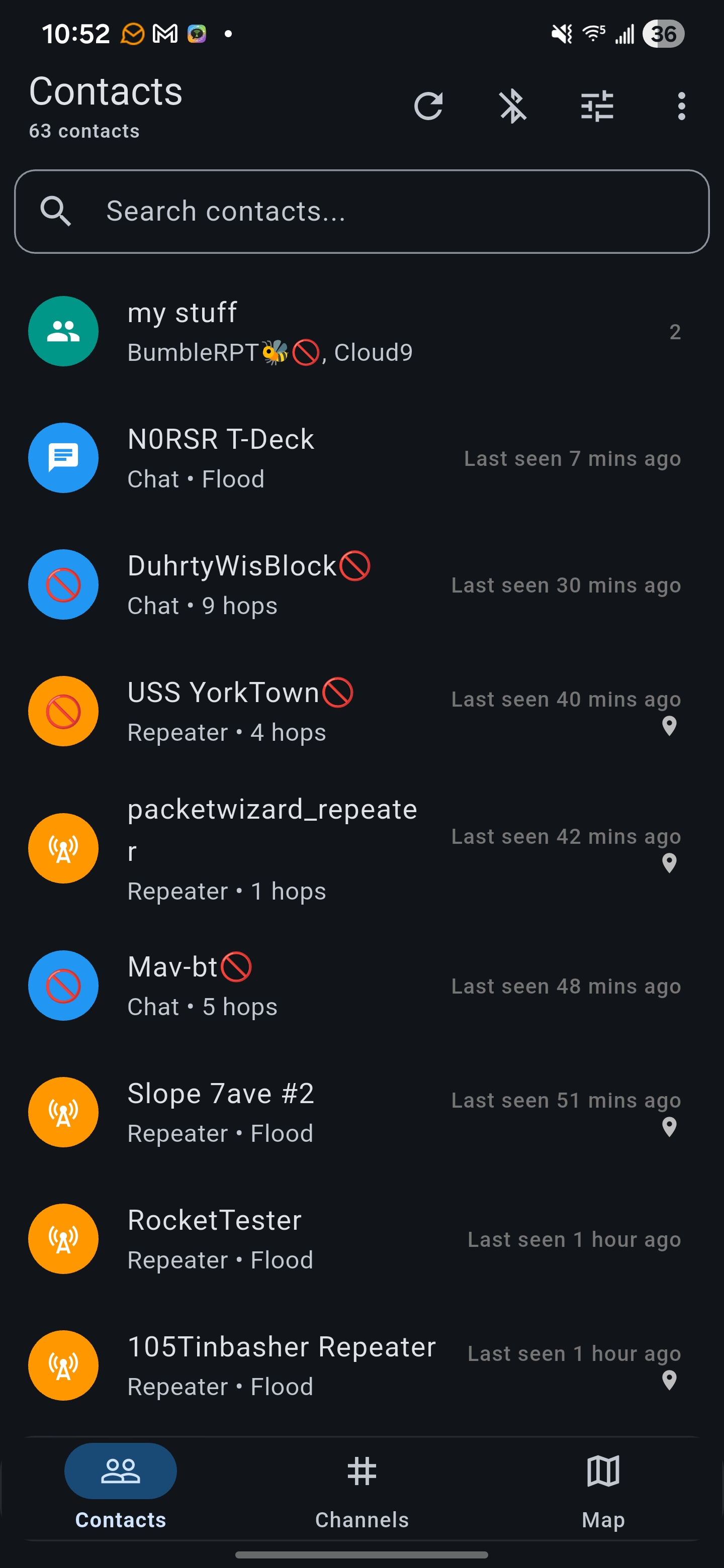 Contacts |
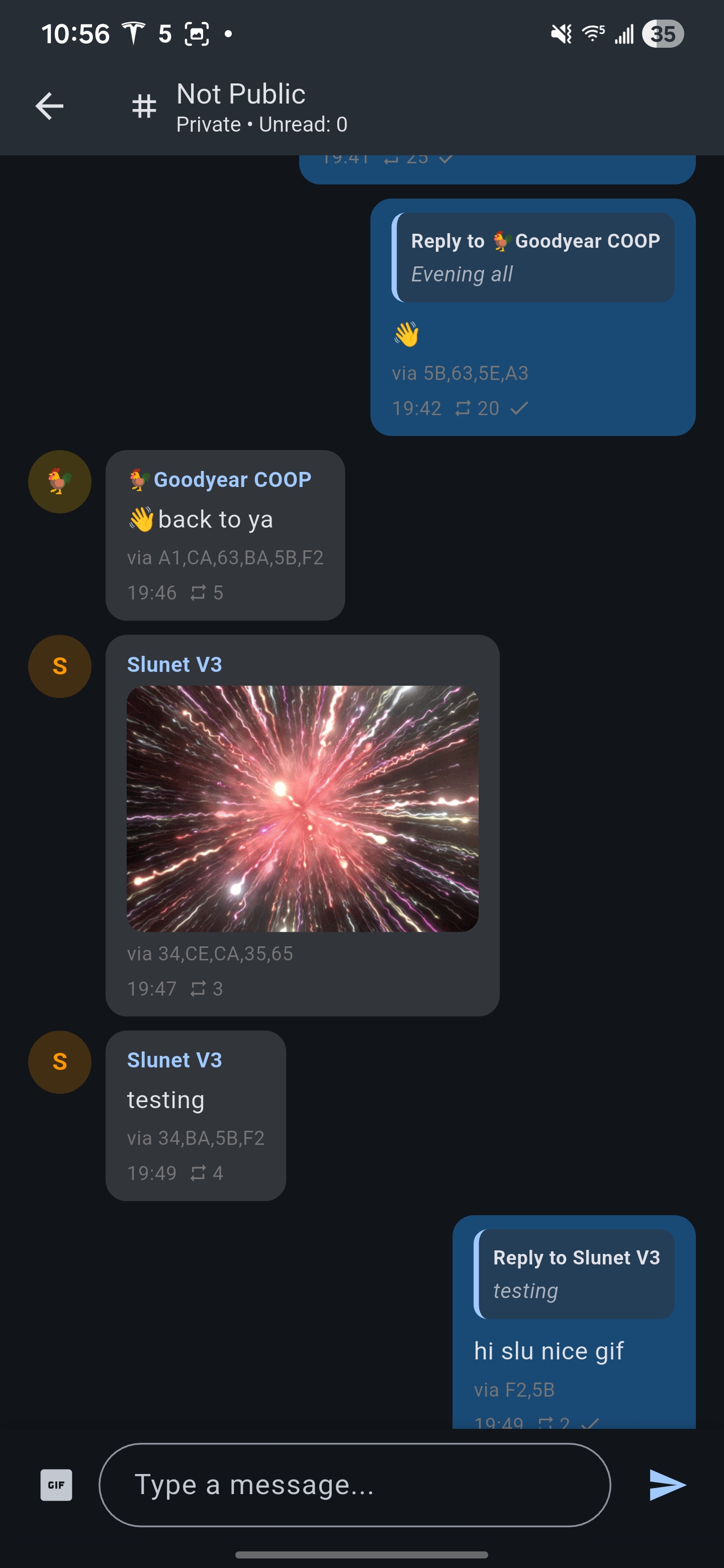 Chat |
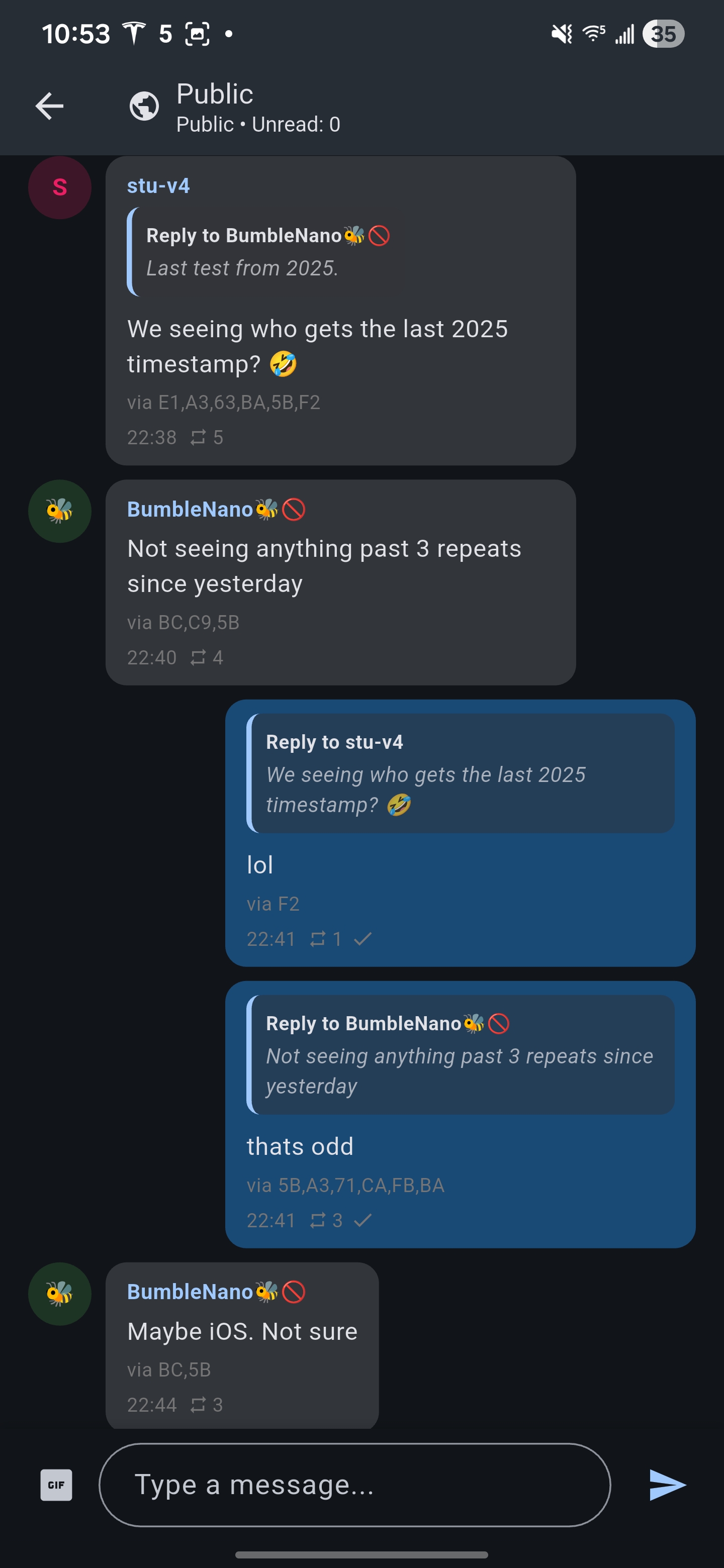 Reactions |
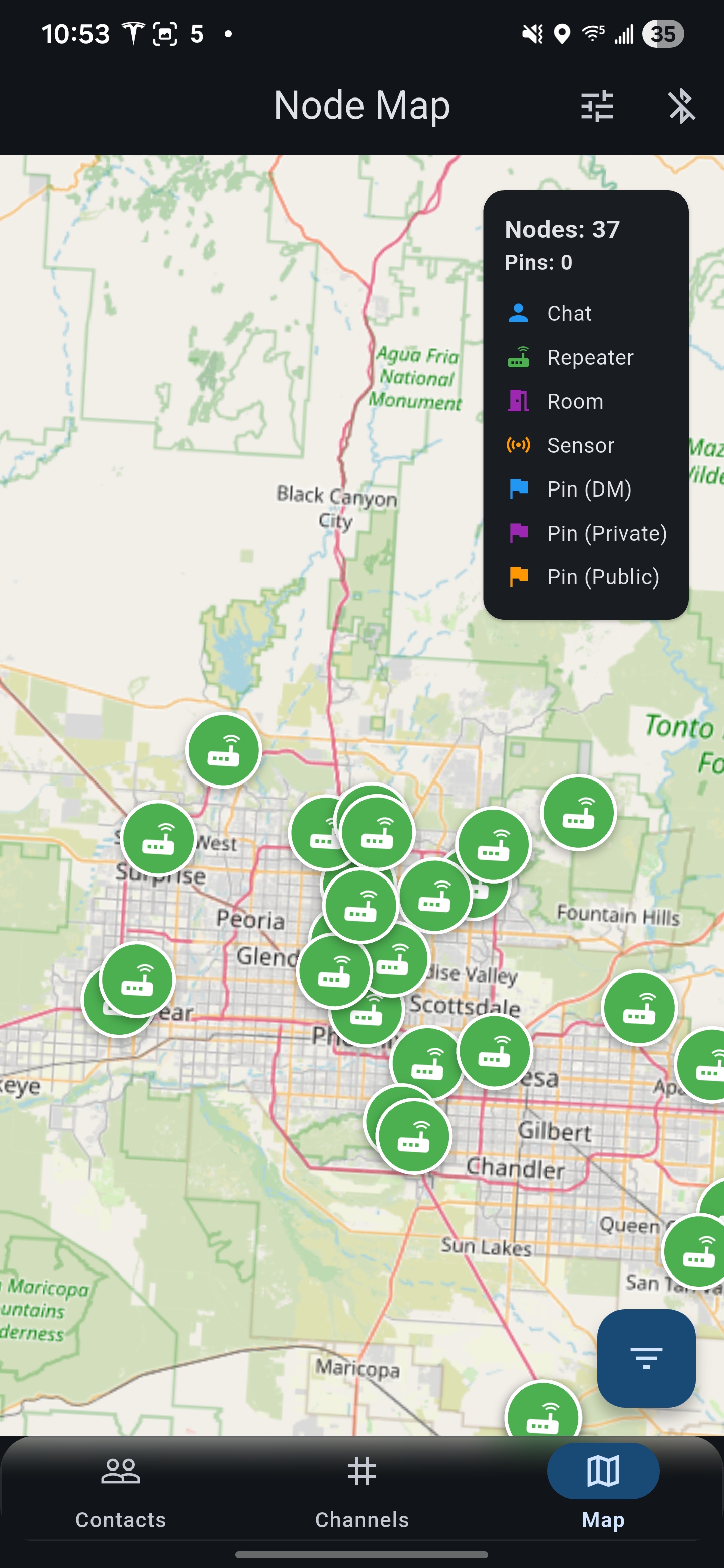 Map |
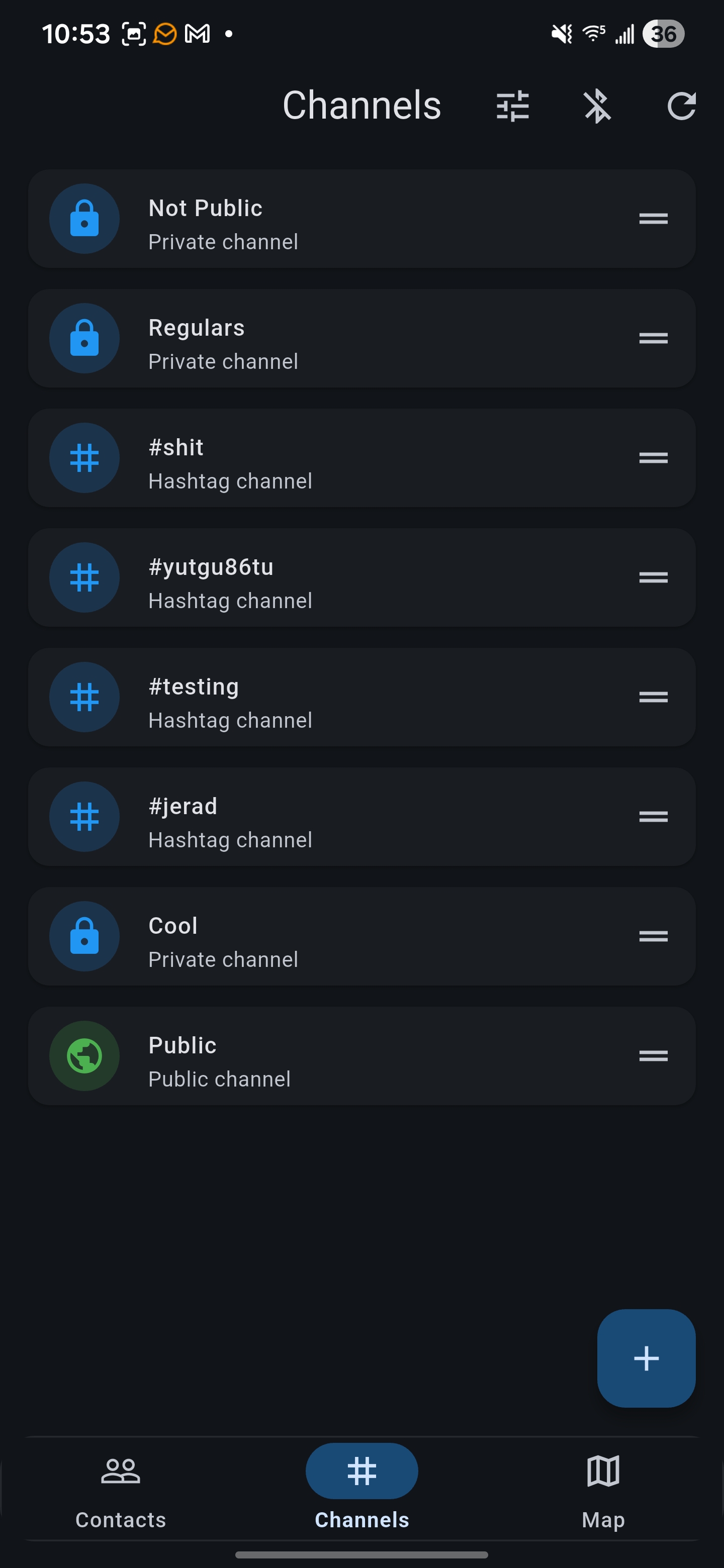 Channels |
Features
Core Functionality
- Direct Messaging: Private encrypted conversations with individual contacts
- Channels: Public, hashtag, private, and community channels
- Mesh Images: Send compressed images in channel chat with optional recovery packets (guide)
- Message Filter: Hide spam and repeated channel messages with your own rules and on-device learning (guide)
- Regions: Scope channel floods and reply using a message’s known region (guide)
- Translation: Optional on-device incoming and pre-send translation
- Contact Management: Organize contacts, track last seen times, and manage conversation history
- Contact Groups: Create custom groups to organize your mesh network contacts
- Message Reactions: React to messages with emoji responses
- Message Replies: Thread conversations with inline reply functionality
- Android Auto & Watches: Reply from the notification shade and Wear OS/Galaxy watches, or hear messages and reply by voice in Android Auto (optional build flag) (guide)
- Channel Muting: Mute a channel from its chat screen, the channel list, or its notification
Mesh Network
- Path Visualization: View routing paths and signal quality for each contact
- Route Management: Manual path overriding and automatic route rotation
- Signal Metrics: Real-time SNR (Signal-to-Noise Ratio) tracking
- Node Discovery: Automatic detection of nearby mesh nodes
- Repeater Support: Connect to and manage repeater nodes for extended range
Map & Location
- Live Map View: Real-time visualization of mesh network nodes on an interactive map
- Node Filtering: Filter by node type (chat, repeater, sensor) and time range
- Location Sharing: Share GPS coordinates and custom markers with contacts
- Offline Maps: Download map tiles for offline use in remote areas using a configured Stadia Maps source and API key; see map setup
- MGRS Coordinates: Support for Military Grid Reference System coordinate format
Device Management
- BLE, USB, TCP Connection: Scan and connect to MeshCore devices via Bluetooth, USB or TCP
- Device Settings: Configure radio parameters, power settings, and network options
- Battery Monitoring: Real-time battery status with chemistry-specific voltage curves
Repeater Hub
- CLI Access: Full command-line interface to repeater nodes
- Settings Management: Configure repeater behavior, power limits, and network settings
- Statistics Dashboard: View repeater traffic, connected clients, and system health
- Remote Management: Administer repeaters from anywhere on the mesh network
Technical Details
Architecture
- Framework: Flutter, pinned to an exact release in
pubspec.yaml(environment.flutter); Dart SDK constraint^3.9.2 - State Management: Provider pattern with ChangeNotifier
- BLE Protocol: Nordic UART Service (NUS) over Bluetooth Low Energy
- Storage: JSON in SharedPreferences for messages and contacts; files for models, images, and map caches
- Encryption: End-to-end encryption for private messages using the MeshCore protocol
Platform Support
| Feature | Android (ARM64) | iOS (16.4+) | Linux | Windows | macOS | Web |
|---|---|---|---|---|---|---|
| BLE companion | ✅ | ✅ | ✅ | ✅ | ✅ | ❌ |
| USB companion | ✅ | ❌ | ✅ | ✅ | ✅ | ✅ (Web Serial, Chrome) |
| TCP companion | ✅ | ✅ | ✅ | ✅ | ✅ | ❌ |
| Core Functionality | ✅ | ✅ | ✅ | ✅ | ✅ | ✅ |
| Mesh Network | ✅ | ✅ | ✅ | ✅ | ✅ | ✅ |
| Map & Location | ✅ | ✅ | ✅ | ✅ | ✅ | ✅ |
| Device Management | ✅ | ✅ | ✅ | ✅ | ✅ | ✅ |
| Repeater Hub | ✅ | ✅ | ✅ | ✅ | ✅ | ✅ |
| Notification replies | ✅ (incl. watches; Android Auto optional) |
❌ | ❌ | ❌ | ❌ | ❌ |
The matrix describes implemented functionality, not a guarantee that every feature has been tested on every device. Web device connections use Web Serial and require Chrome and a secure origin. Image inference and translation require native runtimes and are unavailable on web. Android APKs currently include only arm64-v8a; the minimum Android API follows the Flutter SDK used to build.
Dependencies
| Package | Purpose |
|---|---|
| flutter_blue_plus | Bluetooth Low Energy communication |
| provider | State management |
| shared_preferences | Local key-value storage (scoped per device) |
| flutter_map | Interactive map display |
| latlong2 | Geographic coordinate handling |
| flutter_local_notifications | Background notification support |
| pointycastle | Cryptographic operations |
| llamadart | On-device LLM message translation |
| intl | Internationalization and date formatting |
Getting Started
Prerequisites
- Flutter SDK at exactly the version in
pubspec.yamlunderenvironment.flutter.flutter pub getrefuses any other version; runflutter upgradeor check out that release. - Android Studio / Xcode (for mobile development)
- A MeshCore-compatible LoRa device
Build from source
Clone the repository
git clone https://github.com/zjs81/meshcore-open.git
cd meshcore-open
Install dependencies
flutter pub getRun the app
flutter run
Linux AppImage
flutter build linux --release produces the regular Flutter bundle and an
AppImage on supported Linux architectures. The x86_64 artifact is
build/linux/x64/release/meshcore-open-x86_64.AppImage; the ARM64 artifact is
build/linux/arm64/release/meshcore-open-aarch64.AppImage. Debug and Profile
builds do not produce AppImages.
Both use Ubuntu 24.04 as the packaging baseline; older distributions are not
guaranteed.
For a bundle-only build, including other architectures:
MESHCORE_BUILD_APPIMAGE=0 flutter build linux --release
On Ubuntu 24.04, install the packaging prerequisites alongside Flutter's build dependencies:
sudo apt-get install clang cmake ninja-build pkg-config libgtk-3-dev \
   librsvg2-dev libgirepository1.0-dev libgtk-3-bin libgdk-pixbuf2.0-bin \
   libgdk-pixbuf-2.0-dev dpkg-dev patchelf binutils curl jq file desktop-file-utils xdg-user-dirs libgpg-error0
The build automatically downloads checksum-verified architecture-matched
linuxdeploy, its GTK plugin, appimagetool, and an AppImage runtime. Pins are in
scripts/appimage-tools.json; the cache is under
${XDG_CACHE_HOME:-$HOME/.cache}/meshcore-open/appimage/. Packaging can reuse
valid cached tools offline, but Flutter dependencies and native-library
downloads must also be available. A packaging failure fails the enabled build,
without publishing a stale image as a new artifact.
GitHub Actions builds ARM64 on a native ubuntu-24.04-arm runner. Flutter's
Linux release SDK archive is x64-only, so that job bootstraps the pinned Flutter
release from its source revision in scripts/appimage-tools.json. Flutter does not support x64-to-ARM64 Linux
cross-builds; use an ARM64 Linux host to build the ARM64 bundle locally. The
ARM64 AppImage is CI-built and hardware validation on a Raspberry Pi 5 is still
needed for graphics, BLE, USB and inference behavior.
Hosts with newer glibc than the pinned baseline (2.39 for Ubuntu 24.04),
including Ubuntu 26.04 runners under ubuntu-latest, use the same isolated
Ubuntu rebuild as Nix. A usable Podman or Docker engine is required on those
hosts. Rootless Podman preserves your UID/GID with --userns=keep-id, so the
container can write the host-owned output and cache directories. The original
native bundle is retained. Custom targets, obfuscation and split-debug-info
require a bundle-only build when container rebuilding is needed.
The image includes Flutter assets, native plugins, ONNX Runtime and the
transitive redistributable runtime libraries. Packaging audits every bundled
ELF and fails if a portable dependency resolves from the build host instead of
the AppDir. Host display-stack libraries (X11/XCB/Wayland) and graphics drivers
remain external so they stay ABI-compatible with the system's EGL/GL driver.
The image also relies on host glibc/the ELF loader, BlueZ services and USB
permissions; downloaded inference models and user data are not included. The
GTK packaging plugin uses X11, so Wayland sessions need XWayland. The host needs
compatible graphics libraries (libgl1, libegl1, and libgles2 on Ubuntu).
Launch normally, or without
FUSE by extracting:
./build/linux/x64/release/meshcore-open-x86_64.AppImage --appimage-extract-and-run
Linux with Nix
Enter the development shell from the repository root:
nix develop
flutter --version
pkg-config --exists gtk+-3.0 glib-2.0 gio-2.0 sysprof-capture-4
flutter pub get
flutter build linux --debug
flutter build linux --profile
The shell does not provide Flutter, because pubspec.yaml pins an exact
release that nixpkgs may not package yet. Put that Flutter SDK on PATH before
entering the shell; the shell warns when it is missing or the wrong version.
The Linux shell provides wrapped Clang
compilers, native headers and libraries, and Sysprof capture development files.
Android SDK warnings do not prevent Linux builds.
Release AppImage builds inside nix develop require a usable Podman or Docker
engine on the host. The install hook automatically rebuilds in a pinned Ubuntu
container to avoid shipping Nix store dependencies, while keeping the native
Nix bundle intact. The first build downloads a container image and Flutter SDK;
later builds reuse the image and dependency caches. No privileged package
installation is performed on the host. The container uses the SDK pin in
scripts/appimage-tools.json and the current source tree, including local
changes and the resolved pubspec.lock. Custom Dart defines and build
name/number are forwarded; custom targets, obfuscation and split-debug-info
require a bundle-only build. Use MESHCORE_BUILD_APPIMAGE=0 to opt out when no
container engine is available. On NixOS, use the distribution's appimage-run
support when needed to launch downloaded AppImages.
If an SDK or toolchain update leaves CMake using an old compiler or install
prefix, remove the affected generated cache, for example
rm -f build/linux/x64/profile/CMakeCache.txt, and rebuild. If widget tests
report that ink_sparkle.frag cannot be decoded after an SDK update, remove
the generated build/unit_test_assets directory and rerun flutter test.
Launch the profile bundle from a graphical session (replace x64 with arm64
on ARM Linux):
build/linux/x64/profile/bundle/meshcore_open
To record with Sysprof, launch the app through the recorder and press Ctrl+C when finished. Use a new capture filename for each recording:
sysprof-cli meshcore.syscap -- build/linux/x64/profile/bundle/meshcore_open
sysprof meshcore.syscap
CPU stack sampling requires host support for kernel perf events and appropriate
permissions, potentially through the Sysprof system service and polkit. The Nix
shell supplies tools and libraries, not system services or permission changes.
If Sysprof reports Permission denied opening perf events, ask the host
administrator to configure profiling access. A file being created does not
prove CPU samples were recorded; check the recording diagnostics and contents.
For an unprivileged capture smoke test only, use
sysprof-cli --no-sysprofd --no-perf smoke.syscap -- build/linux/x64/profile/bundle/meshcore_open;
this intentionally excludes CPU stack sampling.
To update the package pin, run nix flake update nixpkgs, review the lockfile
diff, and repeat both Linux builds, analysis, and tests before committing it.
Keep the updated lockfile with the shell configuration for reproducibility.
Web (self-host)
Use a Chromium browser. Device APIs are origin-gated, so serve the build over HTTPS.
flutter build web --release
Then serve build/web/ from your own host. See install/web for browser support and caveats.
Building for Release
Android APK:
flutter build apk --release
iOS:
flutter build ios --release
GitHub Releases:
Pushing a release tag (BETA-*, PRE-BETA-*, Alpha*, RELEASE-*, or
v*) runs CI and attaches both Linux AppImages to that tag's GitHub Release:
meshcore-open-<version>-linux-x86_64.AppImagemeshcore-open-<version>-linux-aarch64.AppImage
If the tag has no release yet, CI creates one with generated notes. Re-running the workflow replaces the existing Linux assets.
Project Structure
lib/
├── main.dart                    # App entry point
├── connector/
│   ├── meshcore_connector.dart  # BLE communication & state management
│   ├── meshcore_protocol.dart   # Protocol definitions & frame parsing
│   └── meshcore_uuids.dart      # NUS UUIDs; reference name prefixes (not filters)
├── screens/
│   ├── scanner_screen.dart      # Device scanning (home screen)
│   ├── contacts_screen.dart     # Contact list
│   ├── chat_screen.dart         # Direct messaging
│   ├── channels_screen.dart     # Public channels
│   ├── map_screen.dart          # Network visualization map
│   ├── settings_screen.dart     # Device settings
│   └── repeater_hub_screen.dart # Repeater management
├── models/
│   ├── contact.dart             # Contact data model
│   ├── message.dart             # Message data structure
│   └── channel.dart             # Channel definitions
├── services/
│   ├── notification_service.dart      # Local OS notifications
│   ├── message_retry_service.dart     # Automatic message retry
│   ├── background_service.dart        # Background BLE connection
│   └── map_tile_cache_service.dart    # Offline map storage
└── storage/
    ├── message_store.dart       # Message persistence
    ├── contact_store.dart       # Contact persistence
    └── unread_store.dart        # Unread message tracking
BLE Protocol
Nordic UART Service (NUS)
- Service UUID:
6e400001-b5a3-f393-e0a9-e50e24dcca9e - RX Characteristic:
6e400002-b5a3-f393-e0a9-e50e24dcca9e(Write to device) - TX Characteristic:
6e400003-b5a3-f393-e0a9-e50e24dcca9e(Notify from device)
Device Discovery
BLE scanning filters on the Nordic UART Service UUID, so devices with custom names can be found. Known name prefixes in lib/connector/meshcore_uuids.dart are reference values, not discovery filters.
Message Format
Messages are transmitted as binary frames using a custom protocol optimized for LoRa transmission. See the protocol reference for frame definitions.
Configuration
App Settings
- Theme: System default, light, or dark mode
- Language: Use one of 19 languages (English, Chinese, French, Spanish, Portuguese, German, Dutch, Polish, Swedish, Italian, Slovak, Czech, Slovenian, Bulgarian, Russian, Ukrainian, Hungarian, Japanese, Korean)
- Notifications: Configurable for messages, channels, and node advertisements; per-channel muting; reply, mark-as-read, and mute actions on Android notifications and watches (reply and mark-as-read in Android Auto when built with
--android-project-arg=androidAuto=true) - Battery Chemistry: Support for NMC, LiFePO4, LiPo, and LiPo HV battery types
- Message Retry: Automatic retry with configurable path clearing
Device Settings
- Radio Power: Transmit power adjustment within the connected device’s supported range
- Frequency: LoRa frequency configuration
- Bandwidth: Channel bandwidth selection
- Spreading Factor: Range vs. speed trade-off
- Flood Scope: Region selection for channel floods
Contributing
Read CONTRIBUTING.md before starting a contribution. Discuss changes in an issue first and base PRs on dev.
Run the checks used by CI:
dart format --output=none --set-exit-if-changed .
flutter analyze --fatal-infos --fatal-warnings
flutter test
Development Guidelines
- Follow the Flutter style guide
- Use Material 3 design components
- Write clear commit messages
- Test on the platforms affected by your change before submitting PRs
Code Style
- Prefer
StatelessWidgetwithConsumerfor reactive UI - Use
constconstructors where possible - Keep functions small and focused
- Avoid premature abstractions
- Run dart format on all changes before submitting
Support
For issues, questions, or feature requests, please open an issue on GitHub: https://github.com/zjs81/meshcore-open/issues
Donate
If you find MeshCore Open useful and would like to support development, you can donate Solana or other Solana tokens:
Solana Address: F15YanjZj96YTBtKJYgNa8RLQLCZkx5CEwogPWkqXeoQ
Monero Address: 453TxnpUqjkJtXxzdjMsrgERNkBRXEGamPbpC45ENrvKAk9tH7kZbxWF82Hz66etgDZyXFPEBU2JUEqhLeJyWt9kBvTVy5m
Bitcoin Address: bc1qh45x28v8dslcg4v4upmqd9g0mvc3lnyffmyzr5
Your support helps maintain and improve this open-source project!
License
MeshCore Open is available under the MIT License.
Acknowledgments
- Built with Flutter
- Map tiles from OpenStreetMap
SWHID and Archive badge