
zidniryi/cutvii
zidniryi/cutvii has 29 GitHub stars and 14 forks. GitHot measured 0 stars in 24 hours. Last checked 2026-11-15 01:48 UTC. Last push 2026-10-23.
What you can do
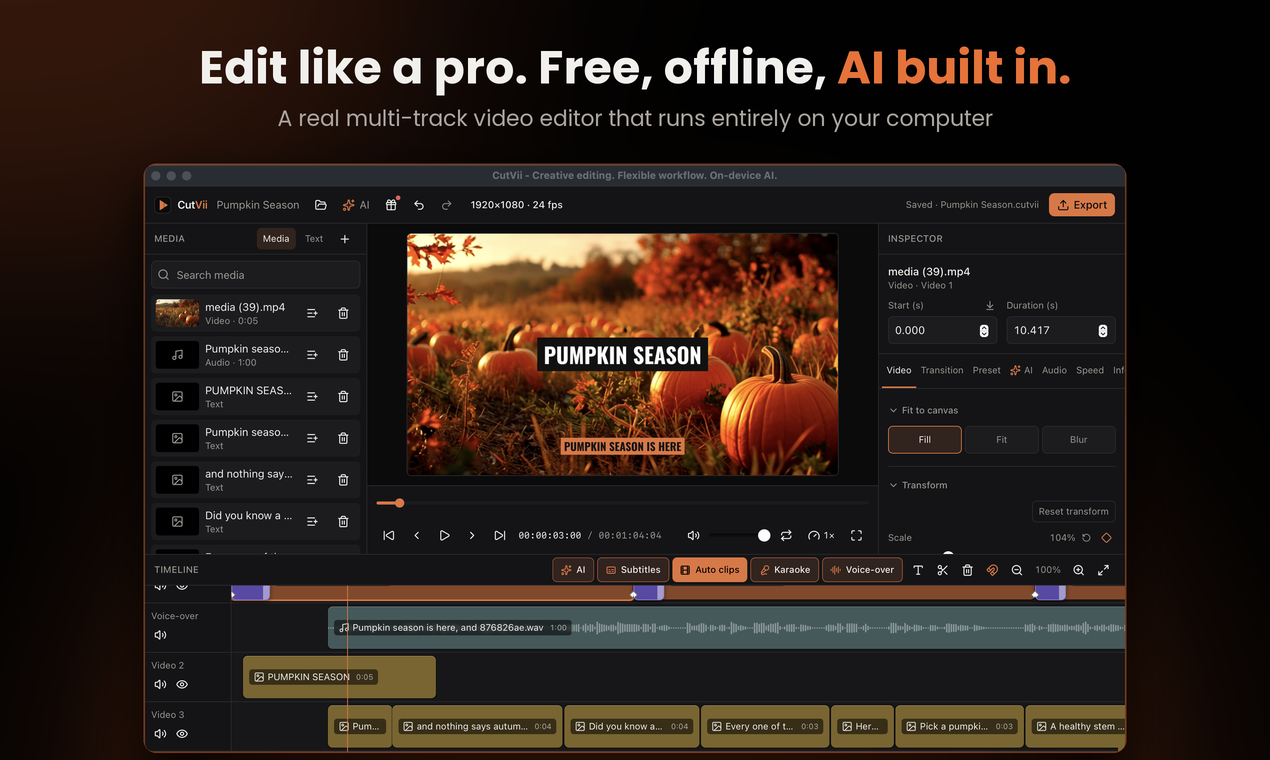
- Import video, audio and images (probed with FFprobe, thumbnails cached).
- Multi-track timeline: move, trim, split at playhead, delete, snapping, zoom, context menu, undo/redo.
- Track mute / hide, per-clip volume (0–200 %), Start / Duration fields in the inspector.
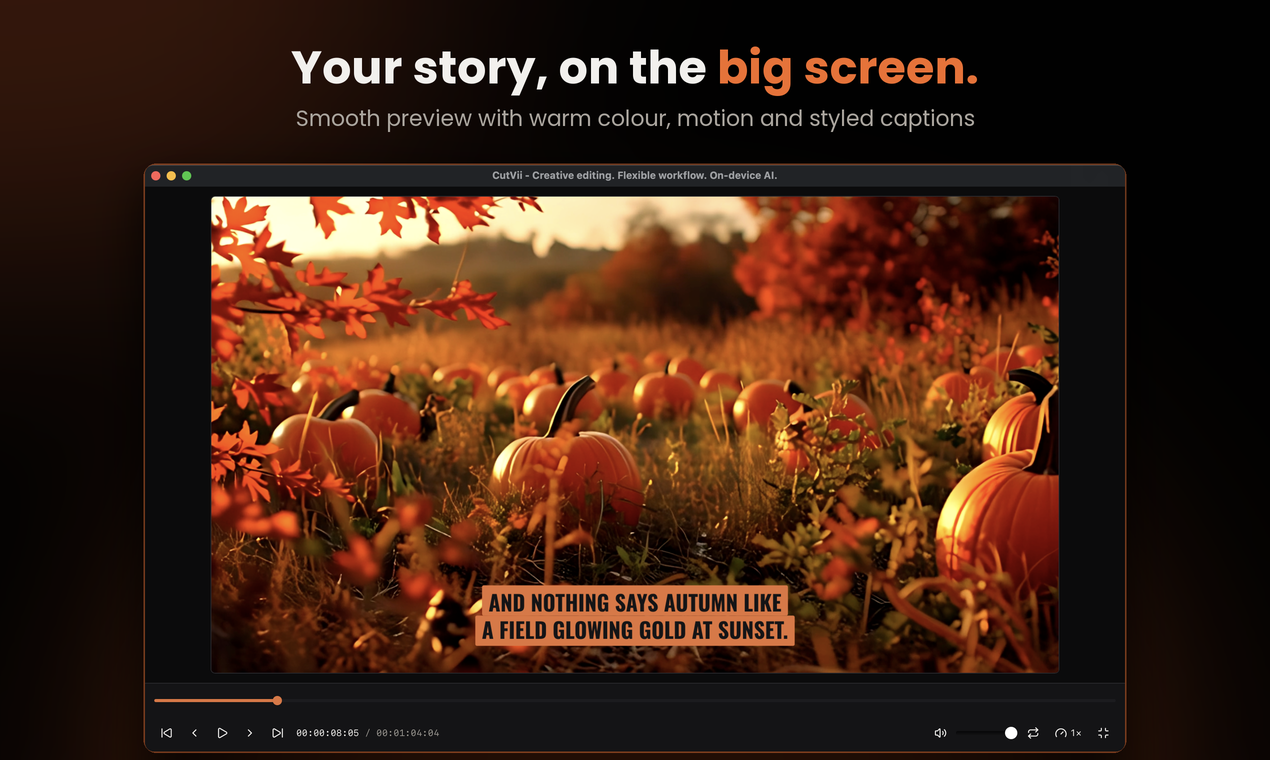
- Preview with play/pause/scrub that follows the timeline across clips.
Measured star growth
- in 24h
- 0
- in 7 days
- Collecting history
- in 15 days
- Collecting history
- in 1 month
- Collecting history
Net star changes over overlapping periods, not daily totals. Missing measurements are left blank. Stars measure attention, not software quality.
About
CutVii - Creative editing. Flexible workflow. On-device AI
AIREADME.md
Original

CutVii
Creative editing. Flexible workflow. On-device AI.




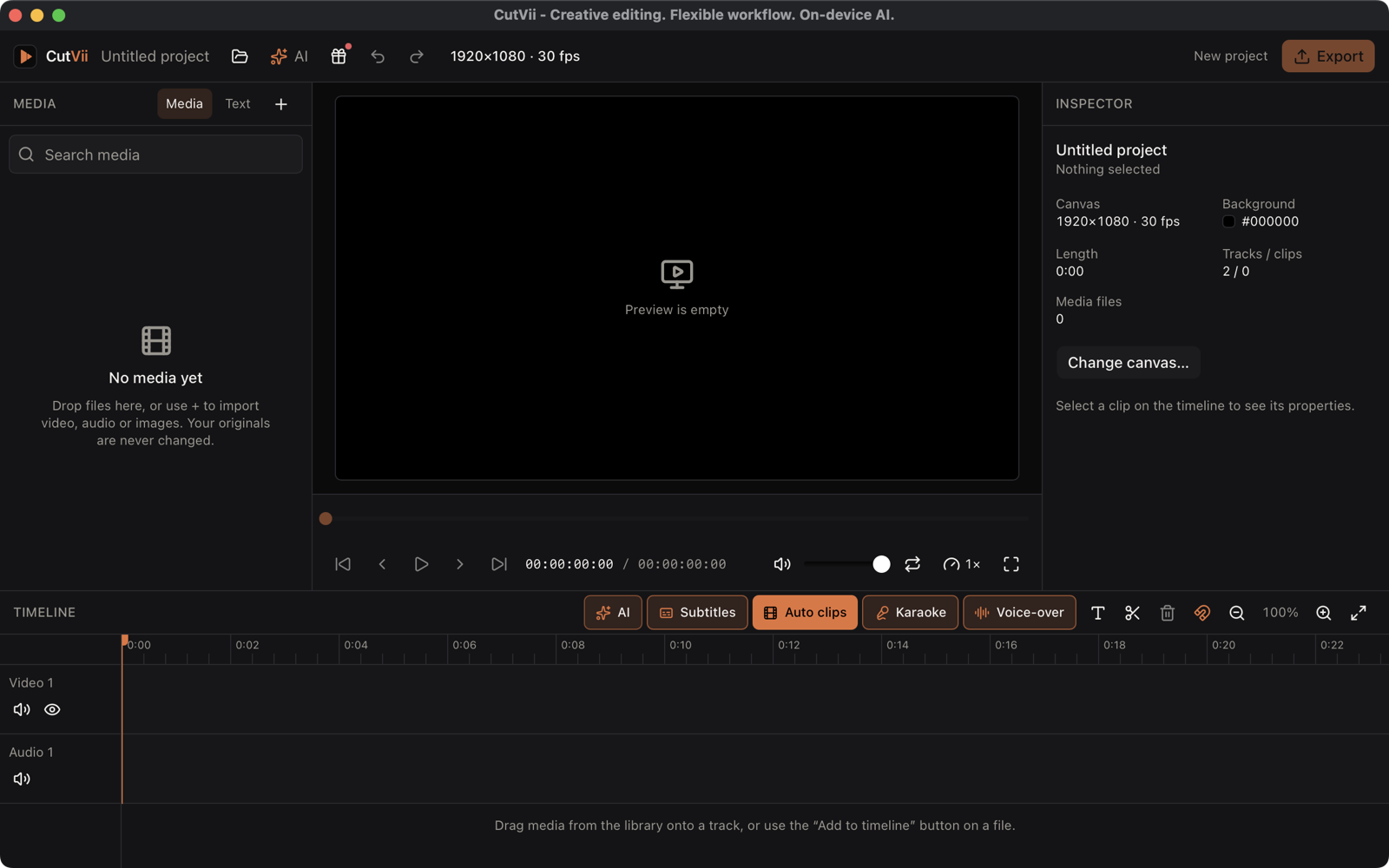
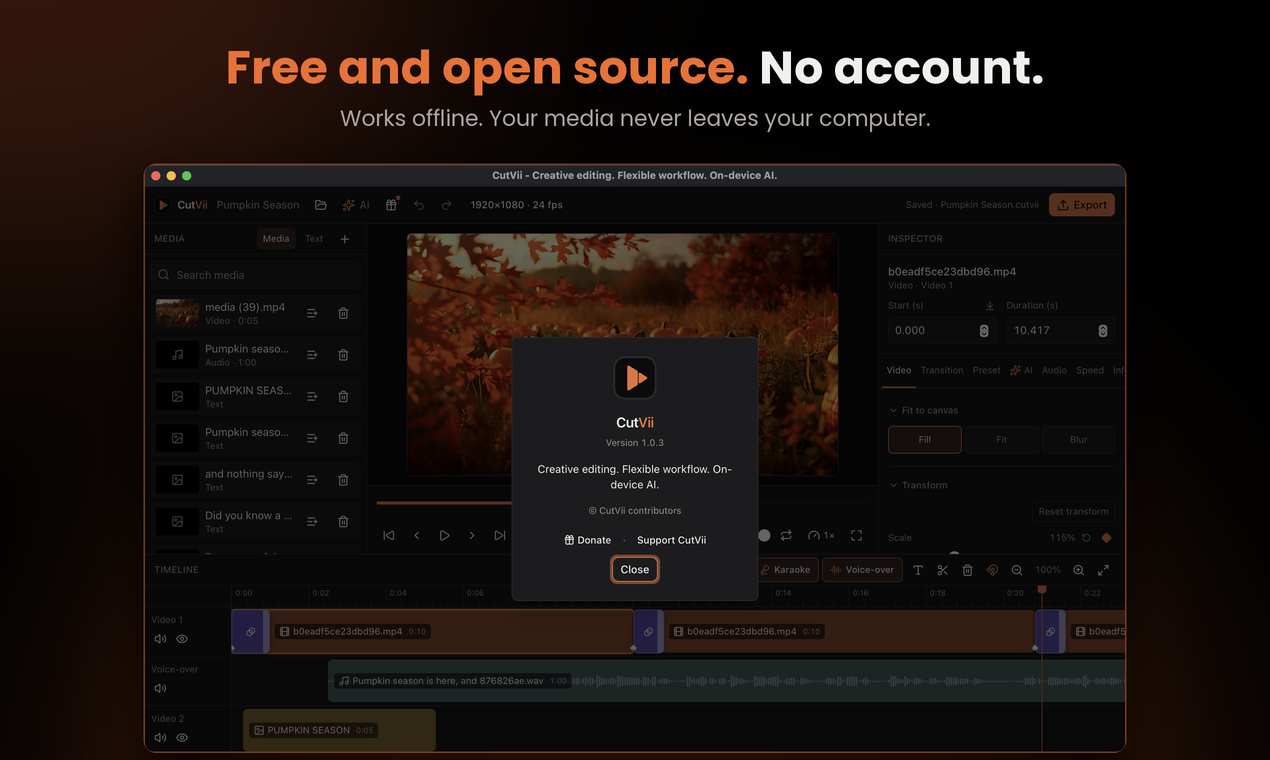
An open-source, cross-platform desktop video editor: import → edit on a multi-track timeline → preview → export MP4. Local-first and offline: no account, no analytics, your media is never modified or uploaded. The one thing CutVii can download, and only when you ask and confirm, is a speech model for auto subtitles.
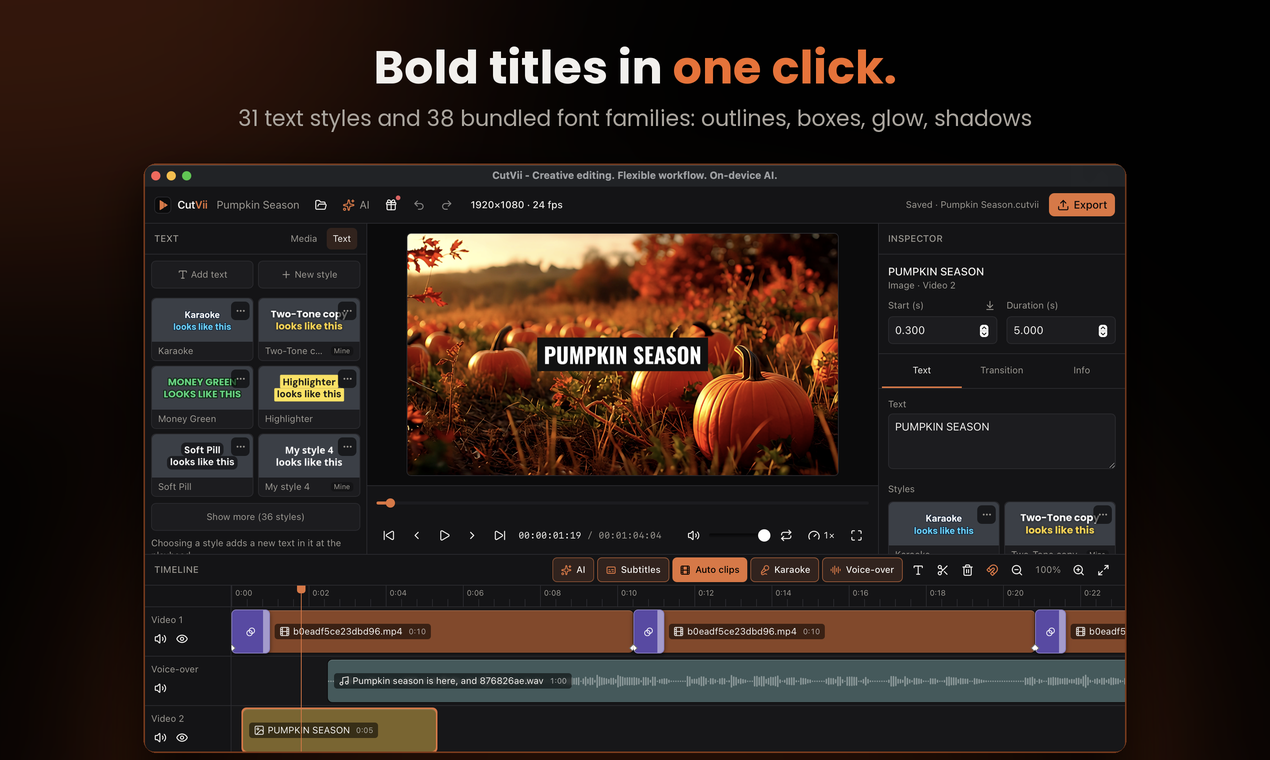
Text is drawn with 38 bundled font families (37 under the SIL Open Font License 1.1, Luckiest Guy under Apache 2.0),
including the heavy display face Anton (OFL 1.1, © 2020 The Anton Project Authors). The licence texts are in
src-tauri/assets/fonts/licenses/; see docs/licensing.md.
Features
- Import video, audio and images (probed with FFprobe, thumbnails cached).
- Multi-track timeline: move, trim, split at playhead, delete, snapping, zoom, context menu, undo/redo.
- Track mute / hide, per-clip volume (0–200 %), Start / Duration fields in the inspector.
- Preview with play/pause/scrub that follows the timeline across clips.
- Save and reopen projects (
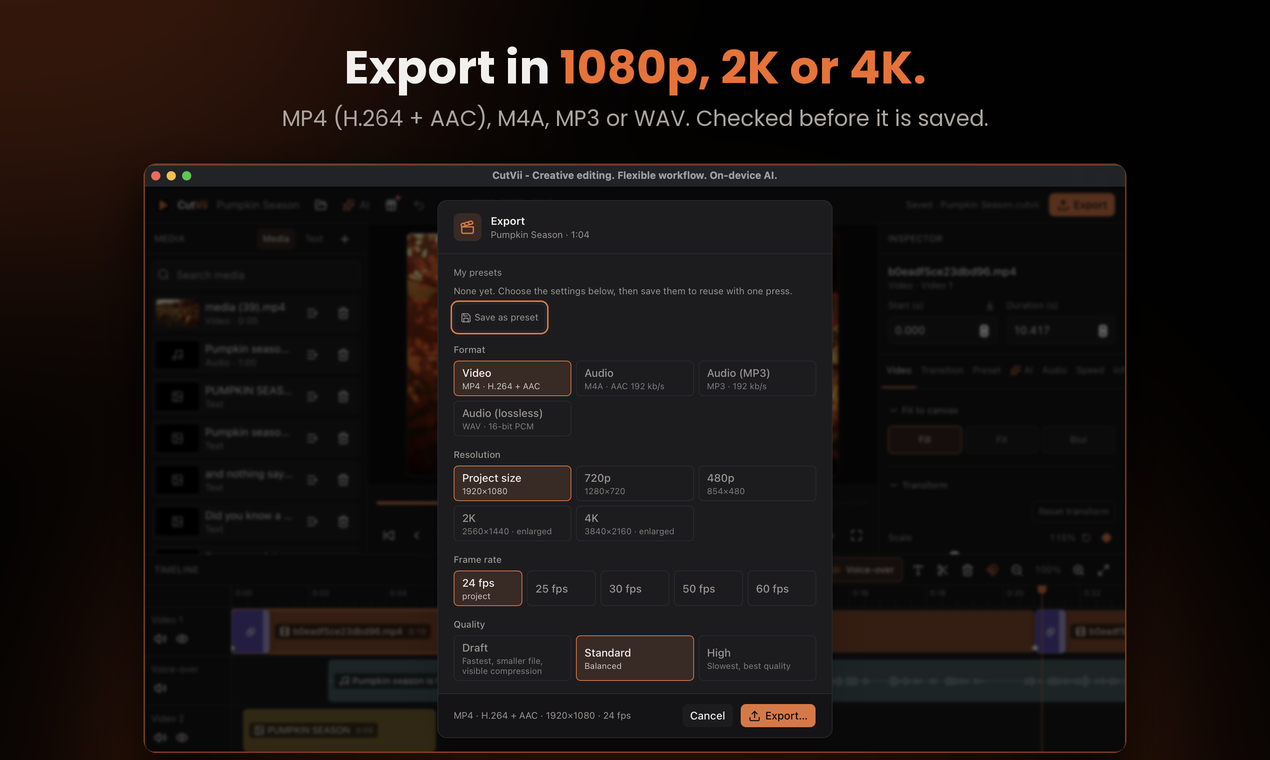
.cutvii, versioned JSON with migrations), missing-media detection and relink. - Export H.264/AAC MP4 (resolution, frame rate, quality), with progress, cancel and ffprobe verification.
- Audio-only export: M4A, MP3 or WAV.
Screenshots
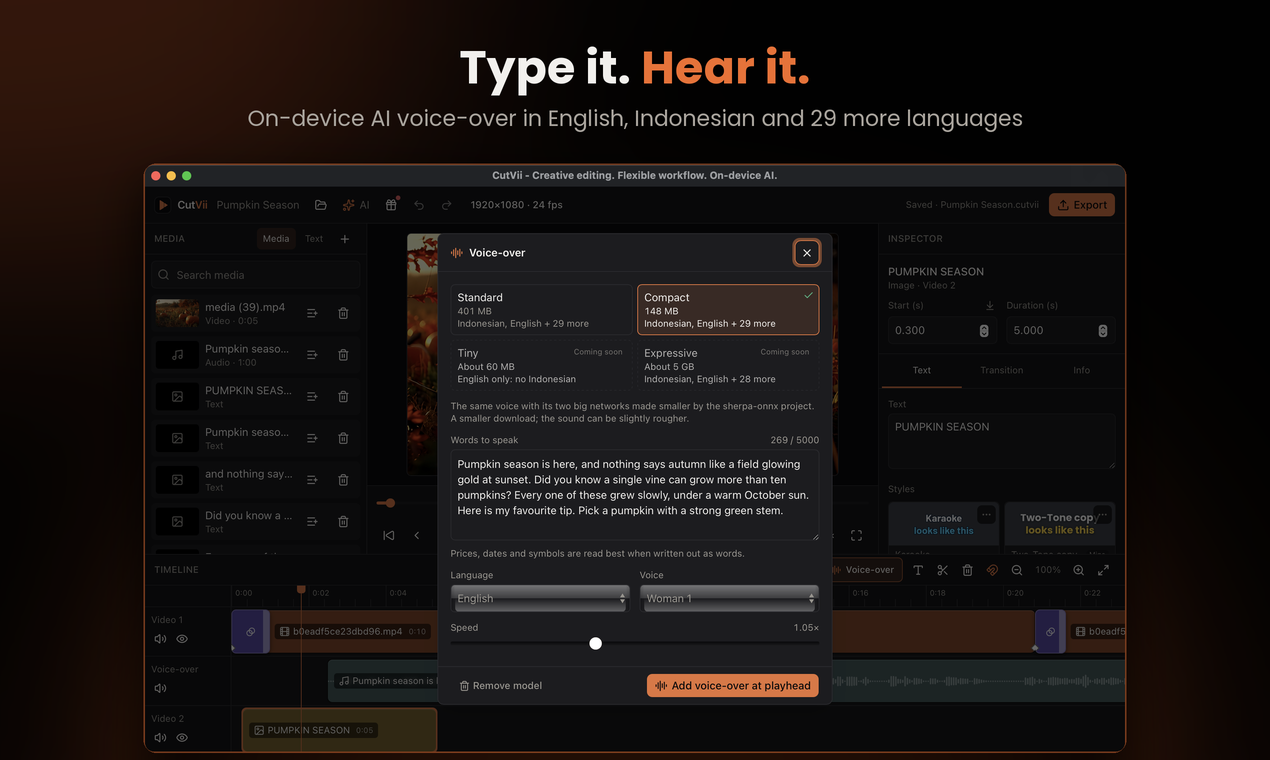
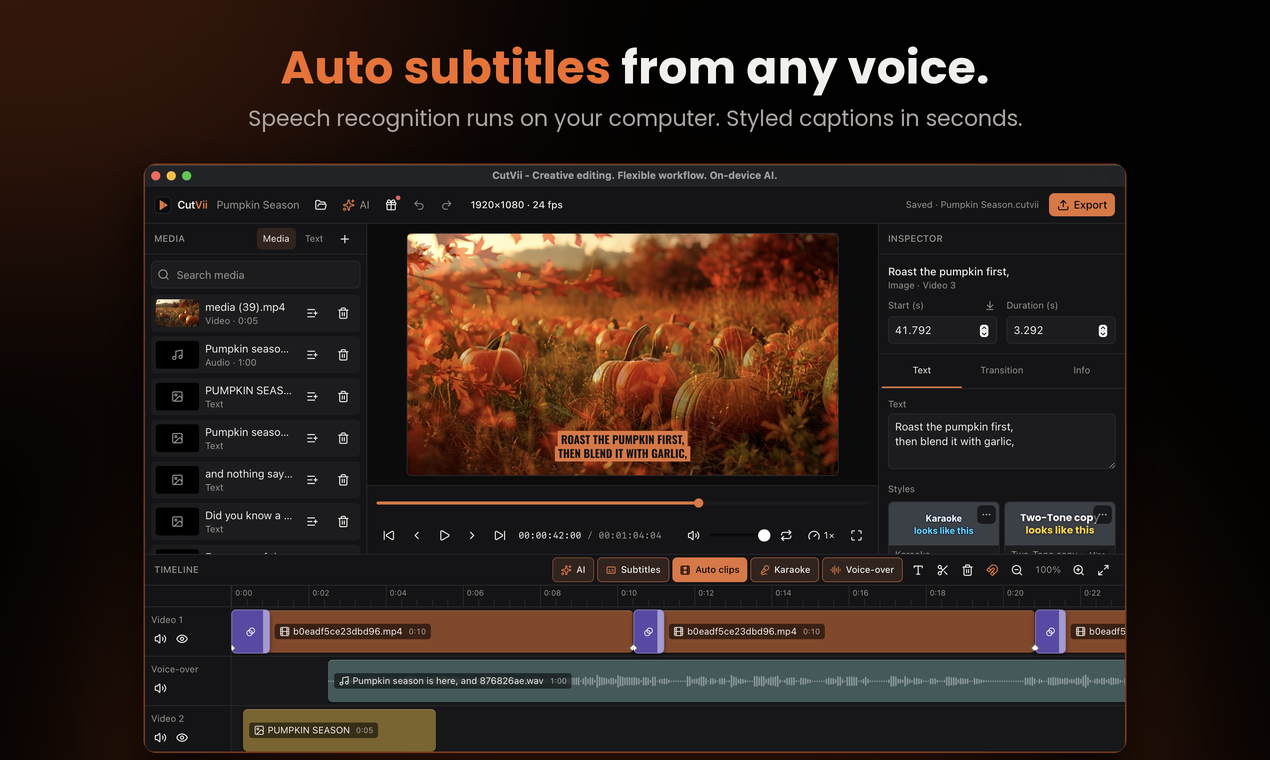
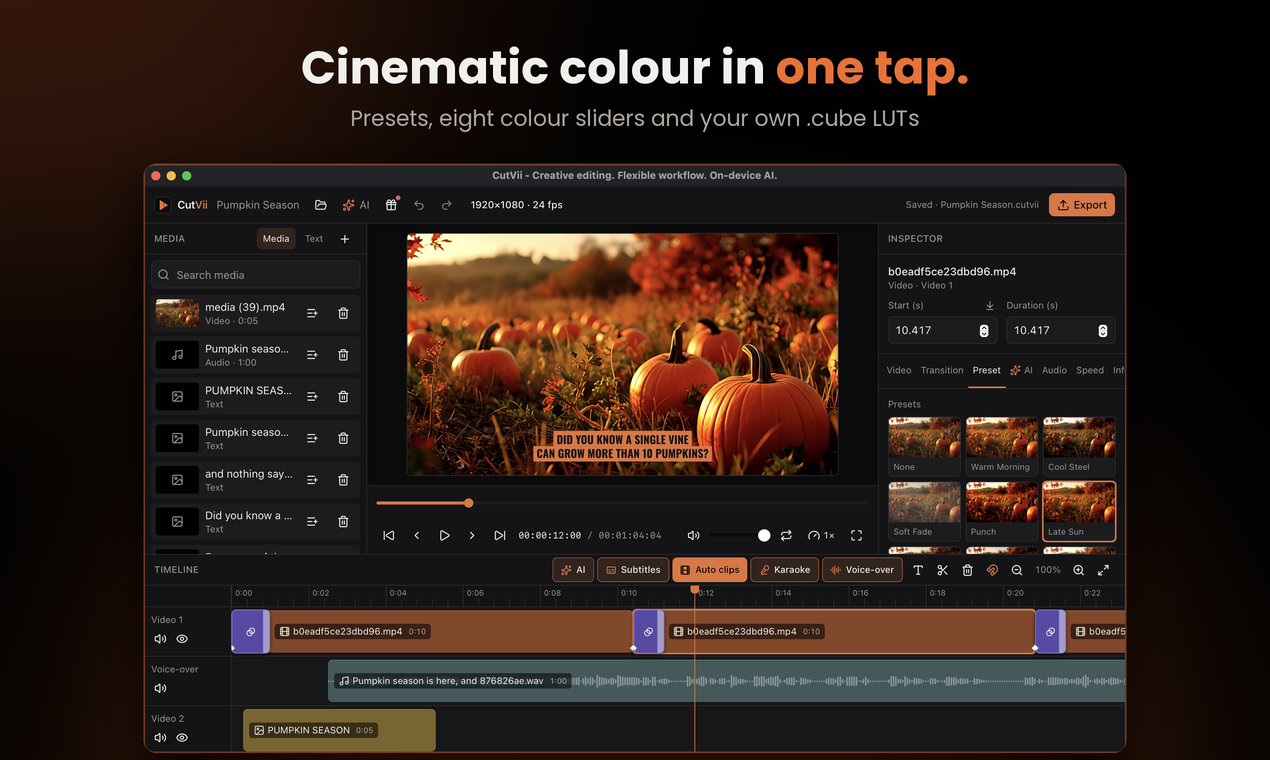
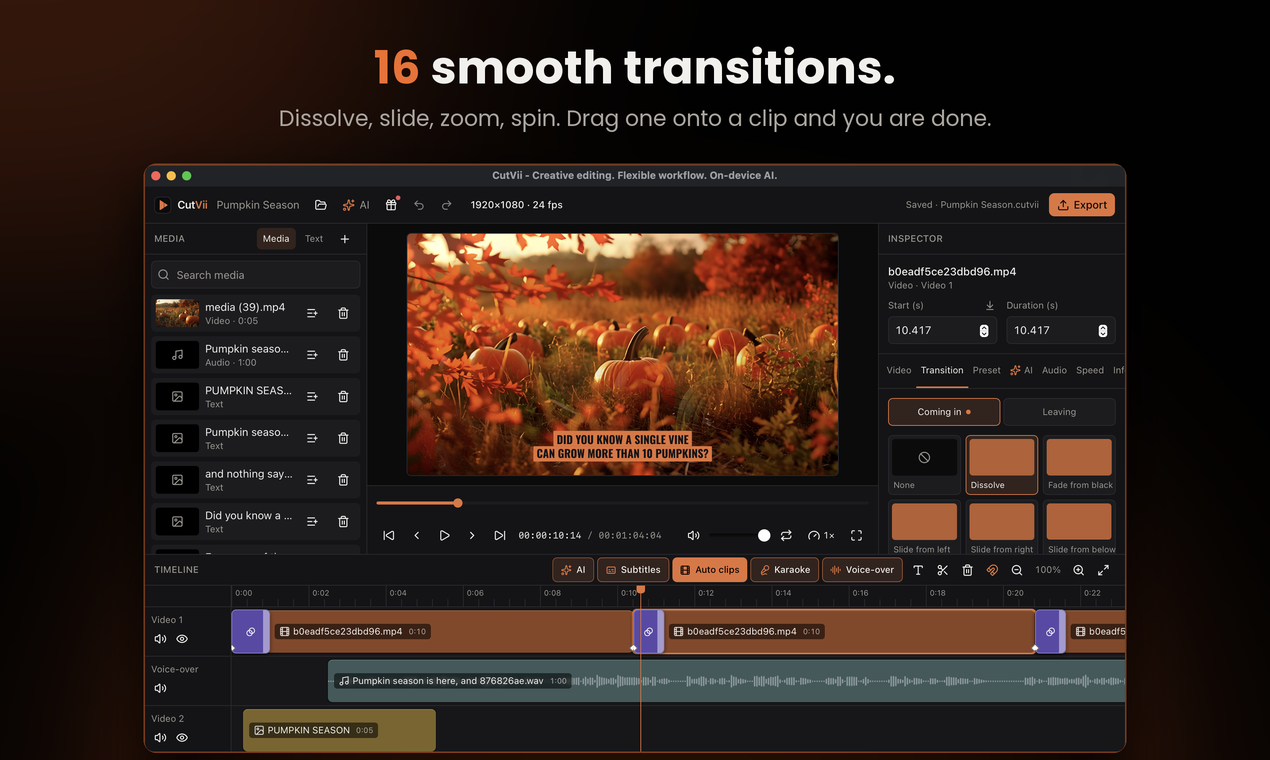
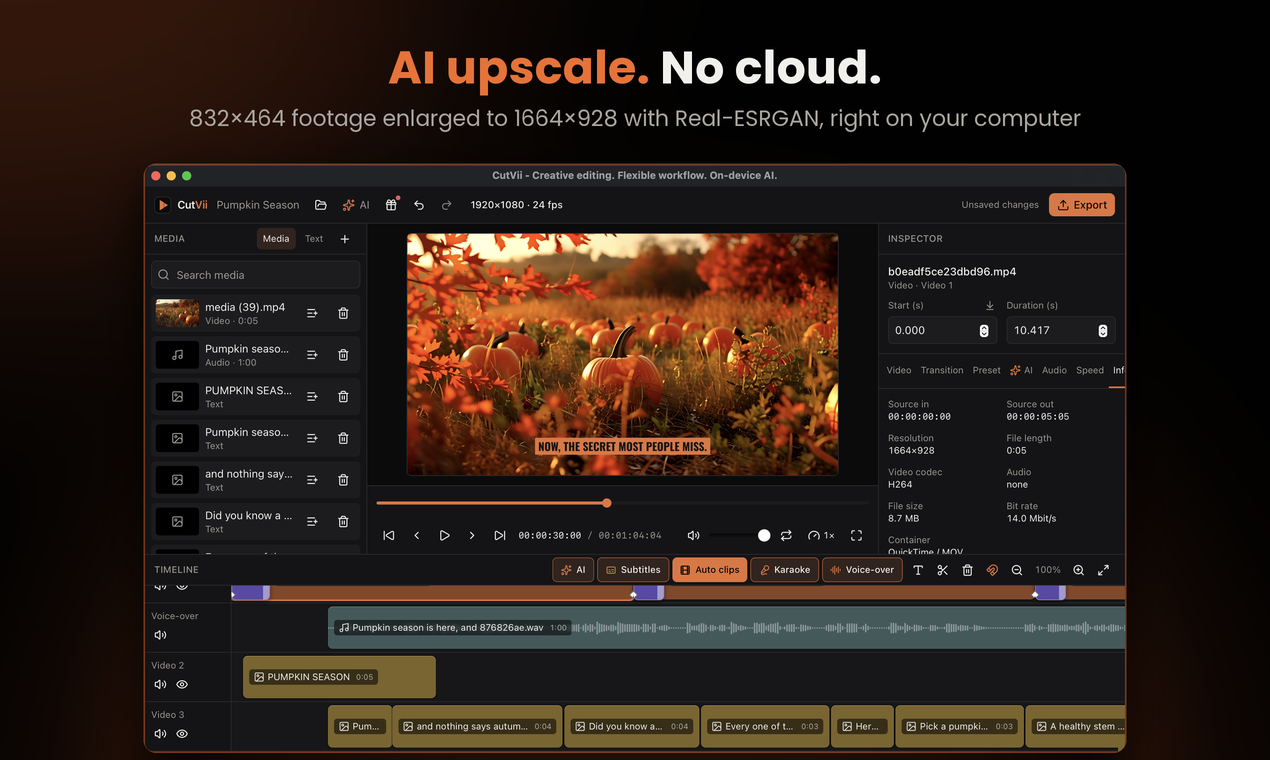
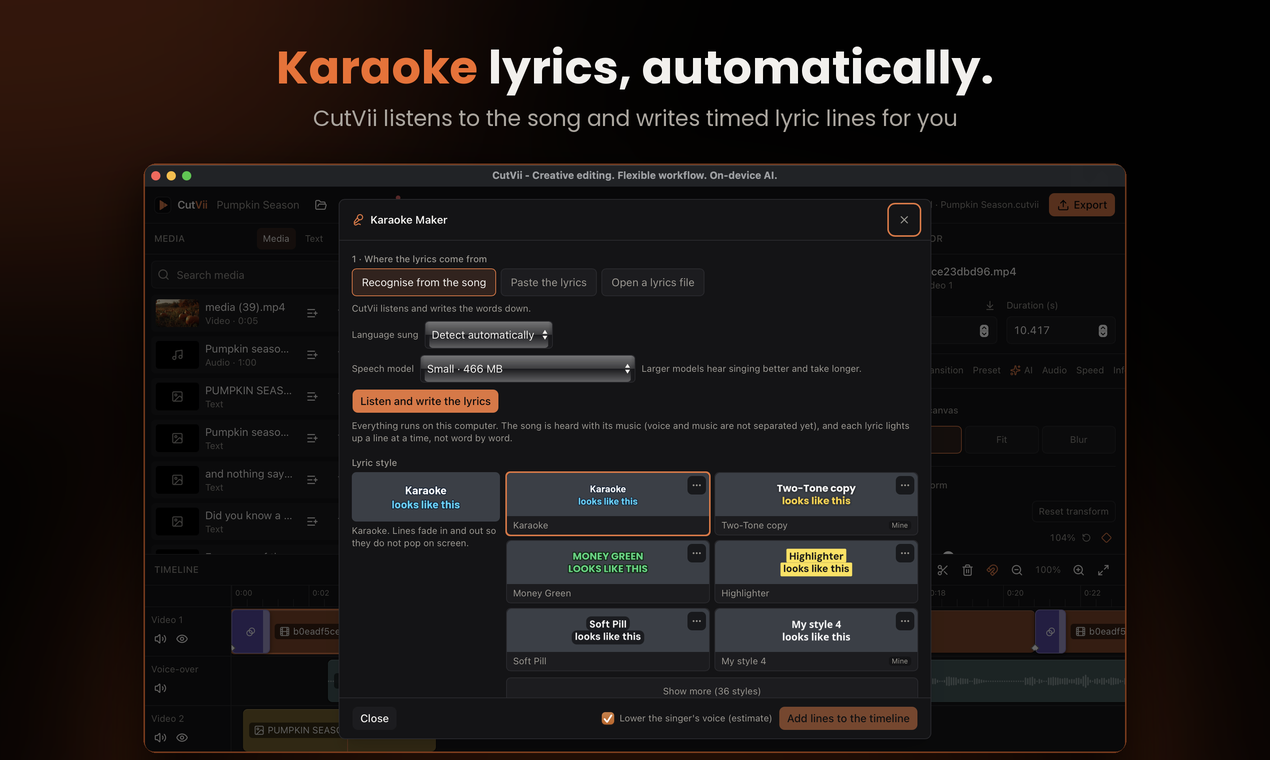
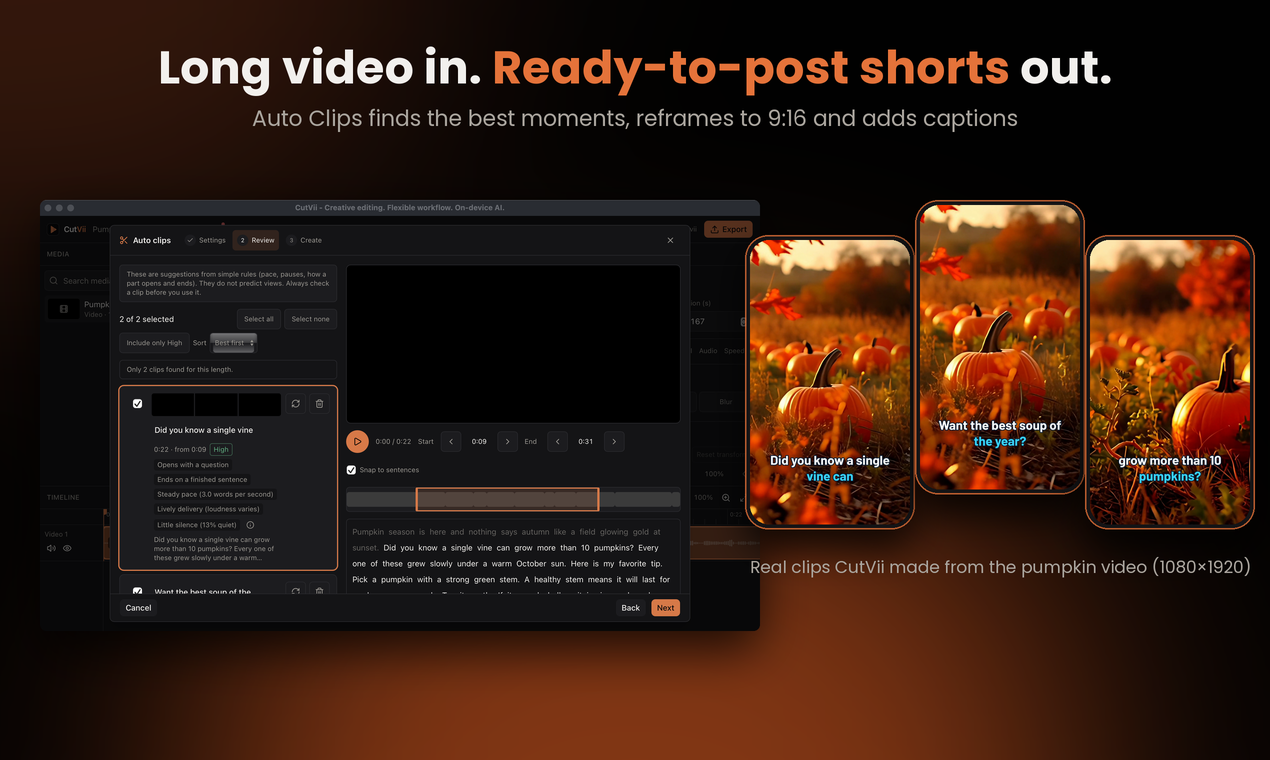
Taken from CutVii 1.0.3 on macOS while editing a one-minute pumpkin video: titles, an on-device voice-over, auto subtitles, colour, transitions, AI upscale and Auto Clips.
 |
 |
 |
 |
 |
 |
 |
 |
 |
 |
 |
 |
Install
Download the installer for your system from the releases page. FFmpeg is included, so there is nothing else to install. macOS builds are for Apple Silicon only (no Intel build yet). The builds are not code-signed yet, so your system will warn you the first time:
- macOS: if it says CutVii is "damaged", run
xattr -cr /Applications/CutVii.appin Terminal once, then open it again. - Windows: if SmartScreen blocks it, click "More info", then "Run anyway".
- Linux:
chmod +x CutVii*.AppImage, then run it (or install the.deb). The preview plays video through GStreamer; if it says a file cannot be played, install the codecs:sudo apt install gstreamer1.0-libav gstreamer1.0-plugins-good gstreamer1.0-plugins-bad(Fedora:gstreamer1-libav gstreamer1-plugins-good gstreamer1-plugins-bad-free).
Install and run (development)
Requirements:
| Tool | Version |
|---|---|
| Node.js | 22+ |
| pnpm | 10+ (corepack enable) |
| Rust | stable (1.85+) |
| FFmpeg + FFprobe | 6+ with an H.264 encoder (libx264, libopenh264 or VideoToolbox) |
| Tauri system deps | see https://tauri.app/start/prerequisites/ |
pnpm install
pnpm tauri dev        # run the app
CutVii never assumes a global FFmpeg. It looks, in order, at CUTVII_FFMPEG / CUTVII_FFPROBE, then PATH
(plus /opt/homebrew/bin and /usr/local/bin on macOS). If nothing is found you get a clear error on import.
brew install ffmpeg                 # macOS
sudo apt install ffmpeg             # Debian / Ubuntu
choco install ffmpeg                # Windows
Scripts
| Command | What it does |
|---|---|
pnpm typecheck / pnpm lint / pnpm format:check |
static checks |
pnpm test |
frontend tests (Vitest + Testing Library) |
cd src-tauri && cargo test |
Rust tests, including real FFmpeg renders (skipped loudly if FFmpeg is missing) |
pnpm tauri build |
release build and installers |
Keyboard shortcuts
Space play/pause · S split at playhead · Delete/Backspace delete · Ctrl/Cmd+Z undo · Ctrl/Cmd+Shift+Z redo · Ctrl/Cmd+S save · Ctrl/Cmd+Shift+S save as · Ctrl/Cmd+O open · ←/→ seek one frame (Shift: one second) · Home to start. Shortcuts are ignored while typing in an input.
Documentation
docs/project-schema.md— project file format, validation, migrations, save/open safety.docs/export-rules.md— exactly how the timeline becomes a video.docs/preview-limits.md— what the preview does and where it is approximate.docs/licensing.md— FFmpeg licensing and dependency licences. Read before distributing.docs/smoke-tests.md— per-OS manual test checklist and what has actually been verified.
Project layout
src/              React + TypeScript UI (components, stores, timeline engine, playback, export dialog)
src-tauri/src/    Rust: commands/, media/ (ffmpeg, probe, import), project/ (model, validation, persistence), export/
fixtures/         project-v1.json, shared by the TS and Rust tests so the schemas stay in sync
design/           source artwork for the app icon (`pnpm tauri icon design/app-icon.png` regenerates the set)
Security
The webview can only reach Rust through a small set of typed commands. File dialogs run in Rust, so the webview never supplies a path to read or write; the asset protocol is limited to the thumbnail cache plus files you imported or opened; a strict Content-Security-Policy is set for production builds.
Update check
CutVii can tell you when a newer release exists on GitHub. It is a notification only: nothing is downloaded or installed, and "Download" just opens the release page in your browser.
- It is optional: turn off "Check for updates automatically" in Settings and no request is made at all.
- When it is on, CutVii asks GitHub's releases API at most once every 24 hours, a few seconds after start.
- The request carries nothing about you or your projects, only
User-Agent: CutVii/<version>. As with any request, GitHub sees your IP address. - The repository to ask is one constant,
UPDATE_REPOinsrc-tauri/src/commands/update.rs; it iszidniryi/cutvii.
Contributing
Contributions are welcome. See CONTRIBUTORS.md for how to help and who has.
Licence
CutVii is released under the MIT License. Third-party fonts and dependencies keep their own licences;
the installers also contain FFmpeg (GPL build, run as a separate program; see src-tauri/binaries/FFMPEG-LICENSE.md).
See docs/licensing.md for the details.