
zhengcx/MethodTraceMan
zhengcx/MethodTraceMan has 1,653 GitHub stars and 217 forks. GitHot measured 0 stars in 24 hours. Last checked 2026-11-08 03:14 UTC. Last push 2021-02-23.
用于快速找到高耗时方法,定位解决Android App卡顿问题。通过gradle plugin+ASM实现可配置范围的方法插桩来统计所有方法的耗时,并提供友好的界面展示,支持耗时筛选、线程筛选、方法名筛选等。(A Tool for Discovering High Time-consuming Methods for Android App)
Measured star growth
- in 24h
- 0
- in 7 days
- Update delayed
- in 15 days
- Update delayed
- in 1 month
- Update delayed
Net star changes over overlapping periods, not daily totals. Missing measurements are left blank. Stars measure attention, not software quality.
README_en.md
OriginalMethodTraceMan
A tool for discovering high-time-consuming methods for Android App.Used to quickly find high-time-consuming methods, locate and solve Android App jank problem. Through gradle plugin + ASM, instrumentation of all methods during compilation, and provide friendly interface display in browser, support time-consuming filtering, thread filtering, method name filtering, etc.
Overview
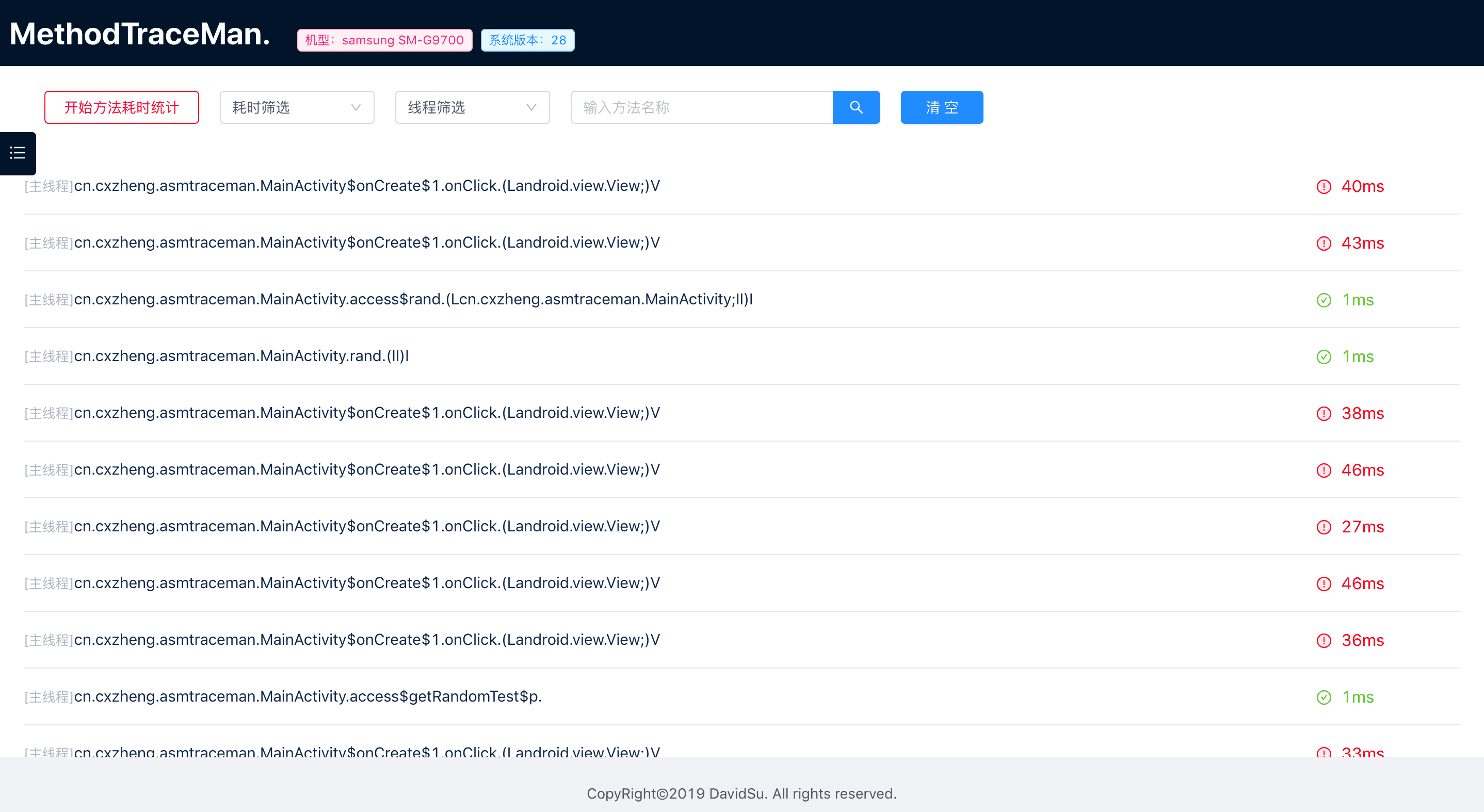
The entire project consists of three parts:
- Method time-consuming data collection part
- Method time-consuming data display part
- AndroidStduio auxiliary plugin
QuickStart
Step1 Dependencies and Config
root project build.gradle
buildscript {
    repositories {
        google()
        jcenter()
        maven { url 'https://jitpack.io' }
        maven { url "https://plugins.gradle.org/m2/" }
    }
    dependencies {
        classpath "gradle.plugin.cn.cxzheng.methodTracePlugin:tracemanplugin:1.0.4"
    }
}

allprojects {
    repositories {
        google()
        jcenter()
        maven { url 'https://jitpack.io' }
        maven { url "https://plugins.gradle.org/m2/" }
    }
}
app module project build.gradle
dependencies {
  debugImplementation 'com.github.zhengcx:MethodTraceMan:1.0.7'
  releaseImplementation 'com.github.zhengcx:MethodTraceMan:1.0.5-noop'
}

apply plugin: "cn.cxzheng.asmtraceman"
traceMan {
    open = true
    traceConfigFile = "${project.projectDir}/traceconfig.txt"
}
Create a file called traceconfig.txt under the root directory of app module.
Configuration code instrumentation range,example:
#config the package need to trace,If they are empty, all files are traced by default.
-tracepackage cn/cxzheng/asmtraceman

#Setting up traceless packages under packages that require trace
-keeppackage cn/cxzheng/asmtraceman/test

#Setting up traceless classes under packages that require trace
-keepclass cn/cxzheng/asmtraceman/MainActivity

#Fixed configuration here: cn/cxzheng/tracemanui/TraceMan
-beatclass cn/cxzheng/tracemanui/TraceMan
then Rebuild project,all methods will be time-consuming trace.
Step2 Install Android Stduio assist plugins.
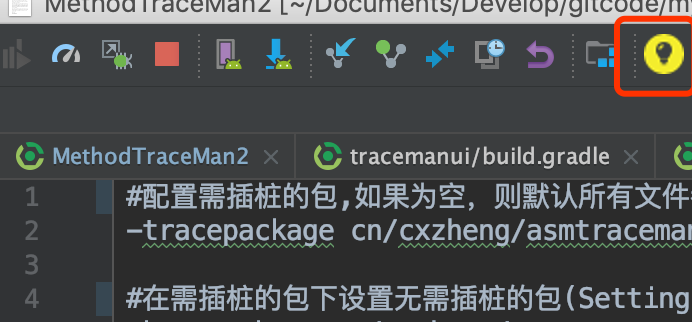
The main function of this plugin is to quickly and easily open the UI display interface of methodtraceman.This plugin has been uploaded to Android Stduio plug-in repository. You can search forMethodTraceManto install it. How to install Android Stduio plug-in is not detailed here, but you can search online.After installed plugin and restart AndroidStduio, you can see the yellow light bulb icon of the MethodTraceMan plugin in the top bar.
Step3 How to Use.
After completing the above two steps, make sure you have completed:
- Rebuild&Run launches your app after integration as required.
- MethodTraceMan plugin is installed on AndroidStduio.
Next, we'll show you how to use MethodTraceMan to easily troubleshoot time-consuming methods:
1.Connect your phone to your computer via Usb to ensure a successful connection.
2.After launching the app, click on the MethodTraceMan light bulb icon in the top bar of AndroidStduio, and the UI of MethodTraceMan will be opened in the browser as follows:
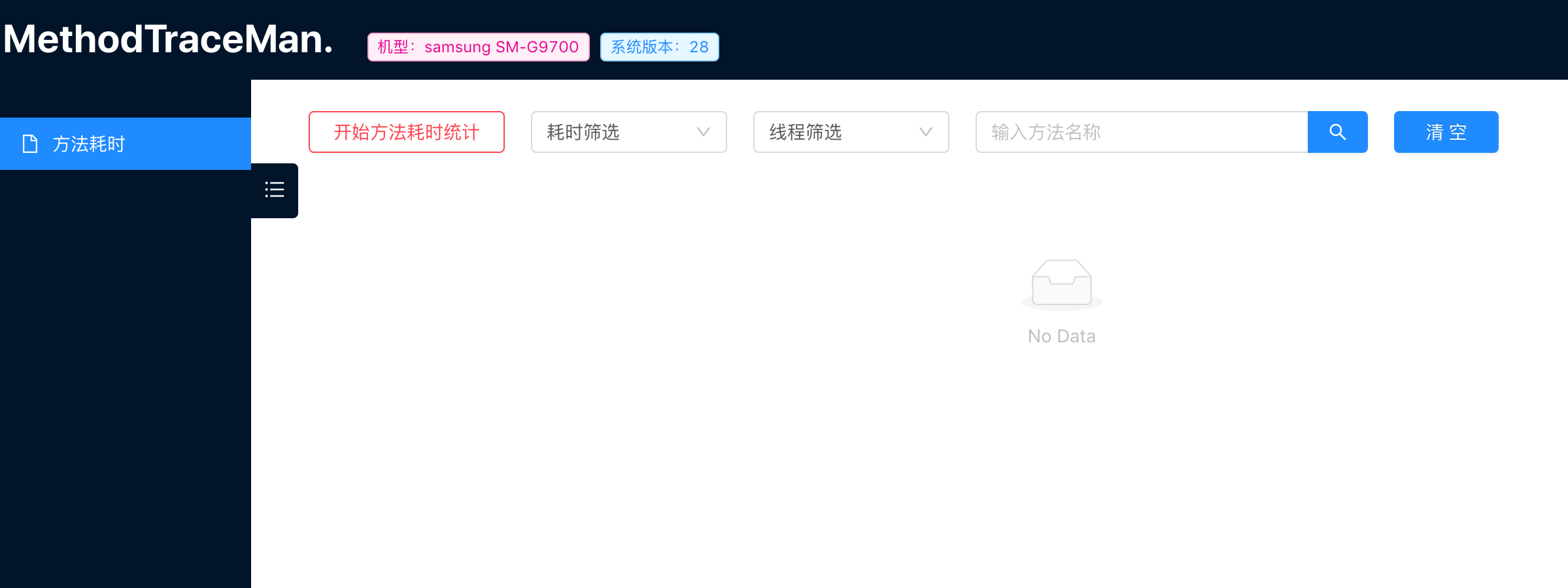
3.Click the "Start Method Time Statistics" button and start free to operate your app.

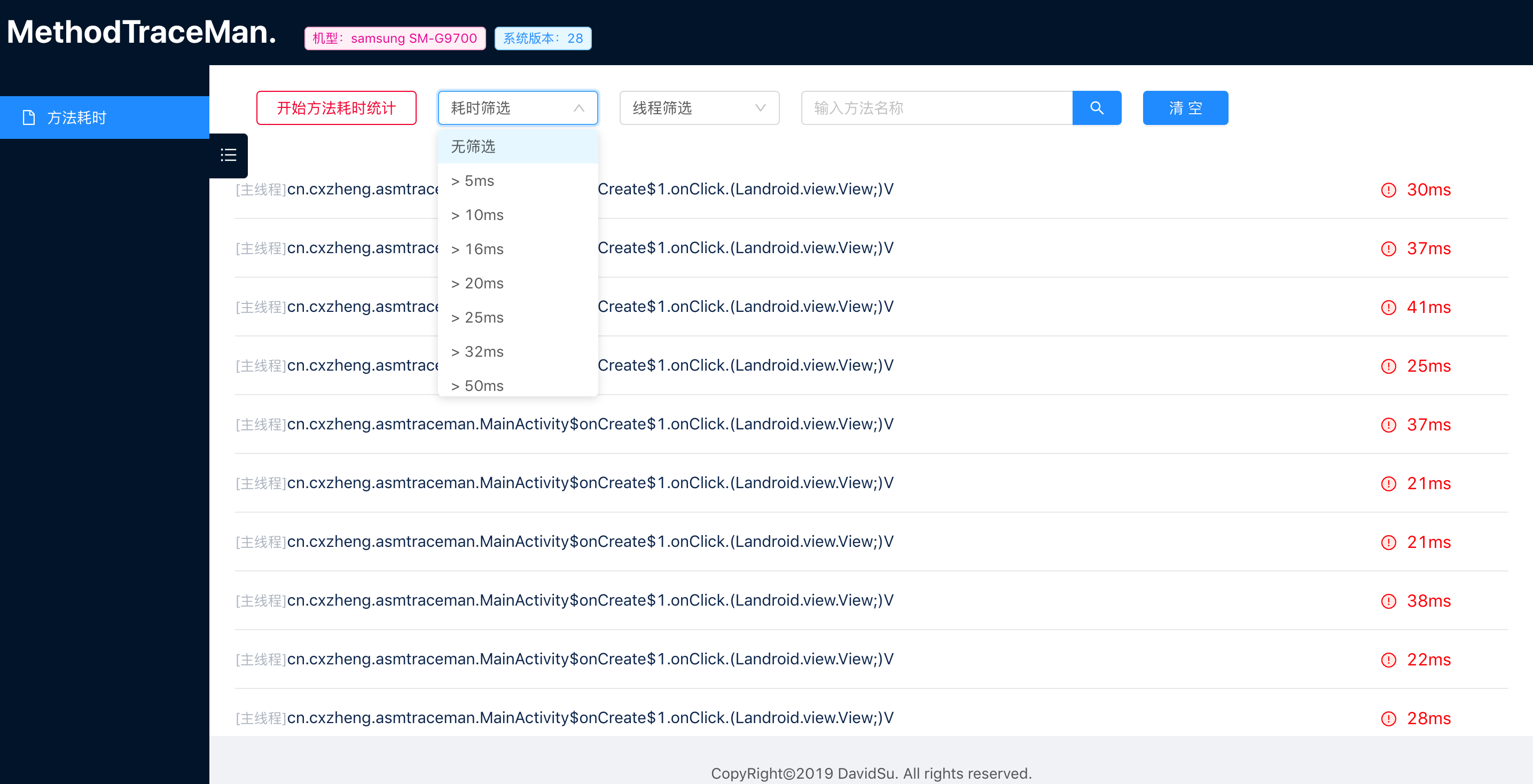
4.After operating the app, click the “End method time-consuming statistics” button, and the time-consuming statistics of all methods will be output. You can perform time-consuming filtering, thread filtering, method name search, etc. for screening.

End Welcome to Star/Fork/Issue.
License
Apache2.0.
About Me
Explore related projects
codecrafters-io/build-your-own-x
Master programming by recreating your favorite technologies from scratch.
561,056 starspublic-apis/public-apis
A collective list of free APIs
497,294 starsmorluto/rea
Reverse engineer anything with agents, from app behavior down to native binaries.
443,463 starsopenclaw/openclaw
The AI that really does things. Any OS. Any Platform. The lobster way. 🦞
394,206 stars