
zhangyu1818/appicon-forge
zhangyu1818/appicon-forge has 1,027 GitHub stars and 142 forks. GitHot measured -1 stars in 24 hours. Last checked 2026-11-09 11:53 UTC. Last push 2025-07-09.
An intuitive app icon generator that lets you customize colors, borders, shadows, and more to create unique app icons effortlessly.
What you can do
- Customize icon size, position, color, background color, border, gradient, and shadow.
- Customize text content, text gradient, and fonts.
- Customize local SVG files or images.
- Generate icons using Iconify Icons with over 200,000 available icons.
Measured star growth
- in 24h
- -1
- in 7 days
- Update delayed
- in 15 days
- Update delayed
- in 1 month
- Update delayed
Net star changes over overlapping periods, not daily totals. Missing measurements are left blank. Stars measure attention, not software quality.
README.md
OriginalAppIcon Forge
Language: 简体中文
A simple tool that allows you to generate usable app icons without any design expertise.
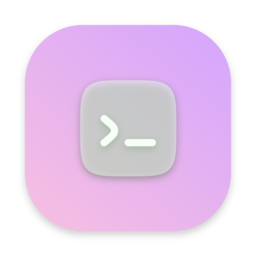
Example




Features
- Customize icon size, position, color, background color, border, gradient, and shadow.
- Customize text content, text gradient, and fonts.
- Customize local SVG files or images.
- Generate icons using Iconify Icons with over 200,000 available icons.
- Real-time preview of your icon changes.
- Easy export of icons for apps.
[!IMPORTANT] The text icons use the system's default fonts, and copyright compliance cannot be guaranteed. Please proceed with caution when making your selection.
You can use custom Google fonts to avoid this.
Usage
You can use AppIcon Forge directly from GitHub Pages without any installation. Simply visit the following URL:
If you want to run it locally:
Clone the repository and install dependencies:
# Clone the repository
git clone https://github.com/zhangyu1818/appicon-forge.git

# Navigate to the directory
cd appicon-forge

# Install dependencies
pnpm install
Start the development server:
pnpm dev
Visit http://localhost:5173/appicon-forge/ in your browser to start using AppIcon Forge.
Deployment
Manual
To build the project for production:
pnpm build
Deploy the contents of the out folder to your web server or GitHub Pages.
Docker
# Clone the repository
git clone https://github.com/zhangyu1818/appicon-forge.git

# Navigate to the directory
cd appicon-forge

# Build the image
docker build -t appicon-forge .


# Renive the image
docker rmi appicon-forge
Docker run
# Build and start the container
docker run -d --name=appicon-forge --restart=always -p 5173:80 appicon-forge

# Stop and remove the container
docker stop appicon-forge
docker rm appicon-forge
Docker compose
# Build and start the container
docker-compose up -d

# Stop and remove the container
docker-compose down
License
This project is licensed under the MIT License.
Explore related projects
codecrafters-io/build-your-own-x
Master programming by recreating your favorite technologies from scratch.
561,398 starspublic-apis/public-apis
A collective list of free APIs
497,679 starsmorluto/rea
Reverse engineer anything with agents, from app behavior down to native binaries.
447,495 starsopenclaw/openclaw
The AI that really does things. Any OS. Any Platform. The lobster way. 🦞
394,261 stars