
zhang-hongshen/ModelCraft
zhang-hongshen/ModelCraft has 50 GitHub stars and 5 forks. GitHot measured 0 stars in 24 hours. Last checked 2026-11-15 20:15 UTC. Last push 2026-11-14.
What you can do
- Download and run local models for text and multimodal conversations.
- Use agent tools for files, commands, web access, connected apps and screen interaction.
- Keep conversations and reference files together in projects.
- Open Quick Entry with a global shortcut and include current files, web pages, selected text or images.
Measured star growth
- in 24h
- 0
- in 7 days
- Update delayed
- in 15 days
- Update delayed
- in 1 month
- Update delayed
Net star changes over overlapping periods, not daily totals. Missing measurements are left blank. Stars measure attention, not software quality.
About
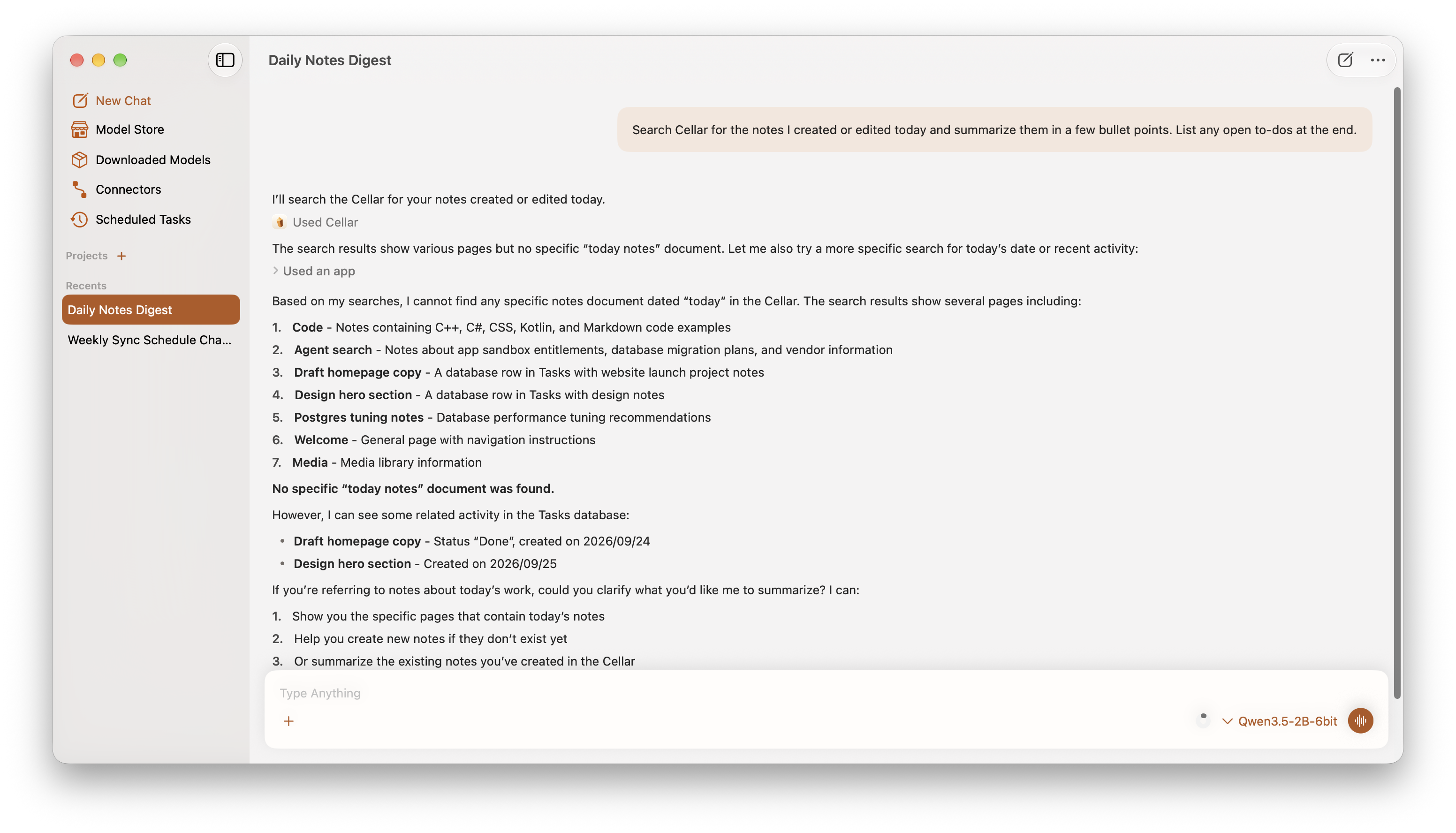
Local-first AI assistant for macOS with MLX models, agent tools, projects, quick entry and session import.
AIREADME.md
OriginalModelCraft

Local-first AI assistant for macOS with MLX models, agent tools, projects, quick entry and session import.
Features
- Download and run local models for text and multimodal conversations.
- Use agent tools for files, commands, web access, connected apps and screen interaction.
- Keep conversations and reference files together in projects.
- Open Quick Entry with a global shortcut and include current files, web pages, selected text or images.
- Inspect delegated tasks and conversation branches.
- Dictate into the composer with local speech recognition.
- Run scheduled tasks and generate images, audio, music or video with supported models.
Requirements
- macOS 15 or later on Apple silicon.
- Xcode 27 or later to build from source.
Installation
Download the DMG from GitHub Releases, open it, and move ModelCraft to Applications. For an ad-hoc signed build, macOS may require approval in System Settings → Privacy & Security.
Getting started
- Download a compatible model from Model Store and start a chat.
- Add a project or connector when the task needs files or app tools.
- Use Quick Entry for requests from another app, and review approvals in the main window.
Build from source
Open ModelCraft.xcodeproj in Xcode, select the ModelCraft scheme and My Mac, resolve its Swift packages, then build and run.
Releases
Pushing an annotated version tag triggers the release workflow. Release titles contain only the version number; release notes contain only the numbered feature list from the tag body.
License
See LICENSE.