
zerolovesea/Brevia
zerolovesea/Brevia has 89 GitHub stars and 5 forks. GitHot measured 0 stars in 24 hours. Last checked 2026-11-15 21:46 UTC. Last push 2026-11-09.
Measured star growth
- in 24h
- 0
- in 7 days
- Update delayed
- in 15 days
- Update delayed
- in 1 month
- Update delayed
Net star changes over overlapping periods, not daily totals. Missing measurements are left blank. Stars measure attention, not software quality.
About
Brevia · 言录: A local-first AI meeting assistant. Record on your phone, transcribe and summarize on your computer. Your conversations, your devices. Calm, Zen-inspired design.
Self-hosteddocs/README.en.md
Original
Brevia 2.0 · Local AI meeting assistant
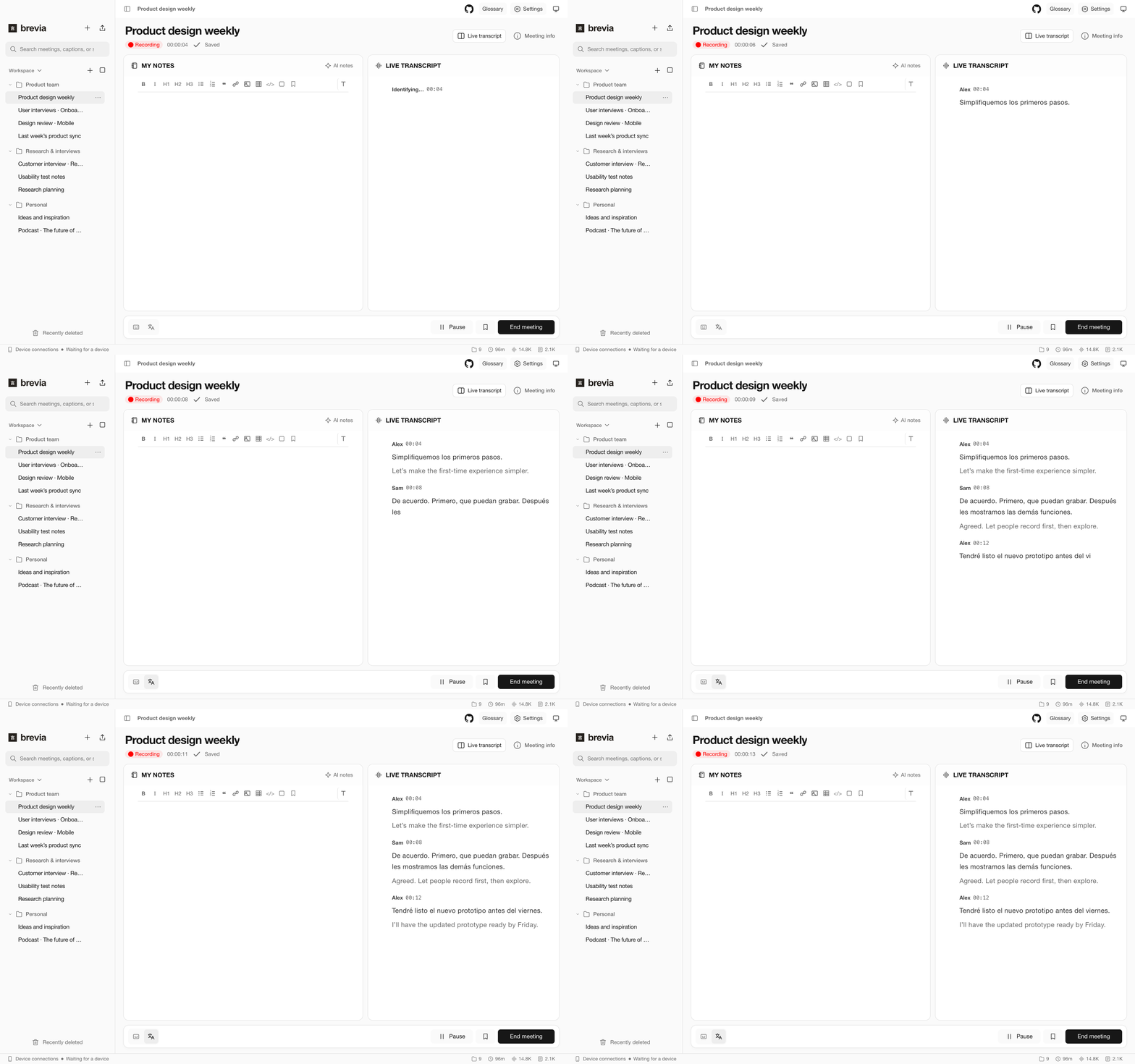
Follow bilingual captions, capture decisions, and jump from meeting minutes back to the original conversation.




English · 简体中文 · Español · 日本語 · 한국어 · Français · Deutsch · Русский
Download
| Platform | Download | Requirements |
|---|---|---|
| Mac | macOS | Apple Silicon · macOS 14+ |
| Windows | Windows | Windows 10 / 11 · x64 · AVX2 |
| iPhone | App Store | iOS 15+ |
| Android | APK | Android 7+ |
The Mac installer is about 43 MiB (45.5 MB), and the Windows installer is 38 MB. Download the language models you need on first use.
The current version uses MLX as the inference backend on macOS and sherpa-onnx on Windows. The macOS version currently offers better performance and lower power consumption, while the Windows version continues to be optimized. The roadmap includes a general-purpose inference engine with CUDA acceleration.
From conversation to minutes
- Transcription and translation. Record your microphone and computer audio with live bilingual captions, or import an interview and export SRT subtitles.
- Speaker recognition. See who said what, correct a name, and save a voice profile to recognize the same speaker next time.
- Fast transcription: On an M4 Pro, Brevia transcribed a 66 min 40 s recording in 3 min 33 s.
Minutes and fishbone diagrams
Generate minutes with seven sections. Use the cause diagram to check transcript quotes and replay the recording. Export the minutes and cause analysis separately. Filter the transcript by speaker or rename a speaker throughout one meeting.

AI notes
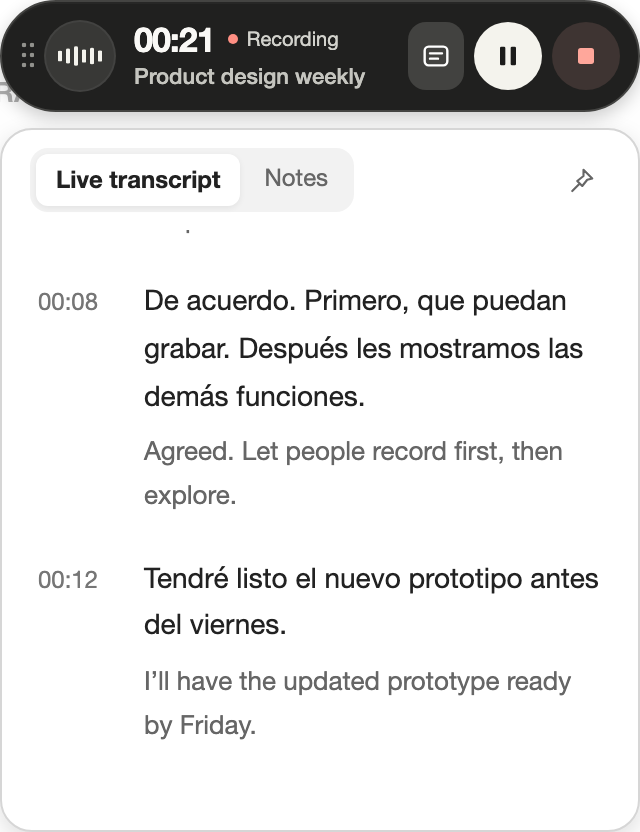
Choose which suggested decisions and tasks to keep alongside your own notes as the conversation unfolds.
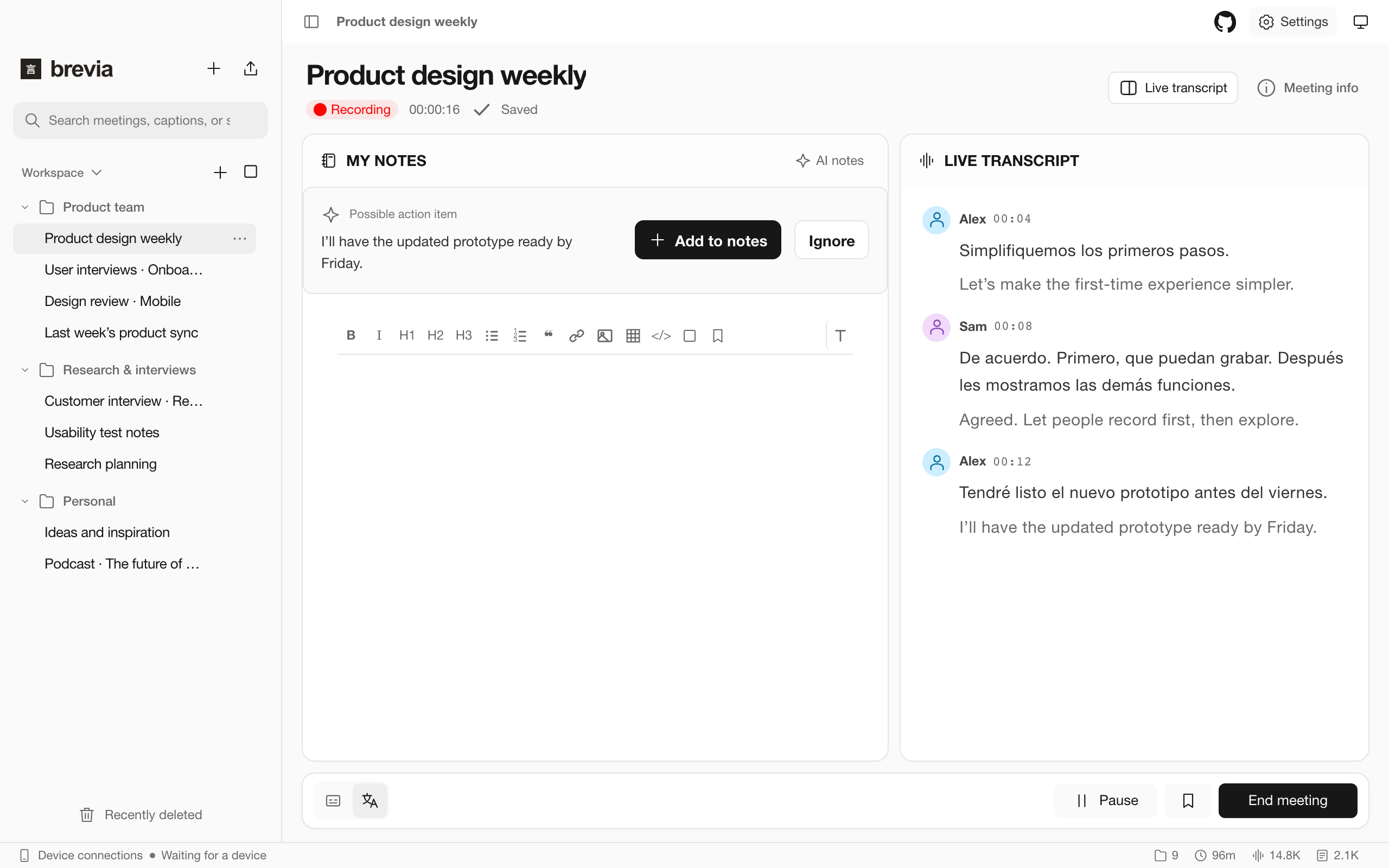
Connect your phone
On the same local network, scan the QR code under Settings → Device Connection. Use your phone as a wireless microphone or follow live captions. You can also record on your phone and transfer the meeting to your computer later.
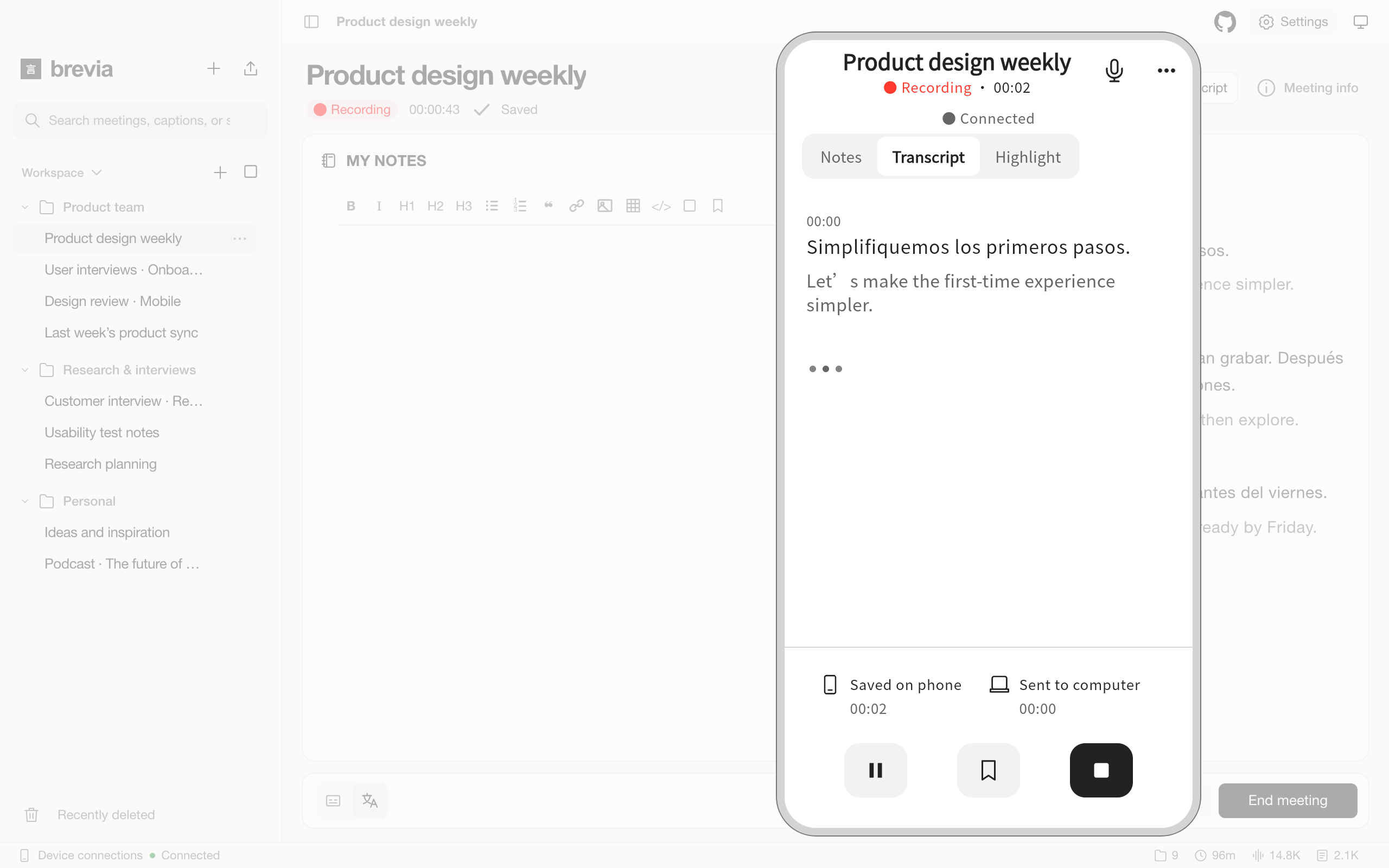
Meeting capsule
Minimize the main window to control recording or playback, read captions, edit notes, and paste images in the capsule. When Brevia is in the background, audio from a supported meeting app can trigger a recording reminder.
Ask your agent
Under Settings → Agent & MCP, copy the instructions into your local agent. It reads the bundled Skill and calls Brevia through the CLI. For an MCP client, copy the configuration from the same screen.
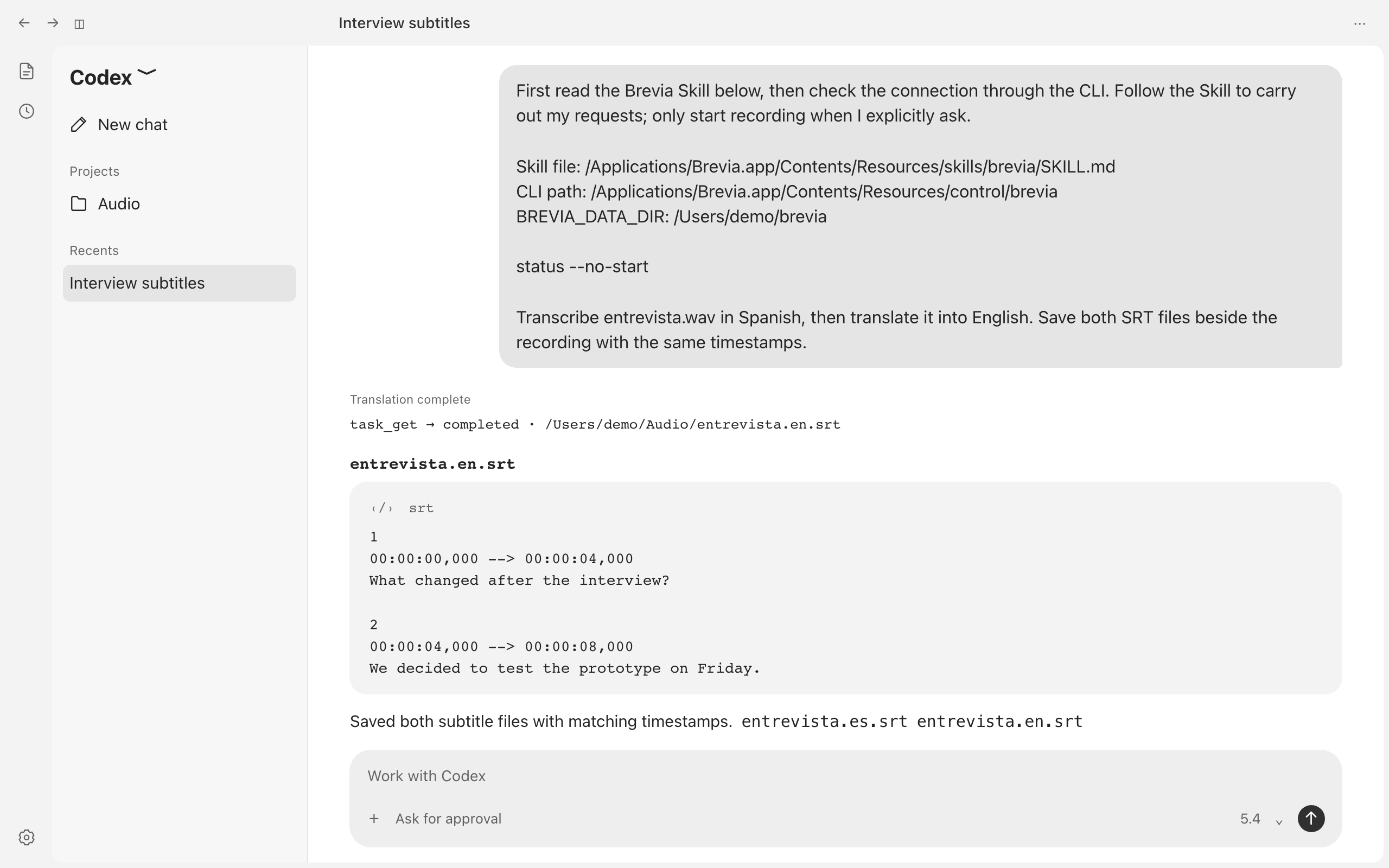
Transcribe the Spanish interview on my desktop, then translate the subtitles into English. Save both as SRT files.
CLI parameters
Use brevia METHOD [JSON] [--no-start]. Replace brevia with the CLI path shown under Settings → Agent & MCP. Run brevia help to list methods or brevia status --no-start to check status without launching the app.
For inference.run, set operation to transcribe or translate. Use absolute paths for input_path and output_path. The source language defaults to auto. Translation requires target_language.
brevia inference.run '{"operation":"transcribe","input_path":"/Users/me/interview.wav","language":"es","output_path":"/Users/me/interview.srt"}'
brevia task.get '{"task_id":"123e4567-e89b-42d3-a456-426614174000"}'
Replace the example paths with your own. Pass the returned task_id to task.get and read the output file when the status is completed. All commands and parameters
Your data
No account required. Recordings and meetings stay on your devices. Local models work offline once downloaded. If you choose an online AI provider, the relevant text goes to that provider. Privacy
Technology stack
- Desktop uses Tauri and Rust with the built-in WebKit on macOS and WebView2 on Windows. Meeting records are stored locally in SQLite.
- Mobile uses Flutter to share the recording and pairing interface across iOS and Android.
- Local AI uses sherpa-onnx to identify speakers and llama.cpp to generate meeting summaries. On Apple Silicon Macs, Brevia uses MLX to run the FunASR Nano, Qwen3-ASR and Parakeet transcription models.
Contribute
Issues · Development · Docs
Licensed under ISC. Models and third-party components retain their own licenses. Thanks to Tauri, MLX, sherpa-onnx, llama.cpp, miniaudio and the model authors. ISC.