
zerolabnet/SSClash
zerolabnet/SSClash has 343 GitHub stars and 31 forks. GitHot measured 0 stars in 24 hours. Last checked 2026-11-17 04:51 UTC. Last push 2026-08-02.
Measured star growth
- in 24h
- 0
- in 7 days
- Update delayed
- in 15 days
- Update delayed
- in 1 month
- Update delayed
Net star changes over overlapping periods, not daily totals. Missing measurements are left blank. Stars measure attention, not software quality.
About
Super Simple Clash: Centralized Block Bypass on OpenWrt using the Clash.Meta Kernel
Developer ToolsREADME.md
Original📖 Read this in other languages:
Active development is now in SSClash-Go.
For new deployments, use the Go edition (single static binary, embedded web UI, same/opt/clashlayout and feature set).
This repository is the legacy LuCI app (luci-app-ssclash) for OpenWrt; it still gets maintenance releases, but new features ship in SSClash-Go.

Here's the step-by-step process for installing and configuring SSClash on your OpenWrt router
Setup Guide
Autoinstall script
Installs or updates all dependencies, luci-app-ssclash and Mihomo core.
wget --no-proxy -qO- https://github.com/zerolabnet/SSClash/raw/refs/heads/main/install-ssclash.sh | ash
Manual install
Step 1: Update Package List
Update the package list to ensure you have the latest available versions.
For OpenWrt >= 25 (apk):
apk update
For OpenWrt < 25 (opkg):
opkg update
Step 2: Install Required Packages
In general, package managers resolve dependencies automatically when you install from a package repository. In this guide, we use manual installation from GitHub Releases, and required dependencies are:
coreutils-base64– for scripts that use Base64;kmod-tun– for TUN mode;- the appropriate transparent proxy module depending on your firewall stack:
kmod-nft-tproxyfor firewall4 / nftables;iptables-mod-tproxyfor firewall3 / iptables.
Only if you are installing packages manually (.apk/.ipk) or building a custom image and dependencies are missing, you can install the transparent proxy modules manually:
# For nftables (firewall4) on OpenWrt >= 25:
apk add kmod-nft-tproxy

# For nftables (firewall4) on older OpenWrt:
opkg install kmod-nft-tproxy

# For iptables (firewall3, OpenWrt < 22.03.x):
opkg install iptables-mod-tproxy
Step 3: Download and Install luci-app-ssclash Package
Download the SSClash package and install it.
# OpenWrt >= 25:
curl -L https://github.com/zerolabnet/ssclash/releases/download/v4.7.1/luci-app-ssclash-4.7.1-r1.apk -o /tmp/luci-app-ssclash-4.7.1-r1.apk
apk add --allow-untrusted /tmp/luci-app-ssclash-4.7.1-r1.apk

# OpenWrt < 25:
curl -L https://github.com/zerolabnet/ssclash/releases/download/v4.7.1/luci-app-ssclash_4.7.1-r1_all.ipk -o /tmp/luci-app-ssclash_4.7.1-r1_all.ipk
opkg install /tmp/luci-app-ssclash_4.7.1-r1_all.ipk

rm /tmp/*.ipk /tmp/*.apk
Step 4: Automatic Mihomo Kernel Management
Go to Settings → Mihomo Kernel Management and click Download Latest Kernel. The system will:
- Automatically detect your router's architecture
- Download the latest compatible Mihomo kernel
- Install and configure it properly
- Show kernel status and version information
Important: Restart the Clash service after kernel installation.
Manual Kernel Installation (Optional)
If you prefer manual installation, navigate to the bin directory and download the Clash.Meta Kernel:
cd /opt/clash/bin
For amd64 architecture:
curl -L https://github.com/MetaCubeX/mihomo/releases/download/v1.19.27/mihomo-linux-amd64-compatible-v1.19.27.gz -o clash.gz
For arm64 architecture:
curl -L https://github.com/MetaCubeX/mihomo/releases/download/v1.19.27/mihomo-linux-arm64-v1.19.27.gz -o clash.gz
For mipsel_24kc architecture:
curl -L https://github.com/MetaCubeX/mihomo/releases/download/v1.19.27/mihomo-linux-mipsle-softfloat-v1.19.27.gz -o clash.gz
Need a different architecture? Visit the MetaCubeX Release Page and choose the one that matches your device.
Decompress and make executable:
gunzip clash.gz
chmod +x clash
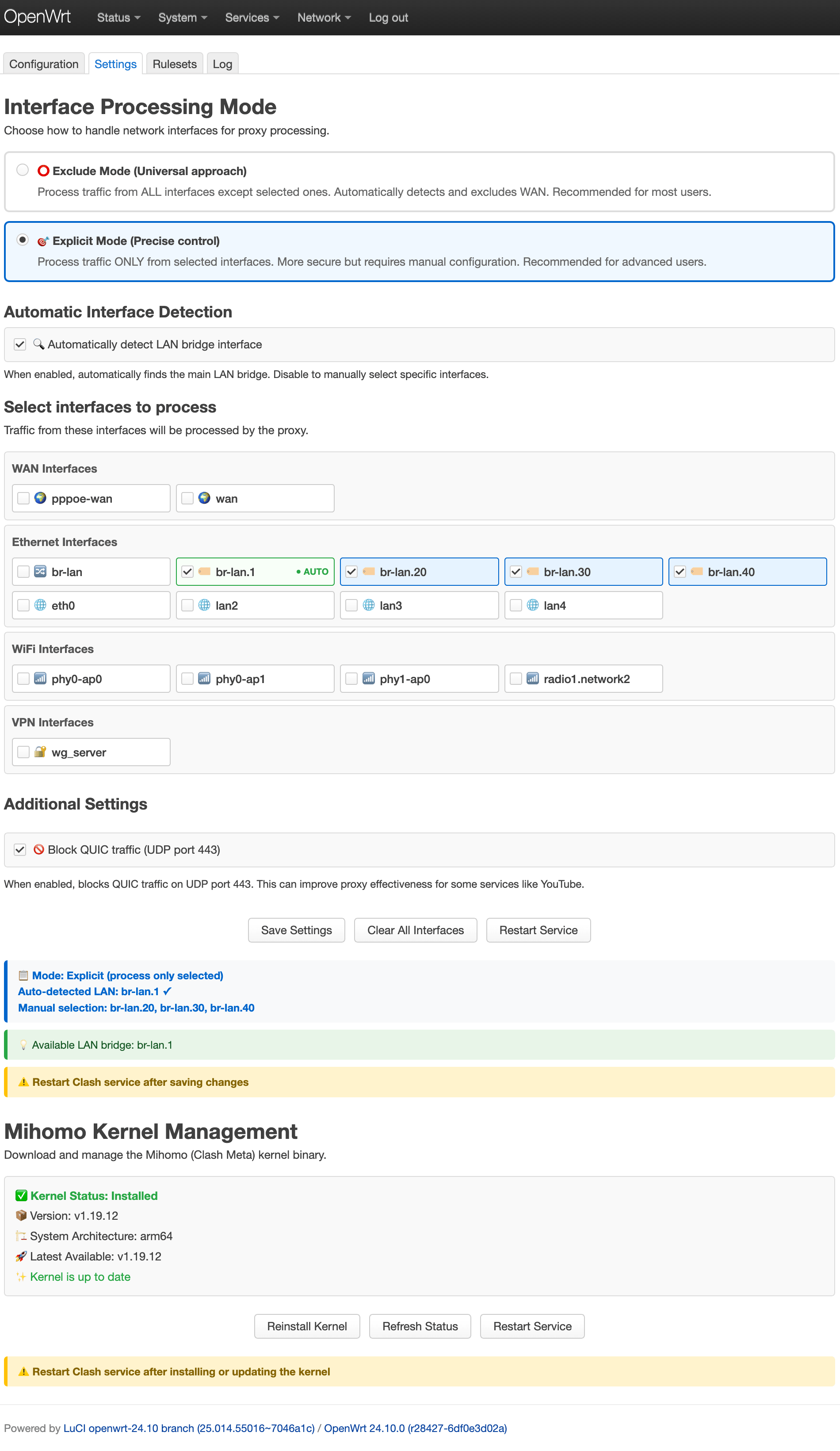
Step 5: Configure Interface Processing Mode
SSClash offers two interface processing modes:
Exclude Mode (Universal approach) - Recommended for most users
- Default mode that processes traffic from ALL interfaces except selected ones
- Automatically detects and excludes WAN interface
- Simple to configure - just select interfaces to bypass proxy
- Best for typical home router setups
Explicit Mode (Precise control) - For advanced users
- Processes traffic ONLY from selected interfaces
- More secure but requires manual configuration
- Automatically detects LAN bridge when enabled
- Ideal for complex network setups requiring precise control
Additional Settings:
- Block QUIC traffic: Blocks UDP port 443 to improve proxy effectiveness for services like YouTube
- Store rules and proxy providers in RAM: rulesets and proxy-providers directories are placed on tmpfs to extend the lifespan of the NAND chip
- Add HWID headers to subscriptions: Automatically adds HWID headers to proxy-providers (Remnawave compatibility)
Step 6: Clash Configuration Management
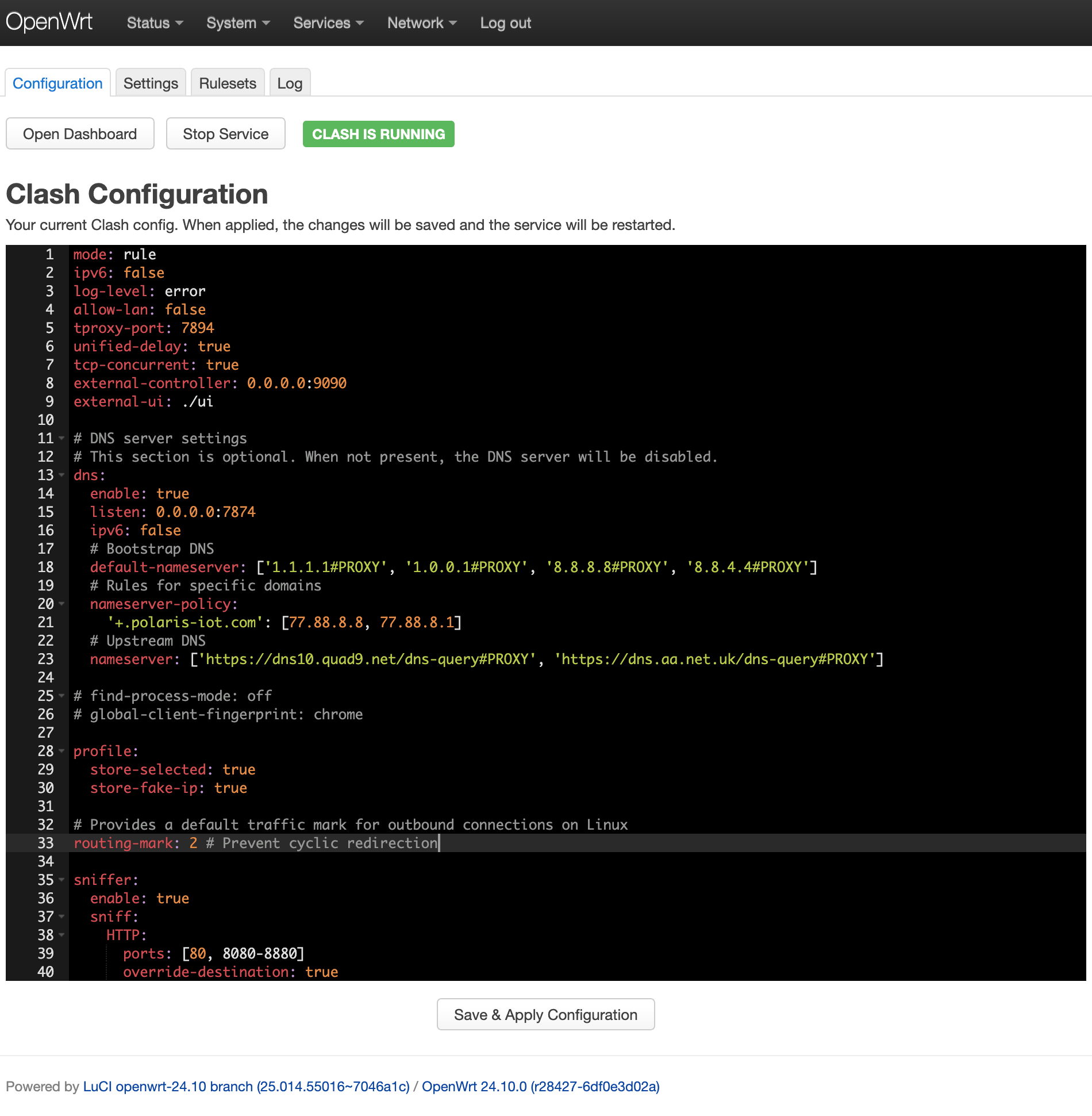
Edit your Clash configuration with the built-in editor featuring:
- Syntax highlighting for YAML files
- Live service control (Start/Stop/Restart)
- Service status indicator
Step 7: Local Rulesets Management
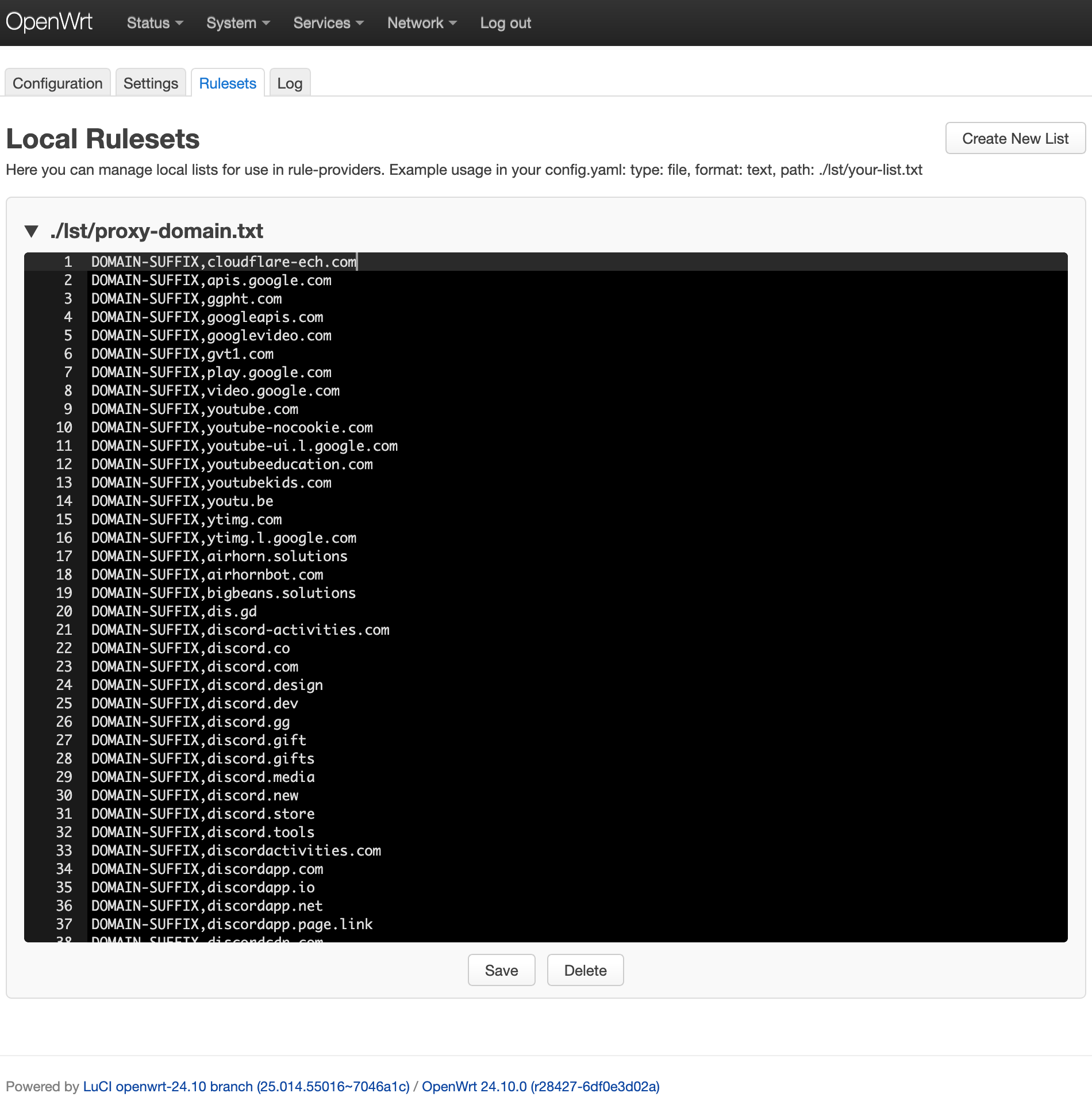
Create and manage local rule files for use with rule-providers:
- Create custom rule lists with validation
- Organized file management with collapsible sections
Step 8: Real-time Log Monitoring
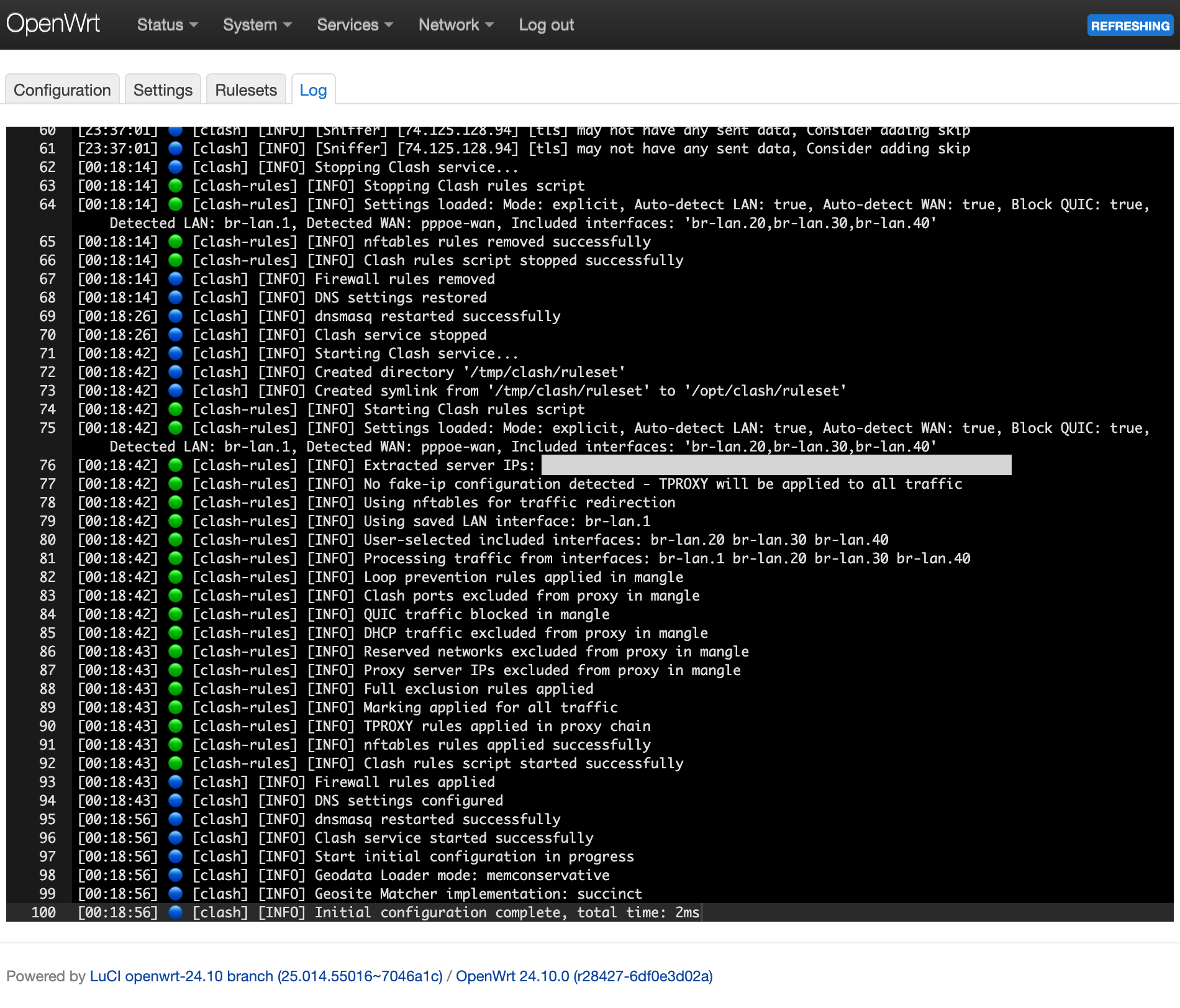
Monitor Clash activity with the integrated log viewer:
- Real-time log streaming with automatic updates
- Filtered display showing only Clash-related entries
- Color-coded log levels and daemon identification
- Auto-scroll to latest entries
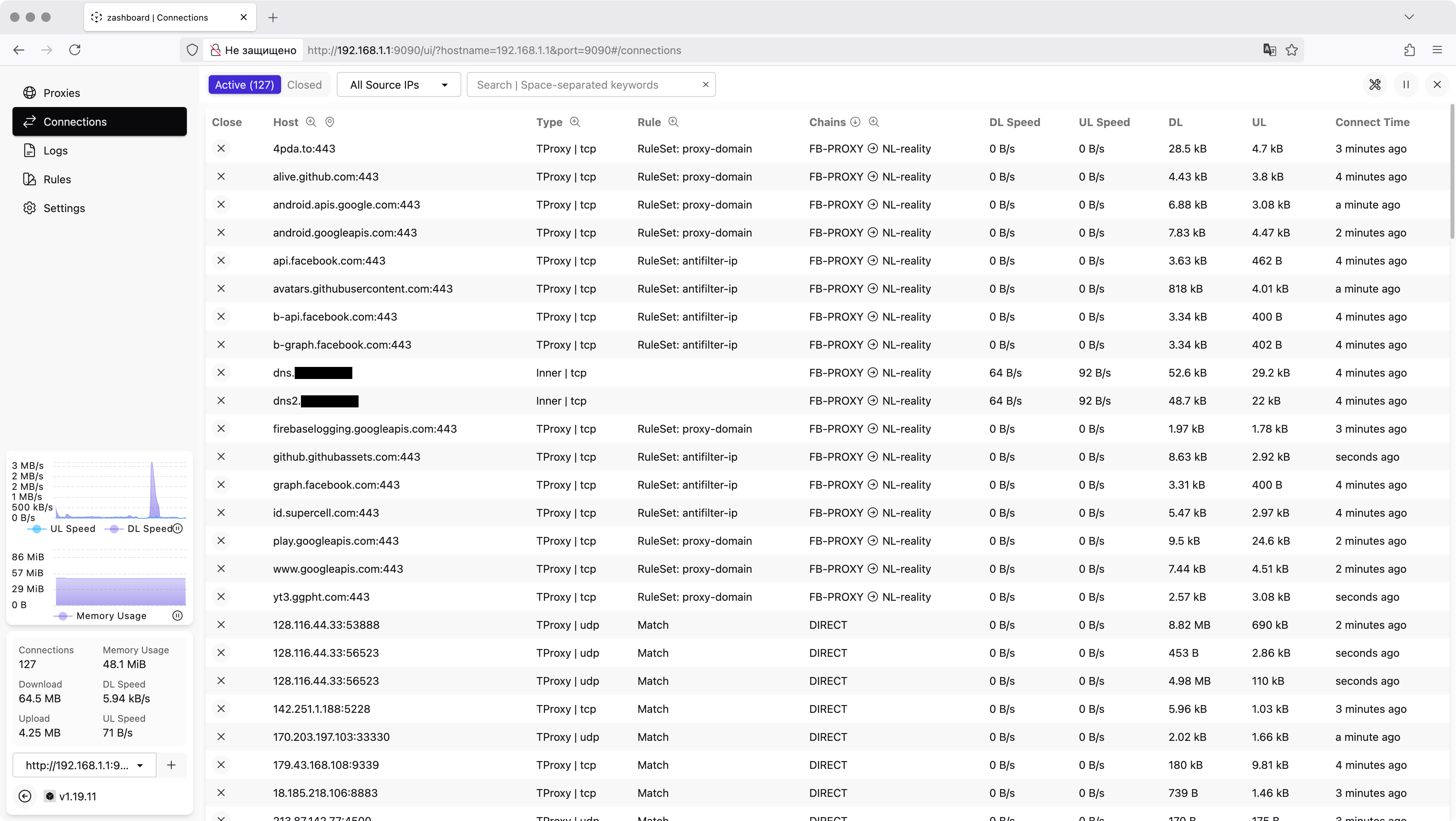
Step 9: Dashboard Access
Access the Clash dashboard directly from the LuCI interface with automatic configuration detection.
Remove Clash
To remove Clash completely:
# OpenWrt >= 25:
apk del luci-app-ssclash

# OpenWrt < 25:
opkg remove luci-app-ssclash

rm -rf /opt/clash