
zero-to-mastery/ZtM-Job-Board
zero-to-mastery/ZtM-Job-Board has 1,186 GitHub stars and 2,941 forks. GitHot measured 0 stars in 24 hours and 0 in 7 days. Last checked 2026-11-12 05:13 UTC. Last push 2026-11-02.
⚛️ A place for developers to show recruiters they are available for hire
Measured star growth
- in 24h
- 0
- in 7 days
- 0
- in 15 days
- Collecting history
- in 1 month
- Collecting history
Net star changes over overlapping periods, not daily totals. Missing measurements are left blank. Stars measure attention, not software quality.
README.md
OriginalZtM-Job-Board 
A place for developers from the Zero To Mastery Community to show recruiters that they are available for hire. Feel free to contribute and improve this in any way you see fit.
Link to the webpage: ZtM JOB Board.
How to run the project in your local machine
git clone https://github.com/zero-to-mastery/ZtM-Job-Board.gitcd ZtM-Job-Boardnpm cinpm start
npm start validates submissions while generating the profile dataset. Invalid JSON or an invalid skills value causes aggregation to exit with an error instead of writing a partial dataset. Fix the reported submission and rerun npm start; the existing generated dataset is left untouched when validation fails.
The Role filter groups case and whitespace variations and common spellings of
frontend, backend, and full stack, including the submitted typos Fronted,
FullStak, Sofeware, Developper, and Devoloper. All three dropdown
searches (roles, countries, skills) match case-insensitively on
whitespace-normalized text; only the role search applies the typo corrections
above. Selecting an option matches all of its variants;
profile cards retain the submitted title.
The Role dropdown offers at most 21 explicit families plus Other roles, rather than one option for each submitted title. Seniority and technology qualifiers do not create extra options. Compound titles can match every family they name, including roles that share a trailing "Developer" or "Engineer" and generic web/software roles alongside specializations. Unrecognized, missing, or solely aspirational titles fall under Other roles. Use the main search for original title details. No roles are inferred from declared skills, and original titles remain unchanged.
How to add your name to the list
Note: You will first need to make a fork of the project!
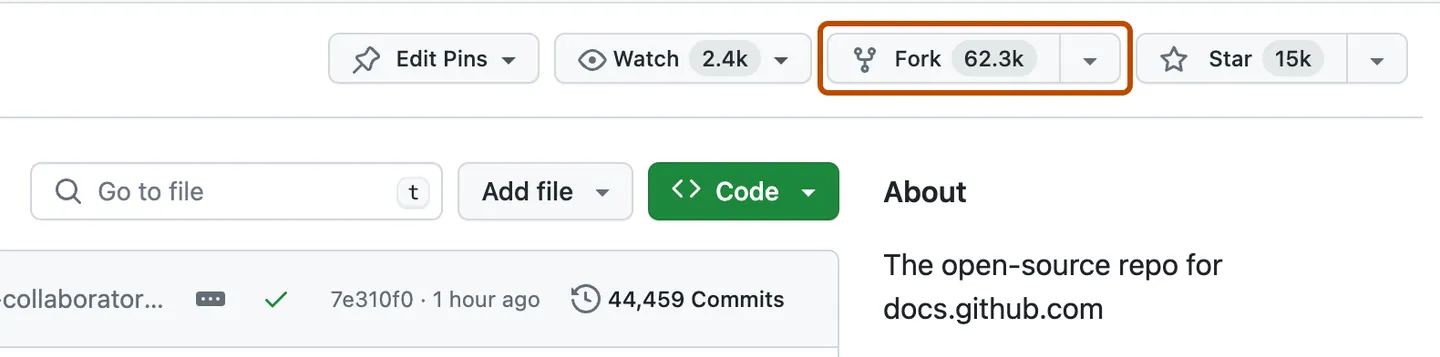
If you are unclear on how the GitHub workflow works, you can check the Make a Pull Request guide.
To add your name to the list, create a file <YOUR_GH_USERNAME>.json
inside Submissions/ folder, and then fill it up with following content.
⚠️ Please remove the @ from your GitHub username.
(Don't include the square brackets "[ ]" or angle brackets "< >" !!! They are just there to indicate an example placeholder.)
{
  "name": "[YOUR_FULL_NAME]",
  "img": "[YOUR_IMG_URL]",
  "email": "[YOUR_EMAIL_ADDRESS]",
  "links": {
    "website": "[YOUR_WEBSITE_URL]",
    "linkedin": "https://www.linkedin.com/in/<YOUR_LINKEDIN_USERNAME>",
    "github": "https://github.com/<YOUR_GH_USERNAME>"
  },
  "jobTitle": "[YOUR_TITLE]",
  "skills": ["[SKILL_1]", "[SKILL_2]", "[SKILL_3]"],
  "location": {
    "city": "[YOUR_CITY]",
    "state": "[YOUR_STATE_OR_PROVINCE]",
    "country": "[YOUR_COUNTRY]"
  }
}
Optional map coordinates
coordinatesis optional. Leave the whole object out to keep the country-level marker. Add it only for an individual pin.If included,
coordinatesmust contain exactly two numeric properties:latandlng. For example:"coordinates": { "lat": 40.71, "lng": -74.00 }latmust be between-90and90, andlngmust be between-180and180.Both values must have at most two decimal places for privacy.
Use approximate city or town coordinates. Do not share your home address or precise residential location.
Invalid coordinates will cause aggregation to fail and report the affected submission filename.
Please note!
- Profile pictures and/or images* are allowed.
- If you do not want to fill some of the fields, leave them blank (e.g.
state: "",). - Use your country's name (e.g.
"United States","Germany") forcountry. It is matched to a standard country for the filters and map; see country normalization for maintainers' notes. skillsis optional. Omit it or use[]if you do not want to declare skills. When provided, it must be an array of nonblank strings.- Only list skills you personally claim; skills are self-reported, not verified. Whitespace is trimmed and duplicate labels are combined case-insensitively. Use familiar technology names such as
React,TypeScript, orNode.js; aliases such asReact.jsandReactare not automatically combined. - Your pull request will only be accepted if it follows the example above. It cannot have anything else.
Please submit a Pull Request to be added to this list. If you are unsure how to do this, please check out Contributing To Open Source video in the course curriculum.
Finding developers by skills
- Type in Required skills to search the declared skills, then select each technology you need. Results must match all selected skills.
- Combine the skills with any text, country, or role filters.
- To remove one skill, click its chip. To reset the search and all filters, click Clear filters.
Check the cards to see each profile's self-reported skills. Matching skills are marked for you. Matching ignores letter case and surrounding whitespace, but labels display exactly as entered. If no skill filter is selected, profiles without declared skills still appear.
To declare your own skills, add a skills array to your submission in a pull request. Skills are self-reported, so don't infer them from job titles or external profiles.
How to add profile image to your ZTM JobBoard profile using Github avatars.
Go to your profile on GitHub.com
Append to your GitHub profile url “.png”, so it will look like this:
Hit enter and the browser will generate a page with your image, it look like this:
Copy url of this page and paste it in
Submissions/<YOUR_GH_USERNAME>.jsonfile
Resources
All icons have been sourced from Material Design Icons and Octicons
Explore related projects
freeCodeCamp/freeCodeCamp
freeCodeCamp.org's open-source codebase and curriculum. Learn math, programming, and computer science for free.
459,015 starsdonnemartin/system-design-primer
Learn how to design large-scale systems. Prep for the system design interview. Includes Anki flashcards.
377,639 starsreact/react
The library for web and native user interfaces.
252,535 starsvuejs/vue
This is the repo for Vue 2. For Vue 3, go to https://github.com/vuejs/core
212,530 stars