
zenangst/Gray has 1,448 GitHub stars and 51 forks. GitHot measured 0 stars in 24 hours. Last checked 2026-11-08 05:27 UTC. Last push 2022-07-22.
:first_quarter_moon: Tailor your macOS Mojave experience
Measured star growth
- in 24h
- 0
- in 7 days
- Collecting history
- in 15 days
- Collecting history
- in 1 month
- Collecting history
Net star changes over overlapping periods, not daily totals. Missing measurements are left blank. Stars measure attention, not software quality.
README.md
OriginalGray



Current version: 0.17.0 [Download]
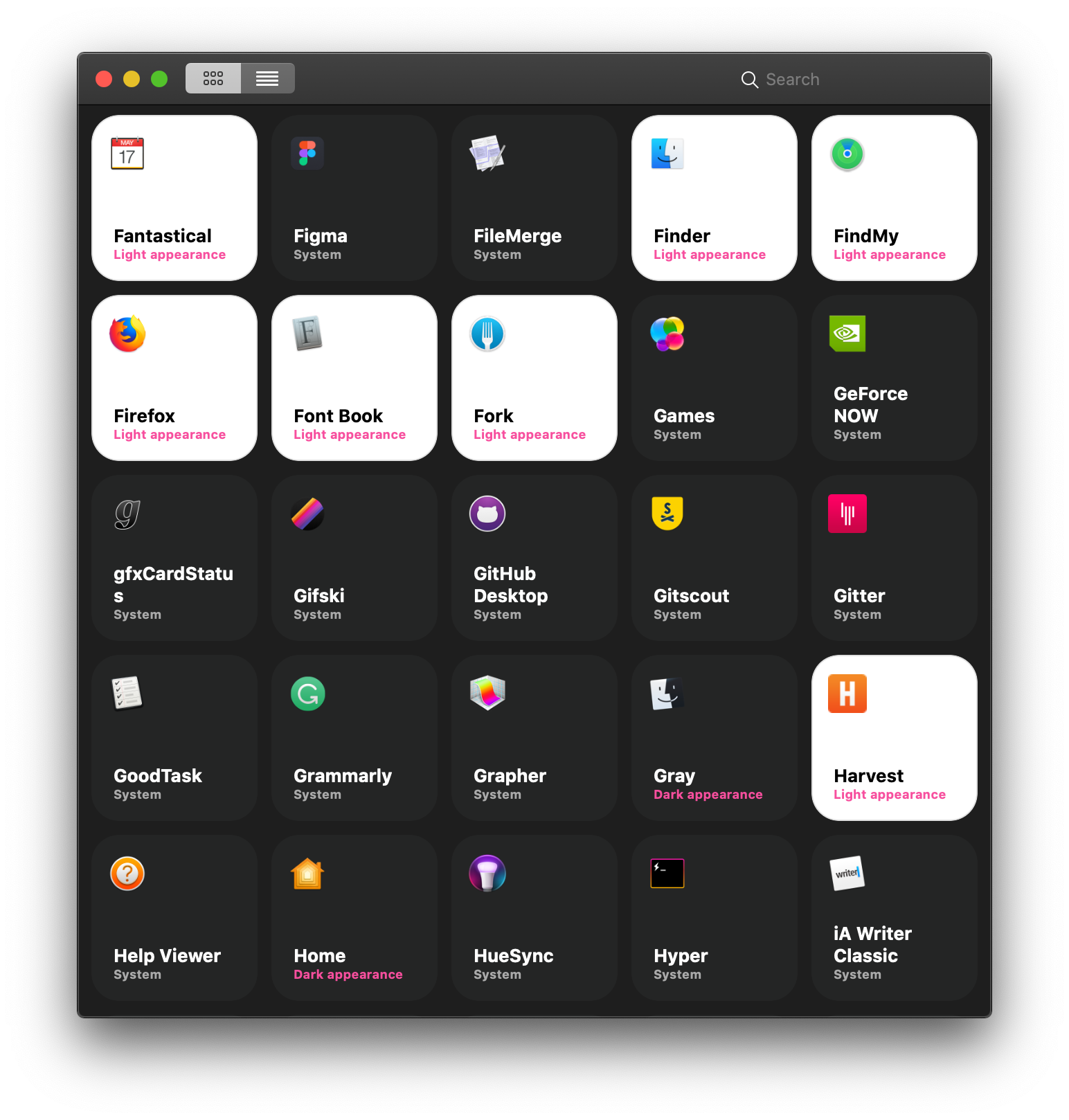
Ever wanted to have light and dark apps live side-by-side in harmony? Well, now you can. With Gray you can pick between the light appearance and the dark appearance on a per-app basis with the click of a button.
To quote the late Michael Jackson:
It don't matter if you're black or white
Instructions
Go into System Preferences > General and set your Mac to use dark appearance.
Note the application that you want to change the appearance of will have to restart before you see the changes. This is currently handled by Gray but be sure to not have any unsaved changes before you start tailoring your macOS experience.
How it works
Under the hood, Gray simply configures which app should be forced to use the light aqua appearance. You can achieve this without installing Gray by merely running a terminal command.
defaults write com.apple.dt.Xcode NSRequiresAquaSystemAppearance -bool YES
The command creates a new entry in the user's configuration file for the specific application. It does not alter the system in any way. So when you are done configuring, you can toss Gray in the trash if you like (I hope you don't :) )
Building
If you want to build Gray using Xcode, you can follow these instructions.
git clone [email protected]:zenangst/Gray.git
cd Gray
pod install
open Gray.xcworkspace
Happy coding!
Supporting the project
If you want to support the development of this framework, you can do so by becoming a sponsor. ❤️
Author
Christoffer Winterkvist, [email protected]
License
Gray is available under the MIT license. See the LICENSE file for more info.
Explore related projects
codecrafters-io/build-your-own-x
Master programming by recreating your favorite technologies from scratch.
560,849 starspublic-apis/public-apis
A collective list of free APIs
497,094 starsmorluto/rea
Reverse engineer anything with agents, from app behavior down to native binaries.
441,634 starsopenclaw/openclaw
The AI that really does things. Any OS. Any Platform. The lobster way. 🦞
394,160 stars