
yyan115/tidal-app
yyan115/tidal-app has 29 GitHub stars and 4 forks. GitHot measured +2 stars in 24 hours. Last checked 2026-11-15 01:49 UTC. Last push 2026-11-13.
What you can do
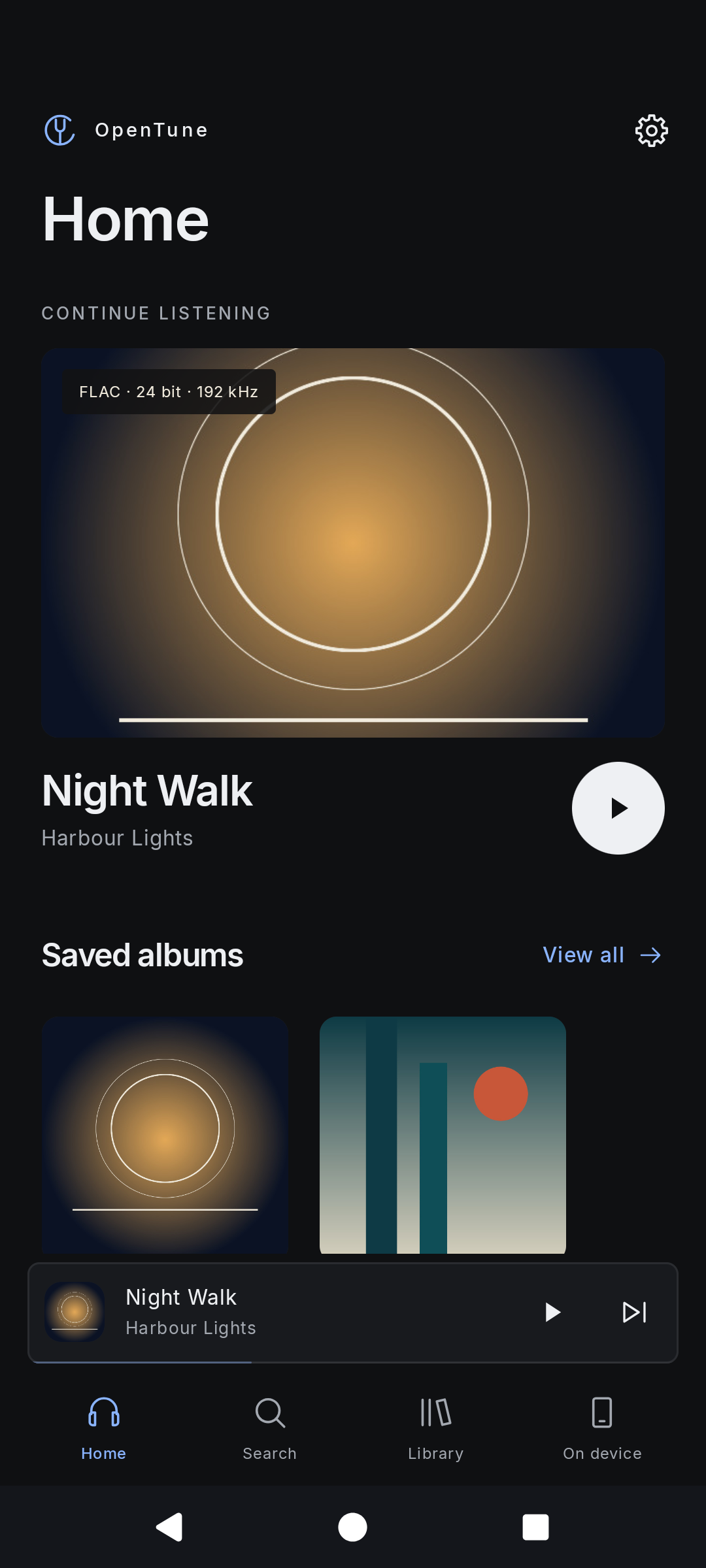
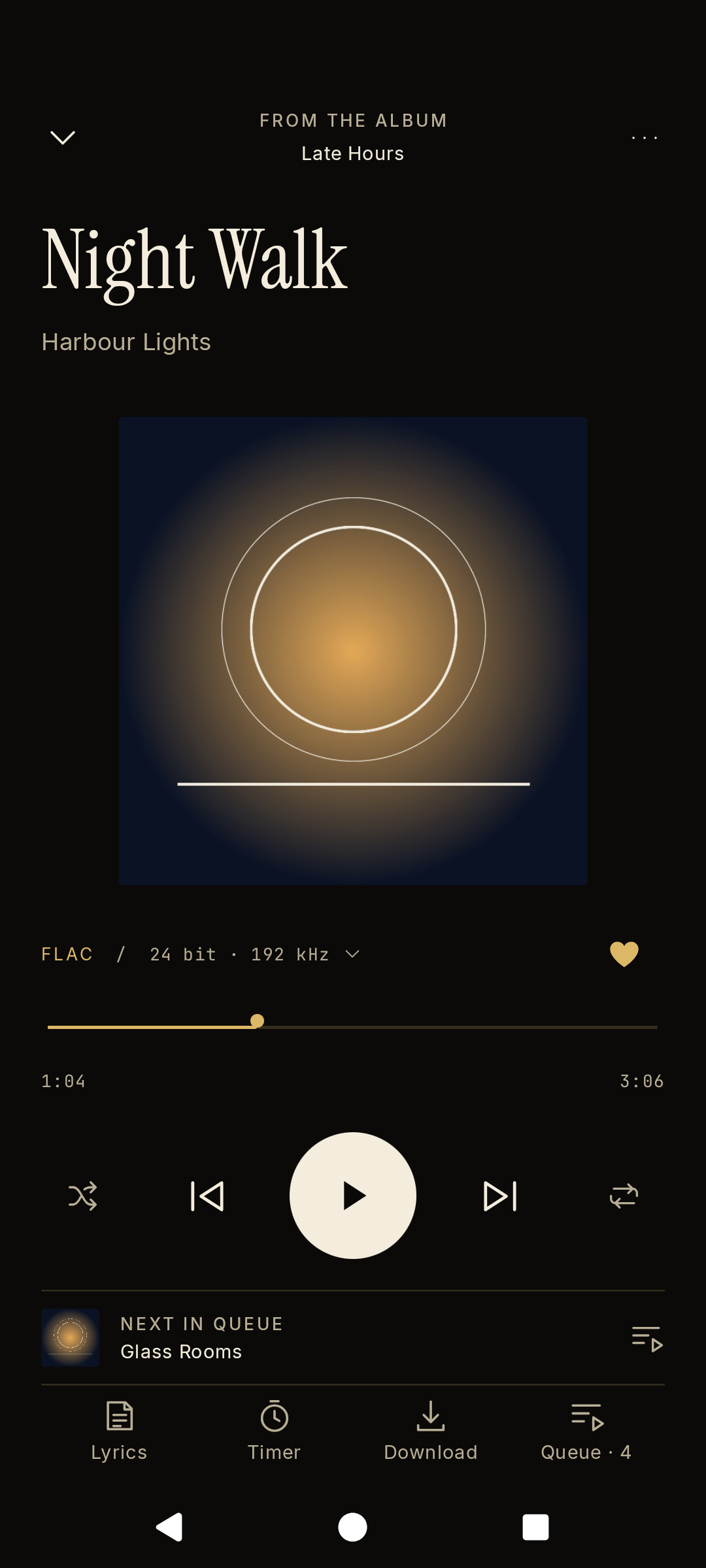
- Lossless streaming up to 24-bit/192 kHz where TIDAL provides it. A lossless setting never falls back to AAC. The player shows the codec, bit depth and sample rate of the source.
- Home with your mixes, radio, new releases, genres and moods. Artist and album pages with biographies, reviews and credits. Music videos with picture-in-picture.
- Your library: saved tracks, albums, artists, playlists, folders and mixes. Create and edit playlists, organise them in folders and save playlists from other people.
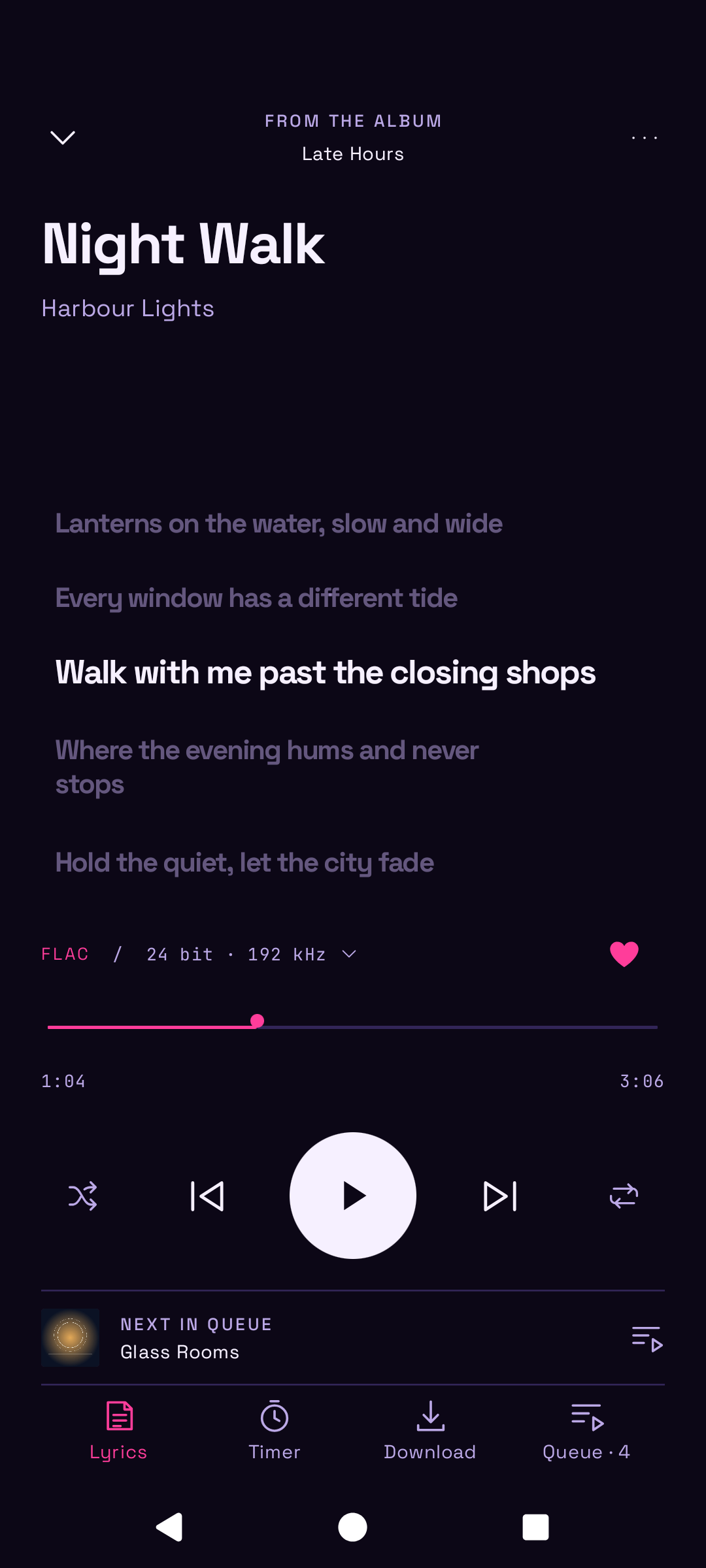
- Lyrics that follow the song, track and artist radio, and autoplay that keeps the music going when the queue ends.
Measured star growth
- in 24h
- +2
- in 7 days
- Collecting history
- in 15 days
- Collecting history
- in 1 month
- Collecting history
Net star changes over overlapping periods, not daily totals. Missing measurements are left blank. Stars measure attention, not software quality.
About
Unofficial open source Android music player for TIDAL.
SecurityREADME.md
Original

OpenTune
An unofficial open source music player for TIDAL, with local playback.



Stream your TIDAL library in lossless quality, with synced lyrics, offline listening, Android Auto and twelve themes. Add your own audio files and folders, and they play alongside TIDAL in the same player. OpenTune has no ads, analytics or tracking.
[!NOTE] OpenTune is currently in early access, so features may change or break between versions. If you find a bug or have an idea for a feature, please open an issue. Your feedback is welcome!
Install
Download the APK from the newest release and open it. OpenTune needs Android 8 or later. Android may ask you to allow installs from your browser or file manager.
To receive updates automatically, add https://github.com/yyan115/tidal-app to Obtainium and turn on Include prereleases.
Releases are signed with one certificate. Compare it with the fingerprint below before you install, for example with AppVerifier.
SHA-256 4C:75:C0:15:05:B6:F2:A3:CF:88:57:6E:D4:A6:DA:93:AF:BD:13:D1:17:CF:7A:3A:C3:41:0C:AB:B9:66:B6:24
Each release also includes a SHA256SUMS file and a build provenance attestation. To check the attestation:
gh attestation verify opentune-<version>.apk --repo yyan115/tidal-app
Features
TIDAL
- Lossless streaming up to 24-bit/192 kHz where TIDAL provides it. A lossless setting never falls back to AAC. The player shows the codec, bit depth and sample rate of the source.
- Home with your mixes, radio, new releases, genres and moods. Artist and album pages with biographies, reviews and credits. Music videos with picture-in-picture.
- Your library: saved tracks, albums, artists, playlists, folders and mixes. Create and edit playlists, organise them in folders and save playlists from other people.
- Lyrics that follow the song, track and artist radio, and autoplay that keeps the music going when the queue ends.
- Downloads as tagged audio files in
Music/OpenTune, offline mode, and experimental options that download a track when you save it or when it plays.
Your own music
- Add audio files, or add a folder and OpenTune keeps it in sync. On device lists everything stored on the phone, from TIDAL downloads to your own files, which carry a Local mark.
- Local files show their format, bit depth, sample rate, bitrate and location, and take their cover from the file or its folder.
- Local music plays without an account. Playlists made on the device can hold local files and TIDAL tracks.
Playback and system
- Gapless playback with a deep buffer, a queue that you reorder by dragging, shuffle that reorders the queue itself, a sleep timer, volume normalization and a setting that avoids tracks that played recently, with a page that lists them.
- Experimental: a visualizer, an equalizer, ListenBrainz, bit-perfect USB output on Android 14 and later, and automatic downloads.
- Controls in the notification, on the lock screen, on Bluetooth devices and in Android Auto. A home screen widget and voice requests such as "play Nujabes".
Your phone, your way
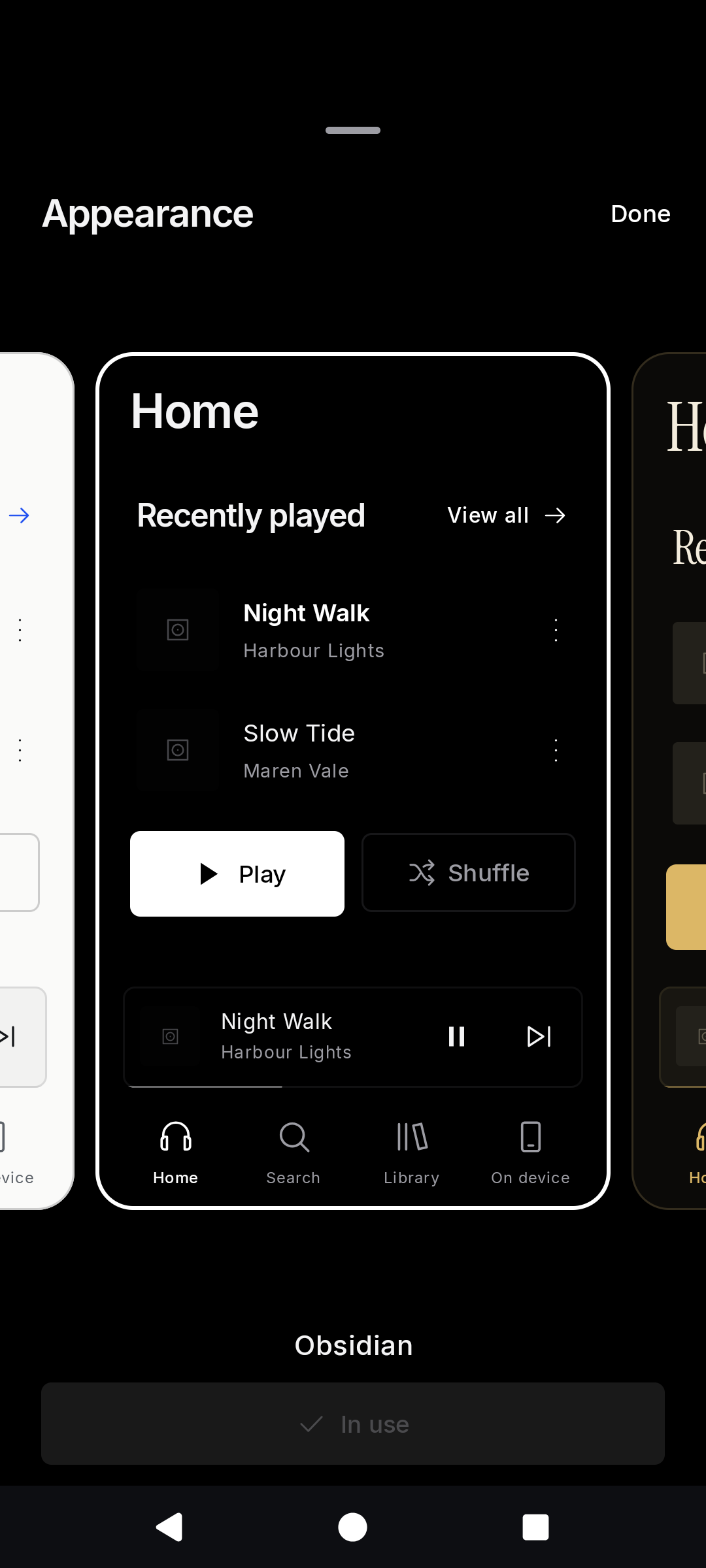
- Twelve themes, each with its own colours, shapes and type, and a setting that follows the device. The picker previews every theme before you choose.
- Listening statistics, and backup and restore.
Privacy
OpenTune has no ads, analytics, crash reporting or server of its own. It connects to TIDAL for music and to GitHub to check for updates, which you can turn off in Settings. Scrobbling is off by default. If you turn it on and add a token, OpenTune sends the artist, title and album of tracks you finish to the ListenBrainz server that you choose.
- You sign in on TIDAL's website in your browser. OpenTune never receives your password.
- Account tokens are stored encrypted with a key held in the Android Keystore.
- OpenTune asks for notifications, and on Android 8 and 9 for storage, to save downloads. It requests no location, contacts or microphone permissions. It reads only the files and folders that you pick with the system file picker.
- Android backup and device transfer exclude OpenTune data.
TIDAL still receives your account and streaming requests.
Disclaimer
OpenTune is an independent project. It is not affiliated with, endorsed by or sponsored by TIDAL. TIDAL is a trademark of its owner.
Streaming requires a TIDAL subscription. OpenTune uses TIDAL's unofficial interfaces, so TIDAL can change or block them without notice. Protected streams are not supported. You are responsible for following TIDAL's terms of service.
Build
You need JDK 21, Android SDK 36 and Android build tools 35.0.0. Set ANDROID_HOME or put the SDK path in an untracked local.properties file.
./gradlew :app:assembleDebug
The APK is written to app/build/outputs/apk/debug/app-debug.apk. Debug and release builds use different application IDs, so both can be installed together.
Contributing
If you find a bug or have an idea for a feature, please open an issue with the form. Code contributions are not accepted at the moment. To report a security problem privately, use Report a vulnerability on the Security tab.
License
Apache-2.0. The licenses of the libraries and fonts are listed under Settings, About, Licenses in the app and in THIRD_PARTY_NOTICES.txt.