
yuezk/GlobalProtect-openconnect
yuezk/GlobalProtect-openconnect has 2,329 GitHub stars and 268 forks. GitHot measured 0 stars in 24 hours. Last checked 2026-11-06 22:38 UTC. Last push 2026-11-02.
A GlobalProtect VPN client for Linux and macOS, written in Rust, based on OpenConnect and Tauri, supports SSO with MFA, YubiKey, and client certificate authentication, etc.
What you can do
- Multi-Platform – macOS (Apple silicon), Linux, FreeBSD, and OpenBSD
- Dual Interfaces – Fast terminal CLI (gpclient) and desktop GUI (GP Connect)
- Native Shell on Linux – Ultra-low-memory native desktop GUI alongside the webview interface
- Flexible Routing – Full System VPN tunnel or local SOCKS5 proxy mode
Measured star growth
- in 24h
- 0
- in 7 days
- Collecting history
- in 15 days
- Collecting history
- in 1 month
- Collecting history
Net star changes over overlapping periods, not daily totals. Missing measurements are left blank. Stars measure attention, not software quality.
README.md
OriginalGlobalProtect-openconnect
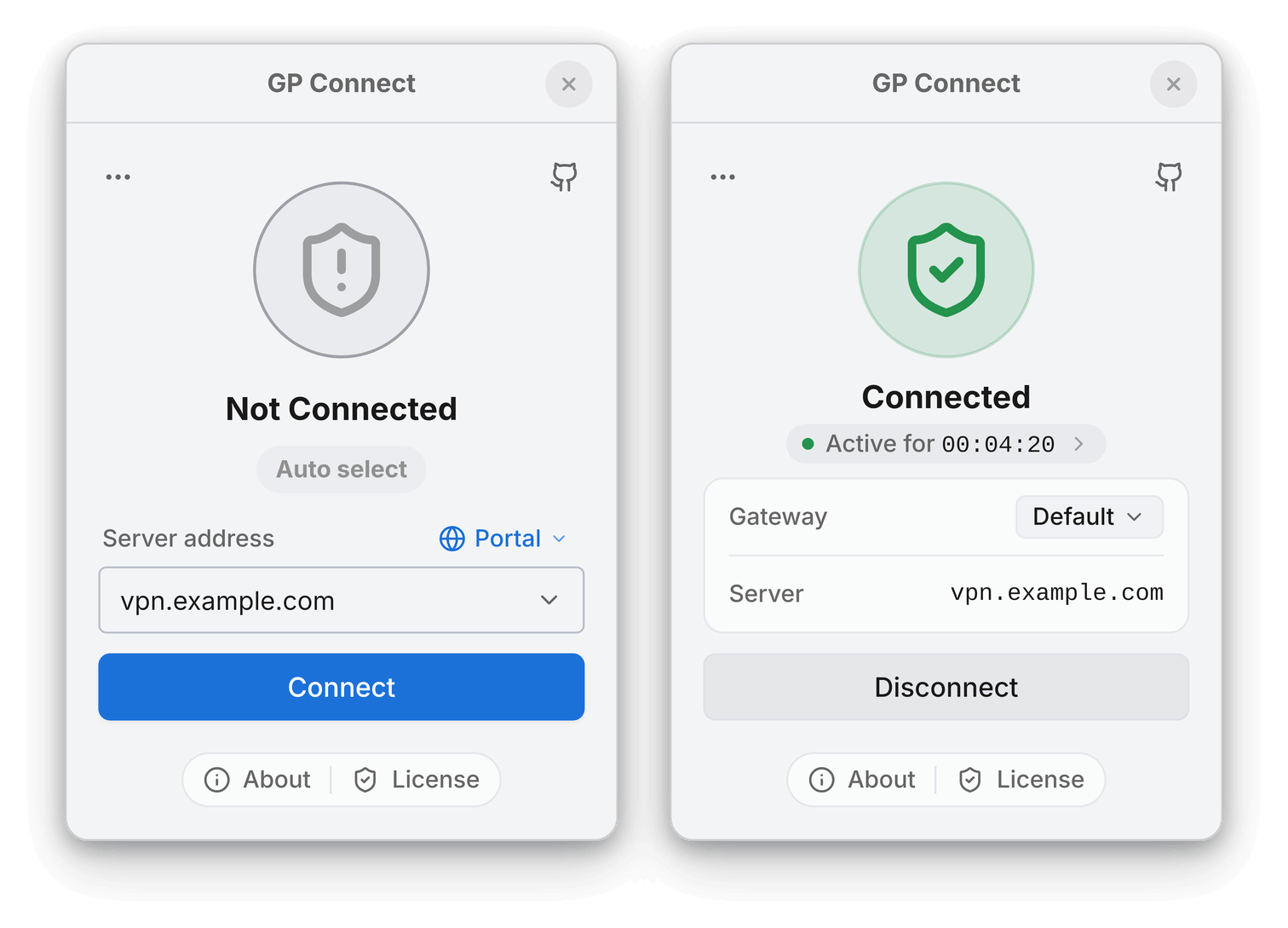
A GlobalProtect VPN client built on OpenConnect. It provides command-line tools (gpclient) and the GP Connect desktop application for macOS, Linux, FreeBSD, and OpenBSD.
Disclaimer: GP Connect is an independent third-party client for GlobalProtect VPN networks. It is not affiliated with or endorsed by Palo Alto Networks, Inc.
Inspired by gp-saml-gui
Table of Contents
- Features
- Usage
- Installation
- Building from Source
- Troubleshooting
- NetworkManager Integration
- Licensing
Features
- Multi-Platform – macOS (Apple silicon), Linux, FreeBSD, and OpenBSD
- Dual Interfaces – Fast terminal CLI (
gpclient) and desktop GUI (GP Connect) - Native Shell on Linux – Ultra-low-memory native desktop GUI alongside the webview interface
- Flexible Routing – Full System VPN tunnel or local SOCKS5 proxy mode
- Modern Authentication – SAML / SSO, MFA, FIDO2 (YubiKey), client certificates, and external browser login
- Automated HIP Reports – Built-in HIP report generation or custom scripts
- Multi-Portal & Direct Gateway – Manage multiple saved portals or connect directly to a gateway
- Desktop Integration – Theme-aware system tray icon, auto-connect on launch, and reconnect on wake
Usage
Command-Line Interface
The open-source gpclient CLI handles authentication, connection lifecycle, and HIP generation:
# Connect to a portal server
sudo gpclient connect <portal>

# Connect using browser authentication (SSO / SAML)
sudo gpclient connect <portal> --browser

# Connect directly to a gateway server
sudo gpclient connect <gateway> --as-gateway

# Connect with automatic HIP report generation
sudo gpclient connect <portal> --hip

# Headless / remote server authentication (prints auth URL to open in any browser)
sudo gpclient connect <portal> --browser manual

# Disconnect
sudo gpclient disconnect
Run gpclient --help or gpclient <command> --help to view all available commands and options.
Graphical User Interface
- macOS: Open GP Connect from Applications.
- Linux / BSD: Launch GP Connect from your application menu or run:
gpclient launch-gui
[!TIP] On Linux, try Native Shell for lower memory usage. Switch between Native Shell and Tauri in Settings → General → Interface.
Installation
macOS
Requires Apple silicon and macOS 13+. Includes both GP Connect and the gpclient CLI.
Option 1: Homebrew (Recommended)
brew install --cask yuezk/gp-connect/gp-connect
Option 2: DMG Installer
Download the .dmg from the releases page and drag GP Connect into Applications.
Debian / Ubuntu
Option 1: PPA (Recommended)
sudo add-apt-repository ppa:yuezk/globalprotect-openconnect
sudo apt-get update
sudo apt-get install globalprotect-openconnect
Option 2: DEB Package
Download the latest .deb from the releases page:
sudo apt install ./globalprotect-openconnect_*.deb
Arch Linux / Manjaro
# Official Extra repository
sudo pacman -S globalprotect-openconnect

# AUR (git main)
yay -S globalprotect-openconnect-git
Fedora / RHEL
Enable the COPR repository:
sudo dnf copr enable yuezk/globalprotect-openconnect
sudo dnf install globalprotect-openconnect
openSUSE
Packages are available on the openSUSE Build Service. Follow the OBS instructions for your distribution.
Alpine Linux
Download the latest .apk package from the releases page:
sudo apk add --allow-untrusted globalprotect-openconnect-*.apk
(Requires community repository enabled for WebKitGTK and AppIndicator dependencies).
FreeBSD
Download the latest FreeBSD package from the releases page:
sudo pkg install ./globalprotect-openconnect-*-freebsd-*.pkg
OpenBSD
Download the latest OpenBSD package from the releases page:
doas pkg_add -D unsigned ./globalprotect-openconnect-*-openbsd-*.tgz
Gentoo
Available via the guru repository:
sudo eselect repository enable guru
sudo emerge --sync guru
sudo emerge --ask net-vpn/GlobalProtect-openconnect
NixOS
Add the flake to your flake.nix:
{
  inputs.globalprotect-openconnect.url = "github:yuezk/GlobalProtect-openconnect";

  outputs = { self, nixpkgs, globalprotect-openconnect, ... }: {
    nixosConfigurations.<hostname> = nixpkgs.lib.nixosSystem {
      modules = [
        globalprotect-openconnect.nixosModules.default
        {
          programs.globalprotect-openconnect.enable = true;
        }
      ];
    };
  }
}
Apply changes:
sudo nixos-rebuild switch
Docker
Run the CLI client in an official Alpine container:
docker run --rm -it --cap-add=NET_ADMIN --device=/dev/net/tun \
  yuezk/globalprotect-openconnect:latest \
  connect <portal> --browser manual
(Add --network host on Linux if VPN routes should apply to the host network).
Other Distributions
Download globalprotect-openconnect_${version}_${arch}.bin.tar.xz from the releases page:
tar -xJf globalprotect-openconnect_*.bin.tar.xz
cd globalprotect-openconnect_*
sudo make install
Building from Source
Prerequisites (Linux)
- Rust 1.91 or later
- Build tools:
make,pkg-config,autoconf,automake,libtool,gettext - Libraries:
gmp,gnutls,nettle,libxml2,zlib,lz4,p11-kit,libsecret, andwebkit2gtk-4.1(or GTK 4 for Native Shell) - Polkit (
pkexec) for privileged tunnel setup
(For FreeBSD and OpenBSD instructions, see Building from Source on FreeBSD and OpenBSD).
Build Steps
git clone --recursive https://github.com/yuezk/GlobalProtect-openconnect.git
cd GlobalProtect-openconnect
make build
sudo make install
Build Options:
INCLUDE_GUI=1– Download and install the matching desktop application bundle.BUILD_WEBVIEW_AUTH=0– Buildgpauthwithout embedded browser authentication (uses external browser or manual mode).BUILD_GUI_HELPER=0– Skip building the helper UI.
Troubleshooting
- Headless / Remote Login: When running without a desktop display or over SSH, use
--browser manual. Open the printed URL in any browser and paste the callback URL back into the terminal. - Diagnostics: If you encounter issues, run
gpclient diagnosticsor follow the diagnostics guide when opening an issue.
NetworkManager Integration
- WMP/GlobalProtect-SAML-NetworkManager – NetworkManager VPN plugin with SAML/SSO support for GNOME and KDE Plasma
- jdpipe/networkmanager-gpclient – NetworkManager VPN plugin that uses
gpclient
Licensing
- CLI (
gpclient): Free and open source (GPL-3.0). - GUI (GP Connect): Commercial desktop application with a free trial.
Open Source Components
| Component | Type | License |
|---|---|---|
| gpapi | Crate | MIT |
| openconnect | Rust wrapper crate | MIT |
| upstream OpenConnect | C library | LGPL-2.1 |
| common | Crate | MIT |
| browser-launcher | Crate | MIT |
| auth | Crate | GPL-3.0 |
| gpservice | Application | GPL-3.0 |
| gpclient | Application | GPL-3.0 |
| gpauth | Application | GPL-3.0 |
| gpgui-helper | Application | GPL-3.0 |
Explore related projects
codecrafters-io/build-your-own-x
Master programming by recreating your favorite technologies from scratch.
560,489 starspublic-apis/public-apis
A collective list of free APIs
496,794 starsmorluto/rea
Reverse engineer anything with agents, from app behavior down to native binaries.
438,516 starsopenclaw/openclaw
The AI that really does things. Any OS. Any Platform. The lobster way. 🦞
394,087 stars