
younatics/YNDropDownMenu
younatics/YNDropDownMenu has 1,327 GitHub stars and 113 forks. GitHot measured 0 stars in 24 hours. Last checked 2026-11-06 09:29 UTC. Last push 2026-10-24.
✨ Awesome Dropdown menu for iOS with Swift 5.0
Measured star growth
- in 24h
- 0
- in 7 days
- Update delayed
- in 15 days
- Update delayed
- in 1 month
- Update delayed
Net star changes over overlapping periods, not daily totals. Missing measurements are left blank. Stars measure attention, not software quality.
README.md
OriginalYNDropDownMenu





Updates
See CHANGELOG for details
Introduction
The eligible dropdown menu for iOS, written in Swift 6, appears dropdown menu to display a view of related items when a user click on the dropdown menu. You can customize dropdown view whatever you like (e.g. UITableView, UICollectionView... etc)
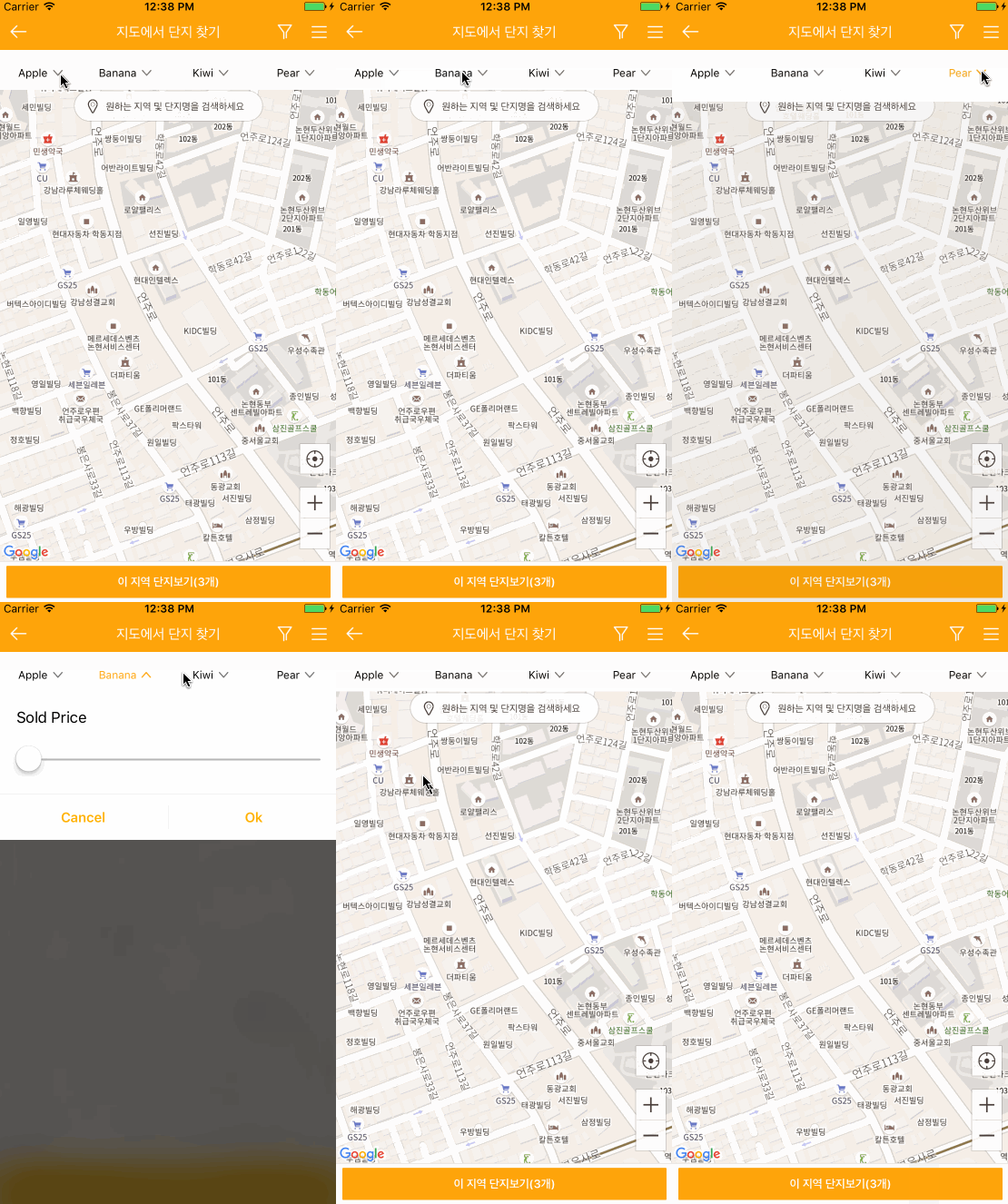
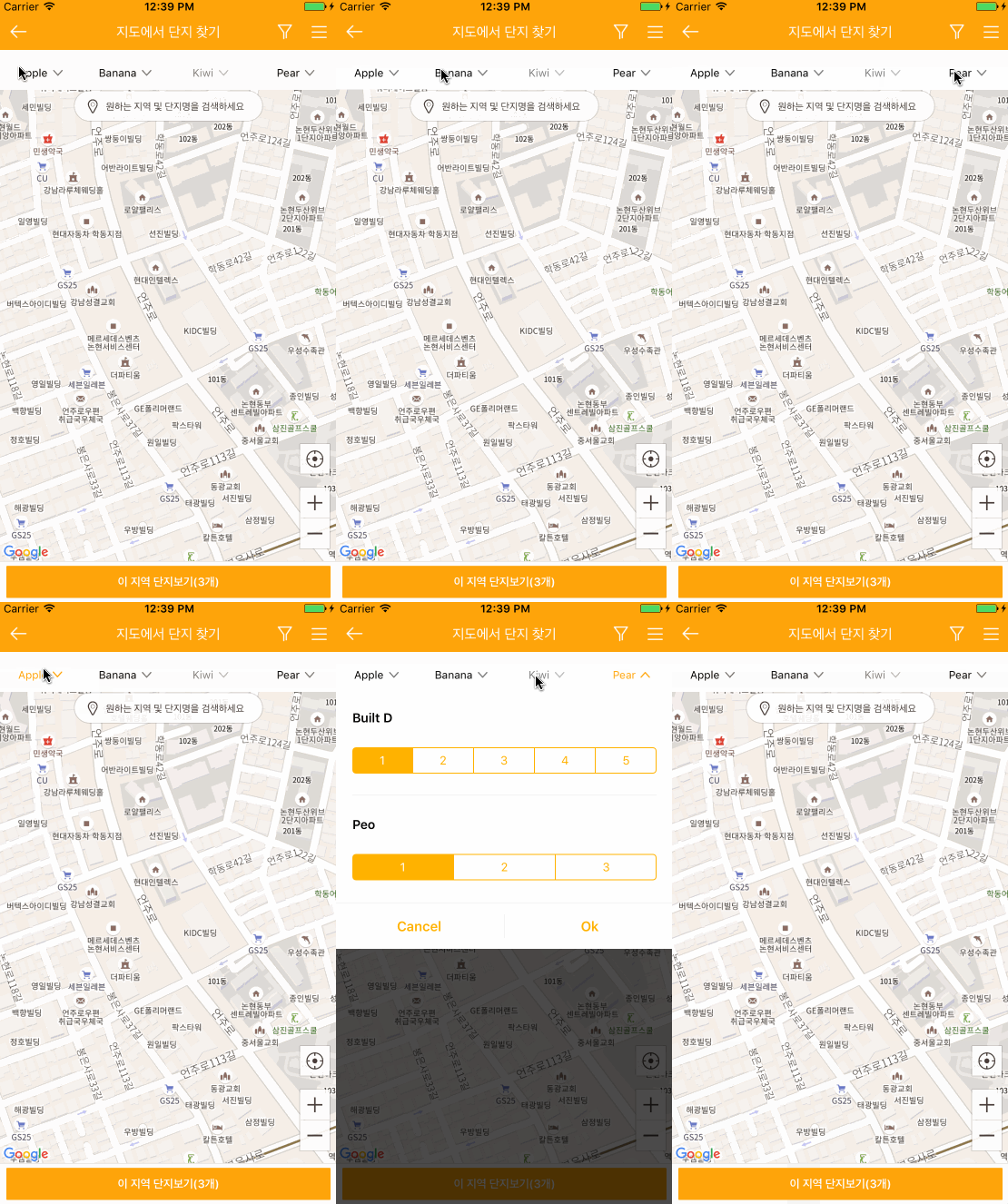
Requirements
YNDropDownMenu is written in Swift 6.0 and requires iOS 15.0 or later. The package manifest uses Swift tools 6.0, and the CocoaPods deployment target is iOS 15.0.
Installation
Swift Package Manager
In Xcode, choose File ▸ Add Package Dependencies… and enter:
https://github.com/younatics/YNDropDownMenu.git
Or add it to your Package.swift:
dependencies: [
    .package(url: "https://github.com/younatics/YNDropDownMenu.git", from: "4.0.0")
]
CocoaPods
YNDropDownMenu is available through CocoaPods. To install it, simply add the following line to your Podfile:
pod 'YNDropDownMenu', '~> 4.0.0'
Usage
import YNDropDownMenu
Init view with a frame CGRect, views [UIView], and titles [String]
let dropDownMenu = YNDropDownMenu(
    frame: CGRect(x: 0, y: 64, width: view.bounds.width, height: 38),
    dropDownViews: dropDownViews,
    dropDownViewTitles: ["Apple", "Banana", "Kiwi", "Pear"]
)
view.addSubview(dropDownMenu)
done!
Inherit YNDropDownView (If you need)
class DropDownView: YNDropDownView {
    // Override methods called when the menu opens and closes.
    override func dropDownViewOpened() {
        print("dropDownViewOpened")
    }

    override func dropDownViewClosed() {
        print("dropDownViewClosed")
    }

    func updateMenu() {
        // Hide Menu
        hideMenu()

        // Change Menu Title At Index
        changeMenu(title: "Changed", at: 1)
        changeMenu(title: "Changed", status: .selected, at: 1)

        // Change View At Index
        changeView(view: UIView(), at: 3)

        // Always Selected Menu
        alwaysSelected(at: 0)
        normalSelected(at: 0)
    }
}
Customize
Show & Hide Menu
dropDownMenu.showAndHideMenu(at: 1)

// When view is already opened
dropDownMenu.hideMenu()
Disable & Enable Menu
dropDownMenu.disabledMenu(at: 2)
dropDownMenu.enabledMenu(at: 3)
Always/Normal selected button label
dropDownMenu.alwaysSelected(at: 0)
dropDownMenu.normalSelected(at: 0)
Button Images with 3 situations (normal, selected, disabled)
Provide one image for each menu item in every array.
let normalImages = Array(repeating: UIImage(named: "arrow_nor"), count: 4)
let selectedImages = Array(repeating: UIImage(named: "arrow_sel"), count: 4)
let disabledImages = Array(repeating: UIImage(named: "arrow_dim"), count: 4)

dropDownMenu.setStatesImages(
    normalImages: normalImages,
    selectedImages: selectedImages,
    disabledImages: disabledImages
)
Label color with 3 situations
dropDownMenu.setLabelColorWhen(normal: .black, selected: .blue, disabled: .gray)
Label font with 3 situations
dropDownMenu.setLabelFontWhen(
    normal: .systemFont(ofSize: 12),
    selected: .boldSystemFont(ofSize: 12),
    disabled: .systemFont(ofSize: 12)
)
BlurEffectView
// Enadbled or Disabled first (Default true)
dropDownMenu.backgroundBlurEnabled = false

// Use this line if you want to change UIBlurEffectStyle
dropDownMenu.blurEffectStyle = .light

// Or customize blurEffectView(UIView)
let backgroundView = UIView()
backgroundView.backgroundColor = UIColor.black
dropDownMenu.blurEffectView = backgroundView

// Animation end alpha
dropDownMenu.blurEffectViewAlpha = 0.7
Animation duration
dropDownMenu.showMenuDuration = 0.5
dropDownMenu.hideMenuDuration = 0.3
Animation velocity, damping
dropDownMenu.showMenuSpringVelocity = 0.5
dropDownMenu.showMenuSpringWithDamping = 0.8

dropDownMenu.hideMenuSpringVelocity = 0.9
dropDownMenu.hideMenuSpringWithDamping = 0.8
Change Menu Title At Index
dropDownMenu.changeMenu(title: "Changed", at: 1)
dropDownMenu.changeMenu(title: "Changed", status: .selected, at: 1)
Change View At Index
dropDownMenu.changeView(view: UIView(), at: 3)
Change Bottom Line
dropDownMenu.bottomLine.backgroundColor = .black
dropDownMenu.bottomLine.isHidden = false
Deprecated
The following APIs remain available for source compatibility. Use their replacements in new code.
// Use alwaysSelected(at:) instead.
dropDownMenu.alwaysSelectedAt(index: 0)

// Use disabledMenu(at:) and enabledMenu(at:) instead.
dropDownMenu.disabledMenuAt(index: 1)
dropDownMenu.enabledMenuAt(index: 1)

// Use showAndHideMenu(at:) instead.
dropDownMenu.showAndHideMenuAt(index: 2)

// In a YNDropDownView subclass, use changeMenu(title:at:) instead.
changeMenuTitleAt(index: 0, title: "Changed")
References
Please tell me or make pull request if you use this library in your application :)
@zigbang
MotionBook
Author

Thanks to
License
YNDropDownMenu is available under the MIT license. See the LICENSE file for more info.
Explore related projects
sindresorhus/awesome
😎 Awesome lists about all kinds of interesting topics [NOTE: Pull requests are temporarily disabled until I have a chance to catch up with the existing ones]
532,544 starsEbookFoundation/free-programming-books
:books: Freely available programming books
401,148 starsnilbuild/developer-roadmap
Interactive roadmaps, guides and other educational content to help developers grow in their careers.
371,419 starsvinta/awesome-python
The definitive list that answers "I want to do X in Python, which tool should I use?"
333,023 stars