
ymcrcat/rgpu has 78 GitHub stars and 5 forks. GitHot measured 0 stars in 24 hours, 0 in 7 days, and -1 in 15 days. Last checked 2026-11-14 23:35 UTC. Last push 2026-10-22.
Measured star growth
- in 24h
- 0
- in 7 days
- 0
- in 15 days
- -1
- in 1 month
- Collecting history
Net star changes over overlapping periods, not daily totals. Missing measurements are left blank. Stars measure attention, not software quality.
About
Keep Python on your laptop. Run PyTorch operations and hold tensors on a remote GPU, including from a Mac with no CUDA installation.
Machine LearningREADME.md
OriginalrGPU

rGPU runs GPU work on a remote NVIDIA machine while the application stays on the client. It currently offers two paths:
| Path | Use it for | Interface |
|---|---|---|
| PyTorch device | PyTorch programs that can opt into an rgpu device |
torch operations over TCP |
| CUDA shim | Existing Linux CUDA programs, including stock CUDA PyTorch | libcuda, CUDA Runtime, cuBLAS, cuBLASLt, and cuDNN shims |
The PyTorch device is the simpler integration. The CUDA shim covers existing binaries but has a larger compatibility surface.
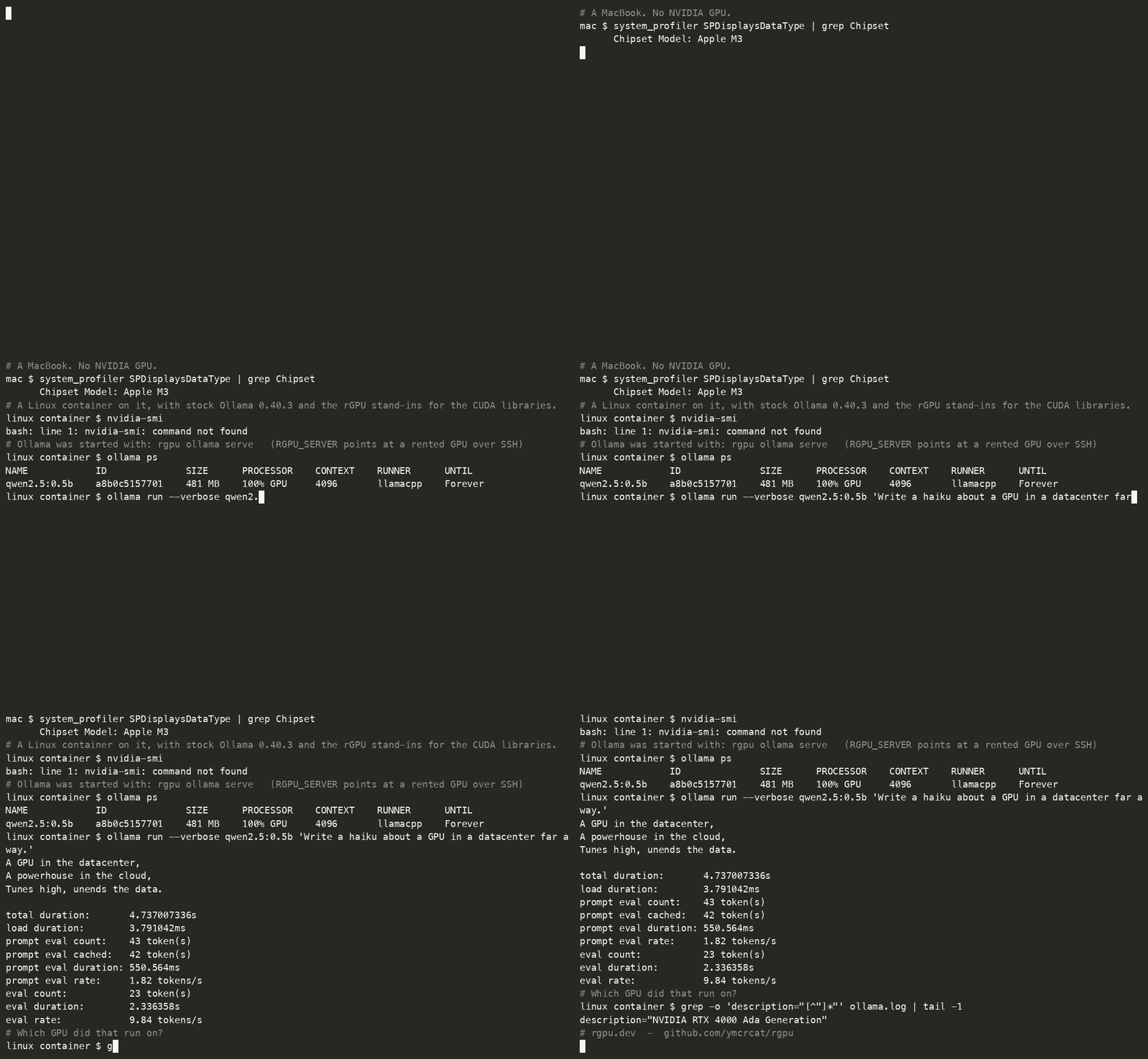
Stock Ollama in a Linux container on an M3 Mac, generating on a rented RTX 4000
Ada over SSH through the CUDA shim. The model was loaded before recording;
generation is at real speed. See Ollama and llama.cpp.
The terminal recording is in ollama-demo/.
Documentation
The Fumadocs site in website/ is the product documentation:
- Quickstart
- Training
- nanoGPT example
- CUDA shim
- Operations
- Configuration reference
- Performance
- Troubleshooting
Engineering records and experiments are indexed in docs/README.md.
Quick start: PyTorch device
Install rGPU with pip install rgpu, or pip install -e ./python from this
checkout, then follow the quickstart to
deploy the server. Save this as smoke.py in your workload directory:
import torch
import rgpu

x = torch.ones(4, device="rgpu")
print((x * 2).sum().item())  # 8.0
Run it in the environment where rGPU is installed, using your server's SSH destination and options:
rgpu-run --host user@gpu-host --ssh-port 2222 -i ~/.ssh/gpu_key \
  python smoke.py
The program selects the device; rgpu-run opens the tunnel and configures the
connection. The expected output is 8.0.
For existing Linux CUDA programs, follow the
CUDA shim guide, starting with
./scripts/build_client.sh.
Neither protocol authenticates or encrypts connections. Keep rgpu-opserver
on its default localhost bind and use SSH. The CUDA server listens on all IPv4
interfaces: restrict port 9713 with host/cloud firewall rules before starting
it, even when using an SSH tunnel. See deployment.
Development
# C++ client and fake-driver tests
./scripts/build_client.sh

# Python tests
python -m pip install -e './python[test]'
python -m pytest python/tests

# Static documentation
npm --prefix website ci
npm --prefix website run build
See scripts/README.md for the remaining build, cloud,
and hardware commands. Generated C++ is committed; its policy and regeneration
steps are in codegen/README.md.
Repository map
| Path | Purpose |
|---|---|
client/ |
CUDA client shims and transport |
server/ |
CUDA server and dispatch |
common/ |
Shared protocol and generated API metadata |
python/ |
PyTorch device and launcher |
tests/ |
C++, Python, CUDA, and hardware checks |
codegen/ |
CUDA header parser and source generators |
website/ |
Fumadocs product documentation |
docs/ |
Design records, measurements, and experiment reports |
jax/ |
Experimental JAX work; not a supported product path |
scripts/ |
Build, deployment, cloud, and test helpers |
skills/ |
Installable agent guidance for using rGPU |
Historical implementation notes and experimental results are indexed in
docs/README.md.
License
Licensed under the Apache License 2.0.