
yize/xswitch
yize/xswitch has 1,077 GitHub stars and 147 forks. GitHot measured 0 stars in 24 hours. Last checked 2026-11-09 10:38 UTC. Last push 2026-07-23.
A Chrome Extension for redirecting/forwarding request urls
Measured star growth
- in 24h
- 0
- in 7 days
- Collecting history
- in 15 days
- Collecting history
- in 1 month
- Collecting history
Net star changes over overlapping periods, not daily totals. Missing measurements are left blank. Stars measure attention, not software quality.
readme.en_US.md
Original
XSwitch


A Chrome Extension for redirecting/forwarding request urls.
Features
- Redirect
request.url - Global switch control
- Disable browser cache
- JSON comments
- Rule suggestions
- CORS
- CORS & browser cache control
- Rules Grouping
Usage
更多说明:https://yuque.com/jiushen/blog/xswitch-readme
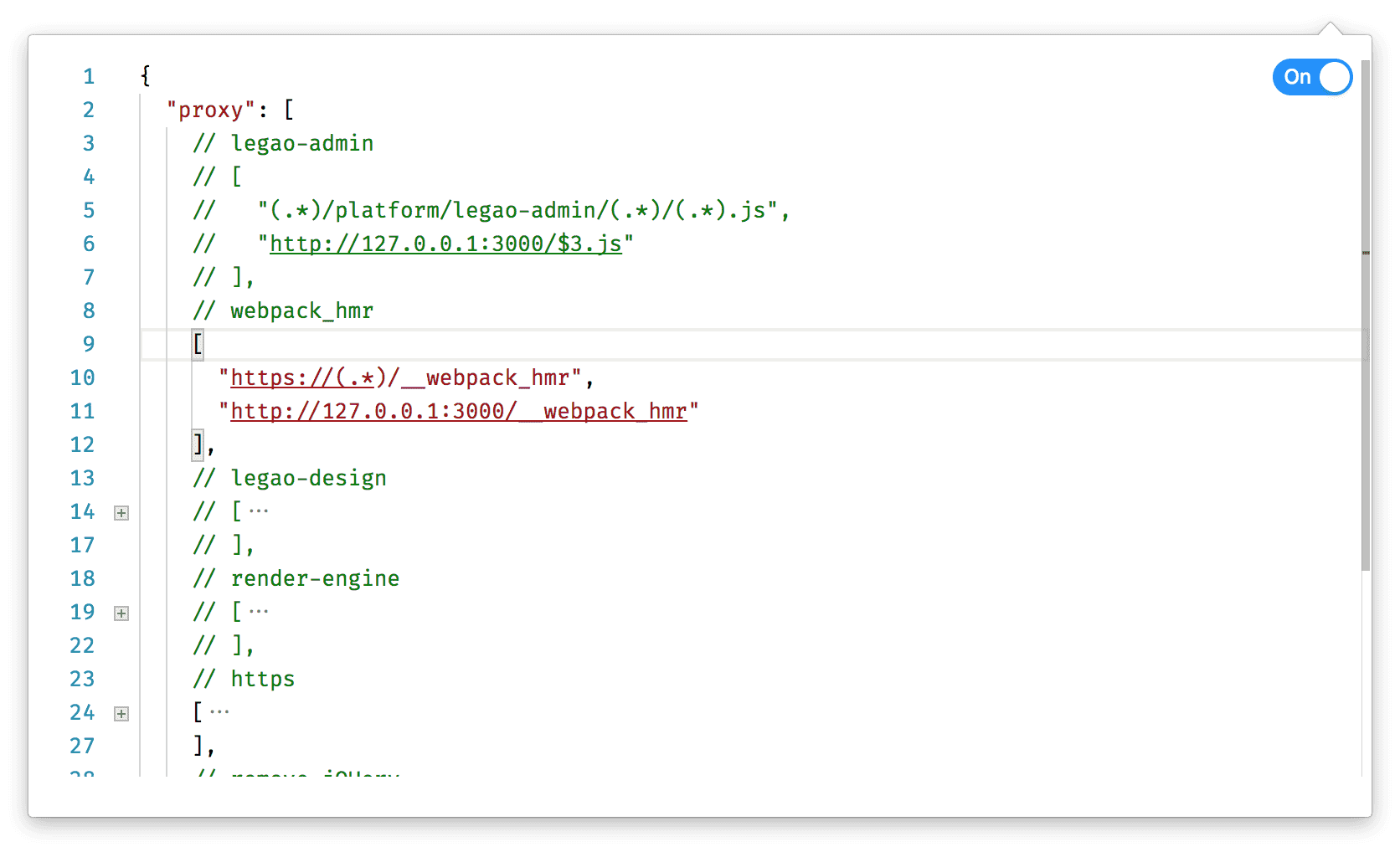
Rules will be executed in order before all requests are initiated.
{
  // proxyRules
  "proxy": [
    [
      "//alinw.alicdn.com/platform/daily-test/isDaily.js",
      "//alinw.alicdn.com/platform/daily-test/isDaily.json"
    ],
    // string replace, global mode
    [
      "alinw",
      "g"
    ]
    // replace all x.min to x
    [
      ".min",
      ""
    ],
    // use reg
    [
      "(.*)/platform/daily-test/(.*).js$",
      "http://127.0.0.1:3000/daily-test/$1.js"
    ],
    // replace to inline JavaScript
    [
      "https://alinw.alicdn.com/platform/daily-test/isDaily.js",
      "data:text/javascript,window.__isDaily = true;"
    ]
  ],
  // urls that want CORS
  "cors": [
    "cors.a.com",
    "(.*).b.com"
  ]
}
Configure rules with AI through MCP
XSwitch includes a local stdio MCP server and communicates securely with the extension through Chrome Native Messaging. Rules and messages stay on the local machine, and regular web pages cannot access the rule-management API.
First-time setup does not require a manual source checkout or terminal commands. Open XSwitch settings, copy the setup prompt, and send it to an AI client with local terminal access, such as Codex or Claude Code. The prompt includes the current extension ID and instructs the AI to install the native bridge, configure its own MCP client, and verify the connection. The AI only asks for one final action when the client must restart to load the new MCP server.
MCP is enabled by default and can be disconnected from the settings page at any time. The server exposes these tools:
get_xswitch_statereads the extension state, options, and every rule group.upsert_xswitch_rule_groupcreates or partially updates a group, proxy rules, and CORS patterns.delete_xswitch_rule_groupdeletes a non-default group.set_xswitch_enabledenables or disables all XSwitch rules.set_xswitch_optionsupdates the global cache-clearing and CORS options.list_xswitch_backupslists recent local rollback snapshots.restore_xswitch_backuprestores a snapshot, or undoes the latest MCP change when no backup ID is provided.
Every MCP write saves a complete snapshot in the extension before changing data. Failed writes or validation are rolled back automatically, while the 10 most recent successful snapshots are retained. Backup contents are never returned by the listing tool or sent off the local machine.
Developers can still install or remove the native bridge manually:
npm install
npm run mcp:install-host -- --extension-id <extension-id>
npm run mcp:install-host -- --uninstall
Requirements: macOS or Linux and Node.js 20+. Pass --browser edge or --browser chromium when applicable.
License
Explore related projects
codecrafters-io/build-your-own-x
Master programming by recreating your favorite technologies from scratch.
561,306 starspublic-apis/public-apis
A collective list of free APIs
497,555 starsmorluto/rea
Reverse engineer anything with agents, from app behavior down to native binaries.
446,374 starsopenclaw/openclaw
The AI that really does things. Any OS. Any Platform. The lobster way. 🦞
394,246 stars