
yi1108/printfilm
yi1108/printfilm has 7,418 GitHub stars and 824 forks. GitHot measured +7 stars in 24 hours and -6 in 7 days. Last checked 2026-11-12 12:54 UTC. Last push 2026-11-06.
PRINTFILM: AI short-video marketing and AI short-drama creation platform
Measured star growth
- in 24h
- +7
- in 7 days
- -6
- in 15 days
- Collecting history
- in 1 month
- Collecting history
Net star changes over overlapping periods, not daily totals. Missing measurements are left blank. Stars measure attention, not software quality.
README_EN.md
OriginalPRINTFILM


Turn stories into videos you can ship — AI short drama and AI short video, from script to final cut.
Step-by-step short-video creation: settings → copy and storyboard → reference-guided images → image-to-video → final preview. New projects default to AI video, 3D animation, 9:16 portrait and approximately 60 seconds; still-image production is also available. Review and edit each stage before continuing.
Source: github.com/yi1108/printfilm · Version 0.2.0
Screenshots
Studio
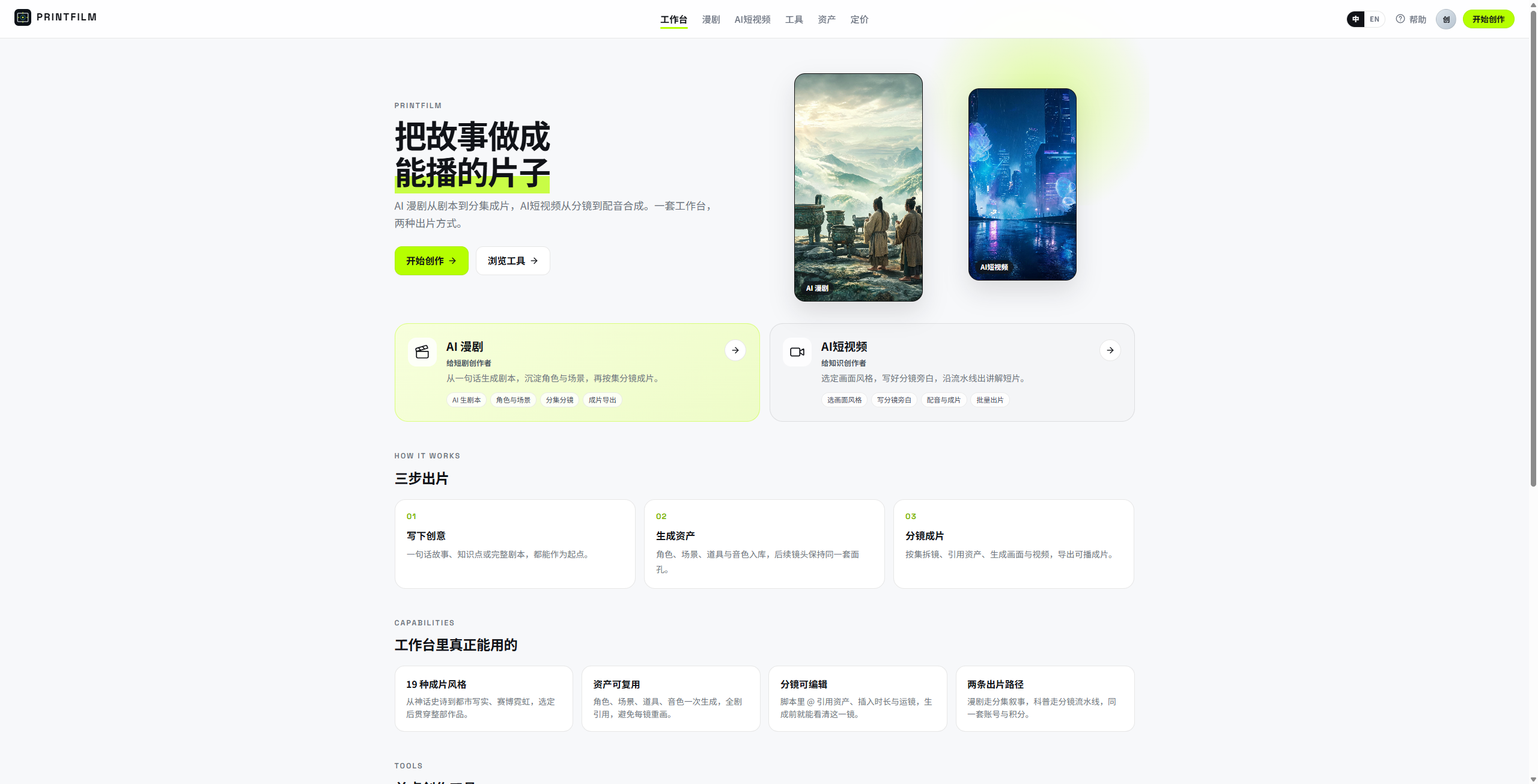
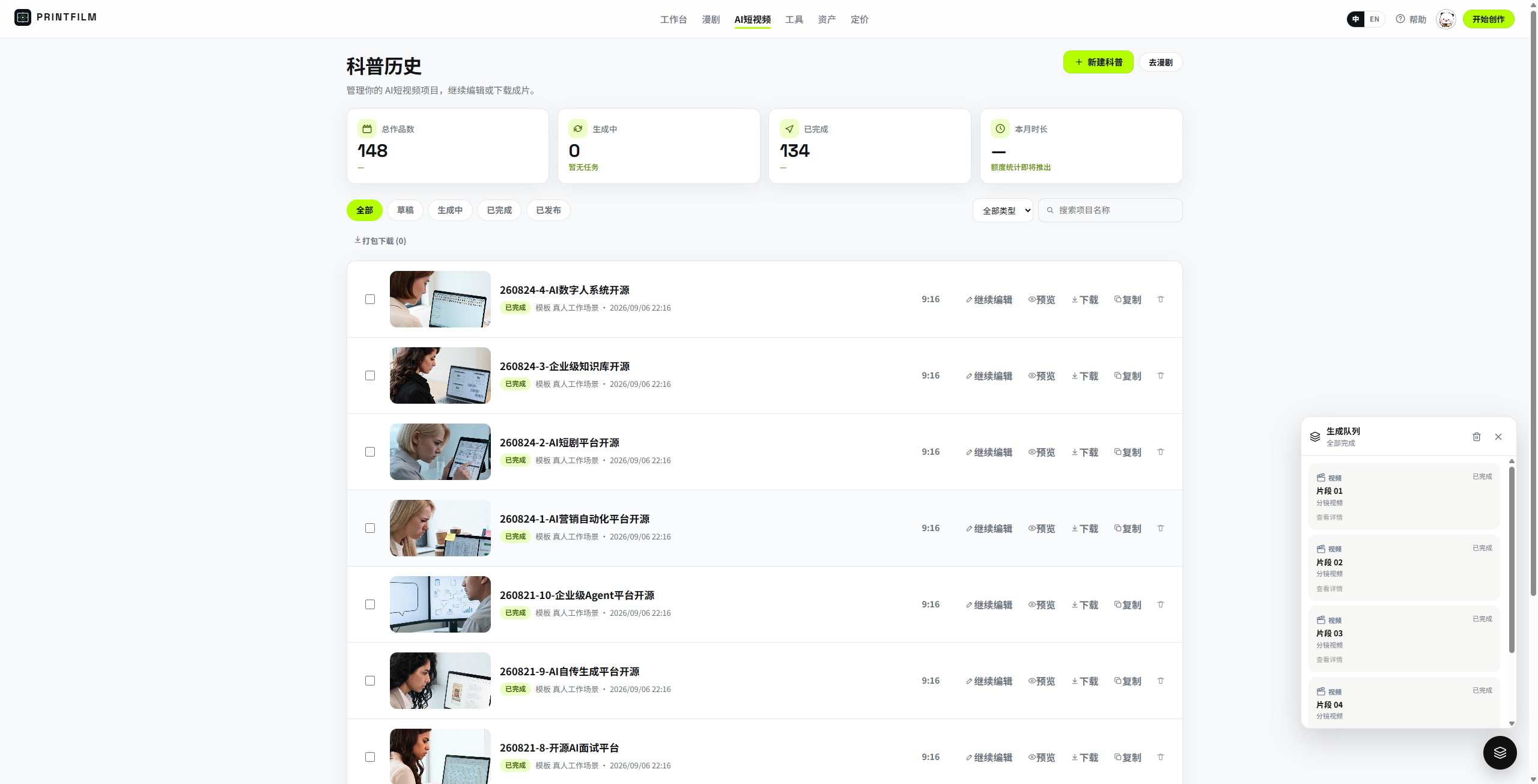
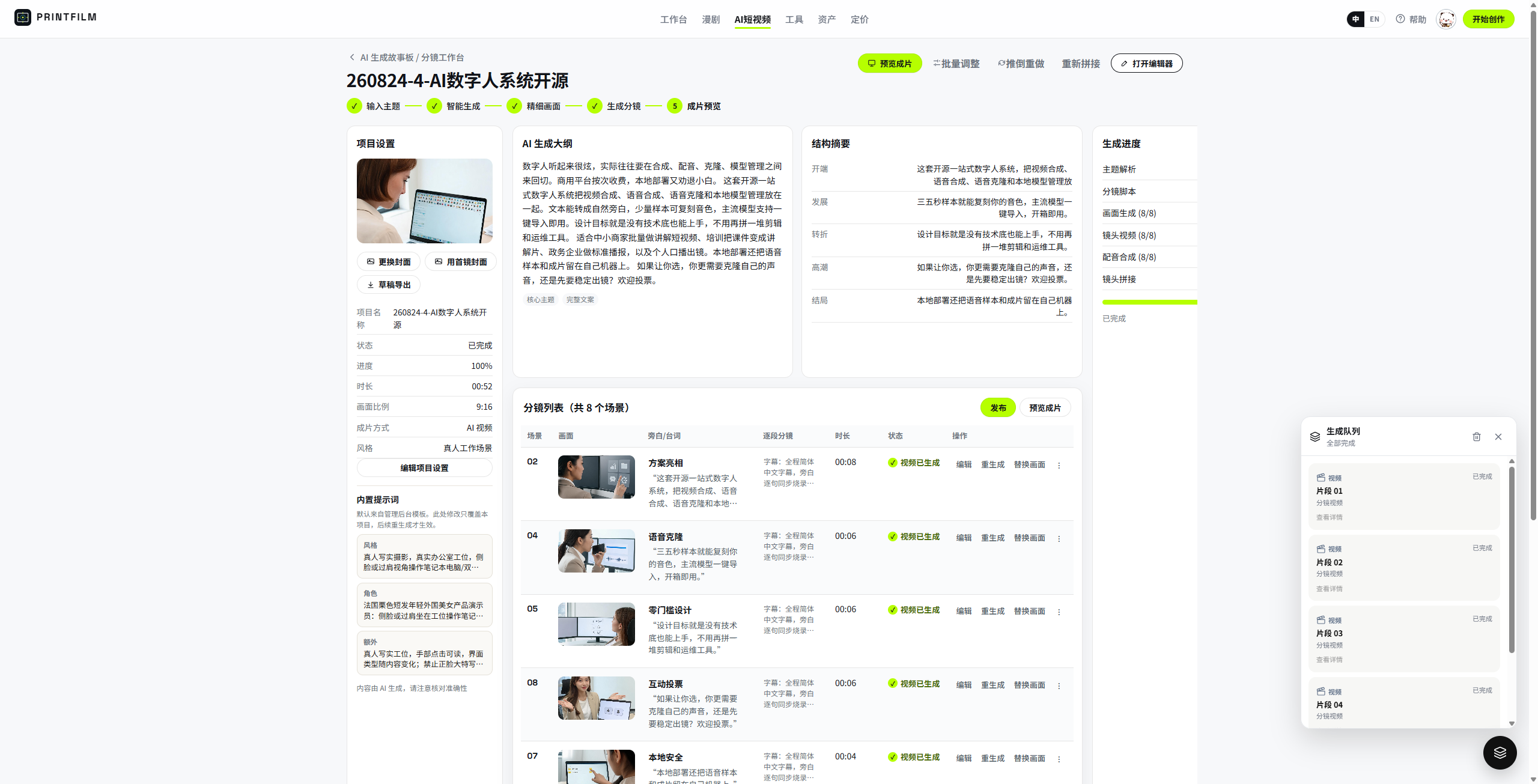
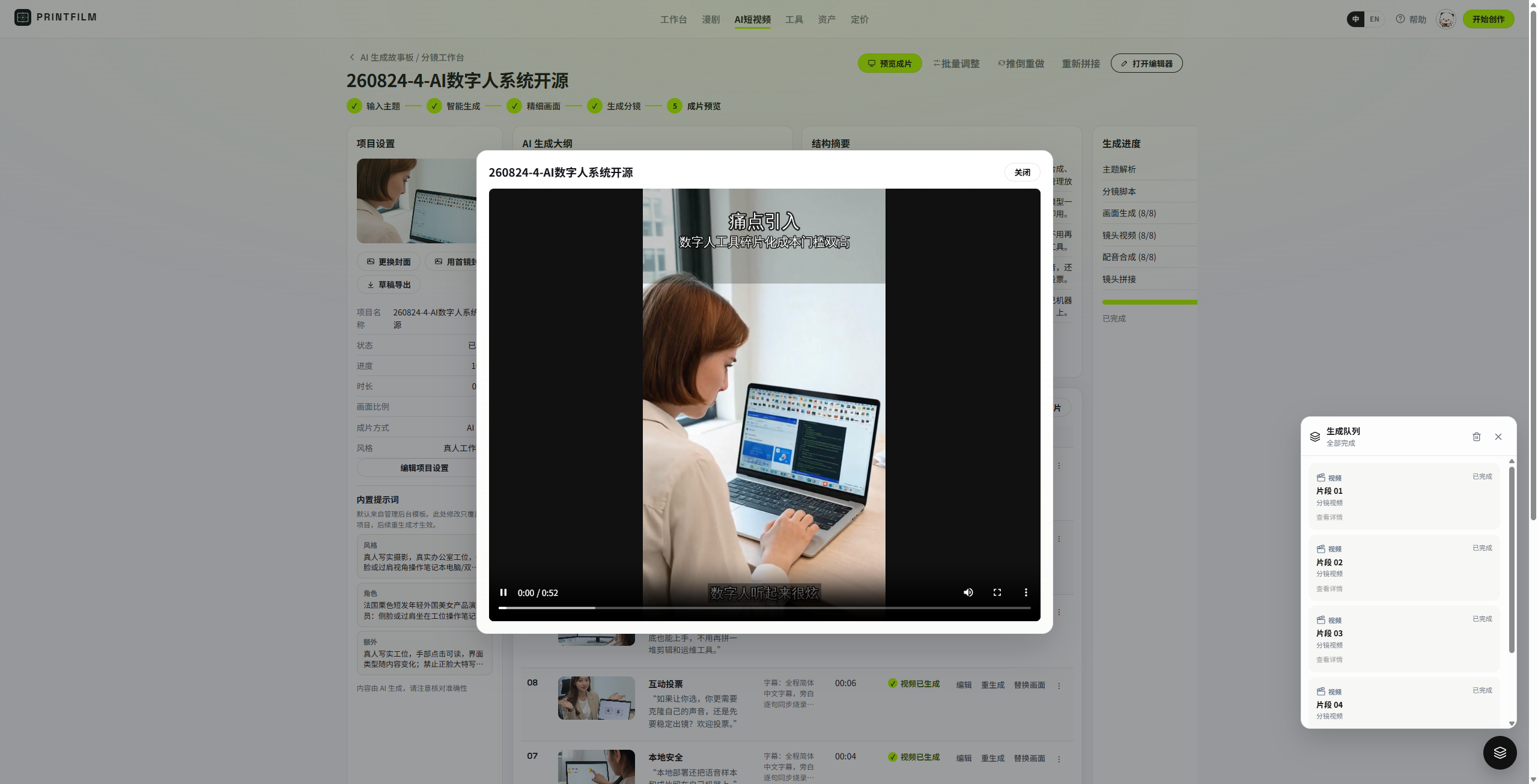
AI short video — history, storyboard, final cut
| Project history | Storyboard studio | Final preview |
|---|---|---|
 |
 |
 |
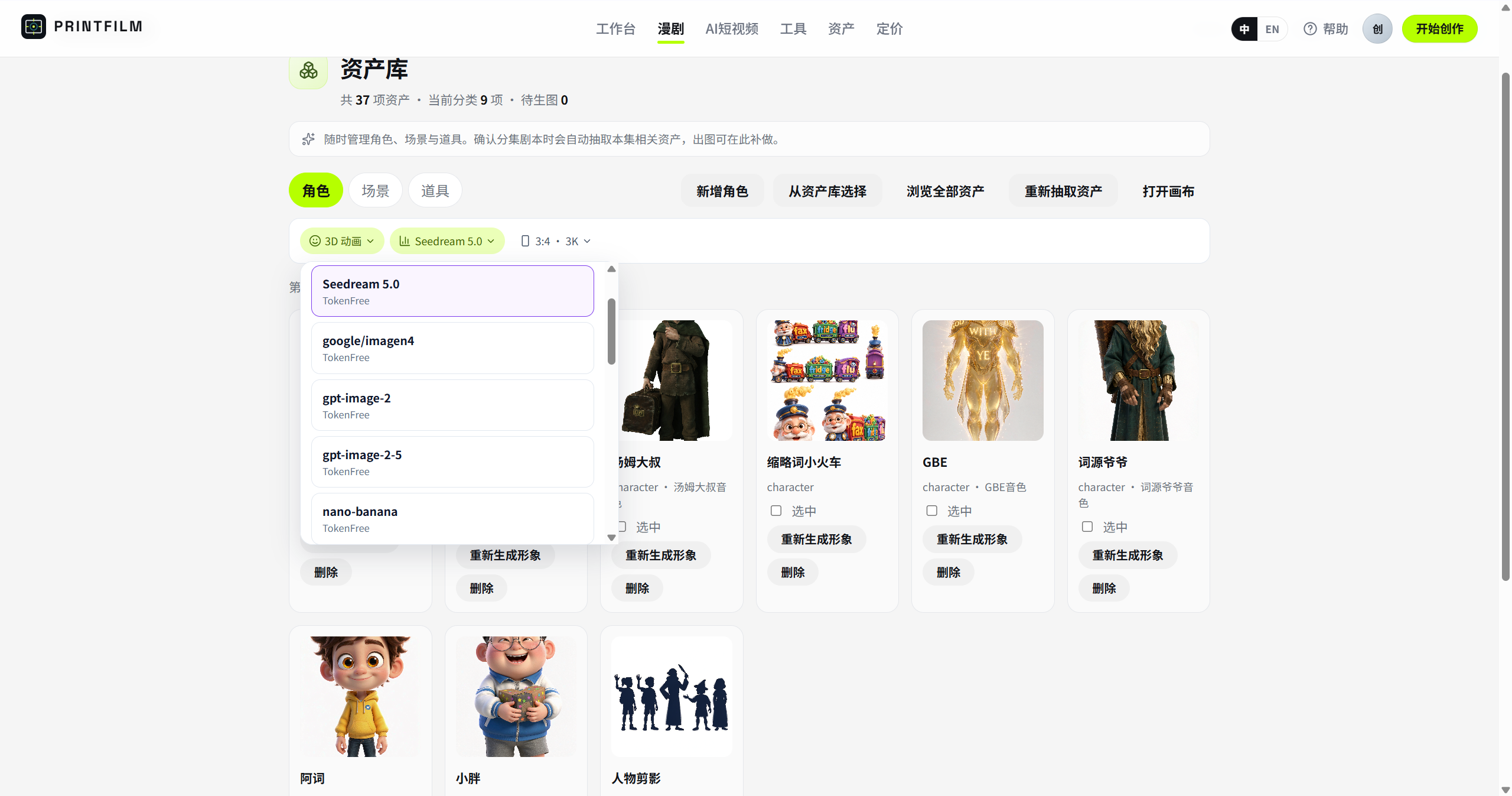
AI short drama — projects, episodes, scripts, storyboards, assets
| Project list | Episode workspace | Script parse |
|---|---|---|
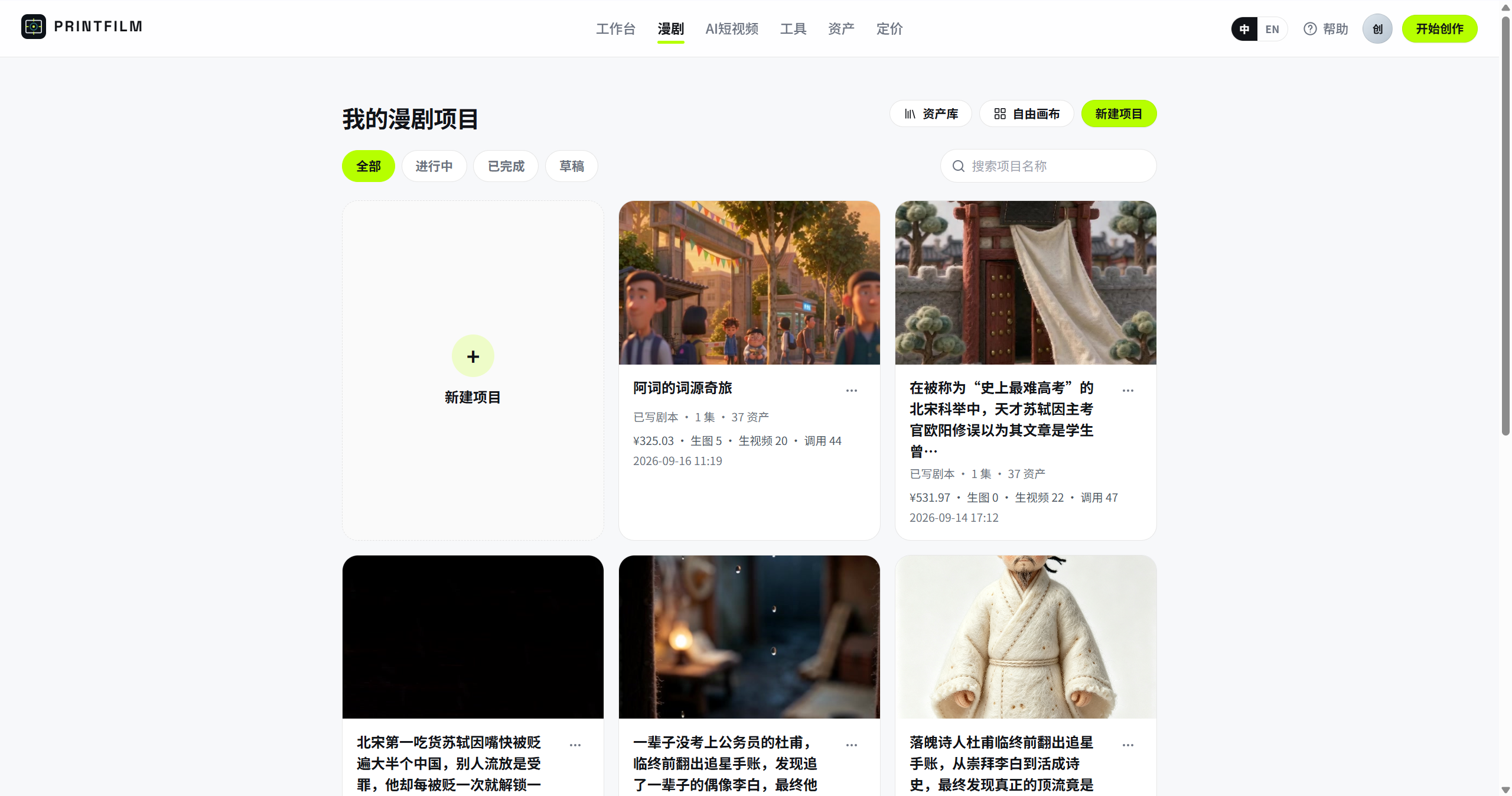 |
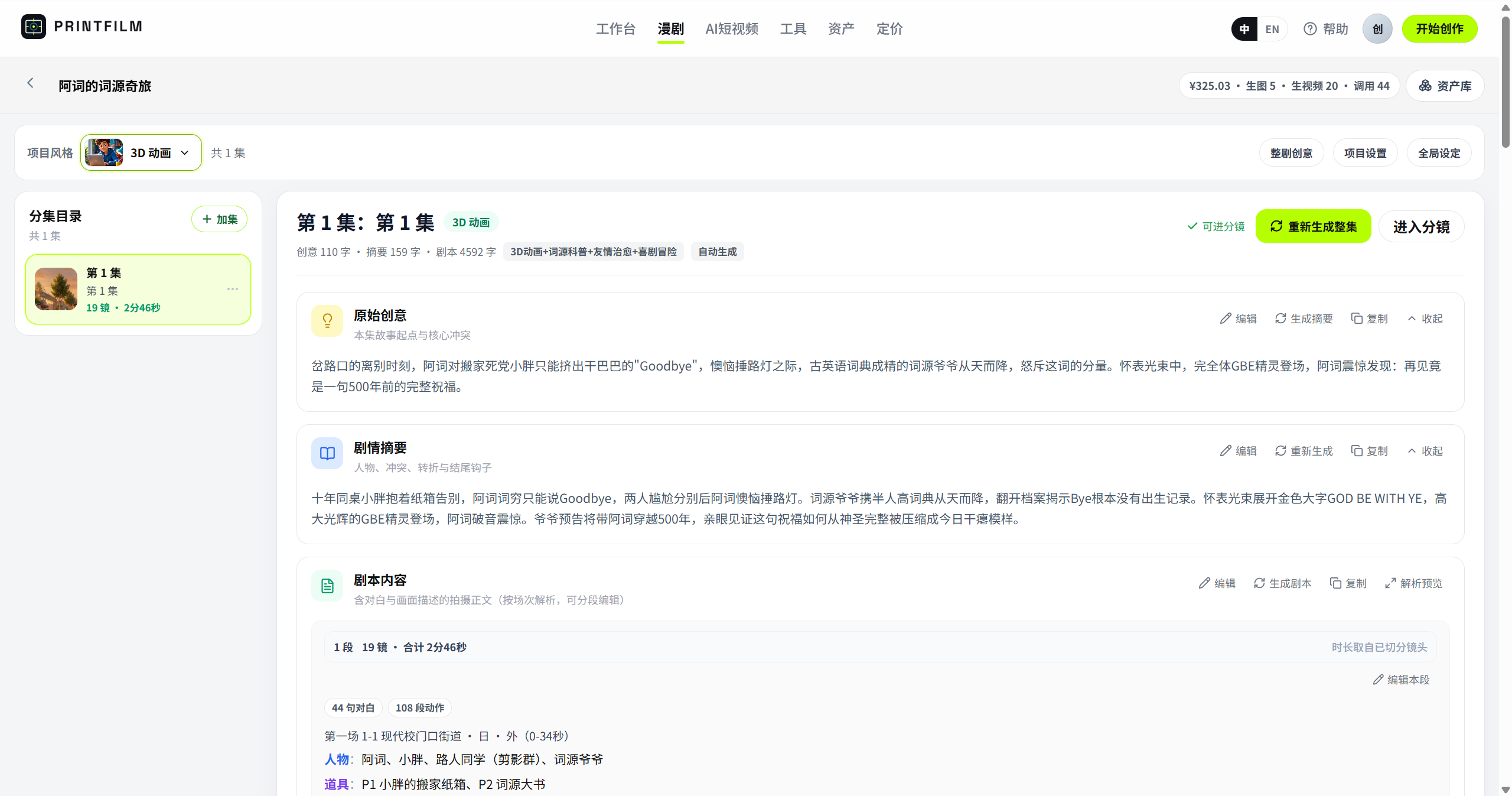 |
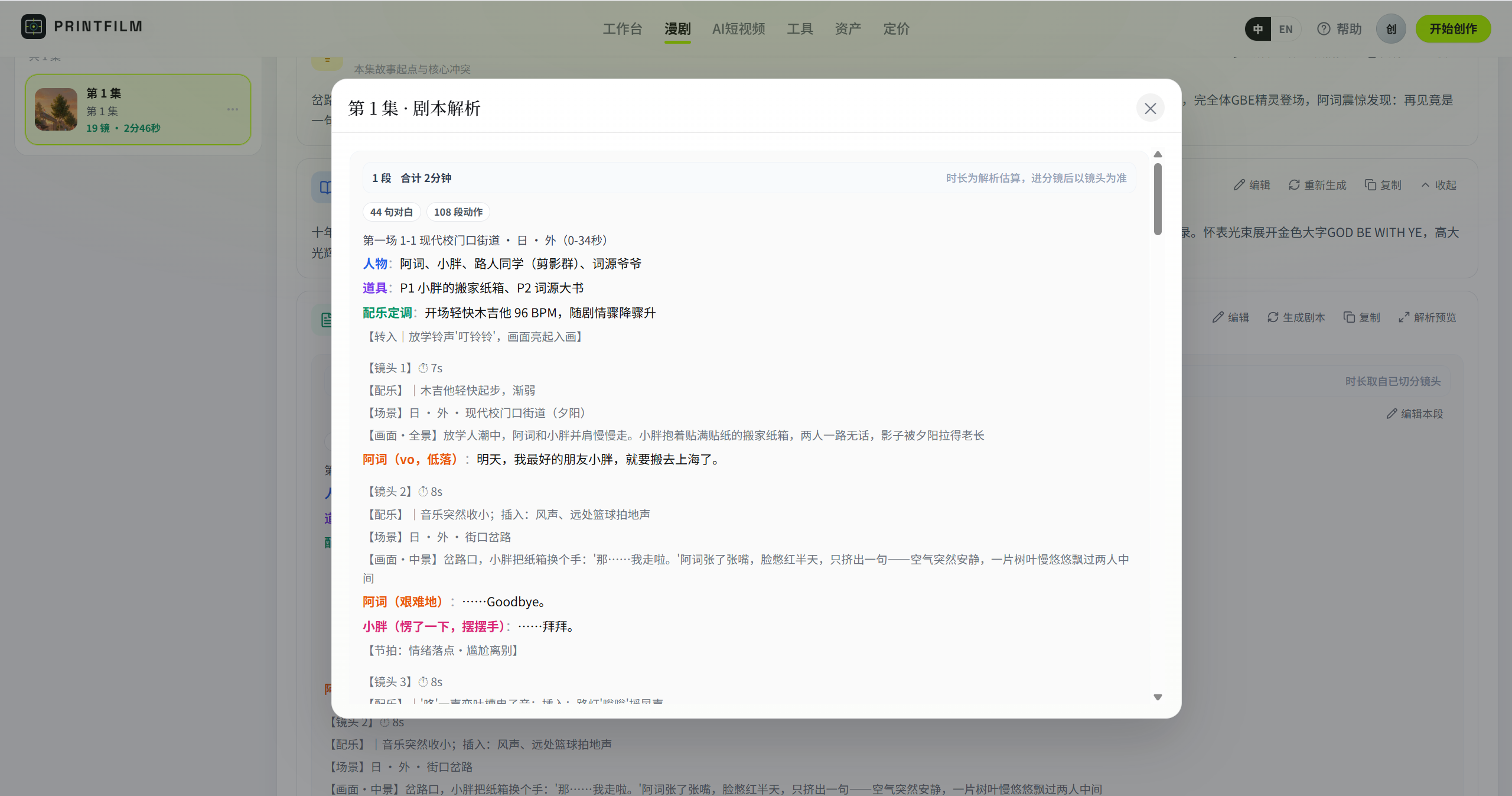 |
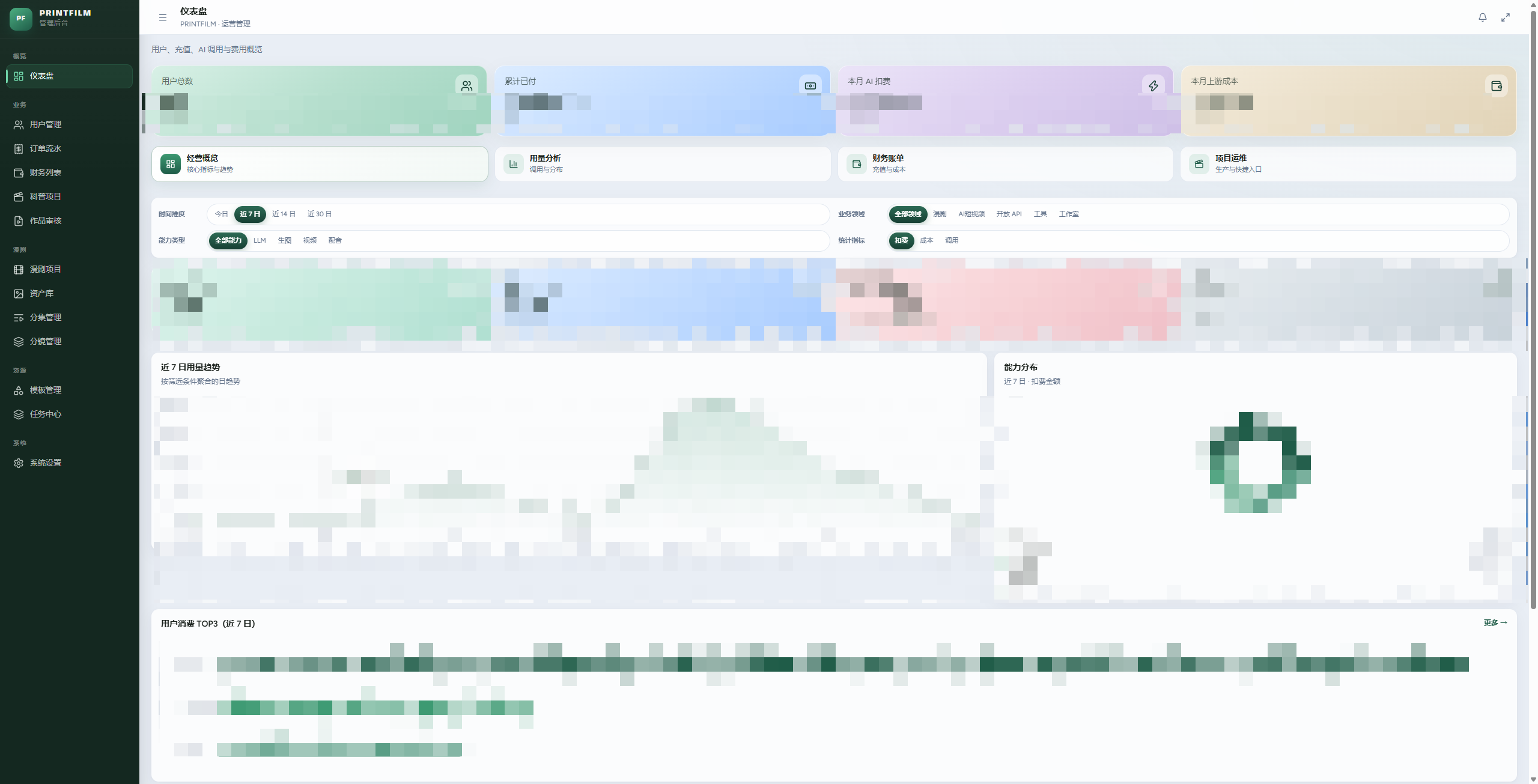
| Storyboard edit | Asset library | Admin |
|---|---|---|
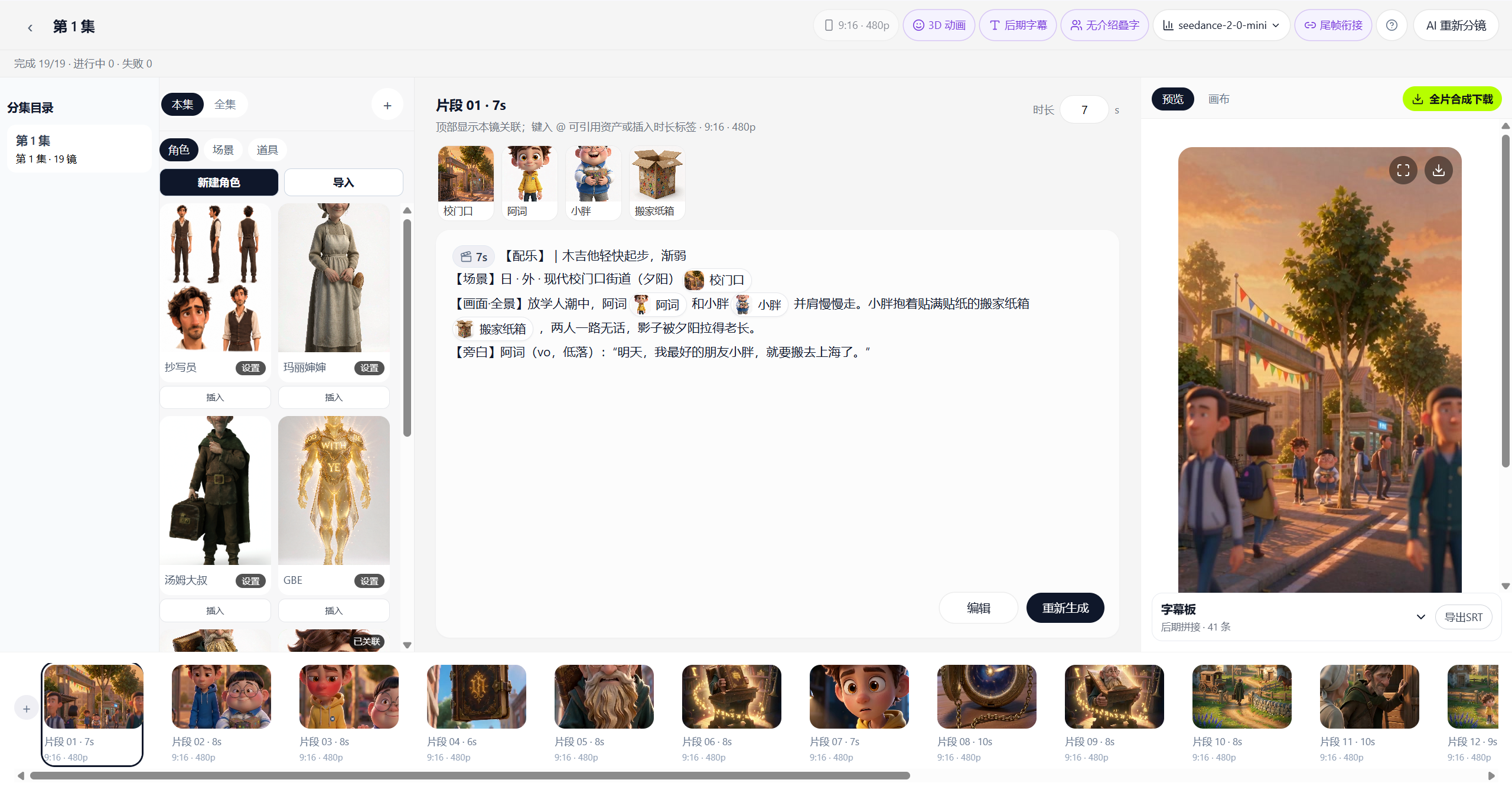 |
 |
 |
Core features
1. AI short drama
From a one-liner to episode-ready video, with reusable characters and scenes.
- Outline / plot summary / full script
- Asset library: characters, scenes, props
- Parse into shots, then edit on the storyboard canvas
- Details: docs/EPISODE_RULES.md
2. AI short video
Manage short videos as project cards at /history, then start a new project at /studio/new.
- Four curated styles: 3D animation, 2D anime, picture-book illustration, and ink painting
- Generate copy from an idea or paste an existing script; edit and save it as a draft
- Confirm the copy to generate editable storyboards; use a fixed style image and previous-shot references to guide each image
- AI video mode generates clips and sound from each shot image, with selectable models, resolution, individual previews and retries before final composition
- Still-image mode retains external TTS, camera motion and captions; both modes support preview and download
- Stop production or resume missing media after a failure; saved projects and tasks recover after leaving the page
- Existing conversations transfer to the step editor after their producers stop and settle; historical versions retain their media
3. Independent generation and Drama Skills
Images, videos and audio have independent generation pages. Explore Drama Skills for short-drama creation skills.
4. Admin console
Users, orders, templates, task center, and model routing.
Workflow
Choose a style and enter an idea or existing copy
    → Edit and save copy → Confirm to generate storyboard cards
    → Review storyboard → Generate images using style references
    → AI video: Generate clips and sound from images → Review and compose
      Still images: Generate external TTS → Compose motion and captions
    → Preview and download the final video
Each stage pauses for review until the user starts the next one. Projects, storyboards and media use cards. Drama and standalone tools retain their existing workflows.
New short videos use the project APIs directly. The old conversation creation, messaging and query APIs have been removed; only open-editor remains for transferring historical projects into the current workspace. Historical task recovery and project handoff still require creation_sessions, creation_messages, creation_runs and the project conversation field; the duration field also serves the current workflow. Startup handles the schema by default. For an existing database with DATABASE_BOOTSTRAP_ENABLED=false, run the scoped, repeatable migration below from backend, then restart the backend. It creates only those three tables, two project fields and indexes; it does not seed data, change other business structures or rewrite existing rows.
python scripts/prepare_creation_schema.py
python scripts/prepare_creation_schema.py --check
On Windows, use .venv\Scripts\python.exe in place of python. The command uses the existing database configuration in backend/.env. --check is read-only and exits nonzero if required structures are missing.
Technical highlights
- Two product lines, one generation stack — drama and short video share the same upstream
- In-process task platform — scheduler / executor / poller; no separate Celery worker
- Swappable models — configure TokenFree keys and models in admin; no code changes
- One-command Docker — public images, pull without login
- Optional billing — off by default; usage-based when enabled — see docs/BILLING.md
Tech stack
| Layer | Stack |
|---|---|
| Backend | Python 3.12 · FastAPI · SQLAlchemy · PostgreSQL · Redis |
| Frontend | React 19 · TypeScript · Vite 8 (admin: Tailwind + shadcn) |
| AI | TokenFree New API (text / image / video) |
| Deploy | Full-stack Docker images, or local three processes + middleware containers |
Quick start (Docker)
You only need Docker Desktop (or Docker Engine + Compose). Images live in Aliyun ACR gcc public namespace — no login required to pull.
1. Clone and prepare env
git clone https://github.com/yi1108/printfilm.git
cd printfilm

cp deploy/.env.docker.example deploy/.env.docker
Edit deploy/.env.docker and change at least these three:
| Variable | Notes |
|---|---|
POSTGRES_PASSWORD |
DB password (do not keep the example default) |
SECRET_KEY |
Long random string (session / key encryption) |
OPENAI_API_KEY / ARK_API_KEY |
TokenFree API Key (same key in both fields) |
No key yet, just want the UI? Set ARK_MOCK=true.
2. Start
docker compose --env-file deploy/.env.docker up -d
Wait about half a minute (web / admin start after the API health check passes).
| Service | URL |
|---|---|
| App | http://localhost:8080 |
| Admin | http://localhost:8081 |
| API / docs | http://localhost:8000 · /docs |
| Health | http://localhost:8000/api/health |
Common commands:
docker compose --env-file deploy/.env.docker ps          # status
docker compose --env-file deploy/.env.docker logs -f api # logs
docker compose --env-file deploy/.env.docker down        # stop (keep volumes)
3. Register and admin
| Role | How |
|---|---|
| User | Open the app → /auth and register with email |
| Admin | Register that email first → set ADMIN_BOOTSTRAP_EMAILS=your@email in .env.docker → docker compose --env-file deploy/.env.docker up -d --force-recreate api (promotes only; does not create accounts) |
No built-in demo accounts; change secrets immediately for production.
4. Update to latest images
docker compose --env-file deploy/.env.docker pull
docker compose --env-file deploy/.env.docker up -d
5. Build from source (optional)
When you changed frontend/backend code, or cannot pull from ACR:
docker compose --env-file deploy/.env.docker -f docker-compose.full.yml up -d --build
Configure TokenFree API Key
The open-source build routes text / image / video through TokenFree New API (OpenAI-compatible: https://www.tokenfree.com/v1). Without a key you can only use ARK_MOCK=true for the UI — real generation will not work.
A. Get a key from TokenFree
- Open https://www.tokenfree.com and sign in.
- Go to API keys / Tokens in the console (some deployments use
/tokenor/keys). - Click Create, name it (e.g.
printfilm), set quota / expiry as needed. - Copy the full key immediately (looks like
sk-…, shown once). - Confirm the account has balance/quota and the models you need appear in the list.
Treat the key like a password. Do not commit it to Git or paste it in chat. If leaked, revoke and recreate it in the TokenFree console.
B. Write into Docker env (recommended for first self-host)
Edit deploy/.env.docker:
OPENAI_API_KEY=sk-your-key
OPENAI_BASE_URL=https://www.tokenfree.com/v1
ARK_API_KEY=sk-your-key
ARK_MOCK=false
MODEL_LLM=kimi-k2.6
MODEL_IMAGE=seedream-5-0-pro
MODEL_VIDEO=seedance-2-5
Use the same value for OPENAI_API_KEY and ARK_API_KEY. Recreate the API container:
docker compose --env-file deploy/.env.docker up -d --force-recreate api
Open http://localhost:8000/api/health — ark_mock should be false.
C. Set key in admin (recommended for day-to-day key changes)
- Log in as admin at http://localhost:8081 .
- Open System settings → Models (routing / TokenFree channel).
- Paste the API Key into the TokenFree channel and save.
- Adjust default text / image / video models as needed; changes apply immediately — usually no
.envedit required.
Keys saved in admin are encrypted in the database; when migrating hosts, back up the DB or re-enter the key.
D. Troubleshooting
| Symptom | Fix |
|---|---|
| Image / video says key not configured | Check .env.docker is not still replace-me, or that the admin channel has a key |
ark_mock: true |
Set ARK_MOCK=false, ensure key is non-empty, then --force-recreate api |
| 401 / insufficient quota | Check key status and balance in TokenFree console |
| Model 404 | Pick a model id that TokenFree actually lists in admin |
Use cases
- Short video / acquisition clips: turn selling points into ad-ready shorts
- Short drama: outline to episodes with consistent characters and scenes
- One-shot image/video: generate directly from the tools hub
- Self-host: pull Docker images and run on your own machine
Layout
backend/                  FastAPI, pipeline, billing, task runtime
frontend/                 User app
admin/                    Ops console
deploy/                   Env examples, middleware compose
docs/                     Standards and topic docs
docker-compose.yml        One-command public images
docker-compose.full.yml   Build from source
Community
- GitHub: https://github.com/yi1108/printfilm
- WeChat: add
gitpp88(note “join group”): deploy help / drama chat / template sharing
Star History
More docs
| Doc | Content |
|---|---|
| docs/STANDARDS.md | Engineering standards |
| docs/BILLING.md | Billing and Epay |
| docs/EPISODE_RULES.md | Drama episode rules |
| docs/SEEDANCE_2_5.md | Seedance parameters |
| deploy/README.md | Local middleware and ops |
Contributing
Issues / PRs welcome. Before submitting, follow docs/STANDARDS.md: Simplified Chinese product copy, function comments, server-side pagination; do not commit .env, secrets, or generated media.
cd frontend && npm run lint
cd ../admin && npm run lint
cd ../backend && pytest
License
Explore related projects
ytdl-org/youtube-dl
Command-line program to download videos from YouTube.com and other video sites
141,539 starsexcalidraw/excalidraw
Virtual whiteboard for sketching hand-drawn like diagrams
135,559 starsgodotengine/godot
Godot Engine – Multi-platform 2D and 3D game engine
120,003 starsmrdoob/three.js
JavaScript 3D Library.
118,228 stars