
yf-hao/haomd
yf-hao/haomd has 55 GitHub stars and 1 forks. GitHot measured 0 stars in 24 hours. Last checked 2026-11-17 02:33 UTC. Last push 2026-11-15.
Measured star growth
- in 24h
- 0
- in 7 days
- Update delayed
- in 15 days
- Update delayed
- in 1 month
- Update delayed
Net star changes over overlapping periods, not daily totals. Missing measurements are left blank. Stars measure attention, not software quality.
About
🚀 AI-powered Markdown editor. Support OpenAI、Gemini LLMs. | 高性能 AI Markdown 编辑器,支持 OpenAI、Gemini协议
AIREADME_EN.md
OriginalHaoMD
A high-performance, cross-platform Markdown editor built with Tauri 2 + React + TypeScript. Features real-time preview, AI assistant integration, visualizations, multi-tab editing, and offline-first experience.
Features
UI/UX
Customizable Global Background
HaoMD lets you set a custom background (including local images) for both the editor and the AI chat panel, creating an immersive writing environment:
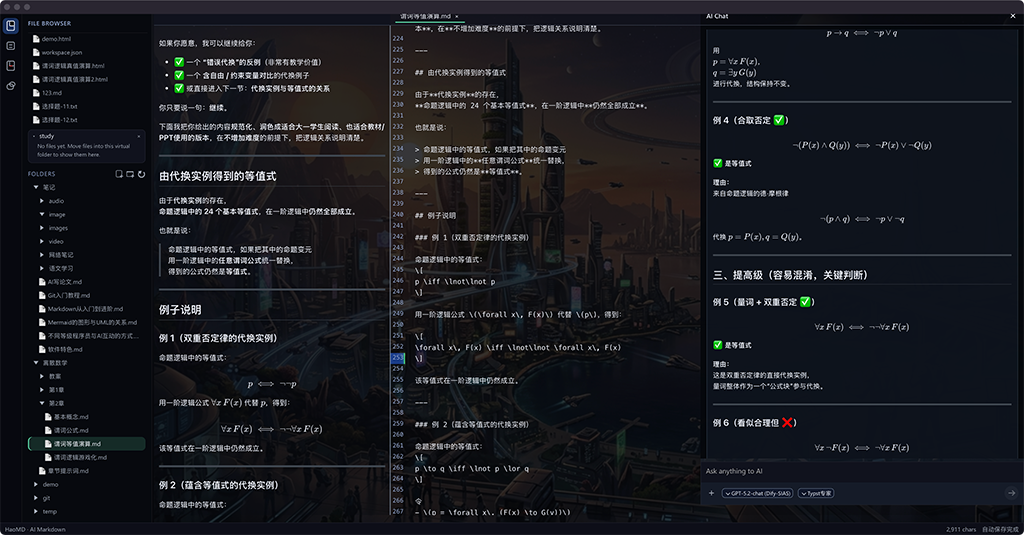
- 🎨 Themes & Dark Mode: Multiple theme styles with an eye-friendly dark mode
- 📱 Responsive Design: Adapts to different window sizes
- ⌨️ Keyboard Shortcuts: Full keyboard shortcut support
Core Editor
- 🚀 High-Performance: Smooth editing for large files (>10MB) with CodeMirror 6
- 📑 Multi-Tab: Edit multiple documents simultaneously
- 👁️ Real-Time Preview: Split-view editor with live Markdown rendering
- 💾 Auto-Save: Intelligent auto-save with conflict detection
- 🔍 Outline Navigation: Auto-generated document outline for quick navigation
AI Assistant
- 🤖 Multi-Provider Support: Dify, OpenAI-compatible APIs
- 📄 Document Chat: AI assistant for document analysis and Q&A
- 📚 Local Dictionary Translation: Configure an MDX dictionary for word and phrase lookups, PDF text translation, and British/American pronunciation
- 🔄 Directory-based Session Management: Maintain independent AI conversation contexts per directory
- ✂️ Selection Chat: Ask questions about selected text
- 🖼️ Vision Understanding: Analyze images with AI
- 🧠 Global Memory: AI remembers context across conversations
- 📝 System Prompts: Customizable system prompts for different use cases
- 🗜️ Conversation Compression: Smart compression to manage long conversations
Visualizations
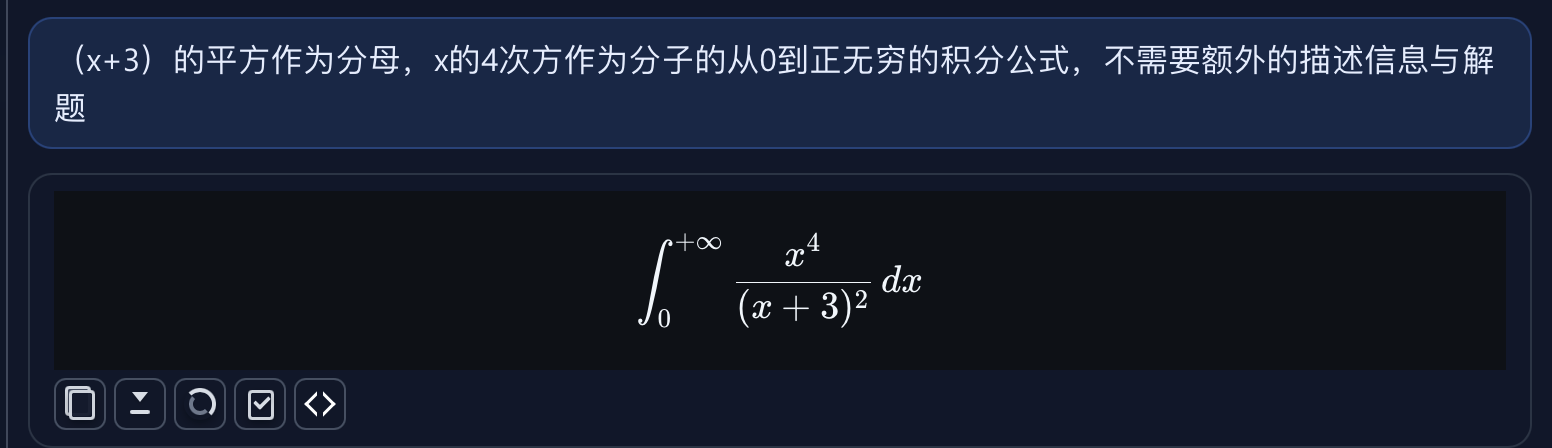
- 📐 KaTeX:Natural language alone is sufficient to generate elegant mathematical formulas.
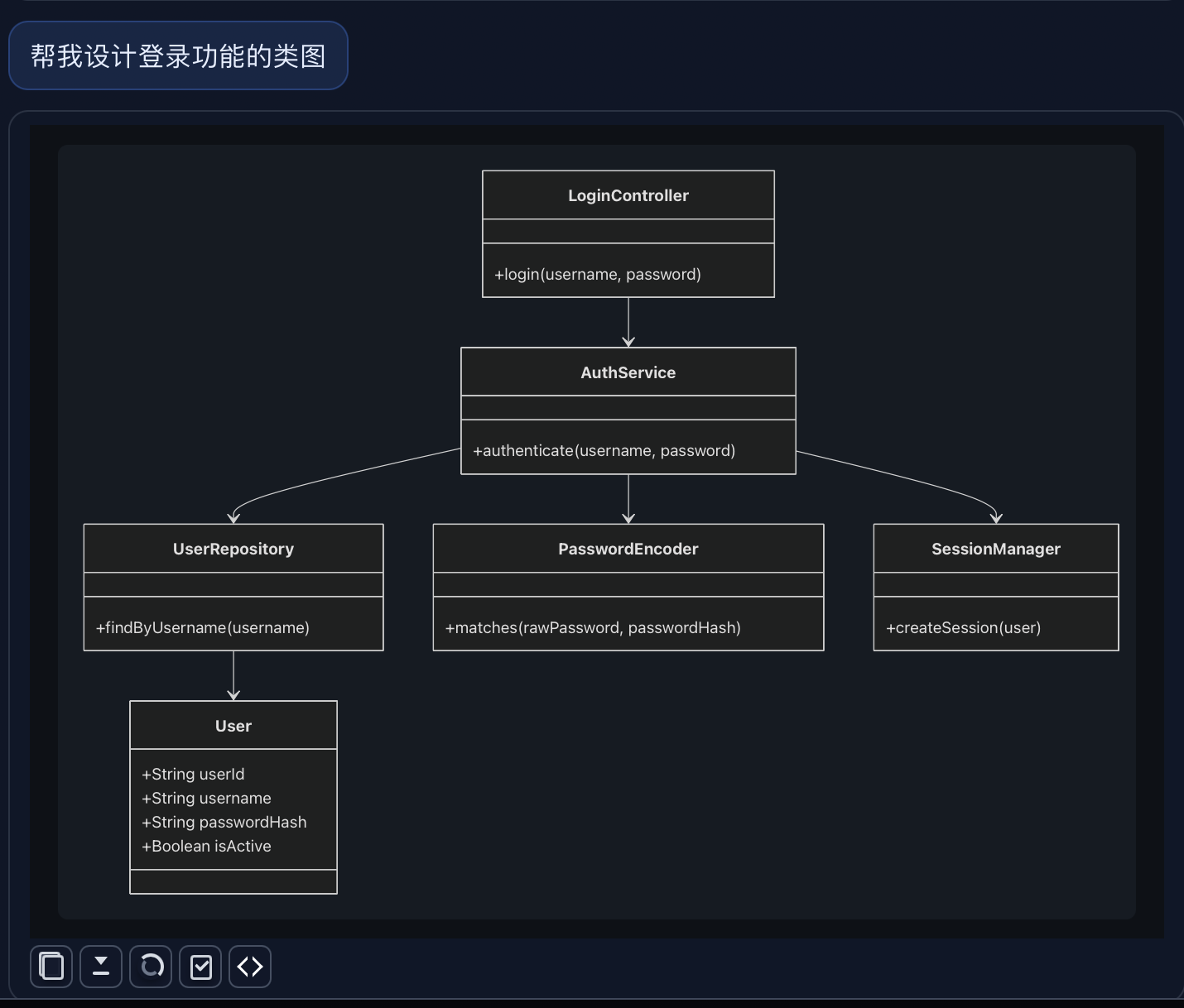
- 📊 Mermaid: Flowcharts, sequence diagrams, Gantt charts, and more
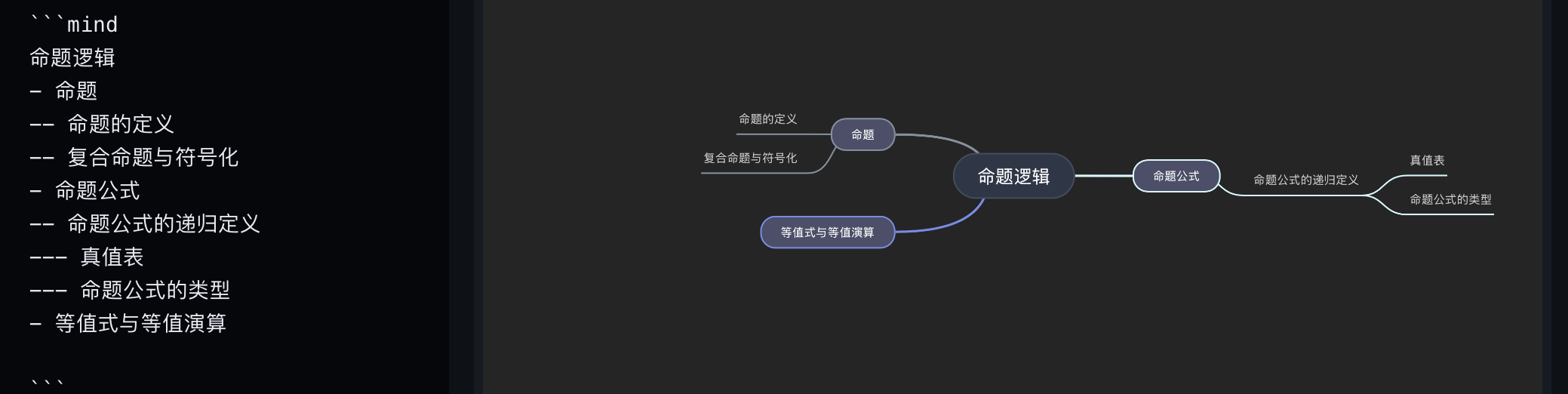
- 🧠 Mind Maps: Interactive mind map diagrams
File Management
- 📁 File Browser: Built-in file explorer with folder navigation
- 🌐 Browser Document Workspace: Create, open, edit, preview, and save Markdown files in the browser interface. Supported browsers can write back to an authorized file; others download the file.
- 🕒 Recent Files: Quick access to recently opened files
- 🔗 PDF Reader: Built-in PDF viewing and navigation
- 🖨️ Export: Export to PDF (via system print) and HTML
Media Support
- 🎵 Audio: Play MP3, WAV, M4A, OGG, FLAC files directly in Markdown
- 🎬 Video: Play MP4, WebM, MOV, OGG files with poster image support
- 📷 Images: Support for various image formats with custom sizing
Development Environment
- Node.js 18+
- npm or bun
- Rust stable (for Tauri)
- macOS / Windows / Linux
Quick Start
Install Dependencies
cd app
npm install
# or
bun install
Development Mode
npm run tauri:dev
# or
bun run tauri:dev
This will start the Tauri development server, automatically compiling both frontend and Rust backend.
Production Build
npm run tauri build
# or
bun run tauri build
Build artifacts are located in the app/src-tauri/target/release/bundle/ directory.
Project Structure
markdown/
├── app/                    # Frontend app (React + Vite)
│   ├── src/
│   │   ├── components/     # React components
│   │   ├── modules/        # Feature modules (AI, files, export, etc.)
│   │   ├── hooks/          # Custom hooks
│   │   ├── config/         # Configuration files
│   │   └── types/          # TypeScript type definitions
│   ├── public/             # Static assets
│   ├── web/                # Browser app modules
│   ├── web-lite.html       # Lite web app entry point
│   └── src-tauri/          # Rust backend (Tauri)
└── package.json
Tech Stack
| Layer | Technology |
|---|---|
| Frontend | React 18, TypeScript, Vite |
| Desktop | Tauri 2 (Rust) |
| Editor | CodeMirror 6 |
| Markdown | ReactMarkdown, remark/rehype plugins |
| Math | KaTeX |
| Diagrams | Mermaid, Mind Elixir |
| AI | OpenAI SDK, Custom APIs (Dify, Vision-capable providers) |
AI Configuration
HaoMD supports multiple AI providers, configurable within the app:
Supported Providers
- Dify: Custom AI workflows and agent building platform (default). Supports GPT-5.2-chat, GPT-5.1-chat, GPT-5-mini-2, GPT-4.1, GPT-4o-mini, qwen3-32b-awq, and DeepSeek-V3.2 models.
- OpenAI-compatible: Any API compatible with OpenAI's format (GPT-4, GPT-3.5, o1, etc.)
- Vision Support: AI provider with vision capabilities for image analysis
AI Features
- Document Chat: Chat with your documents to analyze content, ask questions, get summaries
- Selection Chat: Highlight text and ask AI questions about specific sections
- Vision Upload: Upload images for AI to analyze and describe
- Global Memory: AI maintains context across multiple conversations
- Conversation History: Access and review past AI conversations
Note: Using AI features requires configuring the corresponding API Key in Settings > AI Settings.
Keyboard Shortcuts
| Command | macOS | Windows/Linux |
|---|---|---|
| New File | Cmd+N |
Ctrl+N |
| Open File | Cmd+O |
Ctrl+O |
| Open Folder | Cmd+Shift+O |
Ctrl+Shift+O |
| Save | Cmd+S |
Ctrl+S |
| Save As | Cmd+Shift+S |
Ctrl+Shift+S |
| Close File | Cmd+W |
Ctrl+W |
| Toggle Preview | Cmd+P |
Ctrl+P |
| AI Chat | Cmd+K |
Ctrl+K |
| Ask AI About File | Cmd+D |
Ctrl+D |
| Ask AI About Selection | Cmd+L |
Ctrl+L |
| AI Chat: Recall Last Input | ↑ (when input is empty) |
↑ (when input is empty) |
| Find | Cmd+F |
Ctrl+F |
| Replace | Cmd+H |
Ctrl+H |
| Format Document | Cmd+Shift+F |
Ctrl+Shift+F |
| Toggle Comment | Cmd+/ |
Ctrl+/ |
| Stop AI Generation | Cmd+Z (while AI is generating) |
Ctrl+Z (while AI is generating) |
Media Support
HaoMD supports embedding and playing media files directly in Markdown:
Audio

Supported formats: MP3, WAV, M4A, OGG, FLAC
Video

 # With poster image
Supported formats: MP4, WebM, MOV, OGG
Images

 # 50% width
 # Fixed width
Supported formats: PNG, JPG, JPEG, GIF, SVG, WEBP
Markdown Features
Supported Syntax
- Headers:
#through###### - Emphasis:
*italic*,**bold**,~~strikethrough~~ - Lists: Ordered and unordered lists
- Links:
[text](url) - Images:
 - Code: Inline
`code`and code blocks with syntax highlighting - Blockquotes:
> quote - Tables: Standard Markdown tables
- Task Lists:
- [ ]and- [x] - Math: KaTeX formulas
$inline$and$$block$$ - Diagrams: Mermaid with ```mermaid code block
- Mind Maps: Mind diagrams with ```mind code block
GFM Extensions
- Strikethrough:
~~text~~ - Tables:
| Header | Header | - Task Lists:
- [ ] Task - Autolinks: URLs automatically converted to links
Export
PDF Export
Export to PDF using the system print dialog with optimized formatting:
// PDF export includes:
- Styled HTML with CSS
- Rendered Mermaid diagrams
- Mind map visualizations
- KaTeX formulas
- Syntax-highlighted code blocks
HTML Export
Export to clean, self-contained HTML with embedded styles.
Word Export
HaoMD now includes File -> Export -> Word (.docx).
Current Word export support includes:
- Editable headings, paragraphs, lists, tables, code blocks, and links
- Embedded local images
- Mermaid diagrams exported as PNG
- Mind maps exported as PNG
- Automatic downscaling for oversized images to fit the page width
Notes
- Mermaid and mind maps are inserted into Word as PNG images, while the document body remains editable
- Remote images are not currently supported by the Word exporter; prefer local image files
- If export output looks wrong, validate with
npm run tauri:devfirst instead of testing an older installed app
Contributing
Contributions are welcome! Please follow these steps:
- Fork the repository
- Create a feature branch (
git checkout -b feature/AmazingFeature) - Commit your changes (
git commit -m 'Add some AmazingFeature') - Push to the branch (
git push origin feature/AmazingFeature) - Open a Pull Request
Development Guidelines
- Follow the existing code style and conventions
- Add tests for new features
- Update documentation as needed
- Ensure TypeScript compilation passes
License
This project is licensed under the MIT License - see the LICENSE file for details.
Roadmap
- Collaborative Editing
- Cloud Sync
- Plugin System
- Word Export
- More Diagram Types (PlantUML, Graphviz)
- Multi-language Support (i18n)
- Custom Themes & Light Mode
- Plugin System
- Cloud Sync
- Mobile Support
About
HaoMD is a high-performance Markdown editor focused on writing and document editing. It combines modern web technologies with native desktop performance through Tauri, providing a smooth and responsive editing experience.
For questions, suggestions, or issues, please feel free to open an issue on GitHub.
Acknowledgments
- Tauri - Desktop app framework
- React - UI library
- CodeMirror - Text editor component
- KaTeX - Math rendering
- Mermaid - Diagram rendering
- Mind Elixir - Mind map rendering