
yamibk/Relatum
yamibk/Relatum has 49 GitHub stars and 2 forks. GitHot measured 0 stars in 24 hours. Last checked 2026-11-15 01:44 UTC. Last push 2026-11-13.
Measured star growth
- in 24h
- 0
- in 7 days
- Collecting history
- in 15 days
- Collecting history
- in 1 month
- Collecting history
Net star changes over overlapping periods, not daily totals. Missing measurements are left blank. Stars measure attention, not software quality.
About
Open-source, local-first knowledge canvas for Windows — freeform visual notes, one-click mind maps, study tools and optional AI.
ProductivityREADME_EN.md
OriginalRelatum
Local canvases, Markdown notes, and study tools.
An open-source, local-first knowledge canvas and study workspace for Windows
Built for visual notes, personal knowledge management, course work, research, and mind maps
Interface languages: Simplified Chinese · English
简体中文 · Download for Windows · Latest release · Contribute




What is Relatum?
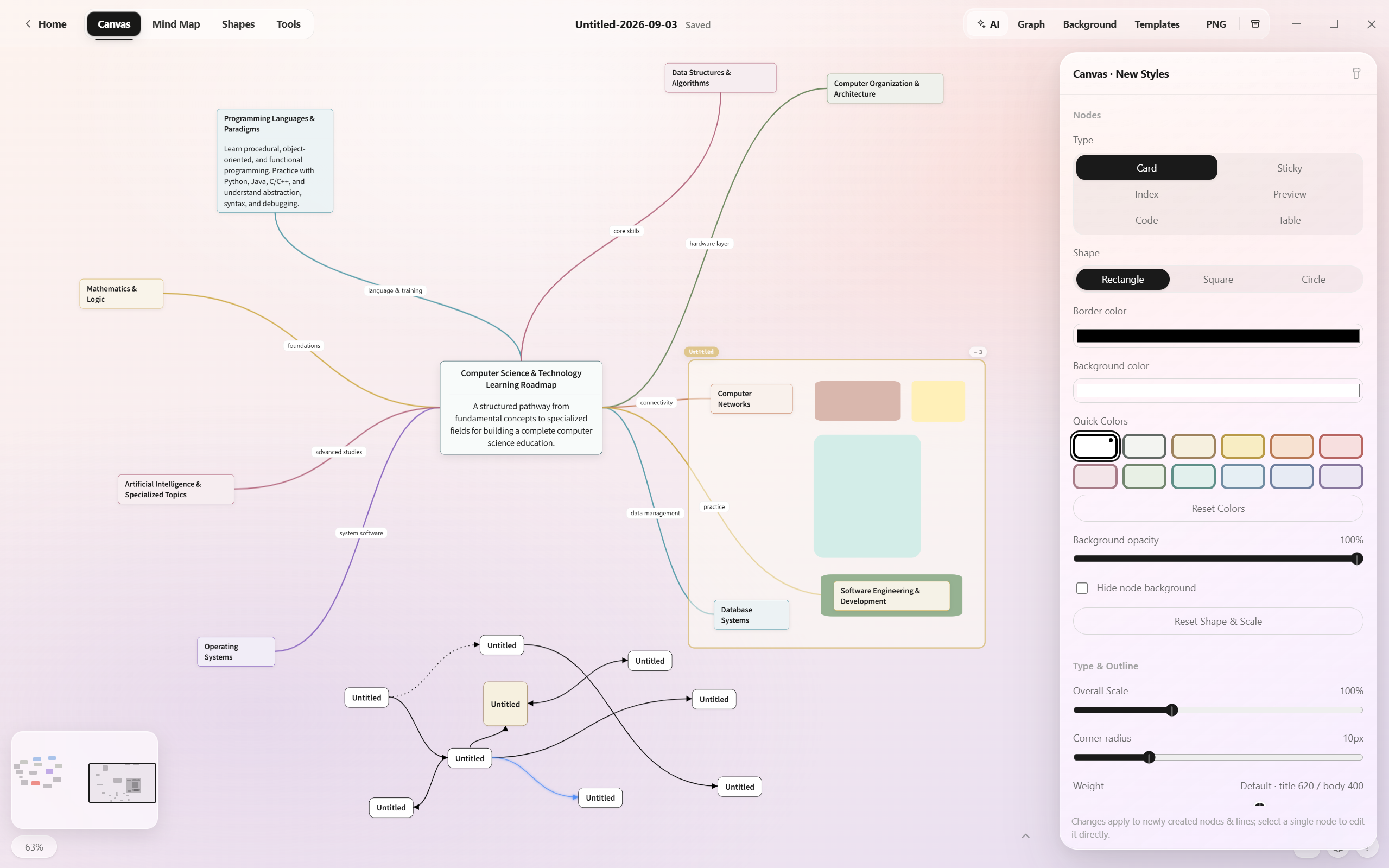
Relatum is an open-source Windows app with four workspaces: Canvas, Notes, Research, and Career.
No account is required. Notes, canvases, and settings stay on your computer. Core features work offline; the optional AI assistant connects to a service you configure.
Highlights
Canvas
- Add text, images, code, and attachments to an infinite canvas. Move and connect them freely.
- Customize nodes and connections, add handwriting, arrange mind maps with one click, and export PNG images.
- Basic compatibility with the Obsidian Canvas format.
Notes
- Live Markdown rendering with math, code, Callouts, images, and embedded canvases.
- Organize files with notebooks, folders, and tabs. Edits save automatically.
- Find and browse notes using search, recent files, tags, outlines, wikilinks, and relationship graphs.
Reading and reference material
- Read and annotate PDF and Markdown documents.
- Use math, Mermaid diagrams, and local attachments. Import Markdown folders.
Study and Career
- Study tasks, daily tasks, Pomodoro timers, and stopwatches.
- Calendar, diary, countdowns, quick notes, and review cards.
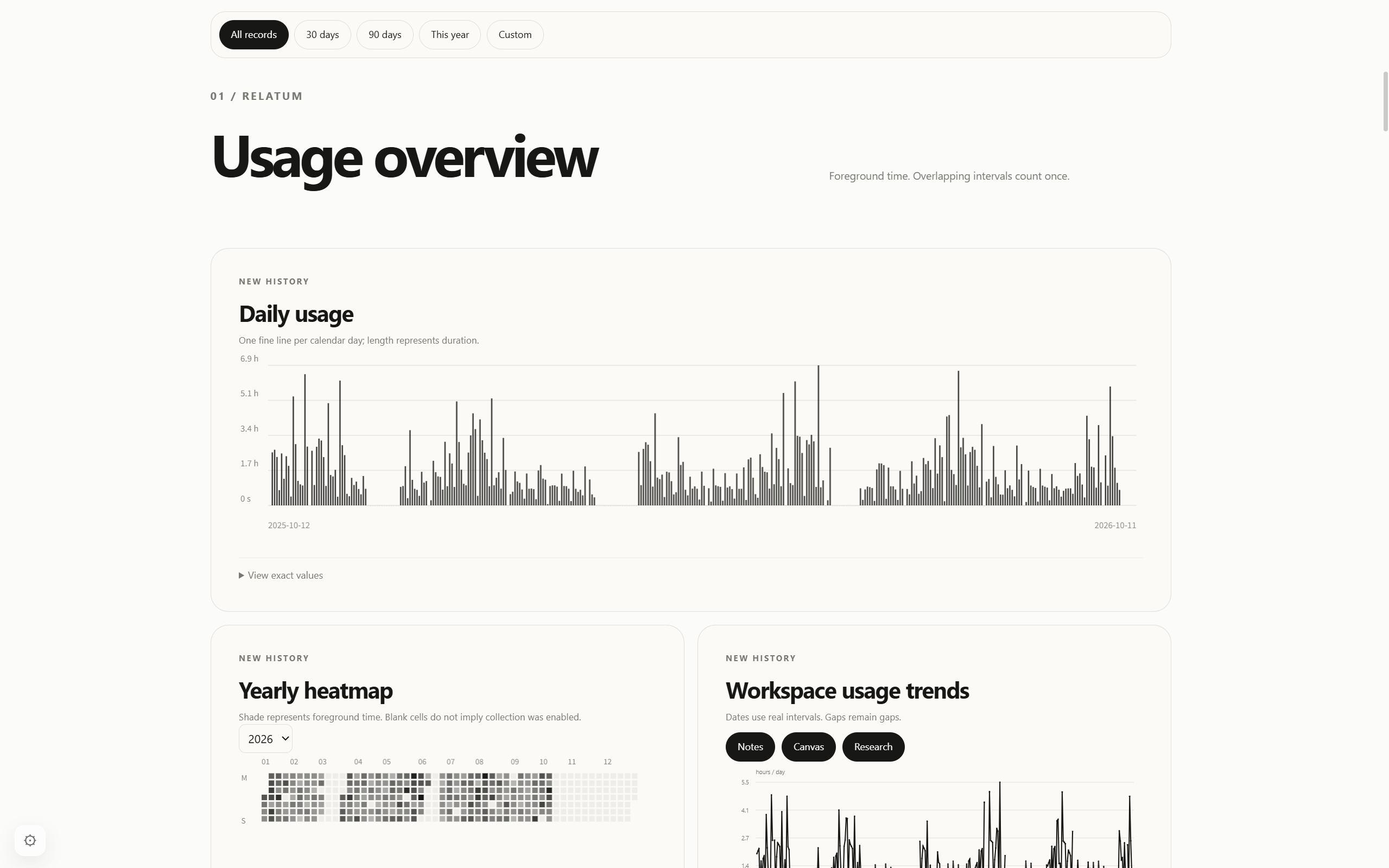
- The Career workspace shows daily usage, yearly heatmaps, and workspace usage trends, with date-range filters.
Appearance and AI
- Themes, custom backgrounds, templates, and style presets.
- An optional AI assistant for chat, organizing content, and generating canvases. Configure your own endpoint, model, and API key.
Screenshots
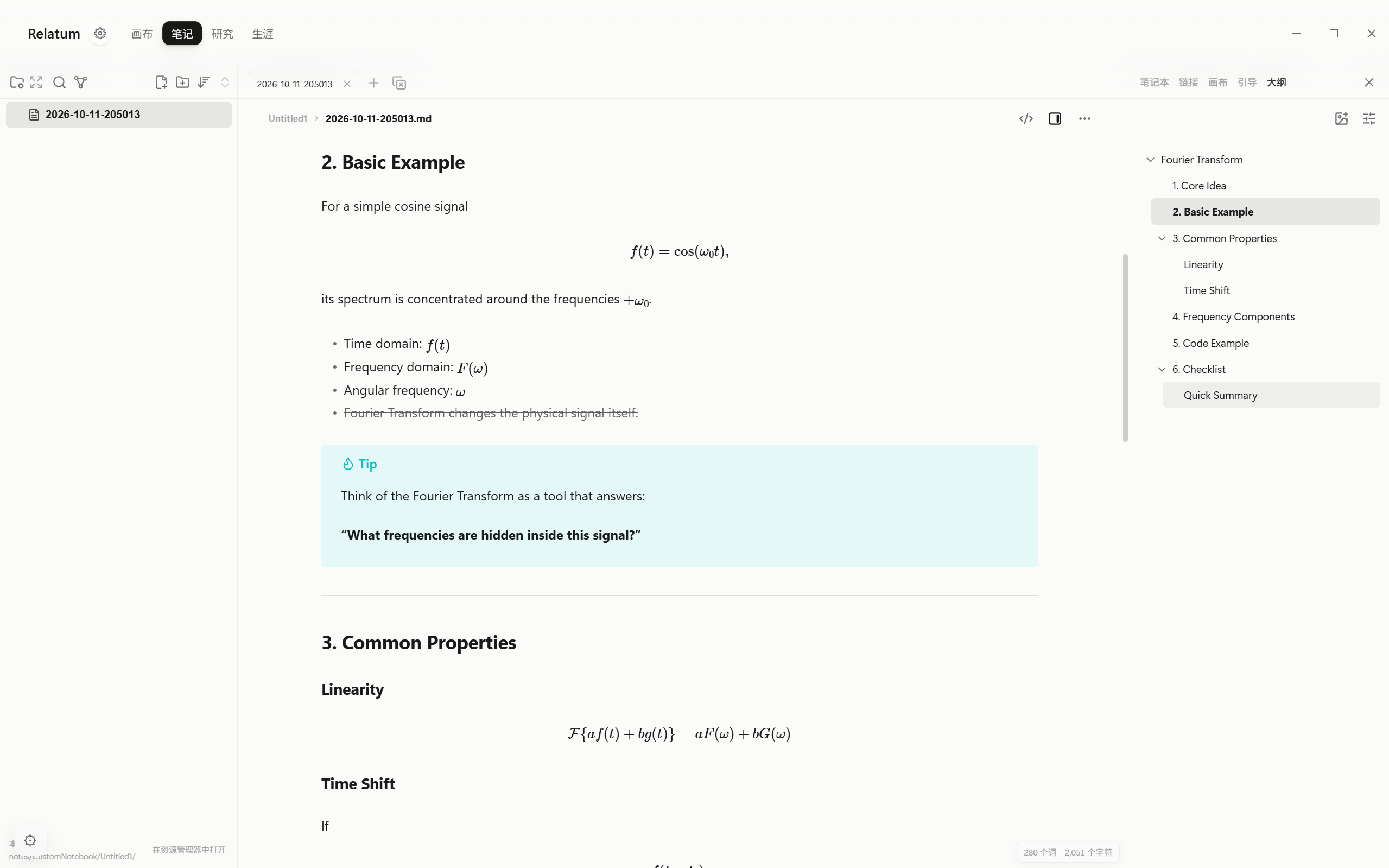
Notes: live Markdown rendering
See math, lists, and Callouts as you edit. Use the outline to jump to a section.
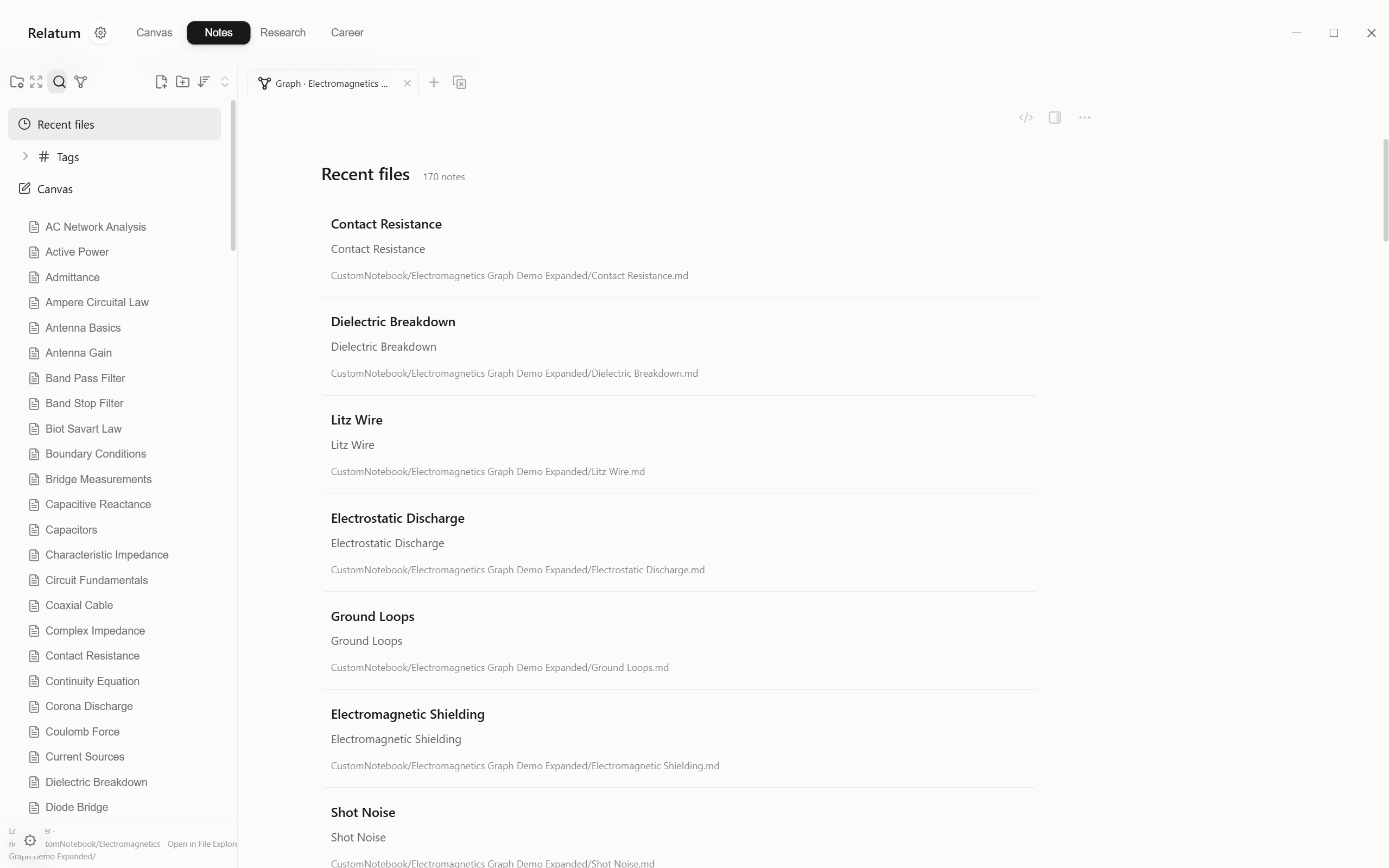
Notes: browsing and search
Find notes through recent files, tags, and search. The list shows titles, previews, and file paths.
Career: usage statistics
View daily usage, a yearly heatmap, and workspace usage trends. Filter by all records, 30 days, 90 days, this year, or a custom range.
More screenshots
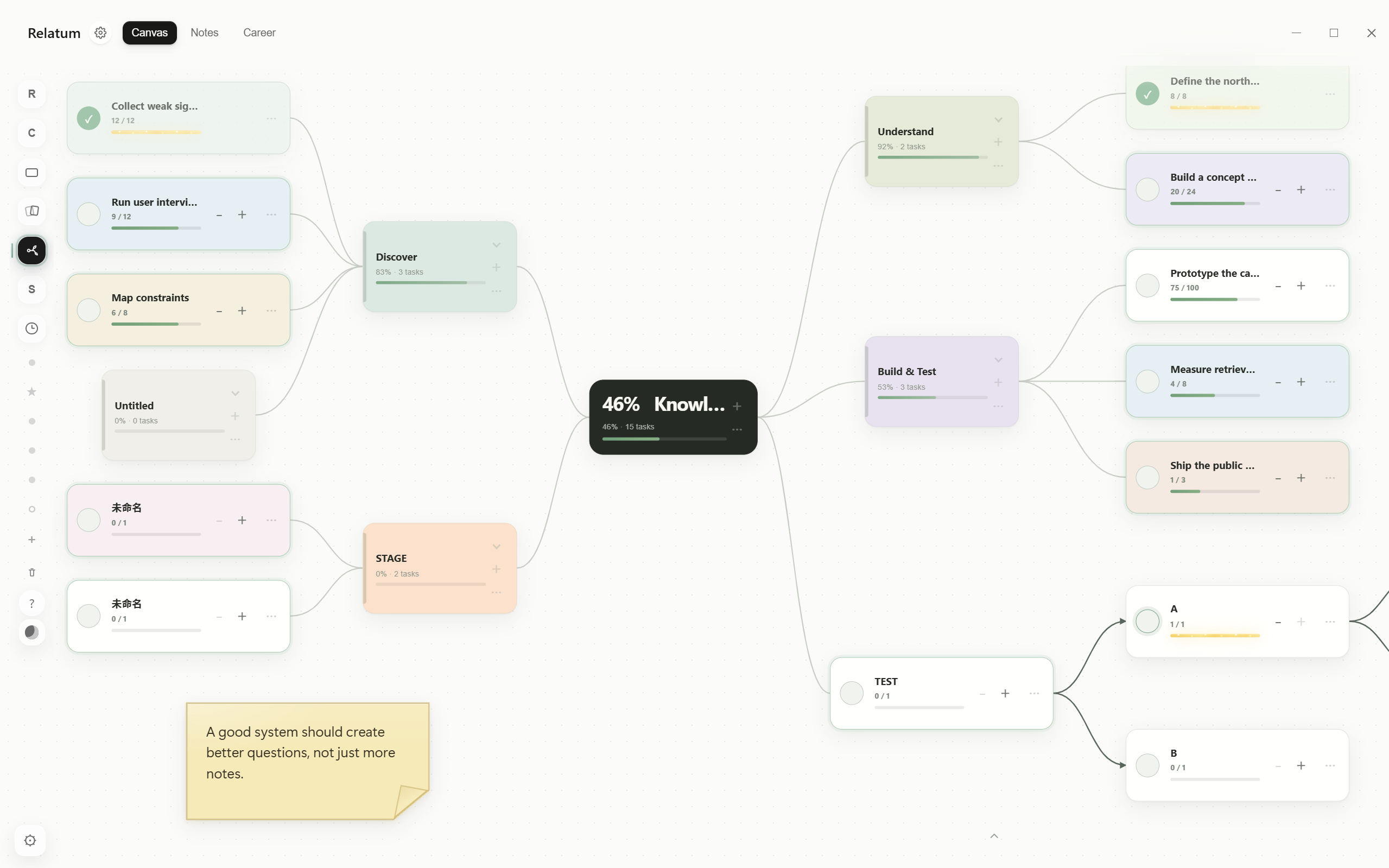
Goal trees and progressive tasks |
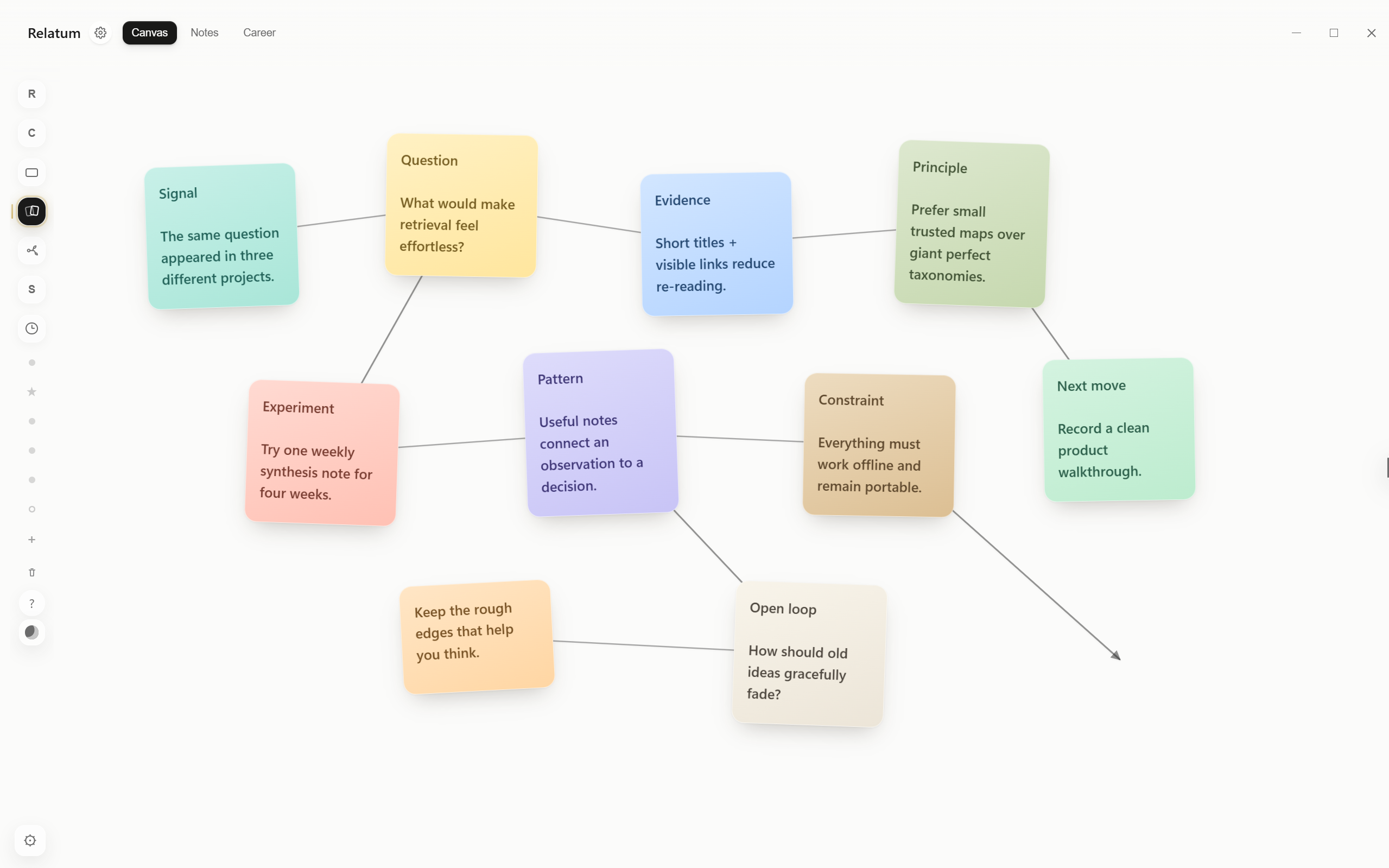
Quick notes and visual relationships |
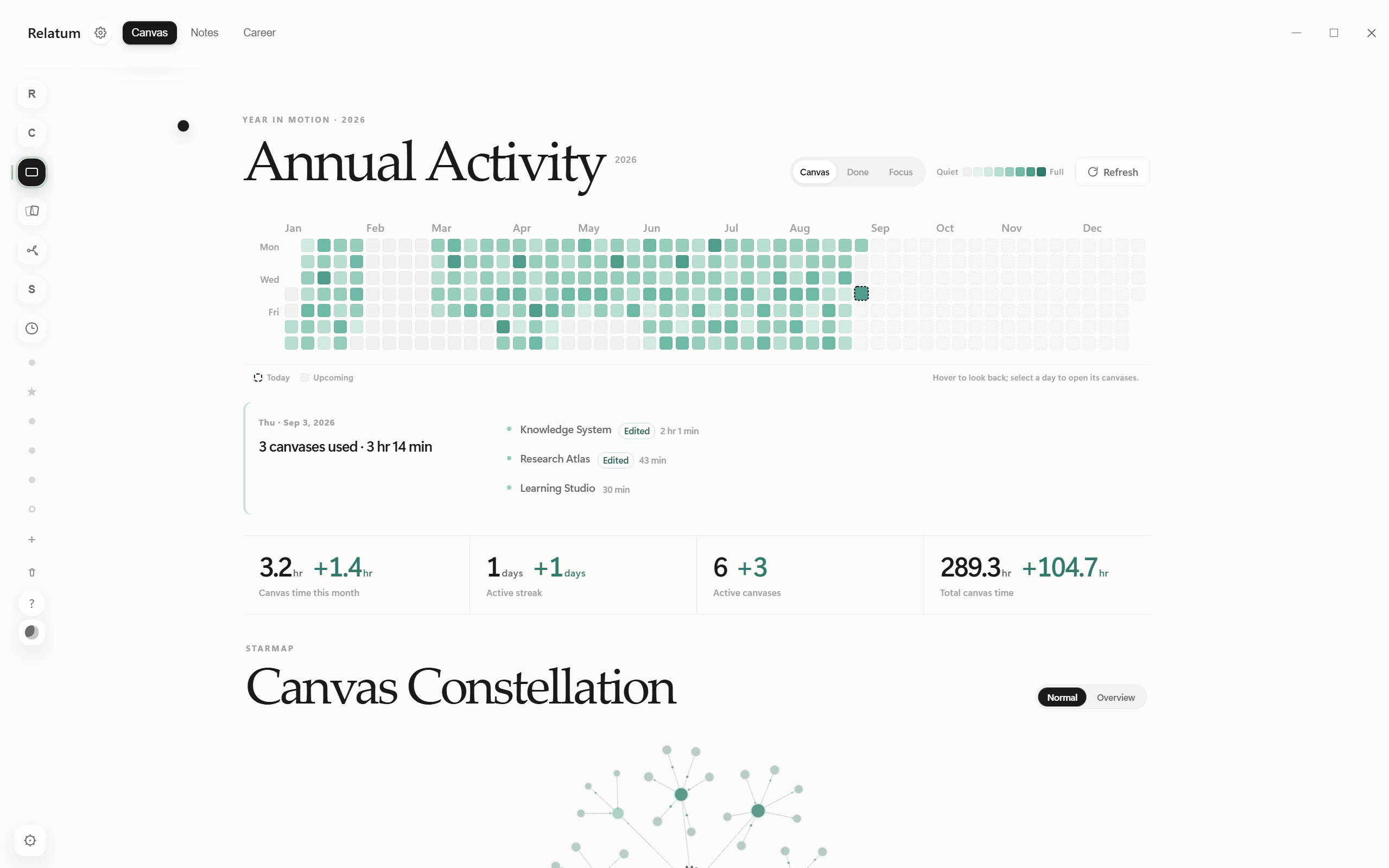
Annual activity and canvas constellation |
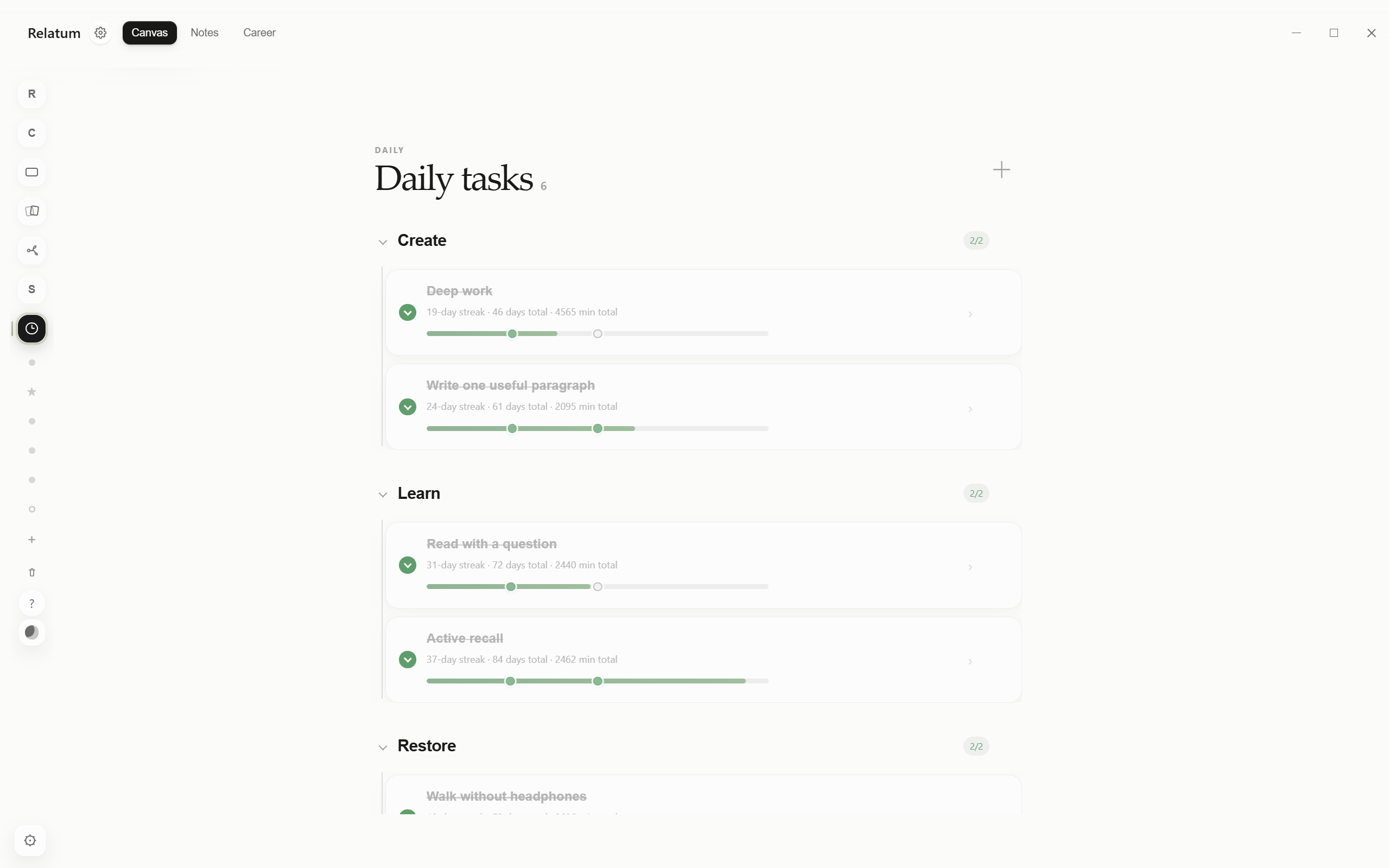
Daily tasks, streaks, and milestones |
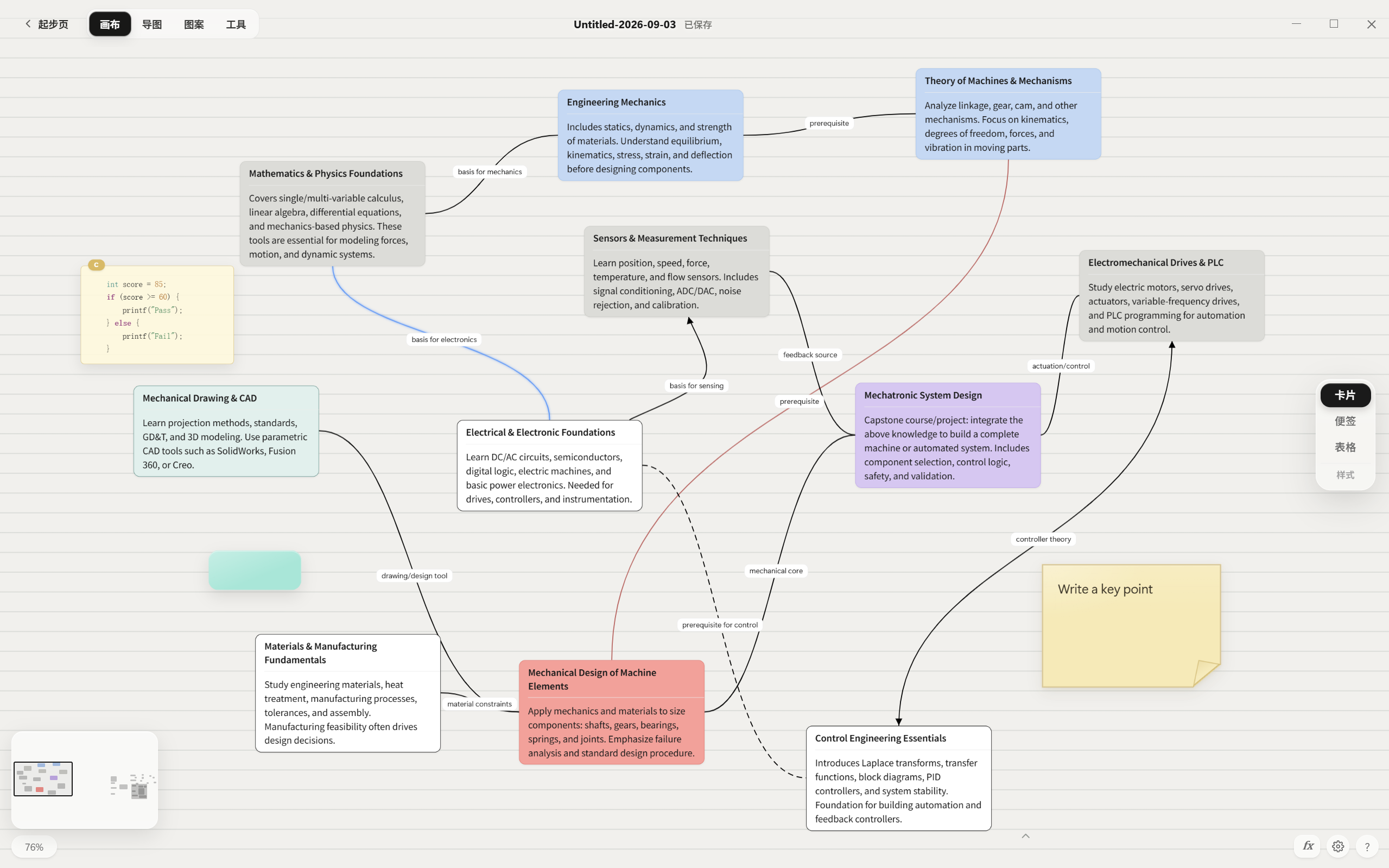
Freeform canvas and course knowledge map |
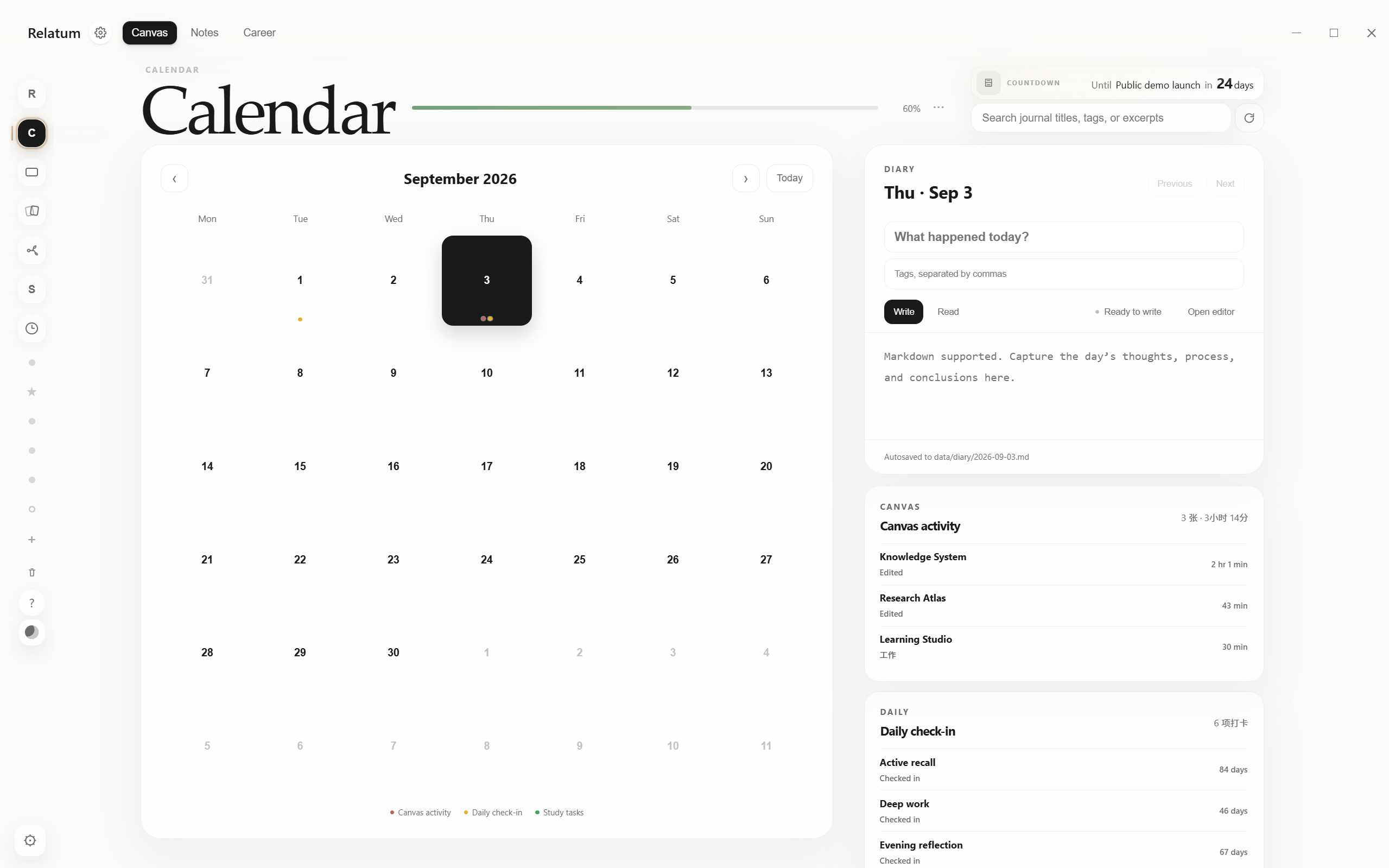
Calendar, diary, countdowns, and daily records |
Quick start
Download the Windows app
- Download the latest
Relatum-release.zip. - Fully extract the ZIP into a writable folder.
- Run
Relatum.exe.
Relatum supports Windows 10/11 and requires Microsoft Edge WebView2 Runtime, which is normally included with modern Windows installations.
Do not overwrite an old installation in place. Keep the old
data/,canvases/, andnotes/folders until you have confirmed that the new version works, then migrate your personal data.
Run from source
Source mode requires Windows 10/11 and Python 3.9 or later. The runtime path uses only the Python standard library:
python app.py
You can also double-click 打开画布.bat, or run:
powershell -ExecutionPolicy Bypass -File .\start.ps1
On first launch, Relatum creates:
canvases/for.canvasfiles and their attachments.notes/for Notes-workspace.mdfiles, nested folders, and local images.data/for recent items, study records, calendar data, window state, and AI configuration.
All three directories are excluded by .gitignore and are not part of the source repository. See the privacy documentation for the complete data boundary.
Build the Windows desktop app
Desktop builds support Python 3.9–3.12. The build script creates a temporary environment and installs pinned versions of PyWebView, PyInstaller, and Pillow:
powershell -ExecutionPolicy Bypass -File .\build-desktop.ps1
The output is placed in the sibling Relatum-release/ directory. User data/, canvases/, and notes/ are never bundled into the release.
Build the Microsoft Store package
Install the Windows 10/11 SDK (including MakeAppx.exe), then run:
powershell -ExecutionPolicy Bypass -File .\build-msix.ps1
The output is placed in the sibling Relatum-store/ directory. Upload
Relatum_<version>_x64.msixupload to Partner Center. Store installations keep
canvas and settings data under %LOCALAPPDATA%\Relatum; source mode and the
GitHub portable build retain their existing data locations.
Project structure
Relatum/
├─ app.py                    Local HTTP service and data API
├─ notes_library.py          Markdown library, wikilink index, and path-safety layer
├─ desktop.py                Windows desktop shell
├─ assets/                   HTML, CSS, JavaScript, and runtime assets
├─ packaging/                Icon, font, and desktop build helpers
├─ build-desktop.ps1         Windows portable release build entry point
├─ build-msix.ps1            Microsoft Store MSIX build entry point
├─ start.ps1                 Source-mode launcher
├─ AI笔记创作指南.md          External canvas/Markdown authoring reference (not a runtime dependency)
└─ AGENTS.md                 Architecture and maintenance constraints
Development and checks
Relatum has no npm build step. Before submitting a change, run at least:
python -m py_compile app.py desktop.py packaging\make_icon.py packaging\make_font_subset.py

Get-ChildItem assets -Recurse -Filter *.js |
  Where-Object { $_.FullName -notmatch '\\vendor\\' } |
  ForEach-Object { node --check $_.FullName }

powershell -ExecutionPolicy Bypass -File .\scripts\check-public.ps1
Before creating a public ZIP or formal release, also run:
powershell -ExecutionPolicy Bypass -File .\scripts\check-public.ps1 -Physical
Contributing
Bug reports, feature ideas, documentation improvements, and code contributions are welcome. Please read CONTRIBUTING.md and AGENTS.md before starting.
Third-party components and license
Mermaid, MathJax, PDF.js, and several fonts are bundled for offline use. See THIRD_PARTY_NOTICES.md for licensing and attribution.
Original Relatum source code and documentation are available under the MIT License, Copyright © 2026 yamibk. Third-party components, fonts, and media assets remain subject to their respective licenses.