
xlzipx/clone-hero-chart-manager
xlzipx/clone-hero-chart-manager has 43 GitHub stars and 4 forks. Star changes are not measured yet. Last checked 2026-11-15 12:34 UTC. Last push 2026-11-15.
Measured star growth
- in 24h
- Collecting history
- in 7 days
- Collecting history
- in 15 days
- Collecting history
- in 1 month
- Collecting history
Net star changes over overlapping periods, not daily totals. Missing measurements are left blank. Stars measure attention, not software quality.
About
Chart Manager (CHM): search, preview, download and convert Clone Hero and YARG charts from RhythmVerse and Chorus Encore.
Creative & MediaREADME.md
Original
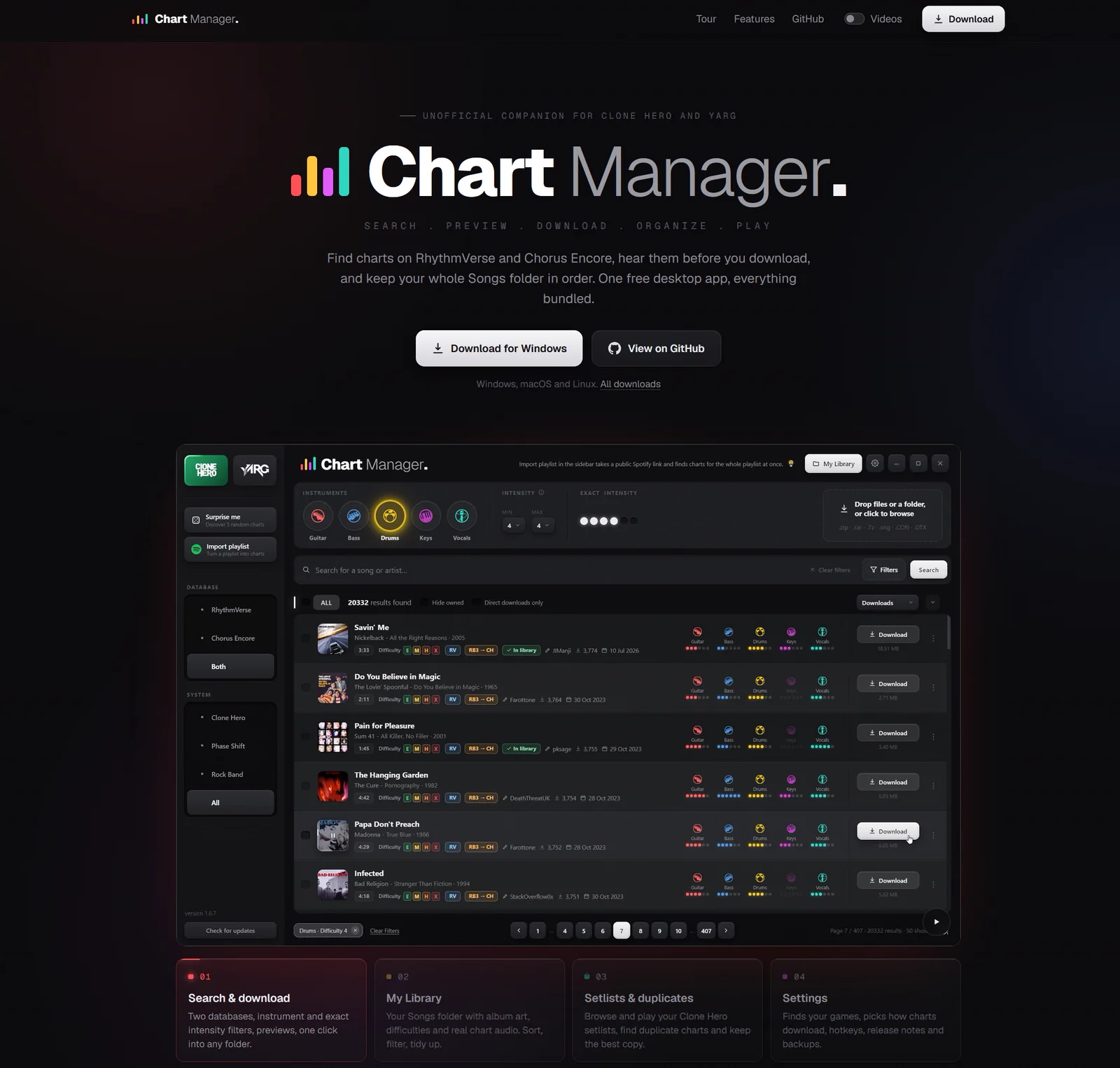





Clone Hero Chart Manager
A free desktop app for Windows, macOS and Linux that finds charts on
RhythmVerse and
Chorus Encore, lets you hear them before you download, installs
them straight into your Clone Hero or YARG Songs folder, and keeps that folder in order.
Everything it needs is bundled in the installer.
What it does
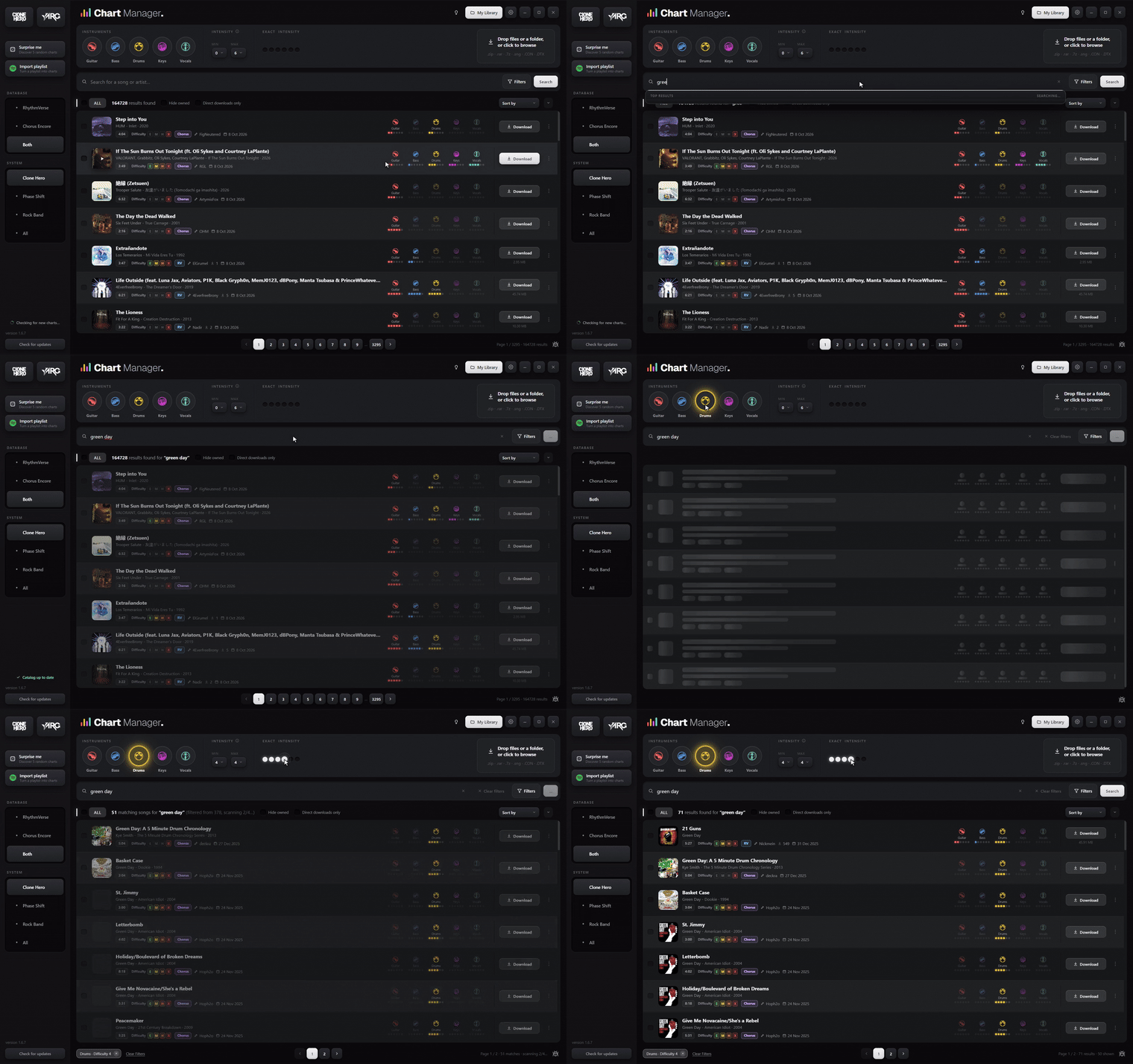
Search and download. Both databases in one search bar, filters by instrument, intensity, difficulty, genre, year, charter and more, previews on the album art, one click into any folder. |
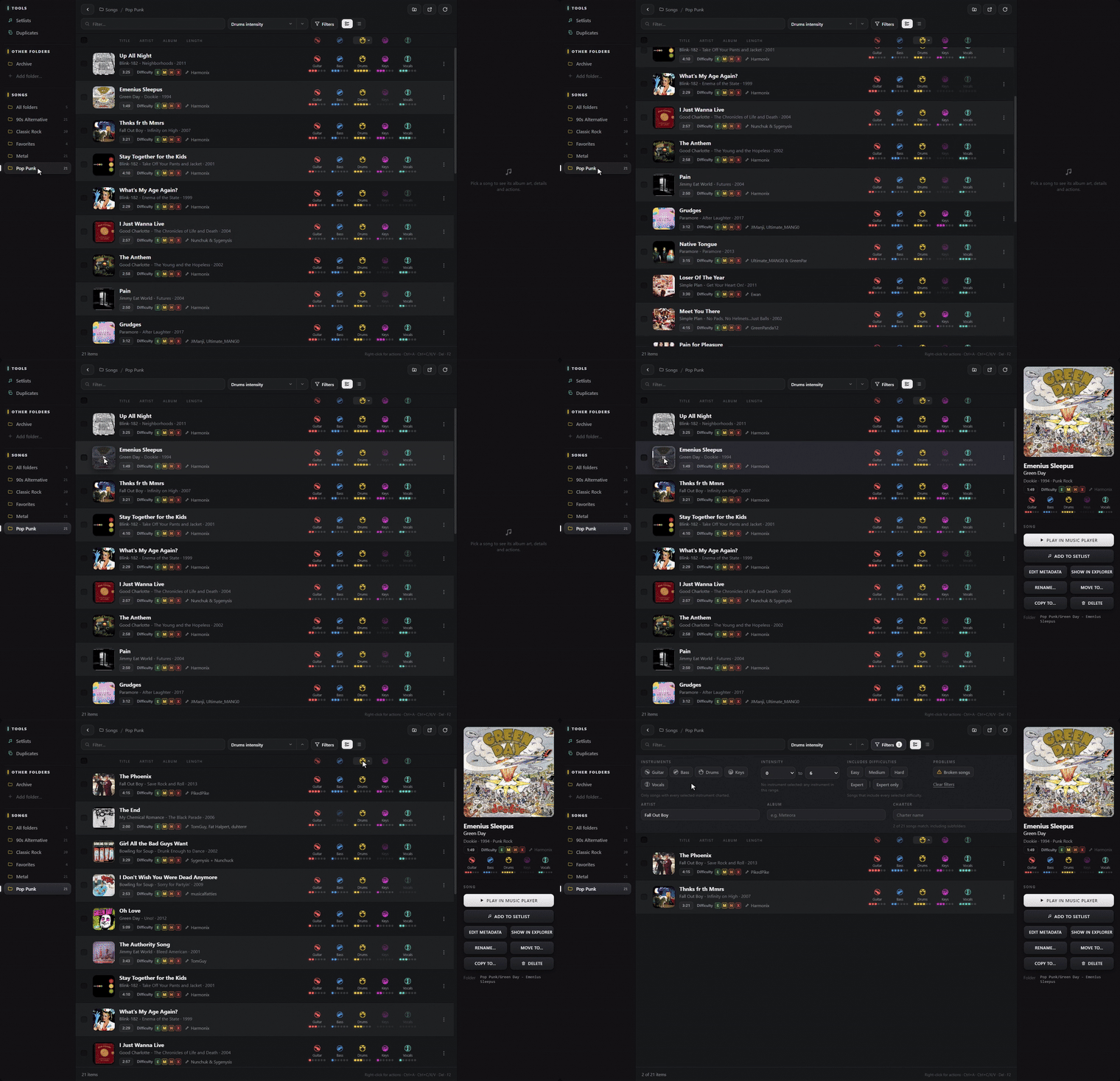
My Library. Your Songs folder with album art, difficulties and the real chart audio. Sort, filter, rename, move and clean up, including folders outside Songs. |
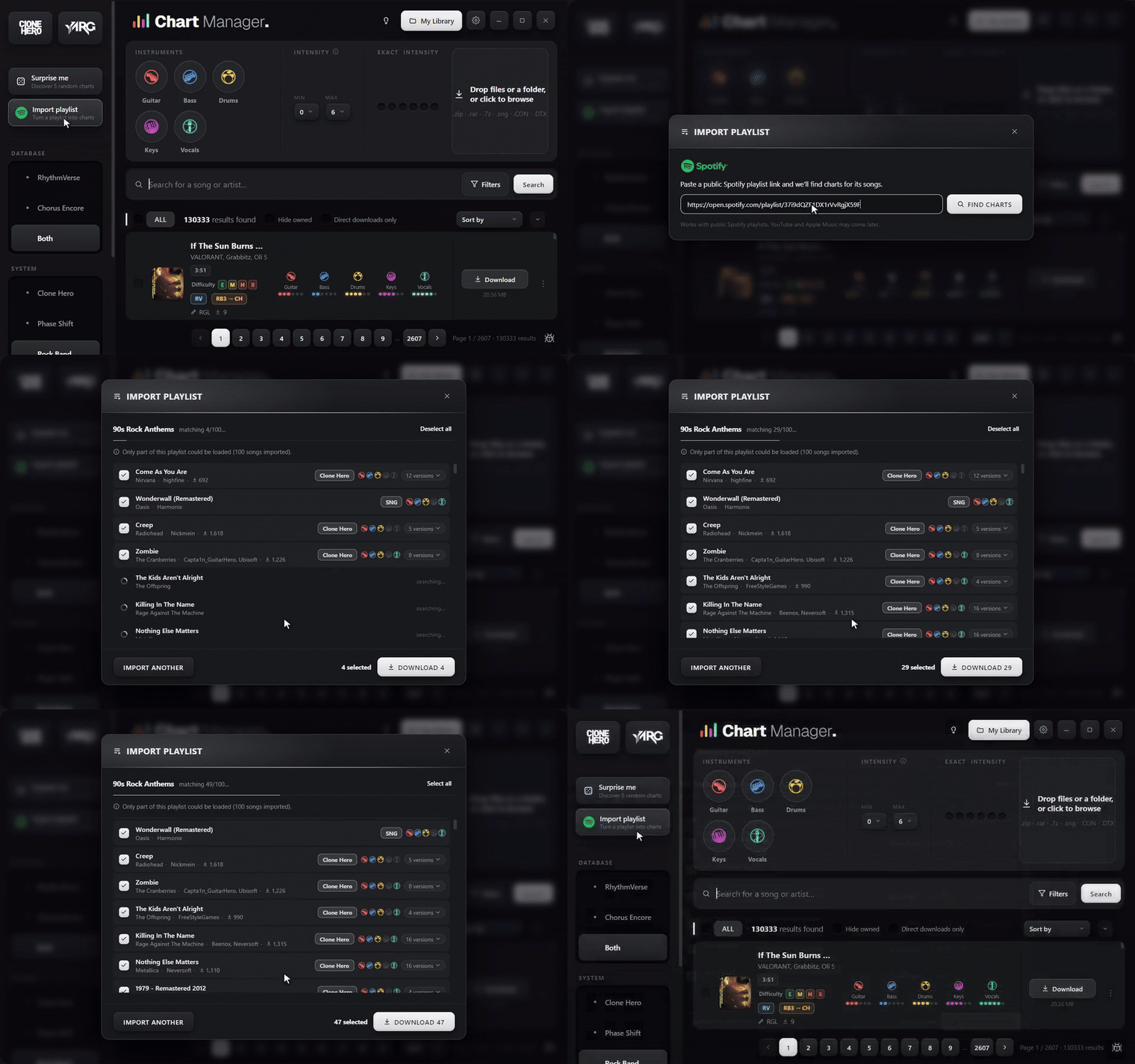
Spotify import. Paste a public playlist link and get a chart for every song in it, then download them all at once. |
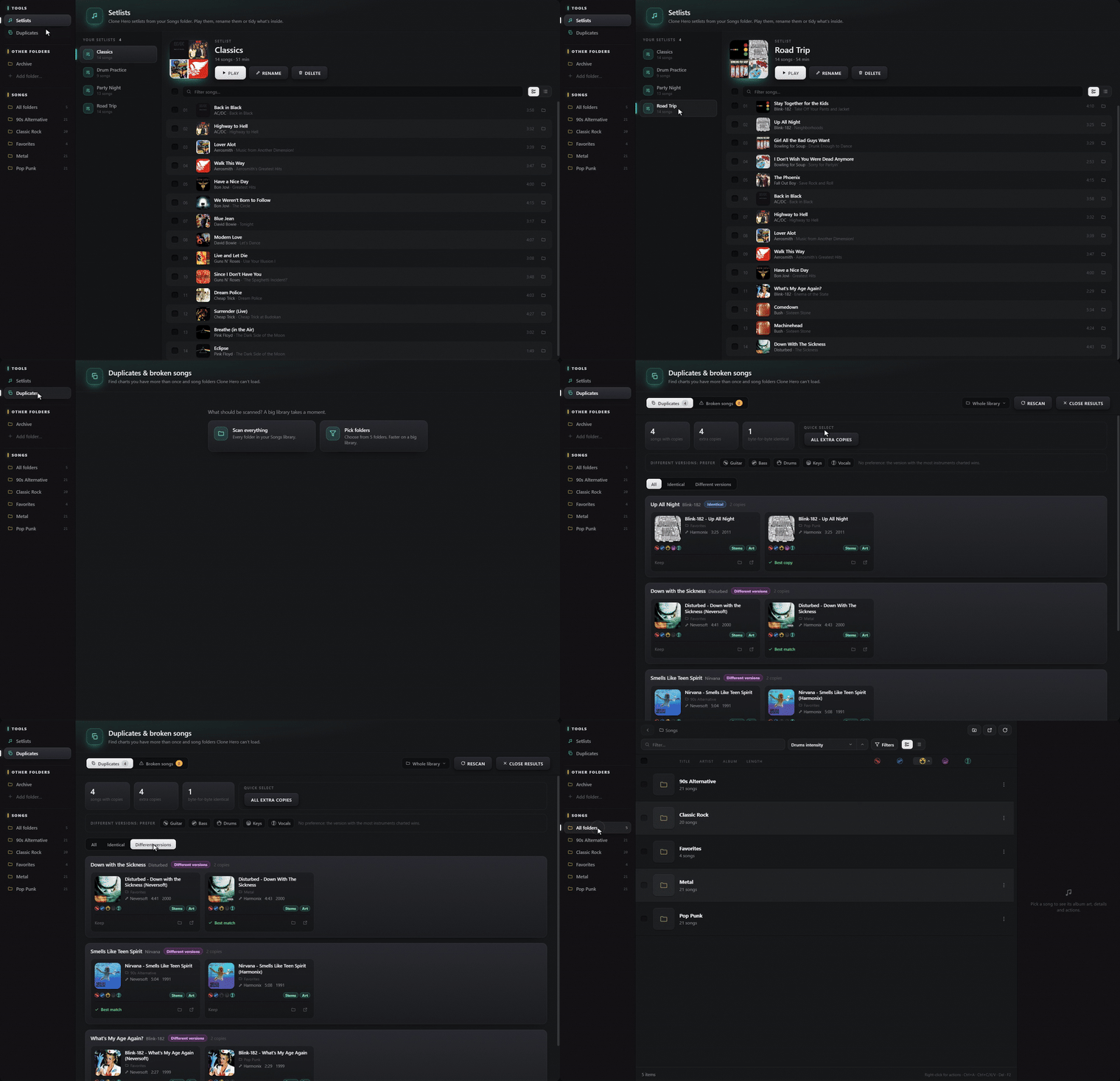
Setlists and duplicates. Play and edit your Clone Hero setlists, compare duplicate charts side by side and keep the best copy. |
Also included:
- Rock Band conversion. Xbox 360 CON and
.rb3concharts are converted to Clone Hero format while they download (bundled Onyx). Drag and drop works too, for.zip,.rar,.7z,.sngand CON files. - Fast, offline-first catalog. A local index of both databases ships with the app and updates in the background, so browsing and every filter respond instantly.
- Music player. Listen to any folder or setlist with the real song audio, at an even volume.
- Game launcher. Start Clone Hero or YARG from the sidebar and jump back with a global hotkey. An optional hotkey reminder can float over the game.
- Many download hosts. Google Drive, Mediafire, Dropbox, link shorteners and direct links. MEGA and other manual hosts open in your browser.
Install
| Platform | File | Notes |
|---|---|---|
| Windows | CHM-Setup-<version>.exe |
Installer with automatic updates. |
| Windows | CHM-Portable-<version>.exe |
No install, runs from anywhere. |
| macOS | CHM-<version>-mac-arm64.dmg |
Unsigned: the first launch needs right-click, then Open. Onyx needs Rosetta 2 (softwareupdate --install-rosetta). |
| Linux | CHM-<version>-linux-x86_64.AppImage |
chmod +x and run. |
Get them from the latest release or the website. On first launch the app finds your Songs folder and games where it can; otherwise Settings opens and you point it at the Songs folder once.
After a download, open Settings, then Scan Songs in Clone Hero to see the new charts.
Building from source is described in docs/building.md.
Related projects
Clone Hero Chart Studio is a chart editor for Clone Hero with its own engine (drums and 5-fret guitar and bass, in 2D, 3D and split views). If Chart Manager is how you find and organise charts, Chart Studio is how you make them.
License
The app's own code (app/) is licensed under the MIT license, see LICENSE.
It bundles separate programs with their own licenses (Onyx: GPLv3, 7-Zip: LGPL,
parse-sng: MIT); see THIRD-PARTY.txt.