
xlmnxp/ixui
xlmnxp/ixui has 37 GitHub stars and 2 forks. GitHot measured +2 stars in 24 hours. Last checked 2026-11-14 22:59 UTC. Last push 2026-11-10.
What you can do
- Create wizard: simplestreams catalog or cached images, profile selection, memory/CPU limits, network, target cluster member.
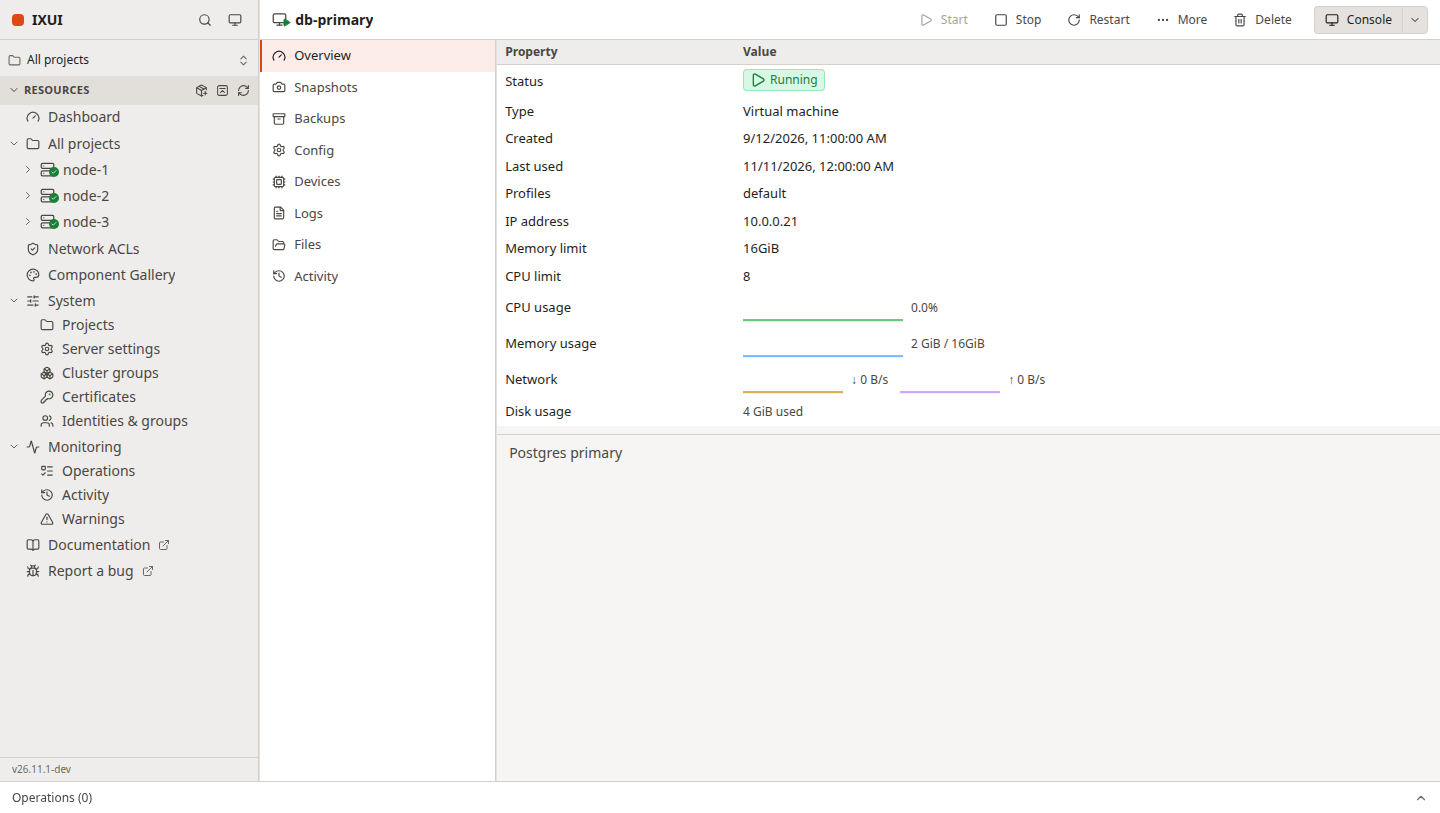
- Detail view with Overview (live CPU/memory/network/disk sparklines), Snapshots, Backups, Config, Devices, Logs, Files and per-instance Activity.
- Lifecycle actions (start, stop, restart, freeze), rename, copy, move across projects and members (optionally live), delete, backup export download, and a VM console thumbnail.
- Automatic snapshots: an editor for snapshots.schedule / snapshots.expiry with an enable switch.
Measured star growth
- in 24h
- +2
- in 7 days
- Collecting history
- in 15 days
- Collecting history
- in 1 month
- Collecting history
Net star changes over overlapping periods, not daily totals. Missing measurements are left blank. Stars measure attention, not software quality.
About
Incus UI, but with a Proxmox soul and an ESXi skeleton.
Web & AppsREADME.md
OriginalIXUI — a web interface for Incus



[!WARNING] Pre-alpha. IXUI is early software — expect missing features, rough edges and breaking changes. Do not point it at a production cluster you are not prepared to re-create.
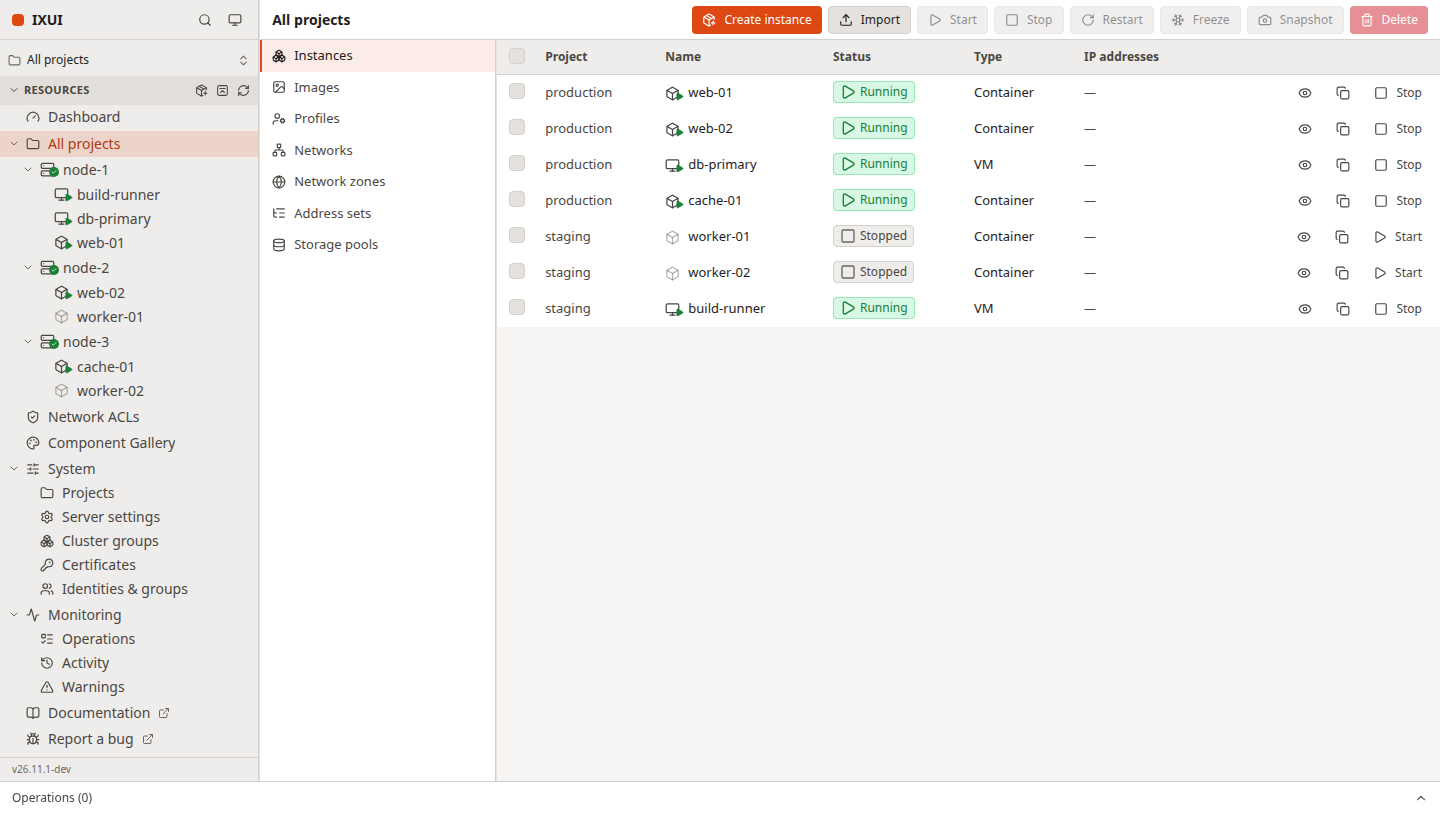
IXUI is a web UI for Incus: a single-page React app that talks straight to incusd over its REST API and event stream. It is built on a hand-written component system — no component library, no CSS framework beyond Tailwind utilities — so the whole surface is ours to shape.
 |
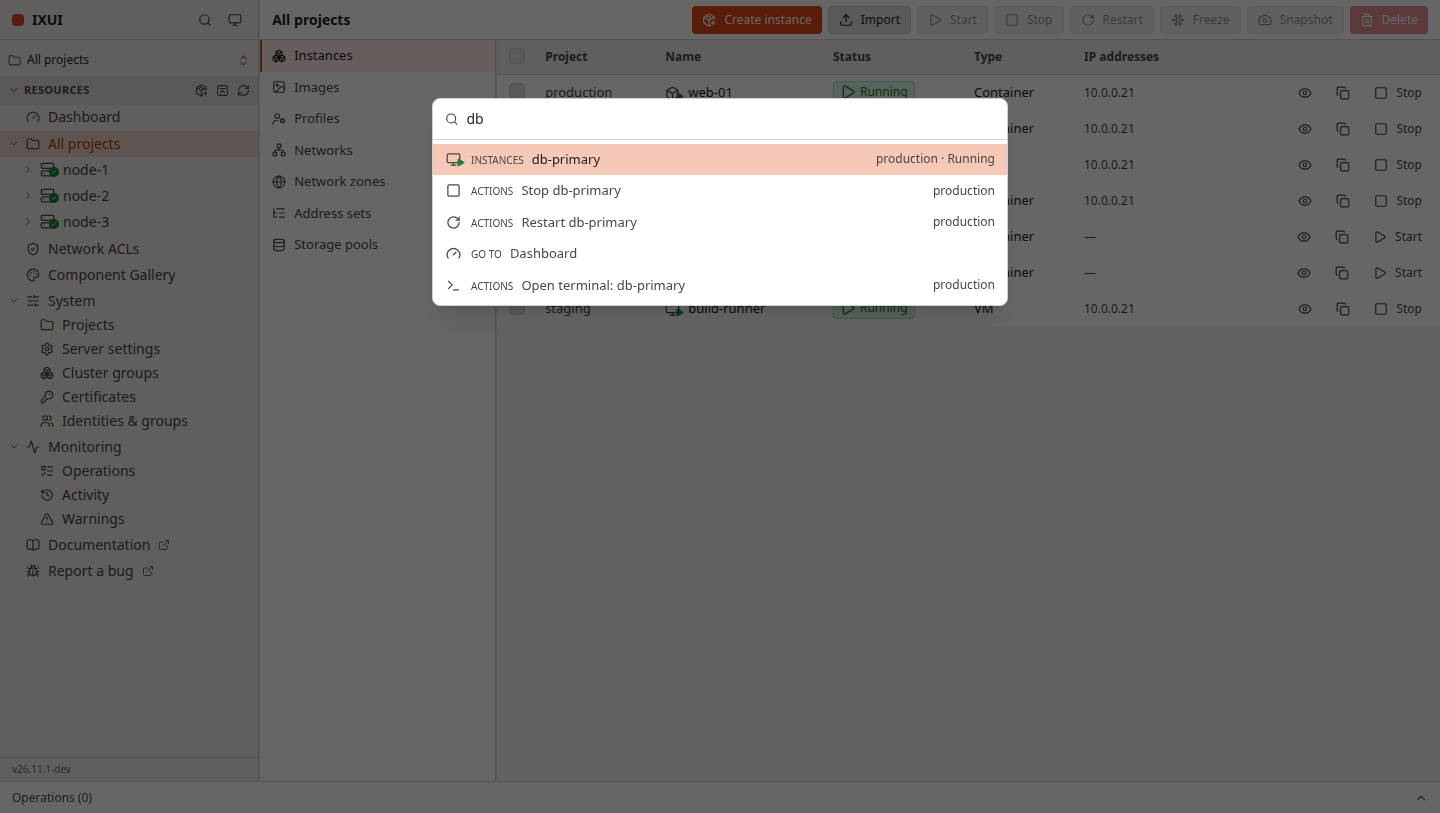 |
| Instance overview — live metrics and health | Command palette — Ctrl/Cmd+K for anything |
Screenshots use demo data.
Why another UI
- Cluster-first. The sidebar is a real tree: cluster members, their instances, the project selector and the system/monitoring pages — not a flat table bolted onto a cluster API.
- Fast to operate. Bulk start/stop/restart/freeze/snapshot/delete, per-instance context menus, a command palette and keyboard-navigable dialogs.
- Honest state. Operations show live progress (download percentage, unpack stage), the task bar keeps running work visible, and editors warn before you throw away unsaved changes.
- Light and dark, remembered. System/dark/light theme, remembered split position and table sorting, and a drawer layout on narrow screens.
- Small dependency surface.
lucide-reactfor icons is the only UI dependency; everything else is React, TypeScript and Tailwind tokens.
Features
Instances
- Create wizard: simplestreams catalog or cached images, profile selection, memory/CPU limits, network, target cluster member.
- Detail view with Overview (live CPU/memory/network/disk sparklines), Snapshots, Backups, Config, Devices, Logs, Files and per-instance Activity.
- Lifecycle actions (start, stop, restart, freeze), rename, copy, move across projects and members (optionally live), delete, backup export download, and a VM console thumbnail.
- Automatic snapshots: an editor for
snapshots.schedule/snapshots.expirywith an enable switch. - Backups: create (instance-only or optimised), download, delete; import an instance from an uploaded backup archive.
Files and terminal
- File explorer with back/forward history, a path bar, in-place text editing, upload, download, create folder and delete.
- Popup shell terminal per instance, plus a SPICE (VGA) console for VMs with fit-to-window scaling.
Infrastructure
- Images: local list, pull from simplestreams remotes, alias management.
- Networks: create/delete, forwards, load balancers, and peers on OVN networks; network zones and address sets in their own tabs.
- Network ACLs: project-scoped rules with a large rule editor (ingress/egress, action dropdown, protocol presets, logging and state indicators).
- Storage: pools, custom volumes (create, rename, resize, snapshots, attach), ISO import, and buckets with an object-store friendly driver list.
- Profiles and projects: full CRUD, project usage against real limits, and stepped editors.
- Cluster: member overview and capacity, evacuate/restore, join tokens, cluster groups, failure domains and member editing.
Everything else
- Authentication via TLS client certificate or OIDC, including the
user.ui.sso_onlyredirect mode anduser.ui.titlebranding. - Realtime updates from the Incus event websocket, with automatic reconnects.
- Operations and activity logs, warnings, a persistent task bar with live progress, and cancellation.
- Identities and auth groups (OpenFGA), certificates, and server settings.
- Accessibility: focus-trapped dialogs, keyboard-navigable tree and tabs, axe checks in the test suite.
- A component gallery at
/ui/galleryshowing every primitive and its states.
Quick start
Requirements: Node 20+, and an incusd you can reach (defaults to
https://127.0.0.1:8443).
git clone https://github.com/xlmnxp/ixui.git
cd ixui
npm install

# client certificate for the dev proxy
incus list >/dev/null 2>&1 || incus remote add local https://127.0.0.1:8443

npm run dev
Open http://localhost:5173/ui/. The Vite plugin proxies /1.0, the event
websocket, /oidc and /documentation to incusd using the client certificate in
~/.config/incus/. Point it elsewhere with environment variables:
INCUS_TARGET=https://incus.example.com:8443 INCUS_CERT_DIR=~/.config/incus npm run dev
Deploy
npm run build   # type-check + bundle into dist/
sudo cp -r dist/* /usr/share/incus/ui/   # confirm the path on your distro
sudo systemctl restart incus
Then browse to https://your-host:8443/ui/. Authentication is automatic when the
browser has a trusted client certificate, or through OIDC when configured.
Server options the UI reads
| Key | Effect |
|---|---|
user.ui.title |
Name shown in the sidebar and window title |
user.ui.sso_only |
true skips the local login screen and redirects to OIDC |
metadata.enabled |
true exposes config-key descriptions in editors |
incus config set user.ui.title "Acme Cloud"
incus config set metadata.enabled true
Project layout
src/
  api/          typed Incus REST client, event stream, endpoint modules
  components/   hand-written primitives (Dialog, Window, Table, Tree, …)
  lib/          small helpers: paths, formatting, guards, operation progress
  pages/        route-level screens, one folder per instance tab
  shell/        layout, sidebar tree, command palette, task bar, context menus
  state/        tiny external stores consumed through useSyncExternalStore
  styles/       design tokens (@theme) and the two theme variants
scripts/        conventional-commit release tooling
plugins/        Vite dev proxy for incusd (HTTP + websocket)
Development
npm run dev        # Vite dev server with the Incus proxy
npm run build      # type-check then bundle
npm test           # vitest unit + component tests
npm run typecheck  # tsc --noEmit
npm run lint       # eslint, zero warnings allowed
Design tokens live in src/styles/theme.css; every component in
src/components/ ships with tests. The gallery at /ui/gallery renders each one
with its variants and states.
Releases
Releases are automatic. Commit messages follow
Conventional Commits; feat, fix,
perf and breaking changes trigger a release with a tag, an updated
CHANGELOG.md, and a GitHub release carrying ixui-<version>.zip (the built
dist/) plus its checksum. Versions are year-month based (YY.M.N), and the
running app shows its version at the bottom of the sidebar.
AI-assisted development
IXUI is built with substantial help from AI coding tools. Contributions are human-reviewed and covered by the test suite, but given the pre-alpha state, apply the usual scrutiny before trusting it with your clusters. Bug reports and pull requests are very welcome.
License
Copyright 2026 Salem Alsaiari. Licensed under the Apache License 2.0.