
ximing/aimo
ximing/aimo has 27 GitHub stars and 2 forks. GitHot measured 0 stars in 24 hours. Last checked 2026-11-15 13:26 UTC. Last push 2026-11-13.
Measured star growth
- in 24h
- 0
- in 7 days
- Collecting history
- in 15 days
- Collecting history
- in 1 month
- Collecting history
Net star changes over overlapping periods, not daily totals. Missing measurements are left blank. Stars measure attention, not software quality.
About
AI First 卡片笔记。随手记下,检索、关联和复习交给 AI / AI-first card memos you self-host
ProductivityREADME_EN.md
OriginalAIMO


AI-first card memos. Capture a thought in one card; retrieval, linking, and review are built in. Your data stays on your machine, and can become private memory for your agents.
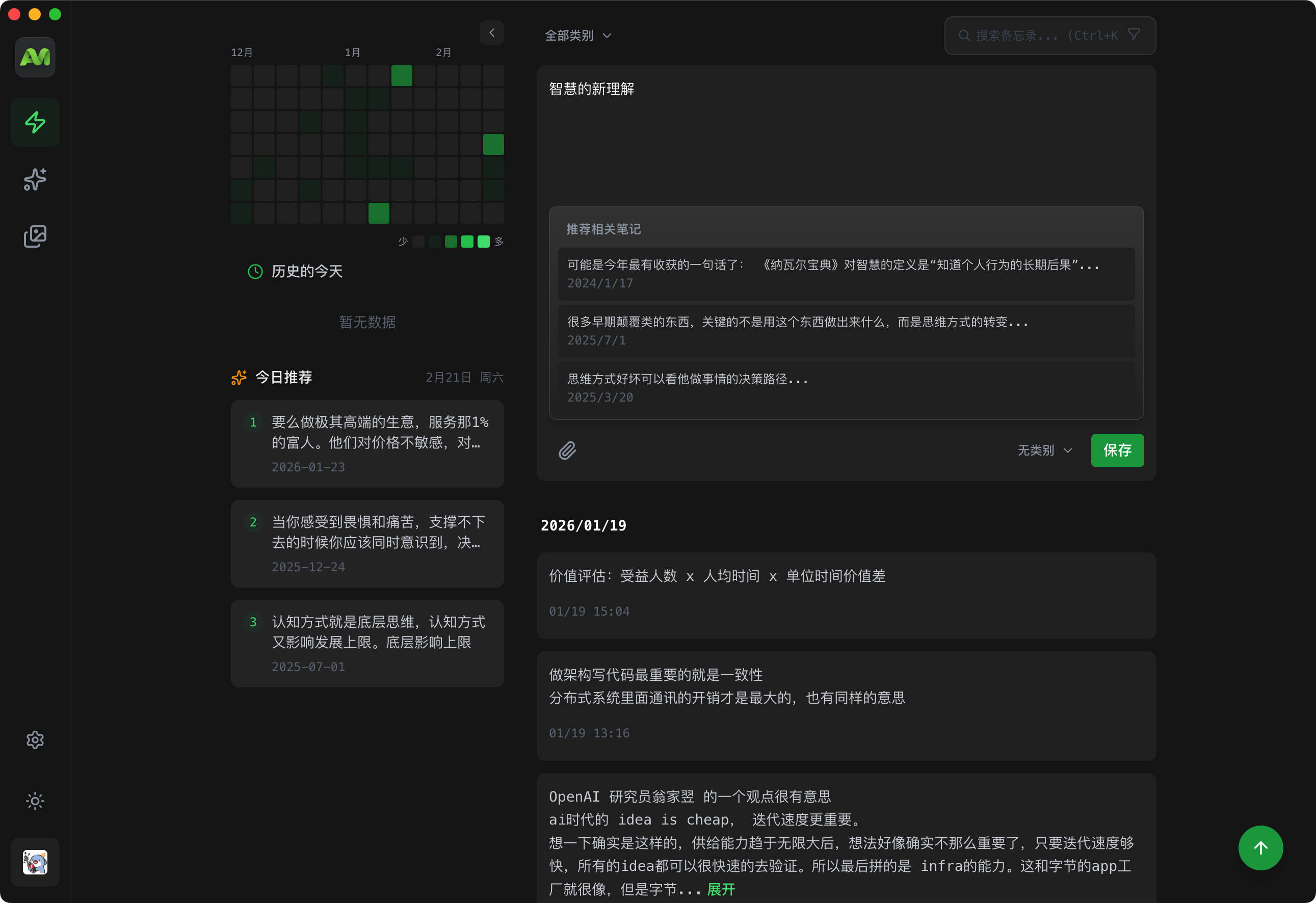
Positioning
One card, one thought. AI is a first-class capability, not a bolted-on button.
| AIMO | Document knowledge base | Capture-only tools | |
|---|---|---|---|
| How you write | A stream of cards | Long documents you organize | Short captures |
| AI | First-class: search, links, review, memory | Plugin or add-on | Little or none |
| Where data lives | Your server or computer | Local or self-hosted | Usually the cloud |
| Getting started | Three-line Docker, or desktop / Android | Assemble a workflow | Sign up |
✨ Core Features
🤖 AI Capabilities
- Smart Summarization - AI automatically generates note summaries, extracting key information quickly
- Semantic Search - Vector-based search powered by OpenAI Embedding, understanding meaning rather than keyword matching
- Intelligent Associations - Automatically discovers relationships between notes, building a visual knowledge graph
- Daily Recommendations - Surface "On This Day" notes to rediscover past ideas
- Spaced Repetition - Built-in review so notes come back to you instead of disappearing into the archive
📝 Note Management
- Color Tags - 10+ color labels for intuitive note categorization
- Category Management - Multi-level category system for flexible knowledge organization
- Version History - Track note modifications, revert anytime
- Relation Graph - Visualize references and relationships between notes
🔍 Discovery & Search
- Full-text Search - Quickly search note titles and content
- Tag Filtering - Filter notes by tags
- Calendar Heatmap - Visualize note activity, click dates to filter
- Smart Sorting - Sort by time, relevance, and more
💻 Multi-Platform Support
- Web App - Responsive design for desktop and mobile browsers
- Desktop Client - Tauri app that opens https://aimo.plus, for macOS, Windows, and Linux
- Mobile App - Android APK support, iOS pending release
- Browser Extension - Quick web content saving (in development)
🎨 Personalization
- Dark/Light Theme - One-click switching, easy on the eyes
- PWA Support - Install as desktop app, works offline
- Keyboard Shortcuts - Ctrl+K quick search for efficient operation
📸 Screenshots
| Smart Note Editor | Semantic Search | Knowledge Graph |
|---|---|---|
|
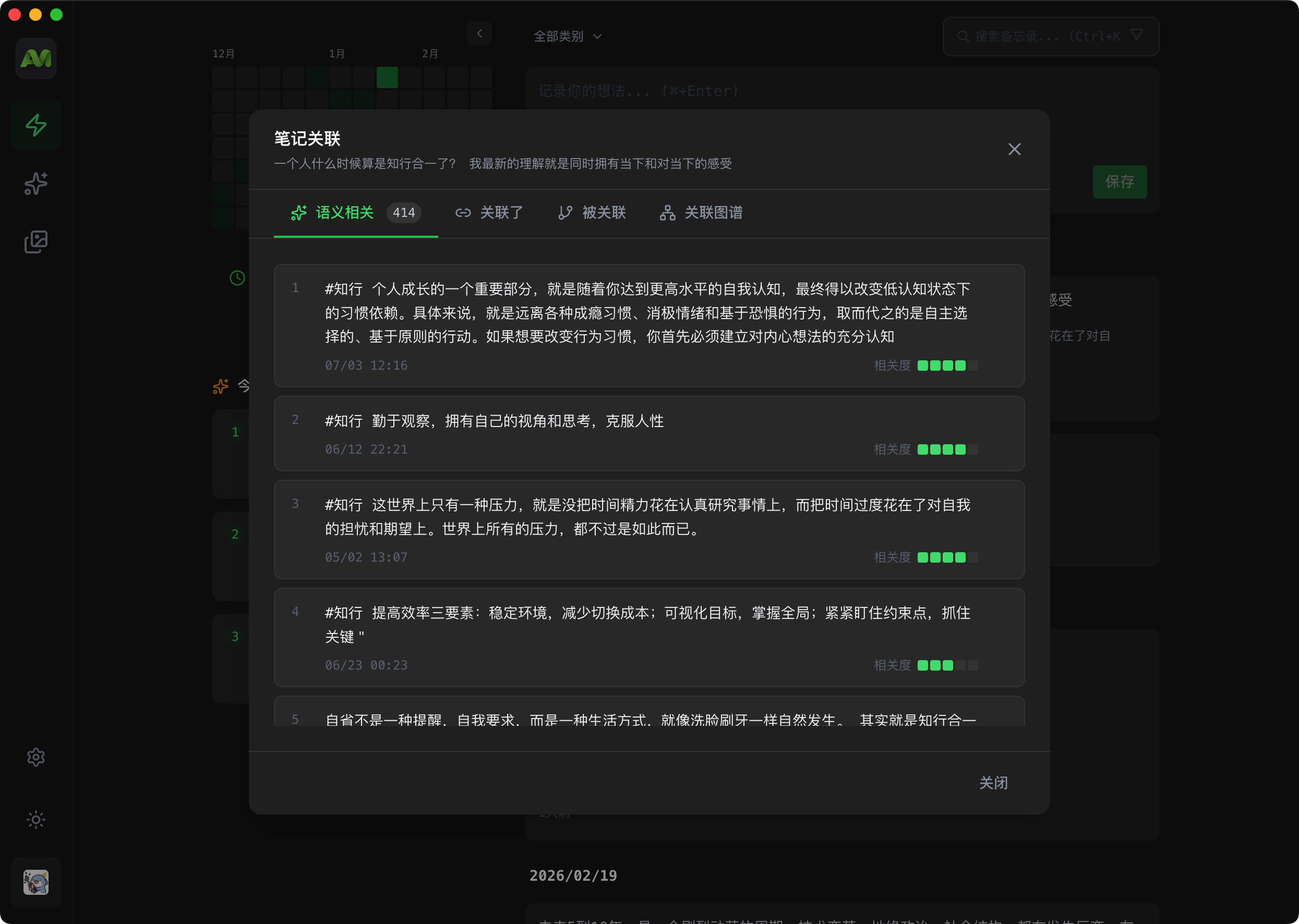 |
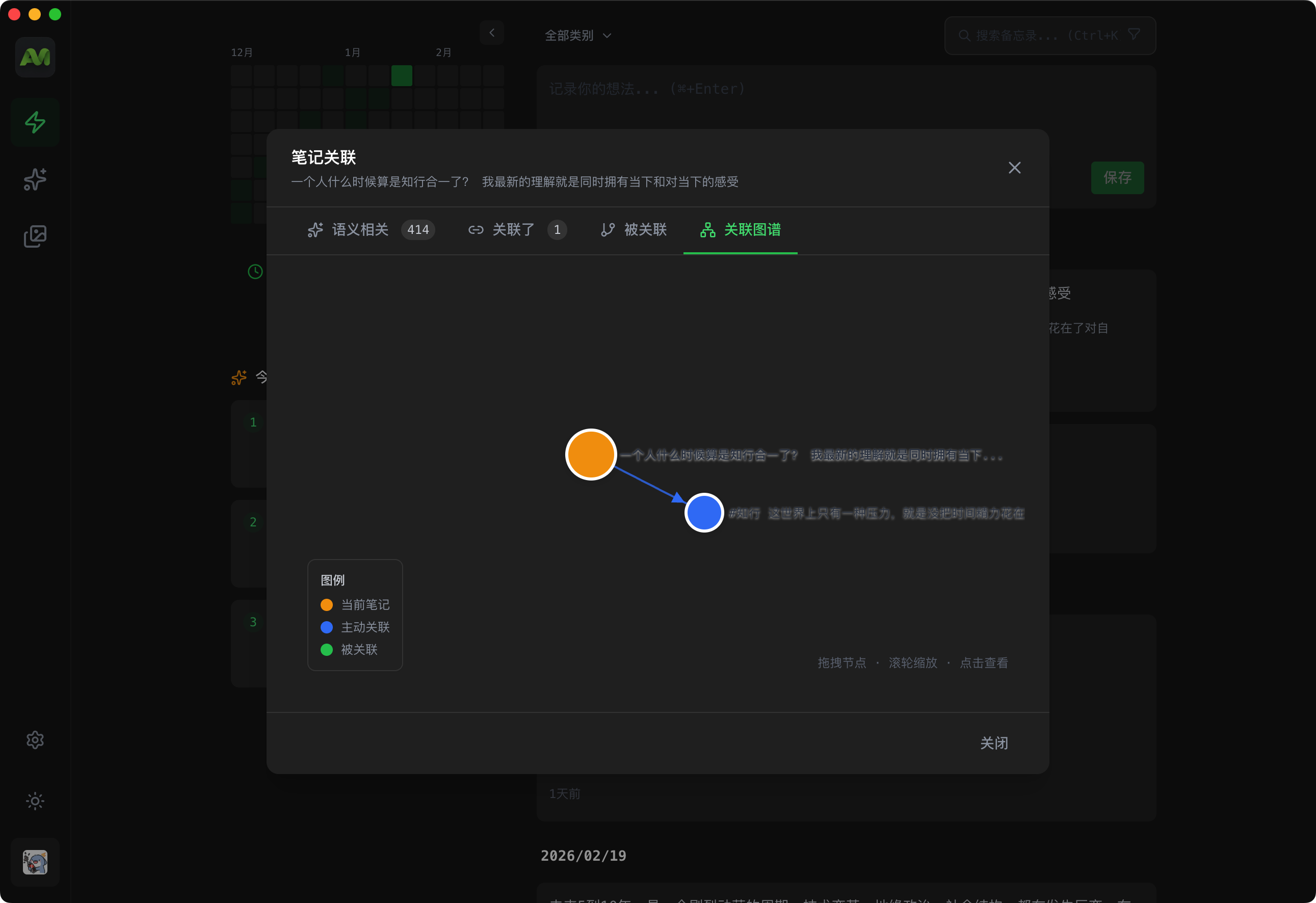 |
| Multimedia Support | AI Explore | Theme Switching |
|---|---|---|
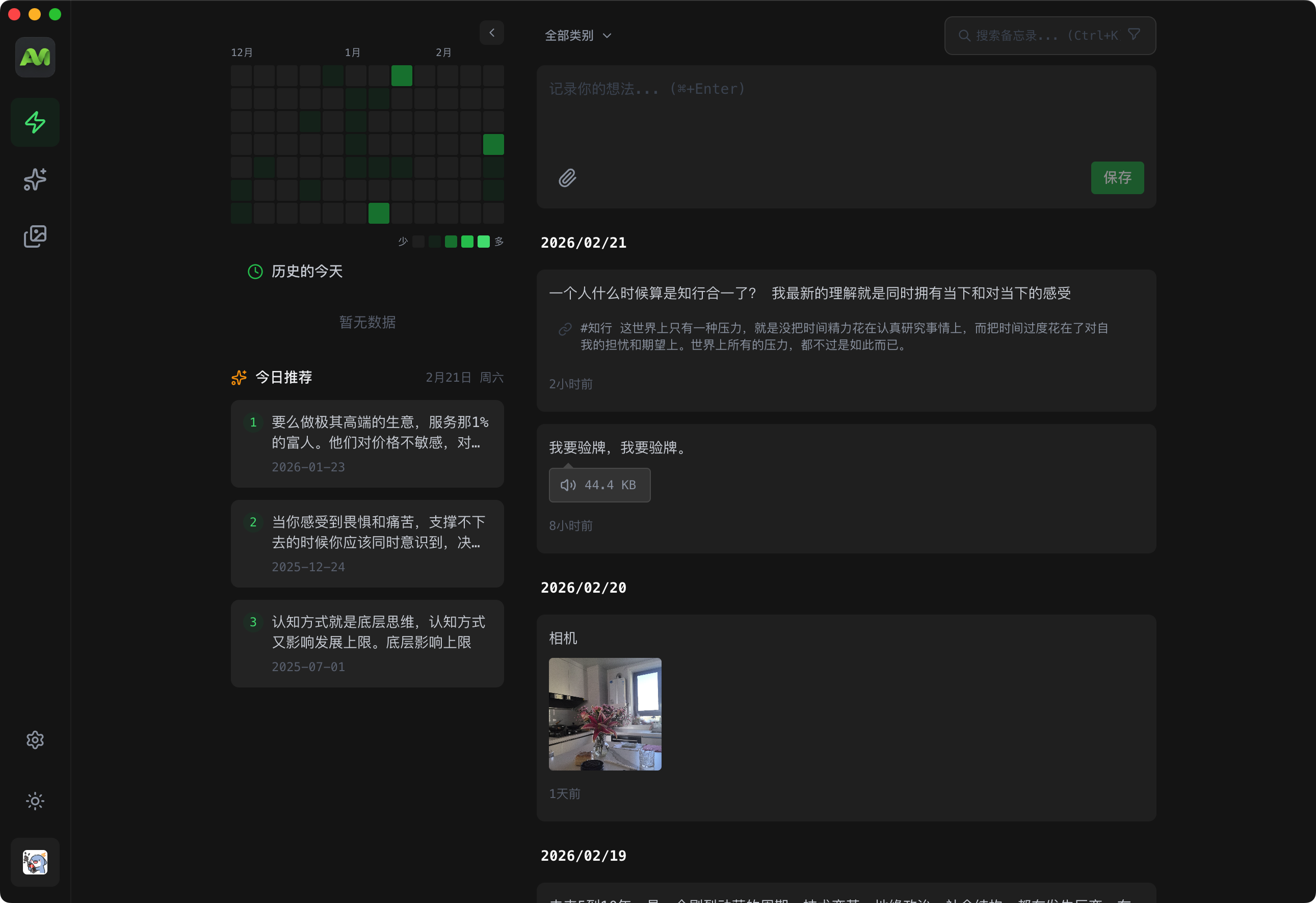 |
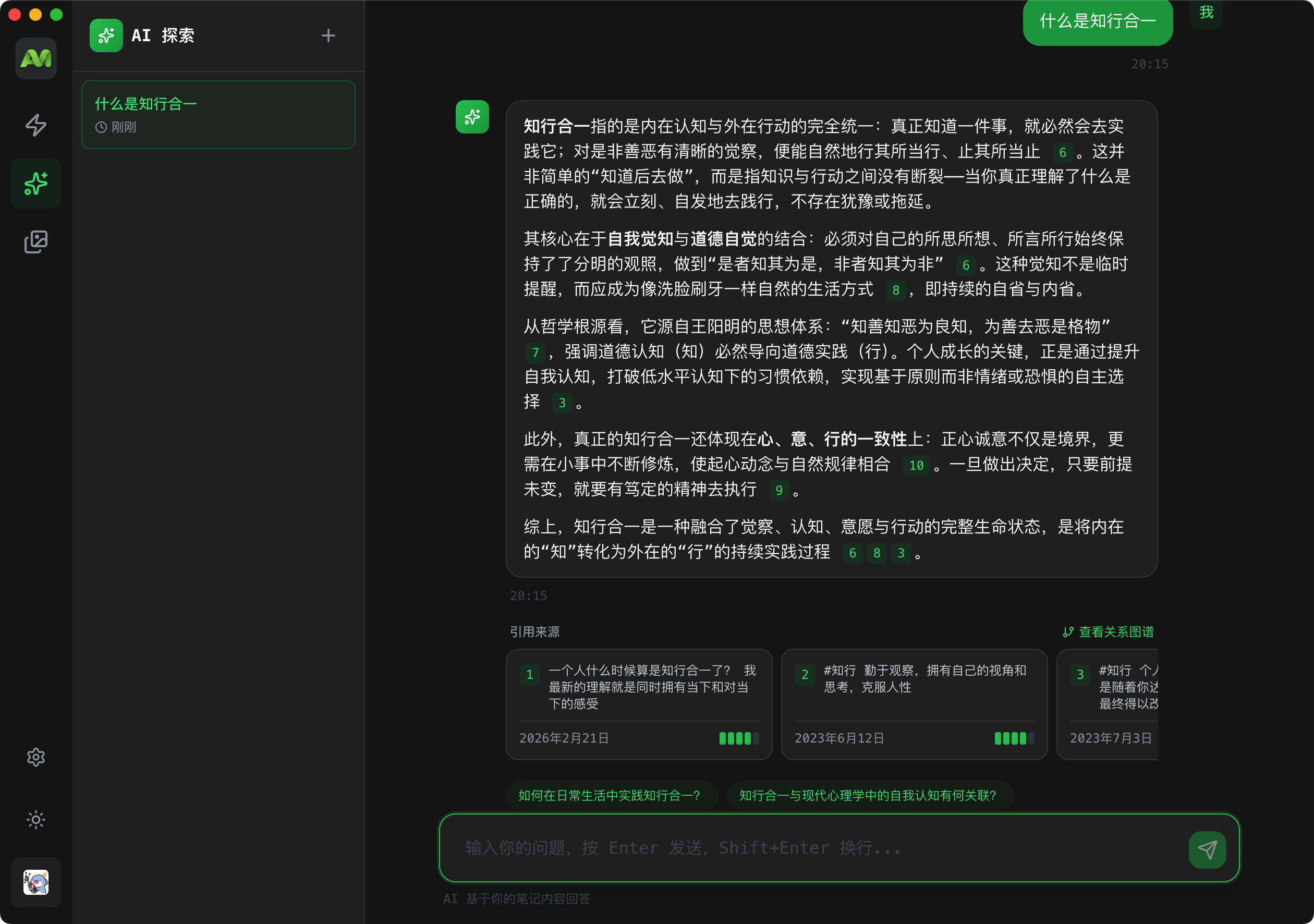 |
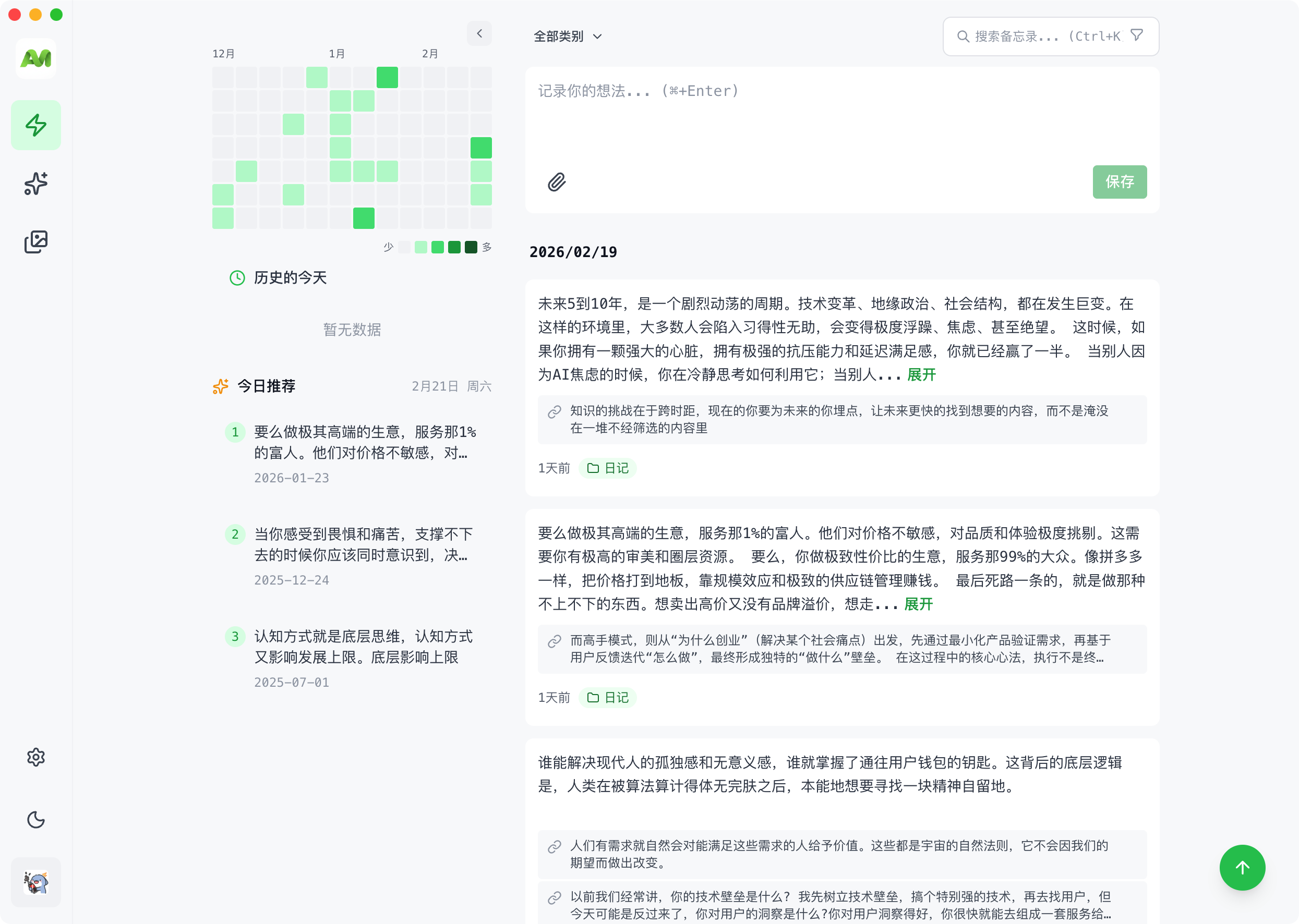 |
🐳 Docker Deployment (Recommended)
All you need is Docker — no MySQL or any other dependency to pre-install. docker-compose.yml orchestrates the full stack: a MySQL database and the AIMO app, with tables created and initialized automatically on startup.
Quick Start
# 1. Download the deployment files (no need to clone the whole repo)
mkdir aimo && cd aimo
curl -O https://raw.githubusercontent.com/ximing/aimo/master/docker-compose.yml
curl -o .env https://raw.githubusercontent.com/ximing/aimo/master/.env.docker.example

# 2. Edit .env and fill in the two required settings:
#    JWT_SECRET       —— a random secret, e.g. openssl rand -base64 32
#    OPENAI_API_KEY   —— OpenAI API key (for semantic search and other AI features)
#    No MySQL config needed — compose ships with one and wires it up automatically

# 3. Start
docker compose up -d
Once it's up, visit http://localhost:3000 and register the first account to get started.
💡 The first startup pulls images and initializes MySQL, which takes about 1–2 minutes. Follow the progress with:
docker compose logs -f app⚠️ After registering your own account, consider setting
ALLOW_REGISTRATION=falsein.envand restarting withdocker compose up -dto prevent others from signing up.
Data Persistence
All data is persisted on the host machine under ./data, not inside containers. Removing containers, pulling new images, or upgrading versions will not lose any data:
aimo/
├── docker-compose.yml
├── .env              # Configuration (contains JWT_SECRET — keep it safe)
└── data/
    ├── mysql/        # MySQL relational data (users, notes, categories, tags, etc.)
    ├── lancedb/      # LanceDB vector data (semantic search index)
    └── attachments/  # Attachment files (images, documents, etc.)
Back up data — stop the services, then copy the data/ directory together with .env:
docker compose down
cp -r data ~/backup/aimo-data-$(date +%Y%m%d)
cp .env ~/backup/aimo-data-$(date +%Y%m%d).env
Move to another machine — repeat the Quick Start steps on the new machine, overwrite data/ and .env with your backups, then run docker compose up -d again.
Custom data directory — to store data elsewhere (e.g. a NAS volume), edit docker-compose.yml and replace the ./data prefix in the three volumes with your target absolute path, e.g. - /volume1/aimo/mysql:/var/lib/mysql.
Upgrading
docker compose pull
docker compose up -d
The new container runs database schema migrations automatically on startup (both MySQL tables and LanceDB vector data upgrade themselves) — no manual steps needed. Backing up the data/ directory before upgrading is recommended.
Using an External MySQL (Optional)
If you already have a MySQL 8.0+ instance, you can skip the bundled MySQL container and run a single app container:
docker run -d \
  --name aimo \
  -p 3000:3000 \
  --env-file .env \
  -v $(pwd)/data/lancedb:/app/lancedb_data \
  -v $(pwd)/data/attachments:/app/attachments \
  ghcr.io/ximing/aimo:stable
In this case, point MYSQL_HOST in your .env at your database.
🛠️ Local Development
Requirements
- Node.js >= 20.0
- pnpm >= 10.0
- MySQL >= 8.0 or MariaDB >= 10.6
- OpenAI API Key - For AI features
Steps
# 1. Clone the project
git clone https://github.com/ximing/aimo.git
cd aimo

# 2. Install dependencies
pnpm install

# 3. Setup MySQL database
# Create database
mysql -u root -p
CREATE DATABASE aimo CHARACTER SET utf8mb4 COLLATE utf8mb4_unicode_ci;
EXIT;

# Or use Docker to start MySQL
docker compose up -d mysql

# 4. Configure environment variables
cp .env.example .env
# Edit .env, fill in MySQL connection info, JWT_SECRET and OPENAI_API_KEY

# 5. Start development server
pnpm dev

# The app will start at http://localhost:3000
Common Commands
pnpm dev:web       # Start frontend only
pnpm dev:server    # Start backend only
pnpm dev:client    # Start the Tauri desktop shell (local web in development)
pnpm build         # Build all apps
pnpm lint          # Code linting
pnpm format        # Code formatting
📥 Download Clients
| Platform | Download Link | System Requirements |
|---|---|---|
| macOS | Download | macOS 12+ |
| Windows | Download | Windows 10+ |
| Linux | Download | Ubuntu 22.04+ |
| Android | Download | Android 8.0+ |
| iOS | Pending release | - |
⚙️ Environment Variables
Required Configuration
# JWT Secret (at least 32 characters, generate with: openssl rand -base64 32)
JWT_SECRET=<random-string-at-least-32-characters>

# OpenAI API Key
OPENAI_API_KEY=sk-xxx...

# MySQL Database Connection
MYSQL_HOST=localhost
MYSQL_PORT=3306
MYSQL_USER=root
MYSQL_PASSWORD=your-mysql-password
MYSQL_DATABASE=aimo
Database Configuration
AIMO uses a hybrid database architecture:
- MySQL (via Drizzle ORM) - Stores all relational data (users, notes, categories, tags, etc.)
- LanceDB - Stores vector embeddings for semantic search
# MySQL Configuration (Required)
MYSQL_HOST=localhost
MYSQL_PORT=3306
MYSQL_USER=root
MYSQL_PASSWORD=your-mysql-password
MYSQL_DATABASE=aimo
MYSQL_CONNECTION_LIMIT=10

# LanceDB Configuration (Vector Storage)
LANCEDB_STORAGE_TYPE=local
LANCEDB_PATH=./lancedb_data
Attachment Storage
# Storage type: local or s3
ATTACHMENT_STORAGE_TYPE=local
ATTACHMENT_LOCAL_PATH=./attachments
ATTACHMENT_MAX_FILE_SIZE=52428800  # 50MB
For more configuration options, see .env.example
📁 Project Structure
aimo/
├── apps/
│   ├── web/              # React frontend app
│   ├── server/           # Express backend service
│   ├── client/           # Tauri desktop shell, loads the hosted site
│   └── extension/        # Browser extension
├── packages/
│   └── dto/              # Shared type definitions
├── docker-compose.yml    # Docker deployment config
└── package.json          # Root configuration
🤝 Contributing
- Fork this repository
- Create a feature branch (
git checkout -b feature/amazing-feature) - Commit your changes (
git commit -m 'Add amazing feature') - Push to the branch (
git push origin feature/amazing-feature) - Create a Pull Request
📄 License
This project is licensed under the Business Source License 1.1 (BSL 1.1). The source is public; this is not OSI “open source”.
- ✅ Allowed: Personal use, learning, self-hosting, internal enterprise use
- ❌ Prohibited: Selling it as a competing SaaS, or offering it as a commercial hosted product
- ⏳ Change: Converts to MIT four years after publication, per BSL
- 💼 Commercial license: Contact [email protected]
📞 Contact Us
- 📧 Email: [email protected]
- 🐛 Issues: GitHub Issues
- 💬 Discussions: GitHub Discussions
Made with ❤️ by ximing