
wx4766/html-to-video
wx4766/html-to-video has 194 GitHub stars and 14 forks. GitHot measured 0 stars in 24 hours and +7 in 7 days. Last checked 2026-11-15 13:07 UTC. Last push 2026-11-07.
Measured star growth
- in 24h
- 0
- in 7 days
- +7
- in 15 days
- Collecting history
- in 1 month
- Collecting history
Net star changes over overlapping periods, not daily totals. Missing measurements are left blank. Stars measure attention, not software quality.
About
用代码逐帧做视频:HTML / Canvas 动画 → MP4 / GIF / 透明层 · Deterministic HTML-to-MP4 renderer: seek to t, screenshot, encode. No framework, no build step, no GPU.
Creative & MediaREADME.en.md
Originalhtml-to-video
English · 中文


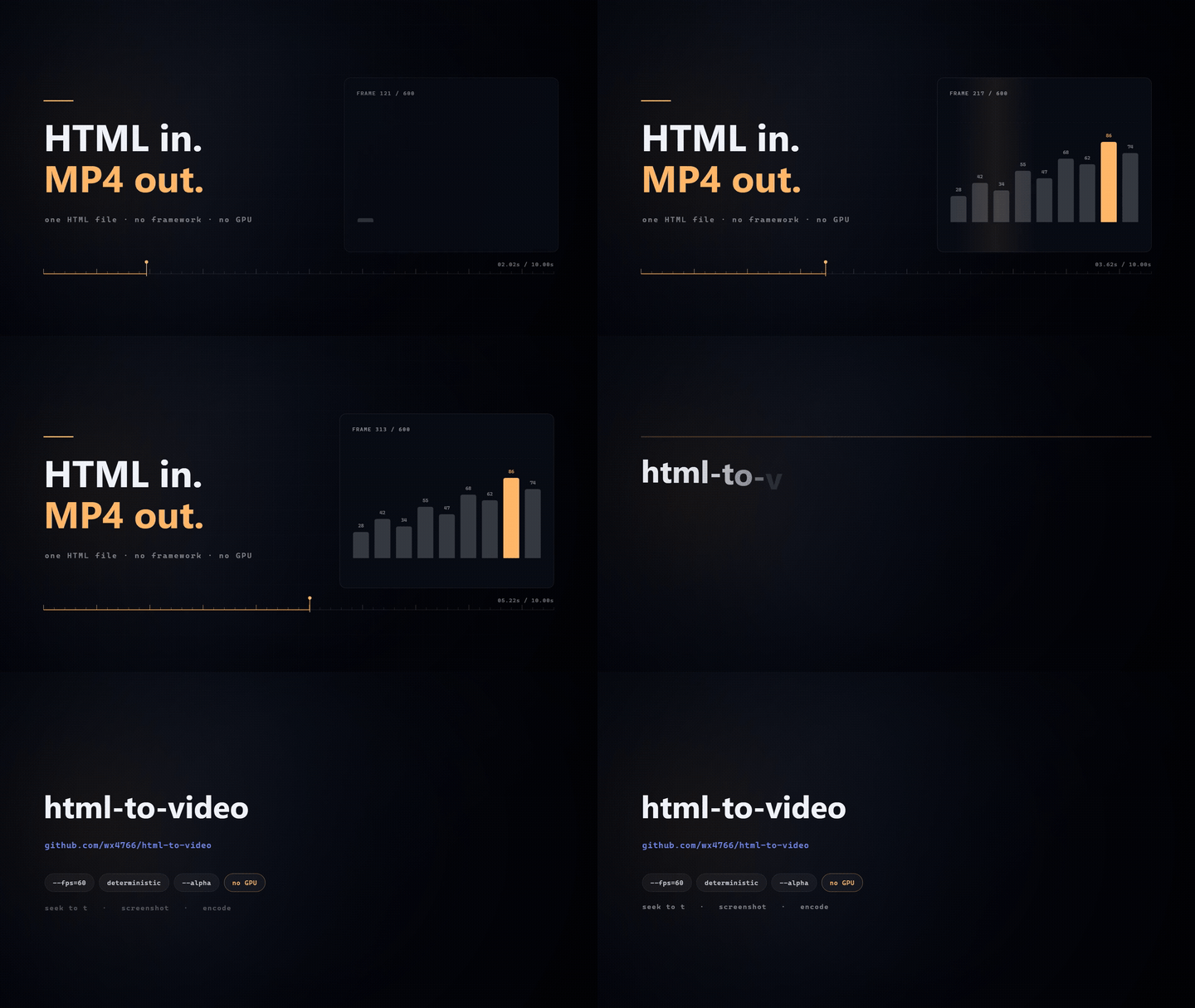
That clip is docs/demo-hero.html — 447 lines, zero dependencies. Reproduce it:
node scripts/render-video-seek.js docs/demo-hero.html --duration=10 --fps=60
Render an HTML/Canvas animation to MP4, frame by frame.
Not text-to-video. You write a page whose whole output is a pure function of time —
frame(t) — and this tool seeks a headless browser to t, screenshots, and hands the
frame sequence to ffmpeg.
animation.html  ──►  headless Chromium  ──►  N × PNG  ──►  ffmpeg  ──►  out.mp4
                     (seek to t, shoot)
Same input, same output. Every time. On every machine that has the same fonts.
Why not Remotion?
Because the thing you already have is an HTML page, not a React app.
Remotion is excellent — if you're building a video editor into a React product, or you want Lambda-scale cloud rendering, use it. But adopting it means rewriting your page as React components, adding a bundler, and respecting a license that is free for individuals and teams of ≤3 but paid above that.
This tool asks for one thing: a page that exposes window.__seek(t). No framework, no
build step, no npm package to import in your page. You can literally open the file in a
browser and watch it play, then point the renderer at the same file.
That matters most in one specific workflow: an LLM wrote the HTML. Language models produce a working HTML/Canvas file in one shot far more reliably than they produce a correct Remotion composition. So the shortest path from "I described a video" to "I have an MP4" is: LLM → single HTML file → this renderer. Nothing in between to debug.
| html-to-video | Remotion | Motion Canvas | |
|---|---|---|---|
| Mental model | one HTML file + frame(t) |
React components + useCurrentFrame() |
TS generator + scene graph |
| Start cost | copy a template, edit CFG |
scaffold a React project, learn the API | install the editor, learn the API |
| Build step | none — the browser runs it | required | required |
| Preview | open the file in a browser | Remotion Studio | editor |
| License | MIT | free ≤3 people, commercial above | MIT |
| Best at | "turn this page into a video" | video editors inside React apps | hand-tuning storyboards |
Honest summary: Remotion if you're building a video product; Motion Canvas if you're crafting shot by shot; this if you have a page and want an MP4.
60-second start
git clone https://github.com/wx4766/html-to-video.git
cd html-to-video
npm install
npx playwright install chromium      # the browser used for screenshots
# ffmpeg must be on PATH (brew install ffmpeg / apt install ffmpeg / winget install ffmpeg)

cp assets/templates/title-card.html my-video.html
node scripts/render-video-seek.js my-video.html --duration=6 --fps=30
# → my-video.mp4
Edit the CFG block at the top of my-video.html to change the copy and data. That's the
whole workflow.
Portrait / any resolution — the templates measure the viewport, so nothing gets cropped:
node scripts/render-video-seek.js my-video.html --duration=6 --fps=30 --width=1080 --height=1920
14 templates you can ship today
Copy one, edit CFG, render. Each template is a single self-contained HTML file.
| Template | What it does |
|---|---|
explainer.html |
Multi-shot explainer — hook → character + speech → bullet points → bar comparison → outro, with real transitions between shots. Can be driven entirely by a JSON shot list. Exactly three points in landscape switch to a three-column layout; portrait (1080×1920) gets its own stacked layout. |
title-card.html |
Title card — characters pop in, then subtitle and tag |
bar-chart.html |
Bar chart / ranking — bars grow in sequence, numbers count up, leader highlighted |
line-chart.html |
Line trend — line draws itself, points light up, value bubble at the end |
number-counter.html |
Big number / KPI — rolls from 0 to target, delta label, progress bar |
timeline.html |
Timeline — axis grows, nodes light up one by one |
compare.html |
Before / after — two columns plus a verdict strip |
flow-steps.html |
Process diagram — steps light up in order, current step highlighted |
subtitle-card.html |
Sentence-by-sentence explainer card with a segmented progress bar |
vertical-card.html |
9:16 portrait card for Shorts / Reels / TikTok |
vertical-subtitle.html |
9:16 caption card with **keyword** highlighting |
quote-card.html |
Quote / pull-quote card — oversized quotation mark, line-by-line quote, attribution rule |
chapter-card.html |
Chapter divider — ghosted number, title, progress dots. Slices a long film into acts |
ui-showcase.html |
Product UI demo — window pushes in, slow push-in, two spotlight callouts. Swap in a real screenshot with CFG.shot |
Every template ships in both landscape and portrait layout — the layout picks itself from
the viewport, so --width/--height is the only switch.
12 visual styles: same content, different film
Templates decide what goes on screen; styles decide what it looks like — the paper, the ink, the line weight, the type, the entrance, the signature detail. Separate the two and 14 layouts × 12 styles = 168 looks, without writing 168 templates.
bash assets/render.sh assets/style-film.html --duration=13 --theme=chalk
bash assets/render.sh assets/style-film.html --duration=13 --theme=ink --width=1080 --height=1920
| Style | What makes it | Best for |
|---|---|---|
riso |
Cream paper, three halftone screens at real print angles, misregistered title | Opinion, data, indie-magazine feel |
cutpaper |
Torn edges on all four sides, hard shadow, two sheets stacked | Stories, people, education |
blueprint |
Deep blue, 20/100px grid, corner crosshairs, monospace | Technical, architecture, API |
chalk |
Green board, double-stroke jitter, dust, kai typeface | Teaching, explainers |
isometric |
True 2:1 isometric blocks, white faces hiding what's behind | Mechanisms, systems, flow |
synthwave |
Striped sun, perspective floor grid, CRT scanlines | Music, games, retro tech |
swiss |
Huge type, one signal colour, zero radius | Brand, opinion, launch |
ink |
Rice paper, three-layer ink bleed, vermilion seal colour | Chinese/ink-wash aesthetics |
watercolour |
Cotton paper, wet-on-wet blooms, pigment pooling at the edges, serif type | Human stories, brand films |
pencil |
Sketch paper, 45° hatching, double hand-drawn borders, graphite greys | Tutorials, breakdowns, drafts |
vox |
Cream ground, one saturated block, heavy grotesque, halftone dots, hard shadow | Explainer / news-style videos |
clay |
Soft lavender ground, rounded slabs, top-lit gradient, inner highlight, soft shadow | Product launches, SaaS, youth brands |
Chinese names work too (--theme=水墨). Signature elements, taboos and the code API for each
style are in assets/STYLES.md (Chinese).
# Contact sheet: one style per second, 12 full-frame stills
node scripts/render-video-seek.js assets/style-gallery.html \
  --stills=0.5,1.5,2.5,3.5,4.5,5.5,6.5,7.5,8.5,9.5,10.5,11.5

# A 13s style film: hook / points / metric / outro
bash assets/render.sh assets/style-film.html --duration=13 --fps=60
Cut on the beat
Every edit that feels professional shares one rule: cuts land on the beat. Instead of nudging keyframes with a stopwatch, measure the beat grid once and let the renderer quantise to it:
bash assets/render.sh style-film.html --audio=bgm.mp3 --beats --snap=beats
# ▸ beats: 120.14 BPM · 20 beats · first 0.49s · confidence 0.85
# ▸ duration snapped: 25.2s → 25.5s (+0.3s)
--beatsanalyses--audio;--beats=beats.jsonreuses a precomputed grid.--snap=beatssnaps the total duration up to the next beat.--snap-shotsquantises every shot in the story JSON to whole beats (this is the one that actually puts cuts on the beat), printing each change and warning above 25%.- Templates get
window.__beats; the style library exposesSV.pulse(t)/SV.beatPhase(t).
The analyser (scripts/beats.js) has zero dependencies: ffmpeg → 22.05 kHz mono →
log-energy flux → autocorrelation for tempo → phase scan. Measured on a 120 BPM drum loop:
BPM within 2, phase within ~9 ms. Speech-only audio reports low confidence instead of
inventing a grid.
One command for everything
npx html-to-video doctor                 # environment check: what's missing, how to fix
npx html-to-video templates              # list 14 templates
npx html-to-video styles                 # list 12 styles
npx html-to-video new my-video --template=quote-card
npx html-to-video preview my-video.html --duration=6 --open
npx html-to-video render my-video.html --duration=6 --fps=60
preview serves the page (so ESM/fetch work), freezes its clock via __seekRender,
and gives you a scrubbable timeline — every frame you see is the frame the renderer
would capture. Space to play, ←/→ to step one frame.
Storyboard first, render after
A 60-second 1080p film takes 3–10 minutes to render. Finding out that shot 4 has a tiny headline after that is expensive. The storyboard pass samples one still per shot, mid-shot (outside the transition window), and lays them out with shot name, duration, timecode and transition:
node scripts/storyboard.js my.html --cols=3 --theme=riso
Output goes to my.storyboard/: per-shot PNGs, a labelled storyboard.html, and a
full-page storyboard.png you can paste into a chat. It takes seconds instead of minutes,
and it reads window.__sceneTable (exposed by SC.expose) so it knows the real timeline.
Project status
v1.5.0 — used daily, 109 automated tests, MIT. Not a startup, not a framework, no
roadmap theatre. It does one thing and reports its own defects:
- Deterministic — same input → byte-identical output, verified by re-rendering sampled frames in a fresh page and diffing pixels.
- Frame-exact — real 30/60 fps, not interpolated. Seek to any
t. - Text that stays text — CJK fonts render properly. No garbled glyphs, no invented characters.
- Zero API cost — everything runs locally.
- A quality gate —
scripts/qa.jsmeasures motion, dead time, frame-to-frame spikes, determinism, text framing (clipped / overlapping / inside the platform-UI band) and font fallback. - Resumable —
--resumecontinues an interrupted render and reuses finished frames atomically. - Multi-shot — several shots with real transitions in one HTML file (see below).
- Built-in assets — 40+ line icons, parameterised cartoon figures, cards/arrows/ connectors and background textures as plain code. No image packs, no licences, no extra bytes.
The contract: frame(t)
window.__seek = (t) => { /* redraw the whole frame at time t */ };
window.__ready = true;

// The renderer injects window.__seekRender = true.
// Then the page must stop its own clock and be driven purely by __seek.
if (window.__seekRender) { renderAt(0); window.__ready = true; }
else { /* browser preview: requestAnimationFrame loop */ }
Rule: each frame is a pure function of t. No Math.random(), no Date.now(), no
state carried from the previous frame. Break this and parallel workers drift apart — the
determinism check will say so.
assets/animation-skeleton.html implements the contract; start from it.
Features worth knowing about
One cut, every aspect ratio
Publishing the same clip to TikTok, Xiaohongshu and YouTube means four timelines and four watched exports in an editor. Here the layout is already parametric, so another ratio is just another loop:
node scripts/render-video-seek.js bar-chart.html --duration=8 \
  --presets=douyin,xiaohongshu,square --out=dist/chart.mp4
dist/chart-douyin.mp4       1080×1920   TikTok / Reels / Shorts
dist/chart-xiaohongshu.mp4  1080×1440   Xiaohongshu 3:4
dist/chart-square.mp4       1080×1080   Square 1:1
| Preset | Size | For |
|---|---|---|
douyin / tiktok / vertical |
1080×1920 | TikTok, Reels, Shorts |
xiaohongshu / xhs |
1080×1440 | Xiaohongshu 3:4 |
instagram / ig |
1080×1350 | IG feed 4:5 |
square |
1080×1080 | Square 1:1 |
bilibili / youtube / landscape |
1920×1080 | Landscape 16:9 |
A single ratio is --preset=xiaohongshu. A mistyped name fails loudly and lists the valid
ones — it never quietly renders a wrong-shaped video at 1920×1080.
Honest limit: --presets guarantees the size, not the composition. 9:16 and 16:9 carry
different information density; check the 3:4 cut yourself before shipping.
The empty band at the bottom of a vertical render is deliberate, not a layout bug: platform progress bars and buttons live there, so templates reserve a 15% safe area for burned-in captions.
Voiceover drives the duration
The real workflow is script → voiceover → visuals, not "pick 6 seconds then squeeze the audio in":
node scripts/render-video-seek.js title-card.html --audio=voice.m4a
# ▸ audio: 12.48s, no --duration given → video follows the audio (12.5s, rounded up to a frame)
- Rounded up to a whole frame: half a frame short clips the last phoneme.
- If you do pass
--durationand it differs by more than 0.35s, you get an explicit warning saying which side gets hurt. The old behaviour silently produced a shorter video — the back half of the picture vanished, with nothing in the log but✓ Done. --audio-fit=padpads silence instead, keeping the full picture (defaulttrimfollows the audio).
Known edge: with trim the output is not millisecond-exact. The video stream is copied
(-c:v copy), so ffmpeg can only cut on a frame boundary; measured overshoot is 0.3–0.5s.
Exact alignment would mean re-encoding — quality traded for precision, not worth it.
--json for agents
Humans read ✓ Done: xxx.mp4 (1.2 MB · 30fps · 12s) fine. Agents can only regex it, and paths
with spaces, CJK, or parentheses break that. Add --json and stdout carries exactly one line:
node scripts/render-video-seek.js title-card.html --duration=6 --json
{"ok":true,"exitCode":0,"output":"…/title-card.mp4","width":1920,"height":1080,
 "fps":60,"duration":6,"frames":360,"bytes":2411724,"warnings":[],"mode":"video"}
- Progress and human logs move to stderr —
JSON.parse(stdout)just works. warnings[]collects argument conflicts, audio/video length mismatches, unknown theme names.durationis the actual file duration (probed with ffmpeg), not the planned value.- With
--presets,outputbecomes an array pluspresets: [{name,width,height,output,ok,bytes}].
Transparent output — put the text layer over real footage
The cheapest good-looking combination right now is an AI-generated background plus a code-generated text layer (models still mangle type; code places it to the pixel).
node scripts/render-video-seek.js overlay.html --duration=6 --fps=30 --alpha
# → overlay.mov (ProRes 4444, yuva444p10le, transparent background)
In the template, skip the background including full-screen glows when
window.__transparent is set — skipping only the base colour leaves corner alpha at 12/255
and washes out the plate underneath:
const TRANSPARENT = !!window.__transparent;
if (!TRANSPARENT) { /* base colour, gradients, glows, light sweep */ }
Cost, measured on 960×540 / 2 s: H.264 ≈ 118 KB, ProRes 4444 ≈ 760 KB.
ProRes only — no VP9 alpha. Encoding the PNG sequence with
-pix_fmt yuva420p -auto-alt-ref 0 does write alpha data (7.8 KB → 16.8 KB) but Chromium
plays it back with every alpha value at 0 — even the text disappears. Lossless, constant
bitrate and -lag-in-frames 0 behave the same. Since it can't be verified, it isn't
offered. Export ProRes, then transcode to webm in your NLE if you need small transparent
files.
Subtitles from a file, not from hard-coded timings
node scripts/render-video-seek.js subtitle-card.html --duration=8 --srt=voice.srt --cue-log=cues.csv
SRT, WebVTT and JSON all parse. The renderer injects window.__cues once; templates look
up the current cue by t and fall back to their own CFG.lines when no file is given.
--cue-log writes frame,t,cue_index,cue_start,cue_end — subtract the SRT start from the
first frame of each cue and you have the alignment error as a number. Measured on 4 cues
/ 80 frames: 0 ms.
Keep text out of the bottom 15% — that's the platform UI band. qa.js flags
"inside caption band" when you forget.
Multi-shot: one HTML file, a whole clip
A watchable clip is several shots with transitions, not one long animation. Previously you rendered segments and concatenated them with ffmpeg (and computed the offsets yourself). Now the shot list lives in the page and transitions are composited in-page:
node scripts/render-video-seek.js assets/templates/explainer.html --duration=17.6 --fps=30 \
  --gif --poster=6.0
Transitions: fade · dip (through the base colour) · slide · push · rise · zoom
(zoom-through) · wipe (with a scan line) · cut. They overlap: total length is
Σ shot durations − Σ transition durations, so adding transitions never makes the clip
longer. Only transition frames go through an offscreen composite; everything else is drawn
straight to the main canvas.
The shot list can be supplied as JSON — much more reliable for an LLM than a few hundred lines of canvas code:
node scripts/render-video-seek.js assets/templates/explainer.html --duration=17.6 --fps=30 \
  --story=shots.json --scene-log=shots.csv
[{ "kind": "title", "id": "hook", "dur": 3.0, "title": "Why is your build so slow?" },
 { "kind": "talk",  "id": "why",  "dur": 3.5, "say": "Don't blame the tool",
   "who": "dev", "pose": "wave", "trans": { "in": "slide", "dur": 0.5 } }]
--scene-log writes the shot table (index,id,start,end,dur,trans_in,trans_dur) and
warns when the shot list length disagrees with --duration — otherwise the tail of the
clip is silently dead air.
Built-in assets — icons, figures, camera
SH.icon(g, 'bolt', x, y, 48, { color: TH.accent, width: 2.5 });            // 40+ line icons
SH.card(g, { x, y, w, h }, { fill: TH.panel, radius: 18 });                // cards / arrows / connectors
FIG.draw(g, FIG.preset('dev', { x, y, h, t, pose: 'wave' }));              // parameterised figure + speech bubble
CAM.withCam(g, CAM.at(CAM.breath(), t, W, H), W, H, () => drawContent(g)); // continuous camera drift
| Library | Provides |
|---|---|
shapes.js |
40+ icons, cards, pills, arrows, orthogonal connectors, dashed frames, progress arcs, grids, dot fields, glows, vignette, flowing aurora background, film grain (seeded, deterministic) |
figures.js |
Parameterised flat characters: 6 hairstyles × 6 moods × 6 poses, any palette, 4 presets, plus FIG.say() speech bubbles |
camera.js |
breath (subtle scale drift — fixes "the frame looks frozen"), kenburns, handheld (seeded pseudo-noise, not Math.random()), shake (decaying impact) |
These are drawn in code on purpose: no licence questions, one visual language shared with the theme palette, sharp at any resolution, zero bytes to download. There is deliberately no bitmap character pack or landmark photo pack — those bring licence risk, clash with whatever look you already have, and turn the repo into a binary blob.
Themes — one flag, or one field
All 11 templates read assets/templates/themes.js: midnight (default, dark), paper (light,
for docs and projection) and neon (black/violet).
# override from the CLI — no file edits, and per-job in --batch
node scripts/render-video-seek.js assets/templates/bar-chart.html --duration=6 --theme=paper --out=bar-paper.mp4
--theme beats CFG.theme in the page (the renderer injects window.__h2vTheme). A mistyped
name is reported with the list of available names instead of silently falling back — and after
loading, the renderer reads back which theme actually took effect. Pass an object to
CFG.theme to override individual fields (theme: { bg: '#0B1020', accent: '#22D3EE' }).
One HTML, several colourways: outputs default to <html name>.mp4 next to the HTML, so pair
--theme with --out (missing parent directories are created) — otherwise the second render
overwrites the first:
[{ "html": "bar-chart.html", "duration": 6, "theme": "midnight", "out": "bar-dark.mp4" },
 { "html": "bar-chart.html", "duration": 6, "theme": "paper",    "out": "bar-light.mp4" }]
Copy themes.js alongside the template. Rendering a single HTML still draws correctly from the
built-in fallback palette, but the missing script 404s and page errors fail the render by design
— add the file, or pass --allow-errors.
Resume an interrupted render
node scripts/render-video-seek.js animation.html --fps=60 --duration=30 --resume
# ▸ resume: reused 1432 frames, 368 to go
Frames are written to .part and renamed, so a kill never leaves a half-PNG pretending to
be done. If the parameters changed since last time it refuses to mix two batches. Frame
numbers are verified as contiguous before encoding, because a missing frame makes ffmpeg
silently end early.
Honest limitations
- Not photorealistic. No camera footage, no atmosphere, no lens. For that use a video generation model. This tool is for diagrams, explainers, data animation and titles.
- Determinism is per-machine. System fonts (
Microsoft YaHei,PingFang SC) differ across machines. Embed a font subset if you need cross-machine reproducibility. - Rendering is CPU work. Roughly 0.5 s per 1080p frame with 4 workers; 10 s at 30 fps
takes about 2.5 minutes. Use
--stillswhile iterating. - ffmpeg must be a full build. Playwright's bundled ffmpeg is compiled
--disable-everything: no H.264, no GIF, not even PNG decode. - QA is a smoke detector, not a proof. Thresholds are empirical. Empty frames, clipped text and non-determinism get caught; "this looks boring" does not.
- Template layouts are tuned per orientation. Adding a new aspect ratio means checking the portrait branch, not just passing new numbers.
CLI
| Flag | Meaning |
|---|---|
--duration / --from / --to |
length in seconds, or a sub-range (output name keeps the range) |
--stills=0.5,2.0 |
export PNGs at these timestamps, skip encoding |
--fps / --width / --height |
frame rate and resolution |
--preset=<name> |
platform size preset (douyin / xiaohongshu / instagram / square / bilibili …) |
--presets=a,b,c |
render every listed ratio in one command, one file each (suffixed -<preset>) |
--concurrency |
parallel workers (one Chromium page each); auto picks from CPU count and free memory |
--audio=<file> |
mux audio after encoding; without --duration the video follows the audio length |
--audio-fit=trim|pad |
audio/video length mismatch: trim follows the audio (default), pad adds silence to keep the video length |
--gop=<sec> |
keyframe interval (--gop=1 for frame-accurate scrubbing) |
--keep-frames |
keep the PNG sequence on success |
--tmpdir=<dir> |
where the PNG sequence goes (default: next to the HTML). 1080p runs at ~2.4 GB per minute — point it at another drive when the system disk is tight |
--resume |
continue an interrupted render |
--alpha |
transparent ProRes 4444 output |
--srt=<file> / --cues=<file> |
external subtitle timeline |
--cue-log=<file> |
write the cue alignment CSV |
--story=<file> |
shot list as JSON — replaces the whole script (window.__story) |
--scene-log=<file> |
write the shot table CSV; warns if it disagrees with --duration |
--gif[=fps,width] |
also produce a GIF (default 15 fps / 960 px), two-pass palette, no re-render |
--poster=<sec> |
also grab a still as .jpg for a thumbnail |
--batch=<file.json> |
render a queue of jobs in order, print a summary; one failure doesn't discard the rest |
--out=<file> |
explicit output path (default: <html name>.mp4 beside the HTML); parent dirs are created — needed when one HTML ships several colourways |
--json |
stdout carries a single result JSON (output / duration / frames / warnings); logs move to stderr |
--headed |
render with a visible browser window (concurrency drops to 1) |
--allow-errors |
don't fail on page errors (default: page errors → non-zero exit) |
--no-serve |
load via file:// instead of the built-in local HTTP server |
Render once, publish everywhere:
node scripts/render-video-seek.js explainer.html --duration=17.6 --fps=30 --gif=15,960 --poster=6.0
node scripts/render-video-seek.js --batch=jobs.json
Page errors cause a non-zero exit on purpose. A console error usually means a blank frame or missing content, and an earlier version would happily report "done" until you pulled a still and looked.
The renderer starts a 127.0.0.1-only HTTP server to load the page, so <script type="module"> and fetch() work — otherwise every ESM animation dies on CORS under
file://.
As an agent skill
The repo doubles as a WorkBuddy / Claude skill. Drop it into the skills directory and the assistant can call the renderer directly:
git clone https://github.com/wx4766/html-to-video.git ~/.workbuddy/skills/html-to-video
cd ~/.workbuddy/skills/html-to-video && bash scripts/install-deps.sh
install-deps.sh picks a Playwright version that matches your existing browser cache,
installs a full ffmpeg, and records the workspace path.
Tests
npm test       # 100+ cases, ~4 minutes
npm run bench  # measure your own s/frame → bench/bench.md
The most important ones are the control pairs — a checker that always says "fine" is worse than no checker:
| Suite | Asserts | Guards against |
|---|---|---|
qa-clean |
a healthy template passes | over-strict rules → people stop reading the report |
qa-detects |
a deliberately broken page fails | rules quietly relaxed → the gate becomes decoration |
qa-offscreen |
text drawn into an offscreen canvas is still found | "invisible = unchecked" |
qa-dom-text |
clipped DOM text is reported, multi-line paragraphs are not | fixing false positives by deleting the check |
templates-contract |
template capability table matches source, both ways | a capability silently disappearing |
Read more
A long-form write-up of the design decisions, the four bugs that cost the most time, and the numbers behind the claims: Your HTML page is already a video renderer — it just needs one global function (dev.to)
License
MIT.
assets/lib/motion.js is adapted from huashu-art-motion
(MIT), made self-contained. Credit to the original author.