
wormholeportal/Makone
wormholeportal/Makone has 28 GitHub stars and 5 forks. Star changes are not measured yet. Last checked 2026-11-14 04:18 UTC. Last push 2026-09-05.
Measured star growth
- in 24h
- Collecting history
- in 7 days
- Collecting history
- in 15 days
- Collecting history
- in 1 month
- Collecting history
Net star changes over overlapping periods, not daily totals. Missing measurements are left blank. Stars measure attention, not software quality.
About
Make Worlds with Code — your coding agent writes procedural three.js scenes, games and objects, screenshots them, and fixes what it sees.
Creative & MediaREADME.md
Original
Makone
Make Worlds with Code
An open-source kit for building 3D worlds in code. Objects, scenes and games — no model files, no texture packs, and it runs inside the coding agent you already use.


makone.dev · How it works · Quick start · Skills · Gallery · Docs
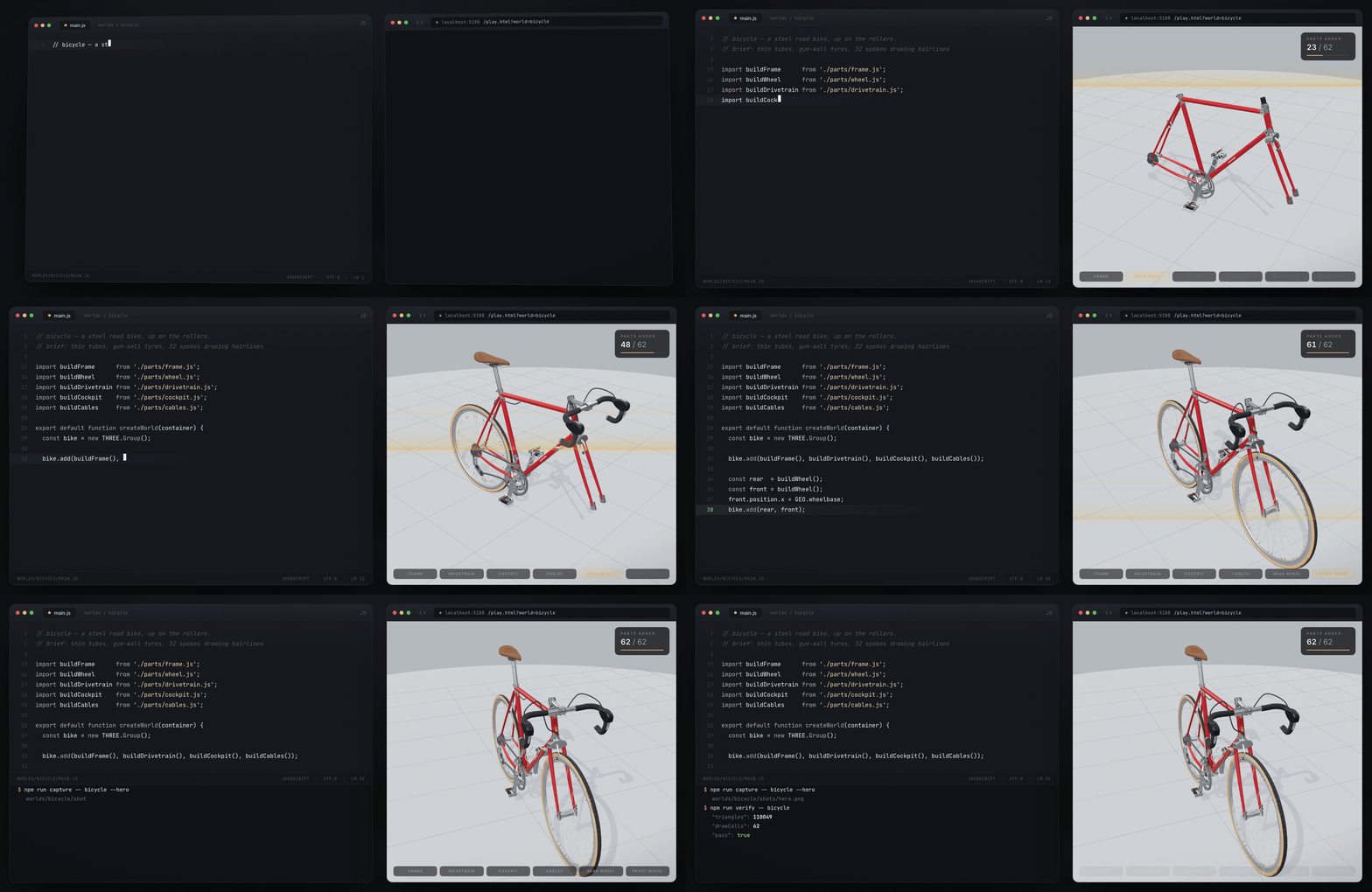
The file on the left is worlds/bicycle/main.js. The bike on the right is that file, rendered live, with its meshes brought back in the order the code creates them — 62 parts, and the last of them is a spoke.
How it works
An agent writing 3D code cannot see what it made. It writes a thousand lines of geometry, reports success, and has no idea the canvas is black.
Makone closes that loop. No server, no API key, nothing to configure — the agent is the coding agent you already use. This repository gives it the three things it lacks:
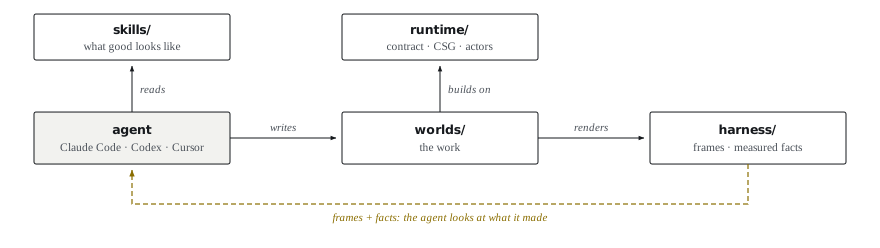
Figure 1: The three layers a coding agent does not bring with it. The dashed edge is the one that matters — without it the agent is writing 3D code blind.
The delta is eyes. Everything else an agent loop needs — context, edits, a shell —
already exists in the CLI you are running; rebuilding it here would be a worse copy.
capture takes the screenshot, verify takes the measurement, and the agent has to look
at both before it may claim the work is done.
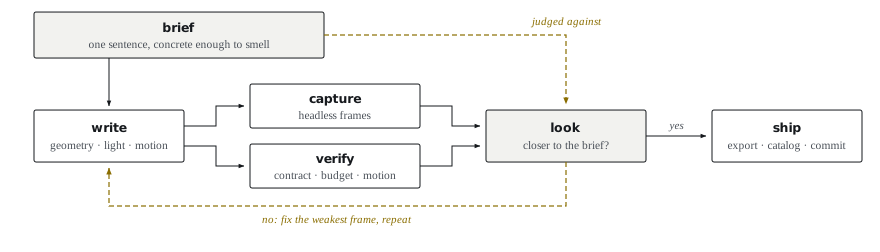
Figure 2: One pass. The brief is declared once, before any code, and every pass is scored against it.
npm run create  -- <world> --type scene --brief "..."     # scaffold + register
npm run capture -- <world> --shots 4                      # frames to look at
npm run verify  -- <world>                                # errors, contract, budget, motion
npm run export  -- <world>                                # one self-contained .html
npm run smoke                                             # end-to-end self-check
verify reports facts, not claims: whether anything visibly moved over six simulated
seconds, whether seekTo(0) and seekTo(1) actually differ, triangles and draw calls
against the budget you declared. A world that says it is alive and renders a still image
fails.
You do not run any of this by hand — the agent does, and shows you the frames.
Quick start
1 · Look at what is already here.
git clone https://github.com/wormholeportal/Makone && cd Makone
npm install
npm run serve            # http://localhost:5180 — the gallery
npm run serve puts the gallery on http://localhost:5180 — every world, filterable by
type, each card animating on hover:
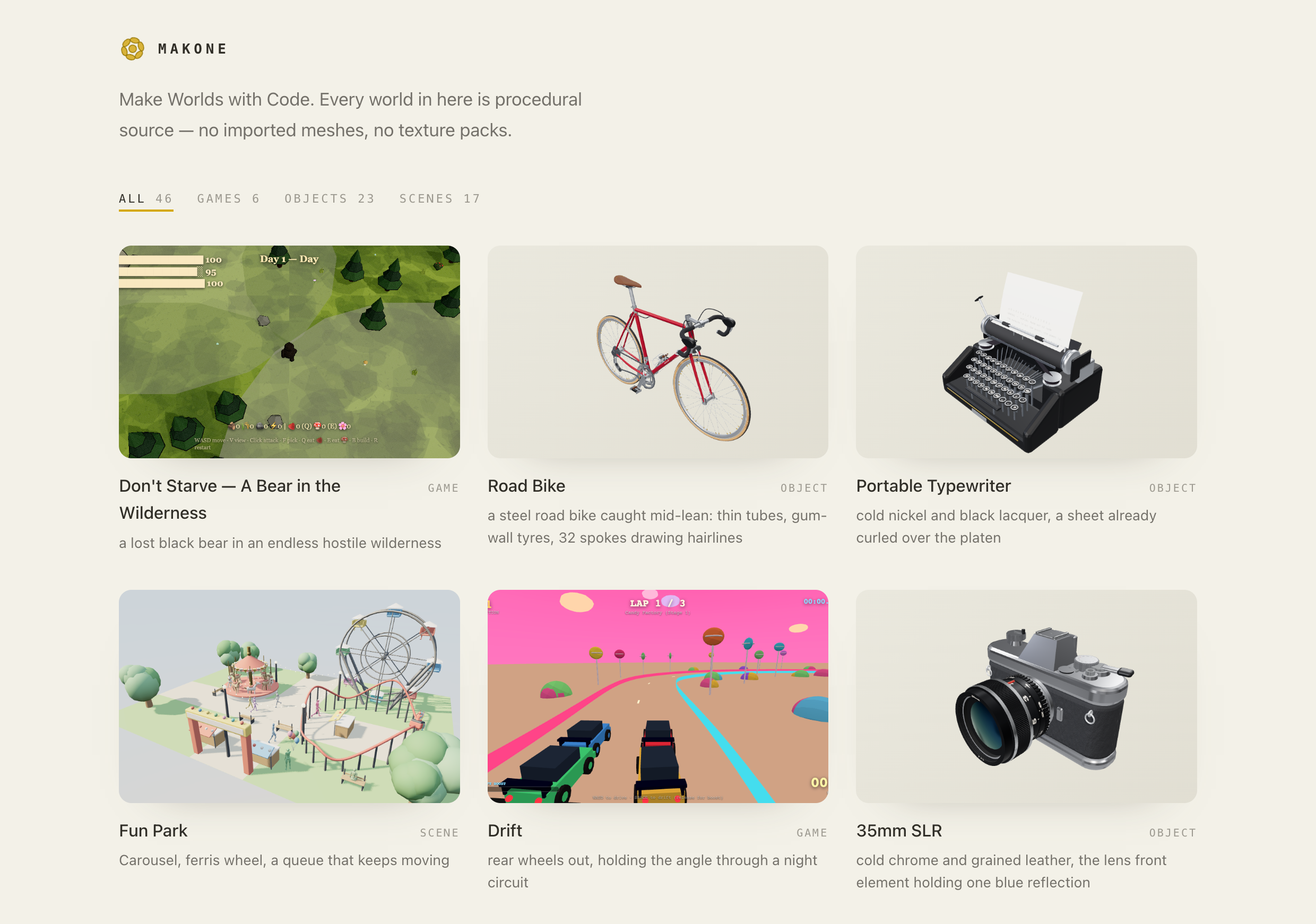
Click a card to open it in the player (play.html?world=<world>) — drag to orbit, scroll to
zoom, and for a game the keys are printed at the bottom of the frame.
Prefer not to run anything? Every world also ships as a single self-contained .html.
worlds/<world>/<world>.html opens straight from disk by double-clicking it — no server, no
install, everything inlined down to the WASM.
2 · Give the agent its eyes. One-time, and only needed for creating:
npx playwright install chromium
3 · Make something. Open the repo in your agent CLI — Claude Code, Codex, Cursor, whichever you use — and ask in plain language:
make a fishing harbour at 4am, wet light, someone already at work
That sentence is the brief. It is the one thing you declare before any code, it is
stored in world.json, and it is what every later pass is scored against — is this frame
closer to that, or not? Write it concrete enough to smell; a brief nobody can fail is
not one.
AGENTS.md is the entry point the agent reads. It routes to the right skill,
then holds the agent to the loop: build it, screenshot it, look, fix the weakest frame,
repeat.
Browsing only?
npm install --omit=devskips Playwright and its browser download.
What the agent reads
skills/ is the half of this repository you could take on its own: pages of craft written
to be pulled one at a time by an agent mid-build, not read front to back by a human.
| dir | what is in it | when it loads |
|---|---|---|
world/ |
the six-step workflow, brief to finished world — one path, all three types | every "make me a …" request |
craft/ |
form, light, colour, contrast, actors, motion, particles, sound, performance | while building, one page at a time |
game/ |
axioms, feel, mechanics, onboarding, narrative, audio, and a playbook per genre | only when the thing is playable |
object/ |
cutting a thing into parts, and reviewing one part alone | only when it is one thing you could hold |
three/ |
Three.js reference and engine engineering — lookup, not design | at a "how do I do X in three.js" wall |
A page is one problem and the answer to it, argued in its own title:
craft/procedural-materials.md— everything looks like coloured plastic? A sky light probe plus noise into albedo, roughness and normal. Do this before you touch a light.craft/hairlines.md— geometry thinner than a pixel: spokes, wires, rigging.craft/narrative-light.md— light tells the story, it doesn't just expose the scene.craft/sound.md— synthesised from the same model as the form, never sampled.game/axioms/meaningful-choice.md— a game is a series of interesting decisions.three/instancing-traps.md—InstancedMesh, and the four ways it silently stops drawing.
skills/SKILL.md is the index the agent reads first, to work out which
page it actually needs. Nothing in here is mandatory: the worst case for skipping a page is
a weaker world.
Three kinds of world
One directory, one contract, three intents. type is the only thing you declare; the
harness works out the rest by probing what your module actually implements.
| scene | game | object | |
|---|---|---|---|
| What it is | a place that exists and keeps living | a place with a verb and a loss condition | one thing, built to be turned over |
| You judge it by | does a still frame hold up | is there a decision every few seconds | does the form read from every angle |
| Typical build | procedural geometry, staged light, actors | ECS-ish state, input, physics where it earns it | CSG solids assembled from named parameters |
| Extra contract | — | getState · act · observe, so a bot can drive it |
params.js + parts/, each part reviewable alone |
| Skills | world/ + craft/ |
+ game/ |
+ object/ |
npm run capture -- cafe --shots 4 --after 6        # orbit a scene after 6 simulated seconds
npm run verify  -- dontstarve                      # contract, console, budget, motion
npm run inspect -- gramophone --part horn          # contact sheet + facts for one part
How a world is built
// worlds/<world>/main.js
export default function createWorld(container) {
  // ... build the scene ...
  return { getScene, getCamera, getRenderer, getCanvas, resize, dispose, renderFrame };
}
// worlds/<world>/world.json
{
  "name": "<world>",
  "title": "Cold Harbour",
  "type": "scene",
  "brief": "4am at the fishing harbour, wet light, someone already at work",
  "budget": { "tris": 300000, "drawCalls": 300 }
}
renderFrame(dt) is the loop — the page owns requestAnimationFrame. That single
rule is what lets a script step a world deterministically, screenshot it headlessly, and
get the same frames twice. Full contract: docs/contract.md.
brief is not a comment. It is the thing every self-review is measured against:
does this frame get closer to that?
Where the output lands
| Where | What lands there |
|---|---|
worlds/<world>/shots/ |
the frames capture and inspect just wrote — this is what you open and look at. Review artifacts: read them, do not commit them |
| stdout | verify prints one JSON object — pass/fail, measured motion, luma, triangles, draw calls |
| http://localhost:5180 | the gallery, once catalog has picked the world up. The card is live: hover to see it move, click to play it |
worlds/<world>/<world>.html |
after export — one file, double-click it, works with no server |
A new world shows up in the gallery only after npm run catalog regenerates
worlds/index.json; npm run create already does that for you, and npm run check fails
if the catalog has gone stale.
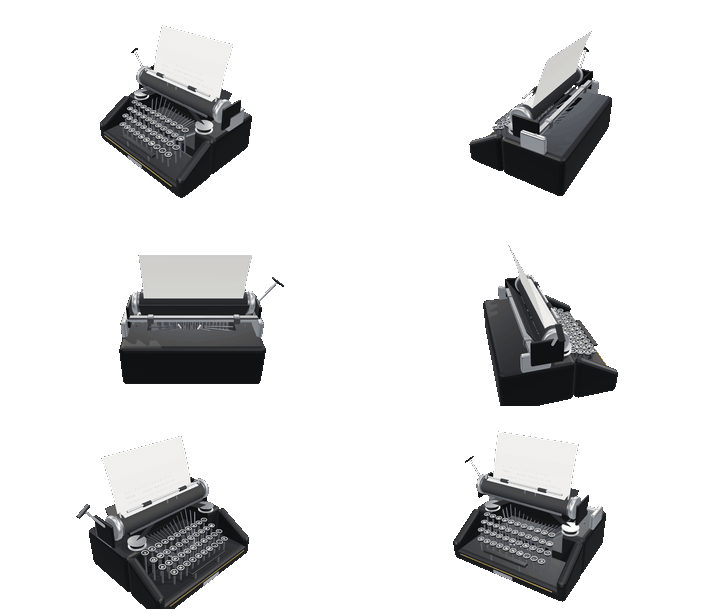
Gallery
Reference implementations, not the product. Each one is a directory you can read, run and take pieces out of — the same contract and the same skills your own worlds will use.
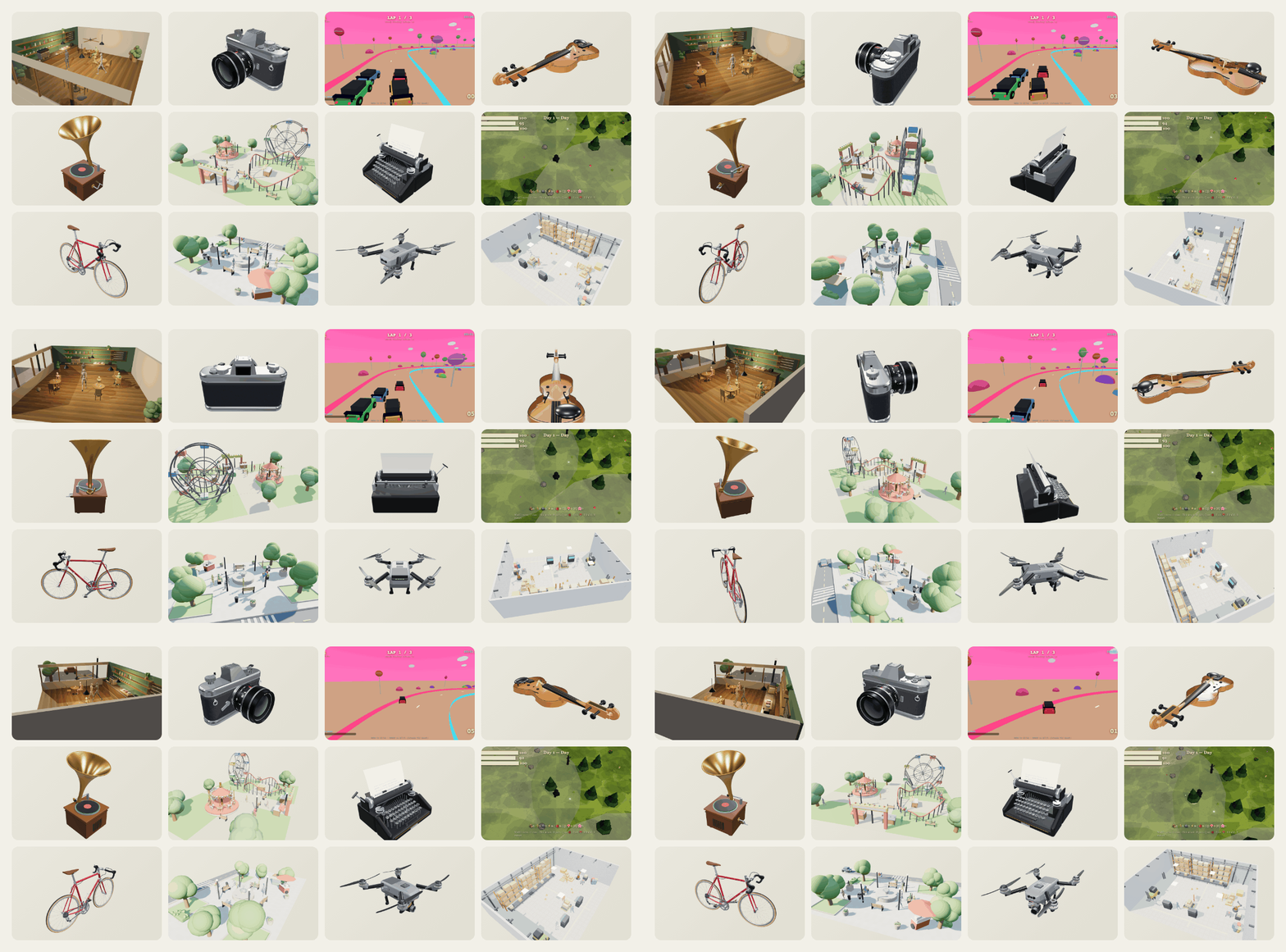
Every polygon above is procedural source. No imported meshes, no texture packs, no binary assets.
Hover a card in the local gallery to see it move; click through for the source that made it.
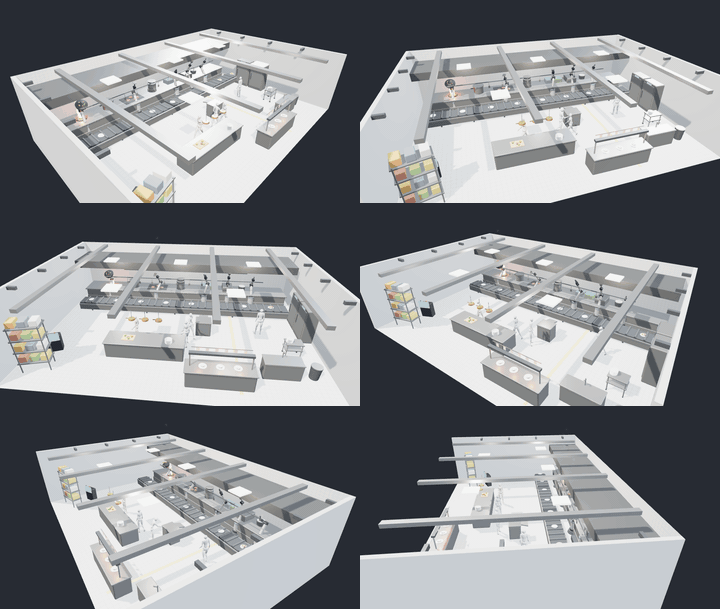
Scenes · 6
A place that exists and keeps living. Judged by whether a still frame holds up — and whether anything moves when nobody touches it.
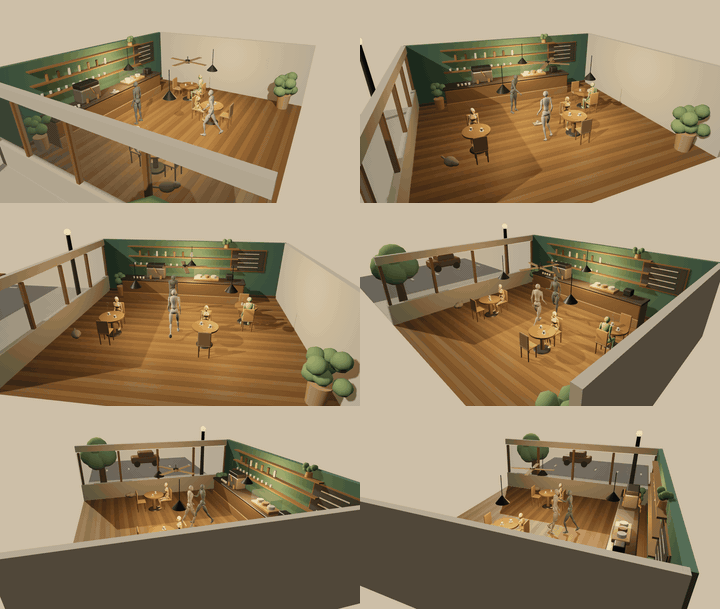 |
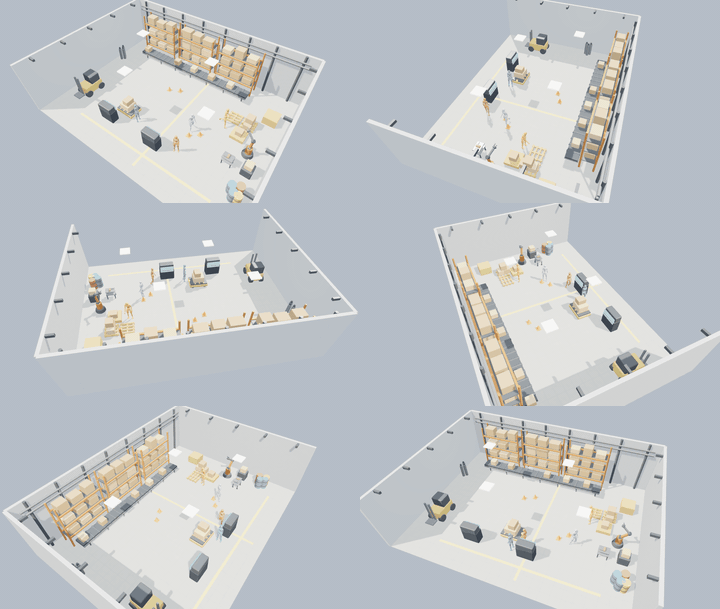 |
| Corner Café — A waiter runs trays, patrons sip, the barista works the machine | Assembly Floor — Workers threading between robot arms and AGVs |
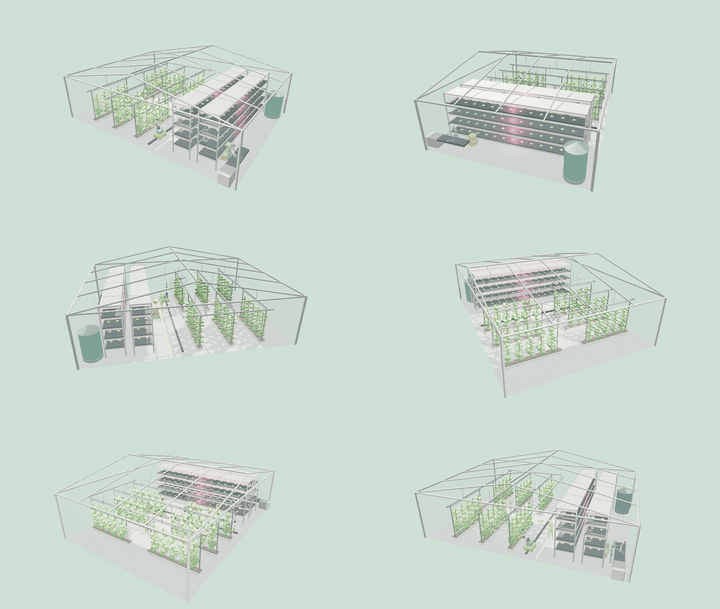 |
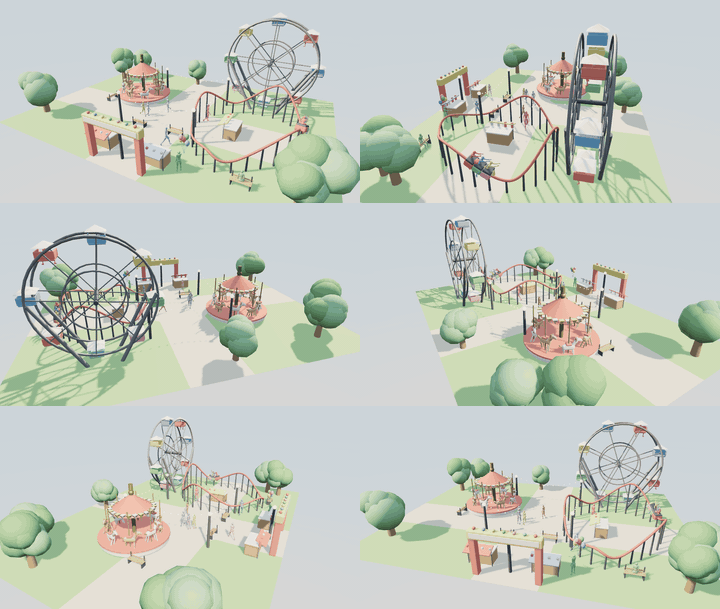 |
| Farm — Livestock, a tractor, a day of chores | Fun Park — Carousel, ferris wheel, a queue that keeps moving |
 |
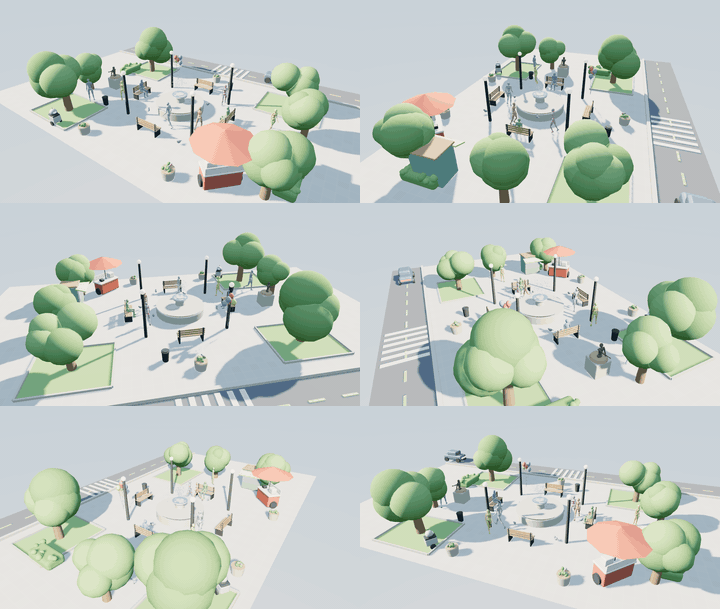 |
| Kitchen — Prep, wok, plate — the line in motion | City Plaza — Traffic, pedestrians and a fountain |
Games · 6
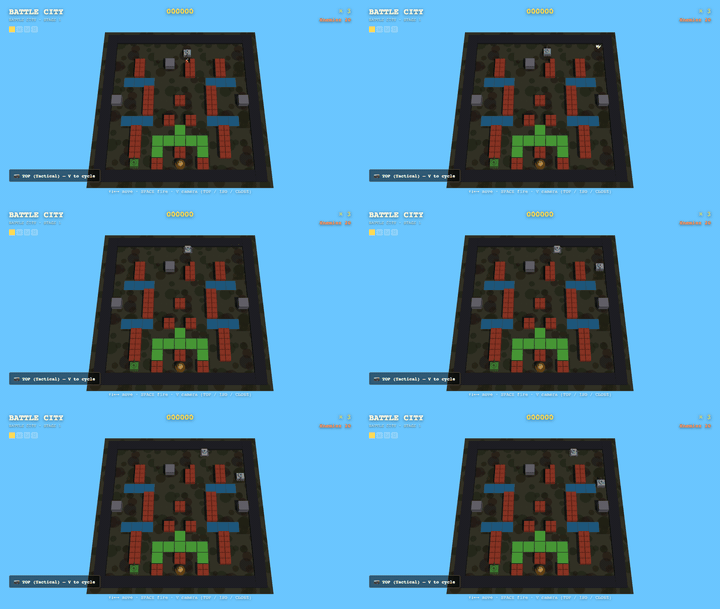
A place with a verb and a way to lose. Judged by whether there is a decision every few seconds.
 |
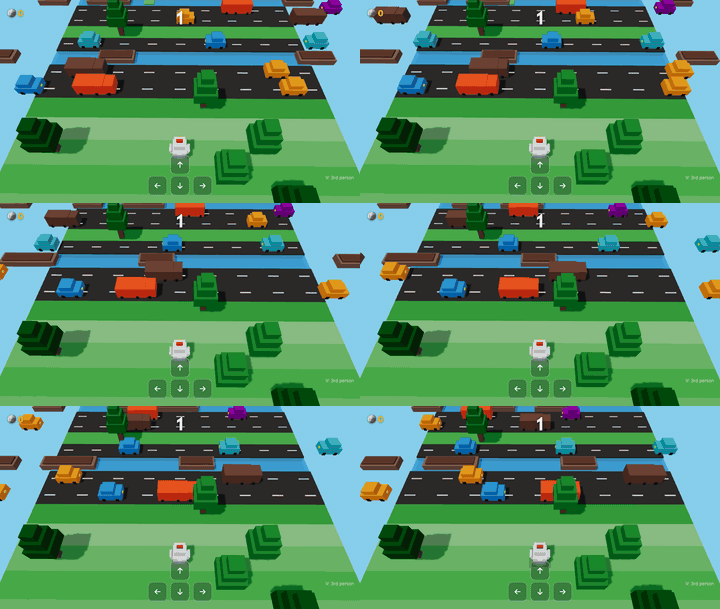 |
| Battle City — Top-down tank duel in a brick maze, with one base to hold | Crossy Road — One hop at a time across traffic, river and rails — the road never ends, only your nerve does |
 |
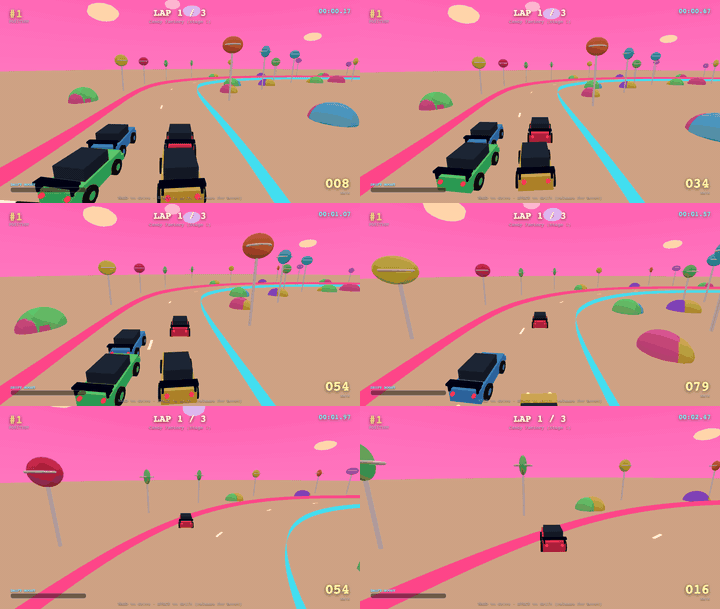 |
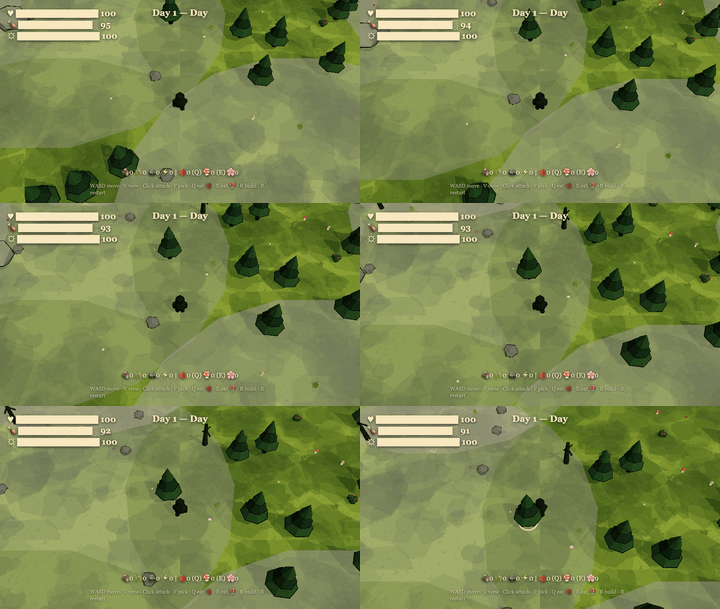
| Don't Starve — A Bear in the Wilderness — A lost black bear in an endless hostile wilderness | Drift — Rear wheels out, holding the angle through a night circuit |
 |
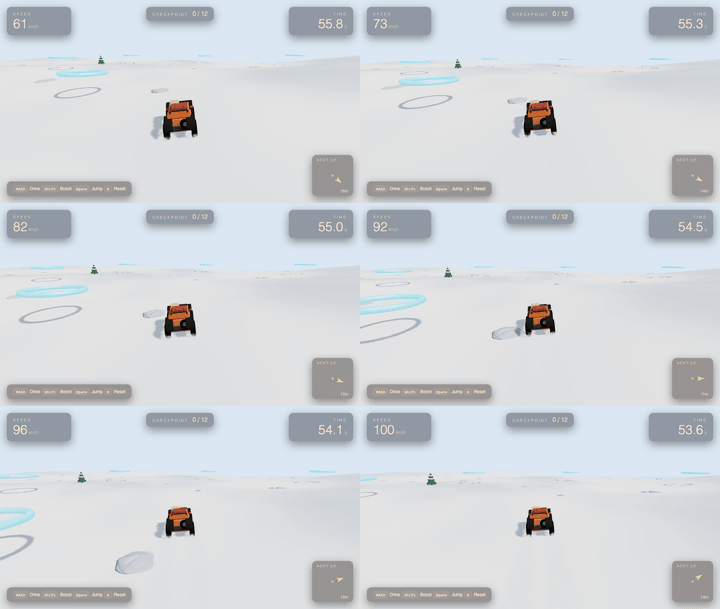 |
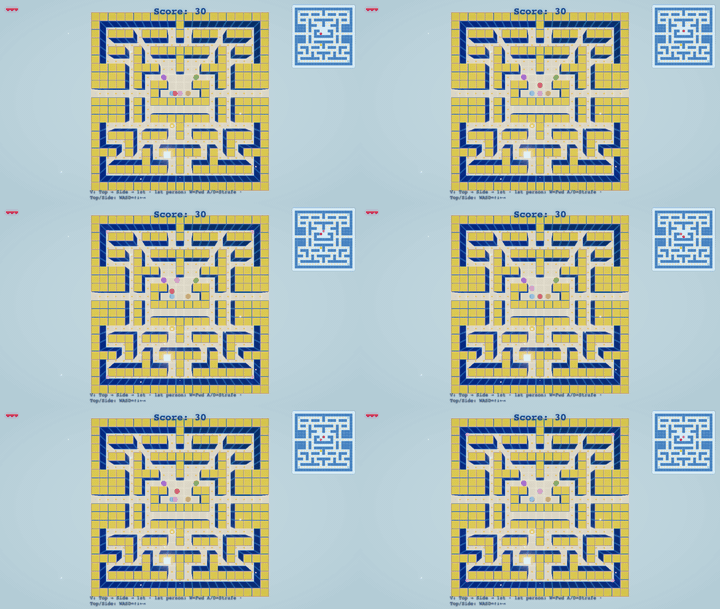
| Pacman 3D — The maze chase, rebuilt in three dimensions | Snowdrift — Plough the drifts back before the storm buries the road |
Objects · 6
One thing, built to be turned over. Judged by whether the form reads from every angle.
 |
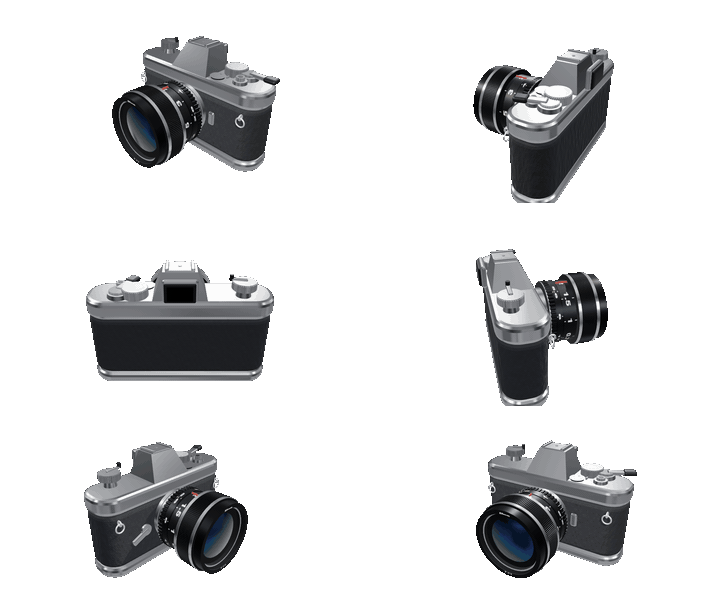 |
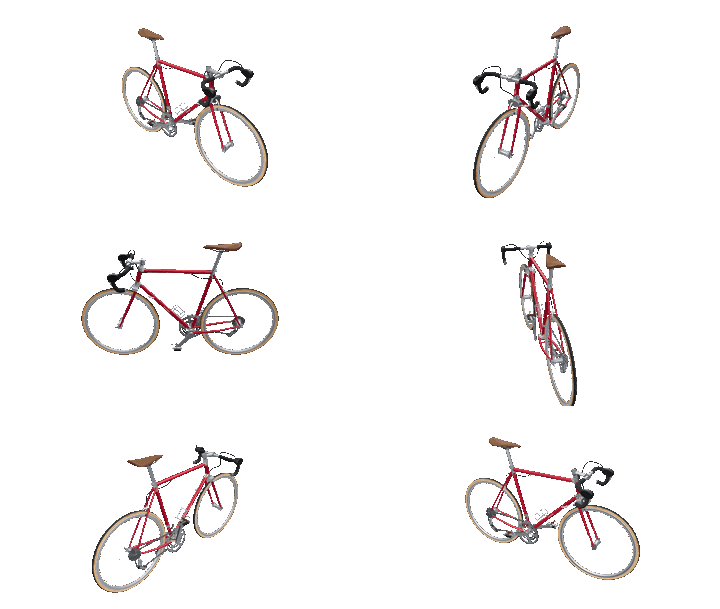
| Road Bike — A steel road bike caught mid-lean: thin tubes, gum-wall tyres, 32 spokes drawing hairlines | 35mm SLR — Cold chrome and grained leather, the lens front element holding one blue reflection |
 |
 |
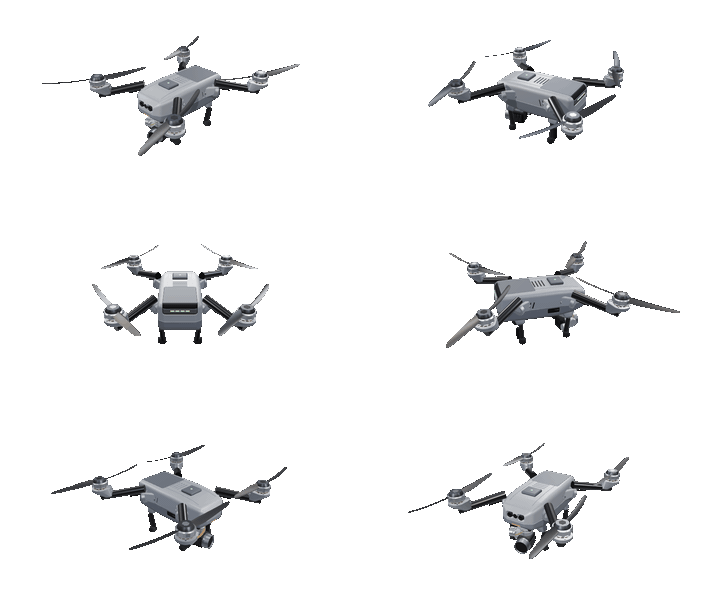
| Camera Quadcopter — Matte grey composite and carbon, four blades feathered, the gimbal hanging level | Gramophone — Brass catching a single window's light in a quiet room |
 |
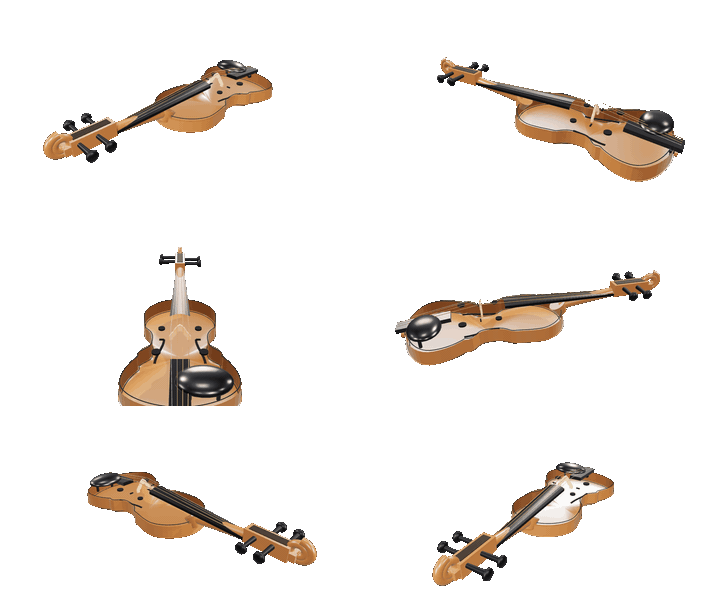 |
| Portable Typewriter — Cold nickel and black lacquer, a sheet already curled over the platen | Violin — Spruce and flamed maple under old varnish, four strings caught over the bridge |
Repository map
skills/     knowledge, loaded on demand
  world/      the six-step workflow — start here, works for all three types
  craft/      cross-cutting technique: form, light, colour, actors, motion, performance
  game/       game design: feel, mechanics, onboarding, genre playbooks, honesty gates
  object/     cutting a thing into parts and reviewing one alone
  three/      Three.js API reference and engine engineering — lookup, not design
harness/    deterministic scripts, one verb each
            serve · create · capture · verify · catalog · export · inspect · smoke
runtime/    the browser side
            world.js (contract) · solid.js (CSG) · actors.js (people) · studio.js (parts)
worlds/     the works — one directory each, plus a generated index.json
            <name>/  world.json · main.js (+ params.js, parts/) · cover.png · <name>.html
docs/       architecture.md · principles.md · contract.md · walkthrough.md
index.html  gallery        play.html  player (humans and the harness use the same page)
Design decisions worth knowing
- No asset imports. Form comes from geometry, CSG and shaders; people come from
mannequin-js. A world is readable, diffable source — not a binary you cannot review. - Declare intent, probe capability.
world.jsoncarries what you meant (type,brief,budget). Whether a world has a timeline or can be played is read off the module itself. A declaration can lie; a probe cannot. - One loop, one page. Humans and the harness both load
play.html. What you see is what CI tested. - Skills unlock, they do not constrain. The only hard goals are visual quality and, for games, playability. No checklists to satisfy.
Documentation
| Document | What is in it |
|---|---|
docs/architecture.md |
Every decision and the reasoning behind it — layers, contracts, what was rejected |
docs/principles.md |
Engineering axioms distilled from real bugs. Re-read before every session |
docs/contract.md |
The WorldModule contract, method by method |
docs/walkthrough.md |
One world from prompt to finished frames |
AGENTS.md |
The agent entry point — routing, hard rules, the harness loop |
Prior art
Built on three.js, manifold-3d, mannequin-js.
Contributing
New worlds, new skills, fixes — see CONTRIBUTING.md. One hard rule:
a change you can see arrives with the frames that show it.
Licence
MIT — see LICENSE.
Explore related projects
ytdl-org/youtube-dl
Command-line program to download videos from YouTube.com and other video sites
141,560 starsexcalidraw/excalidraw
Virtual whiteboard for sketching hand-drawn like diagrams
135,658 starsgodotengine/godot
Godot Engine – Multi-platform 2D and 3D game engine
120,113 starsmrdoob/three.js
JavaScript 3D Library.
118,345 stars