
wjakob/instant-meshes
wjakob/instant-meshes has 6,292 GitHub stars and 715 forks. GitHot measured -1 stars in 24 hours and +7 in 7 days. Last checked 2026-11-11 10:44 UTC. Last push 2022-01-03.
Interactive field-aligned mesh generator
Measured star growth
- in 24h
- -1
- in 7 days
- +7
- in 15 days
- Update delayed
- in 1 month
- Update delayed
Net star changes over overlapping periods, not daily totals. Missing measurements are left blank. Stars measure attention, not software quality.
README.md
OriginalInstant Meshes


This repository contains the interactive meshing software developed as part of the publication
Instant Field-Aligned Meshes
Wenzel Jakob, Marco Tarini, Daniele Panozzo, Olga Sorkine-Hornung
In ACM Transactions on Graphics (Proceedings of SIGGRAPH Asia 2015)
PDF, Video, Project page
In commercial software
Since version 10.2, Modo uses the Instant Meshes algorithm to implement its automatic retopology feature. An interview discussing this technique and more recent projects is available here.
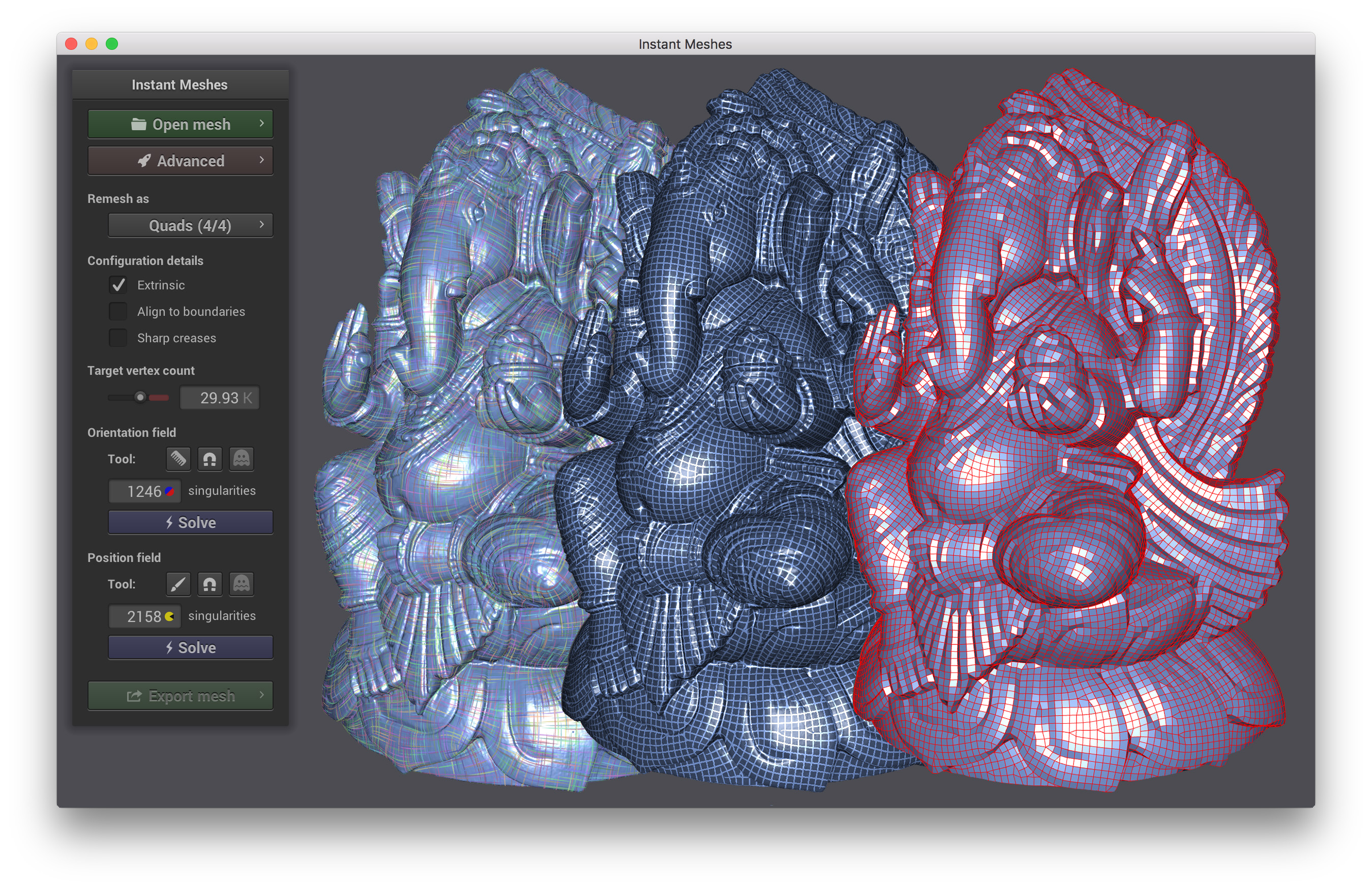
Screenshot
Pre-compiled binaries
The following binaries (Intel, 64 bit) are automatically generated from the latest GitHub revision.
Please also fetch the following dataset ZIP file and extract it so that the
datasets folder is in the same directory as Instant Meshes, Instant Meshes.app,
or Instant Meshes.exe.
Note: On Linux, Instant Meshes relies on the program zenity, which must be installed.
Compiling
Compiling from scratch requires CMake and a recent version of XCode on Mac, Visual Studio 2015 on Windows, and GCC on Linux.
On MacOS, compiling should be as simple as
git clone --recursive https://github.com/wjakob/instant-meshes
cd instant-meshes
cmake .
make -j 4
To build on Linux, please install the prerequisites libxrandr-dev,
libxinerama-dev, libxcursor-dev, and libxi-dev and then use the
same sequence of commands shown above for MacOS.
On Windows, open the generated file InstantMeshes.sln after step 3 and proceed building as usual from within Visual Studio.
Usage
To get started, launch the binary and select a dataset using the "Open mesh" button on the top left (the application must be located in the same directory as the 'datasets' folder, otherwise the panel will be empty).
The standard workflow is to solve for an orientation field (first blue button) and a position field (second blue button) in sequence, after which the 'Export mesh' button becomes active. Many user interface elements display a descriptive message when hovering the mouse cursor above for a second.
A range of additional information about the input mesh, the computed fields, and the output mesh can be visualized using the check boxes accessible via the 'Advanced' panel.
Clicking the left mouse button and dragging rotates the object; right-dragging (or shift+left-dragging) translates, and the mouse wheel zooms. The fields can also be manipulated using brush tools that are accessible by clicking the first icon in each 'Tool' row.
Explore related projects
codecrafters-io/build-your-own-x
Master programming by recreating your favorite technologies from scratch.
561,953 starspublic-apis/public-apis
A collective list of free APIs
498,342 starsmorluto/rea
Reverse engineer anything with agents, from app behavior down to native binaries.
453,486 starsopenclaw/openclaw
The AI that really does things. Any OS. Any Platform. The lobster way. 🦞
394,374 stars