Projects View on GitHub


wiiznokes/fan-control
wiiznokes/fan-control has 355 GitHub stars and 26 forks. GitHot measured 0 stars in 24 hours. Last checked 2026-11-19 02:17 UTC. Last push 2026-08-16.
What you can do
- Display sensors data on real time
- Control fans based on custom behaviors
- Save configuration
- Multiplatform (Linux/Windows)
Measured star growth
- in 24h
- 0
- in 7 days
- Collecting history
- in 15 days
- Collecting history
- in 1 month
- Collecting history
Net star changes over overlapping periods, not daily totals. Missing measurements are left blank. Stars measure attention, not software quality.
About
Control your fans with different behaviors
Developer ToolsREADME.md
OriginalFan Control
Features
- Display sensors data on real time
- Control fans based on custom behaviors
- Save configuration
- Multiplatform (Linux/Windows)
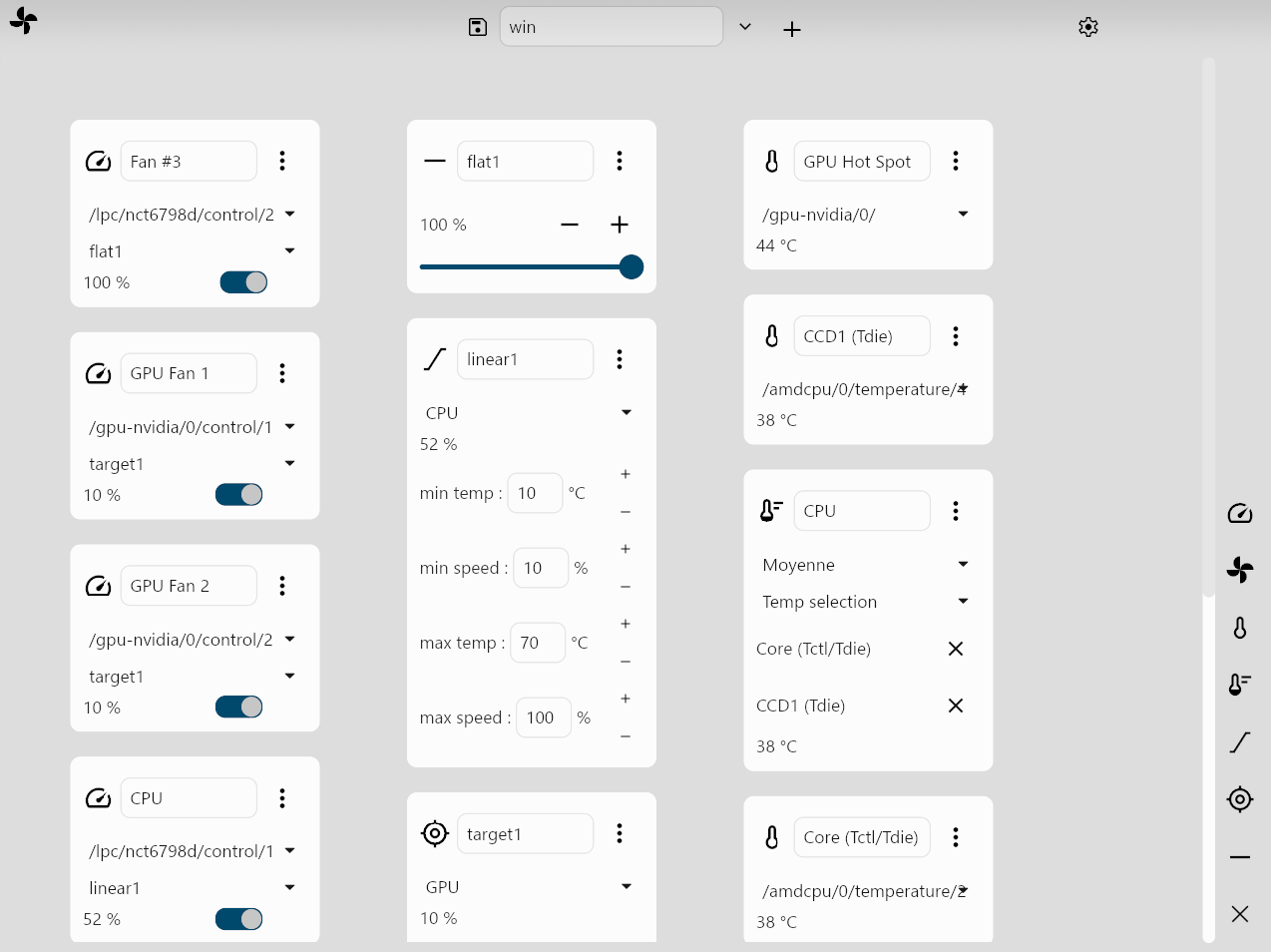
Usage
- You can add items with the buttons on the right of the app.
- To save a configuration, write a name in the "Configuration name" field, and click on the
+. - To modify the value of a fan, you must select it in a
Controlitem (the left column), select aBehavior, and activate the switch.
Installation
Windows
- Install Fan Control from the release section
- Install the PawnIO driver
- Install the .NET Runtime
The configuration files will be in C:\Users\wiiz\AppData\Roaming\wiiznokes\fan-control\config.
Flatpak (Linux)
- Install the required udev rules
- Install fan-control from Flathub
The configuration files will be in ~/.var/app/io.github.wiiznokes.fan-control/config/fan-control/.
To ensure the application detects the maximum number of sensors, follow these steps
- Install
lm-sensors
For Debian-based systems, run:sudo apt install lm-sensors
For Fedora-based systems, run:sudo dnf install lm_sensors - Run
sudo sensors-detectto detect available sensors
Troubleshooting
See this file.
Repo structure
- hardware: define an abstraction around the hardware.
- data: define structures used in the app (Node, Config), and there logic. Depend on hardware
- ui: implement the UI. Depend on data and hardware
- the app: integrate all this crates in one executable
Build
See instructions here.
Contributing
See this file.