
whatsplay/whatsapp-play
whatsplay/whatsapp-play has 431 GitHub stars and 221 forks. GitHot measured 0 stars in 24 hours. Last checked 2026-11-11 02:25 UTC. Last push 2021-05-15.
Command line software through which you can play with your WhatsApp. It is having different options to play with your WhatsApp like message blast, online tracking, whatsapp chat..
What you can do
- Online/offline Tracker
- Chat Intermediator
- Message Service
- Schedule Message
Measured star growth
- in 24h
- 0
- in 7 days
- Update delayed
- in 15 days
- Update delayed
- in 1 month
- Update delayed
Net star changes over overlapping periods, not daily totals. Missing measurements are left blank. Stars measure attention, not software quality.
README.md
Original
whatsapp-play



A command line software through which you can play with your WhatsApp. The software aims to provide all the facilities to use and implement a multitude of WhatsApp features. Blog link: https://github.com/rpotter12/rpotter12.github.io/blob/master/blogs/blog3-tracking-26-07-2019.md
Features
- Online/offline Tracker
- Terminal Chat
- Chat Intermediator
- Message Service
- Telegram Bot
- Message Blast
- Message Timer
- Save Chat
- Schedule Message
- About Changer
- Get News (Get API from https://newsapi.org/ and paste it in newsapi = NewsApiClient(api_key="YOUR API KEY"))
- Get Profile Photos
- Broadcast Message
- Target Info (Profile Info)
- Download Media
Installation
Install whatsapp-play from PyPI:
Windows: python -m pip install wplay
Unix/Linux/Mac: python3 -m pip install wplay
Installation Video: Simple Installation Link
Alternate way - Run whatsapp-play from source code:
Windows
$ git clone https://github.com/rpotter12/whatsapp-play.git
$ cd whatsapp-play
$ python -m pip install -r requirements.txt
$ python -m wplay -h
Unix/Linux/Mac
$ git clone https://github.com/rpotter12/whatsapp-play.git
$ cd whatsapp-play
$ python3 -m pip install -r requirements.txt
$ python3 -m wplay -h
Usage
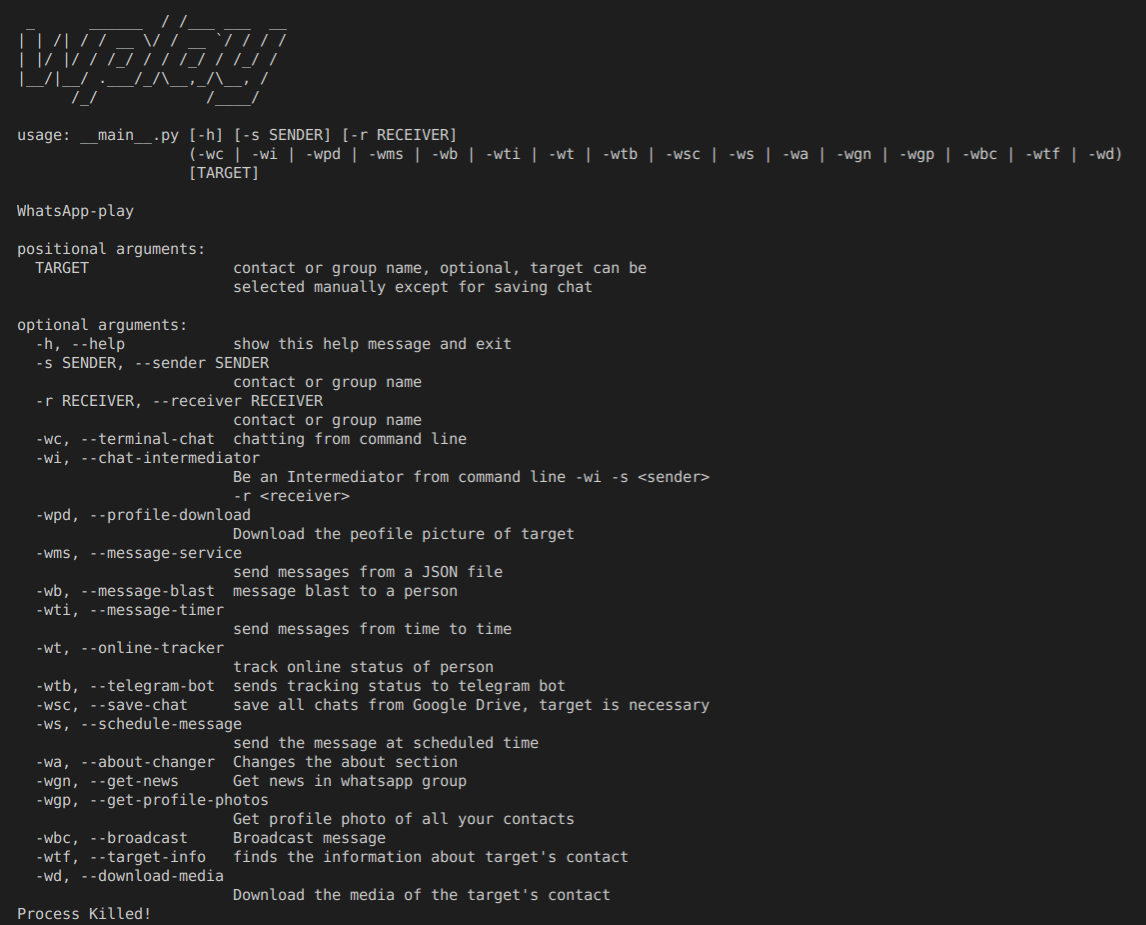
For detailed usage of command visit: https://github.com/rpotter12/whatsapp-play/wiki/Usage
Contribute
The easiest way to contribute to Whatsapp-Play is by starring the repository and opening more and more issues for features you'd like to see in future.
First step is to create a fork and clone, then you can solve the issues listed and help us find new ones. Then try debugging with Visual Studio Code it is necessary to create a launcher with the arguments.
Steps to create a launcher with arguments follow the steps bellow:
- Click in 'Debug' tab
- Click in 'Add Configuration'
- Select 'Module'
- Type 'wplay' and press Enter
- A json file will be opened. Inside configurations add the args, for example: "args":["-wb","name"]
Debug Tutorial Video: Debug Tutorial Link
Check more about contribution guidelines here
Disclaimer
This software is for educational purpose only. Keeping eye on a innocent person can make person's life stressful.
License

If you like the project, support us by star
Explore related projects
codecrafters-io/build-your-own-x
Master programming by recreating your favorite technologies from scratch.
561,900 starspublic-apis/public-apis
A collective list of free APIs
498,290 starsmorluto/rea
Reverse engineer anything with agents, from app behavior down to native binaries.
453,052 starsopenclaw/openclaw
The AI that really does things. Any OS. Any Platform. The lobster way. 🦞
394,371 stars