
vvhg1/clp-keycaps
vvhg1/clp-keycaps has 553 GitHub stars and 35 forks. GitHot measured 0 stars in 24 hours. Last checked 2026-11-19 13:06 UTC. Last push 2026-10-05.
Measured star growth
- in 24h
- 0
- in 7 days
- Collecting history
- in 15 days
- Collecting history
- in 1 month
- Collecting history
Net star changes over overlapping periods, not daily totals. Missing measurements are left blank. Stars measure attention, not software quality.
About
MX compatible low profile ergonomic keycaps
Creative & MediaREADME.md
Original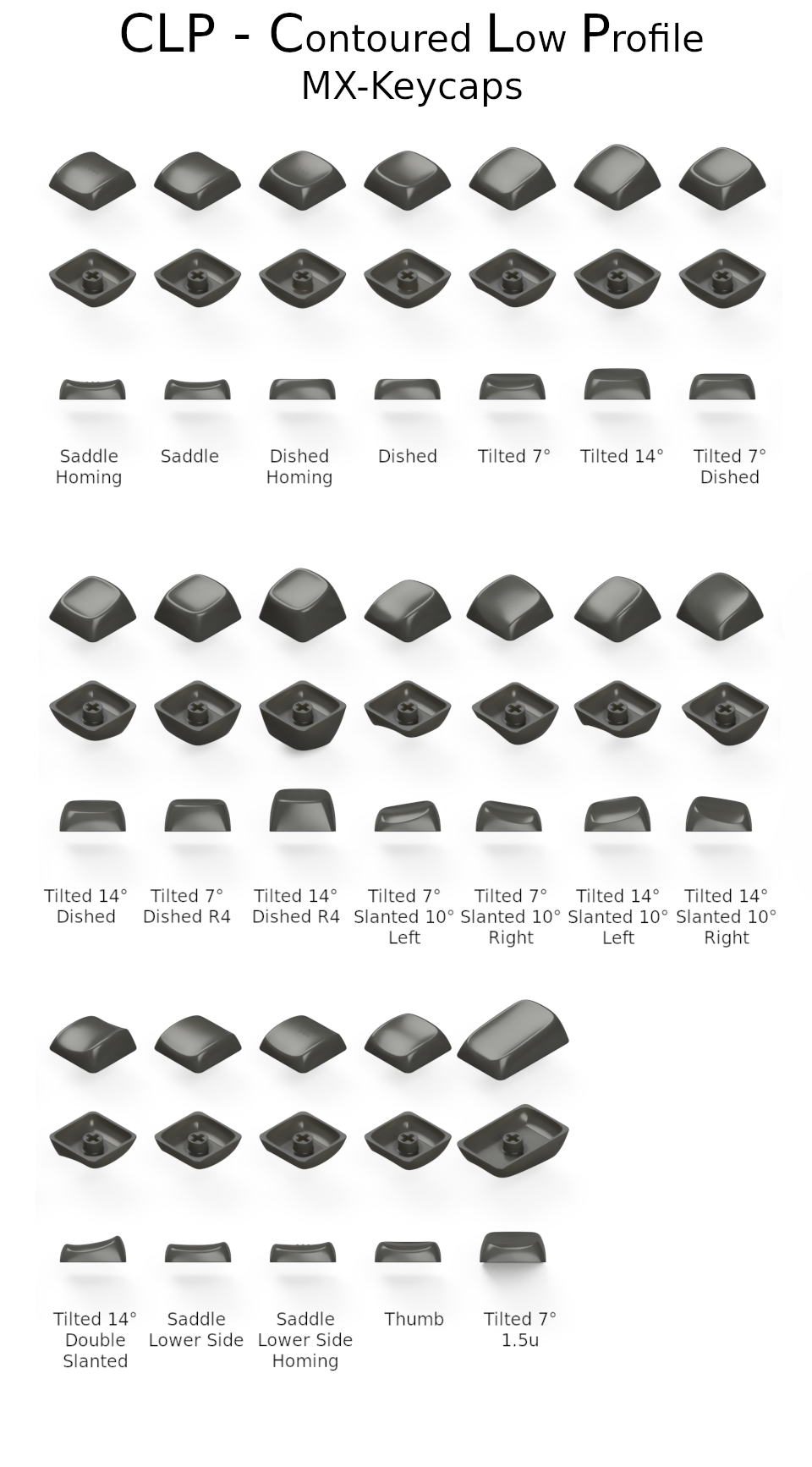
CLP Contoured Low Profile MX Keycaps
The repository contains these folders:
| Folder | Purpose |
|---|---|
| fusion360 | Source files for Autodesk Fusion 360. |
| fusion360/assemblies | Combined source files of a maximum of 10 keycaps. These files are used to export the models to STL files. Combining models into one file is a good way to save money on printing as printing services often charge a minimum price per model. |
| stl | 3D models for any CAD or Slicer software. |
| stl/assemblies | Combined files that you can use in any 3D-printing service like JLCPCB or PCBWay. Combining models into one file is a good way to save money on printing as printing services often charge a minimum price per model. If you need other combinations, you can use the source files in the fusion360/assemblies folder to create your own STL files. |
| assets | Folder that contains images and actual photos of keycaps. |
There are currently 19 different keycap models available:
| Model | Description | STL | Fusion 360 |
|---|---|---|---|
| Saddle Homing | A saddle-shaped keycap, similar to the Chicago Steno keycaps, with three little bumps, commonly used for home row index fingers. | Download | Download |
| Saddle | A saddle-shaped keycap, similar to the Chicago Steno keycaps. | Download | Download |
| Dished Homing | A normal dished keycap with three little bumps, commonly used for home row index fingers. | Download | Download |
| Dished | A normal dished keycap. | Download | Download |
| Tilted 7° | Same as Dished, but top profile has a 7° tilt and the front is lowered. | Download | Download |
| Tilted 14° | Same as Dished, but top profile has a 14° tilt and the front is lowered. | Download | Download |
| Tilted 7° Dished | Same as Tilted 7°, but the top profile is dished. | Download | Download |
| Tilted 14° Dished | Same as Tilted 14°, but the top profile is dished. | Download | Download |
| Tilted 7° Dished R4 | Same as Tilted 7° Dished, but higher profile for the top row. | Download | Download |
| Tilted 14° Dished R4 | Same as Tilted 14° Dished, but higher profile for the top row. | Download | Download |
| Tilted 7° Slanted 10° | Same as Tilted 7°, but the top profile is slanted 10° to the left/right (two variants). | Download | Download |
| Tilted 14° Slanted 10° | Same as Tilted 14°, but the top profile is slanted 10° to the left/right (two variants). | Download | Download |
| Tilted 14° Double Slanted | Same as Tilted 14°, but the top profile is slanted to both sides, intended to go between two tilted keycaps. | Download | Download |
| Saddle Lower Side | Same as Saddle, but one side is lowered to have a better transition to the Double Slanted keycap. | Download | Download |
| Saddle Lower Side Homing | Same as Saddle Homing, but one side is lowered to have a better transition to the Double Slanted keycap. | Download | Download |
| Thumb | Same as Dished, but with a lowered front side. | Download | Download |
| Tilted 7° 1.5u | Same as Tilted 7°, but 1.5u size. | Download | Download |
How to print?
- For the best results, use a resin printer with a high resolution, or an online printing service like JLCPCB or PCBWay. JLCPCB SLS Nylon seems to work well too. MJF Nylon should probably work, but is untested and slightly more expensive.
- If you want to print the keycaps yourself, you can use the STL files in the
stlfolder. If you want to print multiple keycaps at once, you can use the STL files in thestl/assembliesfolder. These files are already combined and ready to print. - Some tips for FDM printing (thanks to u/justapcgamer):
- use a 0.2mm nozzle, both surface feel and the dimensional accuracy of the keycap stem is so much better
- if you cannot, use the finest layer height you are comfortable with, but 0.4mm nozzle prints generally require a good bit of post processing like trimming the insides of the stem
- use as low of a layer height as you can
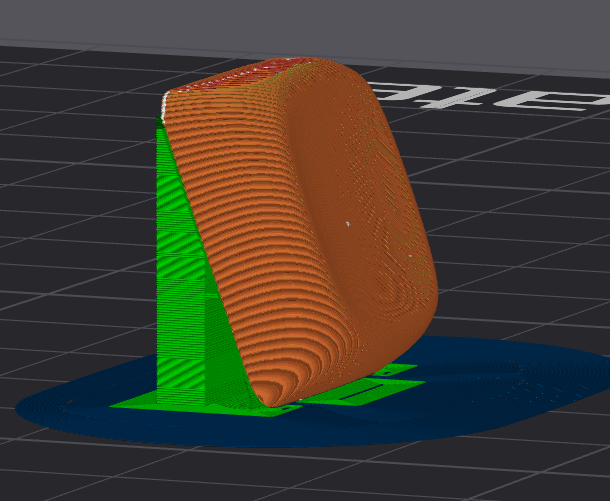
- print on bottom edge of one of the sides at an angle between 60-80 degrees, depending on which slice has a surface quality you like. 80 will result in a better surface but overhangs are rough. This image is 70 degrees:
- do not use supports for the inside of the stem, mark it for no supports in the slicer
- use supports for the top edge so the underside doesn't sag and interfere with the switch
- print in batches, if printing single keycap, increase the cooling. Since its small, if you print multiple, there's adequate time for cooling which results in better surfaces
- if your printers toolhead has better cooling on one side, make sure the keycaps surface (side that touches your finger) faces the better cooled side for a better finish.
- matte filaments will feel a bit rough, silk pla will feel slippery, I find normal pla gives the best finish.
Images
SLS Nylon keycaps:
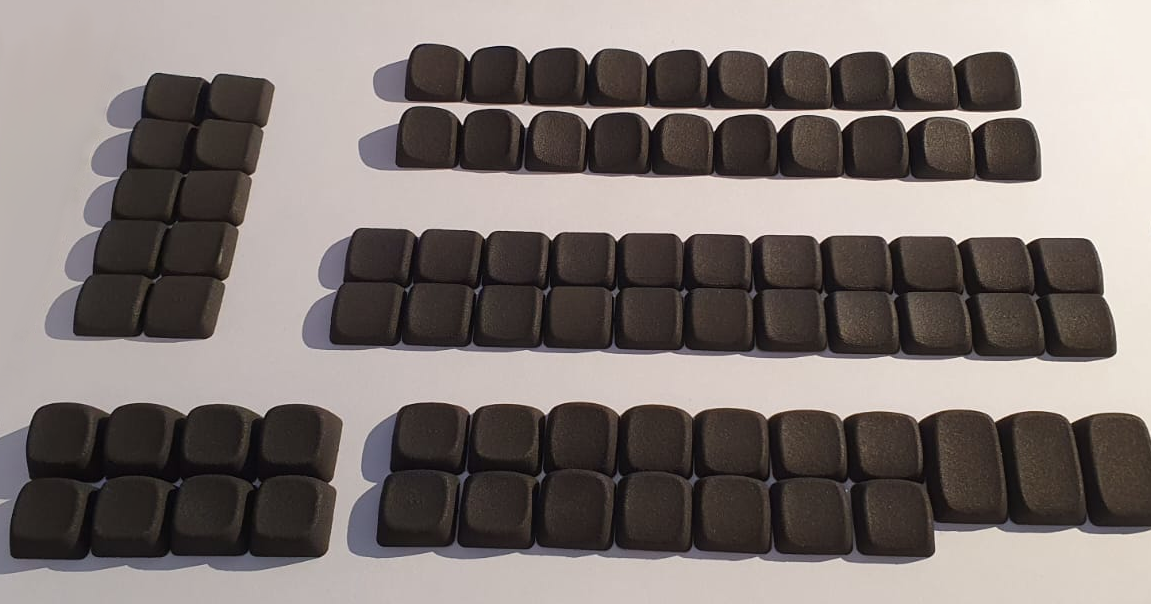
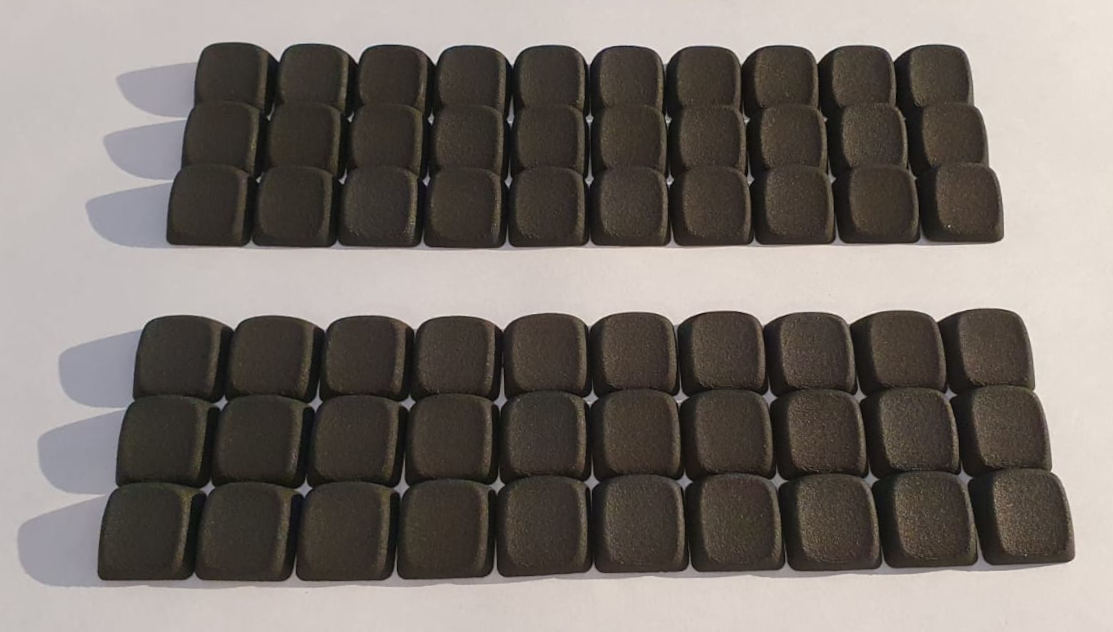
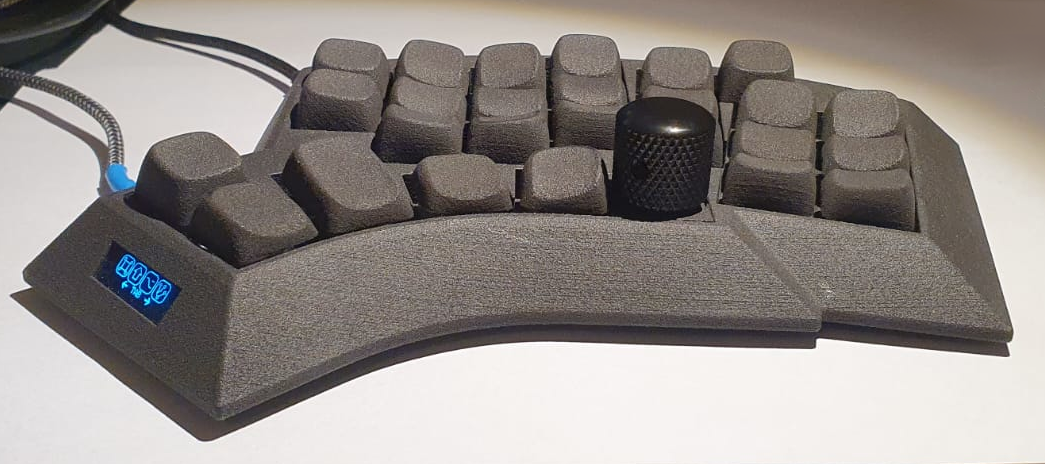
so how low profile are these keycaps?
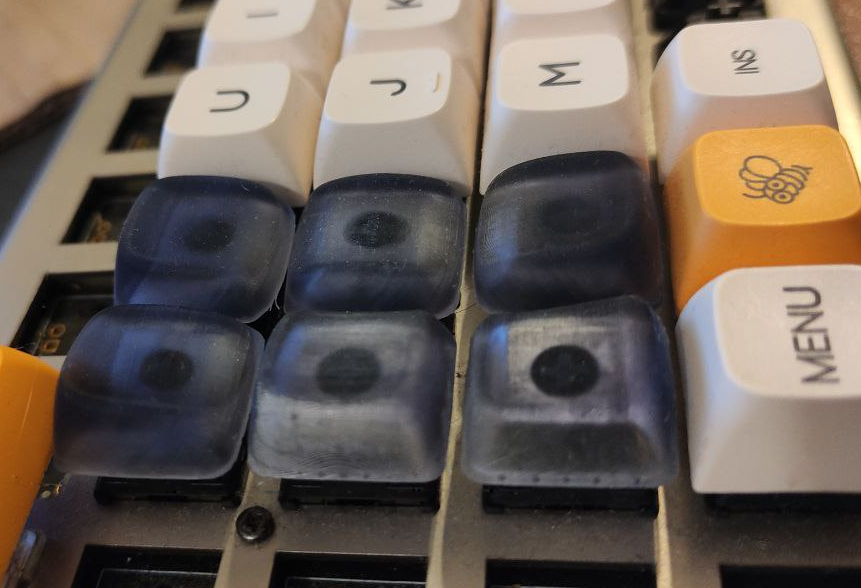 source: u/braindefender
freshly hatched keycaps:
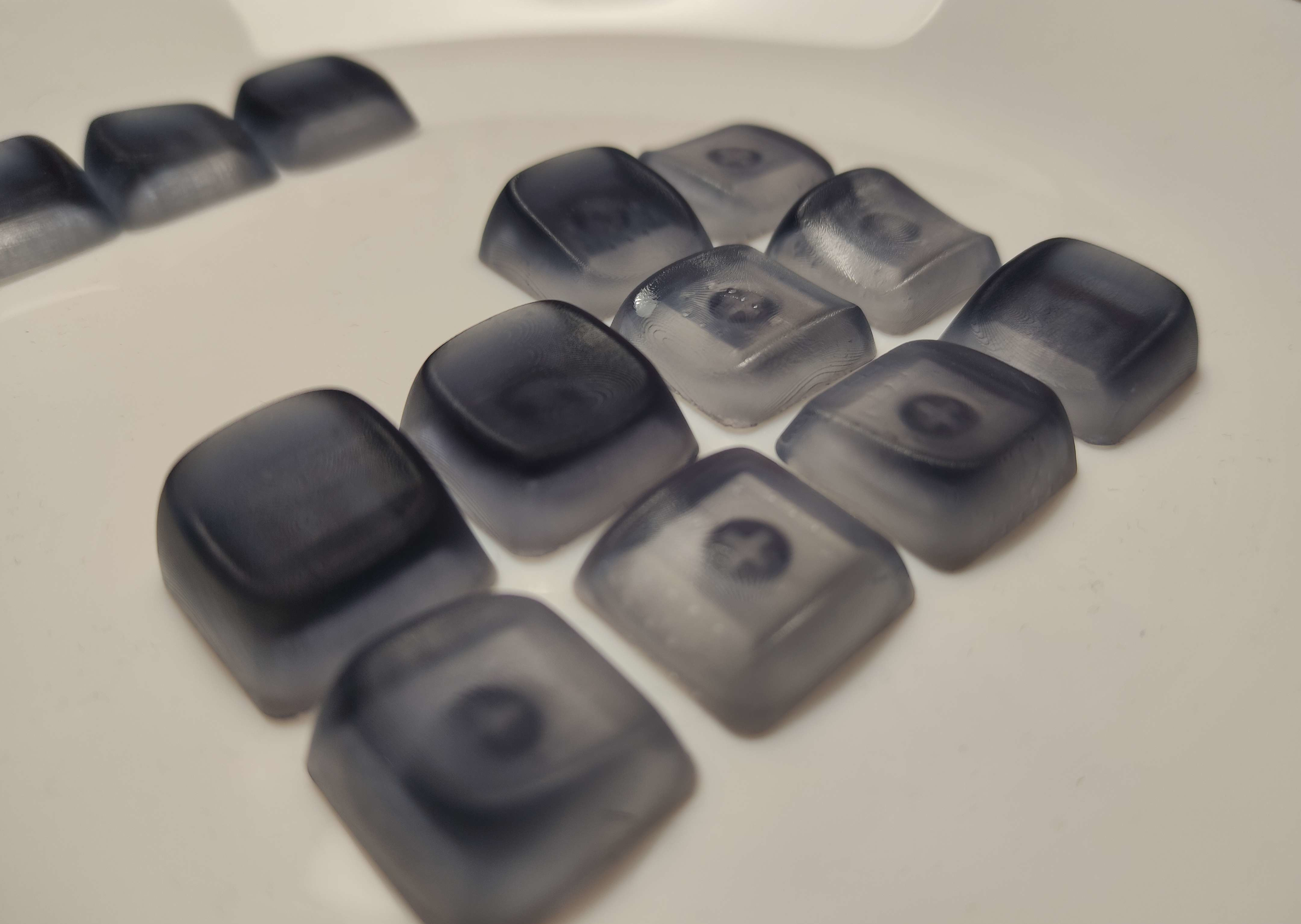 source: u/braindefender
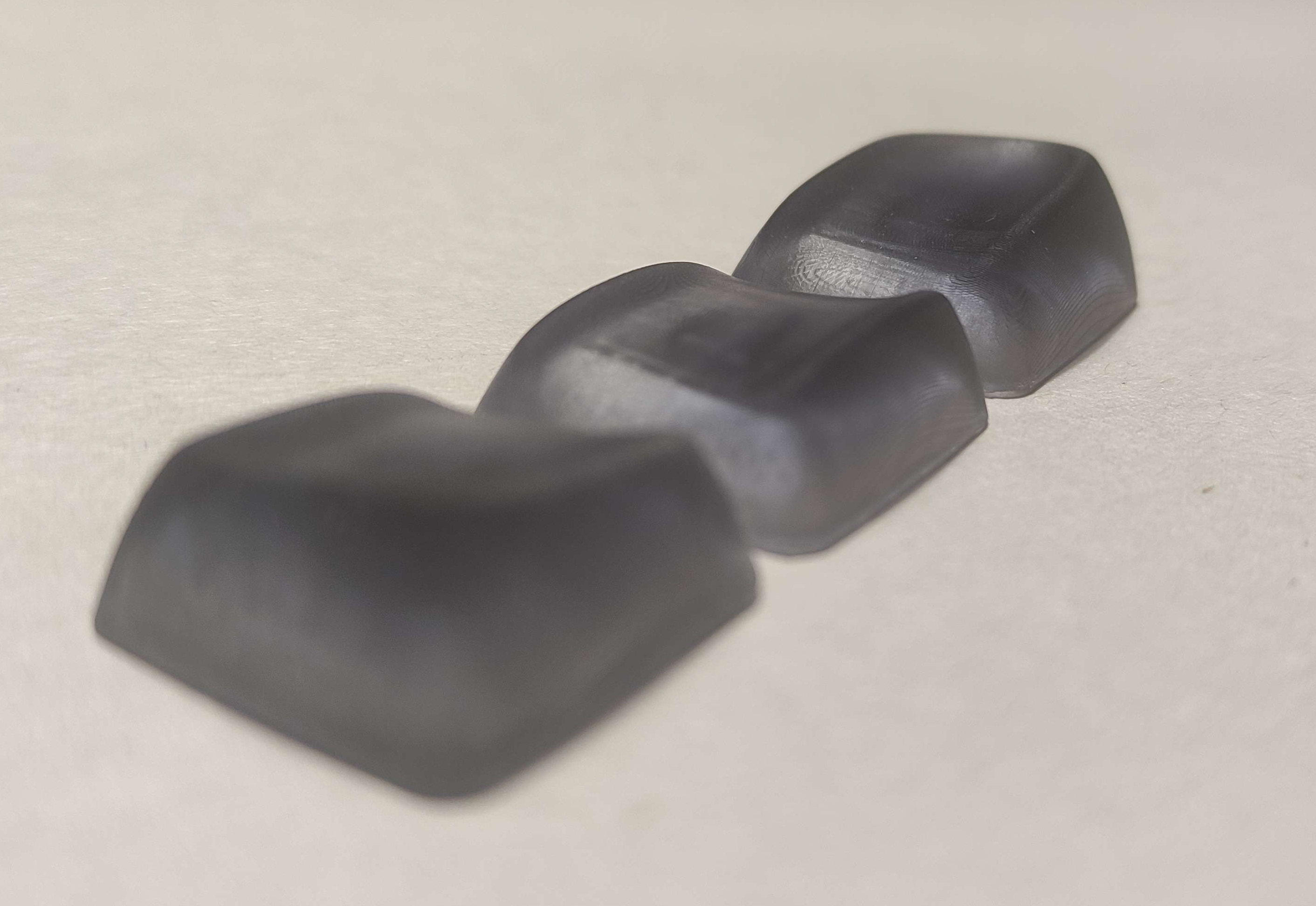 source: u/braindefender

Acknowledgements
As always this project wouldn't be possible without standing on the shoulders of giants. I took a lot of inspiration from braindefender's KLP Lame keycaps. And sure enough, he was so kind to also provide excellent feedback (he alsocaught some nasty errors I overlooked!) and a bunch of tips and ideas. His experience with 3D printing keycaps was invaluable. He also did (well, still doing actually) a lot of test prints to check if the models are printable and work as expected. Thanks a lot, this would not have been possible without you, at least not at this level of quality and diversity!
Another source of inspiration was Pseudoku's Distorted Ellipsoidal Saddle (DES) and Chicago Stenographer.
License
All models are licensed under the GNU GPL v3 license. See the LICENSE file for details.