
vslinko/obsidian-outliner
vslinko/obsidian-outliner has 1,376 GitHub stars and 96 forks. GitHot measured 0 stars in 24 hours and -1 in 7 days. Last checked 2026-11-11 21:49 UTC. Last push 2026-06-27.
Work with your lists like in Workflowy or RoamResearch
What you can do
- Manipulation with multiple lines
Measured star growth
- in 24h
- 0
- in 7 days
- -1
- in 15 days
- Collecting history
- in 1 month
- Collecting history
Net star changes over overlapping periods, not daily totals. Missing measurements are left blank. Stars measure attention, not software quality.
README.md
OriginalObsidian Outliner


Work with your lists like in Workflowy or RoamResearch
⁉️ Discuss ideas or ask a question
⚙️ Follow the development process
🐛 Report issues
Compatible with Obsidian Zoom plugin.
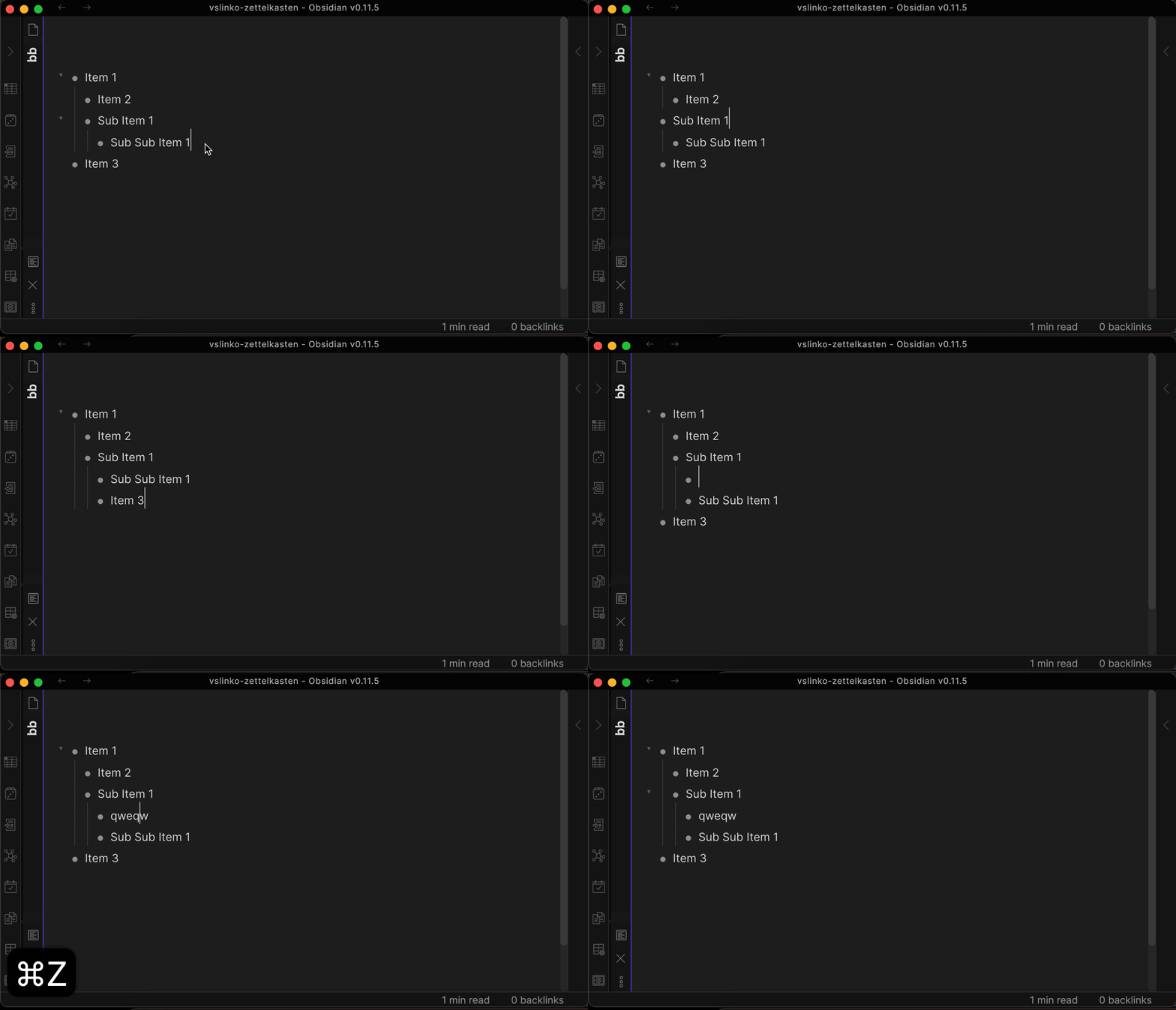
Demo
How to install
From within Obsidian
You can activate this plugin within Obsidian by doing the following:
- Open Settings > Third-party plugin
- Make sure Safe mode is off
- Click Browse community plugins
- Search for "Outliner"
- Click Install
- Once installed, close the community plugins window and activate the newly installed plugin
Manual installation
Download main.js, manifest.json, styles.css from the latest release and put them into <vault>/.obsidian/plugins/obsidian-outliner folder.
How to use
Try to create a deeply structured list and move items by pressing the hotkeys described below.
Features
Improve the style of your lists
If you liked the styles from the demo above, you can enable them in the plugin settings tab.
Disclaimer: Styles are only compatible with built-in Obsidian theme.
| Setting | Default value |
|---|---|
| Improve the style of your lists | true |
Move lists back and forth
Move lists with children wherever you want without breaking the structure.
| Command | Default hotkey (Windows/Linux) | Default hotkey (MacOS) | Mobile Quick Action |
|---|---|---|---|
| Move list and sublists up | CtrlShift↑ | CommandShift↑ |  |
| Move list and sublists down | CtrlShift↓ | CommandShift↓ |  |
| Indent the list and sublists | Tab | Tab |  |
| Outdent the list and sublists | ShiftTab | ShiftTab |  |
| Setting | Default value |
|---|---|
| Enhance the Tab key | true |
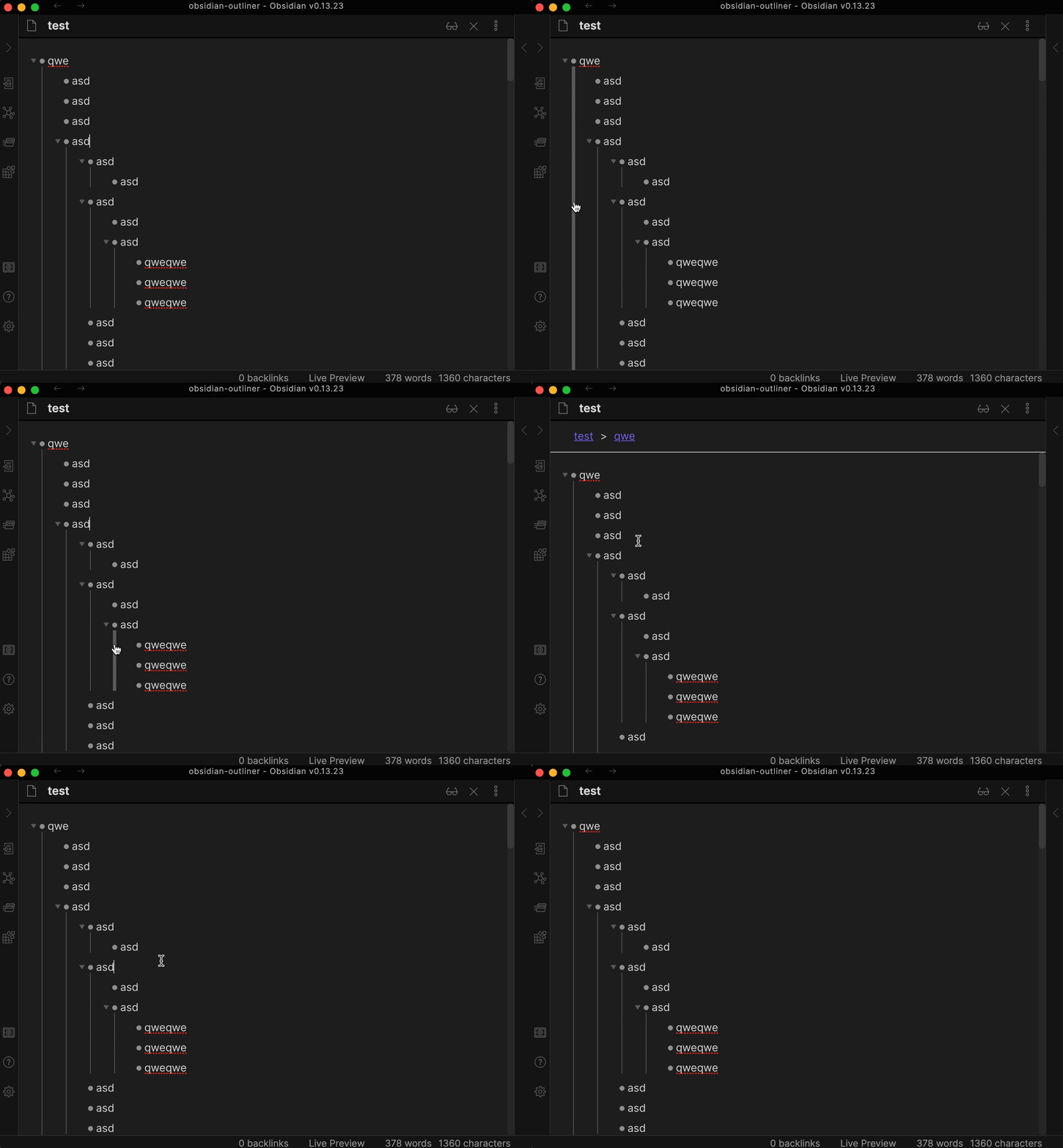
Draw vertical indentation lines
Disclaimer: vertical indentation lines are only compatible with built-in Obsidian theme.
| Setting | Default value |
|---|---|
| Draw vertical indentation lines | false |
| Vertical indentation line click action | Toggle Folding |
Stick the cursor to the content
Don't let the cursor move to the bullet position. Affects cursor movement, text deletion, text selection.
| Setting | Default value |
|---|---|
| Stick the cursor to the content | true |
Enhance the Enter key
Make the Enter key behave the same as other outliners:
- Enter outdents list item if it's empty (enabled by default). Disable
Outdent empty items with Enter in settings to keep empty bullets and
checkboxes and continue the list instead. In that mode, repeated Enter does not
exit the list. This option only applies when Enhance the Enter key is enabled
and does not change Vim
o/O. - Enter creates new line on children level if there are any children.
- Shift-Enter creates a new note line.
| Setting | Default value |
|---|---|
| Enhance the Enter key | true |
Fold and unfold your lists
| Command | Default hotkey (Windows/Linux) | Default hotkey (MacOS) | Mobile Quick Action |
|---|---|---|---|
| Fold the list | Ctrl↑ | Command↑ |  |
| Unfold the list | Ctrl↓ | Command↓ |  |
Enhance the CtrlA or CmdA behavior
Press the hotkey once to select the current list item. Press the hotkey twice to select the entire list.
| Setting | Default value |
|---|---|
| Enhance the Ctrl+A or Cmd+A behavior | true |
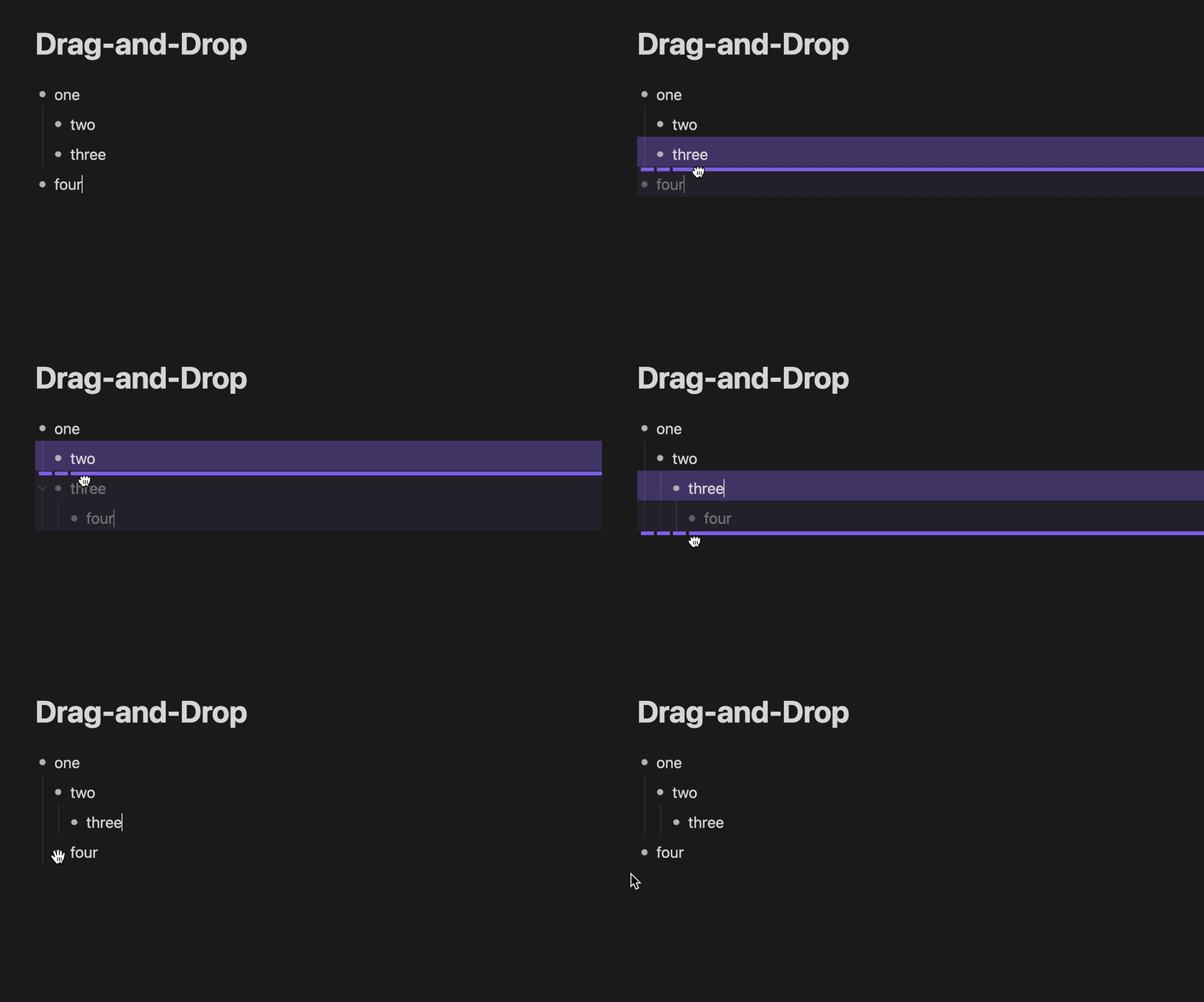
Drag-and-Drop
| Setting | Default value |
|---|---|
| Drag-and-Drop | true |
Plugins that render their own widget in place of the list bullet can make it a drag handle by adding the data-outliner-drag-handle attribute to the widget's element.
Debug mode
Open DevTools (Command+Option+I or Control+Shift+I) to copy the debug logs.
| Setting | Default value |
|---|---|
| Debug mode | false |
Unsupported (yet) features
Pricing
This plugin is free for everyone.
Patrons & Supporters
I want to say thank you to the people who support me, I really appreciate it!
- Lucas D
- Philipp K.
- Daniel B.
- Mat Rhein (@mat_rhein7)
- Ollie Lovell
- Faiz MK (@faizkhuzaimah)
- more patrons and anonymous supporters
Explore related projects
n8n-io/n8n
Fair-code workflow automation platform with native AI capabilities. Combine visual building with custom code, self-host or cloud, 400+ integrations.
210,232 starslanggenius/dify
Build Agentic workflows, RAG pipelines, with rich AI model and tool support on one collaborative workspace. Deploy on cloud, VPC, or self-hosted, so teams move from prototype to production without rebuilding the stack.
160,951 starsmicrosoft/PowerToys
Microsoft PowerToys is a collection of utilities that supercharge productivity and customization on Windows
140,888 starsstablyai/orca
Orca is the place for working with a fleet of agents (e.g. Grok Bot, Claude Code). Run any coding agent with your own subscription. Available on desktop, mobile and remote runtime.
122,567 stars