
vinhnx/VTCode
vinhnx/VTCode has 903 GitHub stars and 98 forks. GitHot measured +5 stars in 24 hours. Last checked 2026-11-09 05:23 UTC. Last push 2026-11-05.
VT Code is an open-source Rust terminal coding agent.
Measured star growth
- in 24h
- +5
- in 7 days
- Update delayed
- in 15 days
- Update delayed
- in 1 month
- Update delayed
Net star changes over overlapping periods, not daily totals. Missing measurements are left blank. Stars measure attention, not software quality.
README.md
Original
Terminal-first. Desktop-ready.
Explore, plan, edit, and verify; all with the model you choose.






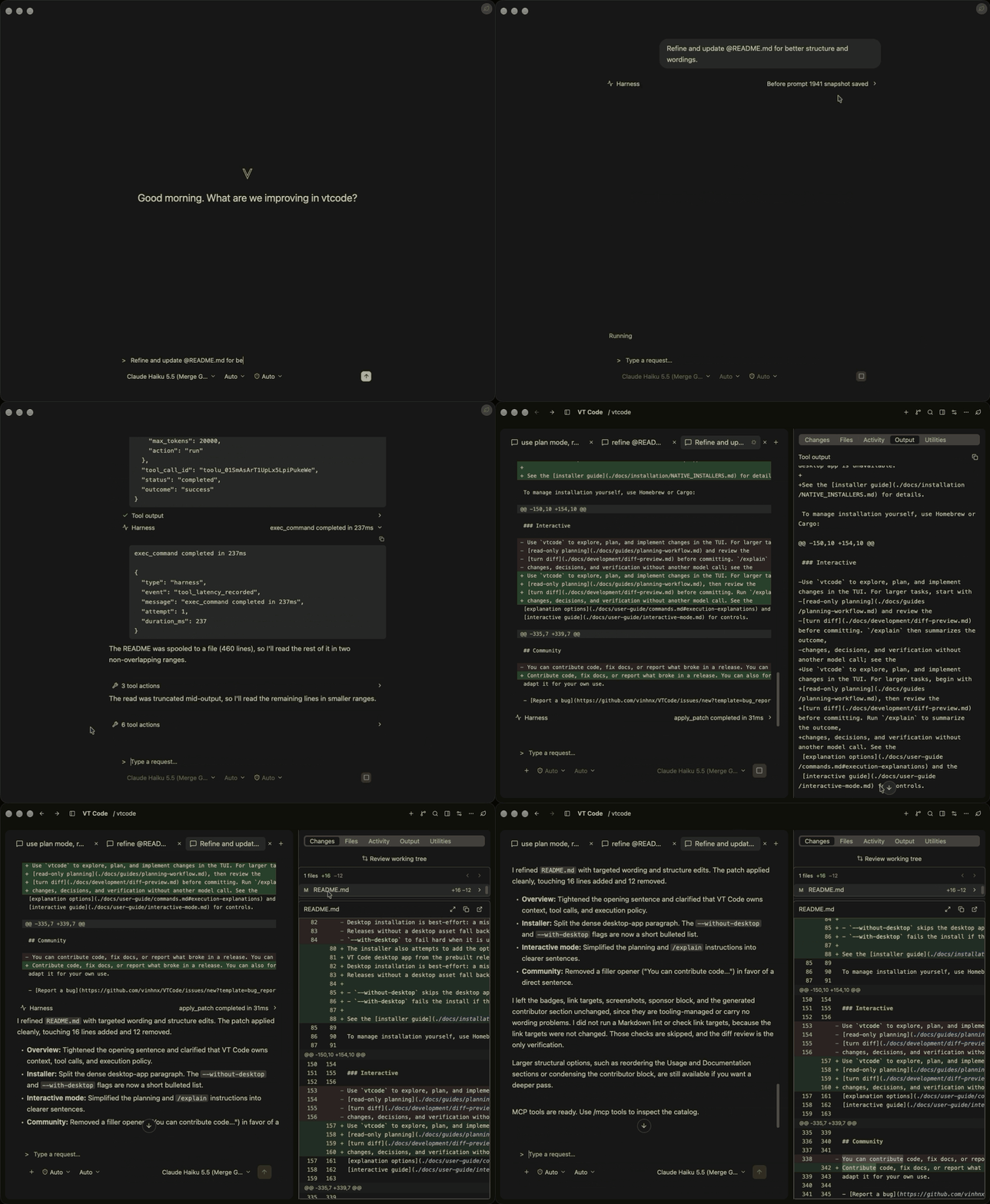 Desktop app
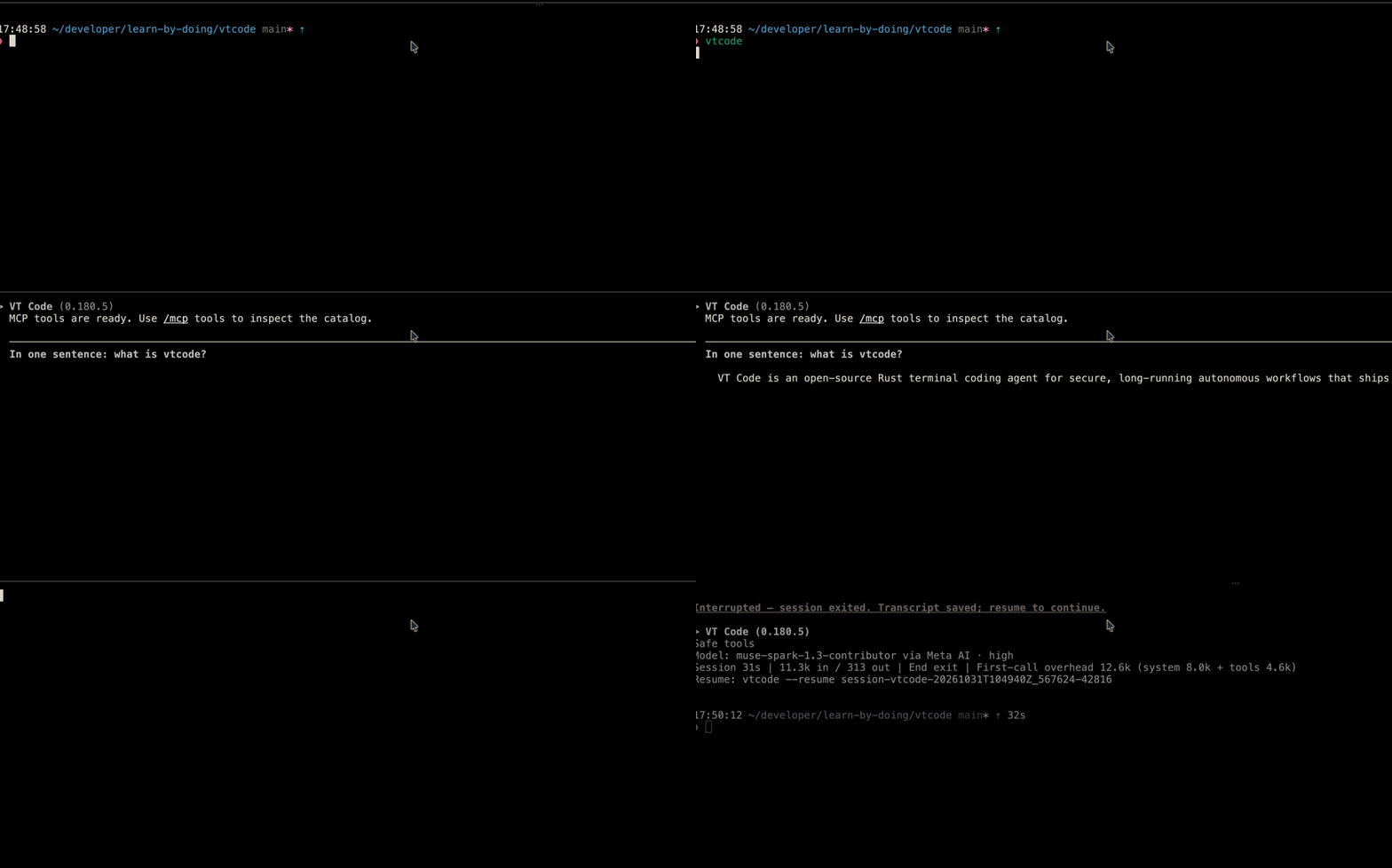
Terminal TUI
Overview
VT Code works on your repository from the terminal or its native macOS app. It owns context, tool calls, and execution policy, so long tasks stay auditable and resumable.
| At a glance | What you get |
|---|---|
| Planning | Plan read-only, then review turn diffs. |
| Safety | Auditable command policy and sandboxing. |
| Self-correct | HOVER loop on mismatch. |
| Long runs | Headless exec with resume and compaction. |
| Integrations | MCP, Skills, plugins, editor bridges. |
| Models | Hosted or local providers per task. |
Quick start
Requirements: macOS, Linux, or Windows/WSL. Building from source needs Rust 1.99.1+ (edition 2024).
1. Install
# Review the installer script before running it: https://github.com/vinhnx/VTCode/blob/main/scripts/install.sh
curl -fsSL https://raw.githubusercontent.com/vinhnx/VTCode/main/scripts/install.sh | bash
Or manage it yourself with Homebrew or Cargo:
brew trust vinhnx/tap
brew install vinhnx/tap/vtcode

# Or install from crates.io
cargo install vtcode
On Windows, install with PowerShell (artifacts are best-effort and may lag behind macOS/Linux):
irm https://raw.githubusercontent.com/vinhnx/VTCode/main/scripts/install.ps1 | iex
Run vtcode --version to verify the installation. The installation guide
covers prerequisites, other install methods, desktop flags, and optional search tools.
2. Configure your project
Scaffold the configuration and add credentials in your project directory:
cd path/to/your/project
vtcode init                # scaffolds config + AGENTS.md; review before committing
vtcode secret add openai   # stores your OpenAI API key in secure storage
Replace openai with your provider. Keys use secure storage (OS keyring or encrypted file); alternatives are
environment variables, a workspace .env file, or vtcode login where supported. See
getting started and provider guides.
Note: ChatGPT OAuth reuses the Codex CLI's public client identity via an unofficial compatibility flow; prefer your own OpenAI API key. GitHub Copilot uses the official
copilotCLI. See OAuth authentication.Caution: Keep API keys out of Git and
vtcode.toml; never commit a workspace.envfile.
3. Run your first task
vtcode # open the interactive TUI in your project
Ask a focused question, review proposed changes and test results before committing; Usage covers automation and session commands.
Usage
Common commands:
| Goal | Command |
|---|---|
| Start the TUI | vtcode |
| Ask without tools | vtcode ask "explain Rc vs Arc" |
| Run a task headlessly | vtcode exec "refactor main.rs" |
| Review pending changes | vtcode review |
| Schedule recurring work | vtcode schedule create --prompt "..." --every 1h |
| Resume the last session | vtcode continue |
| Inspect a run log | vtcode trajectory |
For larger tasks, begin with read-only planning, then review the
turn diff before committing. Run /explain to summarize the outcome
without another model call; see the interactive guide.
Modes
askis tool-free: it prints one reply and exits.execruns the full tool loop. It requires[automation.full_auto]andfull_autoworkspace trust. Interactive terminals prompt for trust; non-TTY runs needVTCODE_TRUST_WORKSPACE=full-auto. Tool allow-lists, explicit denies, and execution policy still apply.reviewinspects uncommitted changes.
Recurring work uses scheduled tasks on the same exec runtime. Resume or fork
earlier work with vtcode continue (or --session-id <id>), continue a headless run with
vtcode exec resume --last, and inspect logs with vtcode trajectory. See exec mode
and full automation.
Desktop app
The native macOS app runs the same runloop, providers, tool policy, sandboxing, and sessions as the CLI, reusing your CLI configuration and credentials. Configure a provider first (see Quick start).
Install (macOS 15+)
On Apple Silicon, download the app from the latest release or
run vtcode desktop --install; launch with vtcode desktop. Intel Macs build from source. See the
desktop workspace guide for requirements, source builds, Gatekeeper
approval, and troubleshooting.
Documentation
Guides by task; the full catalog is in the documentation index and Wiki. Integrations are optional.
Get started
- Installation and getting started
- Desktop app for the native macOS GUI
- Providers and OAuth login
- FAQ and compatibility
Work in the TUI
- Interactive mode and command reference
- Read-only planning and turn diffs
- Configuration and security model
Automate
Extend and integrate
- Skills, plugins, MCP
- MCP interop for client and server maintainers
- Editors (ACP), WebMCP (deployment), Companion, Memcode
Develop and evaluate
- Development, testing, and evals
- Architecture, HOVER, and protocols
- Loop engineering
Development
graph LR
    BIN[vtcode binary] --> CORE[vtcode-core harness]
    CORE --> LLM[vtcode-llm]
    CORE --> SAFETY[vtcode-safety]
    CORE --> EVENTS[vtcode-exec-events]
    CORE --> MEMORY[vtcode-memory]
    CORE --> UI[vtcode-ui]
Build with Rust 1.99.1+ (edition 2024) and install cargo-nextest to run tests. The
architecture guide maps all 25 crates, including the context and compaction design.
git clone https://github.com/vinhnx/VTCode.git
cd VTCode
./scripts/run-debug.sh     # build and launch a debug binary
./scripts/check-dev.sh     # fast gate: clippy, fmt, check
cargo nextest run          # tests (requires cargo-nextest)
CI builds with --locked and RUSTFLAGS="-D warnings"; match locally with
RUSTFLAGS="-D warnings" cargo check --locked. See the development overview and
testing guide.
Release binaries and notes: GitHub releases.
Contributing
Contributions welcome: code, docs, evals, and bug reports (include vtcode trajectory
output). Read the contribution guide before a PR; MCP maintainers, see the
interop guide.
Security
Report vulnerabilities privately via GitHub private vulnerability reporting; see the security policy.
Community
The Code of Conduct keeps review constructive.
Contact: vinhnguyen2308 [at] gmail [dot] com.
Thanks to our contributors
Thank you to everyone below. You are the reason this project keeps moving.
View all contributors (30)
Security Advisors


Main Contributor

Core Contributors


Contributors


Want to see your avatar here? Every bit counts: a one-line fix, a bug report, or a thoughtful comment. Not sure where to begin? Say hello on a good first issue and we will figure it out together.
Resources
Support VT Code



License
First-party code is MIT OR Apache-2.0, available under either LICENSE-MIT or LICENSE (Apache-2.0). Third-party code keeps its original licenses, listed in THIRD-PARTY-NOTICES.
Explore related projects
codecrafters-io/build-your-own-x
Master programming by recreating your favorite technologies from scratch.
561,348 starspublic-apis/public-apis
A collective list of free APIs
497,597 starsmorluto/rea
Reverse engineer anything with agents, from app behavior down to native binaries.
446,790 starsopenclaw/openclaw
The AI that really does things. Any OS. Any Platform. The lobster way. 🦞
394,253 stars