
vga-group/tauray
vga-group/tauray has 140 GitHub stars and 11 forks. GitHot measured 0 stars in 24 hours. Last checked 2026-11-16 18:49 UTC. Last push 2026-10-09.
What you can do
- Accumulation mode (--accumulation)
- Denoising (--denoiser=svgf or --denoiser=bmfr)
- For the version used in the RCPG publication, please see the rcpg branch specifically. The performance of the version in the main branch may not match the paper.
- DI is used when (--max-ray-depth=2, e.g. single bounce)
Measured star growth
- in 24h
- 0
- in 7 days
- Collecting history
- in 15 days
- Collecting history
- in 1 month
- Collecting history
Net star changes over overlapping periods, not daily totals. Missing measurements are left blank. Stars measure attention, not software quality.
About
The Tauray renderer
Creative & MediaREADME.md
OriginalTauray
[!NOTE] Tauray is currently "mothballed" and no-one is actively developing the project at this time. Issues and PRs remain open, but are not regularly monitored. Contributions towards keeping the project working on modern operating systems and hardware are welcomed, including build system fixes, validation error fixes and fixes to broken features.
 |
|---|
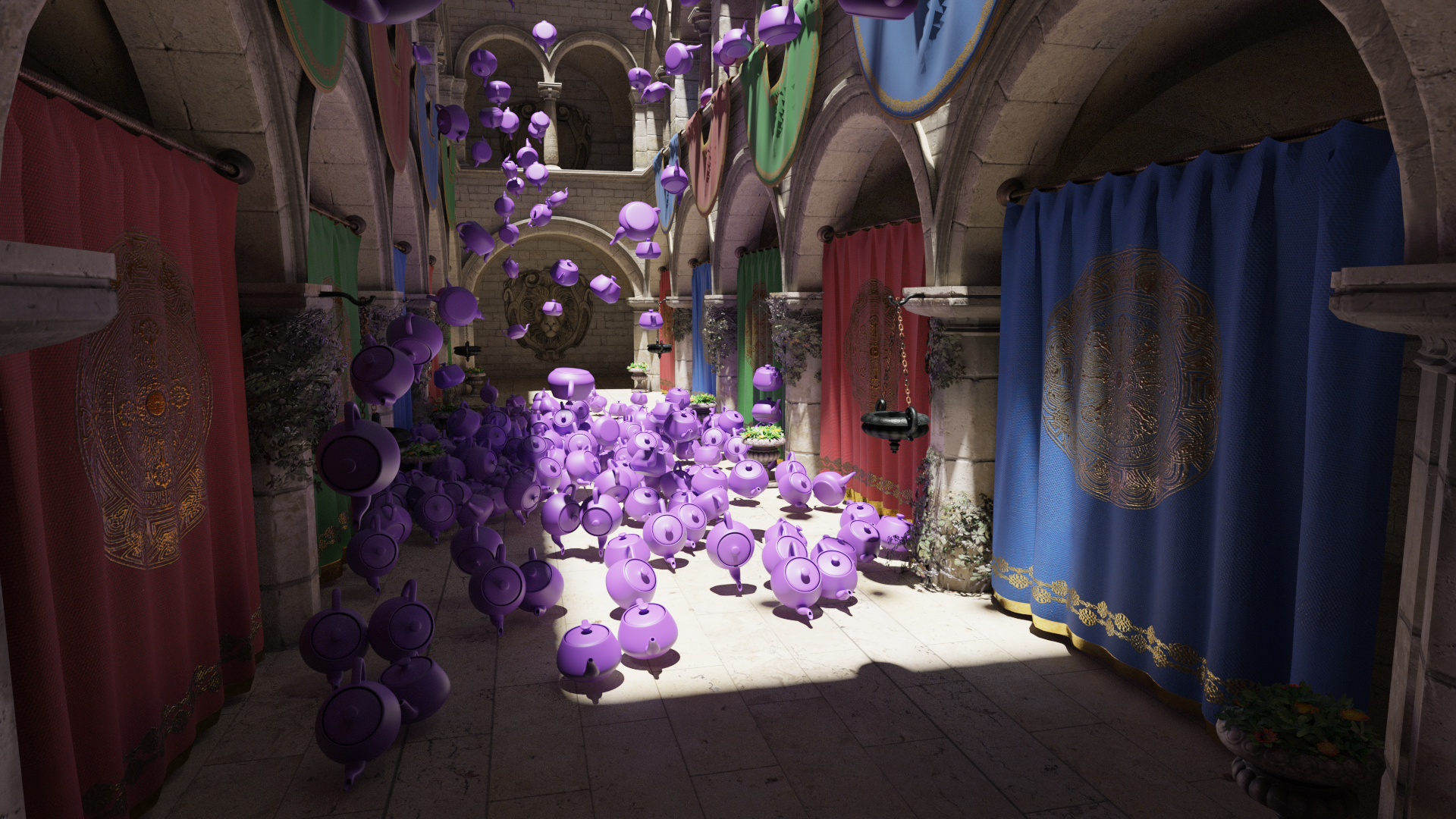
| The famous "Sponza" scene with teapots. 1920x1080 image (4096 spp, 4 bounces), rendered with Tauray in 15 seconds on a dual-GPU setup with RTX 3090 and RTX 2080 Ti. |
Tauray is a real-time rendering framework, with a focus on distributed computing, scalability,
portability and low latency. It uses C++17 and Vulkan, primarily relying on the VK_KHR_ray_tracing
extension, but comes with a fallback rasterization mode that can be used on devices that
do not have that extension.
Tauray development is led by the VGA research group in Tampere University. The project is described in an open-access conference publication (DOI link), which includes performance benchmarks and more information on Tauray.
Measurements in that publication are done with the v1.0.0 release. For practical purposes however, we recommend always using the latest available release instead, as there are bug fixes and additional features included.
License
Tauray is licensed under LGPL version 2.1. You can find the license text in
COPYING.LESSER. External dependencies in the external
folder have their own licenses specified either at the start of each file or as
separate license text files.
Features
- Real-time path tracing (
--renderer=path-tracer)- Accumulation mode (
--accumulation) - Denoising (
--denoiser=svgfor--denoiser=bmfr)
- Accumulation mode (
- Radiance Cascade Path Guiding (
--renderer=rcor--renderer=rc-restir)- For the version used in the RCPG publication, please see the
rcpgbranch specifically. The performance of the version in the main branch may not match the paper.
- For the version used in the RCPG publication, please see the
- ReSTIR DI & PT (
--renderer=restir)- DI is used when (
--max-ray-depth=2, e.g. single bounce) - Supports reconnection shift, random replay shift and hybrid shift
- DI is used when (
- Offline rendering (
--headless=output_file)- Animations with
--animation - Output file type with
--filetype=[png,exr]
- Animations with
- DDISH-GI, as used in the DDISH-GI publication (
--renderer=dshgi)- Remote probe rendering (
--renderer=dshgi-serverand--renderer=dshgi-client) - Note that scenes for DDISH-GI need to be authored to include the probe grid: use the included Blender glTF export plugin and place an irradiance volume!
- Remote probe rendering (
- Multi-GPU rendering (real-time and offline!)
- All compatible GPUs are used by default (you can limit to one with
--devices=0)
- All compatible GPUs are used by default (you can limit to one with
- Light field rendering
- Real-time for Looking Glass displays:
--display=looking-glass - Offline:
--camera-grid=w,h,x,yand--camera-recentering-distance=distance
- Real-time for Looking Glass displays:
- VR rendering (
--display=openxr)
And more, see the user manual for details.
Building
Clone the repository recursively with
git clone --recursive https://github.com/vga-group/tauray/.
Tauray has been tested on the Ubuntu 26.04 operating system. Building on Ubuntu 26.04 can be done as follows:
- Install dependencies:
sudo apt install cmake build-essential spirv-tools-dev libsdl3-dev libvulkan-dev libglm-dev libassimp-dev libczmq-dev libnng-dev libcbor-dev glslang-tools cmake -S . -B buildcmake --build buildbuild/tauray my_scene.glb
Building with Windows is also possible but not recommended. You can use the CMakeLists.txt with Visual Studio. A vcpkg.json is provided in this repository to handle dependencies with Windows builds. Note that multi-GPU rendering is not supported on Windows.
Usage
To launch a simple interactive path tracing session with the included test model:
build/tauray test/test.glb --preset=accumulation
See the user manual for more detailed usage documentation.
Benchmarking with Tauray
To measure representative benchmarks with Tauray, please build a release build and disable validation:
- Delete your existing build directory (if applicable)
cmake -S . -B build -DCMAKE_BUILD_TYPE=Releasecmake --build buildbuild/tauray --validation=off -t my_scene.glb
You may also want to set --force-double-sided for better performance if your
scene does not require single-sided surfaces. Also, remember to set
--max-ray-depth appropriately for the type of benchmark, the default is quite
high. It sets the number of bounces.
By default, Tauray will use all GPUs with support for the required extensions.
If you wish to use a specific GPU on a multi-GPU system, use --devices=0 (or
any other index; the first thing Tauray prints is the devices it picked.)
In the output with the -t flag, lines starting with HOST: are total
frametimes, which you most likely want to measure. The first few frametimes of
a run can be weird as in-flight frames haven't been queued properly and some
initialization still runs, so please exclude those if possible.
--warmup-frames can also be used for this purpose.
See the user manual for more detailed info on configuring Tauray for you benchmark setup.
Citation
If you use Tauray in a research paper, please cite our paper with the format below:
@inproceedings{Ikkala22,
    author={Ikkala, Julius and Mäkitalo, Markku and Lauttia, Tuomas and Leria, Erwan and Jääskeläinen, Pekka},
    title={Tauray: A Scalable Real-Time Open-Source Path Tracer for Stereo and Light Field Displays},
    year={2022},
    booktitle={SIGGRAPH Asia 2022 Technical Communications},
    series={SA '22 Technical Communications},
    location={Daegu, Republic of Korea},
    doi={10.1145/3550340.3564225},
    address={New York, NY, USA},
    publisher={Association for Computing Machinery}
}