
veteranbv/inky-bird
veteranbv/inky-bird has 204 GitHub stars and 15 forks. GitHot measured 0 stars in 24 hours. Last checked 2026-11-19 13:44 UTC. Last push 2026-11-15.
Measured star growth
- in 24h
- 0
- in 7 days
- Collecting history
- in 15 days
- Collecting history
- in 1 month
- Collecting history
Net star changes over overlapping periods, not daily totals. Missing measurements are left blank. Stars measure attention, not software quality.
About
Turn bird observations and detections into reviewed, reusable field-journal plates for color e-paper displays
Self-hostedREADME.md
OriginalInky Bird 
A field journal for the birds in your life.
The cardinal at your feeder deserves a page.
Inky brings public sightings near you, station detections, imported birding history and favorite species into a private illustrated journal. Read it on your phone, save a collection, or put an approved plate on a color e-paper frame. I built Inky to keep birding present between outings.
Browse the bird gallery · Supported sources · Start without a frame · Build a wall frame
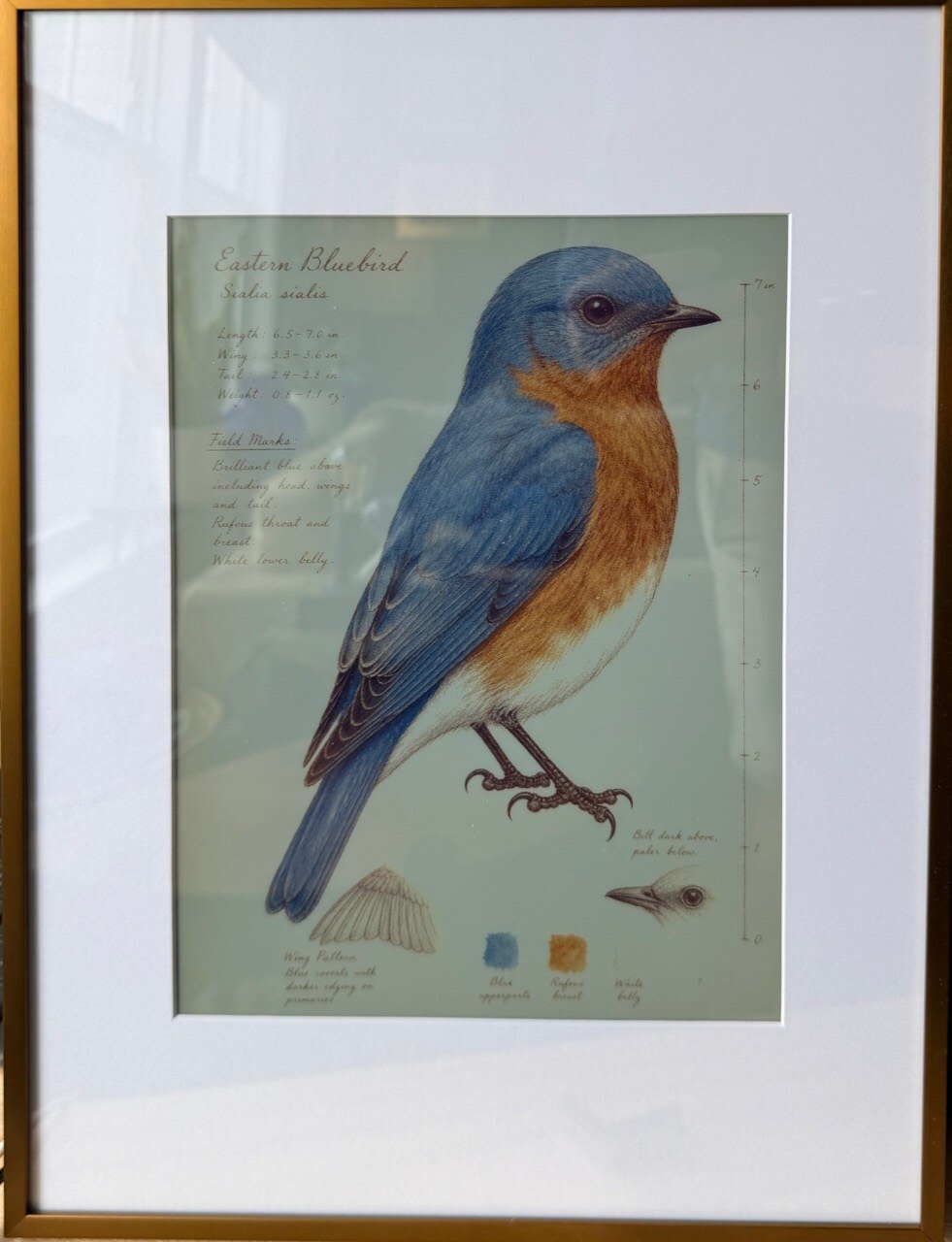
Eastern Bluebird on the 13.3-inch e-paper build. The frame is optional.

Open your journal |

Keep a collection |
Both screenshots are from the app on main, with public approved artwork and
a sample collection. Open either image for the full-size view.
https://github.com/user-attachments/assets/a20b7917-ed88-4872-b2d9-39086501b73f
Watch the 28-second walkthrough · Text transcript · Still preview. Sample data, accelerated navigation, and a separate e-paper installation; browser Play does not refresh the wall.


Supported sources
Bring nearby sightings, feeder visits, station detections and years of personal birding history into one journal. Use one source or combine several.
| Source | What you can bring into Inky |
|---|---|
| iNaturalist | Nearby public bird observations around your location; no provider account. |
| eBird | Recent public sightings around your location; personal API key. |
| eBird Archive | Your own checklists, trips and life list from an export; not continuous account sync. |
| BirdWeather | Your station's acoustic detections; station token. |
| BirdNET-Go | Your self-hosted station's detections over its read-only API. |
| BirdNET Analyzer | Recorded-audio detections from a CSV import. |
| Bird Buddy | Feeder postcard species and optional manual sightings; account plus permission to use its private API. |
Inky reads detections; it does not record sound or run the detector. Public nearby observations are not a claim that you personally saw a bird. Your imported history and collections are not published with the reusable artwork catalog.
No source is required to browse approved art, save collections or play plates. Compare setup options and limits.
Start with what you have
| I want to… | Start here |
|---|---|
| See the artwork, with nothing to install | Browse the public gallery. |
| Keep a journal on a phone, tablet, or computer | Run the controller on an existing machine: Docker or NAS or native installation. Open /app and create your owner account. |
| Put birds on a wall | Use a browser in Frame mode, pair a read-only screen, or build the 7.3-inch or 13.3-inch e-paper frame. |
| Connect a station, feeder, or observation account | Choose a source. Start with one, or keep using saved collections without any sources. |
| Choose how I sign in and connect | Use built-in username and password, or connect single sign-on (OIDC). Add encrypted HTTPS directly in Inky or through your existing reverse proxy. |
| Upgrade an existing installation | Back up your controller, read the notes for the target release, and follow its update guide. |
Browse, save collections, and play plates in the browser. With approved artwork, you need no camera, microphone, provider account, or Codex login. New app-managed setups start with generation off.
These docs describe main, which may be ahead of your install. If you run a
tagged release, follow
the instructions shipped with it.
One plate, several ways to see it
When a species has an approved plate, your screens reuse it. Save birds to Favorites or a named collection, then choose Play to see the full plates without changing the physical wall. The optional e-paper display downloads only approved assets and keeps the last picture if the network goes down. Home Assistant and Homepage can show selected art on your trusted network and use a separate credential for status. See screens and dashboards.
The shared plates are AI-generated illustrations checked against references and reviewed separately before approval. You can reuse the public catalog under the MIT license. If a species is missing, you can request it or configure your own controller to generate it with Codex. Generation can use a subscription allowance or incur API costs. See the review process and owner controls.
Your sightings and selections stay separate from the shared catalog. See what stays private and what leaves the controller. Keep the controller on a trusted network: owner sign-in does not protect the legacy catalog and display routes. Do not port-forward the controller to the internet. For private remote access, see the access guide.
Other bird projects
If you want a microphone-to-collage build, Teddy Warner’s AvianVisitors is a good place to start. Fugleramme and Featherframe pair station detections with historical natural-history illustrations. Inky is for keeping and revisiting birds from several sources, including trips and manual selections, as individual field-journal plates. You can start with the artwork alone.
Docs and contributions
- Documentation index
- Troubleshooting
- Contribute code, docs, or a plate
- Report a bug or flag a published plate problem
- Report a security issue privately
Made by Henry Sowell. Thanks to @dwalters0 for helping close the trusted browser-client gap, and to everyone who has shared a bird, a bug, or a fix.