
vaulthunt3r/dialogue-export
vaulthunt3r/dialogue-export has 37 GitHub stars and 4 forks. GitHot measured +2 in 7 days and +2 in 15 days. Last checked 2026-11-09 19:53 UTC. Last push 2026-10-24.
Export ChatGPT or Gemini conversations to Markdown, PDF, HTML, TXT, and JSON — locally in Firefox.
What you can do
- Export the entire open conversation.
- Export only messages selected by the user.
- Support ChatGPT and Google Gemini.
- Save as TXT, Markdown, HTML, JSON, or PDF.
Measured star growth
- in 24h
- Update delayed
- in 7 days
- +2
- in 15 days
- +2
- in 1 month
- Update delayed
Net star changes over overlapping periods, not daily totals. Missing measurements are left blank. Stars measure attention, not software quality.
README.md
Original Dialogue Export
 is a Firefox extension for saving an open ChatGPT or Google Gemini conversation as TXT, Markdown, HTML, JSON, or PDF.
Everything is processed locally in Firefox. The extension does not upload conversations, use analytics, or send telemetry.
0.5.5 — images, code blocks and long-conversation fixes
- Preserve loaded images, standalone generated-image replies, static SVG diagrams and canvas snapshots in HTML/PDF. Gallery images take their natural height without overlapping following text.
- Preserve modern ChatGPT code blocks with language labels, indentation and supported syntax colors.
- Improve collection across long and virtualized conversations. Broken decorative website icons no longer block text exports, including Google
faviconV2icons. - Wait for content images, limit concurrent decoding and retained data, release export caches, and offer Stop during collection. Oversized exports stop with an explanation.
The user confirmed successful export of a very long text conversation with the tested 0.5.5 runtime on October 24, 2026. This is not proof of completeness for every chat or interface.
Large or image-heavy chats remain a known limitation. A previous test exported only part of an image-heavy conversation while reporting success, and a later test exhausted memory. The resource limits reduce extension allocations but do not cap Firefox or ChatGPT's total memory. That heavy conversation has not been revalidated. Check the beginning, middle and end of important exports; automatic multipart output is not included in 0.5.5.
Download the Mozilla-signed 0.5.5 XPI for permanent installation. See all release files, release notes and validation details.
Wishlist
- ZIP export containing the conversation and separate original image files, where the service makes them accessible to the user. Preview images must be clearly distinguished from originals.
- Automatic numbered parts for large exports, with message order, image associations and completeness checks preserved.
- Further testing and fixes for very long image-heavy chats, including incomplete exports and memory use.
These are future work, not features of 0.5.5. See the wishlist and proposed behavior; no delivery date is promised.
0.5.4 — compact printing and optional activity sections
- Compact PDF pagination lets messages continue across pages without message boxes in print. It applies to PDF and printing exported HTML; screen HTML keeps its appearance.
- Include Working / Thinking sections saves available ChatGPT progress text and tool summaries before the associated answer in every format. Expand sections before exporting. Collapsed sections receive a missing-content notice; vanished content cannot be recovered. HTML sections can be collapsed after export. This option is unavailable for Gemini.
Both options are off by default under Export options. See release notes for validation and limitations. Download the Mozilla-signed XPI from release 0.5.4.
Important: use 0.5.3 or later and check previous exports
0.5.2 can mix messages from another ChatGPT conversation into an export even when its title and source URL are correct. Check important previous exports before sharing them and re-export affected files. If an affected file was shared, review and replace or remove that copy where possible.
The collector searched the whole document without excluding hidden message trees or checking conversation ownership. Retained message markup could therefore enter the export while its title and URL came from the current chat. This mechanism was reproduced locally; VPN/DNS causality has not been established.
Version 0.5.3 excludes hidden messages and previews outside the main area, rejects conflicting conversation IDs, and stops if the URL changes during collection. Install the signed XPI and reload ChatGPT. The affected user confirmed correct content and successful HTML/PDF checks. See release notes.
0.5.2 — ChatGPT interface compatibility (superseded by 0.5.3)
Adds support for the newer ChatGPT message containers reported in issue #2,
including both authors and ordering across virtualized conversation windows.
Supports hidden-overflow scroll containers and negative scroll offsets, with an
explicit error if scrolling stalls. The reporter confirmed that the second build
exported a 301-message conversation; a quick review found it intact from beginning
to end, though every message was not individually checked. Thanks to hexgf for
the detailed diagnostics and fast testing. A Mozilla-signed installation package
is included in the 0.5.2 release as Dialogue-Export-v0.5.2-signed.xpi.
See installation and verification notes.
0.5.1 — optional message timestamps
This version adds the feature requested in issue #1. A Mozilla-signed installation package is included with this release as Dialogue-Export-v0.5.1-signed.xpi.
Open a ChatGPT conversation and enable Export options → Include message timestamps. The option is off by default and remembered for your next export.
- TXT and Markdown place the message's local date and time below the author.
- HTML and PDF display a small date/time line below the author.
- JSON stores
createdAtin UTC ISO 8601 format, for example2026-09-07T10:42:00.000Z. - If the page does not provide a message's creation time, its text is still exported. The document and completion status explain how many timestamps were available. JSON uses
createdAt: nullfor missing times. - The existing Title and date in the document option still controls the document's export date. It is separate from message timestamps.
Message timestamps currently support ChatGPT only. The control is disabled on Gemini with an explanation. Plain Gemini exports continue to work.
Dates are read from message metadata already present on the page and matched to the exact message ID. The extension makes no additional network requests. Internal website structures can change, so timestamp availability is not guaranteed. No time is invented or replaced with the export time.
See the v0.5.1 verification notes for tests and limitations.
0.5.0 — a clearer export interface
Version 0.5.0 makes exporting easier to follow. Choose a format, review your options, and press Export. A Mozilla-signed XPI is included in the release assets for permanent installation in Firefox 142 or later.
New in this version:
- Choose a format first, then use one explicit Export button.
- Remember the last format and export options.
- Preview the file name and optionally append today's date.
- Reconnect from the same popup if the conversation did not respond.
- See the current export stage, elapsed time, and collected-message count when reopening the popup.
- Show selection tools only in Selected, with a live count and Clear on the page. Press Escape to finish choosing.
- Follow page theme changes and show keyboard focus clearly.
- Carry the suggested PDF filename to the print page.
See the frontend review for the findings, changes, and verification limits.
Important update for v0.2.0 users
Version 0.2.0 could save only the part of a long ChatGPT conversation that was currently loaded on the page. ChatGPT removes older messages from the page while you scroll, so an export could look successful while still being incomplete.
Version 0.4.2 introduced the loading routine that was tested successfully during development. Dialogue Export moves through the conversation, requests earlier sections, and remembers discovered messages. Slow loading and website changes can still affect completeness; check the first and last messages in important exports.
If you installed v0.2.0, update to the latest release before exporting long conversations.
Features
- Export the entire open conversation.
- Export only messages selected by the user.
- Support ChatGPT and Google Gemini.
- Save as TXT, Markdown, HTML, JSON, or PDF.
- Continue working after the popup is closed.
- Load and collect long ChatGPT conversations automatically.
- Preserve ordinary text, paragraphs, lists, and links.
- Keep link destinations in TXT, Markdown, HTML, PDF, and JSON.
- Use an interface that follows the conversation page's light or dark theme.
- Show export progress on the page and on the Firefox toolbar icon.
- Process everything locally with no accounts, analytics, or external servers.
Interface and local processing
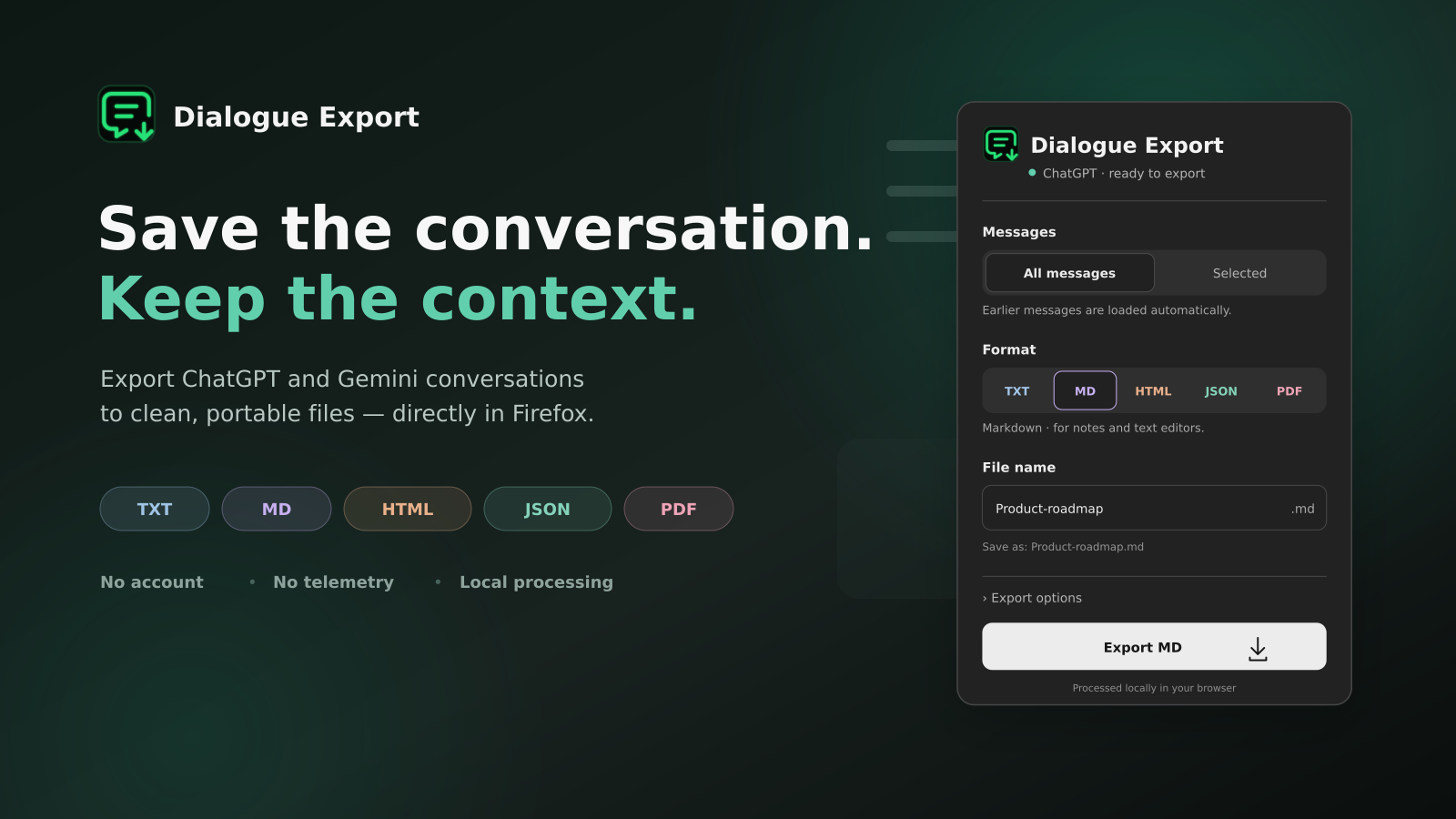
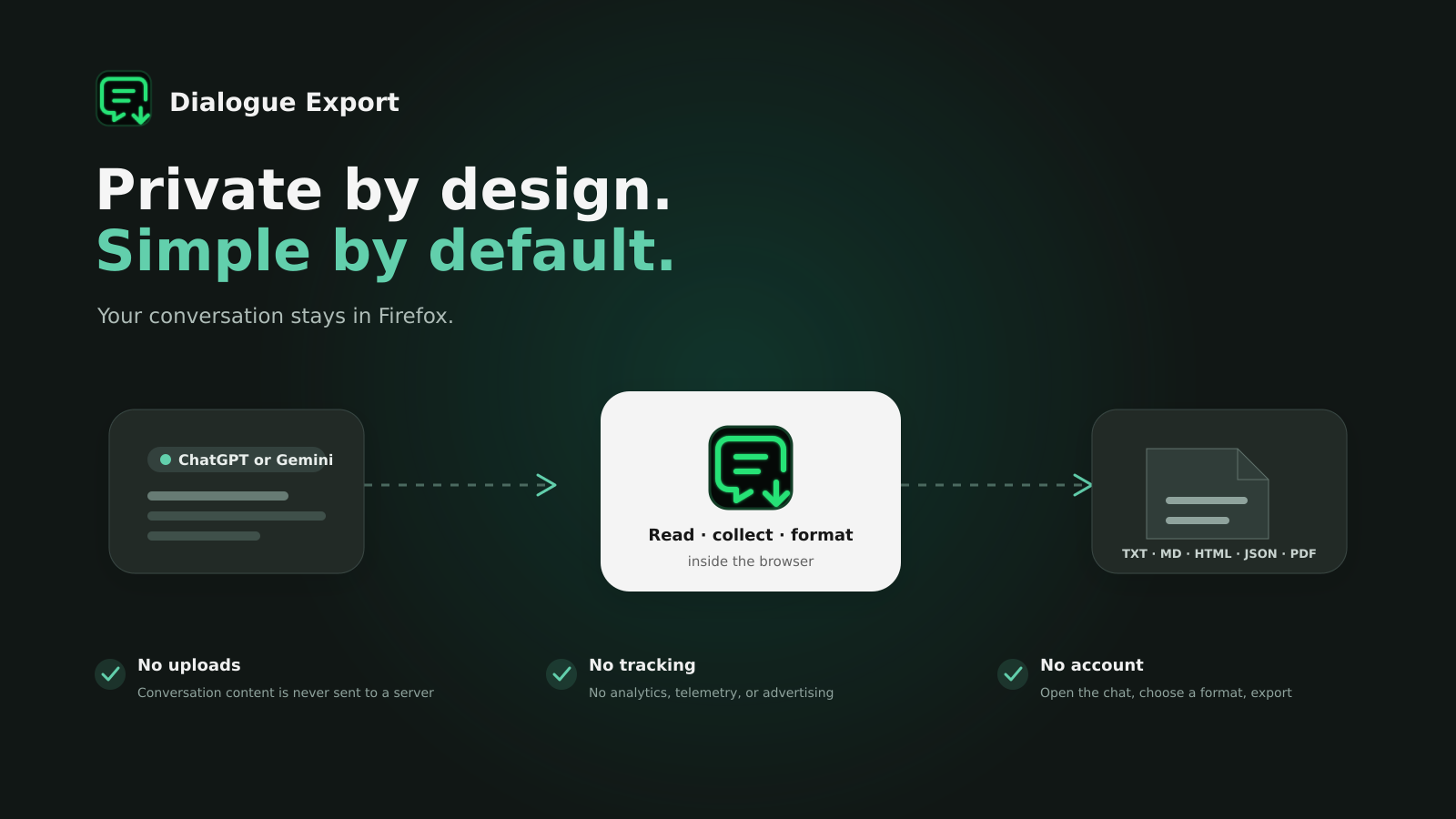
These presentation images illustrate the interface with fictional conversation data. For a working interface preview in light and dark themes, open tests/preview.html from the source archive.
Supported websites
https://chatgpt.com/https://gemini.google.com/
Dialogue Export is an independent project and is not affiliated with or endorsed by OpenAI or Google.
Installation
Permanent installation
- Open the latest GitHub release.
- Download the
Dialogue-Export-v…-signed.xpifile from the release assets. - Open the file in Firefox and confirm the installation.
A permanent installation requires a version signed by Mozilla. If the newest release does not contain a signed .xpi yet, use the temporary source installation below while it is being reviewed.
Temporary installation from source
- Extract the current
Dialogue-Export-v0.5.5.zip(or the source archive). - Open
about:debugging#/runtime/this-firefoxin Firefox. - Select Load Temporary Add-on.
- Choose
manifest.jsonfrom the extracted folder. - Open or refresh a conversation on ChatGPT or Gemini.
Temporary installations are removed when Firefox restarts.
How to use
- Open a conversation on ChatGPT or Gemini.
- Select the Dialogue Export icon on the Firefox toolbar.
- Leave All messages selected to load and collect the open conversation.
- To save only part of it, choose Selected, select Choose messages, and mark the required messages on the page.
- Choose TXT, MD, HTML, JSON, or PDF. Selecting a format does not start an export.
- Review the file name. Expand Export options to control the document title/date, links, message timestamps on ChatGPT, and date in the file name.
- Click Export TXT/MD/HTML/JSON or Prepare PDF.
- Keep the conversation tab open. You may close the popup and reopen it to see progress.
- Complete Firefox's save dialog. “File sent to Firefox” confirms the handoff; check Downloads for the final result.
For PDF, Dialogue Export opens a printable page. Select Save as PDF, then choose Firefox's PDF destination. The print page uses your suggested filename; the final name can also be edited in Firefox.
Format notes
- TXT is best for simple, readable text.
- Markdown adds headings for User and ChatGPT or Gemini and writes links as
[label](URL). - HTML preserves more visual structure and clickable links.
- JSON contains message metadata, text, and cleaned HTML.
- PDF creates a print-friendly document through Firefox.
Dialogue Export is designed primarily for ordinary text conversations. Complex interactive canvases, generated applications, and some embedded media may not be reproduced exactly.
Embedded images preserve the resolution loaded by the page, which may be a preview rather than the original Download file. Unreadable remote images can remain explicitly labelled external references and may need a valid session. Reloading a PDF preparation tab requires a new export; an already-open prepared page remains usable for printing.
Privacy
Conversation content is read only when the user starts an export. Processing occurs inside Firefox, and the result is passed directly to Firefox's download or print interface. See PRIVACY.md.
Project structure
content/extract.js— detects messages and prepares their content.content/content.js— handles collection, scrolling, selection, and progress.shared/renderers.js— creates TXT, Markdown, HTML, JSON, and printable output.background.js— handles downloads, PDF handoff, and the toolbar badge.popup/— extension controls.print/— printable PDF page.
Development checks
Install the pinned development dependencies with npm install, then run npm test (Node.js 18 or later). These dependencies are for tests only; the extension has no runtime npm dependencies or build step.
The tests simulate WebExtension messages and page DOMs. They do not replace testing a signed extension, the real Firefox download/print dialogs, or a long conversation in a logged-in ChatGPT/Gemini session.
To validate an installation package with Mozilla's linter, run npx web-ext lint --source-dir . --ignore-files 'tests/**' 'docs/**' 'package*.json'. Keep test fixtures and development dependencies out of the package submitted for signing.
License
Dialogue Export is released under the MIT License. Third-party icon information is available in THIRD_PARTY_NOTICES.md.
Created with love by vaulthunt3r.
Explore related projects
n8n-io/n8n
Fair-code workflow automation platform with native AI capabilities. Combine visual building with custom code, self-host or cloud, 400+ integrations.
210,102 starslanggenius/dify
Build Agentic workflows, RAG pipelines, with rich AI model and tool support on one collaborative workspace. Deploy on cloud, VPC, or self-hosted, so teams move from prototype to production without rebuilding the stack.
160,773 starsmicrosoft/PowerToys
Microsoft PowerToys is a collection of utilities that supercharge productivity and customization on Windows
140,833 starsstablyai/orca
Orca is the place for working with a fleet of agents (e.g. Grok Bot, Claude Code). Run any coding agent with your own subscription. Available on desktop, mobile and remote runtime.
121,812 stars