
vantaflow/ultra-tv
vantaflow/ultra-tv has 84 GitHub stars and 23 forks. GitHot measured +10 stars in 24 hours. Last checked 2026-11-15 17:11 UTC. Last push 2026-11-13.
Measured star growth
- in 24h
- +10
- in 7 days
- Update delayed
- in 15 days
- Update delayed
- in 1 month
- Update delayed
Net star changes over overlapping periods, not daily totals. Missing measurements are left blank. Stars measure attention, not software quality.
About
Lecteur IPTV pour Android TV / Google TV, smartphone, tablette, Windows et Mac — Xtream Codes et M3U. Guide TV, replay, pause du direct, profils, Google TV, multilingue.
Web & AppsREADME.en.md
Original
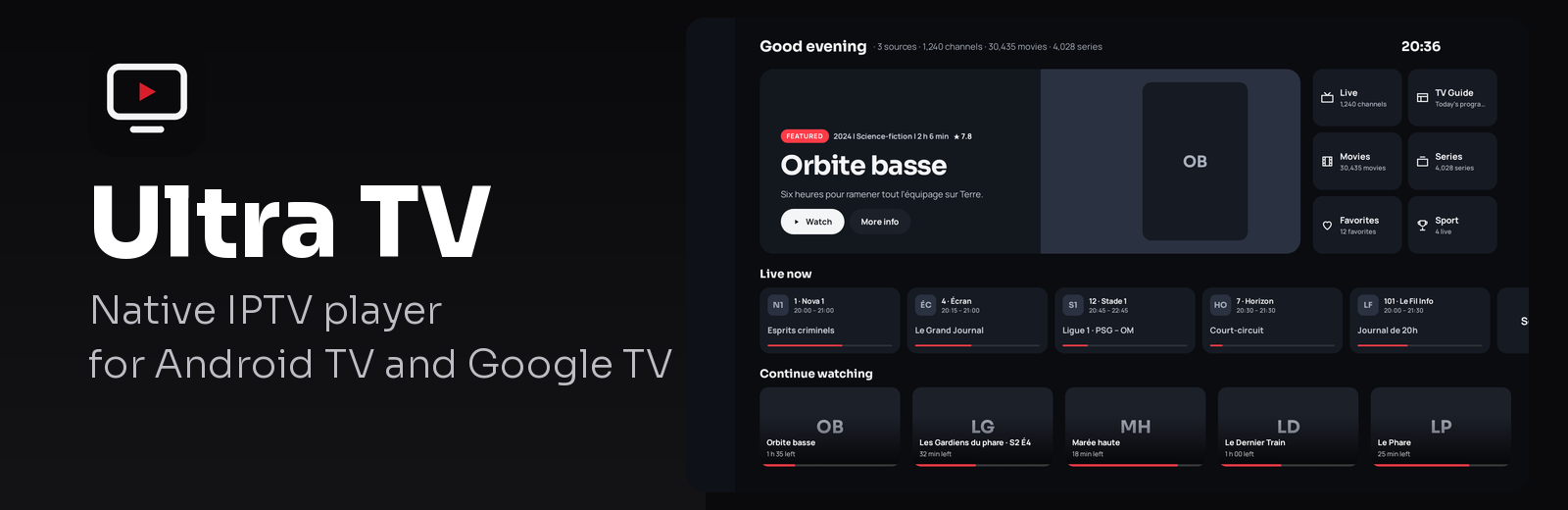
Ultra TV
Free, open-source IPTV player for Android TV, phones, tablets, Windows and Mac — no ads, no account, built for the remote.




🇫🇷 Version française · Website · Download the APK · Releases · Changelog (French)
Download
| Device | Link |
|---|---|
| Android TV, Google TV, boxes, Fire TV, Android phones and tablets (Android 9+) | See « Which APK? » below · on a box: Downloader app, code 5189921 |
| Windows (x64) | .exe installer |
| Mac (Apple Silicon and Intel) | .dmg disk image |
| Linux (x86_64) | AppImage · .deb (Debian, Ubuntu) · .rpm (Fedora, openSUSE) · Ubuntu 22.04+: sudo apt install libfuse2 if the AppImage doesn't start |
Automatic updates afterwards, on every platform. No account needed.
Ultra TV plays your own IPTV subscriptions (Xtream Codes, M3U / M3U8 as a link or a file, Stalker / Ministra portals by MAC address). The whole interface is native and built for the remote; the catalogue (channels, movies, series, guide, history, favourites) lives in a local Room database. It provides no content at all.
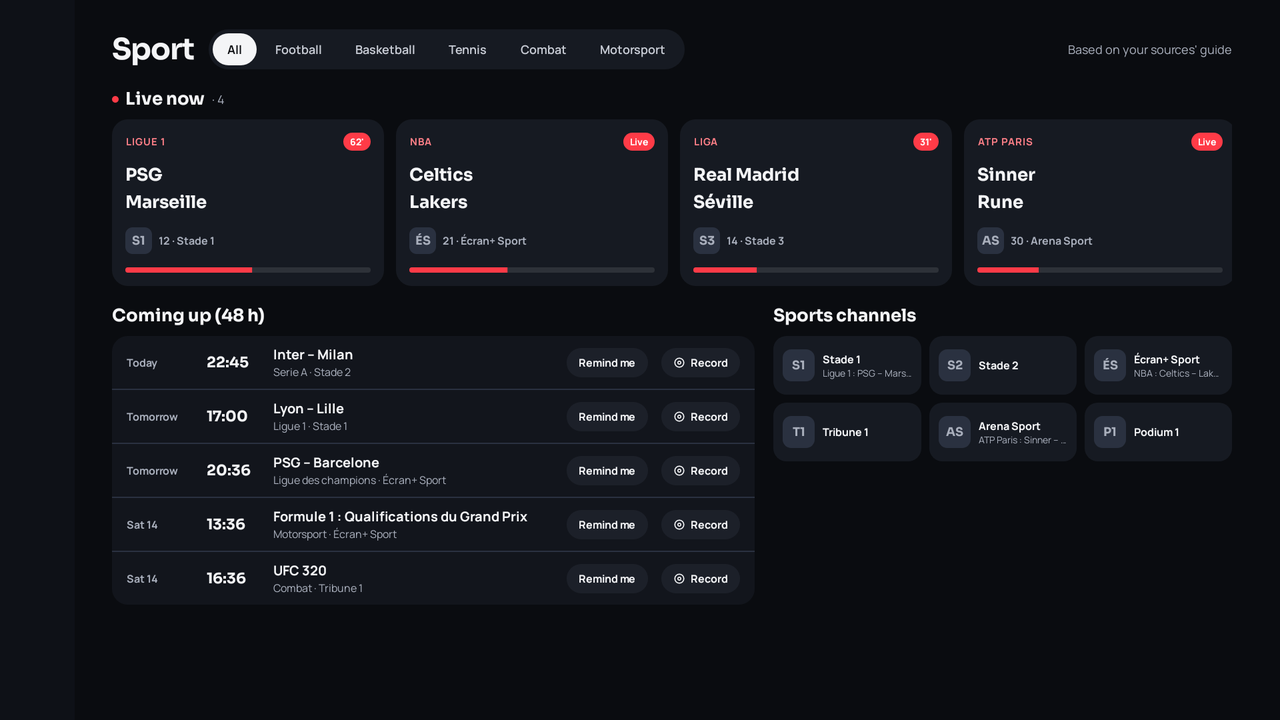
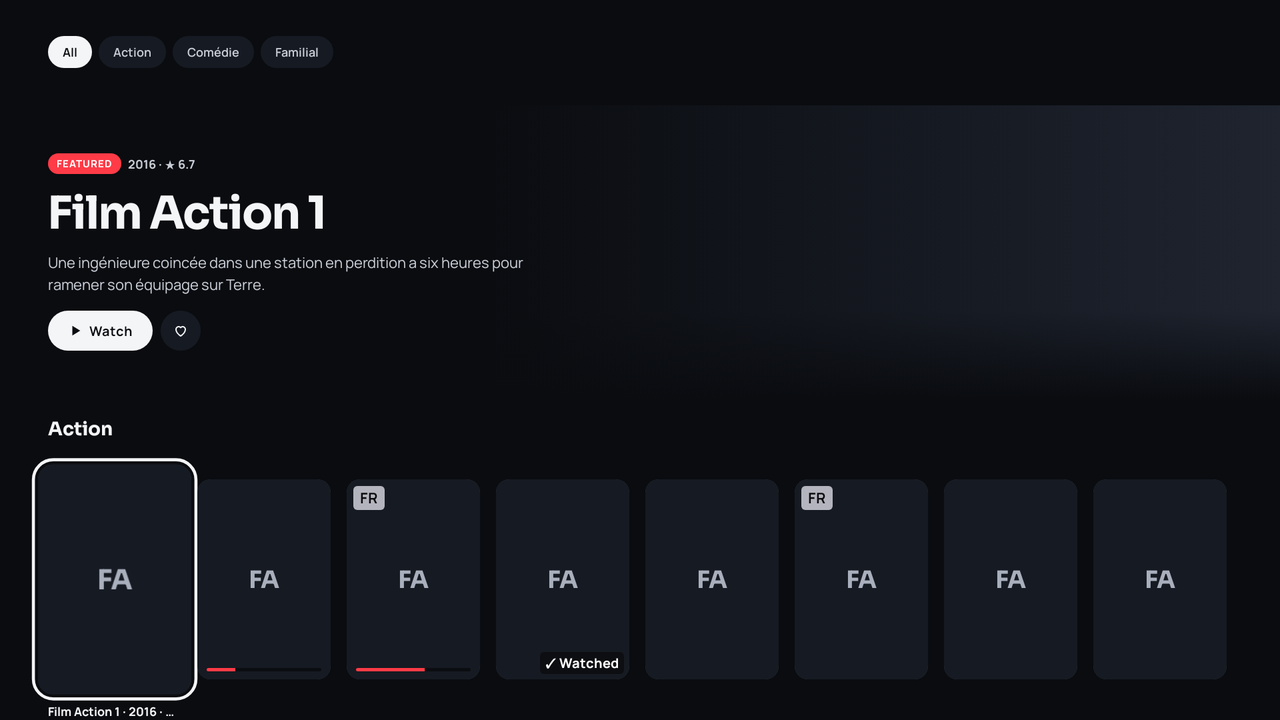
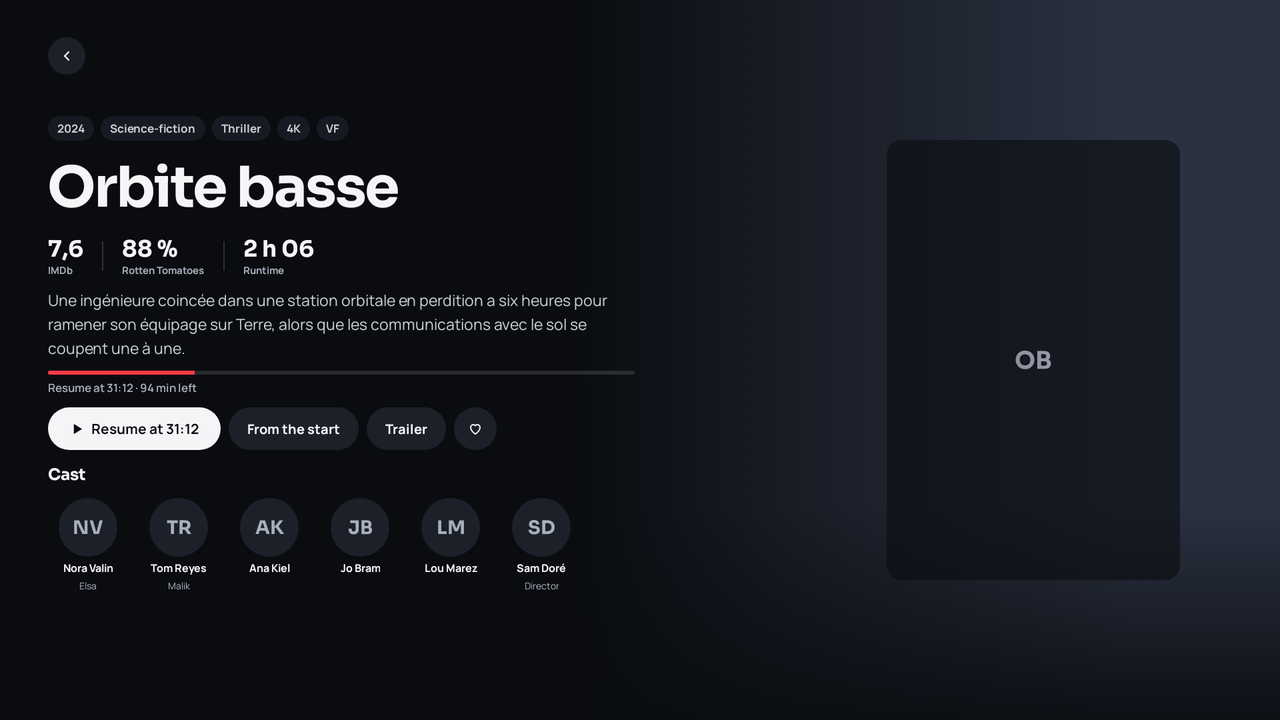
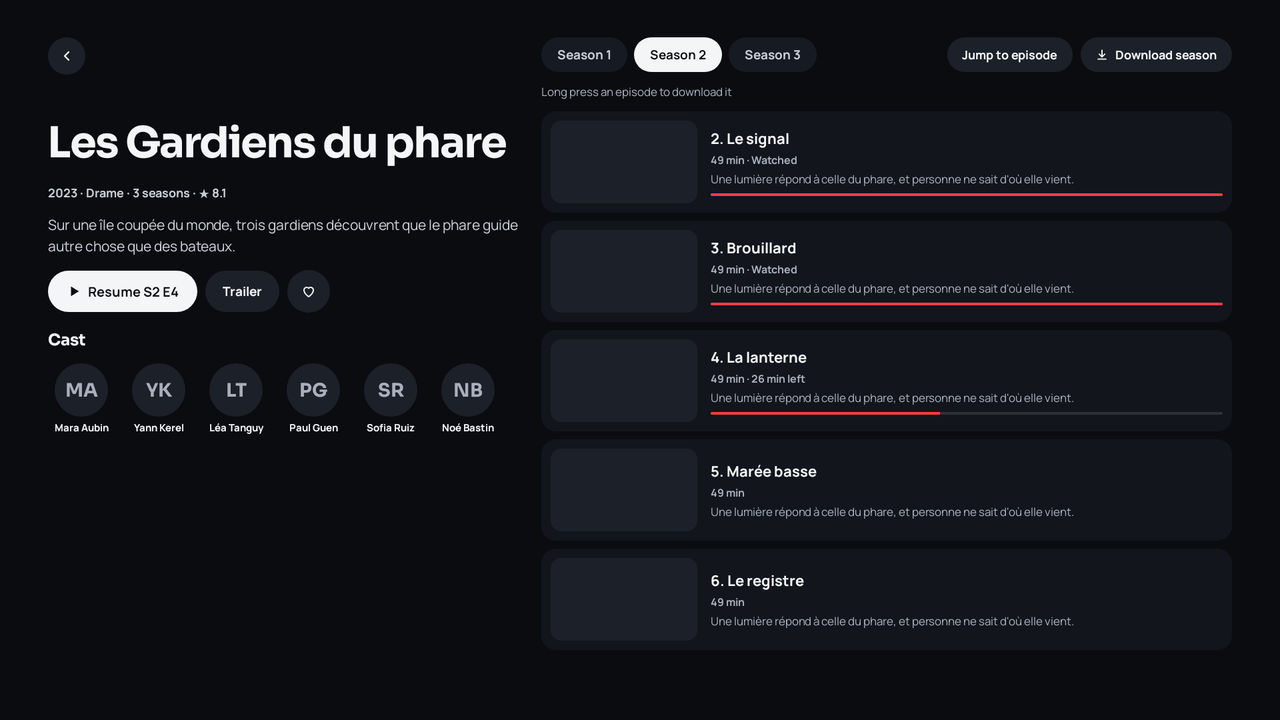
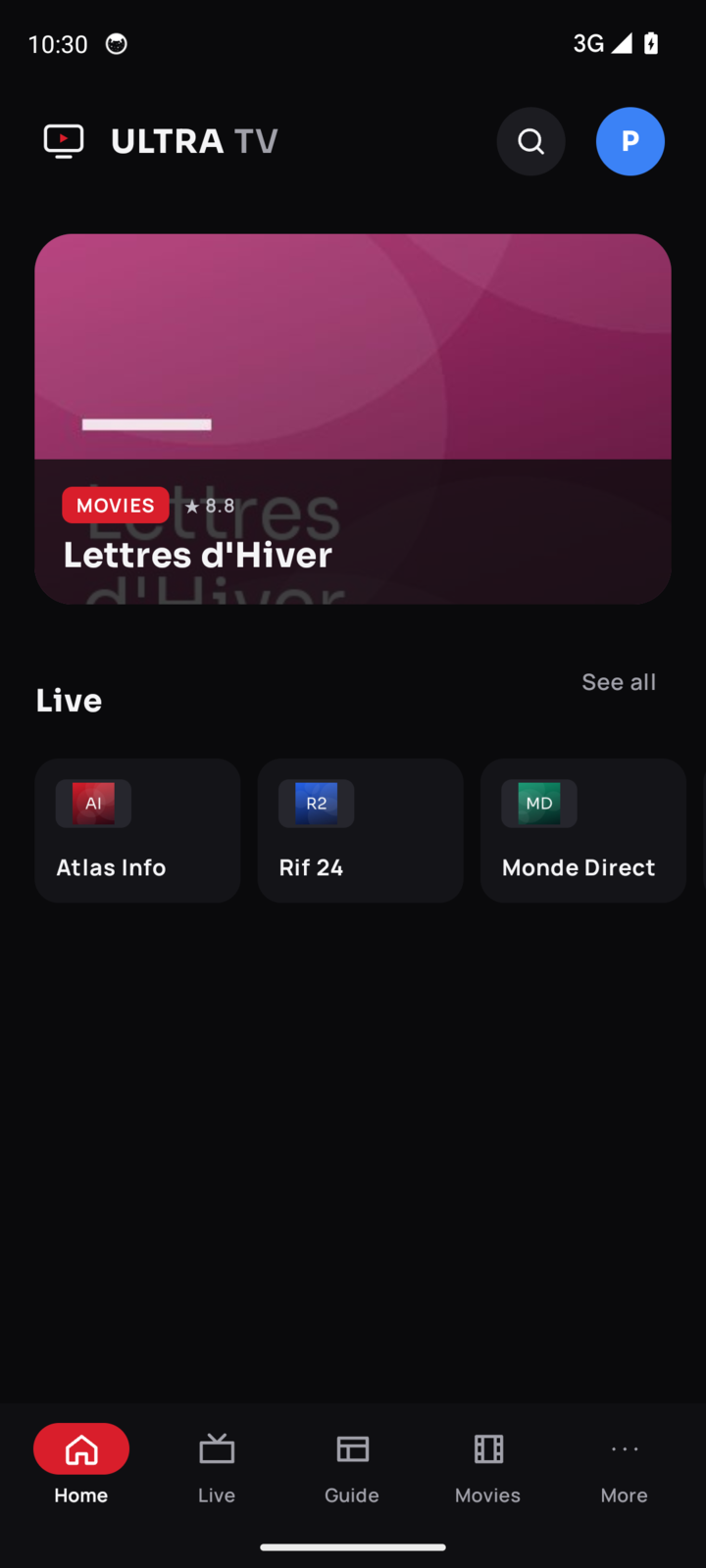
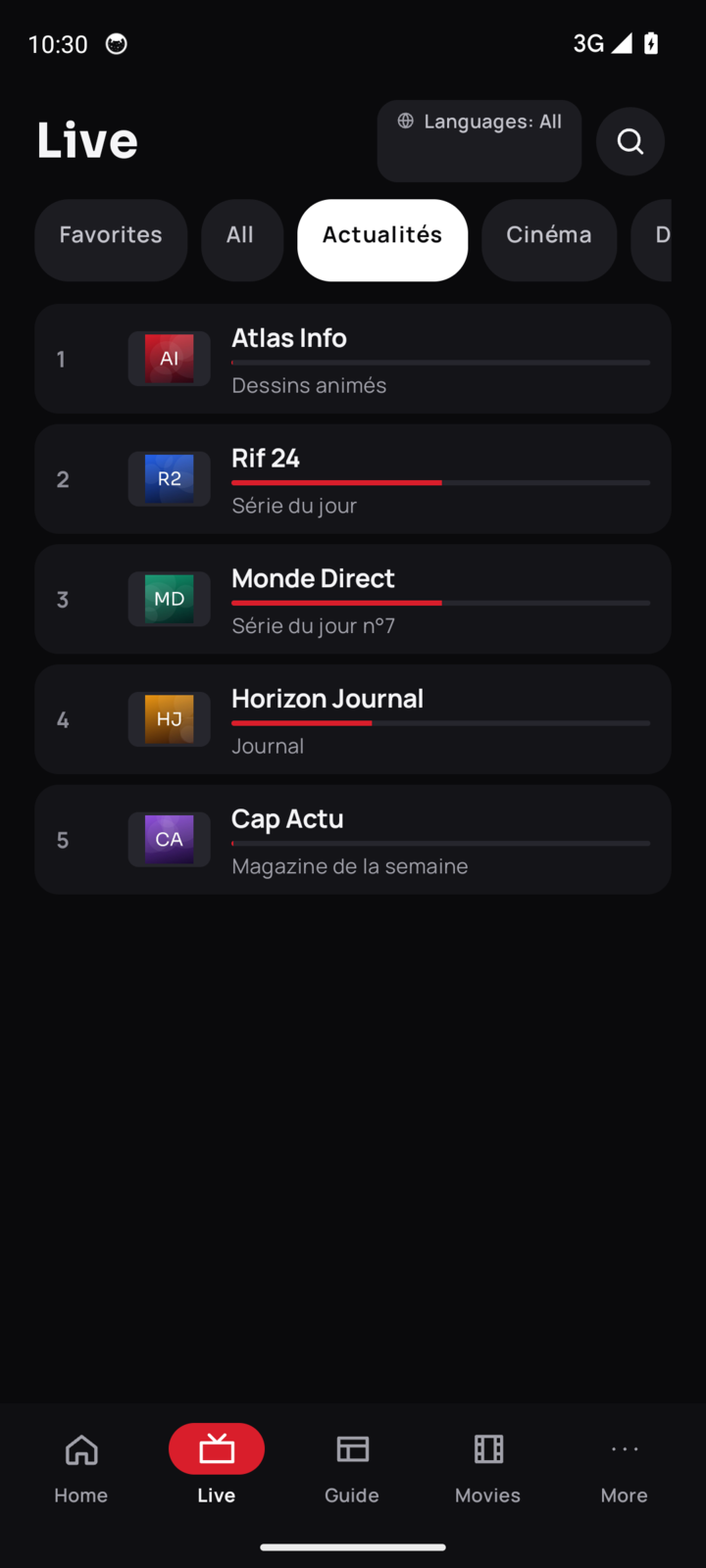
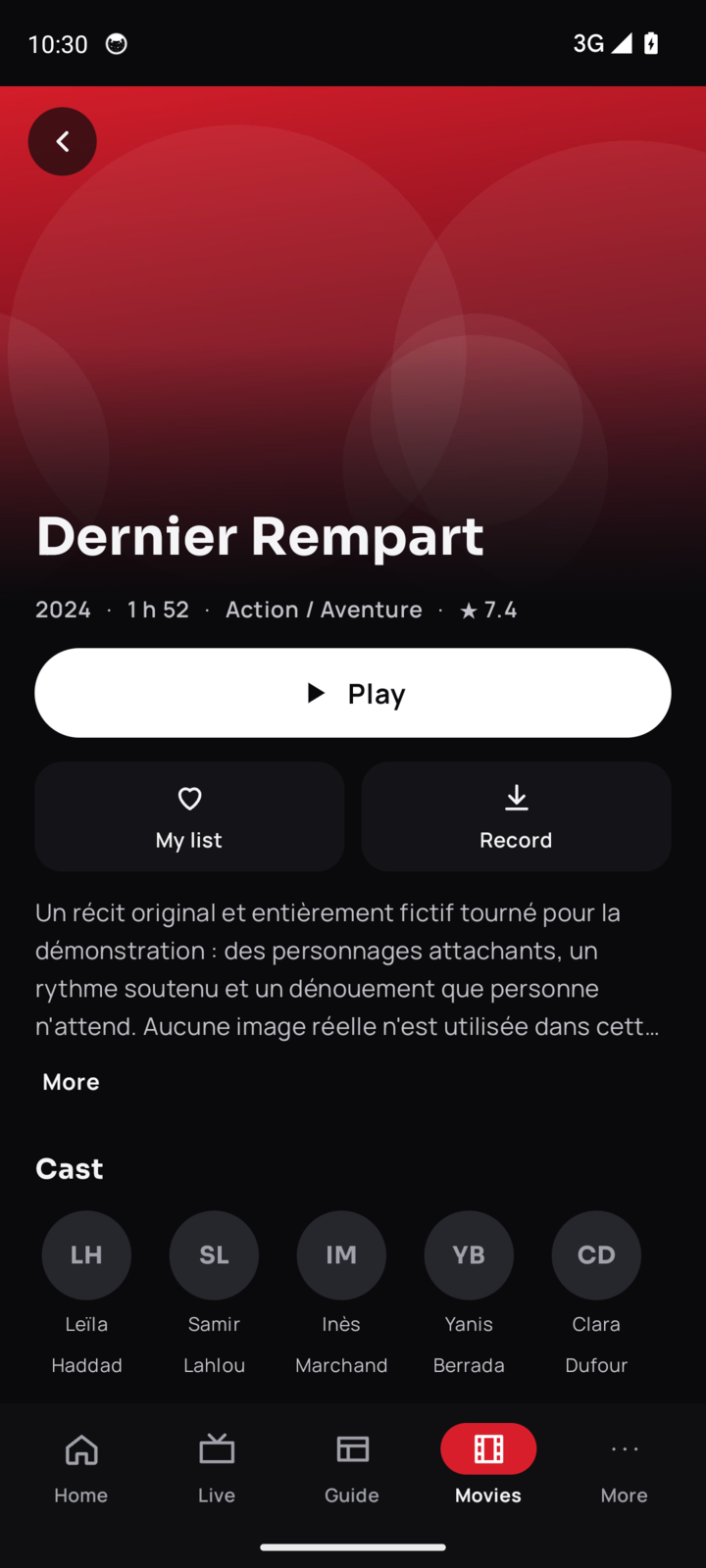
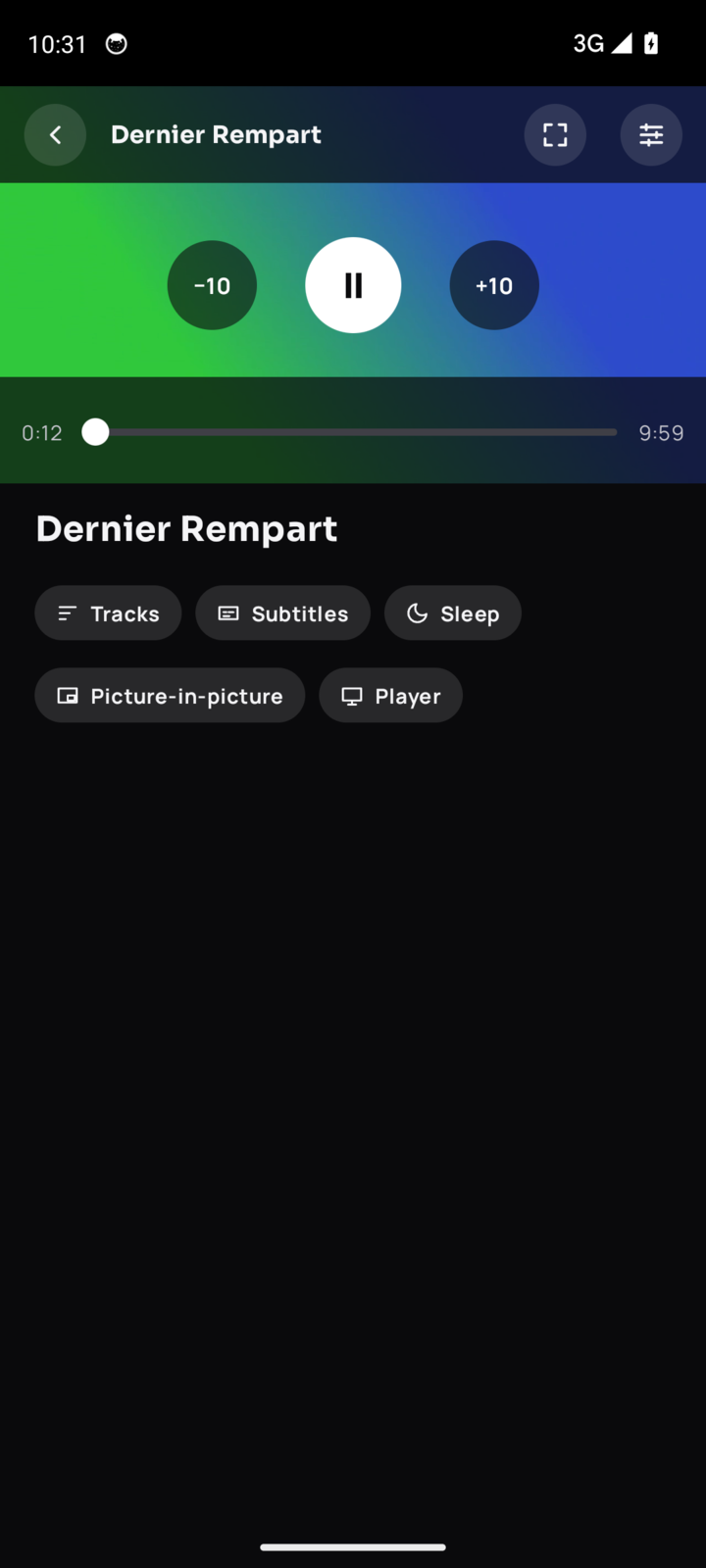
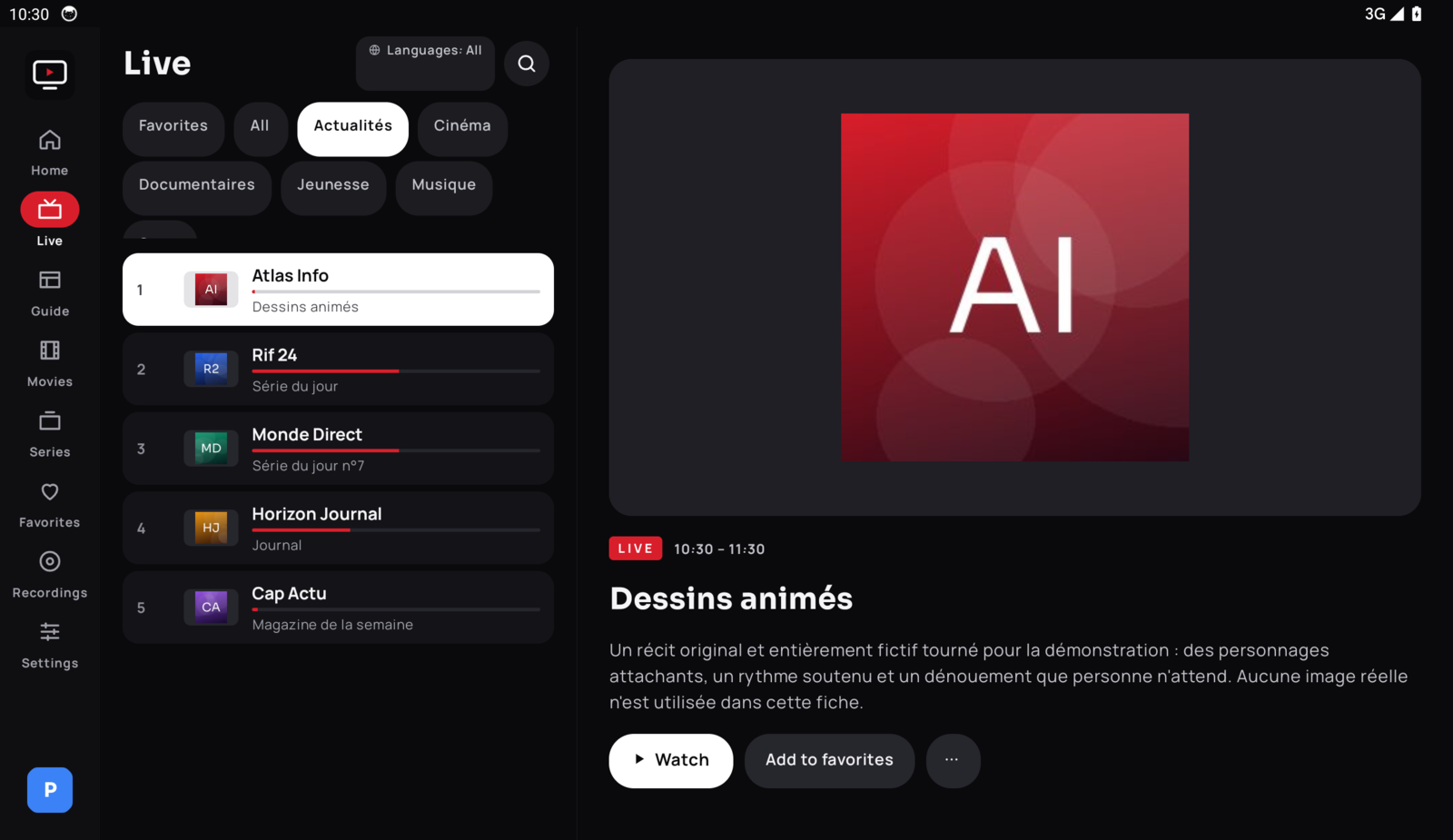
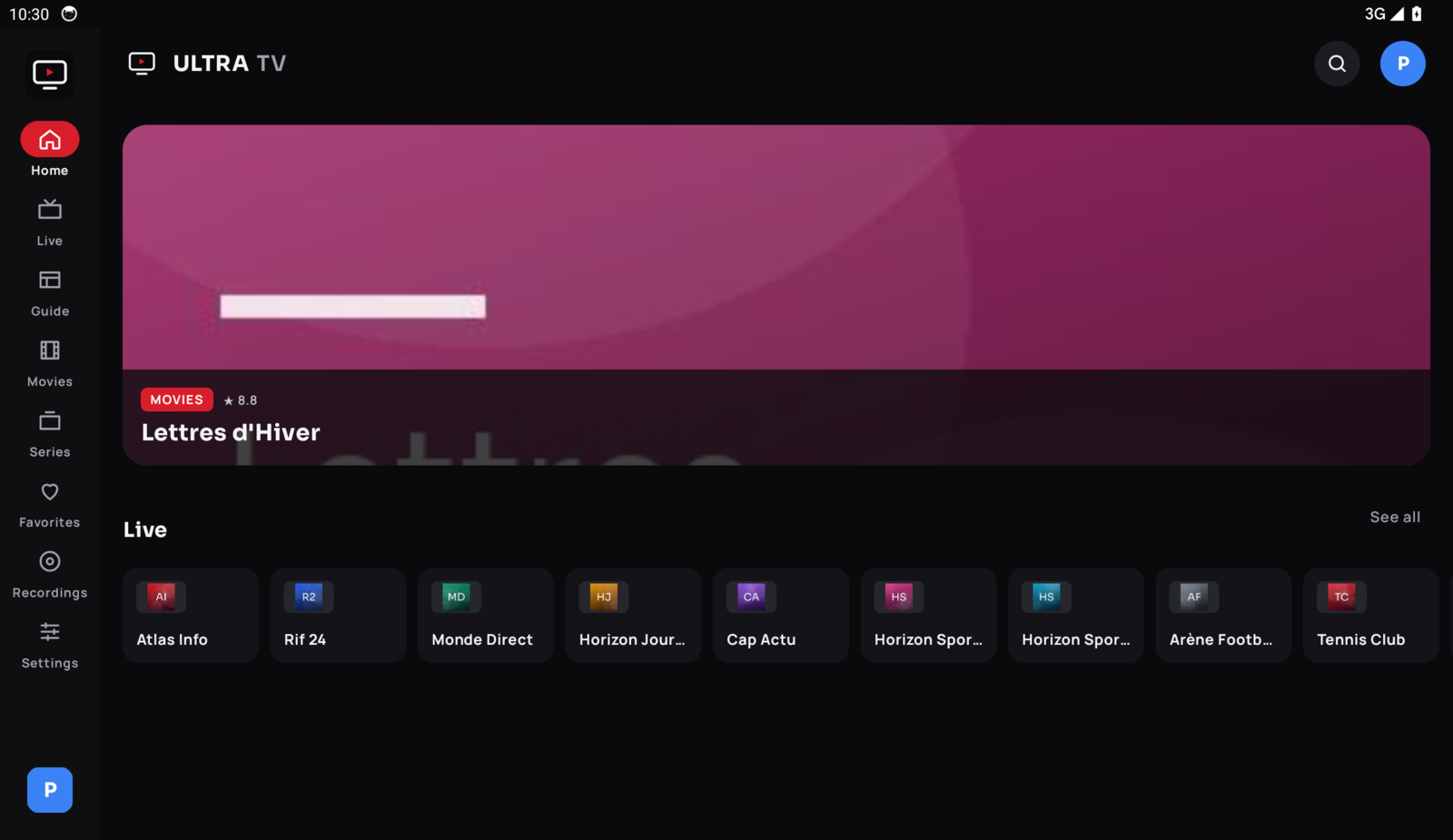
Screenshots of the new interface (1.2.98), rendered with an entirely fictional catalog: made-up channels, categories, programmes and titles. Ultra TV provides no content.
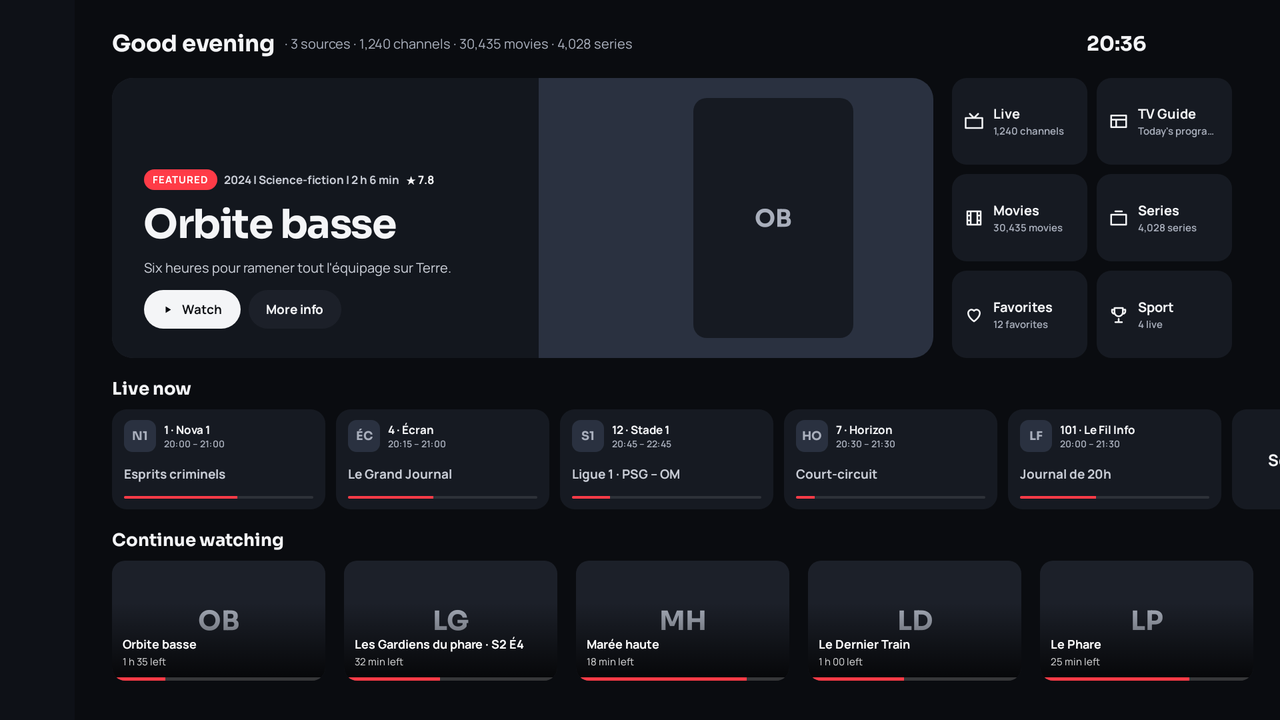
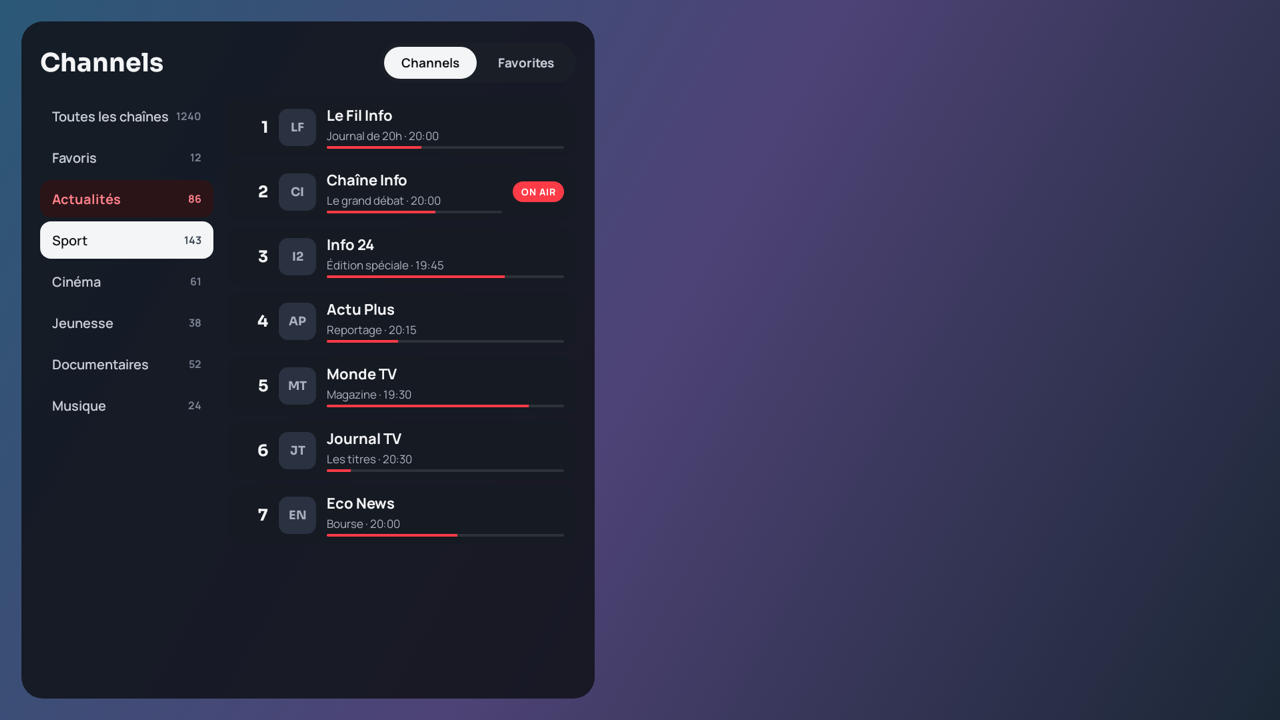
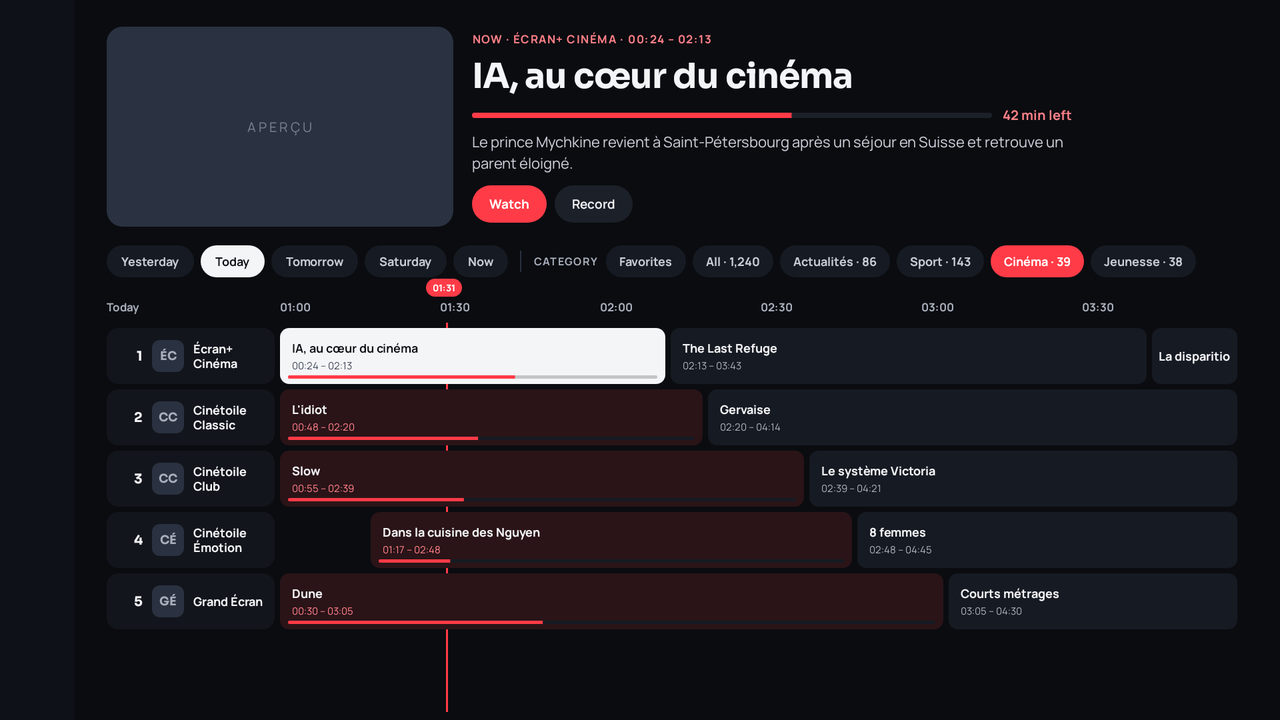
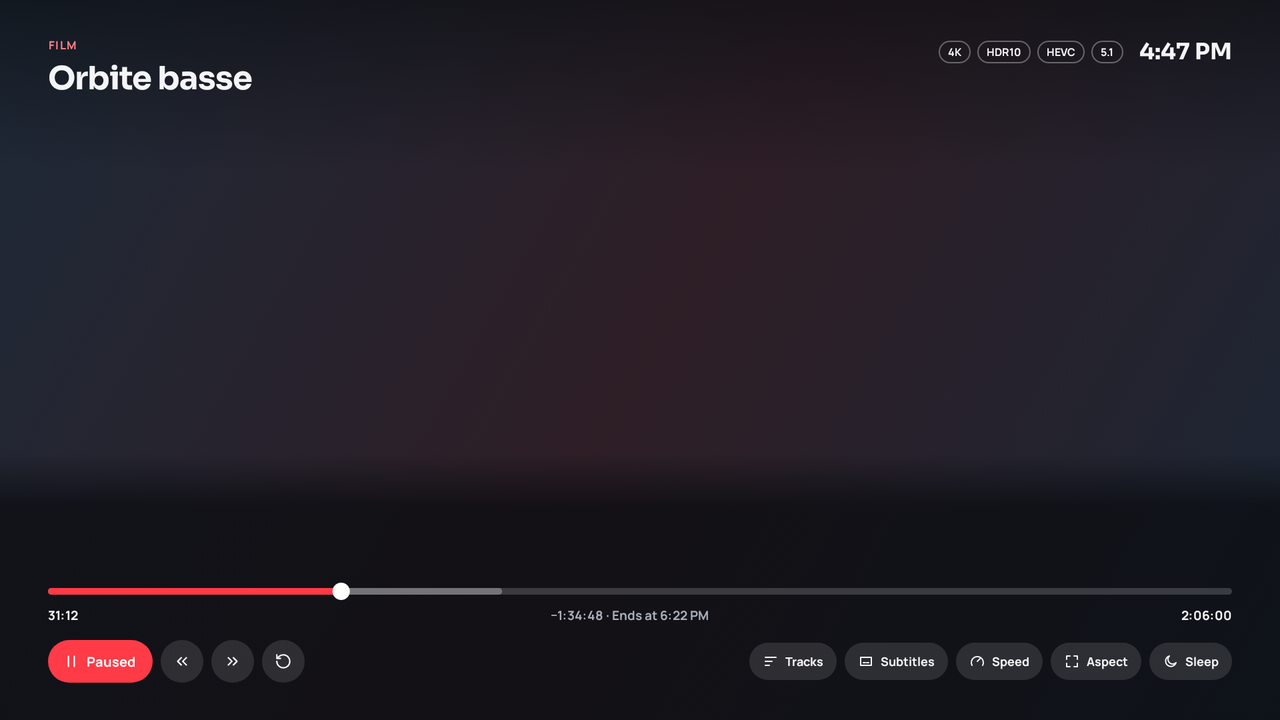
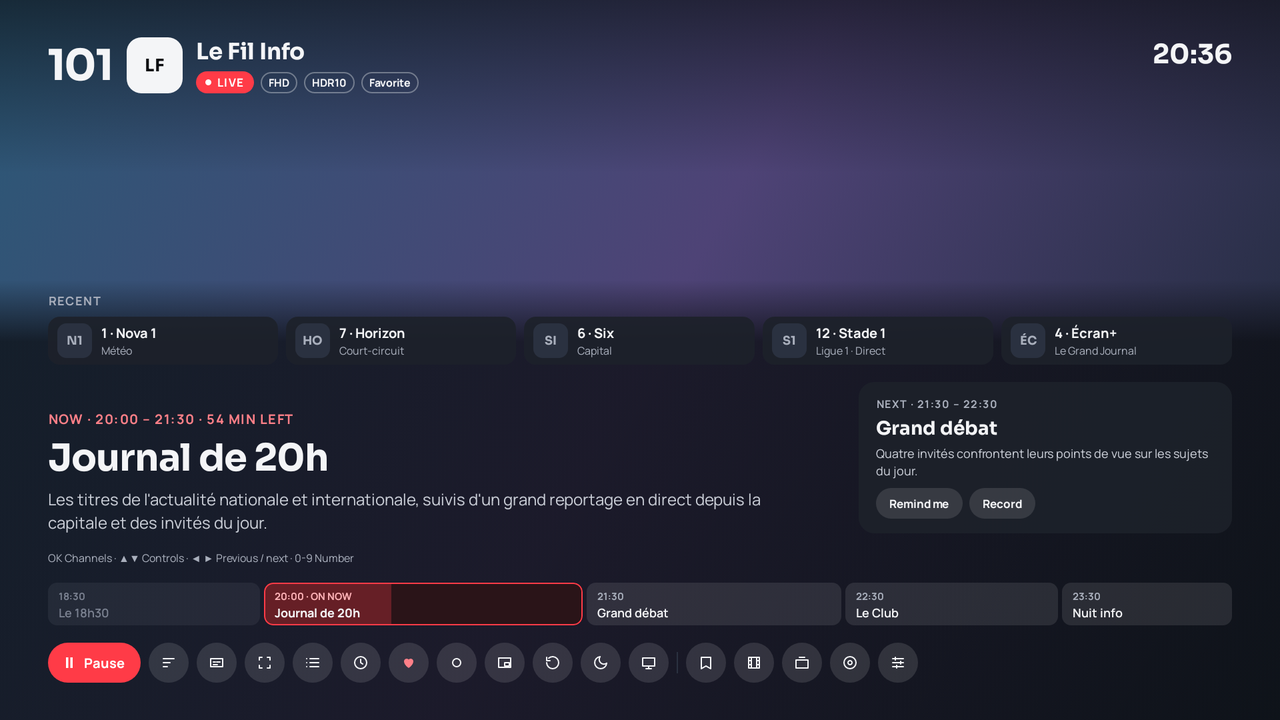
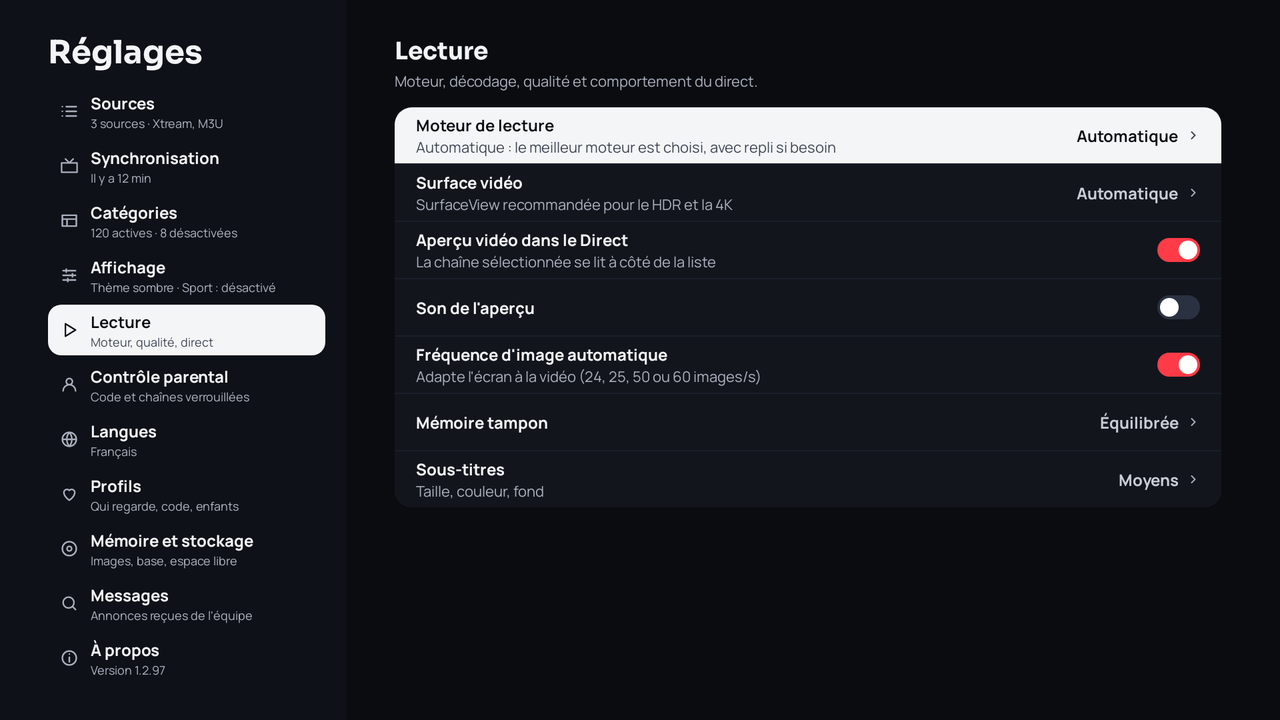
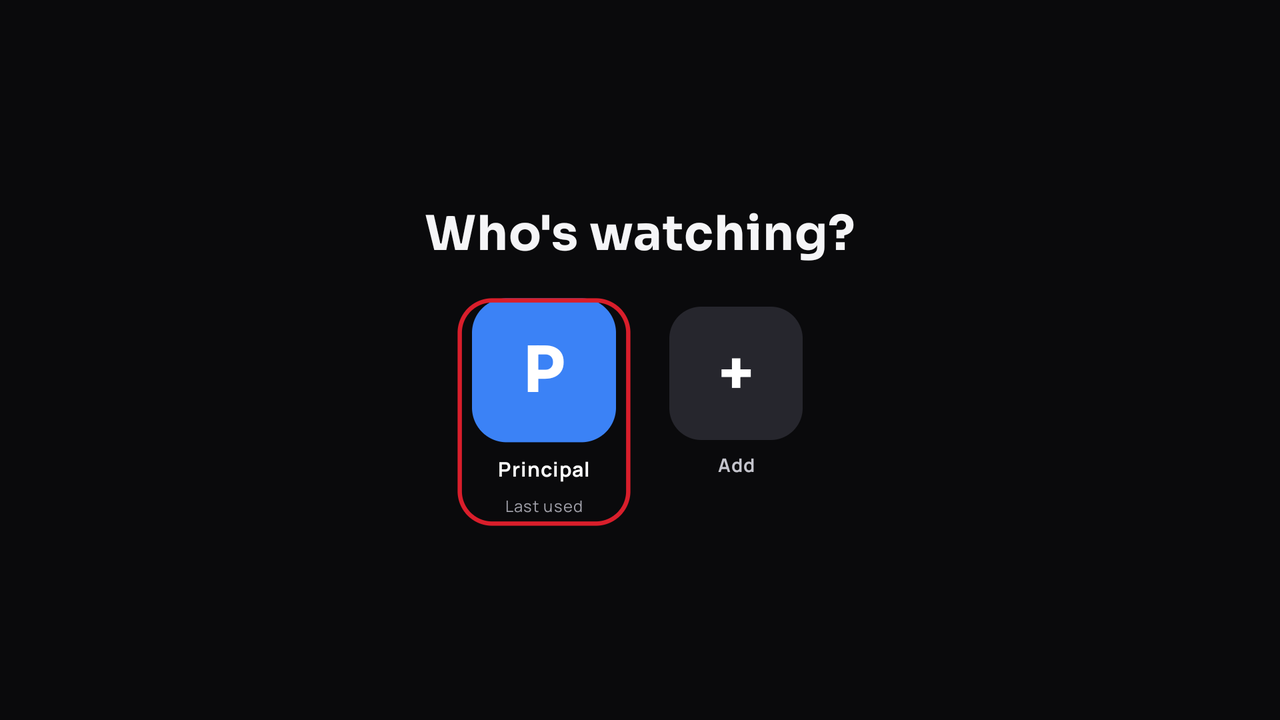
The same screenshots exist in French (docs/screenshots/fr) and in Arabic, with a mirrored interface (docs/screenshots/ar).
Features
- New interface (1.2.98) on TV, phone, tablet and desktop: redesigned dark and light themes, home screen with “Featured” and shortcuts, live TV overlay (recent channels, current programme, “Up next”, evening ribbon), channel list as a side sheet, TV guide filtered by category, redesigned movie / series pages and players, short opening animation.
- Sport (optional section, Settings › Display, on TV and desktop): live and upcoming matches over 48 h from your sources' guide, by discipline, with reminders, recordings and team badges (TheSportsDB).
- Search from any screen: a button at the top of the side rail, plus the remote's Search and microphone keys.
- Live TV: video preview of the selected channel in the list (with sound, adjustable delay), OK switches it to full screen without reloading the stream; Up/Down zap, OK opens the channel list, Channel +/− and TV keys of Google TV remotes; channel and programme banner; number zapping, Back returns to the menu (Last channel key recalls the previous one), 20 recent channels, instant search (FTS).
- Categories: names and playlist order exactly as the source provides them, enable / disable / reorder, text filter ("FR" = whole word); quality badges (SD, HD, FHD, 4K, RAW, HEVC…) to tell apart streams of the same channel.
- Guide: time grid, reminders, scheduled recordings, replay (Xtream catch-up) from the guide when the source allows it. Programme borrowed from a channel with the same name when the provider only tags one category (HEVC, General…), "+1 / +2" channels shifted accordingly, the provider's short EPG as a fallback, and a free additional guide (XMLTV France by default, epgshare01 beIN Sports / Saudi Arabia / UAE) for channels still without a programme.
- Live pause (timeshift): circular disk buffer for MPEG-TS streams.
- Movies and series: rich details through TMDB (poster, plot, cast, trailer, in English when none exists in your language), official title logo and HD backdrop through Fanart.tv, a series' next episode (date, title) through TVmaze, automatic resume (position saved every 30 s), seasons as tabs, rows by category.
- Skip intro: “Skip intro”, “Skip recap” and “Next episode” buttons during intros and credits, from TheIntroDB (community database, no key).
- IMDb / Rotten Tomatoes ratings on detail pages (OMDb through the Worker), actor and director pages (their titles found in your playlist).
- Home: rotating “Featured” banner, a “New episodes” row (favourite or in-progress series with an episode out or due within 7 days), “Because you watched…” and “Top rated movies / series” rows; movie and series filters (sort, minimum rating, decade); typo-tolerant search (“brekin bad” → Breaking Bad).
- Custom guide: an XMLTV guide address (
http://orhttps://, ending in.xmlor.xml.gz, a query string is fine). Two uses. (1) Additional guide: Settings › Synchronization › Additional guide › Custom address… (read only for channels still without a programme). (2) Guide of this source: Settings › Sources › (the source's menu) › Guide of this source, in replace mode (only this address is read) or complete mode (the provider's guide first, then this address for channels without a programme); handy for an M3U playlist withouturl-tvgand for a Stalker portal, which has no XMLTV guide of its own (channels matched byepgChannelId, otherwise by name). The address is checked before it is saved (network request, gzip detected, a<tvtag is required; clear message if unreachable, HTTP code or not an XMLTV guide). Enter it with the remote, from your phone (the/envoyerpage, XMLTV guide type, for the additional guide) or on desktop (Settings › Synchronization, and a source's Advanced options). - Send from your phone, no account: the TV shows a QR code and a code; type the playlist (Xtream, M3U or Stalker) on your phone or computer (the Worker's
/envoyerpage) and the TV adds and syncs it. No more typing with the remote. - Phone remote and search (Settings › Sources): the box serves a page on the local network (QR code) to search movies, series and channels and control playback; off by default, protected by a key.
- Simple mode: six large tiles (Live TV, Resume, Movies, Series, Favorites, Search), per profile.
- Memory & storage: detailed storage use, RAM, cache and database clean-up, memory-saving mode for modest boxes, Optimise images (Fanart.tv / TVmaze logos and backdrops served as right-sized WebP by wsrv.nl; can be turned off).
- Hidden categories are never loaded: a disabled category (by its language or by hand, separately for Live, Movies and Series) is neither stored nor indexed: faster sync, less memory.
- Movies and series by automatic genres: category or detected-genre list (Action, Comedy, Anime…) with title counts, poster grid, sorting and filters.
- Downloads (Android): movies, episodes or a whole season; queue with pause, resume, cancel and retry, resume after a dropout, optional Wi-Fi only; a « Downloads » screen that works offline.
- Two playback engines: ExoPlayer (Media3) and LibVLC; Auto / ExoPlayer / VLC, decoding Auto / Hardware / Software, automatic fallback and per-channel memory.
- Subtitles: online search (OpenSubtitles through the Worker), advanced style (size, colour, background, outline, position, offset). Nothing to set up on the device; a personal OpenSubtitles account can be linked from the cloud dashboard if needed.
- Trakt: movies and episodes you watch are sent to Trakt (watching, then watched at the end); on Home, your Trakt watchlist, recommendations, trending, popular, personal lists and Up next, limited to titles available in the loaded playlist; a "Watched" mark; from detail pages: add / remove from the watchlist, mark watched / unwatched (movie, episode, season), rate 1–10; resume positions imported. Connect from the cloud dashboard, nothing to set on the TV.
- Profiles: "Who's watching?", Kids profile, per-profile favourites, history and languages.
- Subscription (menu): your IPTV subscription as reported by the provider — status, expiry date and days left, connections in use / allowed, trial account, server. Android, Windows and macOS.
- Google TV, Android TV and third-party launchers: "Continue watching" (movies, episodes and recent live channels, cleaned titles, one tile per movie), Favorites home channel (favourites then recent channels) and New releases channel (latest movies and series added, no duplicates), voice and global search,
ultratv://deep links. These rows go through Android's TV provider, so launchers that read it (Kairo…) show them too. - Playback: no sleep during a movie or live TV, pauses when you leave the app (no background audio); clock without offset and adjustable time zone (Settings › Display).
- Themes Dark / Light / Black (OLED) / Automatic (the player always stays dark); interface in English, French, Spanish and Arabic (RTL), plus Polish and Brazilian Portuguese (community first drafts).
- Personalisation (Settings › Display): accent colour (12 choices), text size, time format (Automatic, 12-hour or 24-hour), Home rows (show, hide, reorder), start screen (Home, Live, Movies, Series, Guide, last channel or last screen used; also on desktop).
- Custom DNS (Android and desktop): Google, Cloudflare, Quad9, DNS-over-HTTPS or your own server; applied to catalogue, guide, images and streams (on Android: ExoPlayer streams, not VLC; Test button), automatic fallback to the system DNS.
- Sleep: 30 / 60 / 90 min timer or end of programme; built-in update from GitHub releases.
Devices
One account, all your screens: same interface, same provider everywhere. Add it once in the cloud dashboard and every device receives it.
Android TV and Google TV
The original app, driven by the remote (see the screenshots above and Features).
Android smartphone
Touch interface: bottom navigation bar, lists and grids by finger, gesture player with picture-in-picture; forms sit above the keyboard.
Android tablet
Side rail, list and details side by side.
Windows and macOS
The same design on desktop: the web app in web/ packaged with Electron (electron/). On the web, only the management dashboard is offered (no player). Xtream Codes and M3U (link or file); catalogue kept locally (IndexedDB), credentials encrypted with the system keychain, direct playback (no remote proxy), automatic updates through GitHub Releases. Search: round button under the logo, shortcut Ctrl/Cmd + K or / from any screen. Sport, reminders and recordings: Sport section, “Remind me” (system notification) and “Record” (.ts file in Videos/Ultra TV, the app must stay open) from the guide and Sport, “Recorded” screen; Episodes button in the series player (E key).
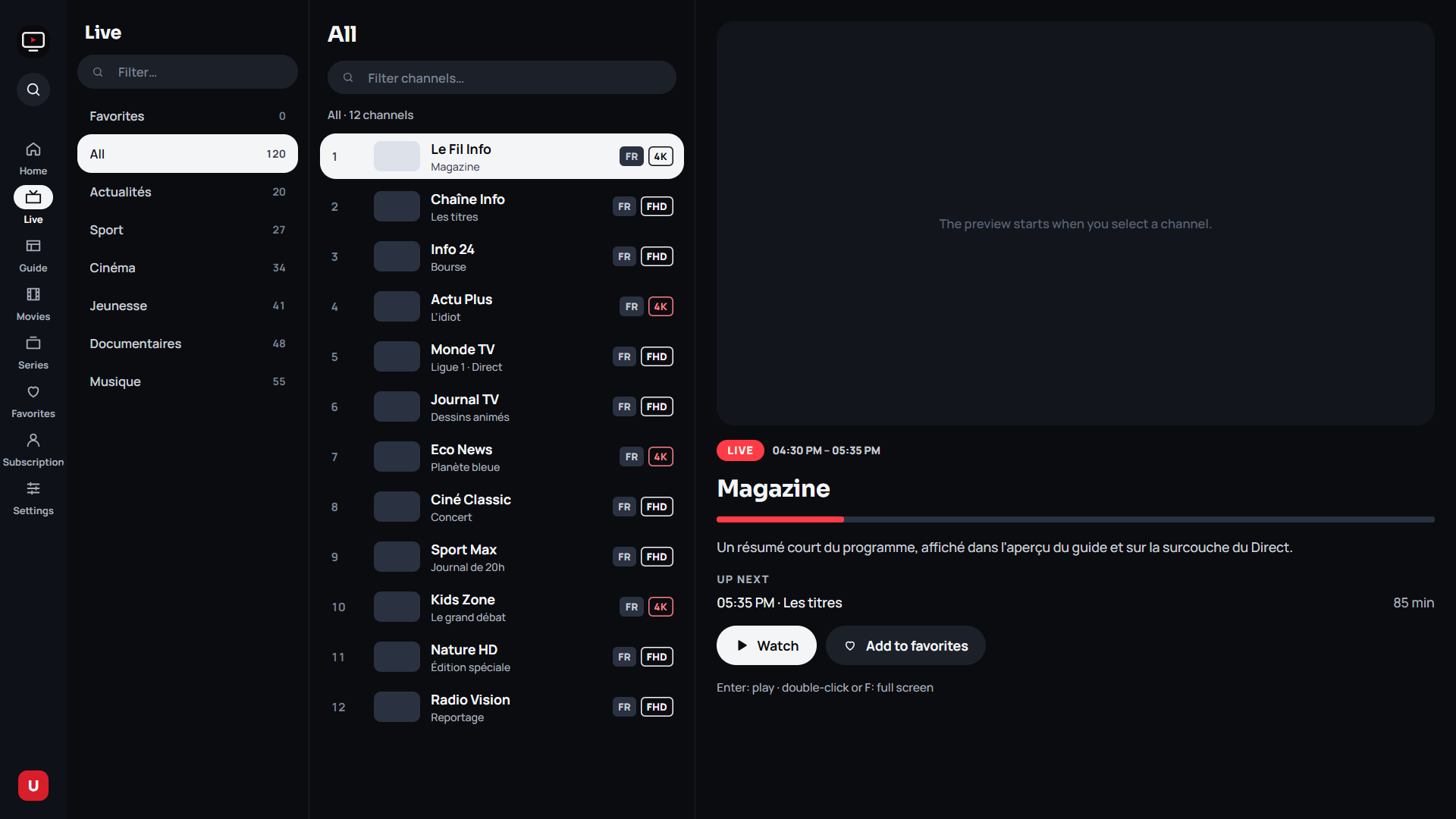
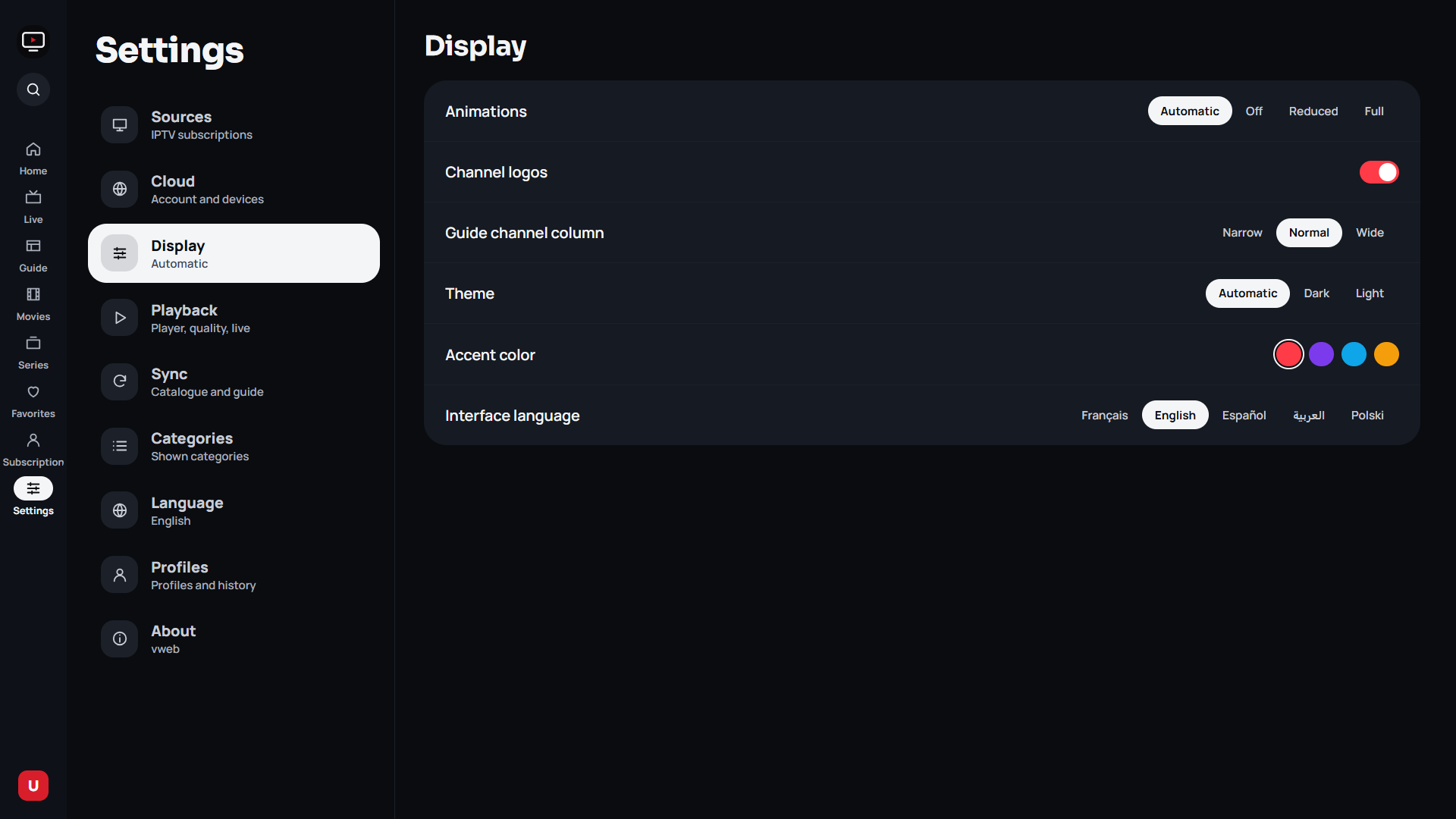
All desktop screenshots (synthetic data, FR and EN): docs/screenshots/desktop/. Release: desktop-vX.Y.Z tag (workflow desktop-release.yml, separate from the Android v* tags).
Cloud dashboard
Manage devices and sources from a browser: https://tv.weedy.dpdns.org (the old address ultratv-config.khalilbenaz.workers.dev still works; the apps switch automatically if one is blocked on your network).
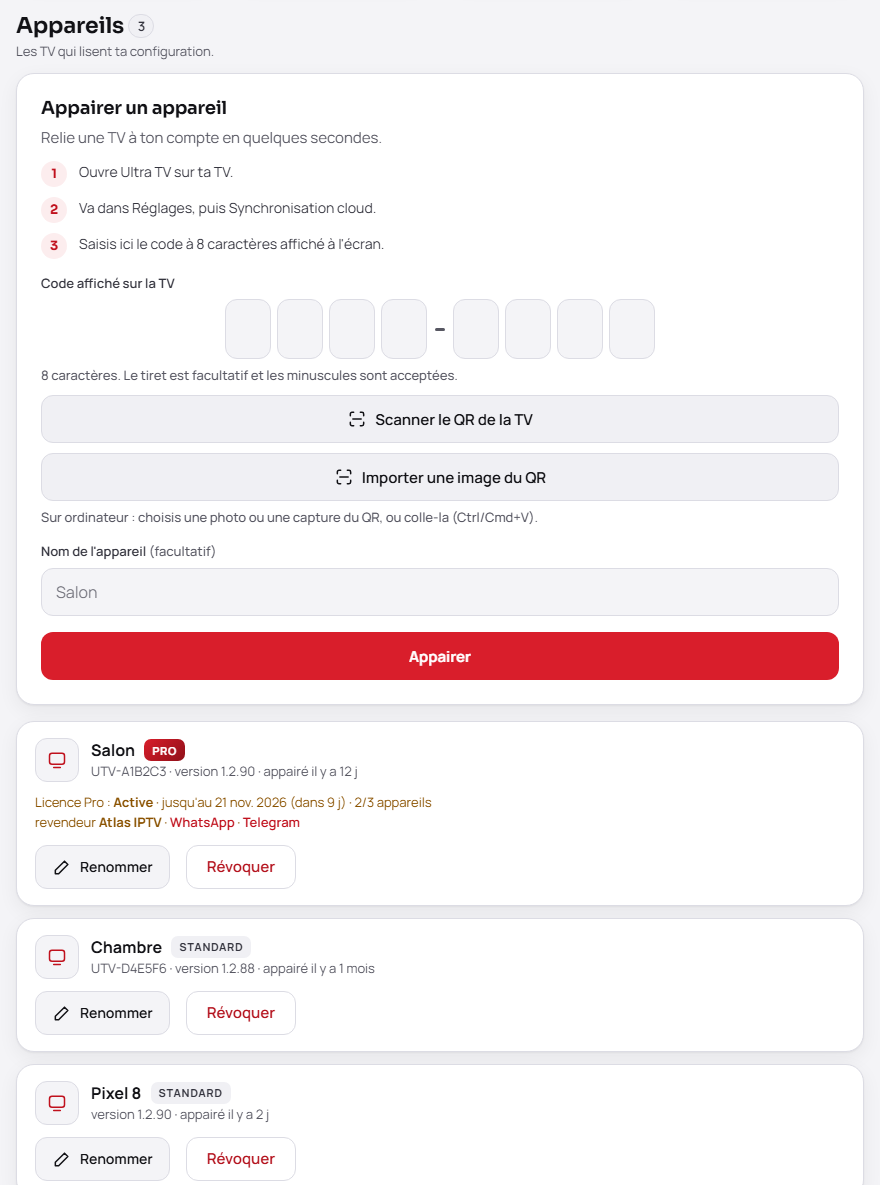
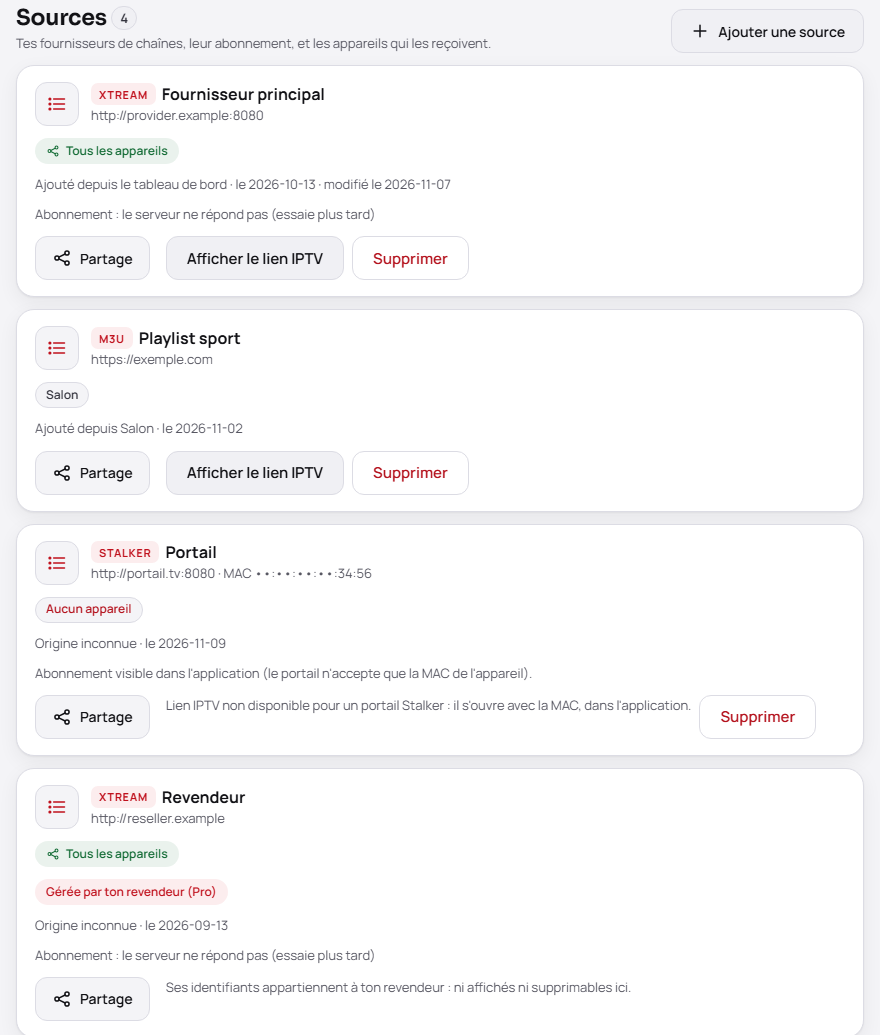
Xtream, M3U and Stalker portal sources (MAC address masked). Each device shows its model, edition, app version and last activity. Each Xtream or M3U source has a Show IPTV link button (full M3U link, on demand, with a Copy button) and its subscription (status, expiry date, days left, connections), read from the provider; lists are paginated and searchable as they grow.
Account section:
- Trakt: Connect Trakt button, authorise on Trakt; your devices then send what you watch. Your Trakt password never goes through the site.
- Subtitles · OpenSubtitles (optional): link your OpenSubtitles account, free or VIP, to use your own download quota instead of the shared one.
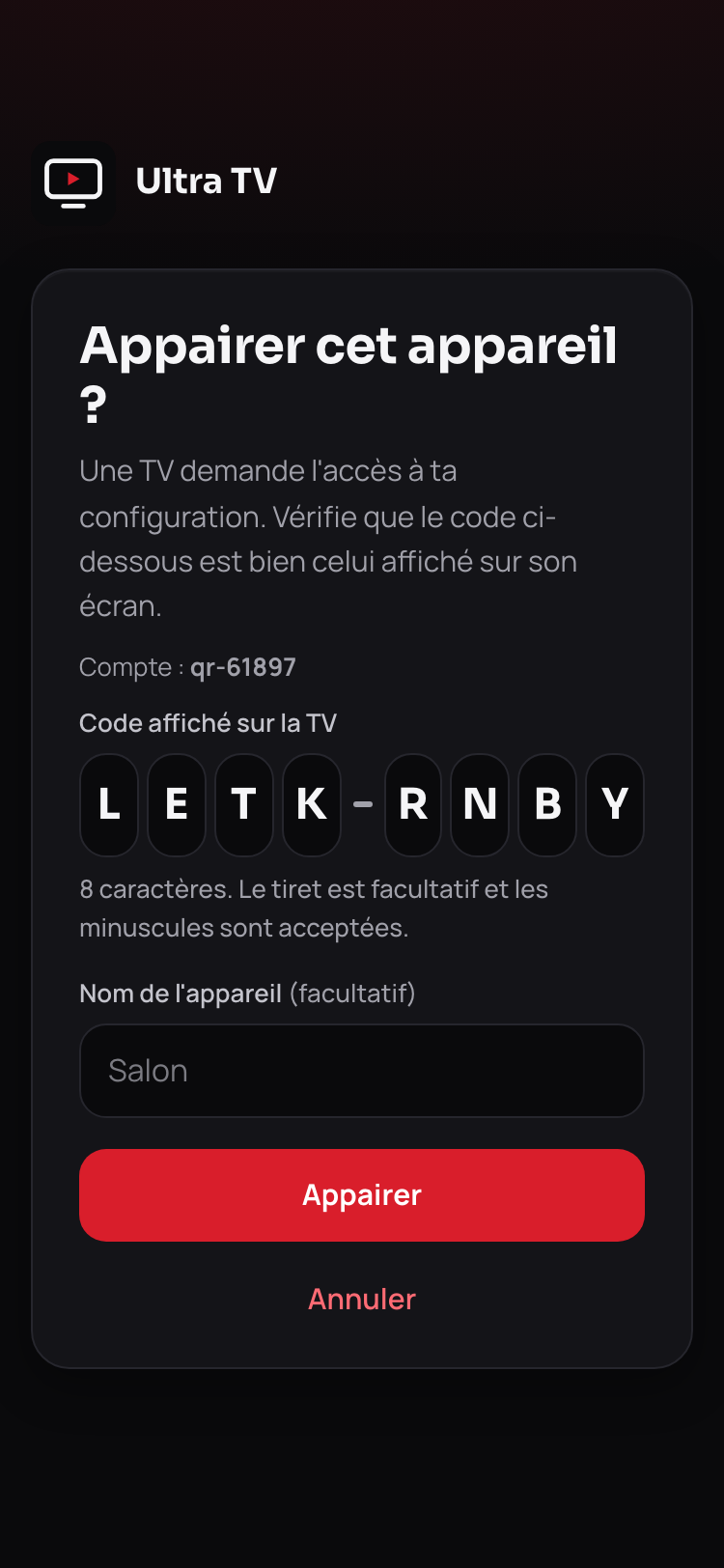
Pair in one scan: the TV shows a QR, the phone camera opens the pairing page with the code already filled in. The code can also be typed by hand, with or without the dash.
Multi-device sync
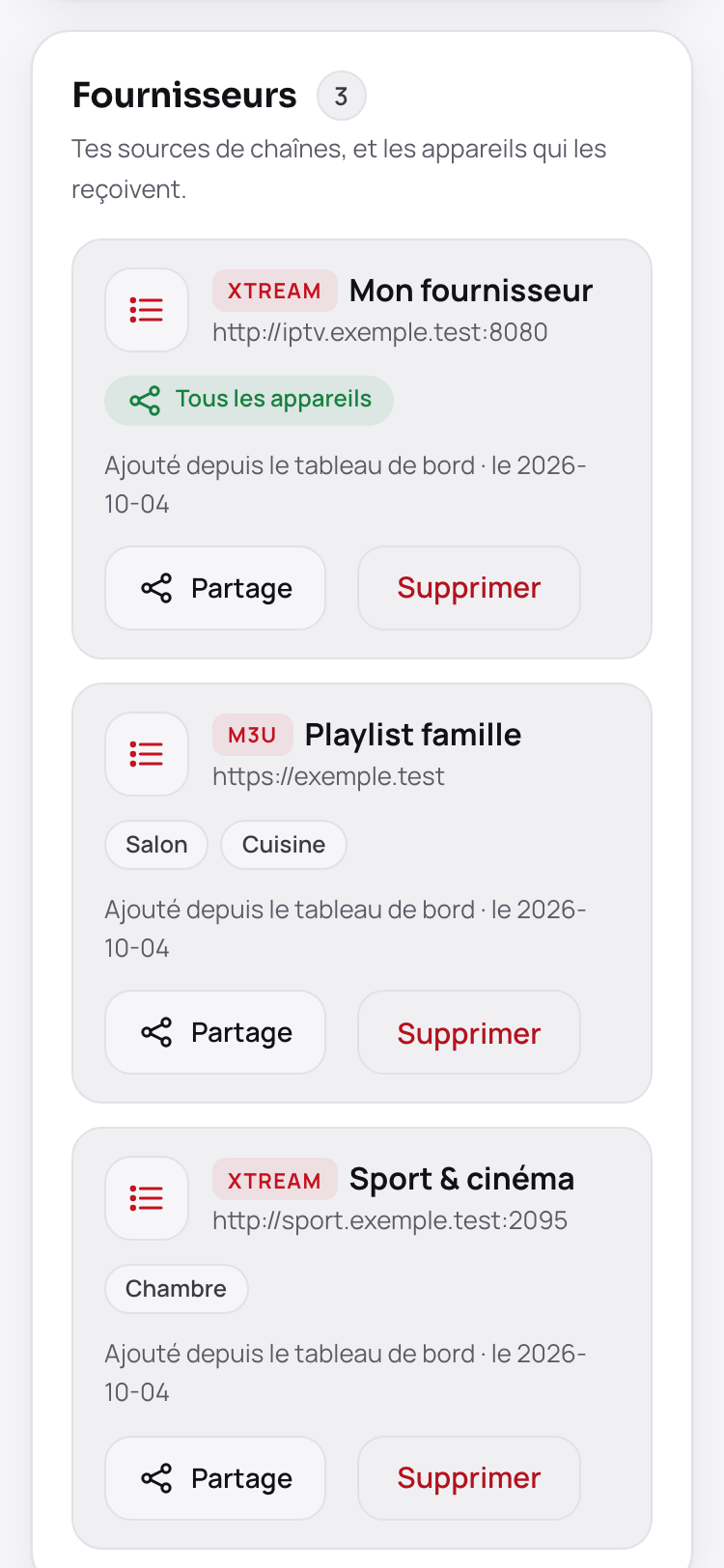
- Same provider everywhere: a provider added in the dashboard is received by every device on the account.
- Device-only source: a source added on a device stays private to it until you share it.
- Sharing chosen per device: source by source, tick the receiving devices (in the app: Settings › Sources › Share this source; or in the dashboard).
- Shared categories: enabling or disabling a category on one device applies to the others (latest change wins).
- Shared favourites, resume points and recently watched: a movie started on the TV resumes at the same spot on the Mac; a favourite added or removed is everywhere. Per account source, profiles matched by name.
- Account changes are serialized on the Worker (Durable Object lock): two devices writing at once do not overwrite each other.
Downloads
| Device | File |
|---|---|
| Android (TV, smartphone, tablet) | UltraTV-arm64-v8a.apk (default), UltraTV-armeabi-v7a.apk (32-bit), or the universal UltraTV.apk; versioned files UltraTV-<version>-<abi>.apk with their precompiled profile .dm, plus SHA256SUMS.txt |
| macOS | UltraTV-<version>-mac-universal.dmg (Apple Silicon and Intel) |
| Windows | UltraTV-<version>-win-x64.exe (NSIS installer) |
| Cloud dashboard | https://tv.weedy.dpdns.org (nothing to install) |
Everything is on the Releases page (desktop files carry desktop-v… tags).
Installation
Android 9 or newer (API 28).
APK. Download UltraTV-arm64-v8a.apk (SHA-256 sum on the release page) and install it. If the install fails (32-bit device such as the Chromecast with Google TV HD), take UltraTV-armeabi-v7a.apk; as a last resort, the universal APK. The in-app updater picks the right build for your device.
Downloader (boxes without a browser): open the Downloader app, enter the code 5189921, allow unknown sources, install.
adb:
adb connect BOX_IP:5555
adb install -r UltraTV.apk
adb, faster startup (Android 12 or newer): install your processor's APK together with its precompiled profile .dm (same name, published in the release). Android then compiles the app at install time instead of waiting for a background optimisation. Measured on a 2 GB box: startup 1.1 s → 0.6 s, noticeably smoother scrolling.
adb install-multiple -r UltraTV-<version>-armeabi-v7a.apk UltraTV-<version>-armeabi-v7a.dm
On first launch: choose the source type (Xtream Codes, M3U link, M3U file, Stalker portal or From the cloud), enter it, then choose your categories (only active categories are downloaded).
An address like …/get.php?username=…&password=… pasted as an M3U link is recognised and added as an Xtream Codes source (many providers block get.php).
Which APK?
| Your device | APK | Short link (type it in Downloader) |
|---|---|---|
| Recent Fire TV Stick, Shield, most recent boxes and phones (64-bit) | arm64 (≈ 67 MB), recommended | tv.weedy.dpdns.org/download/android-arm64 |
| Chromecast with Google TV (HD), older boxes (32-bit) | 32-bit (armv7) (≈ 52 MB) | tv.weedy.dpdns.org/download/android-32 |
| You do not know | Universal (≈ 227 MB), last resort | tv.weedy.dpdns.org/download/android-universal |
tv.weedy.dpdns.org/download/android returns the arm64 APK. In Downloader, enter the code 5189921 or one of the short links above. If the install fails, take the 32-bit version.
Installation impossible (« package problem »)
- Free space: keep at least 500 MB free; the universal APK (227 MB) needs more than the per-CPU APKs.
- Wrong APK: on a 32-bit device (Chromecast with Google TV HD), take the 32-bit APK (
android-32) rather than the universal one. - Older version signed differently: uninstall the old Ultra TV first (Settings › Apps), then reinstall. Your sources stay in the cloud if you enabled it.
- Truncated download: compare the file size with the release's, and its SHA-256 with the
.sha256file (orSHA256SUMS.txt) published alongside; download again if they differ. - Android 9 minimum: older versions are not supported.
Cloud sync
To avoid typing credentials with a remote, manage your sources from a browser: https://tv.weedy.dpdns.org (the address is also shown in the app, with a QR code: Settings › Sources).
- Create an account on the dashboard and add your sources.
- In the dashboard, choose Pair a TV.
- On the box: From the cloud (Source step of the wizard) or Settings › Sources › Sync from the cloud. An 8-character code is displayed; enter it in the dashboard.
- The box imports the configuration, then syncs.
The device receives a random 256-bit token (hashed on the server, encrypted in the Keystore, revocable). Revoked device (lost, lent, sold): at its next check (back to the app, within 10 min at most), it removes the sources received from the cloud, forgets the pairing and says so; sources added by hand on the device stay. Your credentials are encrypted on the server side (AES-256-GCM). The label shown for the box ("UTV-XXXXXX") is only a name, never a key.
Self-hosting. You can deploy your own Worker (see Cloudflare Worker): create the KV namespaces, set the SESSION_SECRET, PROVIDER_ENC_KEY and OPS_TOKEN secrets (no value is published here), then wrangler deploy; in the app, Settings › Sources › Dashboard address then points to yours.
Security
- Source credentials encrypted at rest on the device; AES-256-GCM on the Worker.
- No stream URL and no credential is displayed or logged; error messages are filtered (
UserText). An empty source name does not fall back to the server address. - No shared token in the APK. Details, threat model and rotation of old secrets: SECURITY.md.
Privacy
Ultra TV provides no content: you add your own sources (Xtream Codes, M3U, Stalker portal) and the app talks directly to your provider. It contains no ads and no third-party analytics library. The "Worker" is the cloud configuration server (cloudflare-config/), hosted on Cloudflare; its address can be changed in Settings › Sources › Dashboard address.
Your IPTV credentials
The server address, username, password, stream URLs and the MAC of a Stalker portal are sent only to your provider, except in two intended cases:
- Cloud sync: on a paired device, a source is sent to the Worker only if you share it (offer shown after adding, or the share button) or add it from the dashboard. It is stored encrypted (AES-256-GCM, server-side encryption with a Worker secret key: not end-to-end). When you open the dashboard, the Worker itself queries your provider with these credentials to show the subscription status. If your provider blocks Cloudflare servers, this request goes through a relay hosted on Vercel (code in
cloudflare-config/relay/): it receives the address and credentials for that request only and does not store them. - Send from your phone: the source typed on the web page is encrypted, kept for 15 minutes at most and deleted as soon as the TV receives it.
Logs and crash reports are scrubbed (username, password, token… parameters, user:password@, /live/user/password/ paths) in the app, then again by the Worker. Limit: a server's domain name can remain in an error message. Adding a Stalker source only sends journey events ("add attempt", success or failure, error class), never the portal's host name.
What the Android app sends on its own
| What | When | To | Content | Turned off by the setting |
|---|---|---|---|---|
| Anonymous install count | ≈ 10 s after start, at most once per 20 h, unpaired device | Worker /api/anon/ping |
random install ID, version, app in use (android-tv or android-mobile), device model (manufacturer + model, 64 characters at most) |
Yes |
| Diagnostic logs | during use, paired device | Worker /api/event |
level, tag, scrubbed message (start, screen shown, smoothness metrics, freezes, key counters, Google TV, update, sync failures), version, model, device label | Yes |
| Crash reports | on crash (or next start), paired device | Worker /api/crash |
scrubbed stack trace, version, model, Android version | Yes |
| Update check | 30 s after each launch, or on request | api.github.com, then GitHub |
request without identifier; if a newer version exists the APK is downloaded and Android's installer asks for confirmation | No |
| Alerts (read) | on open, then every 15 min in the foreground | Worker /api/announcements |
screen type, version | No |
| Alerts (statistics) | alert shown, dismissed or button used | Worker /api/announcements/<id>/stat |
event type, random install ID | Yes |
| Extra guide | during guide sync, if channels have no programme | xmltvfr.fr (default) |
file download; changeable, custom address possible (and a guide per source): Settings › Synchronization. Only the host of an address is shown, the full address is never logged | No |
| Skip intro | when opening a movie/episode (TMDB id known) | api.theintrodb.org |
TMDB id, season, episode, duration | No |
| TMDB details, ratings | when opening a details page, paired device | Worker /api/tmdb, /api/ratings |
cleaned title, year, language, or TMDB id | No |
| Logos and backdrops (Fanart.tv), episodes (TVmaze) | when opening a details page or the home screen, paired device | Worker /api/fanart, /api/tvmaze/show |
TMDB, TheTVDB or IMDb id of the title, language | No |
| Team badges (TheSportsDB) | Sport section enabled, paired device | Worker /api/sports/team |
team name as written in the guide | No |
| Images (posters, logos, backdrops, badges) | on display | image.tmdb.org, assets.fanart.tv, static.tvmaze.com, www.thesportsdb.com, wsrv.nl |
image request sent directly from the device, nothing else transmitted | No |
| Online subtitles | only on Search online, paired device | Worker /api/subtitles |
title, languages, year | No |
| Cloud sync | paired: at launch, every 6 h; favourites and history ≈ 60 s after a change then every 10 min | Worker | device token, version, edition; display settings; favourites and history per profile (title, poster address, position, duration) | No (unpairing stops it) |
| Trakt | while playing a movie/episode, paired device | Worker /api/device/trakt |
action, progress, title, year, TMDB ids, season, episode | No |
| DNS | only if you pick a DNS other than the system one (Settings › Playback) | Google, Cloudflare, Quad9 or yours | domain names | No |
Images supplied by your source are loaded directly from the addresses it gives.
Windows and macOS
No crash report, remote log or alerts. Anonymous count (same rule as Android): at most once per 20 h, unpaired device only, to the Worker /api/anon/ping; it sends a random install ID kept on the device, the version and the system (windows, macos or linux). It turns off in Settings › About › Anonymous telemetry (on by default): nothing is sent any more and the ID is erased. Other sends: update check (api.github.com, 5 s after launch then every 6 h; on by default, it can be turned off in Settings › About › Check for updates automatically, the manual check button stays usable), cloud sync, Trakt, TMDB and ratings through the Worker (paired device), "Skip intro", fallback posters and the chosen DNS.
What the Worker keeps
- Account: login, PBKDF2 password hash, country (code supplied by Cloudflare), dates; until the account is deleted. Devices: token hash, name, model, version, country, last activity.
- Sources, Trakt and OpenSubtitles tokens, shared favourites and history: encrypted, until deleted.
- Diagnostic logs: 7 days; crash reports: 30 days. They hold device ID, an account fingerprint (non-reversible HMAC, never the account ID or e-mail address), country, version, model, a device label derived by hashing the Android ID.
- Anonymous count: hash of the install ID, dates, version, app in use (Android TV, Android mobile, Windows, macOS, Linux), device model (Android), country, number of sources sent from the web; 180 days. Alert statistics: hash, up to 31 days after the alert ends.
- Send from phone: 15 min at most. Pairing code: 10 min.
- IP address: not written to any stored data; used only to count requests (rate limiting) in counters that hold no address and expire on their own.
Turning telemetry off
Settings › About › Telemetry and crash reports (on by default; on Windows and macOS the setting is called Anonymous telemetry and only covers the anonymous count). Off: no more diagnostic logs, crash reports, anonymous count or alert statistics, and no install ID in send-from-phone. It does not turn off the update check, reading alerts, cloud sync, Trakt, TMDB, subtitles, "Skip intro", the extra guide or DNS. Without pairing, no log or crash report is sent anyway.
Check it in the code
Every point above can be checked in the source code (links pinned to a specific version):
| Claim | Where to see it |
|---|---|
| On the device, your sources' passwords are encrypted (AES-256-GCM) with a non-exportable Android Keystore key | SecretBox.kt |
| Sending from the phone: the code is valid for 15 minutes | index.js — ENVOI_TTL_S |
| … the source is encrypted before being handed to the relay | index.js — encryptJson then envoiPut |
… delivered once to the TV, then deleted (envoiTake removes the entry) |
guard.js — envoiInit / envoiPut / envoiTake |
Cloud sync: sources stored encrypted (providersEnc) |
store.js — loadProviders / saveProviders |
| Account passwords: only a PBKDF2 hash is kept | crypto.js — hashPassword |
| Anonymous count (Android): a random install ID, version, app (TV or mobile) and model, nothing else | AnonPing.kt — request body |
| Anonymous count (desktop): random ID, version and system, at most once per 20 h, never when paired, setting respected | anon.ts — reportAnonPing |
| … nothing is sent when telemetry is off | AnonPing.kt — telemetryEnabled |
| The Worker only keeps the country code provided by Cloudflare, never the IP address | index.js — countryOf |
Questions or doubts about this code? Open an issue and it will be answered publicly.
Automatic tuning
On first launch, the AdaptiveProfile measures the device (memory, heap, micro-benchmark) and rates it Low / Medium / High. From that it derives buffer, parallelism and sync batch size, resolution and bitrate caps (low-memory boxes: 720p / 6 Mb/s) and adjusts the buffer if drop-outs occur. Everything stays adjustable: Settings › Playback (engine, decoding, buffer preset: Low latency, Auto, Balanced, Stable, Custom).
Help translate
The interface is available in French, English, Spanish and Arabic (official languages), and in Polish and Brazilian Portuguese (community languages, first drafts awaiting review). More languages are welcome: they can be partial, and English is shown for missing texts.
- Only the interface is translated, never playlist content (channels, categories, titles, guide).
- Without Git: Weblate, https://hosted.weblate.org/projects/ultra-tv/.

- With GitHub: add the language files and open a pull request.
- Spotted a mistake? Use the "Translation" issue template.
The full guide is in TRANSLATING.md.
For developers
Stack: Kotlin · Compose for TV · Media3 (ExoPlayer) + LibVLC · Room · Hilt.
JDK 17 required.
git clone https://github.com/vantaflow/ultra-tv && cd ultra-tv/android-native
export JAVA_HOME=$(/usr/libexec/java_home -v 17)   # macOS
./gradlew assembleDebug                            # universal APK
./gradlew testDebugUnitTest                        # unit tests (JUnit, Robolectric)
./gradlew assembleRelease                          # per-ABI APKs (arm64-v8a, armeabi-v7a, x86_64)
- The version comes from the
VERSIONfile;versionCode = major×10000 + minor×100 + patch(1.2.0 → 10200), identical for every ABI. - Fake Xtream server to test without a subscription:
python3 android-native/tools/fake-xtream/server.py(the emulator reaches it athttp://10.0.2.2:8099, credentialstest/test);demo.pyserves the synthetic data set used for the screenshots. - Debug build: debug intents (
debug_route,debug_theme,debug_lang,debug_engine,debug_decoder,debug_buffer…) for screenshots and measurements. - CI (ci.yml): web (tsc + vitest), Android (compile + unit tests), Worker. Publishing: release.yml on a
v*tag (universalUltraTV-debug.apk, per-processorUltraTV-<version>-<abi>.apkandSHA256SUMS.txt); website: pages.yml.
Cloudflare Worker
cloudflare-config/: pairing dashboard, encrypted source storage, crash ingestion, TMDB and OpenSubtitles proxies. Full procedure: cloudflare-config/README.md.
cd cloudflare-config && npm ci
wrangler kv namespace create CONFIG                # paste the ids into wrangler.toml
wrangler secret put SESSION_SECRET                 # >= 32 random characters
wrangler secret put PROVIDER_ENC_KEY               # AES-256 key, base64
wrangler secret put OPS_TOKEN                      # password for /crashes and /logs
wrangler secret put TMDB_READ_TOKEN                # TMDB v4 read token (rich details)
wrangler secret put TMDB_API_KEY                   # TMDB v3 key (fallback without a v4 token)
wrangler secret put OPENSUBTITLES_API_KEY          # OpenSubtitles key (online subtitles)
wrangler secret put ACCOUNT_RELAY_KEY              # optional: subscription relay outside Cloudflare (cloudflare-config/relay)
npm test && wrangler deploy --dry-run
TMDB and OpenSubtitles are optional: without their secrets, the app hides the matching features. Trakt uses TRAKT_CLIENT_ID (wrangler.toml, Trakt app in PKCE mode: no client secret). For a fork, build with -PULTRA_WORKER_URL=https://your-worker.workers.dev.
Known limitations
- Replay and live pause depend on the source (Xtream catch-up, MPEG-TS streams); unavailable otherwise.
- TMDB details and online subtitles require a Worker configured with the secrets above.
- An episode started on the TV shows up in "Resume" on the computer once the series has been opened there at least once.
- No free guide covers Moroccan channels (2M, Al Aoula…): only the provider's guide does.
- The first sync of a very large catalogue (≈ 55,000 channels) takes about a minute on a mid-range device and longer on an entry-level one.
- The APK grows with LibVLC (≈ 53 MB in arm64-v8a, against ≈ 9 MB in 1.0.x).
- Measurements published in the release notes come from Android TV emulators (software rendering): to be confirmed on real hardware.
Licence
MIT, see LICENSE. Ultra TV is an IPTV client: only use playlists, guides and credentials you are entitled to use. The Sora and Manrope fonts are under the OFL licence.