
v5tech/oltu-oauth2-example
v5tech/oltu-oauth2-example has 344 GitHub stars and 174 forks. GitHot measured 0 stars in 24 hours. Last checked 2026-11-18 17:25 UTC. Last push 2022-12-16.
Measured star growth
- in 24h
- 0
- in 7 days
- Collecting history
- in 15 days
- Collecting history
- in 1 month
- Collecting history
Net star changes over overlapping periods, not daily totals. Missing measurements are left blank. Stars measure attention, not software quality.
About
使用Apache Oltu 搭建Oauth2 Server及Client开放授权
Developer ToolsREADME.md
OriginalApache Oltu OAuth2 Server + Client
使用Apache Oltu 搭建Oauth2 Server及Client开放授权
OAuth应用接入授权演示
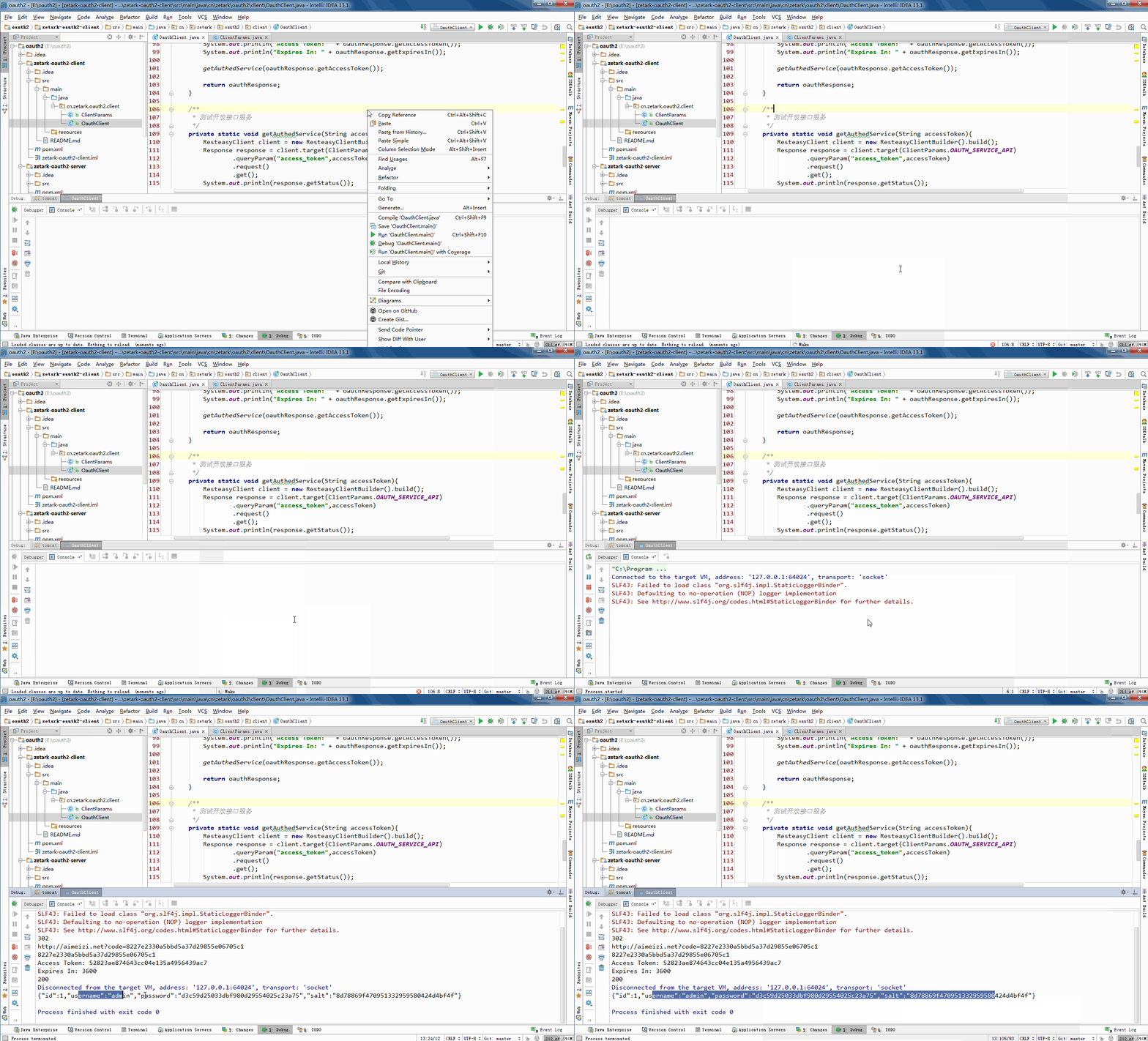
纯代码方式接入OAuth演示
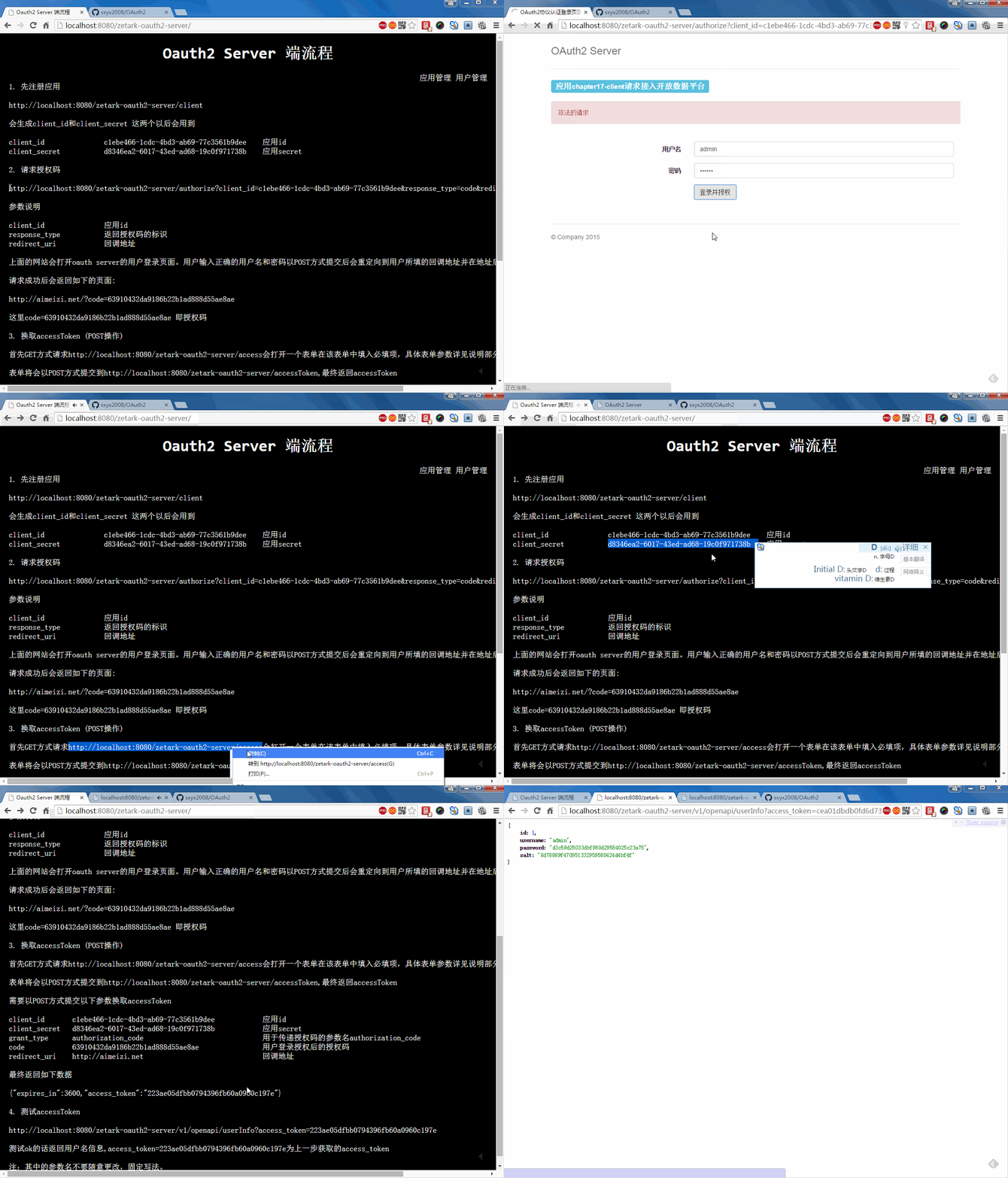
Oauth2 Server端执行流程
打包运行
mvn jetty:run
或
mvn tomcat7:run
1. 先注册应用
http://localhost:8080/zetark-oauth2-server/client
会生成client_id和client_secret这两个以后会用到
client_id               c1ebe466-1cdc-4bd3-ab69-77c3561b9dee    应用id
client_secret           d8346ea2-6017-43ed-ad68-19c0f971738b    应用secret
2. 请求授权码
参数说明
client_id               应用id
response_type           返回授权码的标识
redirect_uri            回调地址
上面的网站会打开oauth server的用户登录页面。用户输入正确的用户名和密码以POST方式提交后会重定向到用户所填的回调地址并在地址后携带授权码.
请求成功后会返回如下的页面:
http://notes.coding.me/?code=63910432da9186b22b1ad888d55ae8ae
这里code=63910432da9186b22b1ad888d55ae8ae即授权码
3. 换取accessToken (POST操作)
首先GET方式请求 http://localhost:8080/zetark-oauth2-server/access 会打开一个表单在该表单中填入必填项,具体表单参数详见说明部分
表单将会以POST方式提交到 http://localhost:8080/zetark-oauth2-server/accessToken ,最终返回accessToken
需要以POST方式提交以下参数换取accessToken
client_id       c1ebe466-1cdc-4bd3-ab69-77c3561b9dee            应用id
client_secret   d8346ea2-6017-43ed-ad68-19c0f971738b            应用secret
grant_type      authorization_code                              用于传递授权码的参数名authorization_code
code            63910432da9186b22b1ad888d55ae8ae                用户登录授权后的授权码
redirect_uri    http://notes.coding.me                          回调地址
最终返回如下数据
{"expires_in":3600,"access_token":"223ae05dfbb0794396fb60a0960c197e"}
4. 使用accessToken测试开放数据服务
测试ok的话返回用户名信息,access_token=223ae05dfbb0794396fb60a0960c197e为上一步获取的access_token
注:其中的参数名不要随意更改,固定写法。