
upf-gti/retargeting-threejs
upf-gti/retargeting-threejs has 48 GitHub stars and 5 forks. GitHot measured 0 stars in 24 hours and 0 in 7 days. Last checked 2026-11-21 13:12 UTC. Last push 2026-04-17.
Measured star growth
- in 24h
- 0
- in 7 days
- 0
- in 15 days
- Collecting history
- in 1 month
- Collecting history
Net star changes over overlapping periods, not daily totals. Missing measurements are left blank. Stars measure attention, not software quality.
About
Animation and pose retargeting solver for 3D humanoid characters using Threejs.
Creative & MediaREADME.md
Originalretargeting-threejs
Animation and pose retargeting solver for 3D humanoid characters using Threejs.
See this documentation for the algorithm explanation and some animation related topics.
[Try demo]
Set up
To use the code, include the retargeting.js file in your project and include the following lines in your index.html. The retargeting.js expects an importmap for "three":
<script async src="https://ga.jspm.io/npm:[email protected]/dist/es-module-shims.js"></script>
<script type="importmap">
    {
            "imports": {
                "three": "https://cdn.jsdelivr.net/npm/[email protected]/build/three.module.js"
            }
    }
</script>
API
// example offline retarget

let source = loadSourceSkeleton(); // user function: returns THREE.Skeleton
let sourceAnim = loadSourceAnimation(); // user function: returns THREE.AnimationClip

let target = loadSkinnedModel(); // user function: returns some skinned model from a glb (for example)

let options = {
    srcPoseMode: AnimationRetargeting.BindPoseModes.DEFAULT, // will use the actual skeleton's bind pose
    trgPoseMode: AnimationRetargeting.BindPoseModes.CURRENT, // will use the current local transforms of the bones as bind pose
    trgEmbedWorldTransforms: true // the rotations of the parent(s) of the skeleton will be included in the retargeting. They are needed to make the source and target skeletons match, for this example.
}
let retargeting = new AnimationRetargeting( source, target, options );
retargeting.retargetAnimation( sourceAnim );
Constructor
Retargets animations and/or current poses from one skeleton to another. Both skeletons must have the same bind pose (same orientation for each mapped bone) in order to properly work. Use optional parameters to adjust the bind pose.
AnimationRetargeting( srcSkeleton, trgSkeleton, options )
srcSkeletonTHREE.Skeleton
Skeleton of the source avatar. If not an skeleton, an object traverse will be perfomed to find one (from a skinnedMesh for example).trgSkeletonTHREE.Skeleton
Same as srcSkeleton but for the target avataroptionsObject
optional attribute to modify the retargeting behavioursrcPoseModeandtrgPoseMode: AnimationRetargeting.BindPoseModes
Pose of the srcSkeleton that will be used as the bind pose for the retargeting. Default: skeleton's actual bind pose.srcEmbedWorldTransformsandtrgEmbedWorldTransforms: Bool
Retargeting only takes into account the transforms from the actual bone objects (local transforms). If set to true, external (parent) transforms are computed and embedded into the root joint (only once, on construction). Afterwards, parent transforms/matrices can be safely modified and will not affect in retargeting. Useful when it is easier to modify the container of the skeleton rather than the actual skeleton in order to align source and target poses.boneNameMap: Object.
String-to-string mapping between src (keys) and trg (values) through bone names. Only supports one-to-one mapping. If no mapping is specified, an automatic one is performed based on the name of the bones.
Static Properties
BindPoseModes
Enumeration that determines which pose will be used as the retargeting bind pose.
DEFAULTor0: Uses skeleton's actual bind poseCURRENTor1: Uses skeleton's current pose
Methods
retargetPose
Retargets the current pose from the source skeleton to the target skeleton. Only the mapped bones are computed.
.retargetPose() : undefined
retargetAnimation
Retargets a THREEJS AnimationClip from source to target skeleton. Returns another AnimationClip. Only mapped bones are computed
.retargetAnimation( anim ) : THREE.AnimationClip
anim: THREE.AnimationClip
animation to retarget
[!CAUTION] Work in progress
applyTPose
Force the skeleton to have a T-pose shape, facing the +Z axis. Only works for humanoid skeletons.
.applyTpose( skeleton, map ) : THREE.AnimationClip
Usual issues
A failed retargeting might be due to many reasons.
The lack of movement might be caused by an improper bone mapping or bad track IDs.
Weird target rotations might also be due to improper bone mapping. However, most commonly, it will be caused by incorrect set up of the auxiliary pose. The API exposes some attributes to alleviate this
:heavy_check_mark: Case A: Successful Retargeting
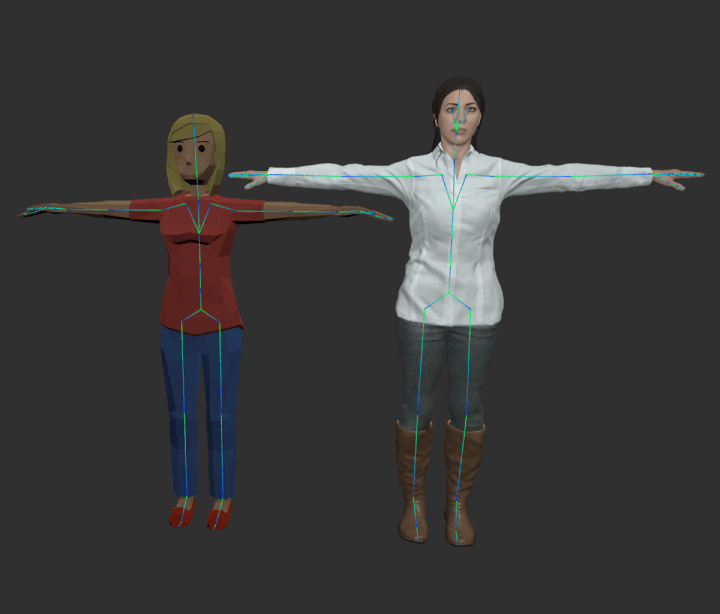
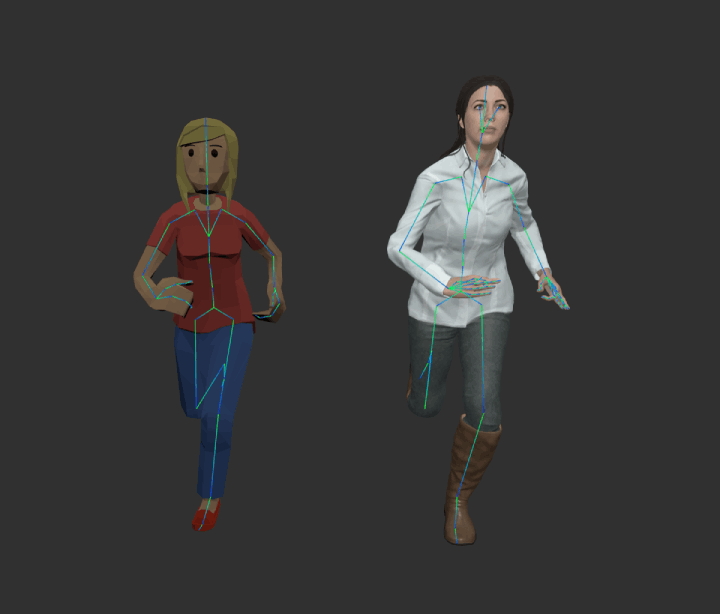
Case A shows a successful retargeting from the avatar on the left (red shirt) to the avatar on the right(white shirt). Note the white avatar only moves one finger as the source avatar only has one finger. It could have been manually mapped instead of relying on the automap.
:warning: Case B: Current pose modification
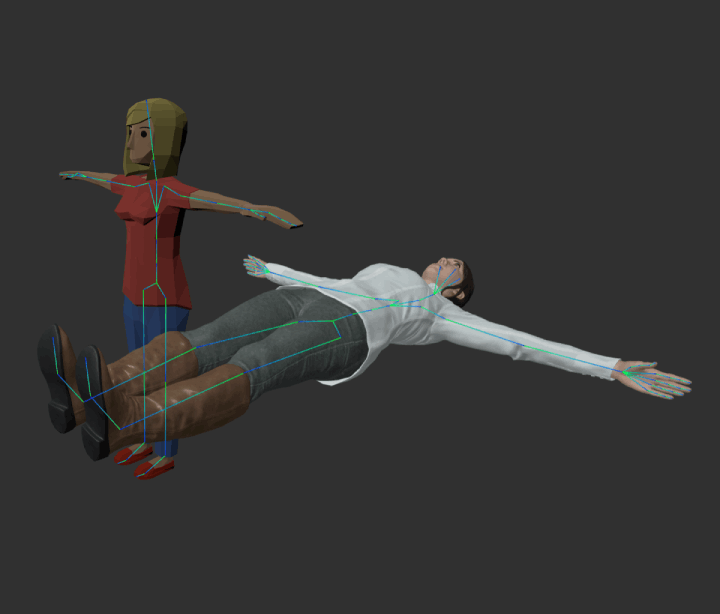
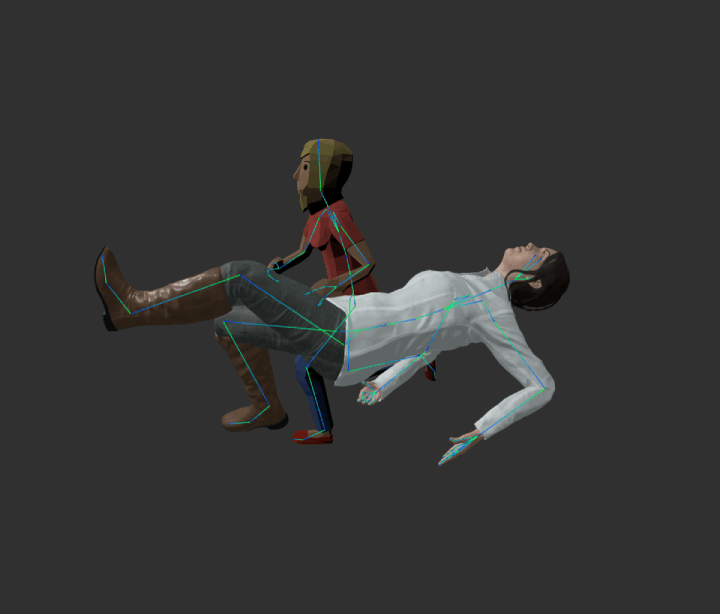
Case B shows an example where both skeleton's auxiliary pose are different. In this particular case, only the root joint (hips) differs. Since the world rotations of the source avatar do not mean the same for the target avatar, the resulting animation look weird. For this case, it would suffice to rotate 90º the root joint and instantiating the AnimationRetargeting class with the trgPoseMode set to CURRENT, so it checks for the current modified target bone setup.
:warning: Case C: World transform embeding
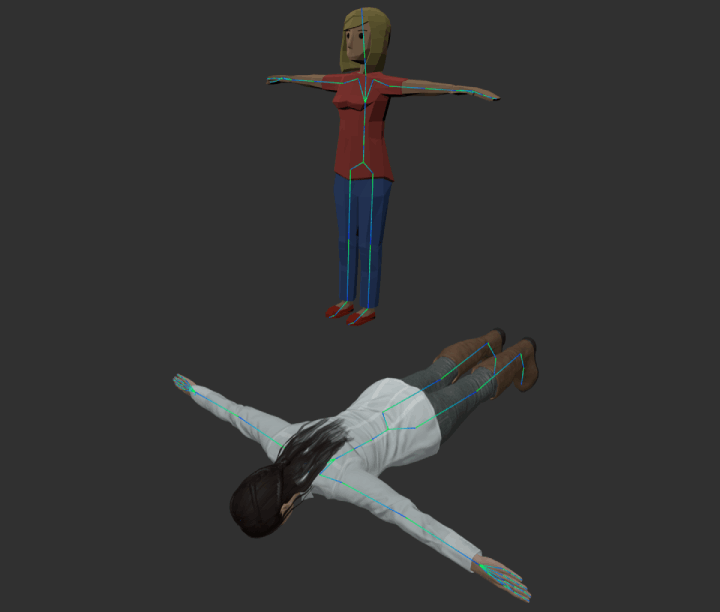
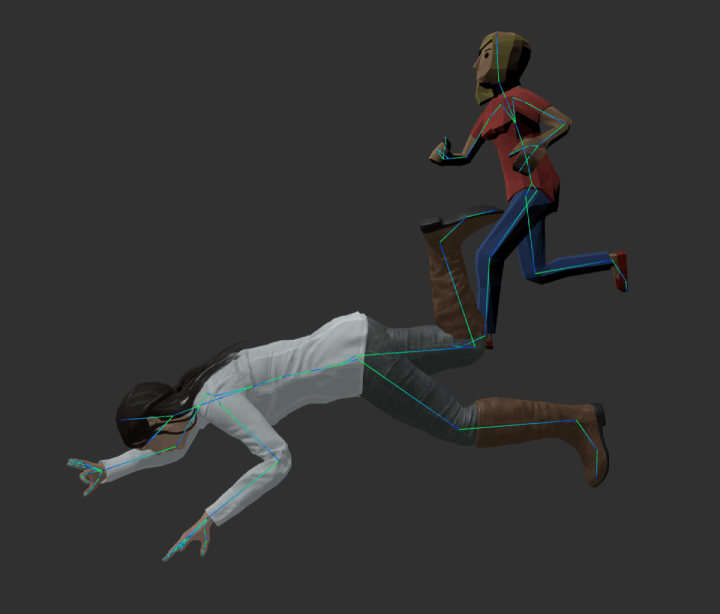
Case C shows a similar example as in case B. However, for this case it might be easier to just modify the container of the skeleton (or some upper container). Rotating the skeleton's parent object 90º results in the same pose as Case A. Then it would only suffice to instantiate AnimationRetargeting with trgEmbedWorldTransforms set to true, so the algorithm takes the container's rotation into account.
Explore related projects
Loading…