
underworldhistory1-ctrl/minimax-h3-interface
underworldhistory1-ctrl/minimax-h3-interface has 32 GitHub stars and 8 forks. GitHot measured 0 stars in 24 hours. Last checked 2026-11-09 09:14 UTC. Last push 2026-11-05.
Self-hosted MiniMax H3 video with native audio and Qwen Image. Adaptive ComfyUI workflows, character references, storyboards and saved scenes.
What you can do
- Text to video - Original FL2VA generation with native audio
- Animate opening/closing images - Frames mode with independent input fit settings
- Direct from references - Named images, video and audio; roles, @mentions and connected native tags
- Guide with a storyboard - One sheet or an ordered group of separate storyboard images, with separate character/style references
Measured star growth
- in 24h
- 0
- in 7 days
- Update delayed
- in 15 days
- Update delayed
- in 1 month
- Update delayed
Net star changes over overlapping periods, not daily totals. Missing measurements are left blank. Stars measure attention, not software quality.
README.md
OriginalH3 Interface
MiniMax H3 video with native audio. Qwen Image 2.1 creation and editing. One browser workspace on your own NVIDIA machine or GPU server.
Current software: 2.15.0 · Install · Launcher · Compatibility · Changelog
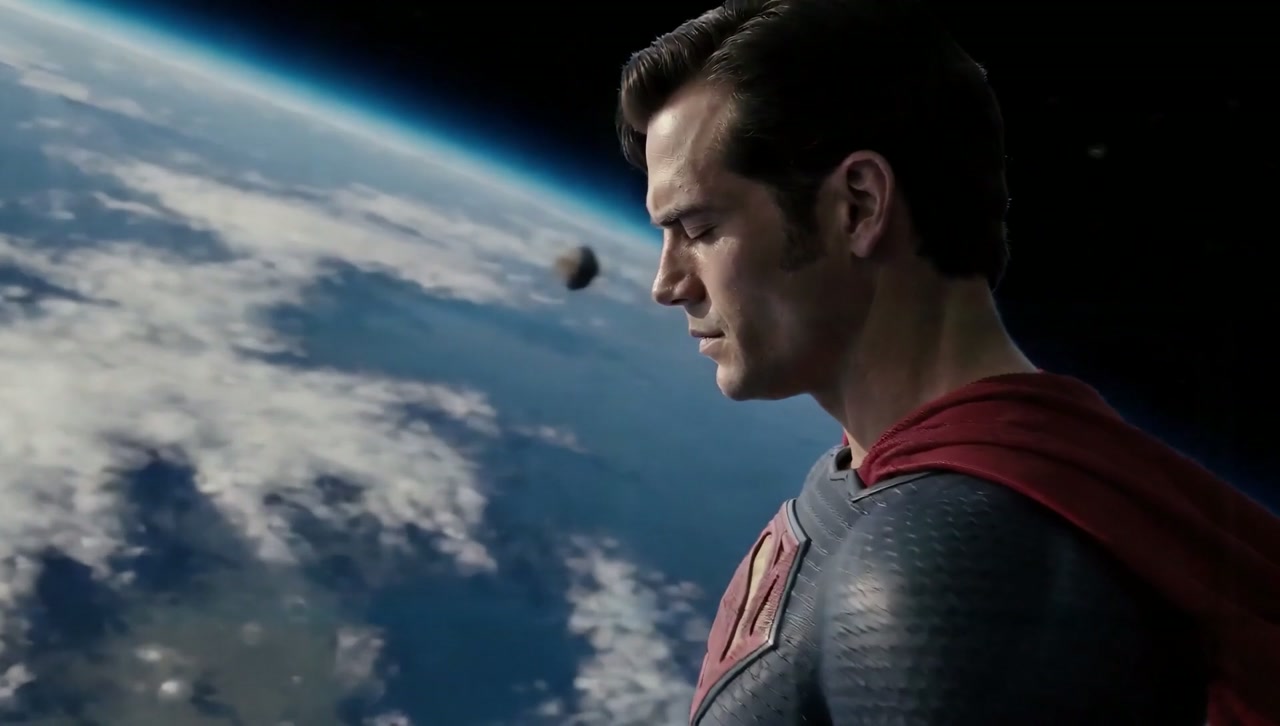
A creator-supplied storyboard and character reference guide this shot. Watch the excerpt or open the complete setup. Examples demonstrate particular outputs, not guaranteed results for other prompts.
Public website · Installer transparency and provenance · Reference controls
Get started
Clone the source outside ComfyUI's custom_nodes directory:
git clone https://github.com/underworldhistory1-ctrl/minimax-h3-interface.git
cd minimax-h3-interface
bash launcher.sh --comfy-root /path/to/ComfyUI --models-root /path/to/models
On Windows, use ./launcher.ps1 -ComfyRoot C:/path/to/ComfyUI. The installation guide covers Portable/source environments and first-time setup. Use the launcher's preflight mode to see exact missing downloads before installation. Weights are not bundled; repeat launches resume and reuse verified cached files.
Open /extensions/h3_studio/index.html at your ComfyUI address. The server root redirects to Studio; the header's ComfyUI link opens the technical node editor separately.
Start directly in Production, write a prompt, attach inputs and generate. Save scene or Generate creates a named workspace when needed. No manual graph or project setup is required.
What you can create
| Task | Studio behavior |
|---|---|
| Text to video | Original FL2VA generation with native audio |
| Animate opening/closing images | Frames mode with independent input fit settings |
| Direct from references | Named images, video and audio; roles, @mentions and connected native tags |
| Guide with a storyboard | One sheet or an ordered group of separate storyboard images, with separate character/style references |
| Set timed images | Temporal guides at selected frames, when native capability is present |
| Guide structure or motion | Optional Fun-ControlNet 2.0 and installed pose/depth/outline/lighting extractors |
| Continue or refine | Saved AV context, optional latent refinement and generated-audio enhancement under compatibility checks |
| Create supporting images | Separate Qwen Image 2.1 create/edit workspace with references and optional image LoRA |
| Keep and reuse work | Projects, scenes, shots, Elements, saved settings, independent Reuse setups and portable ZIP exports |
| Enlarge an approved take | CPU Lanczos export with copied audio, without another diffusion render |
Reference limits: 12 files total, up to 9 images, 3 videos totaling 15 seconds, and 3 standalone audio files totaling 15 seconds. Video soundtracks remain paired with their videos and do not consume standalone audio slots. Each video/audio reference is 2–15 seconds; neither budget needs to be filled. A storyboard does not automatically split into timed panels.
Selections build the actual workflow
Studio compiles the current setup into a connected ComfyUI graph. Shared frontend rules apply required settings during supported transitions; backend checks compare declared settings with the connected execution path. Saved incompatible setups stay visible and block generation until resolved. Missing nodes/weights are reported rather than treated as ready.
| Selection | Automatic behavior |
|---|---|
| Original | FL2VA for Text/Frames, Ref2VA for References |
| Pika Flex Turbo | Matching installed 2-step Draft, 4-step/Lite or 8-step HD adapter, Original or supported Singularity v2 References/native path, required strength/sampler/shifts and compatible single pass |
| Turbo | Text/Frames Turbo v4 or References LightX2V 8-step; matching mode/availability and required sampling contract |
| LoRAs and Dials | Selected order/strengths reach the model chain and saved setup; refinement uses its declared strengths |
| Control, Refine, audio and continuation | Capability checks, supported pass ordering and explicit rejection of conflicting combinations |
| Canvas, seed, duration and guides | Selected values reach conditioning/sampling/output transforms; exact uint64 seeds are retained |
Choose installed Pika variants in Model configuration > Pika Flex Turbo. Creative LoRAs stay in their own section. Switching to Singularity prefers the installed v2 checkpoint while preserving compatible Pika References settings. Explicitly restored checkpoint choices remain unchanged.
This is deterministic configuration coordination. It does not infer the training requirements of every unknown LoRA or search for an artistically optimal result. Required settings are automated; scene-specific strengths, prompts and quality/speed tradeoffs still need output review. See selection rules and Matlow setup, graph contract, Pika and Turbo.
Models and acceleration
| Choice | Scope |
|---|---|
| Original quality | Default H3 INT8 ConvRot; 20 steps, res_multistep/simple, CFG 1, native audio |
| Singularity v1.3 / v2 INT8 | Explicit optional checkpoints; v2 has no new GPU evidence here; v1.3 historical evidence is limited to tested setups |
| Hybrid conditioning / Hybrid loader | Two distinct experimental routes; completed GPU output quality remains unverified here |
| Spectrum / MotionCache | Separate optional approximation methods, selected one at a time |
| Qwen Image 2.1 | INT8 installed by default; BF16 optional, separate image workspace |
| Comfy Kitchen INT8 attention | Server default on pinned ComfyUI 0.43.0; actual loaded backend is checked |
| PyTorch attention | Explicit baseline via --attention-backend pytorch |
Attention, model precision and render acceleration are separate. A historical matched RTX 5090 Ref2VA workload took 9m43s with CK INT8 versus 20m01s with PyTorch Flash at 1024×576, 362 frames, 20 steps and identical inputs. This is one measurement on an earlier runtime; quantized attention can change the result. Measured settings and boundaries.
Native detail 1344×768 is the recommended upper starting canvas. Larger direct-generation choices are experimental and can change the shot even with the same seed. For an approved take, use Upscale same take; it preserves frames/audio but does not invent detail. Resolution behavior.
See the upstream audit and orchestration assessment for current additions, practical motion tools and local-agent boundaries.
Optional Matlow tools
The normal launcher prepares MAINodes, Dials and the publisher Dial library by default. It installs reviewed pinned sources and small Dial files; recognized installs remain managed during later updates. Advanced Linux installations can explicitly opt out with --no-matlow.
- ComfyUI-Dials: motion/mood steering connected to Studio, project persistence and applicable model passes.
- ComfyUI-MAINodes: installed as an independent optional backend pack. MotionLab and Contact Sheet are not integrated Studio controls. MotionLab adds a guided rerender and computation; it is not a general speed boost.
The packs retain their external licenses and notices. Versions, installation and supported scope.
Arrange your workspace
Use Customize layout to hide/show sections, reorder stages, move sections between stages or reset your layout. Drag the grip beside a section title or reference; arrows and Alt + arrow keys provide alternatives. Video and image layouts are stored separately in this browser. Hiding a section keeps its settings active; changing mode still controls which features are available.
For storyboards, choose Storyboard sheet for one image or Storyboard sequence for separate ordered images. Sequence images share a group, with per-image instructions and a shared sequence structure. They guide staging and action; they do not become timed keyframes. Reference and storyboard guidance.
Projects, tabs and media
Save scene to creates a new scene/shot in a selected project. New scene saves current work before clean defaults. Elements holds reusable assets; shot mention names remain separate from catalog names. Replace updates a shot or editable element bindings while historical takes retain their originals.
Refreshing a tab restores its local inputs and settings. A fresh plain Studio page starts independently; explicit project/Reuse/job links open requested work. Server Save is distinct from local tab persistence, with revisions protecting concurrent edits. Reuse opens an independent setup under its original project's Reuse folder and never starts a render automatically.
Generations/Favorites use the selected scope, offer direct downloads and search recorded prompts/settings. Activity tracks queue, preparation and exports. Lost events reconcile through server history. Projects · Reuse · Tab persistence.
Updates and verification
The launcher follows official main by default, verifies provenance/ancestry, preserves local edits and waits for accepted work, preparation and exports before replacing runtime. Supported code-only updates are available through Updates; environment changes need the full launcher. Restart when idle after installing code. Never interrupt an active render. Upgrade/rollback · Safe uninstall.
Source tests, local API/browser checks and GPU rendering are reported separately. Current verification: 609 Python tests (one platform skip), 327 JavaScript tests, the 528-case persisted and 2,096-case expanded graph matrices and real-API browser journeys. Current evidence and boundaries. Windows/Linux CI reports the status of each exact commit. This does not establish every possible setting combination. Current changes have no new GPU render; earlier decoded Original/Singularity outputs are historical evidence. Check Actions for the exact current commit and release notes for subsequent checks.
Read-only server validation: python deploy/verify_h3_server.py --url COMFY_URL. Readiness is not a visual-quality certificate. Models need substantial disk and host RAM as well as VRAM. Completed sampler latents support tracked decode recovery, not mid-sampling resume. Optional AI prompt preparation requires a configured provider; otherwise Automatic formats locally.
Documentation and community
Documentation index · Shared GPU and optional image adapter · Prompt formats · Compatibility · Verified behavior · Discussions · Issues
Built on MiniMax H3 and ComfyUI. Developed independently by H3 Interface contributors, building on the MIT-licensed CharlesMod H3 Studio foundation. Original notices are preserved. Code: MIT. Model weights, external packs and demo media have separate licenses; Qwen Image 2.1 uses the Qwen Research License.
Explore related projects
ytdl-org/youtube-dl
Command-line program to download videos from YouTube.com and other video sites
141,500 starsexcalidraw/excalidraw
Virtual whiteboard for sketching hand-drawn like diagrams
135,396 starsgodotengine/godot
Godot Engine – Multi-platform 2D and 3D game engine
119,840 starsmrdoob/three.js
JavaScript 3D Library.
117,983 stars