
ullaskunder3/Solution-to-graphics.h
ullaskunder3/Solution-to-graphics.h has 58 GitHub stars and 43 forks. GitHot measured 0 stars in 24 hours and 0 in 7 days. Last checked 2026-11-11 06:29 UTC. Last push 2026-03-28.
My vs code setup for graphics.h ( I know its old, have to learn because of university they use turbo 😱. Vs code is way better 😍)
Measured star growth
- in 24h
- 0
- in 7 days
- 0
- in 15 days
- Update delayed
- in 1 month
- Update delayed
Net star changes over overlapping periods, not daily totals. Missing measurements are left blank. Stars measure attention, not software quality.
README.md
OriginalHow to Setup graphics library graphics.h in Visual Studio Code
Students who don't want to go through the full graphics.h setup can try the new Darvin IDE (beta version).
⚠️ New Option: Try Darvin IDE (BETA – No Setup Required)
👉 Download the latest beta here: https://github.com/ullaskunder3/darvin/releases/tag/v0.1.1-beta
Important
- This is still in beta
- It may have bugs or missing features
- But it already works for writing and running C and C++ programs
- You can also create and run SDL3 projects (GUI) without manual setup
If you prefer a stable manual method, follow the guide below. If you want something quick and simple, try Darvin IDE.
⚠️ This is still a beta version. Feedback and bug reports are welcome!
Table Of Content
My Workspace Dir and code example
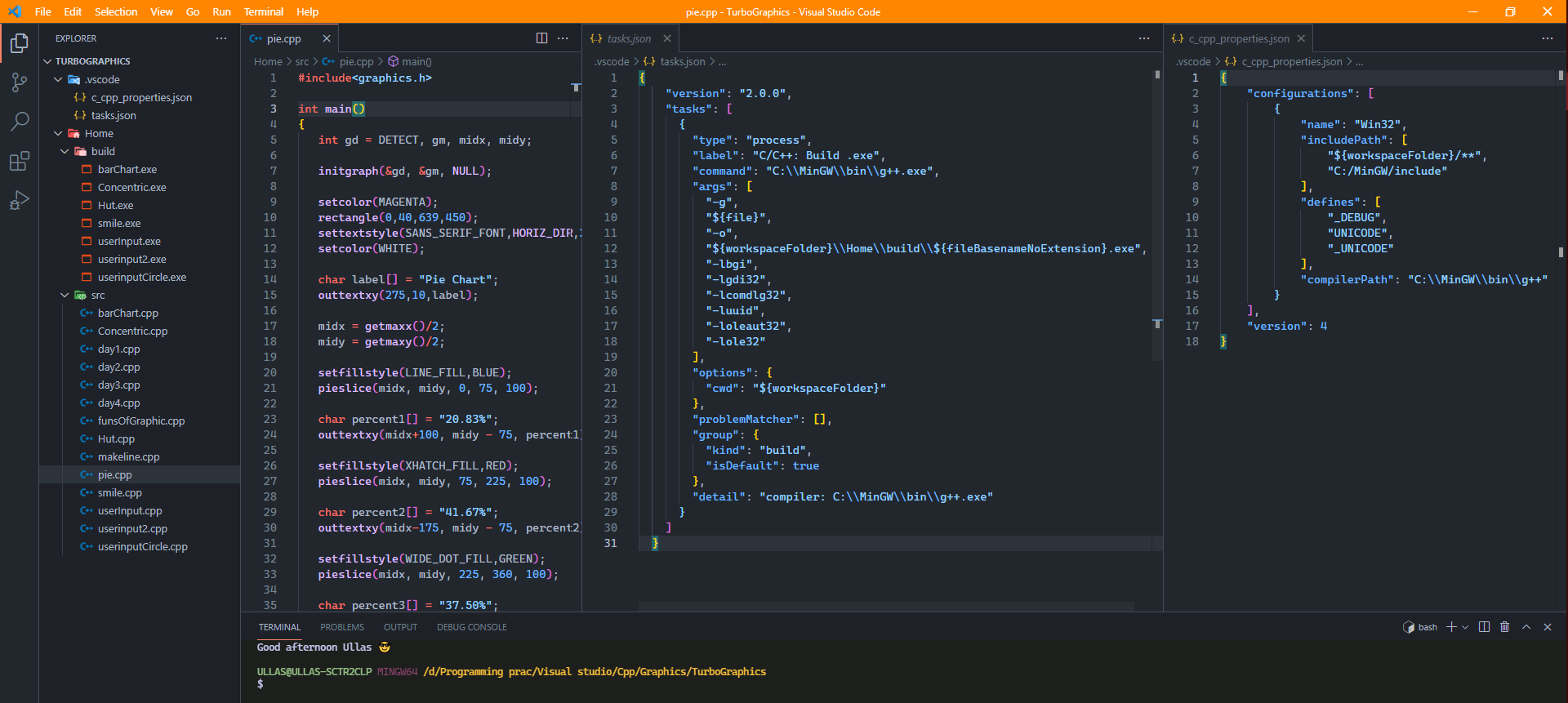
General information
It like a tradition to use Turbo in our Indian CS sector. Its because the syllabus haven't been changed since long time.
The graphics. h header file provides access to a simple graphics library that makes it possible to draw lines, rectangles, ovals, arcs, polygons, images, and strings on a graphical window. The second step is initialize the graphics drivers on the computer using initgraph method of graphics. h library.
- To know More Stanford !!old
<graphics.h> is very old library. It's better to use something that is new.
Trust Me There are much better option
Allegro or SDL libraries may be for you. You could also try SFML. It has quite a following. You'll have a large community behind you if you needed any help.
files
Setup
Know the difference between MINGW, Mingw-w64 && TDM learn more go, go, go...
UPDATE:
switching from MinGW to TDM-GCC-32
Install TDM-GCC-32 from their official site link
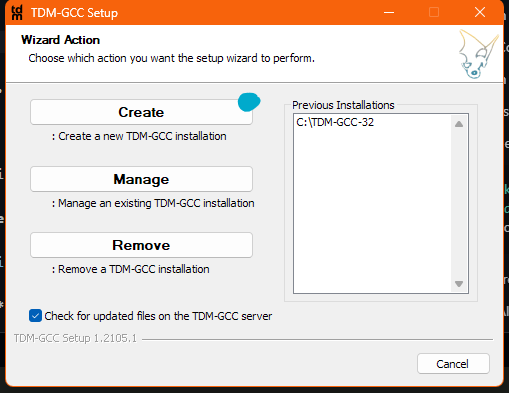 |
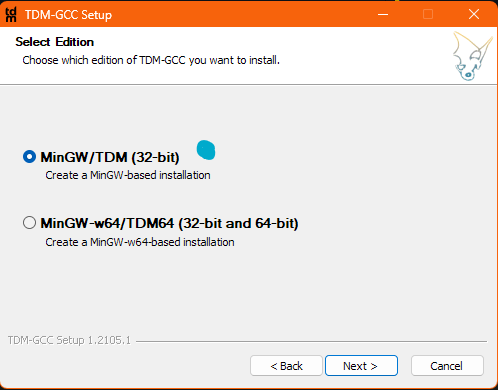 |
|---|
- after that default step that's all
Get all the files needed graphics.h, winbgim.h and libbgi.a
- Copy
graphics.handwinbgim.hfiles toTDM-GCC-32/includefolder.
location might be ("C:/TDM-GCC-32/include/")
- Copy
libbgi.ato file toTDM-GCC-32/libfolder.
location might be ("C:/TDM-GCC-32/lib")
Open Vs Code Smart way:
- Select a folder and open Terminal
   mkdir cppGraphics
   cd cppGraphics
   code .
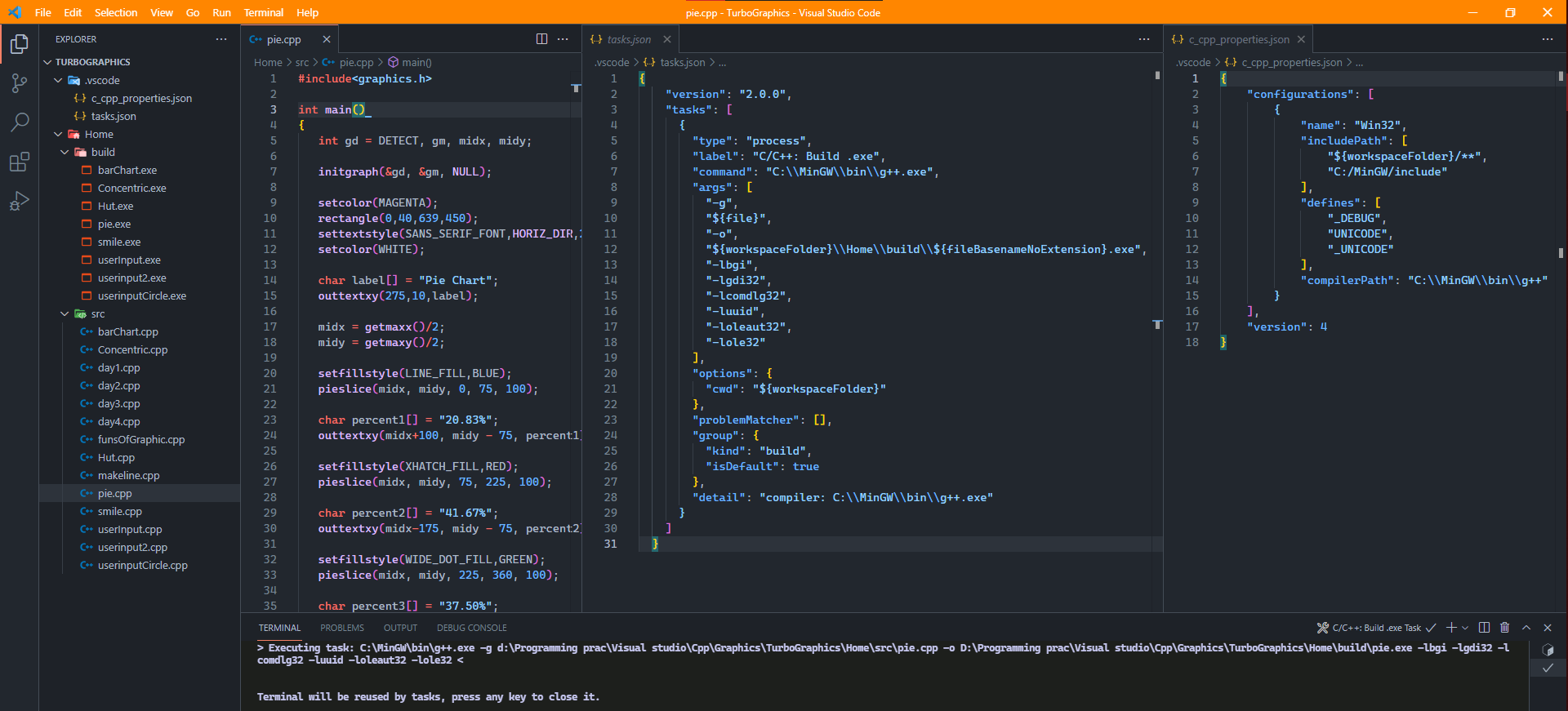
if you are using template with task and c_cpp_properties json file then you directory should look like this:
- All your code should be inside
srcand the task.json will build the .exe inbuildfolder
cppGraphics
├───.vscode
└───Home
    ├───build
    └───src
.vscodefolder in that workspace which will containtask.json,c_cpp_properties.json
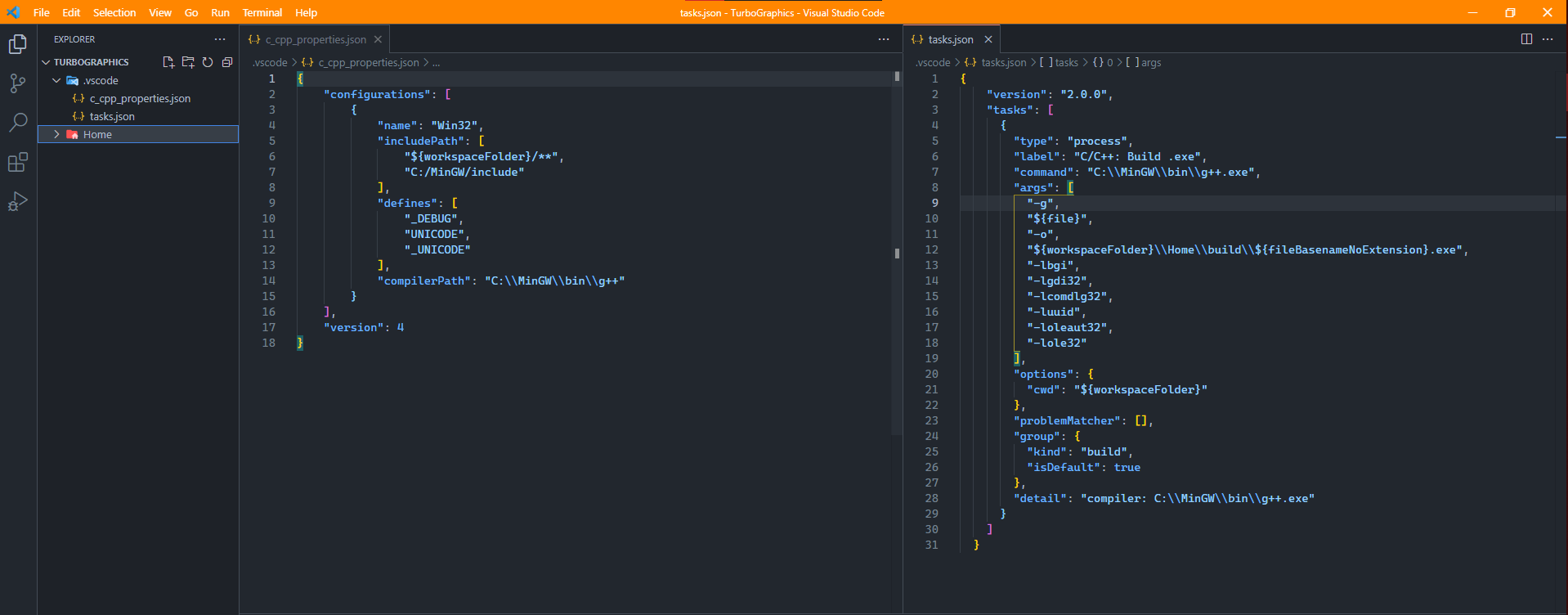
//create a file name it example.cpp inside src or any other name with .cpp extension

#include <graphics.h>

int main(){
    int gdrive = DETECT;
    int gmode;

    initgraph(&gdrive, &gmode, NULL);
    // you can also pass NULL for third parameter if you did above setup successfully
    // example: initgraph(&gd, &gm, NULL);

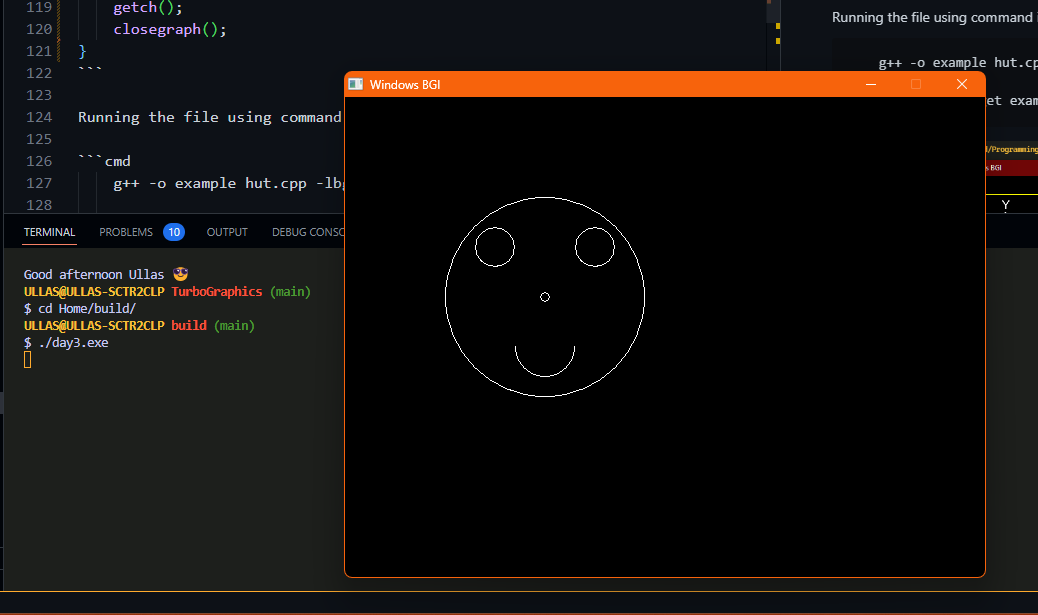
    arc(200, 200, 0, 360, 100);
    arc(150, 150, 0, 360, 20);
    arc(250, 150, 0, 360, 20);

    arc(200, 200, 0, 360, 5);
    arc(200, 250, 180, 360, 30);

    getch();
    closegraph();
}
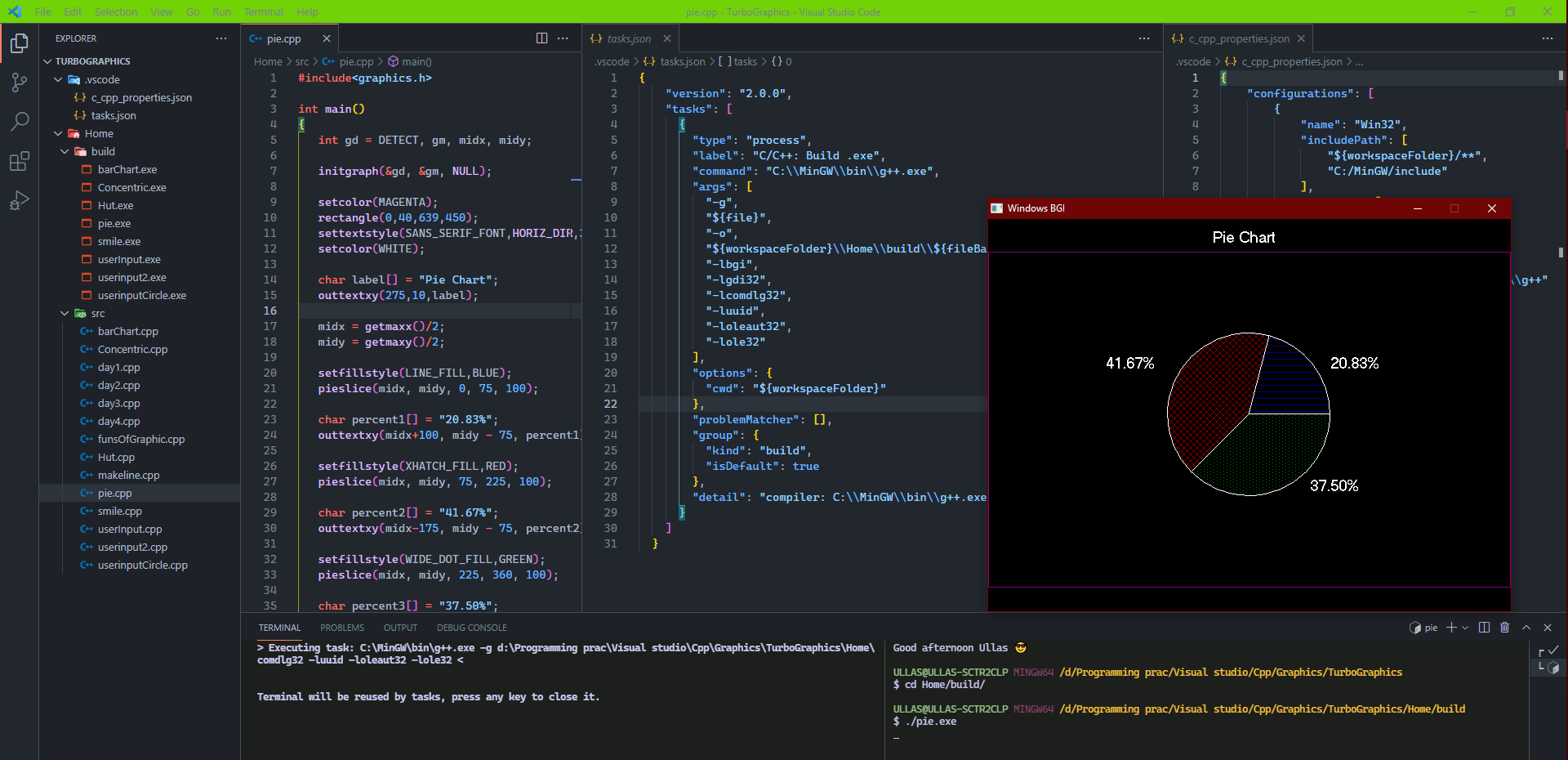
Just Ctrl+Shift+B to run the build task you will get the executable file in build folder
Manual
Running the file using command in termainl:
    g++ -o example day3.cpp -lbgi -lgdi32 -lcomdlg32 -luuid -loleaut32 -lole32

    //after u'll get example.exe run using command: .\example
Now To set up graphics.h in vs code using MINGW:
alternative video instruction in hindi to setup graphics.h lib in vscode

Alternative step wise instruction to setup MinGW along with graphics library (graphics.h)
- ReadME MinGW & graphics.h setup
Contributors ✨
Thanks to these wonderful people:
 Prakash4844 💬 📖 |  sagargoswami2001 💬 📖 |
Explore related projects
ytdl-org/youtube-dl
Command-line program to download videos from YouTube.com and other video sites
141,527 starsexcalidraw/excalidraw
Virtual whiteboard for sketching hand-drawn like diagrams
135,492 starsgodotengine/godot
Godot Engine – Multi-platform 2D and 3D game engine
119,942 starsmrdoob/three.js
JavaScript 3D Library.
118,122 stars